
See a Demo
You're just one step away from seeing Call Loop in action.
Enter your information below to watch a demo right now.

You're just one step away from seeing Call Loop in action.
Enter your information below to watch a demo right now.

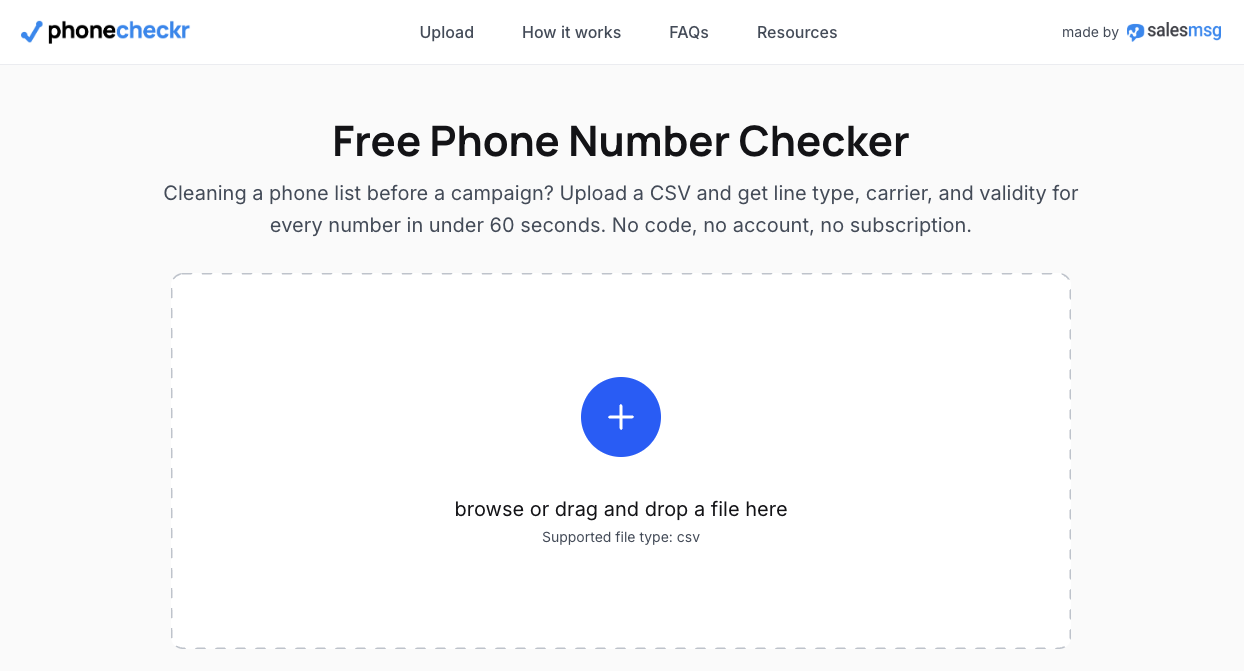
That question usually comes up right before someone imports a list for SMS and realizes they do not know which contacts are textable. In our experience, that is the primary job of a line-type lookup: not curiosity, but preventing wasted sends, bad routing, and avoidable delivery failures.
You can’t send a text message to a landline phone!
PhoneCheckr was built to answer that practical question before you launch a campaign. Instead of treating a phone list as one big bucket, it helps separate mobile numbers from landlines and VoIP lines so you can choose the right channel.
Here’s what PhoneCheckr reports:
PhoneCheckr is designed to be used by an SMS team by looking at whether it helps clean a list before sending, whether the output is easy to act on, and whether the classifications are useful enough to split traffic between text and voice. Core questions include: Does it identify line type clearly? Does it flag junk formatting before you pay to message bad records? And does the report make it obvious what to suppress, what to text, and what to move to a voice workflow?
I also looked at the tool through a list-hygiene lens rather than a pure data-enrichment lens. The primary benefit is not “learning everything” about a number; it is avoiding obvious mistakes at scale. A useful checker should normalize formatting, surface carrier and country details, and return results in a format that a marketer or ops person can export and use immediately.
What would count as a failure here? Ambiguous classifications, no warning on malformed numbers, or a report that tells you a number is non-mobile without helping you segment it out of an SMS send. That matters more now because cloud calling keeps expanding; the VoIP market alone is projected to grow sharply over the next few years according to Zoom's VoIP statistics roundup, which means more mixed-quality contact data and more virtual numbers showing up in customer lists.
The most useful reason to run a lookup is before bulk messaging. If you upload an older CRM export, a purchased event list, or a CSV that has been touched by multiple people, line-type checking helps you remove SMS-ineligible landlines, separate likely mobile contacts from VoIP entries, and cut down on wasted sends. We use this kind of report as a first pass before any larger text campaign because it is faster to clean the list once than to pay for failed attempts over and over.
It is also useful when your database is mixed-quality. A lot of teams have one file that includes opt-ins from forms, call-ins from sales, support callbacks, and manually entered records. In that situation, PhoneCheckr gives you a fast way to review a CSV, identify numbers that are probably better suited for voice, and segment out lines that should not be treated like standard mobile recipients. If you run both calling and texting, the tool becomes operational rather than informational.
In practice, a VoIP number lookup is checking a few things at once: whether the number is formatted as a real phone number, what carrier data is attached to it, what line type it currently maps to, and what country code it belongs to. That combination is what makes the result useful. A raw number by itself does not tell you whether it belongs in an SMS campaign; a line-type report usually does.
From a messaging perspective, mobile numbers are usually the best candidates for SMS, landlines are generally a poor fit for texting, and VoIP sits in the middle because the number may be valid but not ideal for the same workflows as a standard mobile line. The complication is that line type is not frozen forever. Numbers can be ported between providers under FCC number portability rules, so a checker gives you a useful current snapshot, not an eternal truth.
If your use case extends into voice operations, emergency routing, or business telephony compliance, the surrounding VoIP setup matters too; this overview of E911 VoIP best practices via Intelligent Contacts is a helpful companion read when a number is clearly better handled in a calling workflow than in SMS.
Start with an Excel or CSV file of phone numbers and import it on the homepage.
Once the file is uploaded, the first job is normalization. That means cleaning obvious formatting issues, standardizing local and international number presentation, and identifying records that are malformed before they create downstream problems. I like seeing this step early because bad formatting is one of the easiest reasons for a list to look bigger than it really is.
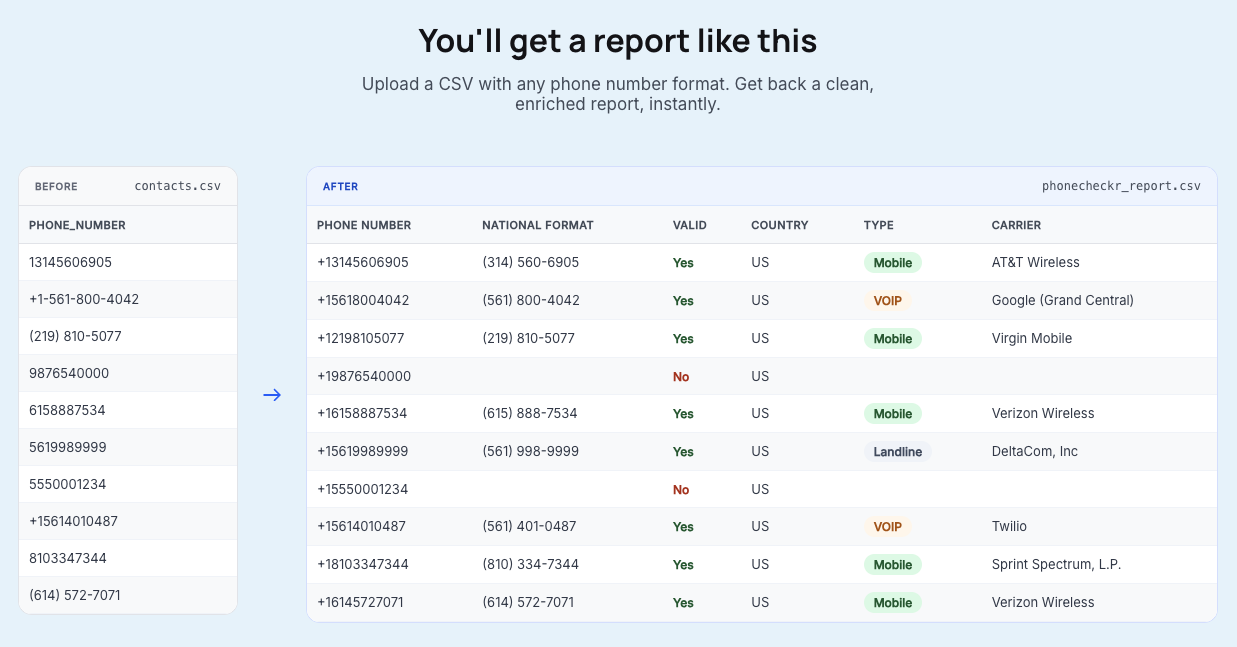
After that, PhoneCheckr runs the lookup against carrier and line-type data. The output classifies numbers as mobile, landline, or VoIP, and also returns supporting details such as carrier and country information. That is the point where a generic list becomes something you can segment: mobile for texting, landline for suppression or voice, and VoIP for closer review depending on your campaign rules.
Next, the platform totals the records it can check and shows the lookup cost. For 2¢ per lookup, you can pay by credit card and get the results back in minutes. The useful part is not just the classification itself, but the ability to export or review the report and act on it immediately.
This feature will be rolling out in the NEW Call Loop platform so if you choose to, it will automatically determine if it’s landline, mobile, or VOIP for you.
You’ll get a report like this!
What can you verify for free before paying? A few basics. You can catch obvious formatting errors, spot country-code mismatches, and sometimes infer line type from context such as the listed carrier or from a failed text attempt to a clear landline. I have also seen teams manually test a small sample first when they only have a handful of numbers and do not want to run a full file.
Where free methods stop being reliable is scale and confidence. Manual checks do not hold up well on big CSVs, carrier clues can be incomplete, and a failed text does not always tell you why it failed. A dedicated checker is better when you need one report across hundreds or thousands of records instead of one-off guesses.
There is one important limit: line type alone does not guarantee deliverability. A number can be correctly identified and still not perform the way you expect because of porting, carrier behavior, messaging permissions, or account-level restrictions. In our testing workflow, we treat line-type data as a strong pre-send filter, not a promise that every remaining number will accept messages.
Click here to learn more about PhoneCheckr.
The most reliable method is to run the number through a lookup tool that checks carrier and line-type data, then returns whether the line is classified as mobile, landline, or VoIP. Free clues can help with one-off checks, but they usually do not give consistent results across larger lists. For campaign work, I would not rely on guesswork when a report can segment the file properly. PhoneCheckr will check whether its a landline, mobile, voip, or a bad number.
Sometimes, but only at a basic level. You can catch formatting errors, try a manual text on a small sample, or look for carrier clues, but those methods become unreliable fast. Free checks are fine for one or two numbers; they are not a dependable process for cleaning a serious contact list.
Not usually from a simple line-type checker. A checker can tell you what kind of line it is and which carrier data is attached, but ownership details are a different problem and are often limited by privacy, registration quality, and how the number was provisioned. Anonymous or app-based VoIP services often reveal far less than traditional phone records.
Sometimes, but tracing is not the same as identifying line type. For technical investigations, deeper methods such as SIP logs or packet inspection can reveal more about call origin and routing, as explained in this overview of tracing VoIP numbers. For normal marketing or CRM use, though, the practical need is usually classification and segmentation, not forensic tracing.
Not necessarily in every edge case, but it is a strong signal for campaign planning. Landlines are generally the numbers you should remove from standard SMS sends, while VoIP numbers deserve separate treatment because the messaging behavior can vary. The safe workflow is to treat the report as list-hygiene guidance and then use channel-specific rules for sending.
Yes, PhoneCheckr is a bulk phone number validator that will look up your numbers. Just upload a CSV file and it will process them easily.
Use a line-type check before any bulk SMS campaign. It is one of the simplest ways to stop paying for avoidable failures, clean up imported lists, and split numbers into text versus voice paths before launch.
My main takeaway after reviewing the workflow is that PhoneCheckr fits best for teams importing existing lists, not people doing the occasional one-number curiosity check. If you regularly work from CSVs, inherited CRM data, or mixed lead sources, the report gives you something actionable fast: suppress the landlines, review the VoIP lines, and send SMS to the numbers most likely to belong in that channel.
Chris Brisson
Chris is the co-founder and CEO at Call Loop. He is focused on marketing automation, growth hacker strategies, and creating duplicatable systems for growing a remote and bootstrapped company. Chat with him on X at @chrisbrisson


Trusted by over 45,000 people, organizations, and businesses like


