
See a Demo
You're just one step away from seeing Call Loop in action.
Enter your information below to watch a demo right now.

You're just one step away from seeing Call Loop in action.
Enter your information below to watch a demo right now.

Think of an auto SMS reply as your digital receptionist, always on, instantly responding to every inquiry. It's a pre-written text message that automatically fires off when a specific trigger occurs—like when someone texts you, you miss a call, or they fill out a form on your website. This isn't just a nifty feature; it's a foundational tool for any business that wants to provide instant acknowledgment, manage customer expectations, and capture leads without a human having to lift a finger.
In a world where everyone wants everything yesterday, speed is the new currency. When a potential customer reaches out, they expect an immediate response, not one that trickles in hours (or worse, days) later. This is where a sharp, well-crafted auto SMS reply becomes a game-changer. It's your first line of defense against lost opportunities and your first step in building trust.
That immediate, automated text does one simple but critical thing: it confirms you received their message. It tells them they haven't been shouting into the void. This single act can be the difference between a warm, engaged lead and someone who's already moved on to your more responsive competitor.
Before we dive into the setup, let’s look at the real-world difference an automated system makes compared to leaving things to chance.
It's easy to think, "I'll just get back to them when I can." But the gap between an instant automated response and a delayed manual one is where revenue and relationships are lost. Here's a quick breakdown of what's at stake:
As you can see, the choice isn't just about convenience—it's about fundamentally changing how you engage with your audience and protect your bottom line.
Picture this: a hot lead texts your business at 9 PM on a Friday. Without an auto-reply, that message just sits there, getting colder by the minute, until Monday morning. By then? That lead has probably already found someone else.
An auto SMS reply completely salvages this situation.
This is how you professionally manage expectations and keep the conversation going, even when you’re not physically there. You never miss a chance to connect just because you're offline.
But auto-replies are more than just a simple "got your message" confirmation. They're the starting point for much deeper, more engaging communication workflows.
Think of it as the first domino. A new lead's text can trigger an initial SMS reply, which then kicks off other automated actions. Maybe a few hours later, a ringless voicemail gets dropped into their inbox, delivering a personal-sounding message without their phone ever ringing. This kind of multi-channel follow-up creates a high-touch experience that makes you stand out.
The real power here comes from the unmatched engagement of text messaging. The SMS marketing industry is on track to hit $12.6 billion by 2025 for a reason. Texts boast a staggering 98% open rate and a 45% response rate—numbers that absolutely blow email out of the water. If you want to see the data for yourself, check out these compelling SMS marketing statistics.
Alright, let's get into the good stuff. Moving from theory to actually building your first auto sms reply campaign is where you'll see the magic happen. Don't worry, it isn't complex. It’s really just about making smart choices that help your customers and, in turn, help your business.
The absolute foundation of any solid automated workflow is the trigger—that specific event that tells your system, "Hey, send this message now!"
Think of triggers as the simple "if this happens, then do that" logic for your text messages. Getting these right is crucial because it creates a system that feels responsive and genuinely helpful, not robotic.
This whole process, from a new lead reaching out to them becoming an engaged customer, gets a massive boost from instant replies.
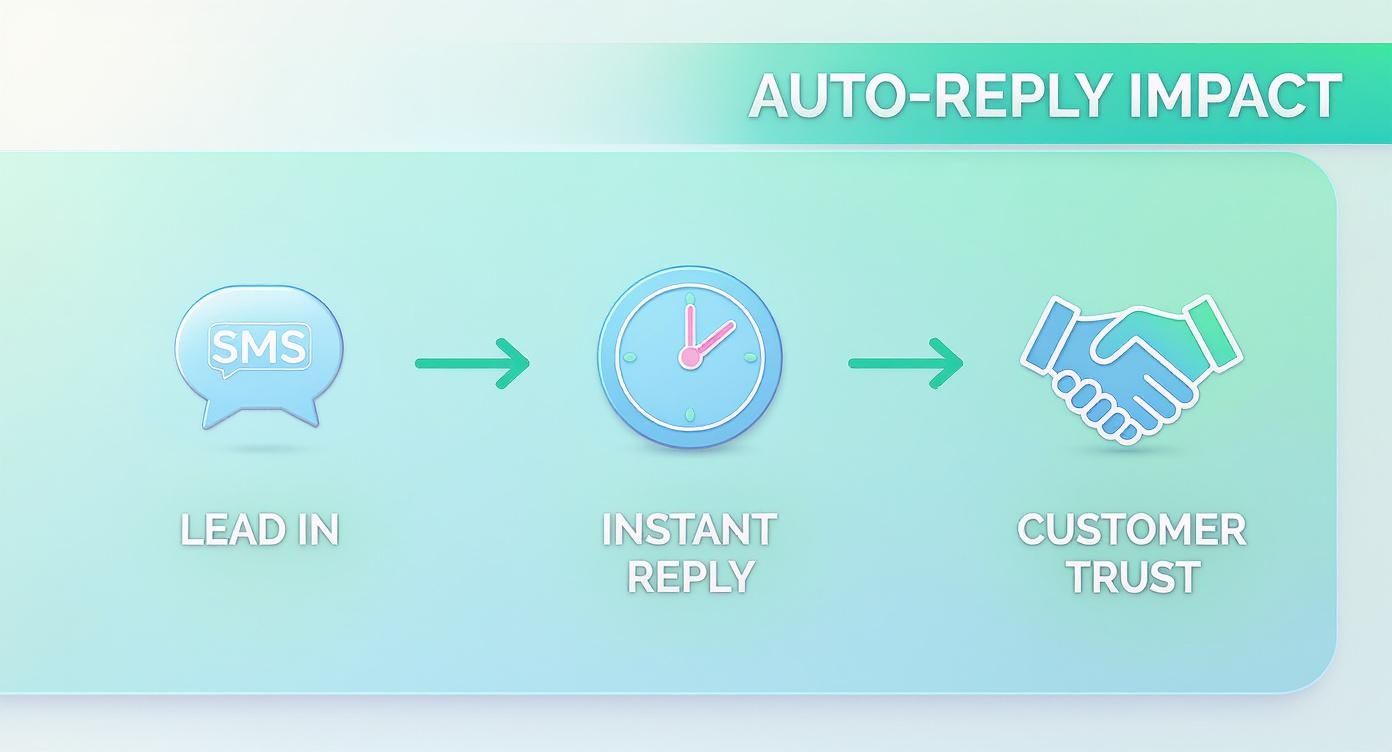
This simple flow—a person inquires, they get an instant reply, and trust begins to build—is the engine that drives engagement and loyalty right from that very first text.
First things first, you need to decide what specific actions will fire off an automatic response. Your goals will ultimately guide this, but I've found that most businesses get a huge lift from starting with three core types of triggers.
Once your triggers are locked in, it's time to write the actual messages. A great auto-reply is short, genuinely helpful, and sounds like your brand. The key here is making these automated texts feel as human as possible.
Using personalization tags like [FirstName] is a simple but incredibly powerful trick. Think about it: a message starting with "Hi Chris," is way more engaging than a generic "Hello."
Pro Tip: Always try to keep your auto-replies under the 160-character limit of a standard SMS. If you need to share more info, just drop in a shortened link to a page on your website. This keeps the text message clean and drives traffic right where you want it.
For example, let's say you set up a keyword trigger for "PRICE." Your template could be:
"Hi [FirstName], thanks for asking! You can see all our pricing details right here: [shortened link]. Let us know if any other questions pop up!"
This message is direct, helpful, and friendly. And if you really want to make sure your auto SMS campaigns are firing on all cylinders, you should be mastering automated lead follow-up, as the strategies there can seriously boost your conversion rates. When you combine smart triggers with thoughtful, personalized messages, you build a reliable system that works for you around the clock.
Once you've got the basics down—like keyword replies and after-hours messages—it's time to build more powerful workflows. This is where an auto sms reply system really starts to shine, turning simple acknowledgments into a proactive tool that nurtures leads and creates genuinely memorable customer experiences.
Let's dive into how you can layer in some more advanced strategies.
A single auto-reply is good. A thoughtful sequence of messages is so much better.
Instead of just one touchpoint, you can create a simple drip campaign that keeps your leads warm over several hours or even days. This multi-step approach ensures your brand stays top-of-mind without you having to manually track every single follow-up.
Imagine a real estate agent using a sequence for their "HOMEINFO" keyword trigger:
This kind of automated nurturing gently guides the prospect through the first steps of their journey. A well-designed workflow might even mix in different communication channels to create a richer experience.
One of the most effective ways to stand out is by combining your auto SMS reply with other channels. Picture this: a prospect texts you for information and instantly gets a helpful text back. A few hours later, they receive a pre-recorded voicemail from your team—but their phone never actually rang.
That’s the magic of ringless voicemail. It delivers a personal-sounding message straight to their voicemail inbox, creating a high-touch experience that feels premium and attentive. This is a killer strategy for high-value leads where a personal connection can make all the difference.
A great multi-channel sequence could look like this: An initial auto-reply text confirms their inquiry, a ringless voicemail a few hours later offers a personal welcome, and a follow-up text the next day checks in to see if they have questions.
Not all customers are the same, so why should their automated messages be identical? By using customer lists and segmentation, you can send different auto-replies to different groups of people. A brand-new lead might get a welcome message with a special first-time offer, while a loyal customer could receive a reply that acknowledges their VIP status.
This level of personalization makes your communication feel far more relevant and impactful. You can segment based on all sorts of things:
The future of automated messaging, including auto SMS, is being heavily shaped by breakthroughs in Generative AI in sales, which is making these kinds of hyper-personalized interactions possible at scale. As this technology evolves, it's only getting easier to deliver these tailored experiences. In fact, artificial intelligence already handles 47% of service requests, improving response times by a massive 92%.
Automated SMS is an incredibly powerful tool, but that power comes with some serious responsibility. While spinning up an auto sms reply is easy enough, making sure it’s compliant is absolutely non-negotiable. This isn’t just about dodging massive fines; it’s about building trust with your audience from the very first text.
The main idea is simple: you have to get explicit permission before sending automated messages. That’s not a friendly suggestion—it’s the law.
Before a single automated text goes out—whether it’s a welcome message or even a ringless voicemail drop—you need clear, undeniable consent. We call this an "opt-in." It means a person knowingly and willingly agreed to get text messages from your business.
This consent has to be documented. You can't just bury it in the fine print of your terms and conditions. It needs to be right there, front and center, so people know exactly what they’re signing up for.
Building a compliant SMS list is all about quality over quantity. A smaller list of engaged subscribers who actually want to hear from you is way more valuable than a huge list of people who don't. This approach protects your brand and makes your campaigns perform better.
A solid opt-in process is your first line of defense and the cornerstone of ethical marketing.
So, how do you get this permission the right way? It all boils down to transparency. The language you use has to be unmistakable, whether it's on a web form, a physical sign-up sheet, or a text-to-join keyword campaign.
Here’s what compliant language looks like in the wild:
This kind of wording leaves no room for confusion and gives you a clear record of their consent.
Getting consent is crucial, but honoring someone's request to withdraw it is just as important. Every single automated messaging campaign you run must have a clear and dead-simple way for people to opt out. The industry standard is universal: reply with the keyword "STOP."
The moment someone texts "STOP," your system must automatically and instantly remove them from that list. No delays. No follow-up questions asking "are you sure?" No manual work for you to do later.
This isn’t just a best practice—it's a legal requirement. Failing to process an opt-out request is a fast track to serious compliance trouble. A good system, like Call Loop, handles this for you automatically, ensuring you always respect your contacts' wishes.
Getting your automated SMS replies up and running is just the first step. The real magic—and growth—happens when you start digging into the data to see what’s actually working. Without that insight, you’re just flying blind.
A data-driven strategy is what turns a simple auto-reply into a powerful engine for real engagement.
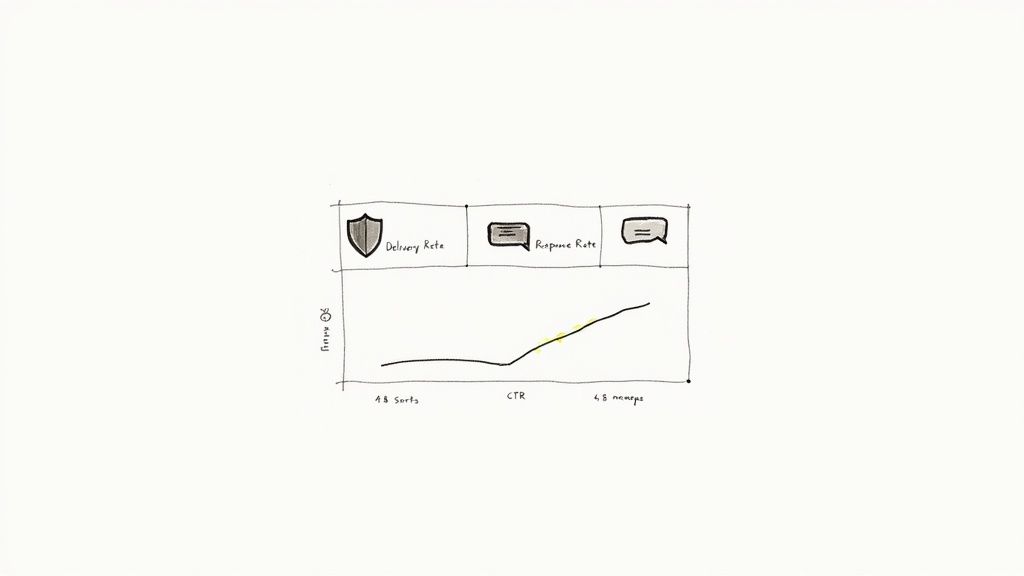
True optimization starts with tracking the right metrics. This isn't about vanity numbers; it's about understanding precisely how your audience interacts with your messages and making smart decisions based on that behavior.
You need to zero in on the data points that directly impact your goals. Platforms with detailed analytics make this easy, giving you a clear window into how your campaigns are doing. You can explore Call Loop’s robust reporting and analytics features to see this in action.
Here are the essentials you should be watching:
When you're trying to figure out what's working and what's not, it's helpful to organize your thinking around these key metrics.
Here's a quick breakdown of what these numbers tell you and how you can start improving them.
By keeping an eye on these four areas, you'll have a much clearer picture of what needs tweaking to get better results.
Never assume your first draft is the best one. A/B testing is a simple but incredibly powerful way to figure out what your audience truly responds to. The concept is straightforward: create two slightly different versions of a message and send them to separate segments of your list.
For instance, you could test:
By comparing how each version performs, you can make informed, data-backed decisions that will boost your results over time.
A tiny change can sometimes lead to a massive lift in engagement. I’ve seen clients boost their click-through rates just by testing a single emoji. The trick is to test only one thing at a time so you know exactly what caused the shift in performance.
As you start monitoring performance, you might hit a few common snags.
If a trigger keyword doesn't seem to be firing correctly, double-check your settings. Make sure your system is looking for a broad match (like "contains 'SUPPORT'") instead of an exact one ("is exactly 'Support'"). That one small tweak can solve a ton of workflow headaches.
Also, keep a close watch on your opt-out rate. A few unsubscribes are perfectly normal, but a sudden spike is a clear signal that something is off. It could mean you're sending messages too often or the content just isn't hitting the mark.
The average SMS opt-out rate is incredibly low, typically hovering between 0% and 1.5%, which shows that people generally welcome these messages when they provide value. With one in four marketers now using SMS for customer service, making sure your auto-replies are genuinely helpful is the best way to keep that rate right where it should be. You can find more useful numbers in these SMS marketing statistics.
Once you start digging into automated SMS replies, a few questions always seem to pop up. It's totally normal. Getting those questions answered is the key to building out your system with confidence. Let's tackle some of the most common ones we hear from folks just like you.
Yes, and honestly, you absolutely should. This isn't just a feature; it's a core strategy. A good SMS platform is built to let you create unique, automated responses for as many keywords as you need. This is how you deliver instant, relevant info based on exactly what someone is asking for.
A real estate agent, for instance, could have a few keywords working at once:
See how that works? You're immediately segmenting requests and providing value, which makes your whole system feel smarter and way more helpful.
Great question. Think of an auto SMS reply as a simple, powerful, pre-written response that fires off when a specific trigger happens. It’s perfect for instant confirmations ("Got it!"), answering a direct keyword request, or sending a quick after-hours message. It follows a straightforward, one-step "if this, then that" logic.
A chatbot is a different beast entirely. It’s designed to simulate a real conversation, often using AI to understand different phrases, ask follow-up questions, and guide a user through a more complex back-and-forth.
An auto-reply is like a super-efficient, instant FAQ response. A chatbot is more like a digital assistant that can hold an actual conversation. Both are incredibly useful, but they solve different problems.
Many businesses get huge value from starting with effective auto-replies and only explore chatbots as their needs get more complex.
This is easily one of the most popular and practical uses for an automated system. Inside your messaging platform, you'll look for a "time-based" or "scheduled" trigger. From there, it's as simple as defining your business hours—say, 9 AM to 5 PM, Monday through Friday.
Any text that comes in outside that window will automatically get your custom "after-hours" reply.
For example: "Thanks for your message! Our team is out for the day, but we'll get back to you first thing in the morning."
This little trick is a game-changer for managing expectations. It guarantees that no lead or customer ever feels ignored, even if they text you at midnight on a Saturday.
Yep, there is. A standard SMS message is capped at 160 characters. If you go over that limit, your carrier will split it into multiple messages. This can drive up your costs and, sometimes, the messages can arrive out of order, which is just confusing for the reader.
The best practice is to keep your auto-replies short, sweet, and to the point. If you need to share more info, use a shortened link (like from Bitly) that points them to a webpage. This keeps the text clean and cost-effective while still driving that valuable traffic where you want it to go.
Ready to turn these insights into action? Call Loop gives you all the tools to build powerful, compliant, and genuinely effective auto SMS reply campaigns. You can even integrate ringless voicemail and create automated sequences that nurture leads without you lifting a finger.
Start your free trial of Call Loop today and see how easy it is to automate your outreach
Chris Brisson
Chris is the co-founder and CEO at Call Loop. He is focused on marketing automation, growth hacker strategies, and creating duplicatable systems for growing a remote and bootstrapped company. Chat with him on X at @chrisbrisson


Trusted by over 45,000 people, organizations, and businesses like


