
See a Demo
You're just one step away from seeing Call Loop in action.
Enter your information below to watch a demo right now.

You're just one step away from seeing Call Loop in action.
Enter your information below to watch a demo right now.

You send a flash sale by SMS at lunch. You queue appointment reminders for the afternoon. You schedule a ringless voicemail drop for customers who never replied to text. Then the waiting starts.
Some people click. Some call back. Some stay silent. What you really want to know is simpler than engagement reporting. Did the message get there?
That question sits underneath every outbound campaign. If you don't know which messages were delivered, delayed, rejected, or failed, you can't tell whether the problem is your offer, your list, your timing, or your channel. A weak campaign and a delivery problem can look identical from the outside.
Business users feel this most when the message is time-sensitive. A restaurant sending a same-day special can't wait until tomorrow to learn half the texts never made it. A clinic sending reminders by voice or ringless voicemail needs to know whether the issue is an invalid number, carrier filtering, or a customer who ignored the message.
Delivery status notifications are the operational answer to that uncertainty. They turn outbound messaging from guesswork into a tracked process. For email, they show what happened between mail servers. For SMS and MMS, they show what happened after submission to carriers. For voice and ringless voicemail, they show call outcomes and drop results that tell you what happened in the real world.
Used well, these statuses do more than confirm delivery. They help you clean bad data, catch routing issues early, decide when to retry, and choose when to switch from text to voice or voicemail.
A lot of delivery problems don't look like delivery problems at first.
A gym owner sends a membership renewal reminder by SMS. Responses are lower than usual, so the first instinct is to rewrite the copy. A dental office runs ringless voicemail reminders before a busy Monday and sees more no-shows than expected. A retailer launches an MMS promotion with an image and assumes the offer missed the mark. In all three cases, the underlying issue might be message delivery, not message quality.
That's where operators separate themselves from casual senders. Casual senders blast a list and hope. Practitioners check the delivery trail.
Practical rule: If a campaign underperforms, don't start by rewriting the message. Start by verifying whether the message reached the customer at all.
In practice, this means looking beyond a single “sent” label. “Sent” usually means your system handed the message off. It doesn't always mean the recipient's carrier accepted it, the phone received it, the call was answered, or the ringless voicemail drop succeeded.
For business outreach, that distinction matters across every channel:
When teams start treating delivery reporting as part of campaign management, their decisions improve fast. They stop chasing the wrong problem. They remove bad numbers sooner. They know when to retry and when to stop.
The cleanest way to understand delivery status notifications is to start with email, because email has a long-established model for it.
A Delivery Status Notification (DSN) is a standardized email report that tells the sender whether a message was delivered, delayed, or failed. It comes from SMTP's built-in bounce reporting behavior, not from optional app-level tracking. In practical terms, a DSN can confirm acceptance by the recipient's mail server, report a temporary delay while servers keep retrying, or return a permanent failure when delivery is impossible, as explained in SMTP2GO's overview of Delivery Status Notifications.
That same reporting idea shows up in messaging and calling, but each channel exposes it differently.
For SMS and MMS, the parallel is usually a delivery receipt or delivery report. You'll often see statuses such as queued, sent, delivered, undelivered, expired, or carrier-rejected. These don't behave exactly like email DSNs because the path includes telecom carriers and mobile devices, not just mail servers. Still, the business purpose is the same. You're trying to see what happened after the platform submitted your message.
For voice broadcasts, the platform usually reports a call outcome instead of a delivery receipt. Typical dispositions include answered, busy, no answer, failed, or voicemail. If you're running appointment reminders or payment notices, these statuses matter more than a generic “completed” label because they tell you whether the call reached a person, hit voicemail, or never connected.
For ringless voicemail, the outcome is more specific. You want to know whether the voicemail was successfully dropped, whether the mobile number was valid for the drop, and whether the network accepted the attempt. This is one reason ringless voicemail deserves its own reporting review. It isn't a text and it isn't a live call, so its success and failure patterns are different.
Teams often don't need protocol theory. They need operational clarity.
Think of delivery status notifications as shipping scans for outbound communication. “Label created” is not “delivered.” “Out for delivery” is not “package received.” The same logic applies here.
What works is treating every channel as a pipeline with checkpoints:
A “sent” event is useful for auditing. A final delivery status is what you use to make decisions.
Raw status labels are only useful if you know what action they should trigger. The most important distinction is whether the issue is temporary or permanent. A Delivery Status Notification can represent a transient failure, where delivery is temporarily impossible and retrying makes sense, or a permanent failure, where retries won't fix it and the address or number needs correction or removal, as described in MDaemon's explanation of transient and permanent DSNs.
That logic applies well beyond email.
For text messaging, teams usually see a handful of recurring outcomes:
What tends to work operationally is grouping these into decision buckets instead of memorizing every label. Delivered is success. Queued and some undelivered states may need monitoring or retry logic. Invalid-number style failures should trigger list cleanup.
Voice campaigns generate a different kind of status trail because the system is placing calls, not sending messages.
Common outcomes include:
These statuses are easy to misread if you focus only on contact rate. For example, voicemail isn't necessarily failure if your campaign goal is only message exposure. For a press-1 transfer campaign, voicemail is a missed opportunity. The same status can be good or bad depending on the workflow.
For voice, a useful status isn't the one that sounds positive. It's the one that matches the job the call was supposed to do.
Ringless voicemail creates the most confusion because people expect call-style reporting and get something else.
What you usually care about is:
For ringless voicemail, list quality matters a lot. A number that can receive texts isn't automatically a valid ringless voicemail target. That's why ringless voicemail reporting often exposes data quality issues that SMS alone won't reveal.
| Channel | Status Code | What It Means | Your Next Step |
|---|---|---|---|
| SMS/MMS | Delivered | Message reached the recipient side successfully | Count as successful delivery and monitor engagement separately |
| SMS/MMS | Queued | Message is waiting for processing | Watch for backlog patterns before changing content |
| SMS/MMS | Undelivered | Message did not reach the recipient | Review number quality, content, and carrier acceptance |
| SMS/MMS | Expired | Delivery window passed before success | Retry only if the message is still time-relevant |
| SMS/MMS | Rejected by Carrier | Carrier did not accept the message | Inspect content, sender setup, and compliance posture |
| Voice | Answered | Call connected to a live person or system | Evaluate outcome against campaign goal |
| Voice | No Answer | Call rang but no one picked up | Retry later or move to SMS or voicemail |
| Voice | Busy | Recipient line was occupied | Retry on a later schedule |
| Voice | Voicemail | Call reached voicemail | Keep if voicemail exposure fits the campaign plan |
| Voice | Failed | Call could not be completed | Check number validity and call setup |
| Ringless Voicemail | Successful Drop | Voicemail landed in mailbox | Mark as successful exposure |
| Ringless Voicemail | Failed Drop | Drop attempt did not complete | Review eligibility and retry rules |
| Ringless Voicemail | Mobile Not Found | Number may not be a valid mobile target | Validate the record before trying again |
| Ringless Voicemail | Rejected | Network or endpoint didn't accept the attempt | Remove from the ringless path or use another channel |
A status tells you what happened. It doesn't always tell you why.
That's why experienced teams don't stop at one report. They compare status by list source, message type, campaign segment, and channel. If one imported list produces more failed ringless voicemail drops than another, that points to data quality. If MMS underperforms while plain SMS delivers cleanly, the media payload or carrier acceptance path may be the issue.
The biggest mistake is treating all failures the same. Some deserve retries. Some deserve suppression. Some deserve a different channel.
Most delivery problems become manageable once you stop treating them as random. They usually fall into a few buckets: bad recipient data, content or compliance problems, temporary network conditions, and account security confusion.
Permanent failures often start with the contact record, not the campaign.
If a number is invalid, no amount of retrying will fix it. The right move is to validate, correct, or suppress it. This matters even more for ringless voicemail, where the target has to be a reachable and eligible phone line for the drop path you're using. A textable number isn't always a valid ringless voicemail target.
A simple maintenance step saves a lot of wasted spend and noise in reporting. Run regular number checks, especially on old lists and manually entered records. If you need a process reference, Call Loop has a straightforward guide on validating phone numbers before campaigns.
If messages are getting rejected or marked undelivered in clusters, review the content before you blame the list.
Check for:
For email-related troubleshooting, especially when you need a plain-language walkthrough of bounce causes and fixes, this guide on how to resolve email issues with mailX is a useful companion resource.
If failures spike suddenly, compare the message body against the last version that delivered normally. Small content changes can alter acceptance behavior.
This catches people off guard, especially in email.
Google notes that a Delivery Status Notification failure can happen because the sender address was spoofed or used by someone else to send spam. That does not necessarily mean the account itself was compromised. The practical actions Google recommends are checking sent mail, changing the password, and enabling 2FA, as noted in Google's guidance on unexpected DSN failures.
That distinction matters. If the account shows no suspicious sent activity, you may be looking at impersonation rather than a direct breach.
Not every failure deserves persistence.
Use this simple decision model:
That last point is where multi-channel operations have an advantage. If SMS stalls and the reminder is time-sensitive, voice or ringless voicemail may be the better recovery path.
Deliverability is mostly the result of process discipline. Teams that maintain good data, respect consent, and monitor status signals consistently tend to avoid the ugly surprises.
Permanent failures should leave your active list quickly. If you keep sending to bad records, you waste budget, muddy your analytics, and create a false picture of campaign performance.
For phone outreach, list hygiene means more than deleting obvious errors. It also means separating mobile from landline use cases, removing stale records, honoring opt-outs immediately, and watching for import sources that repeatedly produce poor outcomes.
A lot of deliverability problems start upstream, where the contact entered your system.
For SMS, MMS, voice, and ringless voicemail, documented consent and clear expectations improve everything. People are less likely to ignore, block, or complain about messages they expected to receive. If your signup process is vague, your delivery reporting will eventually show the consequences.
Email deliverability guidance in 2025 from Mailgun recommends keeping spam complaints below 0.1% and avoiding spikes that reach 0.3%, while also requiring one-click unsubscribe and SPF, DKIM, and DMARC authentication, according to Mailgun's State of Email Deliverability 2025 takeaways.
Those are email-specific numbers, but the lesson travels well across channels. Small negative signals matter. Complaint behavior, poor targeting, and weak sender identity can hurt performance long before a campaign completely fails.
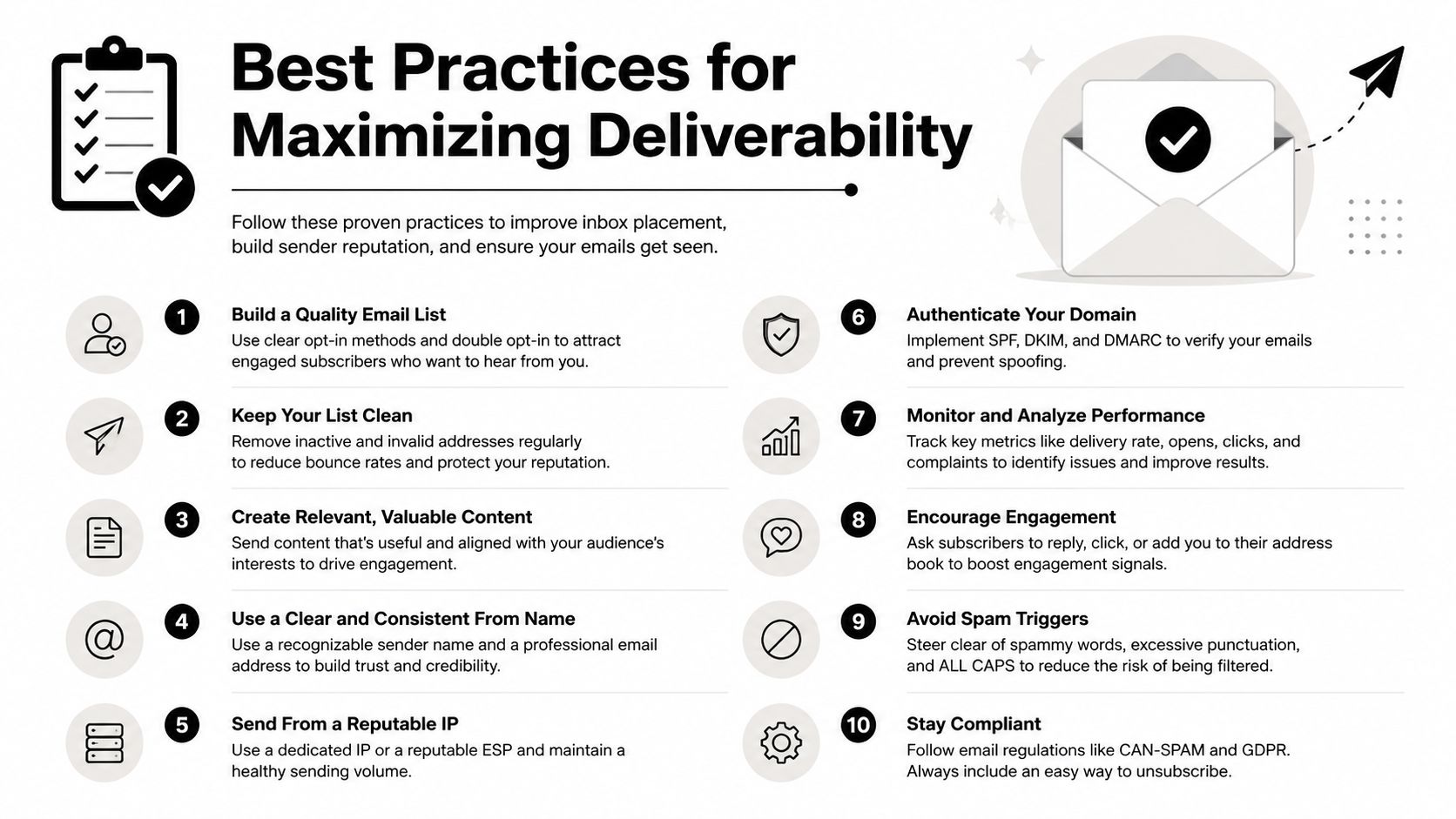
The teams that stay out of trouble usually do a few things consistently:
If you're evaluating tooling around this, look for platforms with reporting, validation, and channel-level monitoring built into the workflow. Call Loop documents those controls in its deliverability features overview.
Delivery data only becomes useful when it's easy to act on. Inside a messaging platform, that usually means filtering reports by outcome, comparing channels, and pushing status changes into the rest of your workflow.
Here's a visual example of what that reporting layer looks like in practice.
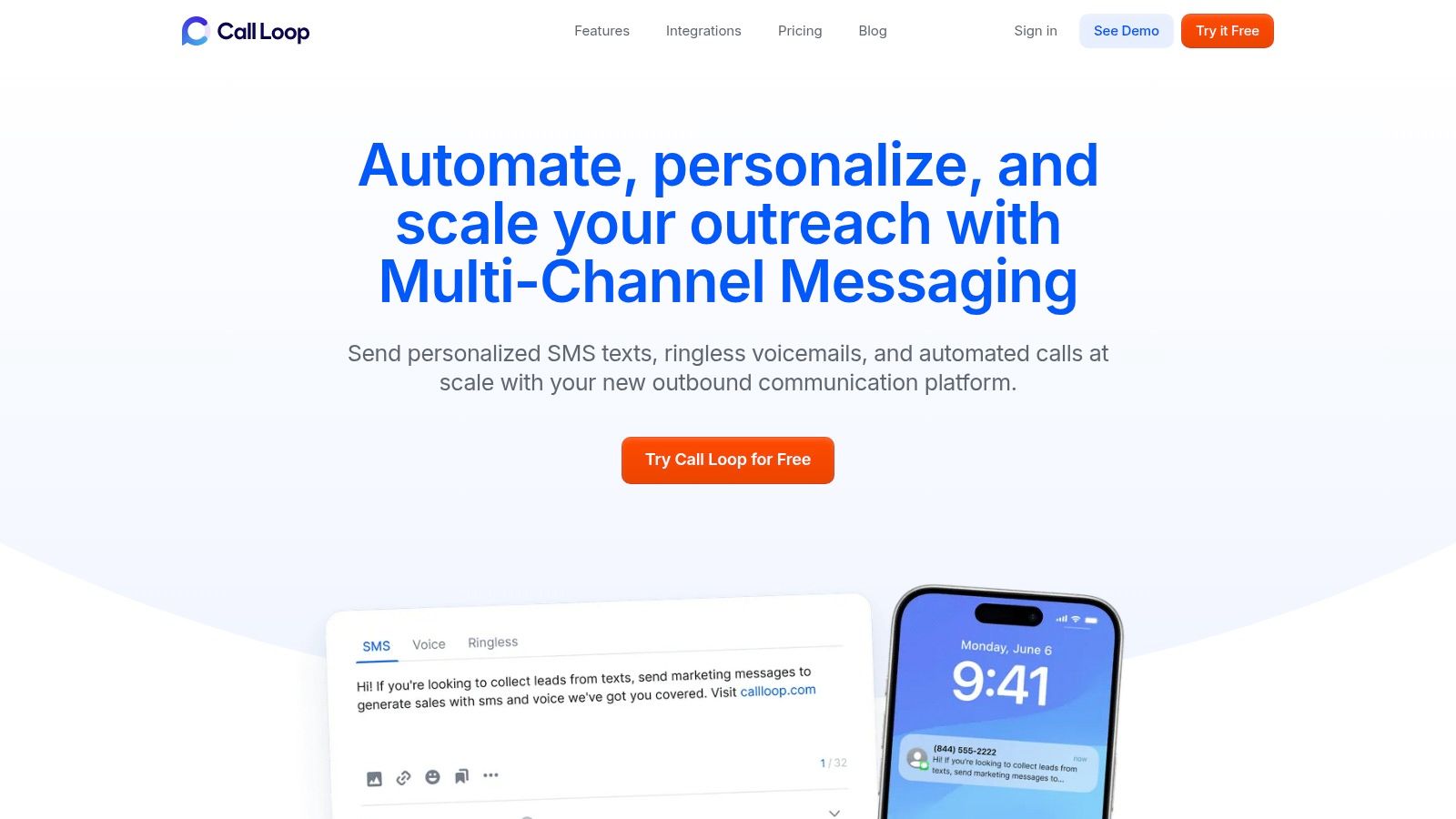
The first useful move is simple. Filter campaign results by status instead of looking only at top-line sends.
For SMS and MMS, split outcomes into successful deliveries, pending states, and failures. For voice, look at answered, voicemail, no answer, and failed. For ringless voicemail, isolate successful drops from failed attempts. Once you do that, patterns become easier to spot. One segment may have clean text delivery but weak voicemail drop success. Another may show the opposite.
If you're reviewing reports in Call Loop, the key is to treat the reporting screen as an action queue, not just a summary. The platform's reporting tools are most useful when you use filters to decide who should be retried, who should be corrected, and who should move to another channel.
A delayed message often gets misread as a failed message.
Independent guidance on Delivery Status Notification delays explains that a delay means the system hasn't delivered the message yet and will keep retrying. Causes can include spam filtering, overloaded servers, wrong addresses, or temporary connectivity problems, as discussed in this explanation of DSN delay behavior.
That's operationally important because a delayed event should trigger observation first, not panic. If the message is still relevant and the retry window is active, waiting can be the right move. If the message is urgent, delay reporting tells you when to switch to another channel such as voice or ringless voicemail instead of waiting for a final failure.
A delay status is a timing problem until the retry window closes. Don't clean the record too early.
It is webhooks and automation that make delivery status notifications far more valuable.
A practical setup looks like this:
Examples of useful automation:
A multi-channel platform proves its worth. Delivery statuses stop being passive logs and start driving next actions. That's the difference between a report you glance at and an operational system your team uses.
Most businesses already send messages. Fewer businesses manage delivery with discipline.
That gap matters. When you read delivery status notifications correctly, you stop confusing list problems with campaign problems. You catch bad records faster. You know when a delay is harmless, when a failure is permanent, and when voice, SMS, MMS, or ringless voicemail is the smarter next move.
The practical advantage isn't just better reporting. It's better decisions. Cleaner contact data. Fewer wasted sends. More reliable reminders, promotions, and follow-up sequences.
Teams that treat delivery reporting as part of operations usually respond faster when something breaks and waste less time guessing why a campaign underperformed.
If you want a simpler way to monitor message outcomes across SMS, voice, and ringless voicemail, Call Loop gives you one place to track delivery statuses, review reporting, and turn those outcomes into follow-up actions.
Chris Brisson
Chris is the co-founder and CEO at Call Loop. He is focused on marketing automation, growth hacker strategies, and creating duplicatable systems for growing a remote and bootstrapped company. Chat with him on X at @chrisbrisson


Trusted by over 45,000 people, organizations, and businesses like


