
See a Demo
You're just one step away from seeing Call Loop in action.
Enter your information below to watch a demo right now.

You're just one step away from seeing Call Loop in action.
Enter your information below to watch a demo right now.

An email-to-SMS gateway is basically a translator. It takes a regular email you send and instantly turns it into an SMS text message that pops up on someone’s phone. It's a simple but incredibly useful bridge connecting two of the most popular ways we communicate, letting you send texts right from your existing email client.
At its heart, an email-to-SMS gateway is a smart go-between. It intercepts a message you've formatted as an email and repackages it for delivery across mobile carrier networks.
Think of it like a digital mail courier. It picks up your "letter" (the email), stuffs it into a much smaller, faster envelope (an SMS), and makes sure it gets to the right mobile mailbox in seconds.
The whole process is surprisingly simple. You write an email like you normally would, but instead of using a standard name@company.com address, you use a special format that combines the person's phone number with their mobile carrier's unique gateway address.
The journey from your email "sent" folder to a phone screen happens in the blink of an eye. It’s all built for simplicity—no special software or coding skills needed on your end.
5551234567@sms.gateway.com. The first part is the 10-digit phone number, and the part after the @ is the specific domain for the mobile carrier or gateway service.This diagram breaks down the simple, three-step journey from your email client to their phone.
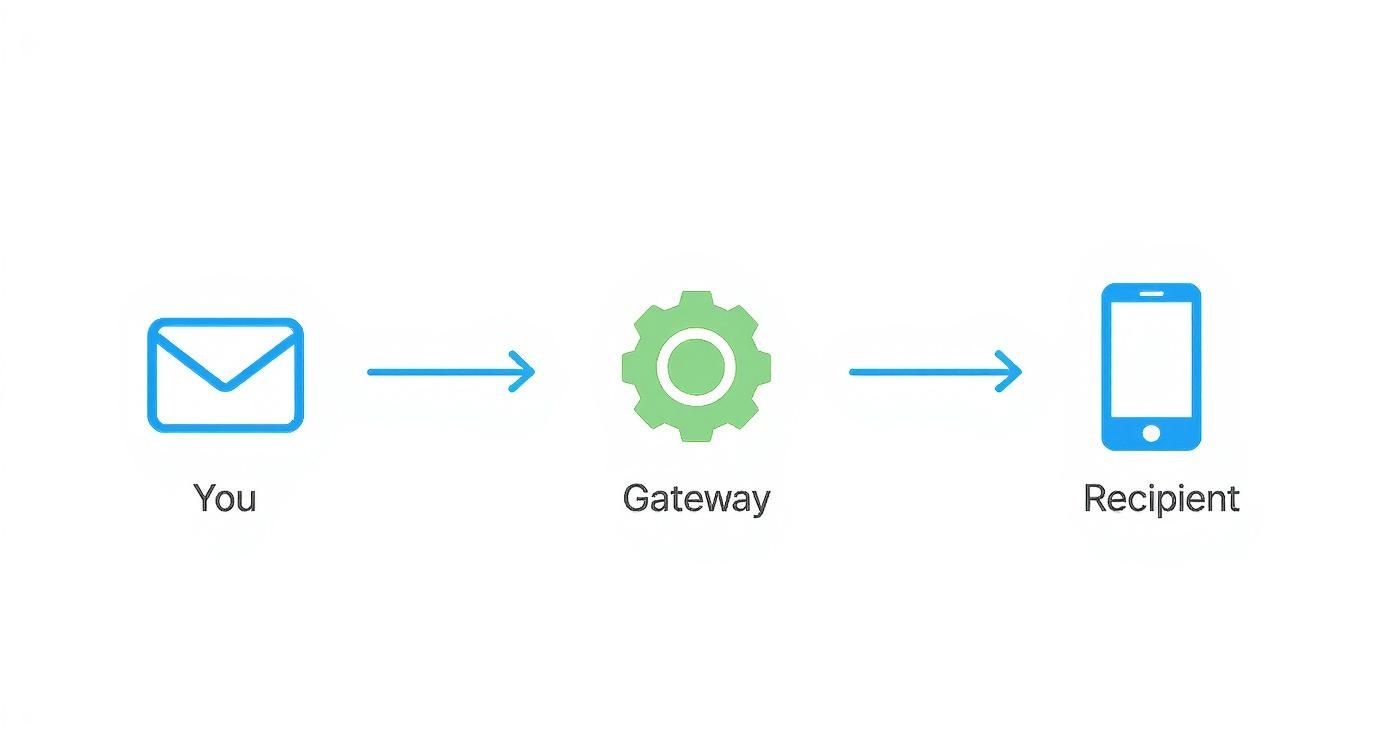
As you can see, the gateway is the essential "translator" that makes it possible for email systems and mobile networks to talk to each other. This process opens up a powerful new communication lane, blending the ease of email with the instant impact of a text message. It's a great way to start learning how to send SMS online and reach your audience where they are most likely to see your message.
This whole setup lets you play to the strengths of both email and SMS. Email is fantastic for detailed, personalized messages, but SMS is the undisputed champion of getting seen. Let's look at the numbers.
The stats don't lie. While both have their place, SMS is in a different league when it comes to engagement. This table paints a clear picture of why bridging the two can be a game-changer.
With an open rate of around 98%, SMS absolutely blows email's average 20% out of the water. By using a gateway, businesses can tap into that incredible level of engagement without having to completely change how they already communicate. You can dive deeper into business messaging stats over on TextMagic.com.

So, you need to send text messages. Simple, right? But picking the right tool for the job can feel a bit overwhelming. You've got options, and an email to SMS gateway is just one piece of the puzzle. To really figure out what you need, you have to see how gateways stack up against their more powerful cousins: SMS APIs and all-in-one platforms.
Each approach has its sweet spot, depending on your tech skills, your budget, and what you’re trying to accomplish. Let's break them down.
Think of the email-to-SMS gateway as the most straightforward, "plug-and-play" solution out there. If you can send an email, you’ve already mastered it. No code, no new software, no learning curve. You just use the email client you already live in.
This dead-simple approach makes it perfect for quick, no-fuss alerts. Think IT system warnings, internal team updates, or simple notifications. It’s the easiest way to dip your toes into SMS without any technical headaches.
If a gateway is plug-and-play, an SMS API is like getting a box of LEGOs. It’s a set of building blocks for developers to integrate SMS features right into your own apps, websites, or software.
An Application Programming Interface (API) is all about control. It lets developers automate personalized messages, build two-way conversations, and create complex workflows that a basic gateway could only dream of.
This is the path you take when you need maximum flexibility and scale. It’s perfect for businesses that require deep integrations for things like two-factor authentication, advanced marketing automation, or transactional texts sent from a custom CRM. While gateways are our main focus here, it's helpful to see how other top API options work to get a full picture.
Finally, all-in-one platforms land in a sweet spot between simplicity and raw power. These are Software-as-a-Service (SaaS) tools built to manage entire marketing and communication campaigns across SMS, email, and sometimes even voice calls.
They give you powerful features like list management, detailed analytics, and automation, all wrapped in a user-friendly interface that doesn't require a developer. For instance, you can see how our own Call Loop integrations connect different tools into one smooth workflow. These platforms are a go-to for marketing teams who need serious capabilities without having to write a single line of code.
This move toward integrated tools is part of a much bigger trend. The US SMS marketing industry is set to explode, growing from $2.9 billion in 2023 to nearly $10 billion by 2030. That kind of growth shows just how critical it is to pick a messaging solution that can grow with you.
So, which one is right for you? It really boils down to your specific needs.
To make it even clearer, this table breaks down the key differences to help you decide which path makes the most sense for your business.
Ultimately, the best choice aligns with your resources and goals. A gateway is great for starting simple, an API is for building custom solutions, and a platform is for managing comprehensive campaigns with ease.
An email to SMS gateway isn't a silver bullet for every single communication challenge, but for certain jobs, it's the perfect tool. It really comes into its own in situations that need speed, simplicity, and reliability without getting bogged down in complex software development.
Think of it as the Swiss Army knife of business messaging. It’s not built for the heavy-duty, custom work you’d tackle with an API, but it's incredibly handy for quick, straightforward tasks that piggyback on tools you already use every day—like your email.
The real power of an email to SMS gateway is its knack for firing off urgent, simple text messages from systems you already have in place. This makes it the go-to solution for operational alerts and time-sensitive notifications where every second counts.
Here are a few real-world examples where this tech is a lifesaver:
It's not just for customers. Gateways are fantastic for keeping your own teams informed and making sure your systems are humming along smoothly. The sheer simplicity of sending a text right from your email client is perfect for fast internal updates.
An email to SMS gateway is a game-changer for any scenario where a message must be seen immediately, and the person sending it is already working inside an email-based system.
For instance, an IT department can set up its network monitoring tools to email the gateway the second a server goes down. This guarantees the on-call sysadmin gets an instant SMS alert on their phone, letting them jump on the problem faster, day or night. In the same way, a manager can send a quick heads-up to their entire team's phones by just firing off a single email, cutting through the noise of a packed inbox.
The best gateway services take this a step further by building in serious operational reliability. They integrate tightly with email platforms to make sure your SMS messages are delivered in a flash, which is critical for all of these use cases. It's worth exploring a breakdown of these high-performance services to see how they stack up and find the right one for your needs.
Every tool has its trade-offs, and an email-to-SMS gateway is no different. On one hand, it's brilliantly simple and cheap. On the other, you're giving up some serious power and control that might be a deal-breaker for your business.
It’s all about weighing what you gain against what you give up. Let's dig into both sides so you can figure out if a gateway is the right fit for you.
The biggest win for an email-to-SMS gateway is just how ridiculously easy it is to get started. Seriously, if you can send an email, you can send a text message this way. There’s no developer to hire, no new software to learn, and no complex training required for your team.
This simplicity means you save money right out of the gate. You're just using the email system you already have, avoiding extra software subscription fees or development costs.
That incredible simplicity, however, comes at a cost. Email-to-SMS gateways are bare-bones compared to a dedicated SMS API or marketing platform. The most glaring omission? You get almost zero feedback on your messages. You hit send, but you have no idea if the text was actually delivered, if the number was bad, or if anyone opened it.
The core limitation is a lack of feedback. Unlike an API that provides real-time delivery statuses, a gateway is often a one-way street, leaving you in the dark about message success.
Speed can also be an issue. The message has to jump through extra hoops—getting processed as an email first, then converted to SMS—which can introduce delays. Then there are the practical quirks. That long subject line you wrote or the automatic signature your email client adds? They can easily get tacked onto the text, blowing past the 160-character limit and splitting your message into multiple parts, costing you more than you expected. This lack of fine-tuned control means you have to be super careful with your formatting.
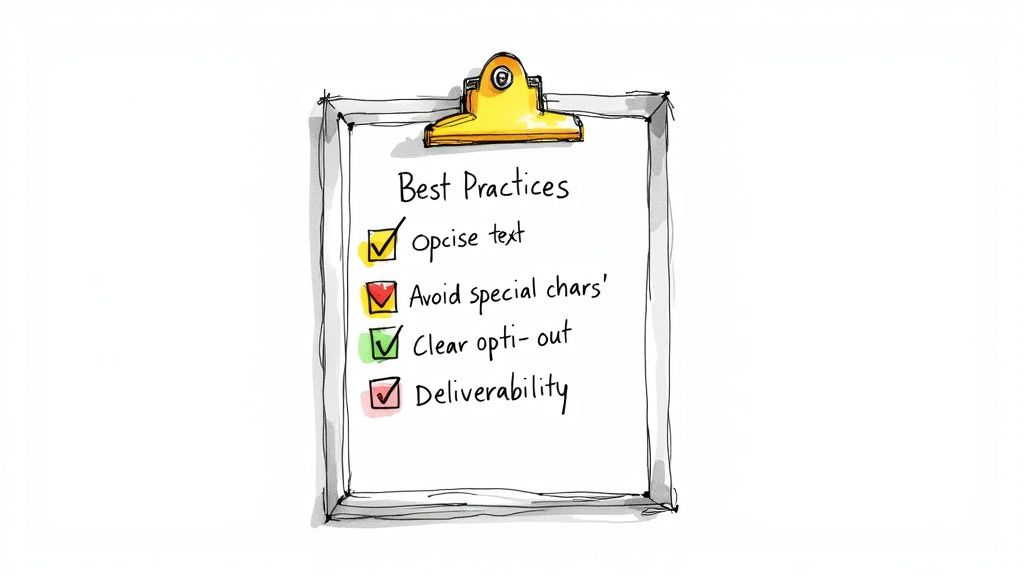
If you don't follow the rules, you're looking at blocked messages, penalties from carriers, and a trashed reputation. Let's walk through some best practices to keep you sending responsibly and effectively.
The absolute foundation of all text message marketing is consent. You must have clear, documented permission from someone before you send them a single text. Laws like the Telephone Consumer Protection Act (TCPA) in the U.S. have very sharp teeth, and violations can cost you a fortune in fines.
Bottom line: you can't just grab a list of phone numbers and start texting. Every single person has to have actively opted in to hear from you.
Getting permission isn't just about checking a legal box; it’s the first step in building a relationship with your audience. When someone trusts you with their phone number, they expect you to respect it.
Here are the non-negotiables for sending texts:
Always remember that consent isn't a one-and-done deal. It’s an ongoing agreement. Respecting someone's choice to opt out is just as critical as getting their permission in the first place. Sticking to these rules is core to any responsible communication strategy, as we detail in our anti-spam policy.
Beyond the legal stuff, a few technical tweaks can make a huge difference in your delivery rates. An email-to-SMS gateway is pretty basic—it strips out all the fancy formatting. So, the email you send needs to be clean and simple to avoid getting garbled on the other end.
To make sure your messages land properly, it's also smart to implement strong email deliverability best practices on the sending side.
Keep your messages short and sweet. The standard SMS limit is 160 characters. Go over that, and your message might get split into multiple texts, which can be confusing for the reader and can also drive up your costs.
You’ll also want to steer clear of special characters or emojis. While they sometimes work, many gateways and older phones can't display them correctly, leaving your recipient with a bunch of question marks (???). Sticking to plain text is the safest bet for reliable delivery.
Finally, lock down who can send from your system. If you're using a gateway for automated alerts, create a whitelist of approved email addresses that are allowed to send messages. This stops unauthorized users or a hacked email account from spamming your contacts, protecting your budget and your good name.
When you start digging into email-to-SMS gateways, a few practical questions always pop up. Let's tackle the most common ones so you have a clear picture of how this all works in the real world.
You bet, and this is one of the biggest reasons to use a professional gateway service. The simple, free carrier gateways are a one-way street—they only send messages out. But a real gateway service is built for two-way communication.
Here’s how it works: when someone replies to your text, the gateway catches that incoming SMS, translates it back into an email, and shoots it straight to your inbox. Suddenly, you have a complete conversation thread right inside your email client. No need to switch between apps or platforms.
This is a game-changer for anyone in customer service or sales. It turns a basic notification system into a genuine engagement tool where you can have actual back-and-forth conversations.
This is where things get a little tricky. The short answer is yes and no.
For a long time, mobile carriers offered their own free, public gateways (you’ve probably seen addresses like phonenumber@txt.att.net). The problem is, they’ve become swamped with spam and are incredibly unreliable. Many carriers are now phasing them out entirely.
Think of a free carrier gateway like a public mailbox with a broken lock. It might work, but you have zero guarantee your message will get there, no support if it doesn't, and no advanced features. For any serious business communication, a professional, paid gateway is the only way to go.
A professional gateway is a paid service, and for a good reason. You're paying for reliability, security, and features you can't get otherwise. The fee is usually based on how many messages you send, but what you get in return is huge:
It’s the difference between shouting into the wind and using a dedicated courier service. One is free, but the other actually ensures your important messages arrive safely and on time.
This is a critical detail for anyone using SMS. The universal standard for a single text message is 160 characters. That includes every letter, number, space, and punctuation mark.
When your email hits the gateway, it has to play by this rule. If the body of your email is longer than 160 characters, the gateway will chop it up into multiple, linked text messages.
So, a 350-character email will land on someone’s phone as three separate texts (often labeled something like 1/3, 2/3, 3/3). The key thing to remember is that you’re usually billed for each segment sent. That longer email just became three times more expensive.
To keep costs down and make sure your message is easy to read, keep it short and sweet. Brevity is your best friend in the world of SMS.
Ready to bridge the gap between email and SMS? Call Loop provides a robust, multi-channel messaging platform that makes it easy to send SMS, voice broadcasts, and ringless voicemails. Automate your outreach, ensure compliance, and see why over 45,000 users trust us for reliable communication. Start your free trial today!
Article created using Outrank
Chris Brisson
Chris is the co-founder and CEO at Call Loop. He is focused on marketing automation, growth hacker strategies, and creating duplicatable systems for growing a remote and bootstrapped company. Chat with him on X at @chrisbrisson


Trusted by over 45,000 people, organizations, and businesses like


