
See a Demo
You're just one step away from seeing Call Loop in action.
Enter your information below to watch a demo right now.

You're just one step away from seeing Call Loop in action.
Enter your information below to watch a demo right now.

Think of an auto text reply as your business's digital handshake. It's an automated SMS message that goes out the instant someone takes action—like texting a keyword, filling out a form, or even missing your call. This immediate confirmation tells them, "Hey, we got your message," and sets the stage for what happens next. It's a simple but powerful way to boost both customer service and your own efficiency.
In a world where everyone expects an instant response, a quick acknowledgment isn't just a nice-to-have; it's a must. The auto text reply is one of the best tools for meeting customers right where they are, building immediate trust, and taking busywork off your plate. Whether you're a local plumber confirming an appointment or an online store welcoming a new subscriber, automated SMS is the backbone of modern communication.
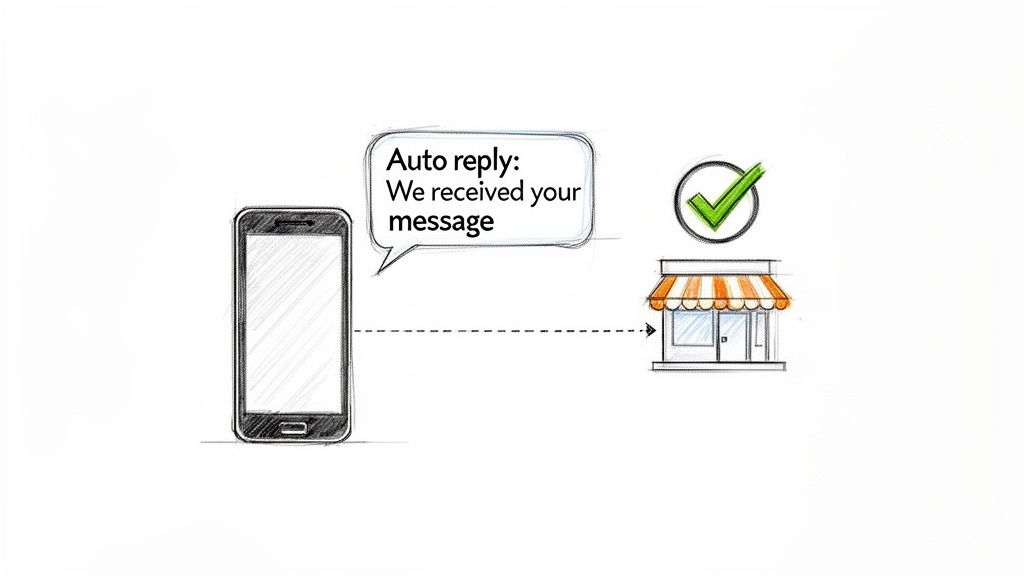
These messages do more than just say "received." They kick off a valuable conversation. When someone reaches out, they want to know they've been heard. An automated text gives them that immediate validation, which can make a huge difference in customer satisfaction and stop them from bouncing to a competitor who responds faster.
This need for speed isn't just a feeling; the numbers back it up. We've seen automated SMS messages drive 26% of all orders from just 13% of sends—that's basically doubling the conversion rate you'd see from a typical email campaign.
Why is it so effective? Because 95% of text messages are read within just five minutes of being delivered. That makes automated replies an incredibly potent, time-sensitive tool.
By handling that first touchpoint, auto-replies also free up your team to focus on the more complex, high-value conversations. It creates a much smarter system where:
A smart auto-reply is just one piece of a bigger communication puzzle. Think of it as the first step in a sequence. For a high-intent lead, that first text could be followed up with a personal phone call or even a ringless voicemail drop. If you're not familiar, a ringless voicemail sends a pre-recorded message straight to someone's voicemail without their phone ever ringing—a great, non-intrusive way to follow up.
This kind of multi-channel approach means you're connecting with people using the methods they actually prefer. An auto-reply system isn't just about firing off texts; it's about orchestrating a smooth, thoughtful customer journey.
Auto text replies are a key part of your overall customer engagement. To see how they fit into the bigger picture, it helps to understand some customer relationship management basics. When you nail this first interaction, you set a positive, professional tone for the entire relationship.
Alright, let's move from theory to action. This is where the real power of an auto text reply comes to life. Don't worry, configuring your first campaign isn't some complicated technical nightmare. It really just comes down to making a few smart choices upfront to make sure your messages feel helpful, not robotic.
First things first: you need to decide what action will actually trigger the response. Think of this as the "if" in your "if-this-then-that" equation. It’s the specific event that tells the system, "Hey, send this message now!" Without a clear trigger, your automation is just sitting there with nowhere to go.
The most effective automated SMS campaigns I've seen always start with a specific user action. What are the most common ways people are already trying to connect with your business? That's your starting point.
Here are a few of the most popular triggers:
If you want to go deeper on the technical side of these workflows, we have a complete guide on how to send automated texts that walks you through it.
Once you've locked in your trigger, it's time to write the actual message. The goal here is a combination of clarity and a touch of personality. Your message absolutely must confirm you received their request, manage their expectations, and—ideally—feel like a human wrote it.
This is where merge tags become your best friend. A merge tag is just a small piece of code, like {{first_name}}, that automatically pulls in customer data. So instead of a generic "Thanks for your message," you can send, "Hi {{first_name}}, thanks for reaching out!"
A personalized message transforms a cold, automated interaction into a warm, welcoming one. It shows the recipient that you see them as an individual, not just another number in your system.
For example, a missed call auto-reply could say: "Hi {{first_name}}, sorry we missed your call. A member of the Apex team will call you back within 15 minutes." This message is personal, reassuring, and gives a specific timeframe.
That small detail can dramatically boost engagement and build trust right from the very first interaction. When you combine the right trigger with a thoughtful, personalized message, you create a powerful first impression that can turn a simple inquiry into a loyal customer.
An auto text reply is way more than just a quick confirmation—it's your first, and maybe most important, touchpoint with a new lead or customer. Getting this right can kickstart a great relationship. Getting it wrong? You risk getting ignored completely.
The real secret lies in crafting a message that's clear, to the point, and sounds like it came from a human, not a robot.
I've seen thousands of auto-replies, and the ones that consistently perform well always nail three key things. Think of it as a mini-conversation that immediately shows the person you've got things handled.
The best auto replies make the customer feel heard and respected. By providing clear next steps, you're not just confirming a message; you're taking control of the conversation and guiding them smoothly through your process.
Let's be honest, sometimes text is just… text. Using Multimedia Messaging Service (MMS) lets you spice things up by including images, GIFs, or even short videos in your auto text reply. A visual can grab attention in a way words alone just can't.
Imagine a real estate agent sending an auto-reply that includes a stunning photo of a new listing. Or a restaurant sending a mouth-watering picture of their daily special. It adds a personal, engaging touch that makes your brand stick.
To save time and keep your messaging consistent, it's smart to have a few templates ready to go. You can tweak these for just about any situation, from welcoming a new lead to handling messages that come in after you've closed for the day.
Below are a few battle-tested templates you can adapt for your own business.
And for even more ideas to get your creative juices flowing, take a look at these excellent text message examples for businesses.
A quick pro-tip: always use trackable short links in your templates. This lets you measure click-through rates and see exactly how your automated messages are performing. That data is gold for refining your approach and making sure your auto-replies are always working hard for you.
A single, instant auto text reply is a fantastic start, but it's really just scratching the surface. The real magic happens when you build intelligent sequences that guide a customer or lead through an entire journey—without you lifting a finger. This is how you go from simple acknowledgments to creating sophisticated, multi-step conversations that actually drive results.
Instead of just one message, think bigger. A great strategy is to create multi-step drip campaigns. These are just timed series of messages designed to nurture a relationship, educate a new lead, or follow up on an inquiry over a few hours or even days.
Let's say a new lead texts "QUOTE" to your number. Here's what an automated sequence might look like:
This simple, automated sequence keeps your business top-of-mind and even gathers more information for you. No one on your team has to set a reminder or worry about dropping the ball.
The most powerful automation strategies don't just stick to one channel. An auto text reply is often the perfect kickoff for a sequence that pulls in other communication methods, playing to the unique strengths of each. One of my favorite follow-up tools to pair with SMS is a ringless voicemail drop.
If you haven't used them, a ringless voicemail sends a pre-recorded audio message straight to someone's voicemail inbox without actually making their phone ring. It’s a far less intrusive way to deliver a more personal, detailed message after that initial text conversation has started.
Imagine this: a high-intent lead fills out a form on your website. They get an immediate auto-reply text confirming you got it. Then, 24 hours later, a friendly, pre-recorded voicemail from your sales manager lands in their inbox. This one-two punch feels personal and proactive, seriously boosting your chances of getting a response.
This simple diagram breaks down the core parts of writing any effective auto-reply, from the initial hook to the final call to action.
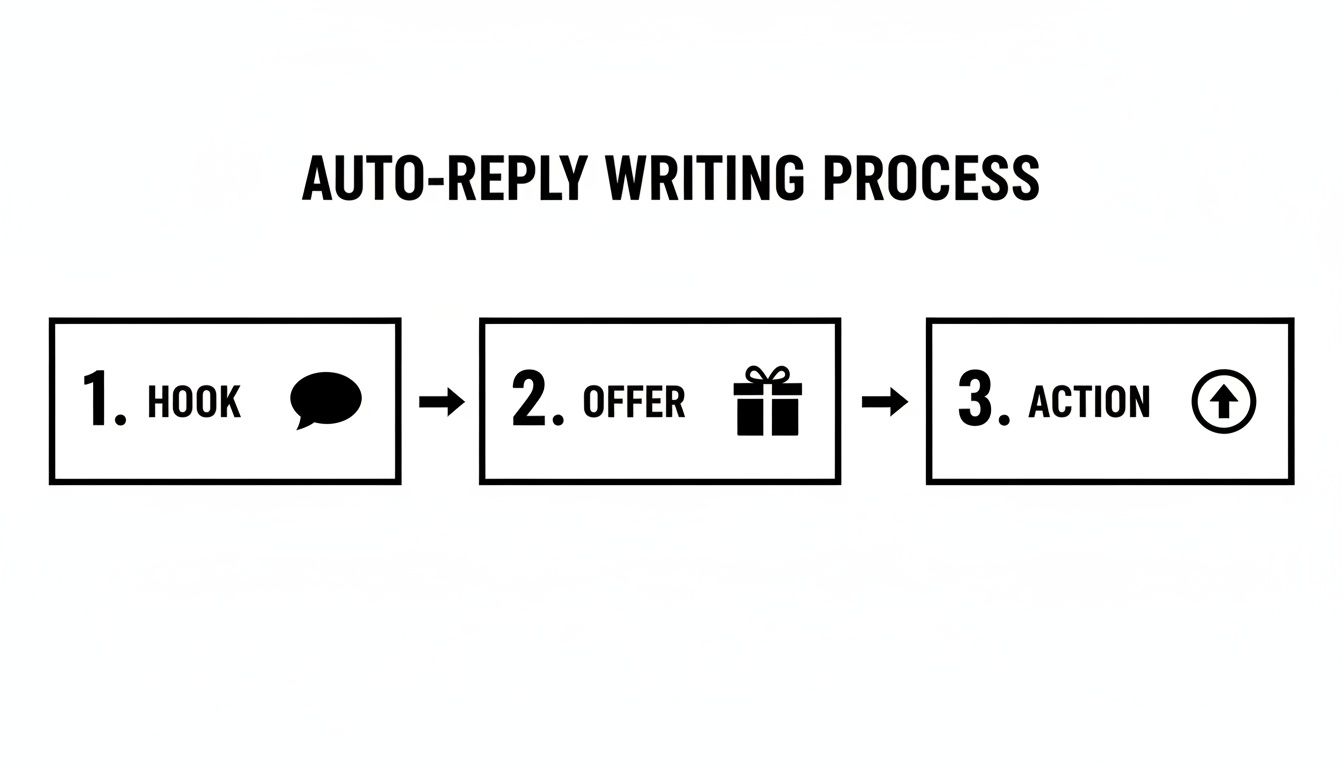
Each piece builds on the last, nudging the person from initial interest toward taking the action you want, whether that's clicking a link or texting back some info.
There's a reason these more complex sequences work so well, and it all comes down to the numbers. SMS response rates average an incredible 45% or higher, with click-through rates hitting as high as 36%. That completely blows email out of the water.
These stats prove that text messages grab immediate attention, making them the perfect channel to kick off any automated engagement. When you start with the direct, personal nature of SMS, you can drive action in a way no other channel can match.
For those who want to build truly advanced, conversational flows, it's worth exploring dedicated AI chatbot platforms. These tools can handle more intricate logic and natural two-way conversations, taking your automated sequences to a whole new level. By layering SMS, ringless voicemail, and even AI-powered chat, you can build a powerful communication machine that runs itself.
An auto text reply system is an amazing tool for instantly connecting with people. But with great power comes great responsibility. You absolutely cannot let automation get in the way of building trust.
Following the rules isn't just about dodging fines; it’s about showing people you respect their privacy and their time.
The big one here is the Telephone Consumer Protection Act (TCPA). Simply put, the TCPA says you need express written consent from someone before you fire off automated marketing texts to them. This means they have to clearly and knowingly agree to get messages from you.
Just because someone gave you their phone number on a form doesn't count as consent. They must take a specific action—like checking a box that says they agree to receive automated texts—for you to be in the clear.
This is a hard and fast rule. Building your contact list the right way from the start protects your business and guarantees you're only texting people who actually want to hear from you.
Sure, a single opt-in meets the basic legal requirement. But if you want to build a list of truly engaged subscribers, the double opt-in is the way to go. It adds one quick confirmation step that makes all the difference.
Here’s the breakdown:
This little two-step process weeds out fake numbers, typos, and people who signed up by accident. What you're left with is a high-quality list of people who have explicitly said, "Yes, I want your texts!" This simple change dramatically cuts down on unsubscribes and spam complaints later on.
Getting consent is the first step, but a few other habits are crucial for keeping trust high and making sure your messages actually get delivered.
Always include clear opt-out instructions in your texts, like "Reply STOP to unsubscribe." This has to be easy and work instantly. No excuses.
Also, if you're sending texts from a toll-free number, you need to complete the toll-free number verification process. This is a registration that tells mobile carriers your messages are legit, which massively boosts your deliverability and stops your texts from getting blocked as spam.
For a full rundown on responsible messaging, take a look at our complete anti-spam policy. When you make compliance a priority, you build a solid foundation of trust that turns quick interactions into long-term customer relationships.
Setting up your auto text replies is a great start, but it's just that—a start. The real magic happens when you start paying attention to what’s working (and what’s not) and tweaking your approach based on real data. This is how you turn a simple automated message into a powerful, predictable driver for your business.
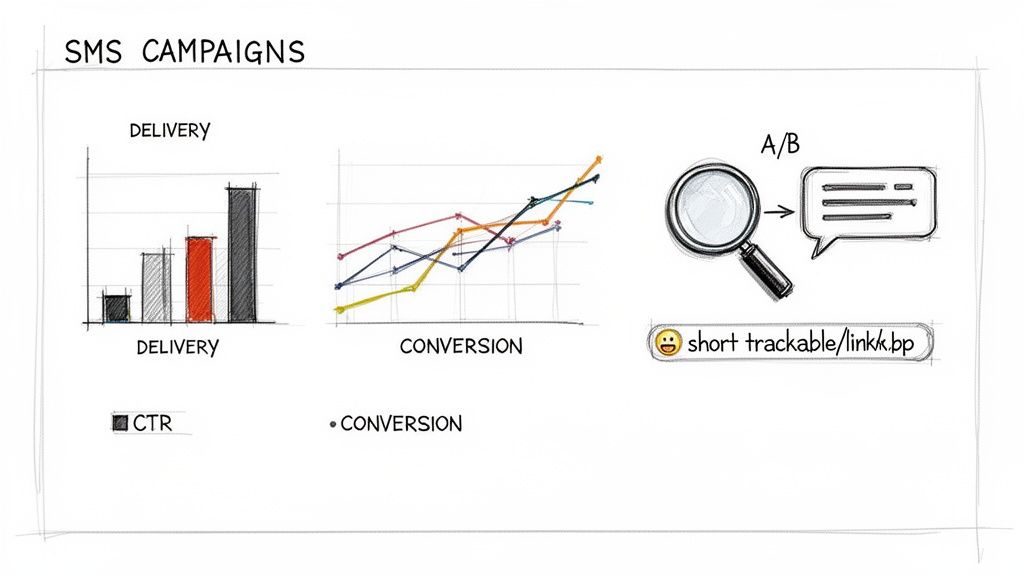
Don't worry, you don't need a degree in data science. It all comes down to tracking a few key numbers that tell you the story of your campaign's health.
It's easy to get lost in a sea of data. The trick is to focus on the metrics that actually tie back to your business goals. Everything else is just noise.
For any auto text reply campaign, these are the big three you need to watch:
Looking at these together gives you the full picture. For instance, a high delivery rate but a rock-bottom CTR is a clear sign your message is being seen, but it’s just not compelling enough to get that click.
Once you know your baseline numbers, it's time to start improving them. The most straightforward way to do this is with A/B testing. It sounds technical, but it’s really just trying out two different versions of a message to see which one gets a better response.
A/B testing is how you stop guessing and start knowing. Instead of debating what your audience wants, you let the data show you exactly what copy, timing, or offer gets the best results.
You can test almost anything. Try pitting two different calls-to-action against each other, like "Click here" vs. "Get your quote." You could test a professional tone against a more casual one, or even see if sending a message in the morning works better than in the afternoon. You’d be surprised how small tweaks can lead to huge jumps in engagement.
The growth in the global SMS marketing market proves just how critical this is. Valued at $5.6 billion in 2020, it’s expected to explode to $24.7 billion by 2028. This isn't just a trend; it's a fundamental shift showing that smart, data-driven automated text systems are now an essential part of scaling any business. You can dive deeper into the latest SMS marketing trends to see what's coming next.
By keeping a close eye on your KPIs and running simple tests, you'll transform your auto-reply strategy from a "set it and forget it" tool into a reliable asset for growth.
Ready to create, measure, and optimize your own multi-channel campaigns? Call Loop provides all the tools you need for SMS, ringless voicemail, and voice broadcasting with powerful analytics and compliance features built right in. Start your free trial of Call Loop today.
Chris Brisson
Chris is the co-founder and CEO at Call Loop. He is focused on marketing automation, growth hacker strategies, and creating duplicatable systems for growing a remote and bootstrapped company. Chat with him on X at @chrisbrisson


Trusted by over 45,000 people, organizations, and businesses like


