
See a Demo
You're just one step away from seeing Call Loop in action.
Enter your information below to watch a demo right now.

You're just one step away from seeing Call Loop in action.
Enter your information below to watch a demo right now.

Automated appointment reminders are pretty straightforward: they're simple, automatic messages sent by text, voice call, or even email to make sure clients don't forget their upcoming appointments. For any service-based business, they're an absolute game-changer for cutting down on no-shows, clawing back lost revenue, and just making things run smoother.
A missed appointment isn't just an inconvenience—it's a direct hit to your bottom line. Every empty slot is lost income, wasted prep time for your staff, and a schedule disruption that throws the rest of the day off for everyone else.
This ripple effect is a huge operational drag. It forces your team to spend precious time making manual follow-up calls when they should be focused on the clients right in front of them.
The financial toll of no-shows is staggering. In the U.S. alone, missed appointments drain the healthcare industry of over $150 billion every year. Before automation, no-show rates typically hovered around 15-20%. But here's the good news: putting automated reminders in place—especially SMS—can slash those no-show rates by up to 30-40%. That’s a major loss turned directly into secured revenue.
Think of automated reminders as your first line of defense against lost income. When you proactively confirm a client's commitment, you dramatically increase the odds they'll actually show up.
Even better, when a client uses an automated prompt to cancel ahead of time, you can offer that newly opened slot to someone on your waitlist. Just like that, you've backfilled your schedule and protected your revenue.
This whole process also frees up your team from the mind-numbing task of making manual confirmation calls. No more dialing numbers, leaving voicemails, and chasing down responses. Your staff can finally focus on higher-value work that actually grows the business.
By automating the confirmation process, you not only secure your calendar but also empower your team to focus on what truly matters—enhancing the customer experience and driving business growth.
Let's be honest, people today expect quick, easy, and non-intrusive communication. A simple text is almost always preferred over a phone call that interrupts their day. Automated reminders meet this expectation perfectly, creating a professional and seamless experience from the get-go.
This kind of proactive communication shows you're organized and that you respect your client's time. It builds trust and reinforces the value you provide. If you're just getting started with this kind of automation, this practical guide to automating customer service is a great place to build a solid foundation.
But it's not just about SMS. A smart strategy uses multiple channels. For example, ringless voicemail is a fantastic tool that lets you drop a personal, pre-recorded message straight into a client's voicemail box without their phone ever ringing. It adds a human touch without being intrusive—perfect for giving detailed instructions or just a warmer, more personal reminder.
Adding tools like a ringless voicemail drop lets you connect with clients on their own terms, making your entire communication strategy far more effective. In the end, automation isn't just a nifty tool; it's a core part of how modern businesses operate successfully.
A generic, one-size-fits-all reminder is just a recipe for low engagement. If you really want to slash no-shows and give your clients a better experience, you need a multi-channel strategy that speaks to different people in different ways. This means going beyond a single text message and creating a smart sequence that plays to the unique strengths of SMS, voice, and even ringless voicemail.
The idea is pretty straightforward: not everyone responds to the same kind of message. A quick text might be perfect for a busy professional, while another client might appreciate the personal touch of a voice message. Getting this right is a core part of mastering the omnichannel customer experience, ensuring your reminders actually get seen, understood, and acted upon.
The secret sauce here is knowing your audience and the context of their appointment. A killer strategy usually blends a few different channels to make sure you're covering all your bases.
Let's break down the main players:
A powerful automated appointment reminder system isn't about blasting messages; it's about delivering the right message, on the right channel, at precisely the right time.
This isn't just about convenience; it's about protecting your bottom line. Every missed appointment has a direct cost, both in lost revenue and wasted staff time.
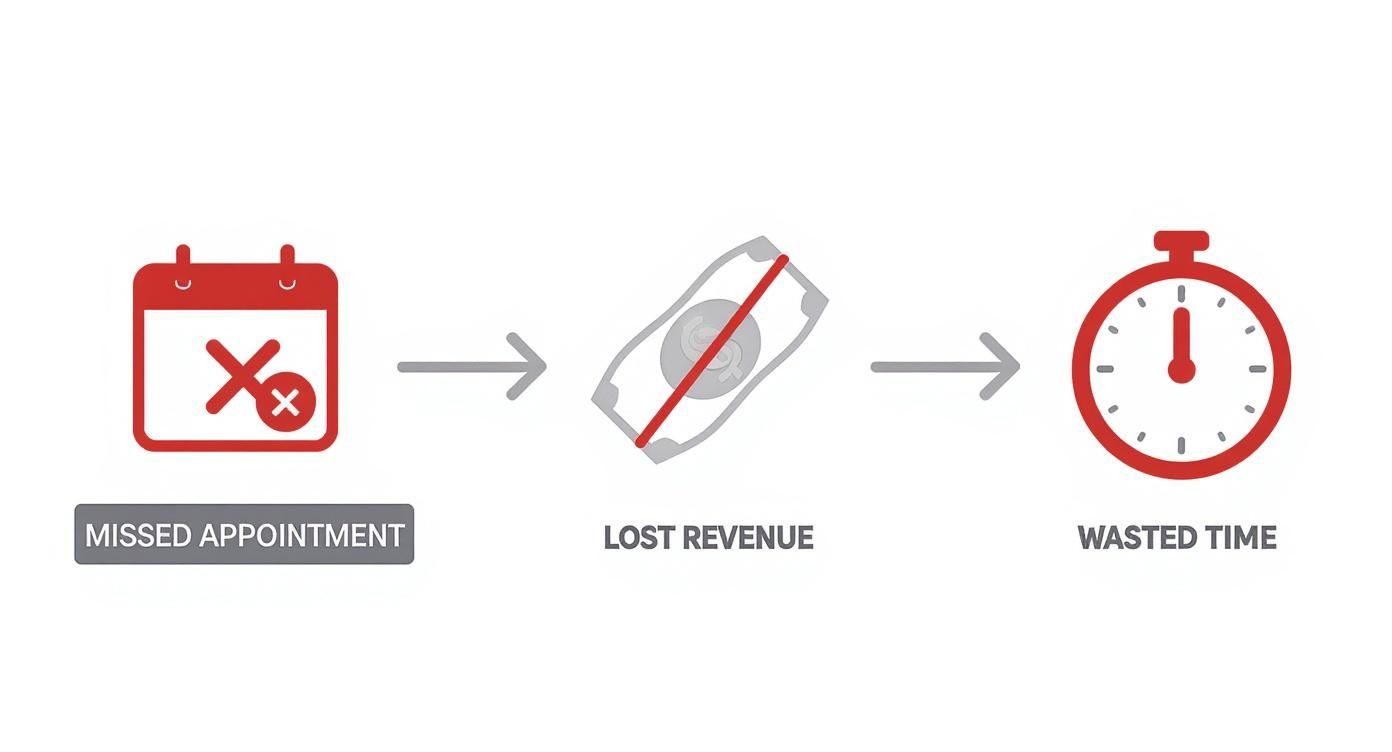
As you can see, a single no-show isn't just an empty time slot. It's a financial and operational drain on your business.
Choosing the right channel mix can feel tricky, but it's all about playing to their strengths. This table breaks down where each channel really shines to help you build the perfect reminder sequence for your audience.
By strategically combining these channels, you create a reminder system that feels helpful, not annoying, and dramatically increases the odds your client will show up.
A strategic sequence of reminders is what separates a good system from a great one. Instead of one single alert, think of it as a helpful, multi-step conversation that keeps the appointment top-of-mind.
Here’s a real-world sequence that we've seen work wonders:
This layered approach works because it anticipates different behaviors. Some people will confirm right away, while others need that final nudge right before they need to leave.
Even with a multi-channel approach, the power of SMS simply can't be ignored. The data consistently shows that text-based reminders deliver the lowest no-show rates compared to any other method.
When patients get an SMS reminder, fewer than 5% of those appointments are canceled. And with 90% of texts being opened almost instantly, you can rest assured your message is actually being seen.
By combining the incredible reach of SMS with the personal touch of voice and ringless voicemail, you build a resilient system that works. This is about more than just sending messages—it's about creating a thoughtful workflow that respects your clients' time, boosts your confirmation rates, and protects your revenue.
The difference between a reminder that gets opened and one that gets instantly deleted is all in the message itself. A great automated reminder cuts through the noise because it's clear, helpful, and concise. This is your playbook for writing messages across SMS, voice, and ringless voicemail that people actually appreciate and act on.
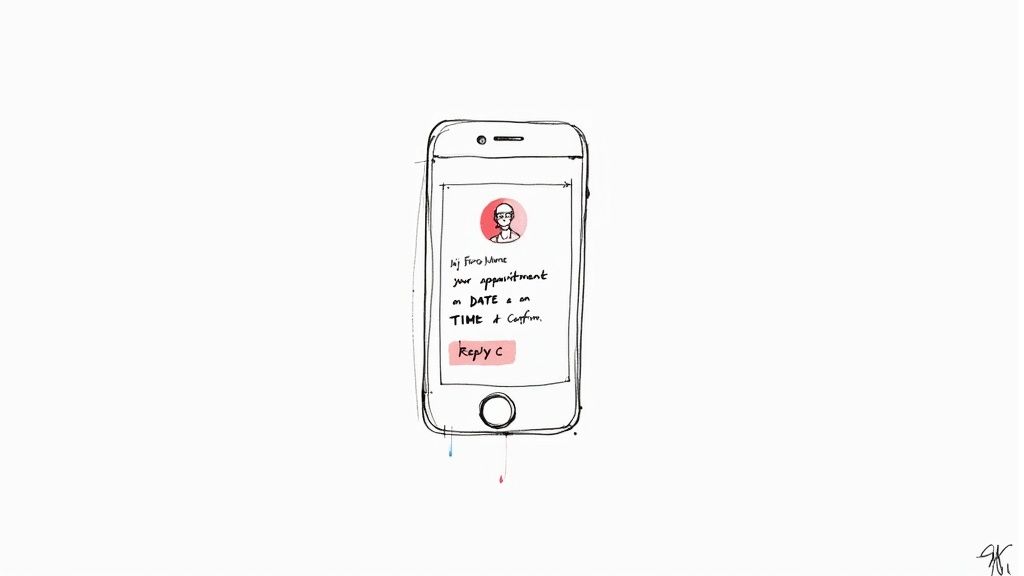
Remember, the goal isn't just to inform; it's to get a response. You're looking for a solid confirmation that locks in your schedule and drastically cuts down your no-show rate. That requires a smart mix of essential info and a friendly, human tone.
Every solid reminder, no matter the channel, has a few key ingredients. Think of these as the non-negotiables that make sure your message is understood and acted upon right away.
[First Name] instantly makes the message feel like it was sent just for them, not to a faceless list.Without these core pieces, your reminder is just noise. With them, it becomes a powerful tool that secures your revenue. For a deeper dive into writing effective copy, check out our guide on creating powerful automated text message reminders for more detailed strategies.
Text messages have to be quick and to the point. With only so many characters to work with, every single word matters. The tone can also shift quite a bit depending on your industry, from professional and buttoned-up to casual and friendly.
Healthcare Clinic (Formal & HIPAA-Compliant):
"Hi [First Name], this is a reminder of your appointment with Dr. Smith on [Date] at [Time]. Please reply C to confirm. Do not include personal health information in your reply."
Hair Salon (Casual & Friendly):
"Hey [First Name]! Just a friendly reminder about your appointment with Sarah at The Style Loft tomorrow, [Date], at [Time]. We can't wait to see you! Reply C to confirm or call us to reschedule."
Financial Advisor (Professional & Direct):
"Hello [First Name]. This message is to confirm your consultation with our team on [Date] at [Time]. Please reply CONFIRM to acknowledge this appointment. Thank you, a member of the Aspen Financial team."
See how each message includes the core elements but adapts the tone? It’s a small tweak, but it makes the communication feel right for the context and helps build that client relationship.
Voice messages let you add a warmer, more personal touch. Whether it's an automated call that someone answers or a ringless voicemail drop, your script needs to sound natural—not like a robot. You're just conveying the same essential information but with a friendly and reassuring vocal tone.
A ringless voicemail is a fantastic tool because it lets you connect personally without actually interrupting someone's day. When done right, it can feel like a personal check-in from your office.
Example Voice/Ringless Voicemail Script:
"Hi [First Name], this is a friendly reminder from Northwood Dental about your upcoming appointment with Dr. Evans this Tuesday, October 26th, at 10:30 AM. To confirm your appointment, please press 1 now. If you need to reschedule, please press 2 to speak with our front desk. We look forward to seeing you soon!"
This script is crystal clear, gives people simple options, and keeps the tone professional yet welcoming. It provides an easy way to take immediate action, which is the whole point of an automated appointment reminder. By focusing on clarity, personalization, and a direct call-to-action, you’ll start sending messages that people are happy to get and, more importantly, act on.
Alright, let's move from theory to action. This is where the real power of automation comes alive. The goal is to connect the tools you already use every day—like your calendar and client software—to a messaging platform that can fire off SMS, voice calls, and ringless voicemail for you.
This might sound overly technical, but I promise, modern tools have made it surprisingly simple. We're going to create automated workflows where a specific event, like a new appointment popping up on your Google Calendar, automatically kicks off your entire reminder sequence. You won't have to lift a finger.
The heart of any good automated reminder system is the trigger. Think of a trigger as the starting gun that tells your system, "Okay, it's go-time. Let's start sending reminders for this appointment." This signal can come from all sorts of places you already rely on.
Common trigger sources I see people use successfully are:
The beauty here is that this plugs directly into your existing process. There’s absolutely no need to manually punch appointments into some separate system. Your automation software just listens for these triggers and takes care of the rest.
One of the most accessible ways to get your apps talking to each other is with a tool like Zapier. It essentially acts as a bridge, letting different software communicate without you needing to write a single line of code. Let's walk through building a simple but powerful automation—or a "Zap," as they call it.
Let's say: You want to send an SMS reminder 24 hours before any new event on your Google Calendar.
Your Zap would look something like this:
You can get even smarter with it by adding filters or delays. For instance, you could add a delay so the SMS is sent exactly 24 hours before the event starts, not just when it’s created. This is how you ensure timely and relevant automated appointment reminders.
Here’s a peek at how Zapier shows these integration possibilities, making it easy to see how your apps can link up.
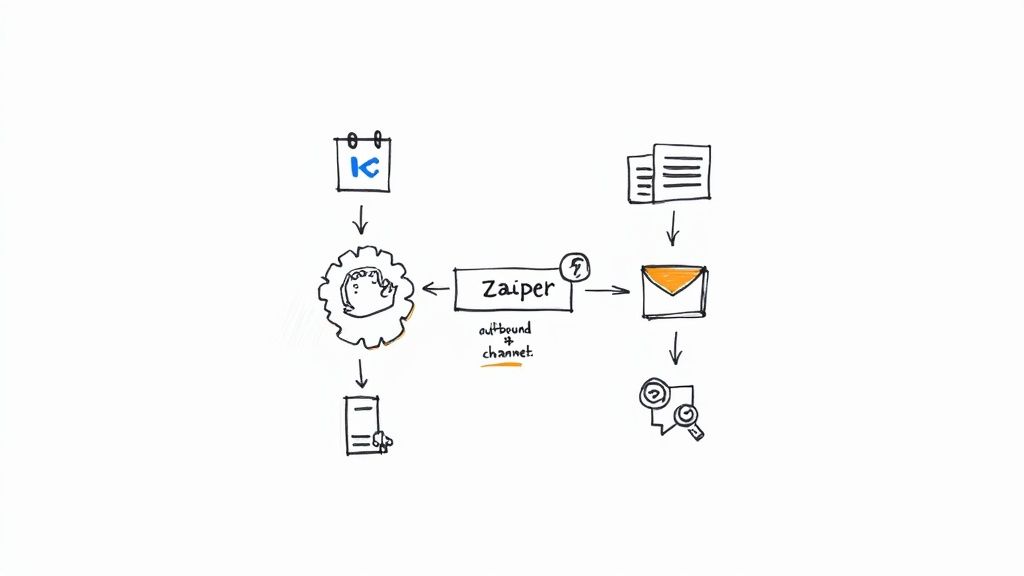
This screenshot really only scratches the surface of the workflows you can build to connect your calendar to your messaging platforms.
The key takeaway here is that integration platforms have made automation accessible to everyone. You no longer need a developer to build powerful, custom workflows; you just need to decide what you want to happen and when.
While calendar events are a fantastic starting point, the real magic happens when you integrate deeper into your business operations. A CRM like HubSpot or ActiveCampaign can give your reminders much richer context.
For example, you could set up a workflow that not only sends a standard reminder but also segments clients. A brand-new client might get a more detailed message with a link to an intake form, while a long-term client just gets a quick, friendly nudge.
This is where integrating with a robust messaging platform is critical for creating these multi-channel experiences. After you've set up your initial trigger, you can build out drip campaigns that include a variety of touchpoints. You can see how easy it is to configure these powerful sequences with advanced https://www.callloop.com/features/sms-reminders that can be customized for any business need. By connecting your tools, you build a system that just works silently in the background, locking in your schedule and improving how you talk to your clients.
Look, sending automated reminders isn't just a technical setup. It's a genuine responsibility. You're communicating directly with your clients, and getting it right means more than just dodging fines—it’s about protecting the trust your entire business is built on. When you handle these messages with care, you’re really just showing clients you respect them, which is the bedrock of any solid relationship.
The good news is that the rules aren't some impossible maze. It all boils down to a few core ideas that keep your client in the driver's seat.
Before a single automated message goes out, you need explicit permission from your client. This is the absolute cornerstone of doing this right. A vague nod of the head isn't enough; you need clear, documented proof that they agreed to get these specific kinds of messages from you.
Here are a few straightforward ways to get that consent:
Building a compliant system starts with a simple, transparent ask. By making opt-in a clear and easy step, you begin the client relationship on a foundation of respect and transparency.
Once someone has given you permission, you have an ongoing duty to respect their choices. That means honoring any request to stop receiving messages, immediately. Your automated appointment reminder system has to make opting out dead simple.
For SMS, this is pretty standard. People expect to be able to text back keywords like "STOP," "END," or "UNSUBSCRIBE." When they do, your system must automatically take them off all future messaging lists, no manual work needed. Ignoring these requests is more than just bad form; it can get you into serious trouble. To get a better handle on these obligations, take a look at our guide for maintaining a compliant anti-spam policy.
If you’re in the healthcare world, the stakes are even higher because of the Health Insurance Portability and Accountability Act (HIPAA). Sending appointment reminders is generally fine, but you have to be incredibly careful not to disclose any Protected Health Information (PHI).
A compliant healthcare reminder is short and to the point. It should never, ever mention the specific reason for the visit, any treatments, or a patient's condition.
See the difference? That second example reveals specific medical details, which is a clear violation. When you need to discuss sensitive information, stick to secure patient portals or have your staff make a direct phone call. This careful approach keeps your reminders helpful and fully compliant, protecting patient privacy every step of the way.
Alright, you’ve got your automated reminder system up and running. But the job isn't done yet.
Flipping the switch is just step one. The real magic happens when you start digging into the data and turning those insights into even better results. This is where you continuously tweak your strategy to make sure every SMS, voice call, or ringless voicemail drop is pulling its weight.
True optimization starts with tracking the right numbers. It's easy to get bogged down in vanity metrics, but what you really need is data that directly impacts your bottom line. Let's cut through the noise.
To get a real feel for how your automated appointment reminders are doing, you need to look past simple delivery reports. These three metrics will give you the full picture of your system's health and effectiveness.
Tracking these numbers gives you a baseline. From there, you can start making smart, informed decisions to boost performance.
Once you've got your core metrics dialed in, it's time to start experimenting. A/B testing is a straightforward but incredibly powerful way to find out what really clicks with your audience. The whole idea is to change just one thing between two versions of a reminder to see which one performs better.
You can test just about anything, but here are a few high-impact variables to get you started:
Don't just set your reminders and forget about them. Continuous A/B testing is the key to turning a good reminder system into a great one, ensuring you're always maximizing your ROI.
The demand for these kinds of scheduling solutions is exploding across every industry. The global appointment scheduling software market was valued at $281 million in 2021 and is projected to smash $633 million by 2025. This growth is all thanks to businesses finally realizing the power of automation—some clinics have even reported a 26% increase in new customers after getting these systems in place. Learn more about the future of automated scheduling.
So, what happens when the numbers aren't what you hoped for? If your confirmations are low or delivery rates are tanking, it's time to do some detective work. Don't worry; the fix is usually pretty simple once you find the root of the problem.
Here’s a quick checklist to help you diagnose and solve the most common issues:
By methodically running through these potential problems, you can get your system back on track in no time. Consistent measurement and smart optimization are what will transform your automated reminders from a neat tool into a revenue-generating machine for your business.
Ready to eliminate no-shows and reclaim your revenue? Call Loop provides the powerful SMS, voice, and ringless voicemail tools you need to build a world-class reminder system. Start automating your outreach and watch your schedule fill up. Get started with Call Loop today.
Chris Brisson
Chris is the co-founder and CEO at Call Loop. He is focused on marketing automation, growth hacker strategies, and creating duplicatable systems for growing a remote and bootstrapped company. Chat with him on X at @chrisbrisson


Trusted by over 45,000 people, organizations, and businesses like


