
See a Demo
You're just one step away from seeing Call Loop in action.
Enter your information below to watch a demo right now.

You're just one step away from seeing Call Loop in action.
Enter your information below to watch a demo right now.

Missed appointments drain revenue twice: once when the slot goes unused, and again when staff spend time chasing confirmations, reschedules, and follow-ups manually. That is why the right reminder system is rarely just a messaging tool. It affects calendar utilization, customer experience, staff workload, and in regulated industries, compliance risk.
What changes the buying decision is whether a platform sends reminders through the channels your customers respond to, whether it fits your existing booking stack, and whether it can automate the messy steps after someone books, replies, cancels, or no-shows. The biggest divide is not “good vs bad” software. It is dedicated reminder platforms versus all-in-one schedulers, and choosing the wrong category causes more regret than picking the wrong vendor.
A reminder platform is only one part of the no-show problem, but it is an important one. Real-world results can be material: an El Rio Health case study reported a 32% drop in missed appointments after automated reminders were introduced, along with a $100,000 monthly revenue increase according to this appointment reminder case study. If your business already has scheduling software, the practical question is whether to add a stronger reminder layer or replace the scheduler altogether.
We evaluated these tools using criteria that matter once you move past feature checklists. First, we looked at reminder channels: email alone is enough for some low-friction bookings, but businesses with higher no-show risk often need SMS, voice, or two-way messaging. Second, we checked booking and calendar integrations, because a reminder tool that cannot pull real appointment data creates just as much admin work as it removes.
We also weighed compliance options, especially for healthcare and other privacy-sensitive use cases. A platform handling protected data should make consent, access controls, and contractual safeguards clearer than a generic marketing tool. For healthcare-adjacent workflows, we also considered whether a vendor supports a BAA or other compliance-oriented setup. A recent peer-reviewed study on AI-supported NHS appointment management found generally high trust in data security but ongoing concern around privacy and workflow efficiency, which is a useful reminder that automation quality matters as much as automation itself; see the NHS appointment management study.
Finally, we compared workflow flexibility, API or Zapier access, pricing model, and how easy it is to confirm, reschedule, or stop reminders after a customer replies. Tools were downgraded if reminders were hard to customize, if SMS required awkward workarounds, or if costs became unpredictable at scale.
ProductCore featuresChannels & deliverabilityBest for / Target audienceCompliance & integrationsPricing / cost notesSMS Reminder Services – Call LoopPersonalized scheduled SMS, drip campaigns, ringless voicemail, voice broadcasts, analyticsSMS/MMS, voice, ringless voicemail; number validation, link tracking, double opt-inHealthcare, regulated orgs, teams needing multi-channel remindersHIPAA support, ActiveCampaign/HubSpot/Keap, Zapier (4,000+ apps)Subscription + per-drop ringless fees; scalable pay-as-you-growCalendlyShareable booking links, workflows for reminders, routing/round-robinEmail native; SMS via Workflows or SMS partnersIndividuals & teams wanting easy setupNative CRM/payment integrations; large integrations gallerySMS on paid plans; tiered pricingSquarespace SchedulingScheduling, confirmations, reminders, classes, paymentsEmail native; global SMS on Standard/PowerhouseBusinesses needing website embedding and client managementHIPAA BAA on top tier; Stripe/Square/PayPalSeparate scheduling subscription; SMS on paid tiersSquare AppointmentsScheduling + POS, client notifications, deposits, staff managementEmail + SMS (integrated with Square)Service businesses, salons, multi-location shopsIntegrated POS/payments/inventoryFree solo plan; per-location pricing for higher tiersSetmoreOnline booking, email/SMS reminders, two-way calendar sync, appsEmail native; SMS on Pro planSMBs and small teams seeking low-cost setupStripe/Square/PayPal payments; calendar syncVery low Pro price; Free plan limits (no SMS)SimplyBook.meBooking website/widget, reminders (SMS via credits), payments, depositsEmail; SMS via credit packsMulti-provider businesses, white-label & enterpriseHIPAA & SSO on higher tiers; multilingualSMS credits and add-ons add incremental costZoho BookingsScheduling, email reminders, two-way calendar sync, roles/permissionsEmail native; SMS/WhatsApp via third-party providersTeams already using Zoho appsDeep Zoho ecosystem integrationsCompetitive pricing; SMS needs external provider/setupGRemindersAutomated SMS/email/phone reminders, templates, calendar supportSMS, voice; Google & Microsoft calendar syncHealthcare & compliance-sensitive industriesHIPAA/BAA option, dedicated numbers, SMS bundlesClear US pricing + add-on SMS/phone bundlesGoReminders1–3 automated reminders per appointment, self-scheduling, recurringSMS and email; optional two-way messaging add-onSmall businesses preferring per-appointment pricingCalendar sync; API on higher tiersPricing by appointments; no per-message fee for standard remindersReminderCallAutomated voice calls & SMS, dedicated numbers, live tech supportVoice calls and SMS with long-text supportHealthcare and compliance-focused organizationsHIPAA-capable, BAA availableUsage-based reminder credits; volume discounts; free trial creditsVagaroSalon/spa booking, POS, marketing, marketplace, automated remindersEmail, SMS, push (SMS uses paid credits)Beauty, spa, wellness businessesPOS and marketplace integrations; Connect chatLow base per calendar; paid add-ons and SMS creditsFreshaOnline booking, automated reminders (SMS/WhatsApp/email), depositsSMS, WhatsApp, email (monthly free message allowance)Salons, spas, single pros to multi-location teamsPOS, team management, add-on featuresFree monthly message allowance; pay-as-you-go beyond allowance
If you want the fastest short list, use this: Call Loop for CRM-heavy teams or businesses that already have scheduling software but need stronger outreach; Calendly for consultants and sales teams that want modern self-booking with workflow templates; Square Appointments for retail-plus-service businesses; GReminders or ReminderCall for practices that care about phone reminders and compliance; Vagaro or Fresha for salon and spa operations; SimplyBook.me for customizable multi-provider setups.
The main tradeoff is category, not branding. Dedicated appointment reminder software is best when you already like your scheduler and just need better automation, more channels, or stronger integrations. All-in-one booking systems are better when your current scheduling process is fragmented and you want booking, reminders, payments, and customer records in one place. Usage-based reminder services sit in the middle: they can be cost-effective for variable volume, but you need to watch message costs, workflow limits, and reporting depth. If your team is also evaluating AI-led booking flows, this overview of an AI appointment setter via Cyndra is a useful adjacent read.
Best For: Businesses Needing a Multi-Channel, CRM-Integrated Reminder System
Call Loop makes the most sense when your scheduling problem is not booking itself, but what happens after the booking exists. Instead of asking you to replace your calendar or scheduler, it adds a stronger reminder and follow-up layer on top of the systems you already use. That matters for businesses with established CRMs, intake flows, lead forms, or appointment data living in multiple places.
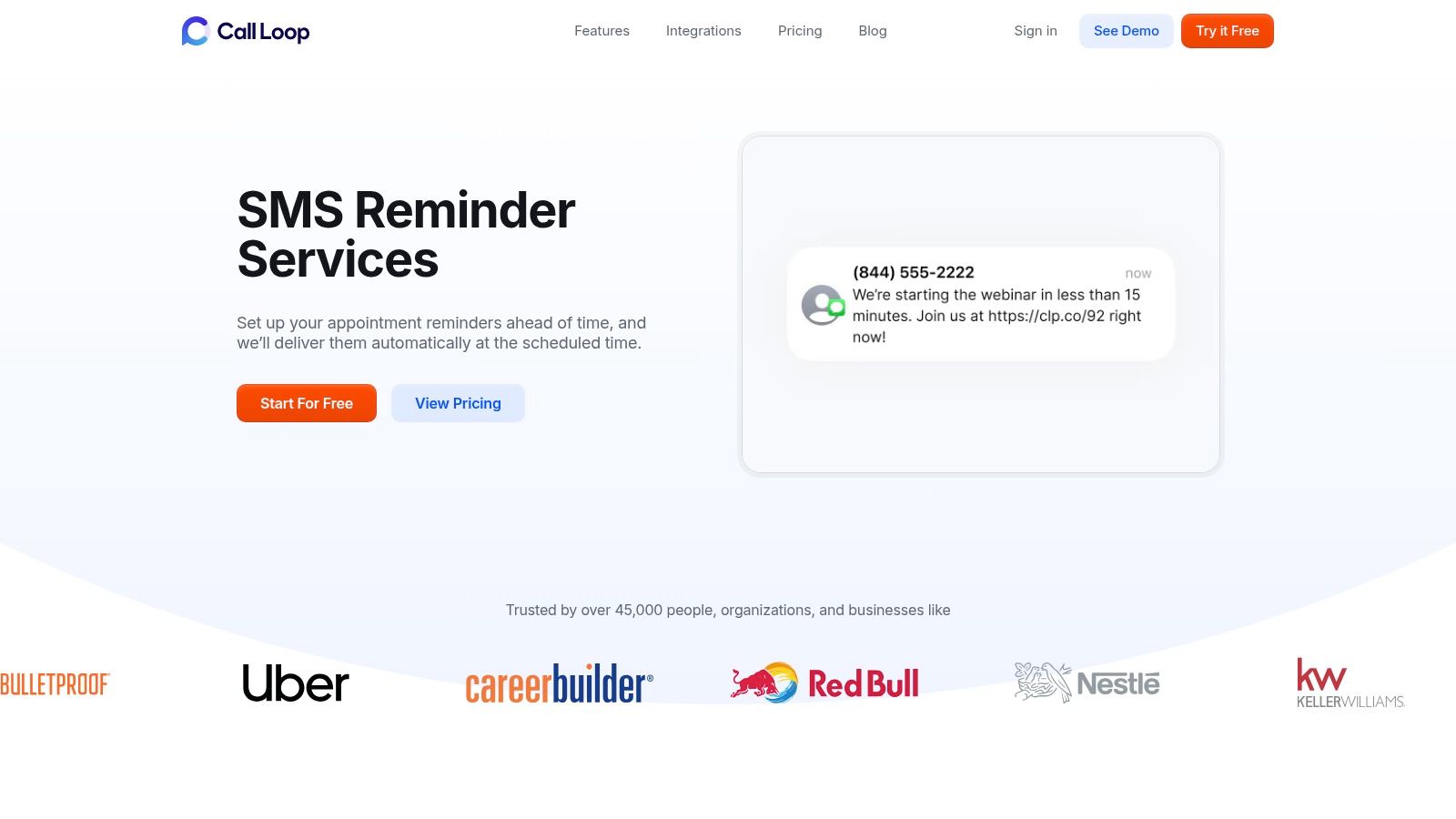
In our review, this was the clearest example of a tool that behaves more like a communications engine than a basic reminder app. If all you need is a single text 24 hours before an appointment, you may not need this much flexibility. But if reminders need to branch based on confirmation status, lead source, or CRM stage, Call Loop is one of the strongest fits in this list.
Choose Call Loop if you already have appointments flowing from a booking form, CRM, or scheduling tool and want to automate what happens next. Typical fits include clinics that schedule in one system but want text and voice reminders in another, sales teams booking demos from forms, and service businesses that need reminders plus escalation for no response.
It is especially well suited to teams that need more than one reminder channel. SMS is usually the default, but some customers ignore texts, some still prefer voice, and some organizations need a second or third touch before a high-value appointment. That is where a dedicated appointment reminder service has an edge over simpler booking tools. For healthcare practices specifically, reducing no-shows is often part of a broader patient access strategy, and this guide on reducing patient no-shows is a useful companion resource.
The differentiator is not just SMS. It is the combination of SMS, voice broadcasts, and ringless voicemail with triggers coming from CRM activity and workflow tools. If a contact books an appointment, submits a form, gets tagged in HubSpot, enters an ActiveCampaign automation, or is pushed through Zapier from another app, that event can become the trigger for a reminder sequence.
In practice, that means reminder data does not have to come only from a native scheduler. A workflow can use booking date, appointment time, staff owner, location, service type, confirmation status, phone number, email, timezone, or custom CRM fields to personalize and time outreach. For example, a clinic could trigger a confirmation text immediately after booking, send a voice reminder to landlines the day before, and drop a ringless voicemail for patients who have not confirmed. A sales team could send a text after a demo request form, a reminder on the morning of the call, and a final reschedule prompt if the prospect does not reply.
Compliance and message quality matter here. Businesses using automated text and voice reminders need clear consent practices, especially under US rules around autodialed or prerecorded outreach. The FCC’s TCPA guidance is the baseline reference, and healthcare senders should also review the HHS guidance on HIPAA and messaging. Call Loop’s built-in opt-in and list-management features are valuable only if your internal process is disciplined; software does not fix bad consent collection.
I also like that this setup reflects how businesses operate. Many teams do not want to migrate off a booking platform they already trust just to get better reminders. Layering a reminder platform onto the existing stack is often cheaper and less disruptive than replacing the scheduler.
Before you buy, verify four things.
First, consent. If customers book through multiple sources, make sure opt-in language is collected consistently and passed into the system. A reminder workflow is only as safe as the data entering it.
Second, deliverability. Check whether your volume, phone number strategy, and sending patterns are realistic for SMS performance. If your business relies heavily on links, confirmations, and high-volume sends, ask how number validation, sender setup, and opt-out handling work in practice.
Third, workflow complexity. If your reminder process is simple, a booking platform with built-in email and text may be enough. If you need reminders to stop after a reply, branch by service type, or escalate to voice and voicemail, a dedicated layer is the better choice.
Fourth, integrations. Confirm exactly how appointment data enters the workflow. Through CRM fields? Through Zapier? Through webhook-like triggers from a scheduler? Through imported lists? I would specifically ask for a live walkthrough of a real booking-to-reminder scenario, because polished feature pages and day-to-day usability often diverge.
A good rule of thumb: use a reminder platform layered onto existing scheduling software when your current scheduler already handles availability, booking pages, and payments well, but your reminder logic is weak. Use a booking tool with built-in reminders when your current process is fragmented and you need the whole stack rebuilt at once.
Call Loop operates on a credit-based pricing model, offering flexibility for businesses of all sizes. Plans start at $29/month for 250 credits and scale up to enterprise-level packages. One SMS message costs one credit, while voice calls and ringless voicemail drops have different credit costs, allowing you to tailor your usage to your budget.
Visit SMS Reminder Services – Call Loop
Calendly is one of the most recognized names in scheduling automation, and for good reason. It excels at simplifying the front-end booking process, allowing clients to self-schedule based on your real-time availability. While primarily known as a scheduling tool, its reminder capabilities make it a strong contender for the best appointment reminder software, especially for service-based professionals and sales teams who need an all-in-one solution for booking and follow-up.
Its core strength lies in its user-friendly interface and shareable booking links that eliminate the back-and-forth emails typically required to find a meeting time.
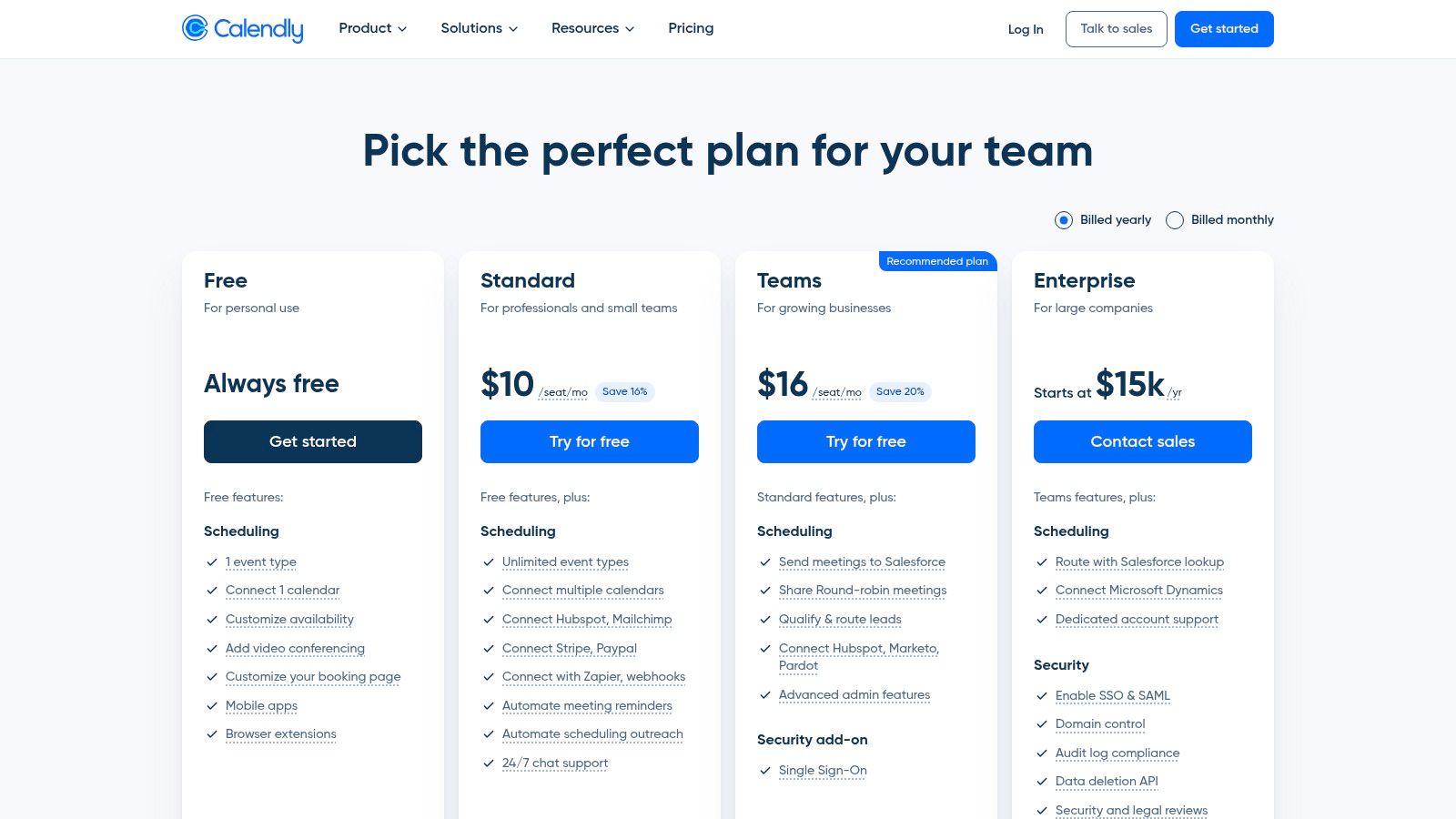
Calendly’s reminder system is managed through a feature called Workflows, available on its paid plans. This is useful not just for sending a reminder, but for defining what should happen after a form submission or booking without asking staff to manually babysit every appointment. A clean workflow can send an instant confirmation, follow with a reminder cadence, include reschedule or cancellation links, and stop messages automatically once the invitee replies, books, or changes the appointment.
That template-driven approach matters most for high-volume, repeatable scheduling. A sales consultant can send an immediate confirmation with meeting details, an SMS reminder 24 hours before, and a short follow-up after the meeting. An operations team can route booked meetings by event type and hand off confirmed appointments to another system. For more advanced automation, you can explore connecting Calendly with Zapier to trigger actions in other systems.
For most standard bookings, templates beat manual management. They are faster, more consistent, and less likely to break when one employee is busy or out of office. Automation also wins on scale: research on scheduling workflows notes that automated systems can improve response times dramatically and save teams substantial administrative time compared with manual back-and-forth, as described in this manual vs automated scheduling analysis.
That said, manual follow-up is still better in a few situations. If you sell a high-ticket consultation, need to qualify leads before approving time on the calendar, or require case-by-case review before confirming, a human touch is worth keeping. I would not automate every step of a legal consult intake, specialist referral, or enterprise sales discovery call just because the software can.
Calendly is strongest for individuals, sales teams, and service businesses that want a polished self-booking experience with reminders built into the same product. It is weaker if you need ringless voicemail, deeper voice workflows, or highly specialized compliance features.
| Pros | Cons |
|---|---|
| Extremely easy setup and user-friendly interface | SMS reminders are a paid feature |
| Powerful integrations with popular business tools | Lacks native ringless voicemail drop capabilities |
| Scales well from individual users to large teams | Advanced features require higher-tier, more expensive plans |
Calendly offers a free "Basic" plan with one event type and calendar connection but no reminder automation. To access SMS and email reminders via Workflows, you'll need the Standard plan (starting at $10/seat/month) or higher.
Website: Calendly
Squarespace Scheduling, widely known by its former name Acuity Scheduling, is a powerhouse for service-based businesses that need comprehensive client management built directly into their scheduling and reminder system. It goes beyond simple booking to offer a full suite of tools for managing intake forms, payments, and client history. This makes it an excellent choice for businesses that need more context with each appointment and value deep customization.
Its strength lies in its ability to be a central hub for all client interactions, from the initial booking and form submission to payment and automated follow-ups.
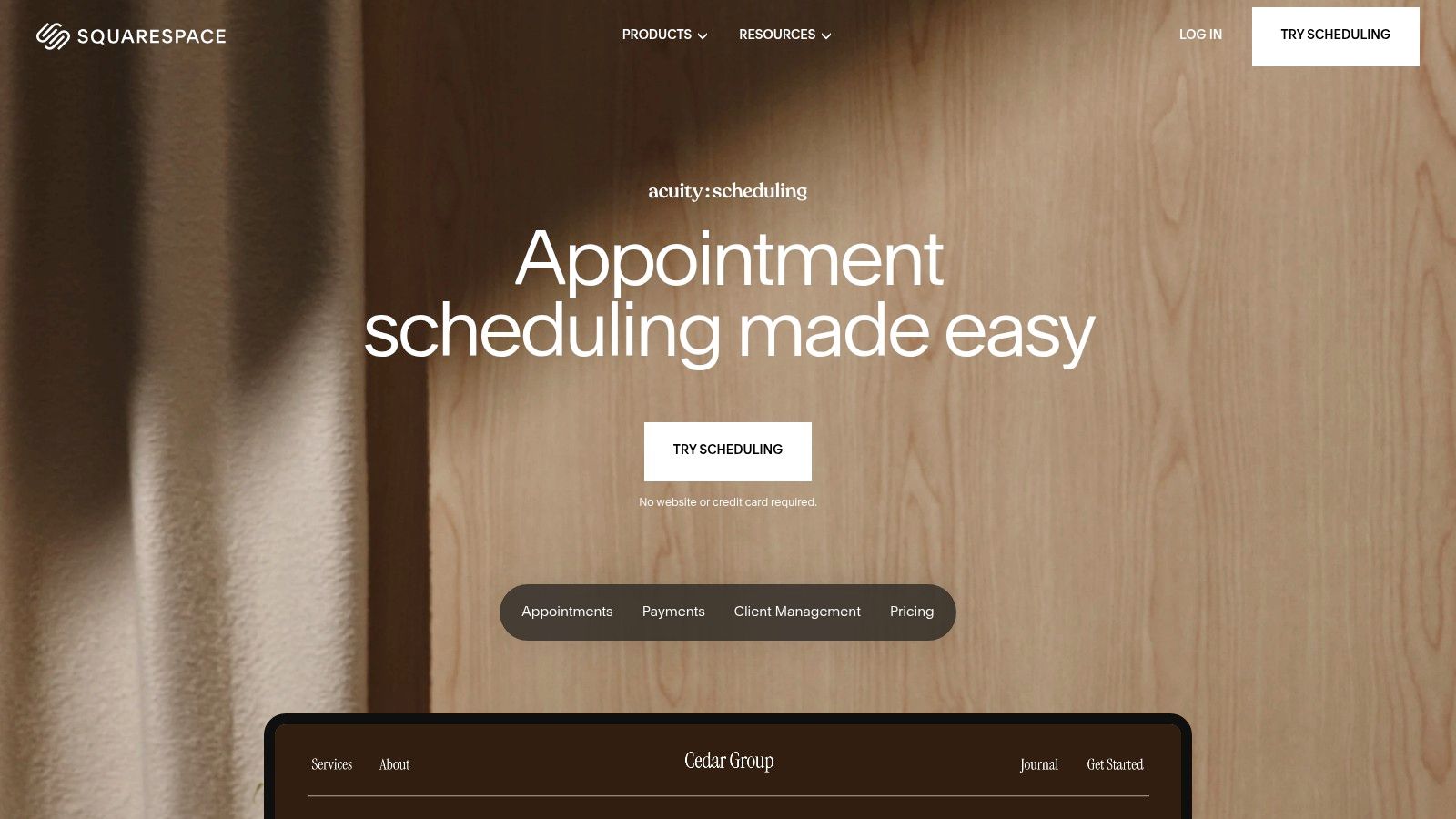
Squarespace Scheduling provides automated confirmations, reminders, and follow-up emails right out of the box. Its system is highly customizable, allowing you to tailor the content and timing of your messages precisely. For healthcare providers, the top-tier plan includes a HIPAA Business Associate Agreement (BAA), making it a compliant choice for handling protected health information (PHI). This platform is ideal for wellness coaches, therapists, and consultants who need clients to fill out detailed forms before their session.
| Pros | Cons |
|---|---|
| Powerful client management and custom forms | SMS reminders are not available on the entry-level plan |
| HIPAA BAA is available on the Powerhouse plan | Lacks native ringless voicemail or advanced voice call features |
| Deep website embedding and branding capabilities | Scheduling is a separate subscription from core Squarespace plans |
Squarespace Scheduling offers several tiers. The entry-level Emerging plan (starting at $16/month) includes one calendar and basic features but lacks SMS reminders. To access SMS, you need the Growing plan (starting at $27/month) or the Powerhouse plan (starting at $49/month), which also adds HIPAA compliance.
Website: Squarespace Scheduling pricing
Square Appointments is an all-in-one solution designed for service-based businesses that need scheduling, payment processing, and point-of-sale (POS) capabilities unified in a single platform. Its power lies in its deep integration with the broader Square ecosystem, making it a top choice for salons, spas, and retail businesses that manage both appointments and physical inventory. As a business tool, its built-in client management and notification features make it a strong candidate for the best appointment reminder software for businesses already using or considering Square for payments.
Its primary advantage is consolidating scheduling, payments, and client communications, which reduces the need for multiple subscriptions and complex integrations.
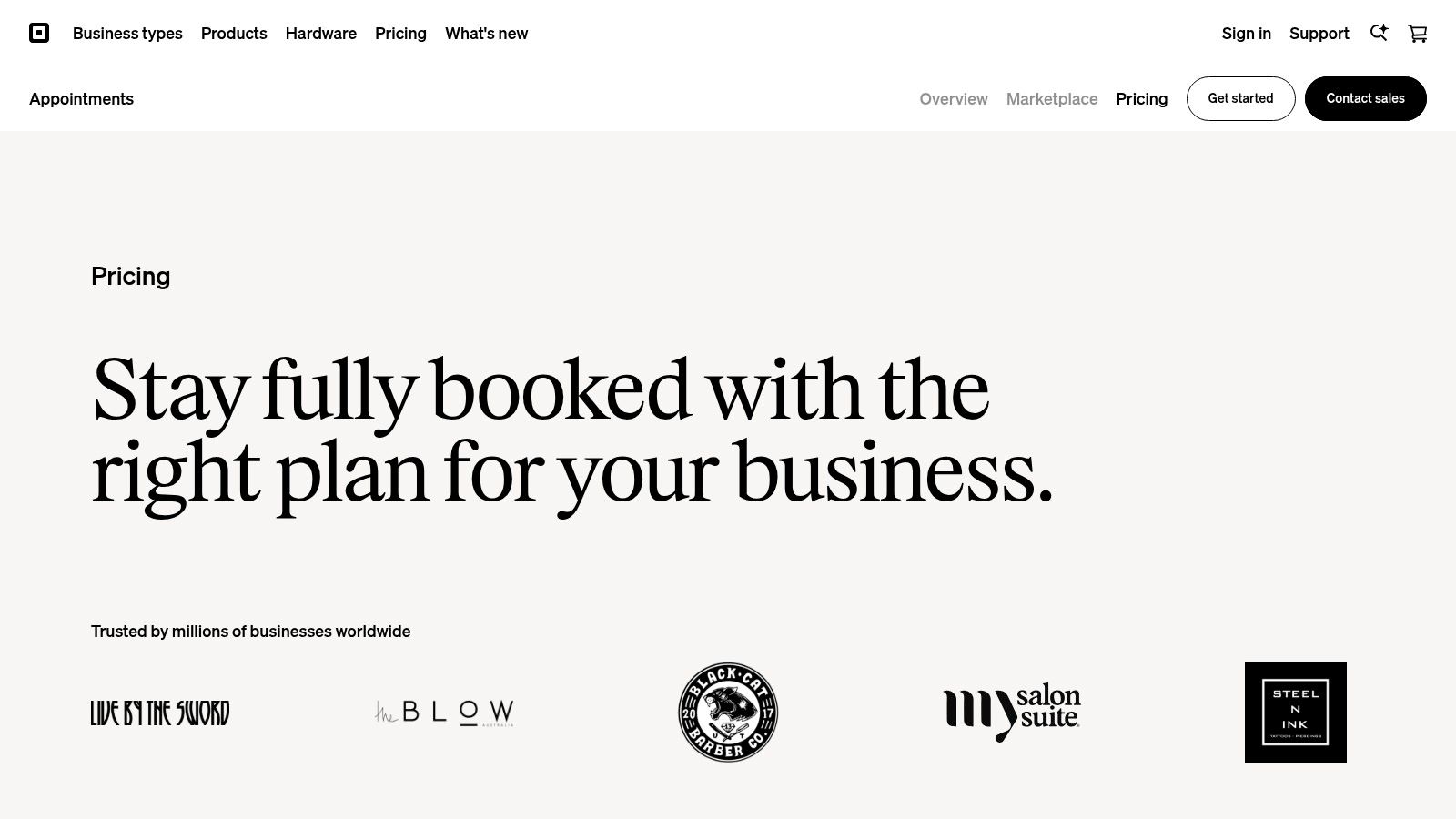
Square Appointments provides automated email and SMS reminders to clients, which help reduce no-shows. A standout feature is its no-show protection, allowing businesses to require a credit card for booking and enforce a cancellation policy by charging a fee for last-minute changes. This is particularly valuable for businesses like hair salons or therapy practices where a missed appointment directly translates to lost revenue.
| Pros | Cons |
|---|---|
| All-in-one platform for scheduling, payments, and POS | Lacks advanced communication like ringless voicemail drops |
| Excellent no-show and prepayment protection features | Paid plans are priced per location, which can be costly for multi-site businesses |
| Generous free plan for individual proprietors | Customization options are more limited than dedicated schedulers |
Square offers a Free plan for single-location individuals that includes unlimited appointments and automated text/email reminders. For teams, the Plus plan starts at $29/month per location, adding multiple staff calendars and more advanced features. The Premium plan ($69/month per location) unlocks resource management and a custom-branded booking site.
Website: Square Appointments pricing
Setmore is an accessible and cost-effective scheduling platform designed for small to medium-sized businesses. It provides a straightforward online booking page that allows clients to book appointments themselves, which is a major time-saver. Its inclusion of automated reminders makes it a strong choice for businesses seeking an efficient, all-in-one tool for scheduling, payments, and client communication, solidifying its place among the best appointment reminder software options available today.
The platform is known for its quick setup and user-friendly mobile and desktop apps, allowing businesses to manage their schedules from anywhere.
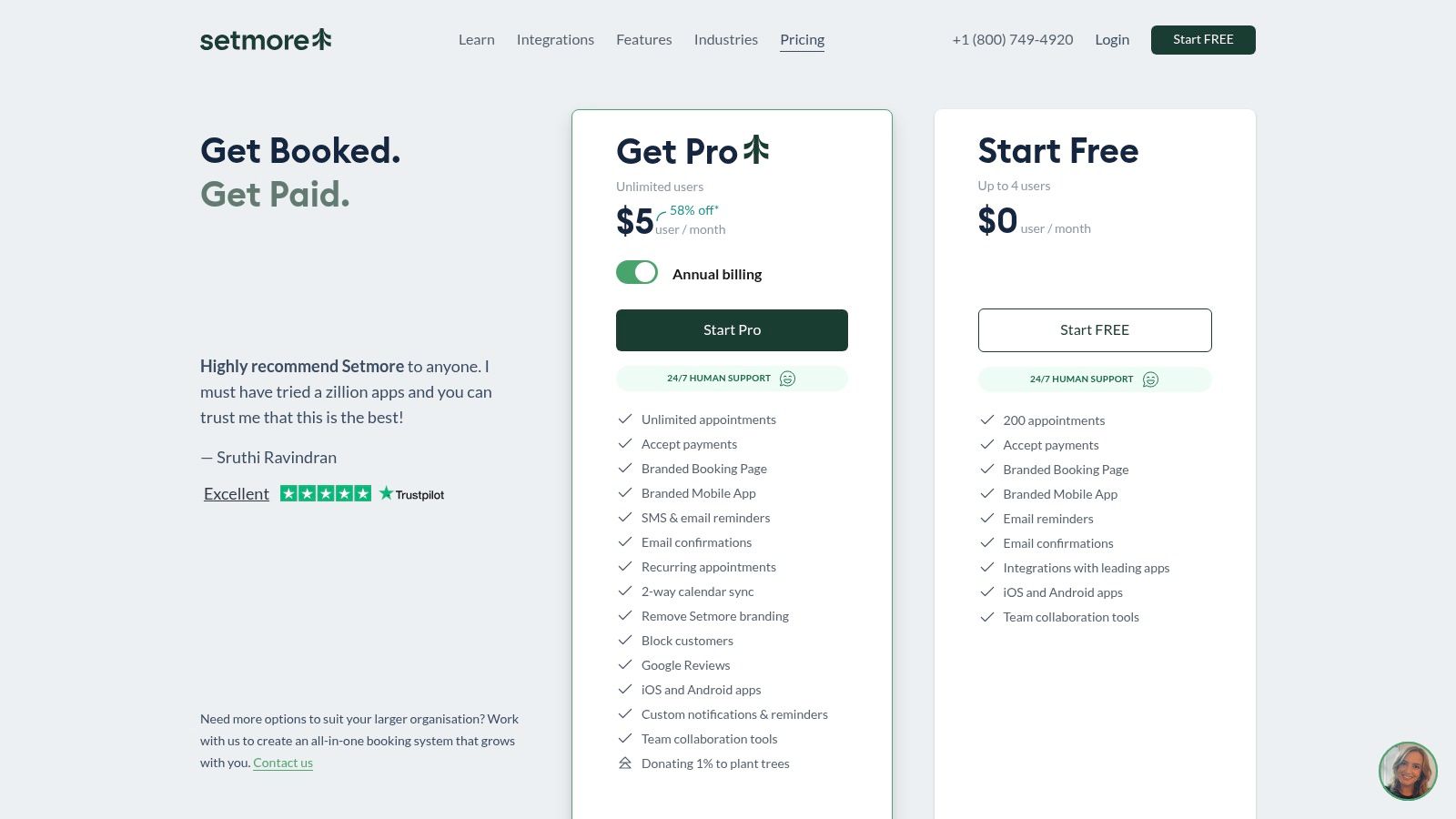
Setmore excels at providing essential features without overwhelming users. On its paid plans, businesses can set up automated SMS and email reminders to trigger at a specified time before an appointment, significantly reducing no-shows. For example, a hair salon can send an email confirmation upon booking and a text reminder 24 hours prior to the appointment. The platform also offers a unique live receptionist add-on service for businesses in the US that need help with call answering and booking.
| Pros | Cons |
|---|---|
| Very low price per user with unlimited team members on paid plans | SMS reminders are not included in the Free plan |
| Quick deployment and a simple, intuitive interface | SMS usage is subject to a fair-use policy, not unlimited |
| Includes payment processing and class management | Lacks advanced features like ringless voicemail drops |
Setmore has a generous free plan that includes unlimited appointments and email reminders for up to four users. To access automated SMS reminders and other premium features, you'll need the Pro plan (starting at $5/user/month when billed annually).
Website: Setmore pricing
SimplyBook.me is a highly flexible booking system that caters to a wide array of service-based industries, from beauty salons to medical clinics. It stands out with its industry-specific templates and a suite of "custom features" that can be enabled or disabled, allowing businesses to build a customized solution. While it's a full-featured booking platform, its customizable reminder system makes it a strong choice for those seeking the best appointment reminder software integrated within a full-featured scheduling environment.
Its core value is providing a complete, client-facing booking website or embeddable widget that handles scheduling, payments, and automated communications in one place.
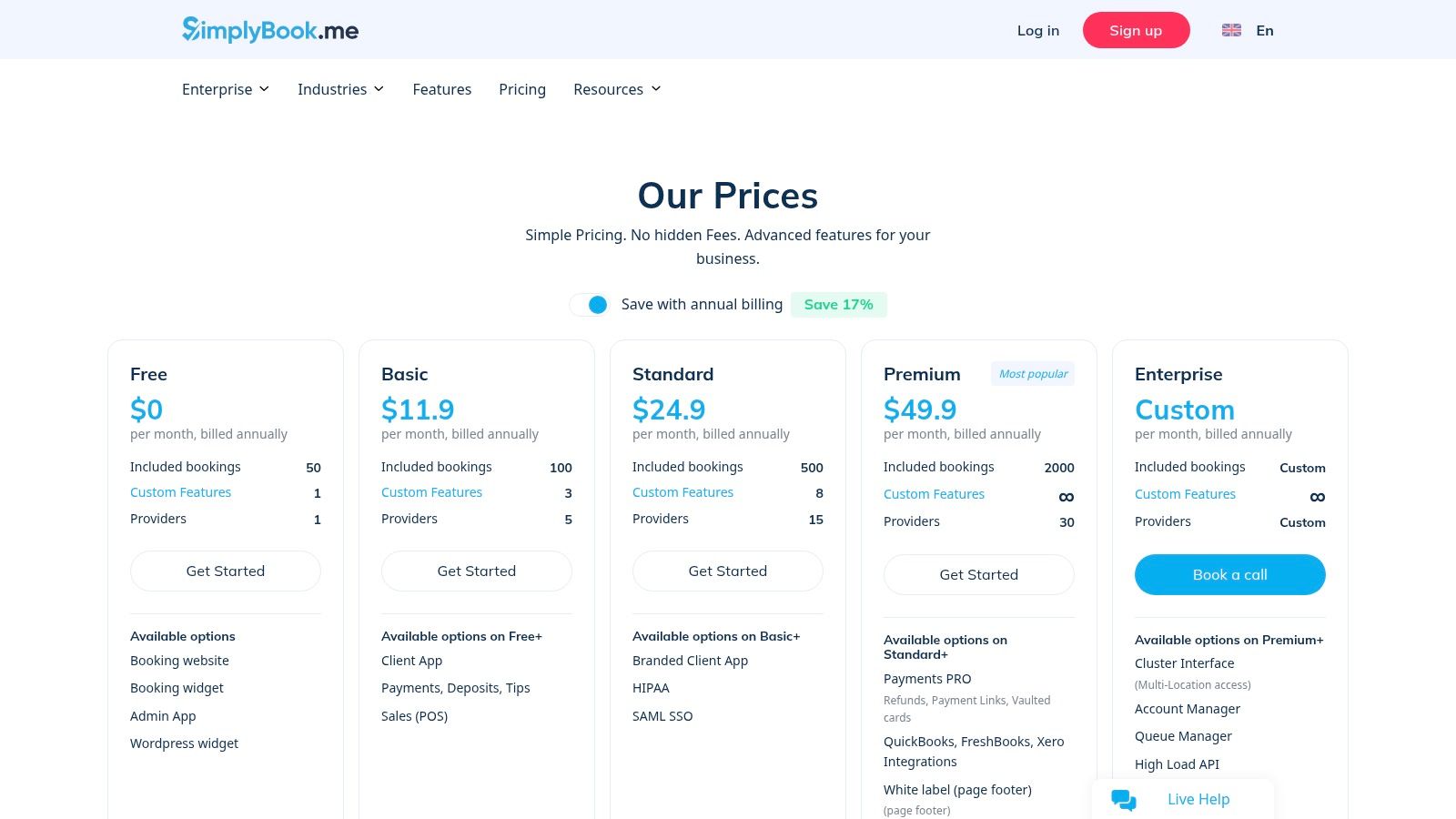
SimplyBook.me allows users to configure automated reminders and notifications for various actions, like new bookings, cancellations, and upcoming appointments. A key differentiator is its a la carte approach to features; you activate the ones you need, such as deposits, coupons, or HIPAA compliance, keeping the interface uncluttered. A medical spa, for example, could activate HIPAA features, require a deposit at booking, and send a customized email and SMS reminder sequence to reduce no-shows.
| Pros | Cons |
|---|---|
| Fine-grained controls over bookings and providers | SMS credits and extra bookings add incremental costs |
| Add-on credits for SMS spikes | Some advanced features are gated to higher-priced tiers |
| Strong multilingual and white-label options | The "custom features" system can have a slight learning curve |
SimplyBook.me offers a free plan for up to 50 bookings. Paid plans start with the Basic plan (starting at $8.25/month), which includes 100 bookings and access to more custom features. SMS reminders require purchasing separate credit packs, and features like HIPAA compliance are only available on the Premium plan.
Website: SimplyBook.me pricing
For businesses integrated into the Zoho ecosystem, Zoho Bookings is a natural and powerful choice. It functions as a scheduling tool that leverages the full power of Zoho's interconnected suite of business applications, from CRM to marketing automation. While it provides capable scheduling features on its own, its true strength is realized when used alongside other Zoho products, making it a contender for the best appointment reminder software for existing Zoho users.
The platform provides a clean, professional booking page for clients and syncs seamlessly with your team's calendars, streamlining the entire appointment lifecycle within a single, unified environment.
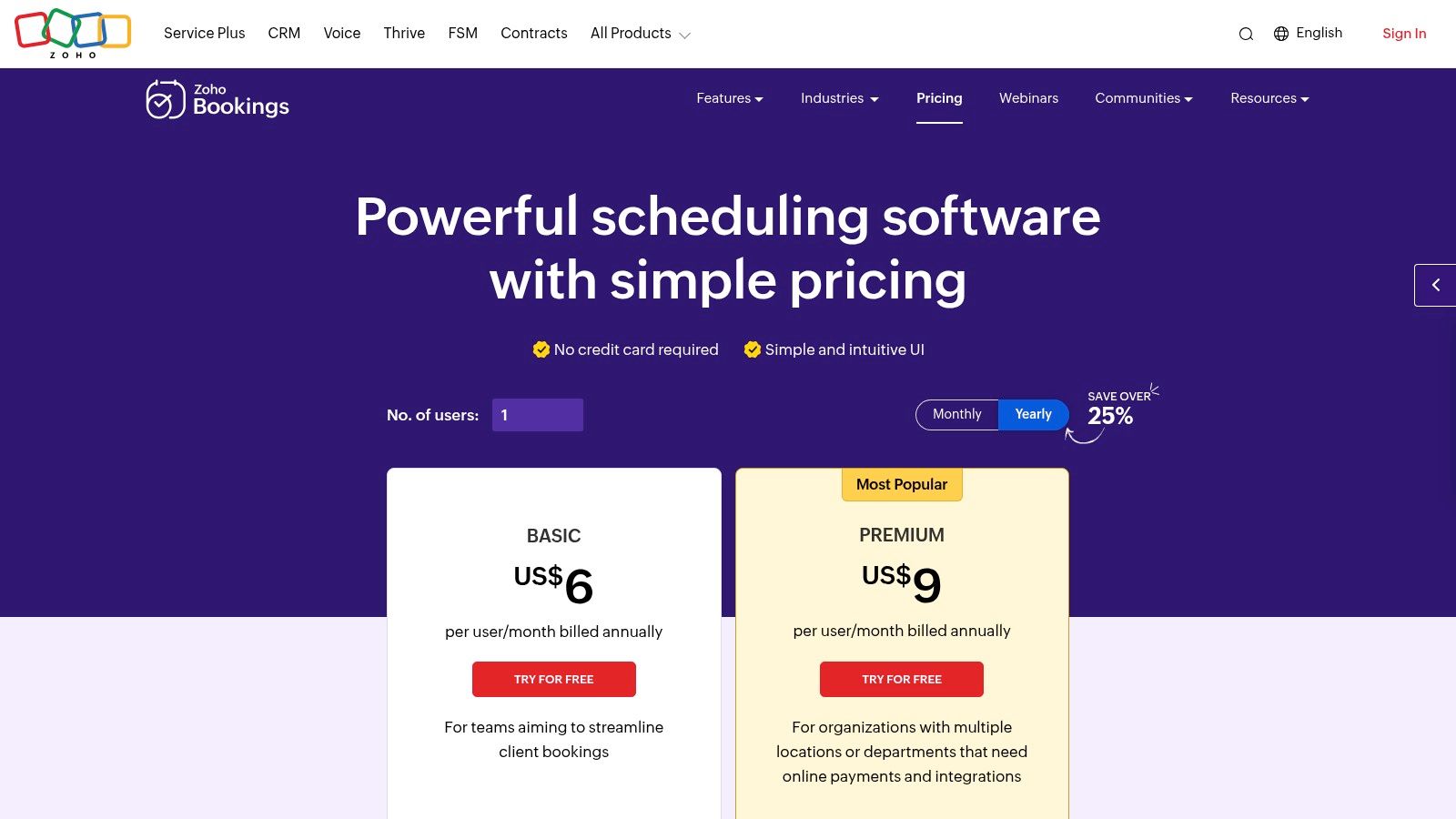
Zoho Bookings handles appointment reminders primarily through automated email notifications, which are included in all plans. You can configure multiple email reminders to be sent at specific intervals before an appointment, reducing no-shows effectively. For sales teams, its biggest advantage is the native integration with Zoho CRM and Bigin, automatically creating new leads or contacts and logging meeting details without manual data entry.
| Pros | Cons |
|---|---|
| Generous free plan for a single user | SMS and WhatsApp reminders require a third-party provider |
| Unmatched, deep integration with Zoho CRM | Best value is heavily tied to using the broader Zoho suite |
| Competitively priced paid plans for teams | Lacks native ringless voicemail or advanced voice features |
Zoho Bookings has a "Free Forever" plan for one user, which includes email notifications. The Premium plan (starts at $6/user/month) adds team scheduling and removes Zoho branding. To access integrations for SMS reminders, you'll need at least the Premium plan.
Website: Zoho Bookings pricing
GReminders is a purpose-built platform that focuses exclusively on one thing: eliminating no-shows through powerful, automated reminders. It integrates directly with your existing Google or Microsoft calendars, making it an excellent choice for businesses that already operate within those ecosystems. Its deep integration and granular control over reminder timing and content make it a top-tier option for the best appointment reminder software, especially for compliance-sensitive industries.
The platform's strength is its "set it and forget it" nature. Once configured, it seamlessly pulls event details from your calendar and triggers the appropriate reminders without manual intervention.
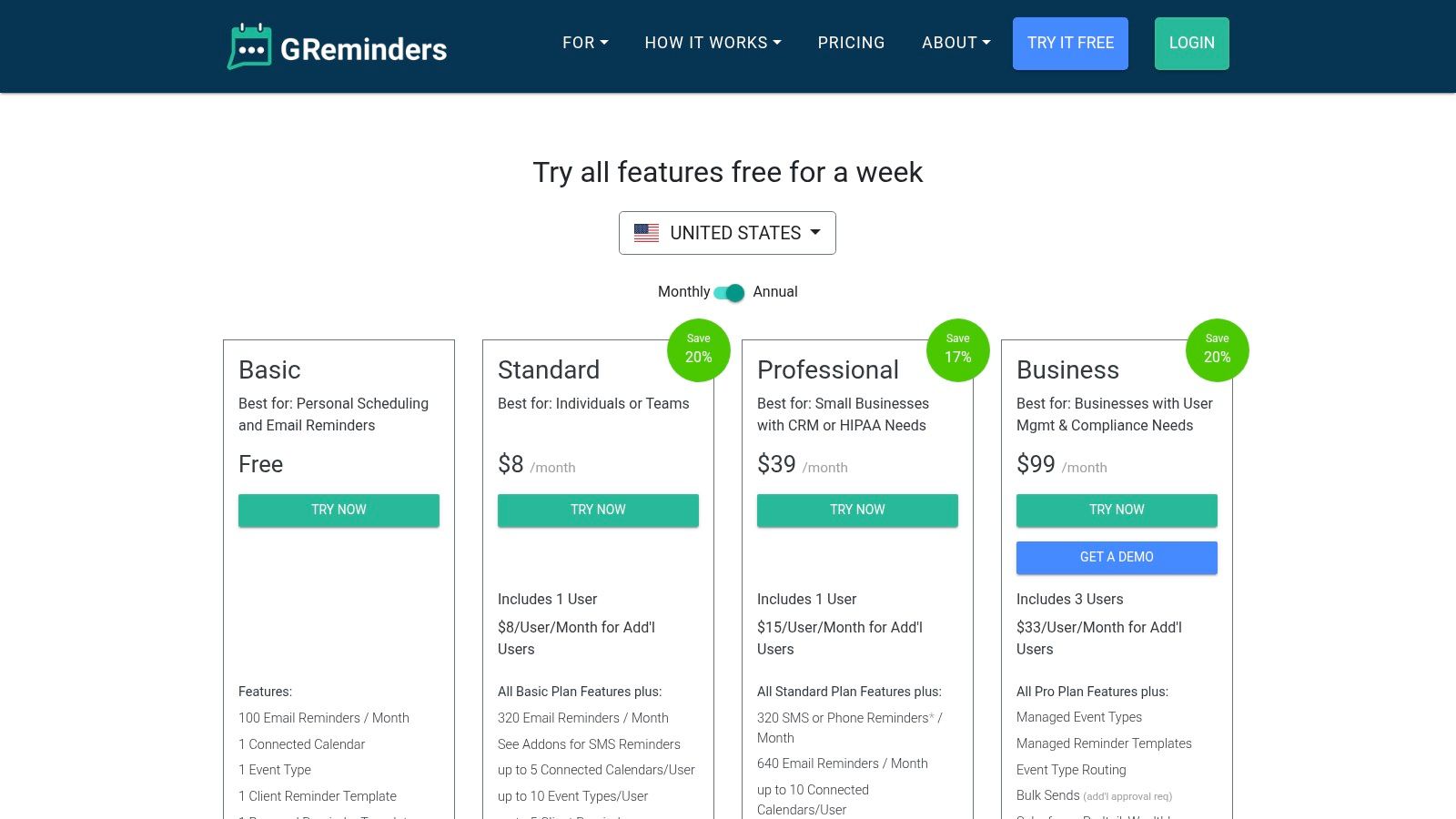
GReminders allows users to create highly customized reminder templates that can be triggered at specific intervals before an appointment. For a medical clinic, this could mean sending an email with intake forms a week prior, an SMS reminder 48 hours before, and a final automated phone call reminder on the morning of the visit. You can learn more about how to effectively use automated text message reminders to reduce no-shows.
| Pros | Cons |
|---|---|
| Designed specifically for reminders with granular controls | SMS volume beyond plan allowances requires purchasing add-ons |
| HIPAA-compliant option is ideal for healthcare and finance | Lacks native ringless voicemail drop capabilities |
| Clear US-based pricing with optional add-on SMS/phone call bundles | Some advanced features are limited to Pro or Business tiers |
GReminders offers a free trial to test the functionality. Paid plans start with the Pro plan (starting at $12/user/month), which includes SMS, email, and phone call reminders. For HIPAA compliance and a BAA, you will need the higher-tier Business plan.
Website: GReminders pricing
GoReminders is a refreshingly straightforward and easy-to-use platform designed for small businesses that need a reliable, no-fuss reminder system. Its primary differentiator is its pricing model, which is based on the number of appointments you book per month rather than per user or per message. This makes it a highly predictable and cost-effective choice for small shops, solo practitioners, and service providers who want to get set up in minutes without complex configurations.
The platform focuses on the core essentials of appointment management, offering a simple calendar, client database, and automated reminder sequences. This simplicity is its greatest strength, making it one of the best appointment reminder software options for businesses that value speed and ease of use over a vast feature set.
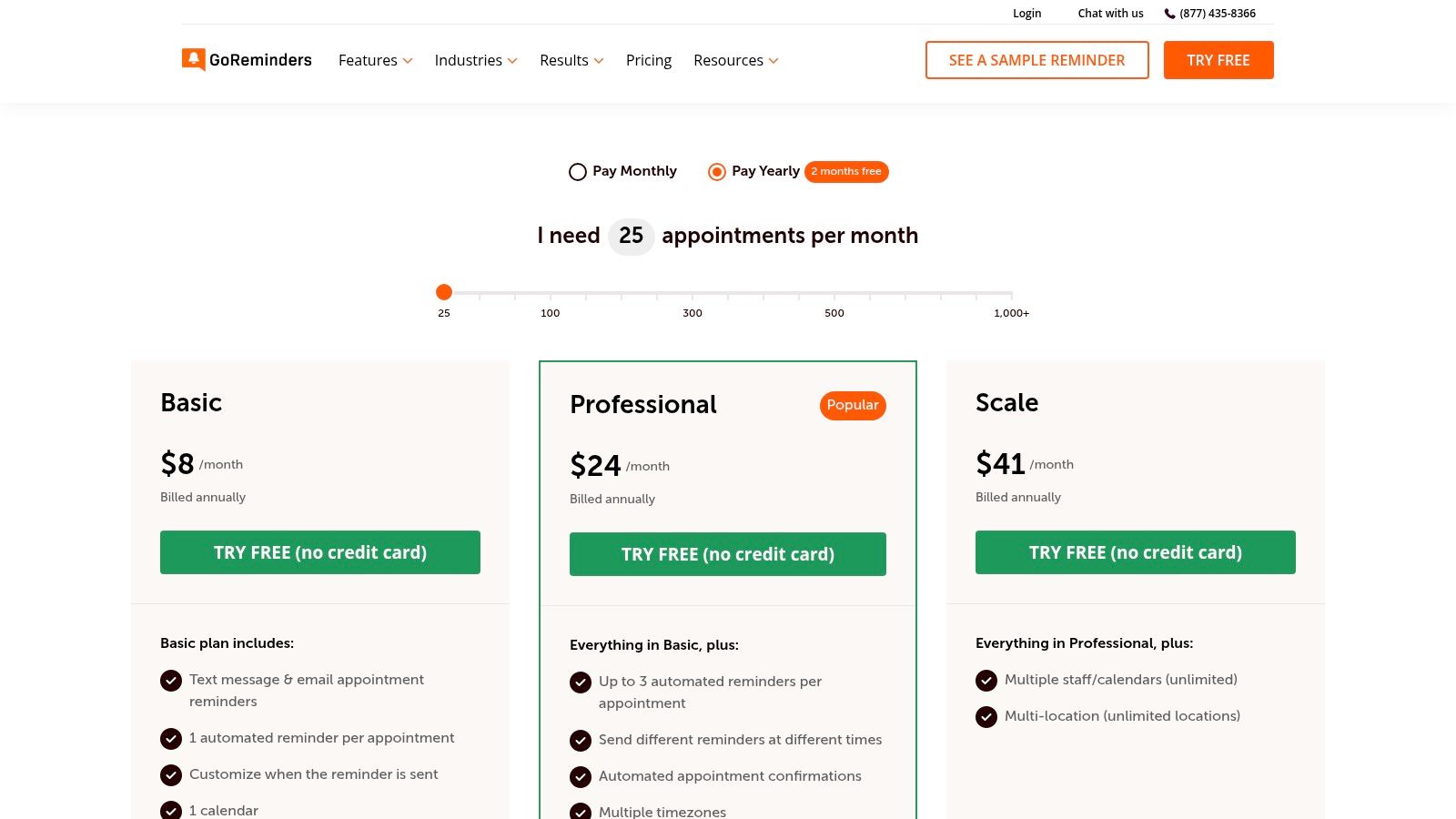
GoReminders allows you to send automated reminders via both SMS and email, with the ability to customize message templates and timing. A service business like a pet groomer or massage therapist can use it to set up recurring appointments and ensure clients receive a reminder 24 hours beforehand, drastically reducing no-shows. The optional two-way messaging add-on also allows clients to reply directly to confirm or reschedule.
| Pros | Cons |
|---|---|
| Extremely quick to set up and deploy | Appointment limits on lower plans may be restrictive for busy businesses |
| Simple, predictable per-appointment pricing | Advanced features like API access are reserved for higher-tier plans |
| Unlimited users included on basic plans | Lacks native ringless voicemail or advanced automation workflows |
GoReminders offers a free trial to test its features. Paid plans are based on the number of monthly appointments. The Starter plan begins at $30/month for up to 35 appointments and includes SMS/email reminders. Higher-tier plans add more appointments, custom branding, and features like two-way messaging.
Website: GoReminders pricing
ReminderCall is a seasoned player in the automated communications space, specializing in usage-based reminders for compliance-sensitive industries like healthcare. It stands out by offering a straightforward, credit-based pricing model that appeals to businesses wanting to avoid complex monthly subscriptions. While its interface may seem more traditional, its reliability and focus on core reminder functionality make it a solid choice for practices and service providers prioritizing dependability and compliance.
Its primary strength is its no-nonsense approach to sending automated voice calls and text messages, coupled with a strong emphasis on security and support.
ReminderCall is designed for organizations that need a direct and effective way to reduce no-shows. A medical office, for instance, can use it to send automated voice reminders to landlines and SMS confirmations to mobile phones, all while maintaining HIPAA compliance by signing a Business Associate Agreement (BAA). The platform also supports dedicated phone numbers, which helps improve brand recognition and message deliverability.
| Pros | Cons |
|---|---|
| Healthcare-friendly with BAA availability | Dedicated phone numbers carry a separate monthly fee |
| Simple, per-reminder credit pricing model | Some features like the email module are paid add-ons |
| Free 30-day trial with up to 1,000 credits | Carrier fees and taxes may apply, adding to the total cost |
ReminderCall operates on a usage-based credit system, starting at $9.95/month for 175 reminder credits. Plans scale up with volume discounts, and unused credits roll over. A free 30-day trial is available to test the service.
Website: ReminderCall pricing
Vagaro is an end-to-end management platform designed specifically for the salon, spa, and wellness industries. It goes beyond simple scheduling by integrating booking, point-of-sale (POS), marketing, and client communication into a single, unified system. Although it is a full-featured business tool, its automated reminder system is a core feature, making it a powerful contender for the best appointment reminder software for businesses in the beauty and fitness sectors.
Its main advantage is providing a vertical-specific solution that handles nearly every aspect of running a service-based wellness business, including exposure through its consumer marketplace.
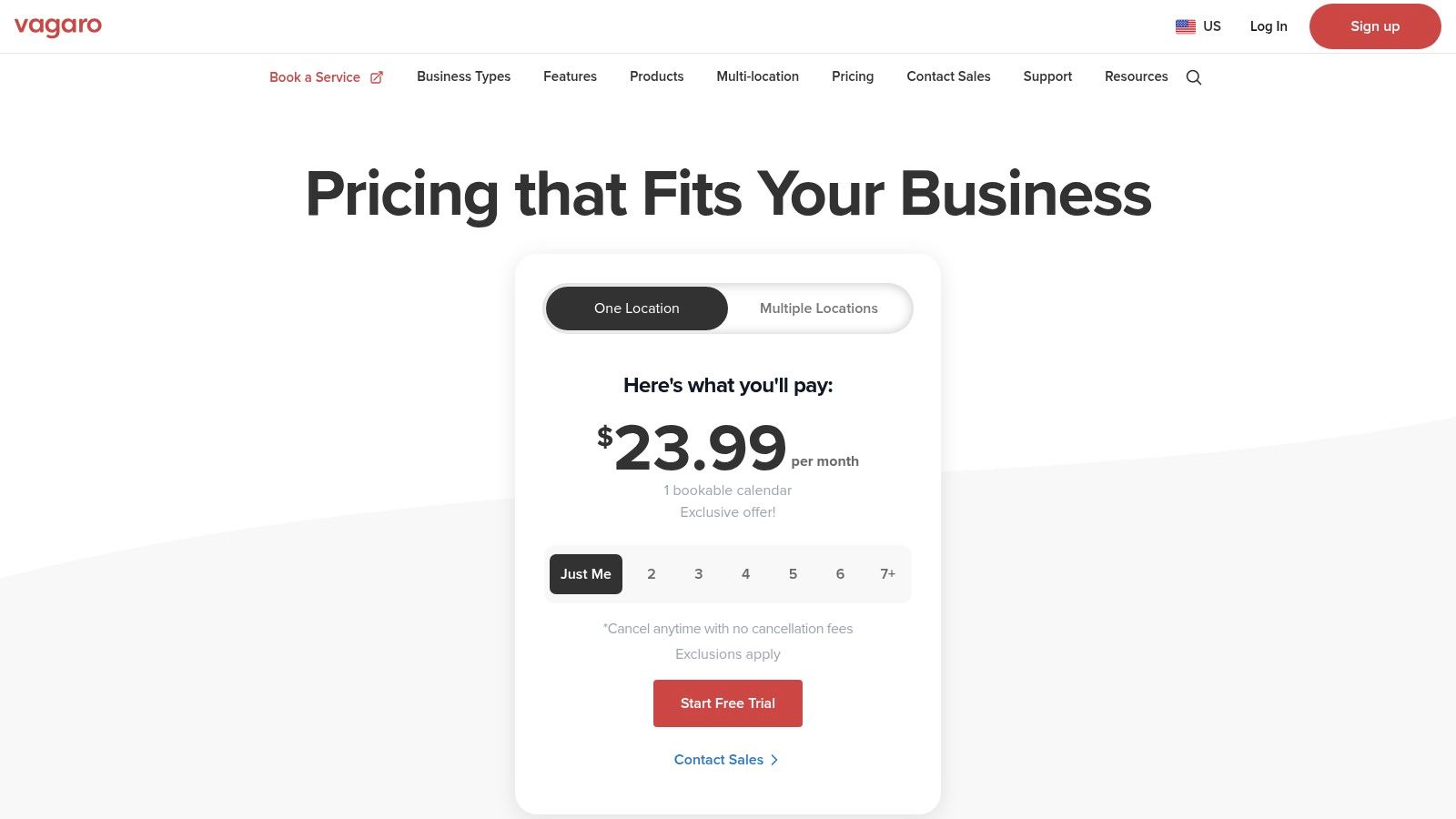
Vagaro’s reminder functionality is built directly into its booking and client management workflow, providing a smooth experience from booking to follow-up. A salon owner, for example, can automatically send email, SMS, and push notification reminders to clients before their appointments to minimize no-shows. The platform also offers marketing tools to re-engage clients after their visit.
| Pros | Cons |
|---|---|
| Industry-specific features for beauty and wellness | SMS marketing campaigns and two-way chat consume paid credits |
| All-in-one solution combining booking, POS, and marketing | Some advanced features like a branded app are paid add-ons |
| Marketplace exposure to attract new local customers | Not a fit for businesses outside the salon, spa, or fitness niche |
| 24/7 US-based customer support | Lacks advanced communication channels like ringless voicemail |
Vagaro's pricing is based on the number of bookable calendars (staff members). The base plan starts at $30/month for one user. Each additional user adds to the monthly cost. Automated reminders are included, but text marketing and two-way chat features require purchasing SMS credits.
For hospitality-oriented businesses comparing booking, messaging, and guest communication trends more broadly, this overview of hospitality technology trends provides useful context on where reminder expectations are heading.
Website: Vagaro pricing
Fresha is a powerhouse platform designed specifically for the beauty and wellness industry, including salons, spas, and barbershops. While it functions as a complete business management system with booking and point-of-sale features, its integrated communication tools make it a top contender for the best appointment reminder software in this niche. Its main advantage is embedding client reminders directly into the operational workflow, reducing no-shows and simplifying client management.
The platform distinguishes itself with a modern interface and a generous free message allowance, making professional-grade automation accessible even to solo practitioners.
Fresha's reminder system is integrated and highly automated, triggering messages based on booking status. A salon can set up rules to automatically send an SMS confirmation upon booking, an email reminder 48 hours prior, and a last-minute WhatsApp notification a few hours before the appointment. The no-show protection feature, which allows businesses to capture deposits or charge cancellation fees, is significantly more effective when combined with these reliable reminders.
| Pros | Cons |
|---|---|
| Generous free monthly message allowance | Additional message usage is billed after the free allotment |
| Flexible communication options including WhatsApp | Advanced features like loyalty programs are paid add-ons |
| Scales from single professionals to multi-location teams | Lacks voice-based reminders like ringless voicemail |
Fresha's core scheduling and reminder software is subscription-free. It includes a free monthly allowance of texts, emails, and WhatsApp messages. Beyond the free allotment, messaging is pay-as-you-go. Optional paid add-ons are available for features like advanced analytics and marketing promotions.
Website: Fresha pricing
The fastest way to choose well is to decide which system should own the workflow. In some businesses, that should be the booking platform itself. In others, the better approach is to keep the existing scheduler and add a reminder layer that handles communication, confirmations, and follow-up logic more effectively.
Several tools in this list already combine scheduling with built-in reminders. Calendly, Square Appointments, Setmore, Squarespace Scheduling, SimplyBook.me, Vagaro, and Fresha all support automated reminders inside the booking product, though the channel mix and plan limits vary. If your business wants one place for booking pages, staff calendars, and reminder messages, this category is usually the simplest starting point.
The catch is that built-in reminders are often designed for standard use cases: confirmation, one or two reminders, and basic cancellation links. In our review, these tools worked best when the appointment process was straightforward and the business did not need CRM-driven branching logic. If you already have a booking system that customers like, replacing it just to gain stronger reminders is often unnecessary.
If your appointments are low friction and customers usually confirm with a simple text or email, automated reminders alone may solve the problem. This is common for salons, solo providers, tutoring, fitness sessions, and standard consultations. One confirmation plus one reminder is frequently enough.
But higher-stakes appointments often need more. Two-way texting helps when customers need to confirm, reschedule, or ask a quick question. Phone reminders still matter for older demographics, landline-heavy audiences, and medical or compliance-sensitive workflows. Multi-channel outreach can also be useful when the cost of a missed appointment is high. The case for stronger automation is supported by the El Rio Health results noted earlier, and many healthcare organizations also align outreach with CMS appointment and patient communication expectations and broader privacy requirements from HHS HIPAA resources.
If you run a clinic, custom intake flow, or CRM-heavy operation, do not stop at “has integrations” on the pricing page. Ask what triggers a reminder. Can the platform start a workflow when an appointment is created, moved, cancelled, marked unconfirmed, or tagged as high priority? Can it send data back when a patient or client confirms? Can it branch by location, provider, service type, or form answer?
For many teams, Zapier is enough. It can move booking data from forms, calendars, CRMs, and schedulers into a reminder sequence without engineering work. But clinics, multi-location groups, and businesses with custom portals may need more direct API access or webhook support to keep records synchronized. My rule is simple: if staff are still copying appointment details between systems, your integration stack is not finished.
Workflow templates are the right default for repeatable paths: someone submits a booking request, gets a confirmation, receives a reminder sequence, and either confirms, reschedules, or drops out. Good templates also include stop conditions so you do not keep sending reminders after a reply or booking change.
Manual follow-up is still better when the next step requires judgment. That includes high-ticket services, applications needing approval, complex medical intake, or any case where staff must screen for fit before offering a slot. The efficiency gap is real, though. Automation can remove hundreds of hours of repetitive scheduling work while improving response speed, according to this workflow efficiency review. In our review, the best setups used templates for the predictable 80% and reserved human intervention for the edge cases.
Pick an all-in-one scheduler if you are rebuilding your booking process and want convenience over customization. Pick dedicated appointment reminder software if your current scheduler is acceptable but your reminder process is weak, your team needs CRM-triggered automation, or you want voice and voicemail in addition to text and email. Pick a usage-based reminder service if your volume fluctuates and you want predictable operational simplicity more than a deep workflow builder.
If I were choosing for a business that already has bookings coming from forms, CRMs, or a scheduling tool, I would lean toward Call Loop because the layering approach avoids unnecessary migration and gives more flexibility once reminder logic gets even slightly complex. If I were choosing for a solo consultant starting from scratch, I would probably begin with Calendly or another booking-led system and only add a dedicated reminder platform once volume and workflow complexity justify it.
Usually, yes. Even one or two missed appointments a week can cost more than a basic reminder plan, especially in businesses with fixed staff time or limited daily slots. The bigger gain is often operational: staff spend less time sending reminders manually and fewer customers slip through the cracks.
Many mainstream booking systems do, including Calendly, Square Appointments, Setmore, Squarespace Scheduling, SimplyBook.me, Vagaro, and Fresha. The differences are in plan availability, channel mix, customization, and whether reminders can stop or branch based on replies, cancellations, or CRM data.
An appointment reminder app focuses on communication after the booking exists. Full scheduling software also handles booking pages, availability, calendars, payments, staff assignments, and customer records. If you already like your scheduler, adding a reminder layer can be smarter than replacing the whole system.
Not always, but clinics with custom intake flows, EHR-adjacent processes, multiple locations, or strict reporting requirements often benefit from API or webhook access. Simpler practices can often get by with calendar sync or Zapier, but once staff are manually moving appointment data, deeper integration becomes important.
Templates are better for predictable, repeatable steps: confirmation, reminders, reschedule links, and follow-up after standard bookings. Manual follow-up is better when approvals, qualification, insurance checks, or high-value consults require judgment before time is confirmed.
Start with consent, message content, access controls, and vendor policies for handling sensitive data. For healthcare, review whether the platform supports HIPAA-oriented workflows and whether a BAA is available when needed. Compliance is not just a vendor feature; it also depends on how your team collects, stores, and sends appointment information.
Ready to eliminate no-shows and engage clients on their preferred channels? Call Loop offers a powerful, dedicated platform for SMS, voice, and ringless voicemail reminders that integrates seamlessly with the tools you already use. Start your free trial today and see how easy it is to automate your communications and grow your business.
Chris Brisson
Chris is the co-founder and CEO at Call Loop. He is focused on marketing automation, growth hacker strategies, and creating duplicatable systems for growing a remote and bootstrapped company. Chat with him on X at @chrisbrisson


Trusted by over 45,000 people, organizations, and businesses like


