
See a Demo
You're just one step away from seeing Call Loop in action.
Enter your information below to watch a demo right now.

You're just one step away from seeing Call Loop in action.
Enter your information below to watch a demo right now.

You already know the feeling. You launch a promotion, appointment reminder, or follow-up sequence, and the message itself is solid. The copy is clear. The offer makes sense. The timing is right. Then results stall because the actual problem wasn't the campaign. It was the list.
That problem gets sharper in outbound channels like SMS, voice, and ringless voicemail. These channels are immediate and personal. A bad email list creates waste. A bad phone list creates friction, opt-outs, compliance risk, and missed revenue in the same motion.
Managing contact lists well is what separates a clean outbound operation from a noisy one. If you run a karate studio, it determines whether testing reminders reach the right parents. If you run a healthcare clinic, it affects whether pre-visit instructions go to active patients with valid consent. If you run sales or customer success, it shapes whether follow-up lands as relevant outreach or unwanted interruption.
A contact list isn't just a pile of names and numbers. It's the operating system behind every outbound message you send.
The U.S. National Archives describes a contact list as a structured data asset with fields such as name, job title, email address, phone number, company name, and mailing address, and notes that these lists support communication functionality within applications and can track operational metrics like opens, clicks, bounces, unsubscribes, and forwards through its contact list records guidance. That's the right way to think about it. Your list is not a static address book. It's a working communication database.
In practice, that means a strong list does three jobs at once:
A lot of teams still treat list management like cleanup work they'll get to later. That usually ends with a campaign that underperforms for reasons that have nothing to do with messaging. A gym sends a weekend SMS blast to every number it has ever collected. Some contacts moved away. Some never opted in for promotions. Some belong to former members who only wanted billing notices. The message wasn't the issue. The audience definition was.
Your message can only be as good as the record it rides on.
This matters even more in direct-response channels. SMS gets seen fast. Voice calls interrupt. Ringless voicemail lands in a place people check personally. When your list is sloppy, the cost isn't just low engagement. It's avoidable irritation.
The upside is just as real. Teams that take list quality seriously can segment better, suppress better, and automate better. If you're still focused mainly on adding contacts, it's worth tightening the intake process first. A practical starting point is this guide on ways to grow your SMS marketing list without filling your database with low-quality names.
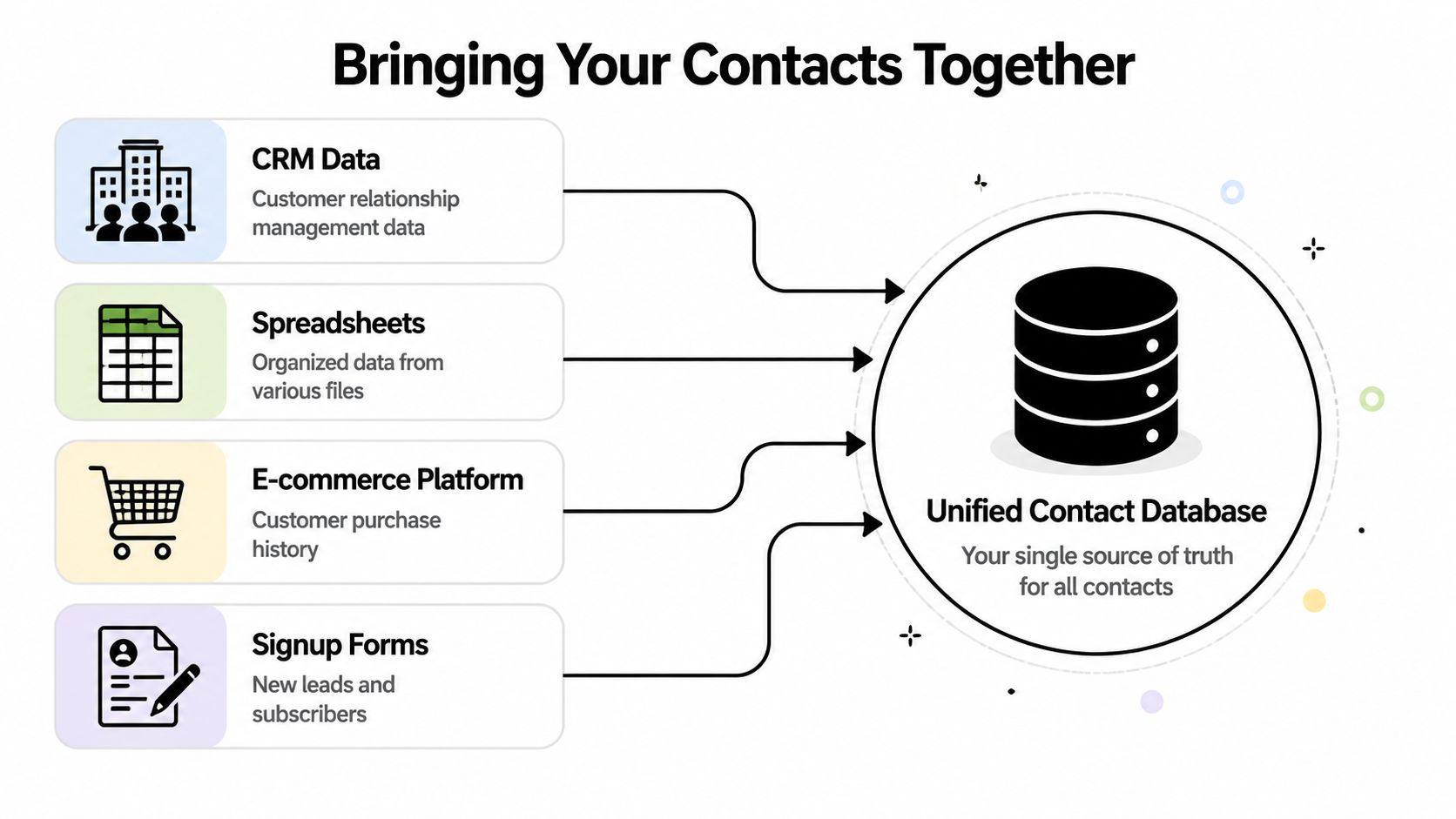
Most businesses don't have one contact list. They have five versions of the same one.
There's a CRM with sales notes. A spreadsheet from the last trade show. A checkout tool with customer phone numbers. A website form feeding new inquiries. A front-desk export with appointment history. If those sources aren't aligned, nobody knows which record is current, which phone number has consent, or which contact belongs in which campaign.
Before you import anything, define what a complete contact record should contain. At minimum, most outbound teams need:
| Field | Why it matters |
|---|---|
| Full name | Personalization and identity matching |
| Mobile number | SMS and ringless voicemail delivery |
| Landline or alternate phone | Voice campaign routing |
| Email address | Cross-channel follow-up and record matching |
| Company or household | Useful for B2B and family accounts |
| Role or relationship | Buyer, parent, patient, member, prospect |
| Source | Where the contact came from |
| Consent status | Whether outreach is allowed and on which channels |
| Last activity | Helps drive segmentation and re-engagement |
| Notes or tags | Appointment type, belt level, product interest, location |
The structure matters. Once fields are consistent, you can filter, search, suppress, and route messages with confidence. That is why dedicated contact management software usually beats spreadsheets over time. Shared Contacts for Gmail guidance, referenced by the National Archives context above, notes that contact management can begin in spreadsheets but is more efficient in dedicated software with better access control and visibility rules. That's not theory. It's what prevents accidental exports, duplicate edits, and list confusion across teams.
For small businesses, the biggest practical decision is often the simplest one. What makes one record unique?
For outbound messaging, the phone number often becomes the operational key because that's the channel endpoint for SMS, voice, and ringless voicemail. But don't rely on phone alone if your audience shares numbers or changes numbers often. A family business, healthcare clinic, or martial arts school may need a composite approach that uses name, phone, and account or household ID together.
Use one rule consistently:
Practical rule: Never let convenience override provenance. If you don't know where a number came from, don't treat it like a clean marketing contact.
This is also where enrichment can help, especially in B2B workflows where title, company, and segmentation fields are often incomplete. If you're cleaning up business records and need a framework for standardizing missing attributes, this B2B data enrichment guide is useful because it focuses on making records more usable, not just bigger.
Don't dump every file into one system and hope deduplication fixes it later. Move source by source.
A clean process looks like this:
Audit every intake point
List every place contact data enters the business. Website forms, point-of-sale tools, intake sheets, webinar forms, referral submissions, CRM entries, and manual uploads all count.
Map fields before import
"Phone" in one system might mean mobile. In another, it might mean office line. Decide what each field means before records move.
Tag the source on entry
Source history solves arguments later. It also helps when one source repeatedly creates bad records.
Set access by team role
Marketing may need campaign permissions. Front-desk staff may only need contact lookup. Agencies may need client-level separation.
If you do this well, list management gets easier downstream. Segmentation improves. Automation becomes reliable. Compliance reviews become possible. This ensures everyone works from the same version of the truth.
The fastest way to ruin a good outbound program is to treat your database like a filing cabinet. Contact records don't sit still. People change jobs, swap numbers, abandon inboxes, move locations, and stop being relevant to the segment they once matched.
Industry reporting in 2025 states that about 30% of contact data becomes outdated every year, and in a list of 10,000 contacts, roughly 3,000 records may become inaccurate within 12 months. The same guidance recommends verifying and updating databases at least quarterly, with monthly updates for fast-changing industries, as described in these contact information statistics and maintenance recommendations. That's not an edge case. That's ordinary decay.
If you're sending SMS, voice broadcasts, or ringless voicemail, bad data shows up fast. Invalid mobile numbers waste sends. Reassigned numbers create risk. Old titles and stale tags break personalization. Duplicate records mean one person gets hit twice.
List hygiene works best as a recurring operating habit, not a rescue project.
A practical quarterly cycle usually includes:
For teams sending text campaigns, clean number data matters before anything else. If you're tightening that process, this resource on phone number validation for messaging lists is a practical place to start.
Not every dirty field matters equally. Prioritize the fields that directly affect delivery, compliance, and relevance.
A simple way to consider this:
| Failure point | What it breaks |
|---|---|
| Invalid or outdated number | SMS delivery, voice reach, voicemail drops |
| Missing consent status | Compliance checks and campaign eligibility |
| Duplicate contact | Over-messaging and bad reporting |
| Wrong segment tag | Irrelevant outreach |
| Missing source history | Harder audits and weaker governance |
A healthcare clinic is a good example. A patient may still exist in the system, but the wrong mobile number means appointment reminders don't reach the person who needs pre-visit instructions. A karate studio may keep an old parent number after a family update, and the next belt-testing reminder goes nowhere. A sales team may keep a lead in "active prospect" status long after that person has changed roles, so the rep burns touches on the wrong contact.
Clean lists don't just improve campaign performance. They prevent operational mistakes.
The strongest list managers don't wait for quarterly cleanup to catch everything. They validate at the point of entry whenever possible.
That means checking new records when they come in, not months later after the first failed campaign. If someone fills out a form, a rep enters a number, or a staff member uploads a CSV, your process should standardize fields immediately, reject obvious errors, and require source attribution.
What doesn't work is the common "we'll clean it before the next launch" approach. That usually leads to rushed exports, last-minute suppressions, and inconsistent rules. Teams end up debating whose spreadsheet is newer instead of running the campaign.
The better discipline is boring, but it wins. Put hygiene on the calendar. Make one person own the review. Log what was changed and why. Good outreach operations run on that kind of repetition.
A large list is not the goal. A usable list is.
Segmentation is where managing contact lists turns into actual campaign performance. It decides who gets a promotion by SMS, who gets a reminder call, who gets a ringless voicemail follow-up, and who gets left out because the message doesn't apply.
Experts in B2B prospecting note that prospects often need 7 to 10 touches before converting, which is why a clean list and relevant follow-up sequence matter so much in multi-channel outreach, as discussed in this prospecting and touch cadence video. When a contact needs multiple touches, broad messaging gets expensive fast. Precision matters more with every send.
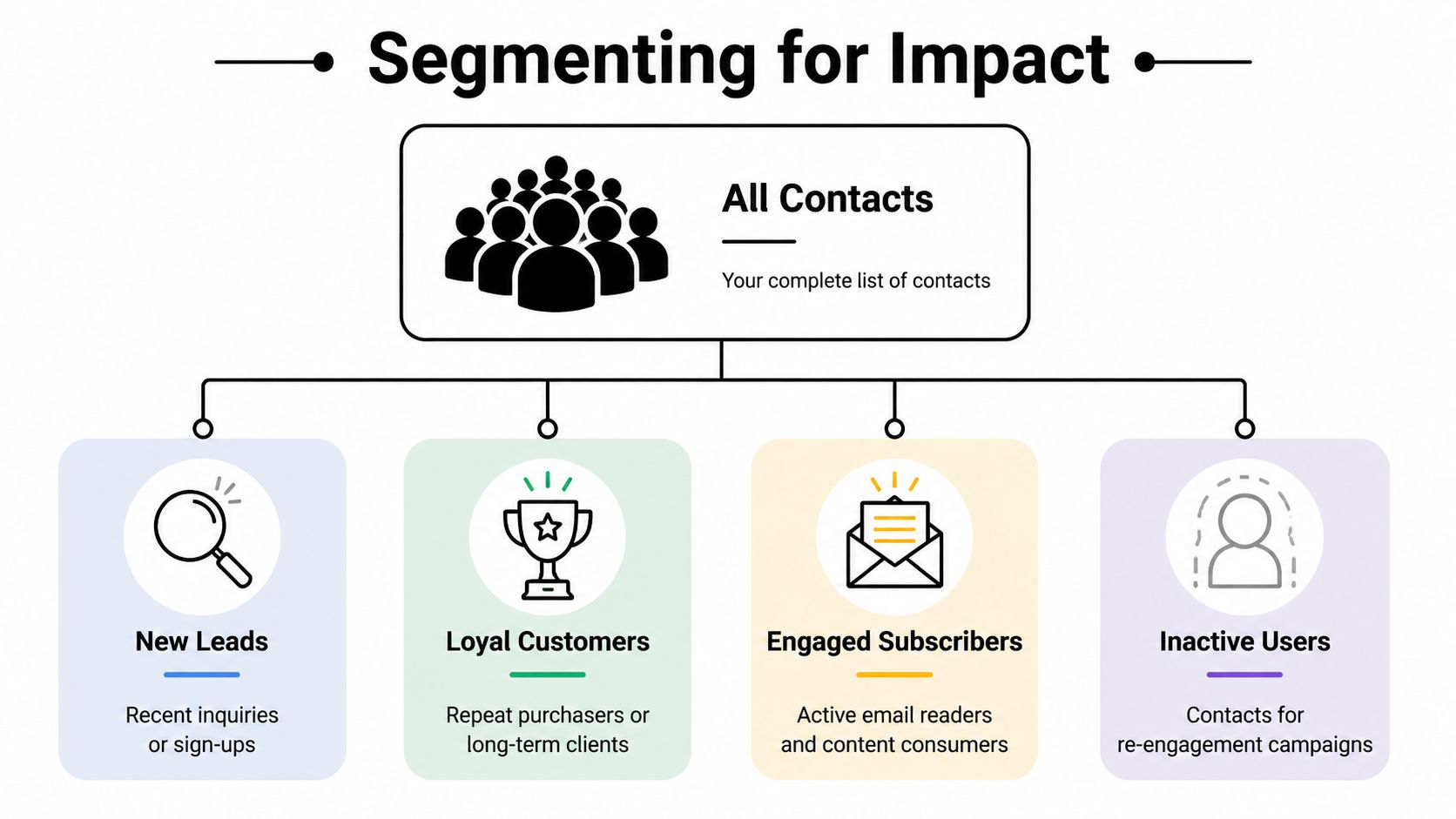
The easiest segmentation mistake is grouping contacts by whatever field happens to be available. The better move is to segment by what changes the message.
For most outbound programs, that means separating contacts by things like:
A founder doing outbound sales needs a different sequence for a fresh inbound inquiry than for a cold target account. If that distinction matters to your team, this practical guide to sales for founders does a good job of framing how outreach should shift based on lead origin and intent.
A karate studio shouldn't send the same reminder to every contact in the database. Parents of white belts may need class basics and belt-testing instructions. Advanced students may need tournament updates. Former members might fit a win-back offer, but they shouldn't get day-to-day attendance texts meant for active families.
A healthcare clinic has even tighter segmentation needs. New patients need intake reminders and directions. Established patients may need follow-up care instructions. Patients booked for a specific appointment type may need preparation details that don't apply to anyone else. On the outreach side, a voice reminder may work for some contacts, while SMS may be better for quick confirmations and ringless voicemail may fit non-urgent reminder flows where allowed and properly consented.
An e-commerce business can segment around what people bought, what they browsed, or whether they engaged after purchase. Someone who bought once may get a replenishment reminder. A repeat customer can receive a VIP launch text. An inactive buyer may be better served with a gentle reactivation sequence than a hard sale.
Segmentation gets practical when it changes the script, the timing, or the channel.
Not every segment should get the same channel mix. That's where multi-channel teams usually leave money on the table.
Use channel choice as part of the segmentation plan:
| Segment | Best-fit channel approach |
|---|---|
| Hot inbound lead | Fast SMS follow-up, then call if no response |
| Appointment reminder | SMS first, voice backup for critical reminders |
| Low-engagement but opted-in contact | Ringless voicemail with a simple callback option |
| High-value account | Personalized call sequence with selective SMS support |
| Lapsed customer | Re-engagement text, then voicemail if relevant |
What doesn't work is running one bulk blast across your entire file because it feels efficient. It usually creates the opposite. Response rates soften, opt-outs climb, and reporting becomes meaningless because every audience is mixed together.
The strongest segmentation plans are simple enough to maintain. Start with a handful of segments that reflect real customer states. Then write messages that sound like they were meant for those people, because they were.
Manual uploads are where good contact strategy starts to break. Somebody forgets to tag a lead source. A CSV gets imported twice. A front-desk team collects a mobile number, but nobody adds the record to the reminder flow. By the time the campaign goes live, the list is already drifting.
Automation fixes that by moving list management closer to the point where data is created.
The cleanest automations start with a trigger. A form gets filled out. An order is placed. An appointment is booked. A lead hits a CRM stage. That event should decide what happens next to the contact record.
A practical workflow might look like this:
Capture the contact from the source system
Website form, CRM, ecommerce platform, scheduling app, or intake tool.
Standardize the record immediately
Normalize the phone number, tag the source, and apply a default segment.
Check against suppression rules
Don't move contacts into outbound flows until opt-outs, unsubscribes, and restricted records are handled.
Assign the next action
Add to an SMS reminder list, queue a voice follow-up, or trigger a ringless voicemail step after a delay.
Integration tools prove their worth. Teams often use Zapier to connect forms, CRMs, carts, calendars, and messaging platforms without building custom middleware. One practical option in this category is Call Loop, which supports SMS, voice, ringless voicemail, segmentation, and integrations with other business tools. The true advantage isn't the channel count by itself. It's keeping the contact record and the activation logic connected.
If you're mapping this out for your own stack, this guide to an automated marketing workflow helps frame the logic.
Outbound experts recommend a workflow that starts with net-new contacts, runs them against suppression files, and segments them by criteria like company and title before activation. They also warn that how you activate a list matters as much as list quality, including practical guidance to avoid sending more than five emails to the same domain in a day and to keep internal-domain volume around 200 emails per day, as outlined in these B2B list activation best practices. The exact sending mechanics differ by channel, but the lesson applies broadly. Don't shock a fresh list.
For SMS, voice, and ringless voicemail, staged activation means:
A local service business gives a good example. Say a home services company imports event leads from a trade show. The wrong move is blasting the entire file with one promotional text and a follow-up voicemail the same afternoon. The better move is to validate records, separate booth visitors from raffle signups, suppress anyone without clear permission, then run a paced follow-up sequence.
Automation should reduce manual error, not increase message volume without judgment.
A lot of automation setups focus only on campaign triggers. That's incomplete. Good workflows also assign responsibility.
When a record changes, someone should know:
That matters in agencies, multi-location businesses, and healthcare environments where list crossover can create real problems. The strongest automations don't just move contacts faster. They keep records controlled while they move.
A list can be large and still be weak. If consent is old, source history is missing, or engagement is flat, size becomes a vanity metric.
That is why compliance and measurement belong together. One protects your right to contact people. The other tells you whether the list is still worth contacting.
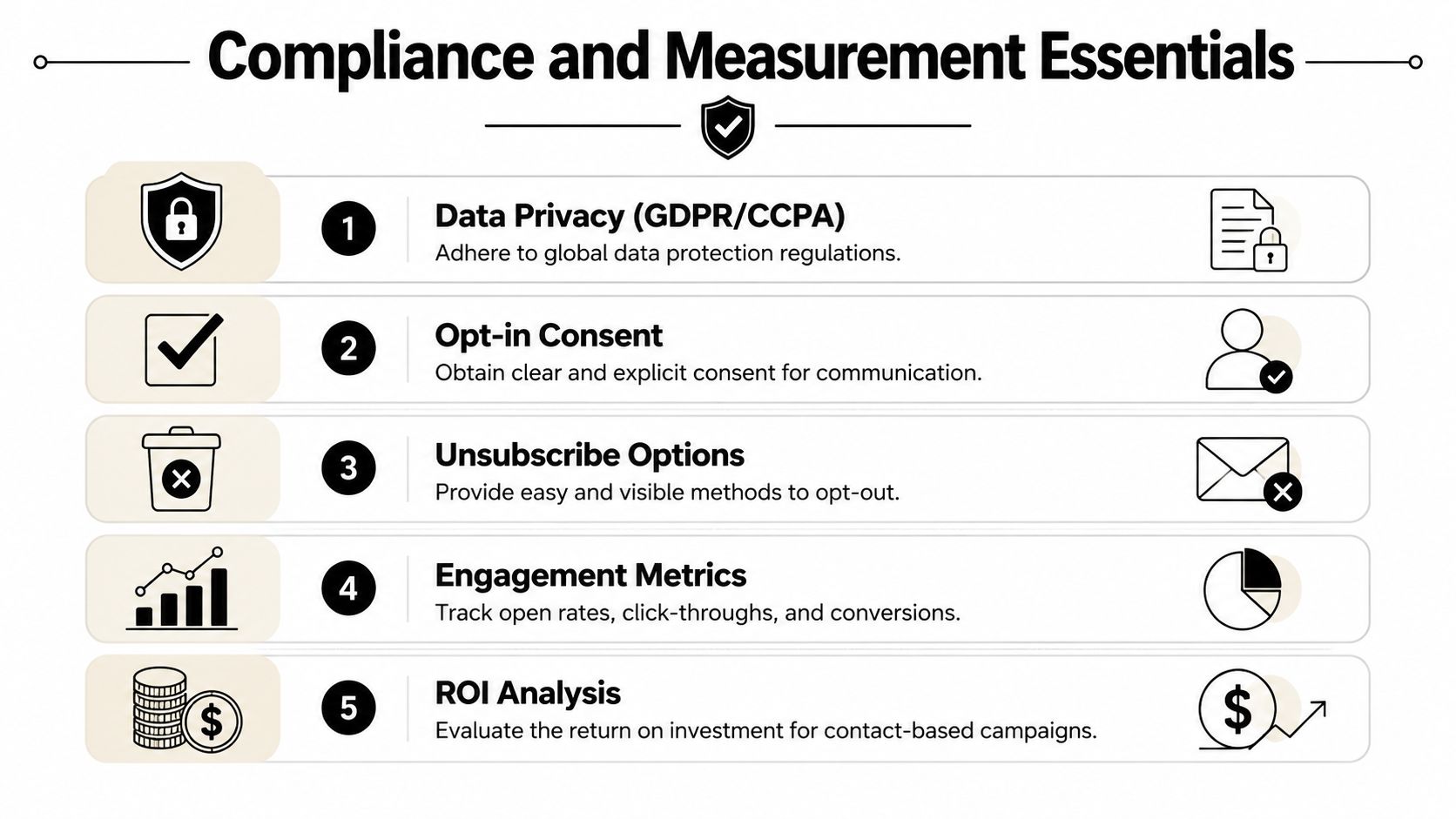
For outbound messaging, the safest habit is simple. Don't treat consent as a checkbox you collected once and forgot about. Treat it as live account data that affects eligibility every day.
Best-practice guidance for low-engagement or aging lists recommends checking whether a list is older than one year, whether it was purchased or migrated, whether role-based addresses are overrepresented, and whether you can prove opt-in for offline signups. The same guidance notes that unresponsive contacts should be removed after a defined window, with one example being 180 days, and that some programs use 2 to 3 re-engagement attempts before removal, as outlined in this contact list compliance guidance. The core lesson is bigger than any one channel. Protecting deliverability and demonstrable consent matters more than preserving a large dormant database.
For SMS and voice teams, that means maintaining:
In healthcare, the bar is even higher. HIPAA-covered communications need controls around who can access records, what content can be sent, and how contact data is shared across tools and staff. This isn't legal advice, but operationally the message is clear. Limit access, log changes, and don't let convenience drive workflows that expose patient data.
Merges, migrations, and team handoffs cause more trouble than expected.
A common failure pattern looks like this: marketing imports event contacts, sales uploads a prospecting file, front-desk staff add mobile numbers manually, and nobody reconciles source, consent, or ownership. Then one person opts out through SMS, but another team still has the old record in a call list. That's not a messaging problem. That's a governance problem.
Use these checks whenever lists are shared or merged:
| Check | Why it matters |
|---|---|
| Source retained | You need to know where the contact came from |
| Consent preserved | Merging records must not erase restrictions |
| Duplicate rules applied | One person should not exist in multiple active states |
| Team permissions defined | Shared access should not mean uncontrolled editing |
| Suppression synced | Opt-outs must follow the record everywhere |
Smaller, cleaner, well-governed lists usually outperform larger messy ones.
A lot of teams obsess over send volume. That tells you almost nothing.
The metrics that matter are the ones that reveal whether the list is healthy and whether the segment-channel match is working:
The right reading of these metrics isn't "how many people can we still hit?" It's "which records remain usable, permitted, and responsive?"
That shift changes decisions. You stop clinging to ancient contacts just because they're in the database. You stop celebrating raw list growth when engagement quality is fading. You start managing contact lists like a real outbound asset, with governance, segmentation, suppression, and measurement tied together.
If you're running outbound campaigns across SMS, voice, or ringless voicemail and want one system to manage contacts, segment audiences, automate follow-up, and keep opt-ins and suppressions organized, Call Loop is worth a look. It fits teams that need practical multi-channel outreach without juggling disconnected tools.
Chris Brisson
Chris is the co-founder and CEO at Call Loop. He is focused on marketing automation, growth hacker strategies, and creating duplicatable systems for growing a remote and bootstrapped company. Chat with him on X at @chrisbrisson


Trusted by over 45,000 people, organizations, and businesses like


