
See a Demo
You're just one step away from seeing Call Loop in action.
Enter your information below to watch a demo right now.

You're just one step away from seeing Call Loop in action.
Enter your information below to watch a demo right now.

Connecting your SMS conversations to your email is a deceptively simple move that can completely centralize how you communicate. This sms to mail setup takes all your incoming texts and forwards them straight to your inbox, transforming those quick, fleeting messages into searchable, permanent records for your business.
Think of SMS-to-email forwarding as building a much-needed bridge. On one side, you have the incredible speed and engagement of text messaging. On the other, you have the rock-solid organization and archival power of your email. By connecting them, you really do get the best of both worlds.
This isn't just about making life a little easier; it's a smart, strategic decision that solves real-world business headaches. Just imagine a busy sales team getting text message leads sent directly to a shared inbox. Instead of having to constantly check a separate app, every single inquiry lands in one central, trackable place. No more leads falling through the cracks.
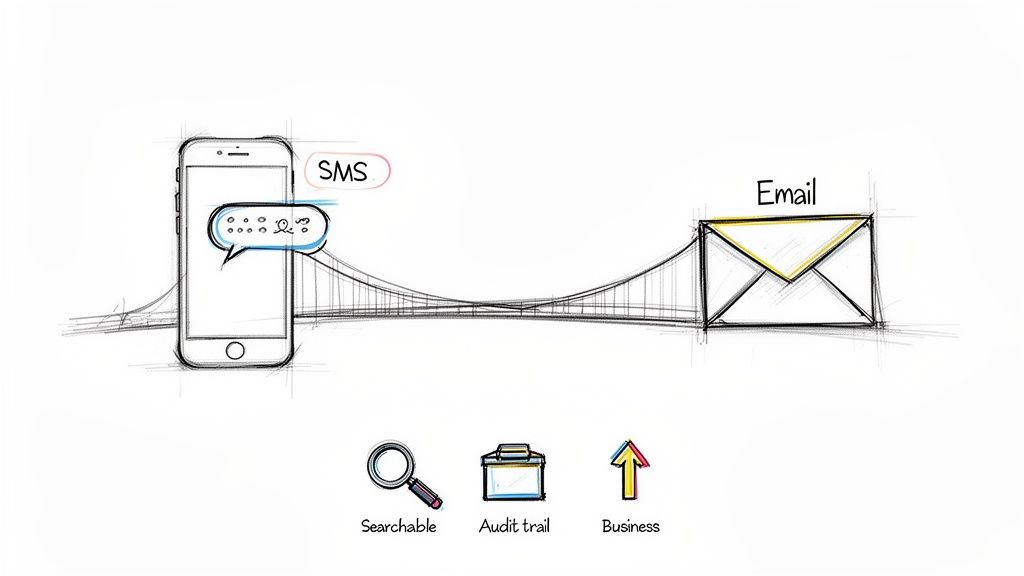
The real magic here is capturing conversations on the channel your customers actually prefer using. The numbers don't lie: SMS messages see staggering open rates between 90-98%, and most of those texts are read within just a few minutes. That performance completely overshadows email's typical 20-30% open rate.
Here's a quick look at why this matters so much:
When you forward these high-value interactions to your email, you create a lasting record of your most effective communications.
This is a game-changer for businesses we see using Call Loop every day, like healthcare clinics or karate studios. A clinic can securely archive patient appointment confirmations for compliance, while a studio can centrally manage parents' questions about class schedules without missing a single message.
An SMS-to-email workflow is a perfect example of intelligent communication management. It’s a core component of modern business communication and fits perfectly into broader strategies like multichannel marketing. By bringing different touchpoints together, you create a smoother, more efficient experience for your customers and your team.
Here are a few ways this integration delivers immediate value:
support@yourcompany.com. Now, your entire team can see and respond to customer inquiries, ensuring faster, more consistent service.Alright, let's get into the nitty-gritty of setting up native SMS to mail forwarding right inside your Call Loop account. Moving from just talking about it to actually doing it is where the fun begins. The whole process is incredibly simple—you can get a fully working text forwarding system up and running in just a few minutes.
First things first, you'll need a dedicated phone number in Call Loop. Think of this number as the front door for all your incoming texts. Once that’s set up, all the forwarding magic happens in your "Keywords & Numbers" settings. This area is your command center for deciding what happens when someone texts you.
The screenshot below gives you a glimpse of where you'll be managing your SMS activities and setting up these forwarding rules.
We designed this interface to be as clear as possible, so you can quickly find the tools you need and connect your text messages to the rest of your workflow without any fuss.
Dive into the settings for your specific number or keyword, and you'll spot the "Forwarding" option. This is where you tell Call Loop exactly where to send those incoming texts. You can add a single email address, maybe something like jane.doe@myrealty.com, or even a group email like support@yourkaratestudio.com.
Using a group email is a fantastic trick to keep your whole team on the same page. When a text from a hot lead comes in, everyone on the support or sales team gets it in their shared inbox instantly. This wipes out delays and means the first person available can jump on it.
Pro Tip: Don't just forward the message—customize it. Call Loop lets you tweak the email subject line and body to include dynamic info. For example, you can automatically add the sender's phone number to the subject line. This makes it a breeze to identify and search for conversations later in your packed inbox.
Here’s a quick rundown of what you’ll be setting up:
[FromNumber] to automatically pull in the sender's details.Once you've got basic forwarding down, it's time to think bigger. This simple SMS to mail setup is a powerful starting point. For instance, a real estate agent could create the keyword "TOUR." When a prospect texts "TOUR" from a yard sign, that message is instantly forwarded to the listing agent’s email. At the same time, Call Loop can fire back an automated text with a link to the property details.
This is also your first step toward more advanced automation. Many businesses we work with start right here before exploring how to capture these incoming texts as leads. If you're looking for more ideas on list growth, check out our guide on how to capture emails and contacts.
This native feature also plays nicely with other Call Loop tools. You can pair it with ringless voicemail drops for a killer combo. A common tactic is to send a ringless voicemail that directs people to text a keyword. When they do, the forwarding rule kicks in, and the right person on your team gets an email to follow up immediately. It creates a seamless, multi-channel flow that engages prospects without being intrusive.
While Call Loop’s native forwarding is a fantastic starting point for funneling your texts into your email inbox, the real magic happens when you connect it to the rest of your tech stack. This is where Zapier comes in, acting as the bridge between Call Loop and the thousands of other apps your business runs on.
With Zapier, you can build multi-step automations—what they call "Zaps"—that go way beyond a simple email notification. An incoming text message becomes the trigger for a whole series of automated actions. It creates a truly connected system that saves a ton of time and kills off manual data entry for good.
The concept is surprisingly simple but incredibly powerful. You just set up a Zap that watches for a specific trigger—in our case, a new incoming SMS in Call Loop. When that text arrives, Zapier catches it and immediately performs an action (or a dozen actions) you've already defined in another application.
This whole process lets you map data from the SMS, like the sender's phone number and the message itself, directly into other platforms. If you want to dive right in, you can learn more about how to set up our powerful Call Loop and Zapier integration.
For example, a marketing agency could run a campaign where the call-to-action is to text a keyword. When a prospect texts in, Zapier doesn't just forward an email. It can simultaneously create a new lead in HubSpot, add them to a specific drip sequence, and assign a follow-up task in Asana for a salesperson. That entire lead capture and nurturing process happens instantly from a single text message.
The key to creating genuinely useful Zaps is all in the data mapping. You can pull specific pieces of information from the incoming text and use them to fill out fields in your other apps.
This basic flow of getting a number, configuring it, and forwarding the message is the foundation for all the advanced automation you can build on top of it.
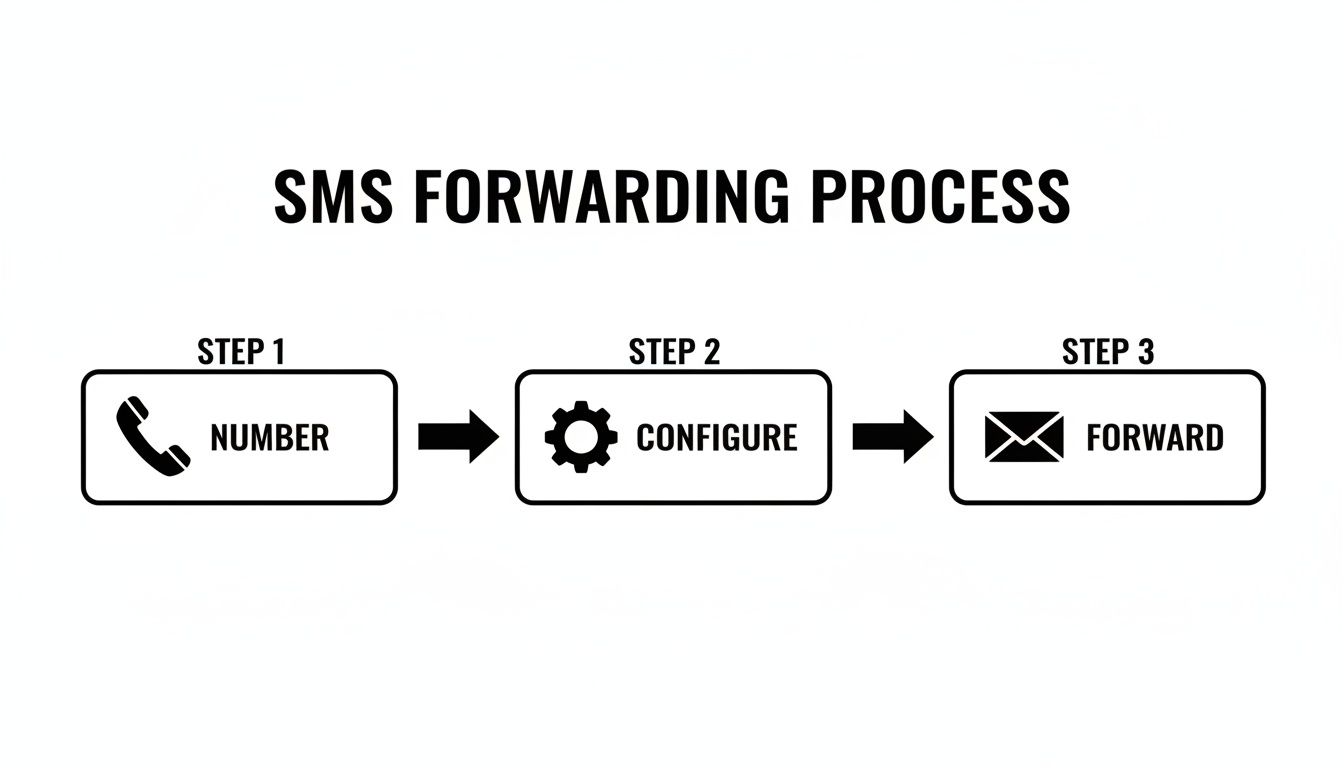
This ability to build integrated workflows is exactly why so many businesses are putting SMS at the center of their communication. The high engagement makes it the perfect channel for starting conversations. When it comes to getting a reply, SMS response rates average a whopping 45%, a massive leap from email's 6%. It's just more interactive, which drives the kind of two-way conversations you can automate for incredible efficiency.
One of the most effective strategies we see from our users involves combining SMS automation with ringless voicemail. It's a killer combo.
You can use Call Loop to send a ringless voicemail to a list of prospects with a message like, "Hi, this is Dave. If you're interested in our new case study, just text the word 'STUDY' back to this number."
When a prospect texts "STUDY," your Zapier workflow can instantly kick in and:
This creates a seamless and non-intrusive funnel that lets interested prospects qualify themselves. All the while, your systems are handling the busywork in the background. It's a beautiful thing.
Seeing how other businesses actually use SMS to mail automation is the best way to get your own ideas flowing. These aren't just theories; they're proven, in-the-field workflows that solve real headaches and make businesses run smoother every single day.
Let's break down how a few different industries are putting these automations to work.
In e-commerce, speed is the name of the game. When a customer has a question about an order or a return, they want an answer now. Making them wait for an email response is a surefire way to create frustration and even lose a sale.
Think about this common scenario: A customer texts your business number with, "My order #12345 is late, where is it?"
support@yourstore.com). This can automatically create a new ticket in your help desk software. The whole team is notified, and someone can jump right on it with tracking info. You've just turned a potential complaint into a fantastic customer service win.This simple workflow means no text ever falls through the cracks. Every single customer SMS becomes a formal, trackable part of your support system.
Real estate agents live on their phones and are constantly on the move. Capturing a lead the second they show interest is absolutely critical. A "For Sale" sign is prime advertising space, and adding a text-for-info call-to-action is a genius move.
Imagine a potential buyer drives by a property and sees a sign: "For details, text INFO to 555-1234."
One of the most powerful plays is to pair SMS to mail automation with other outreach tools, like a ringless voicemail. This lets you create a multi-touch sequence that gets a prospect's attention without being overly aggressive.
Let's say your sales team wants to warm up a list of cold leads. They could drop a ringless voicemail that says, "Hi, we just published a new case study on improving ROI. If you'd like us to send it over, just text 'STUDY' back to this number."
When the prospect texts the keyword, the SMS to mail workflow instantly notifies the assigned sales rep via email. This allows for immediate, personal follow-up while the lead is still thinking about it. It’s a seamless way to generate inbound interest from an outbound campaign.
This is all part of a much bigger trend. The SMS marketing market in the US is projected to explode to $18.6 billion by 2030, a massive leap from $12.6 billion by 2025. This growth is fueled by insane ROI, with some campaigns reporting returns as high as 7100%.
And with 91% of customers saying they're open to receiving texts from businesses, it's clear that SMS is no longer just a "nice to have." You can explore more SMS marketing statistics to see the full picture of its impact.
Automating your SMS to email workflows is a fantastic way to boost efficiency. But with that power comes a serious responsibility to keep things secure and compliant. These aren't just boxes to check; they're the foundation for protecting your business and the trust you’ve built with your contacts. Honestly, ignoring them isn't an option.
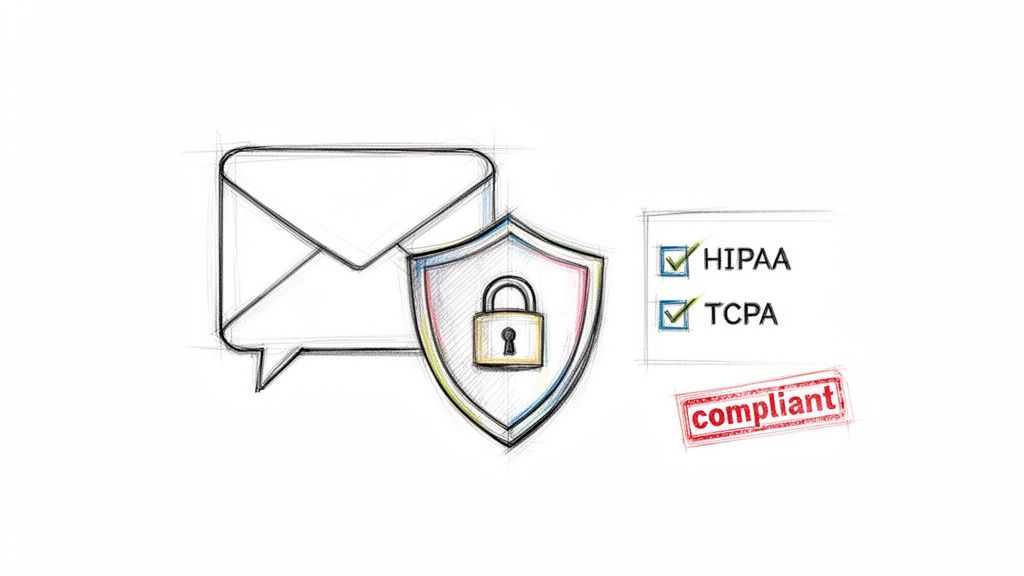
This is especially true if you’re in a regulated industry like healthcare. While a platform like Call Loop provides the features you need to support HIPAA compliance for the text messaging part of the equation, you have to remember that security is a chain. As soon as you forward an SMS that contains protected health information (PHI), you become responsible for making sure the email system on the receiving end is also HIPAA-compliant.
I can't stress this enough: a workflow is only as strong as its weakest link. Forwarding sensitive SMS data from a secure platform to a non-compliant personal email account completely breaks the chain of trust and creates a massive compliance risk. You have to verify the security of every single tool in your automation stack.
When it comes to marketing messages, the Telephone Consumer Protection Act (TCPA) is the law of the land. The heart of TCPA is all about consent. You absolutely must have clear permission before sending marketing texts, and handling opt-outs is completely non-negotiable.
When you use an SMS to mail workflow, any opt-out requests like "STOP" will get forwarded straight to your email. This is a handy notification for your records, but the real magic happens behind the scenes. Call Loop’s system automatically processes that opt-out command. The contact’s number is instantly added to a Do Not Contact (DNC) list, keeping you compliant without you having to lift a finger.
To stay on the right side of the TCPA, you'll want to make sure you:
Even when you're using other tools like ringless voicemail, these rules still apply. A popular tactic I see is dropping a ringless voicemail that asks contacts to text a keyword. This is a great way to drum up inbound leads, but you still have to handle the text conversations and any opt-out requests with full compliance in mind.
The goal is for your automated systems to make compliance easier, not to accidentally create new risks.
As you start piecing together your SMS to email workflow, you're bound to have a few questions. I've been there. Getting these answered upfront helps you build with confidence and sidestep common pitfalls. Let's tackle some of the most frequent ones I hear.
Yes, you absolutely can. Most solid platforms, including Call Loop, are built to forward incoming texts to a single email address or to an entire team.
In fact, for most teams, using a group address like support@yourcompany.com or sales@youragency.com is the way to go. It’s a simple but effective strategy. This setup makes sure every single message lands in a shared inbox where the whole team can see it. That way, whoever is free can jump on it, which is huge for preventing leads from going cold.
And if you’re using an integration tool like Zapier, you can get even more sophisticated. You could set up a Zap that triggers multiple email actions or even routes messages to different people based on keywords in the text itself. For instance, a text with the word "quote" could go straight to sales, while one mentioning "support" gets routed to your help desk.
Pro Tip: Forwarding SMS to a team email is a game-changer for collaboration and response times. It transforms individual texts, which can easily get lost, into shared, actionable conversations that your whole team can track and manage.
This is a critical point for staying compliant, but it’s something a reliable messaging platform handles for you automatically. While you'll see the "STOP" message show up in your email inbox for your own records, Call Loop’s system instantly recognizes that command on the backend.
The moment the platform detects a STOP keyword, it automatically adds that contact's phone number to your Do Not Contact (DNC) list. The email you receive is just a notification that the opt-out happened. The real compliance work is already done. This is how you stay TCPA-compliant without having to lift a finger.
Definitely. This is where things get really interesting and you can start building powerful, multi-channel funnels. A strategy that works incredibly well is to drop a ringless voicemail with a clear call-to-action that encourages a text response.
Picture this flow:
This creates a completely seamless experience. You’re moving a prospect from a non-intrusive outreach method (ringless voicemail) to a high-intent channel (SMS) while giving your team immediate visibility to follow up.
Ready to bring all your communications into one place and build automations that work? Call Loop makes it simple to set up SMS to email, ringless voicemail drops, and fully compliant messaging campaigns. Start your free trial today and see how it works!
Chris Brisson
Chris is the co-founder and CEO at Call Loop. He is focused on marketing automation, growth hacker strategies, and creating duplicatable systems for growing a remote and bootstrapped company. Chat with him on X at @chrisbrisson


Trusted by over 45,000 people, organizations, and businesses like


