
See a Demo
You're just one step away from seeing Call Loop in action.
Enter your information below to watch a demo right now.

You're just one step away from seeing Call Loop in action.
Enter your information below to watch a demo right now.


Yes, it’s absolutely possible to start texting from Outlook. You can actually turn a standard email into a text message using a special gateway address for your recipient. It's a simple trick that connects your primary workspace directly to your customer's most-used device.
This small change can turn a delayed email follow-up into an instant conversation.
Let's be honest. Your email follow-ups are probably getting lost. You spend time crafting the perfect message, hit send, and then... crickets. In a world of overflowing inboxes, just hoping for a reply feels like a long shot.
This is the communication gap so many of us face every day.
Think about a sales team chasing warm leads, only to have their proposals buried under dozens of promotional emails. Or a busy clinic where appointment reminders sent via email get missed, leading to frustrating no-shows and lost revenue. In both cases, the slow response times and low open rates of email create friction and kill efficiency.
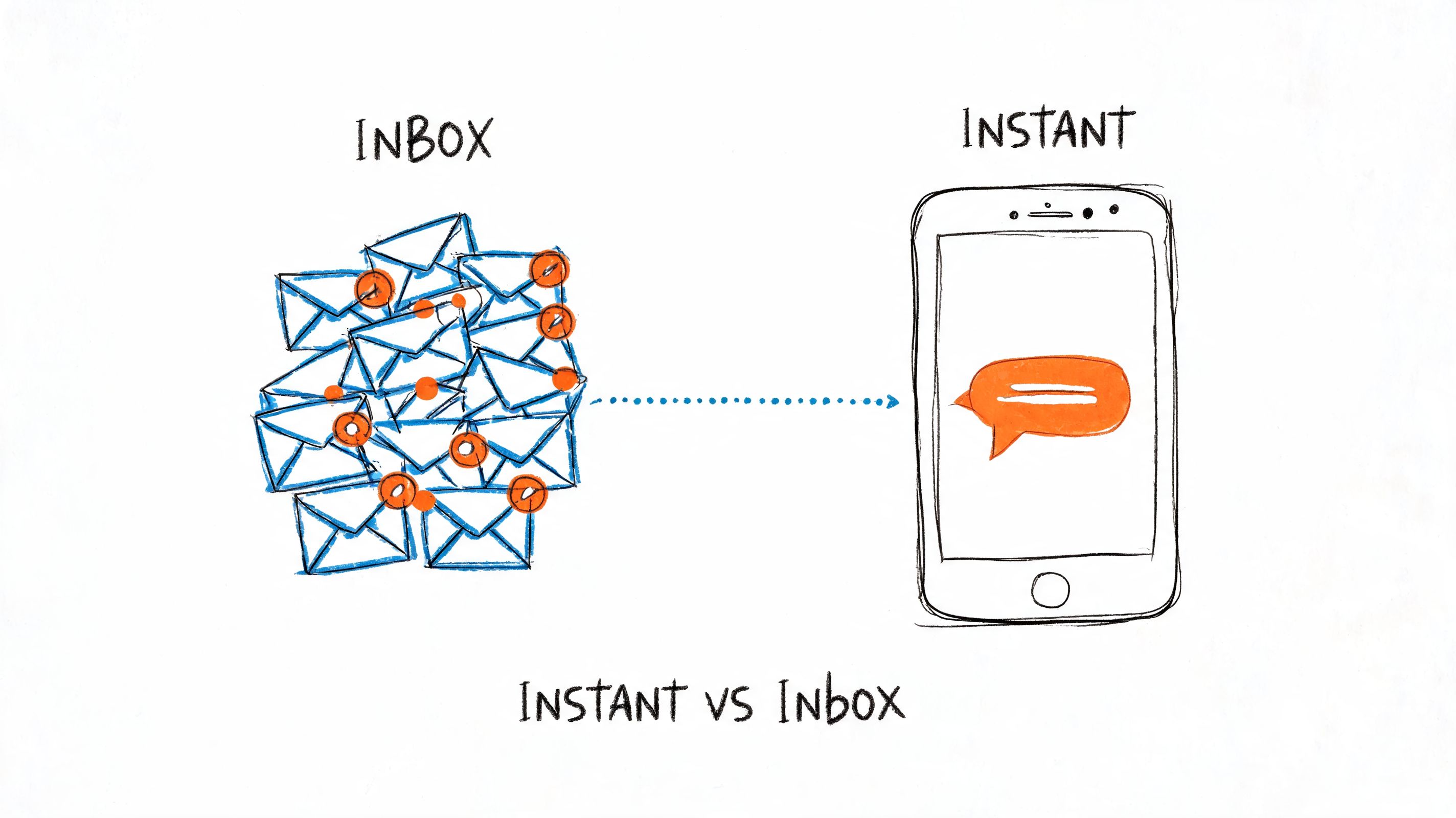
This is exactly why smart businesses are connecting Outlook with the instant, high-engagement world of SMS. It’s about moving from crossing your fingers for a reply to getting immediate responses. The benefits are crystal clear:
Just consider the sheer volume of email. A typical sales team might send over 1,247 emails per month, and with 41% of replies coming in outside of business hours, the need for "always-on" communication is obvious. That's where tools like Call Loop come in, helping to streamline this with scheduled SMS. By bringing text and email together, you completely transform your outreach strategy.
When you start texting from Outlook, you shift your communication from a passive, one-way broadcast into an active, two-way conversation. This simple change can dramatically improve everything from sales conversions to appointment attendance, proving that meeting customers on their preferred channel is non-negotiable.
Want to send a text straight from your Outlook inbox without any extra software? You can, using what's called an email-to-SMS gateway.
It's a bit of a throwback, but it works. This method essentially turns an email into a text message. You compose a new email in Outlook, but instead of a typical email address, you pop in the recipient's 10-digit phone number followed by their mobile carrier's specific gateway address.
For instance, to text someone on AT&T, you'd send an email to 1234567890@txt.att.net. When you hit send, the carrier's gateway takes your email, converts it into a plain old SMS, and delivers it to their phone.
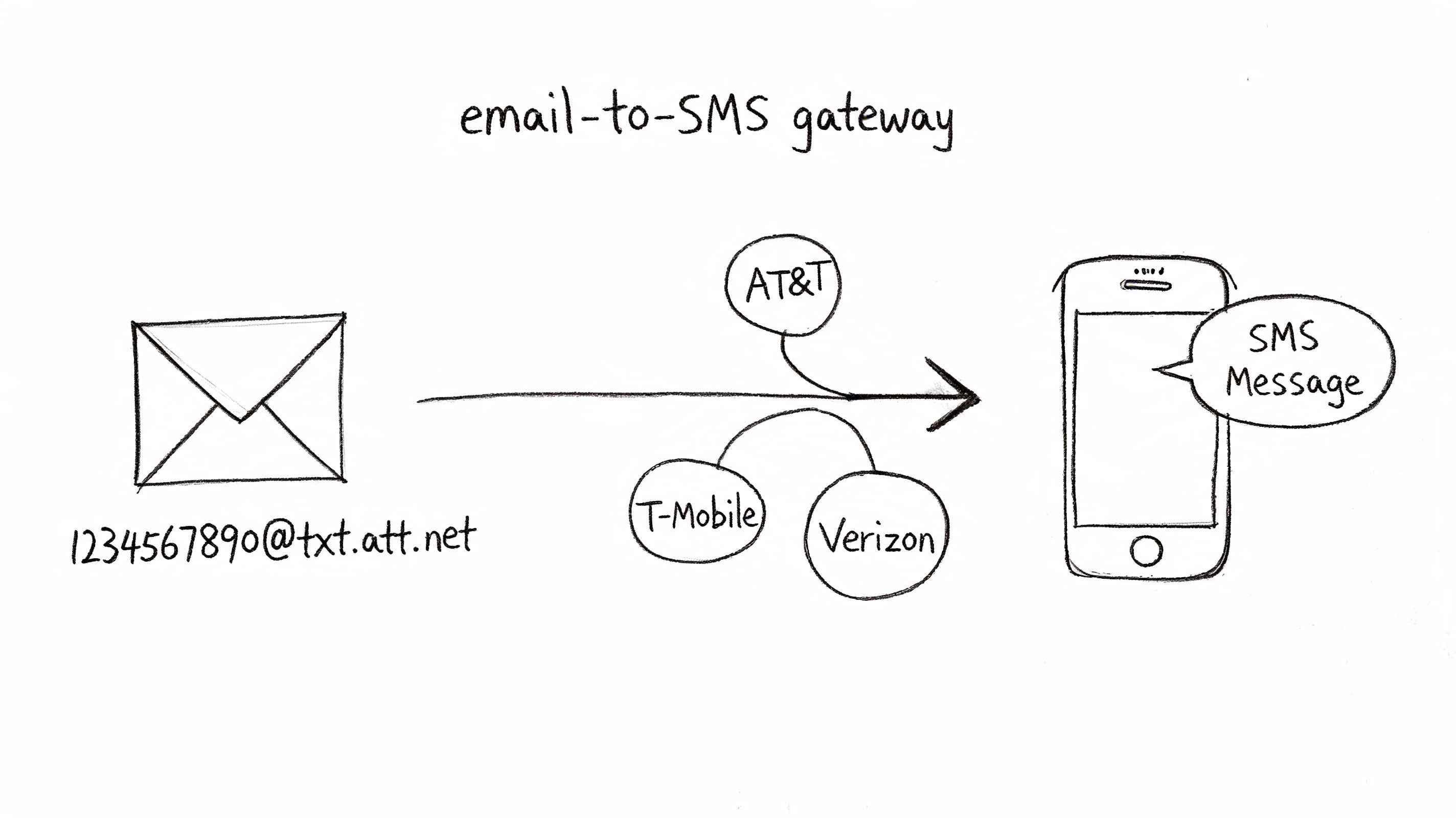
The only real catch is that you have to know the recipient's mobile carrier. Each one has a unique domain for its gateway. If you send it to the wrong one, your message just vanishes into the ether.
To get you started, here’s a quick list of the gateway addresses for the major US carriers.
Use this table to format a recipient's 10-digit phone number to send a text message via your Outlook email client.
| Carrier | SMS Gateway Domain |
|---|---|
| AT&T | number@txt.att.net |
| T-Mobile | number@tmomail.net |
| Verizon | number@vtext.com |
| Sprint | number@messaging.sprintpcs.com |
Just swap "number" with your contact's phone number.
So, what's the downside? Honestly, there are a few big ones. This method is free, which is great, but it can look pretty unprofessional. Your text often shows up with your email subject line and signature attached, which is a clunky experience for the person on the other end.
Worse, you get zero feedback. No delivery receipts. No way to track replies. And if you try to send messages in bulk, you'll almost certainly get flagged as a spammer by the carriers.
While it's a neat trick for a one-off message, the email-to-SMS gateway method just doesn't scale for any real business use. It lacks the tracking, two-way communication, and professional polish needed for any serious marketing or customer communication.
Even with this simple method, your message still needs to be clear and concise. A lot of the principles from crafting high-converting emails apply here, too. But you'll quickly find this approach has some serious limitations for growing your business.
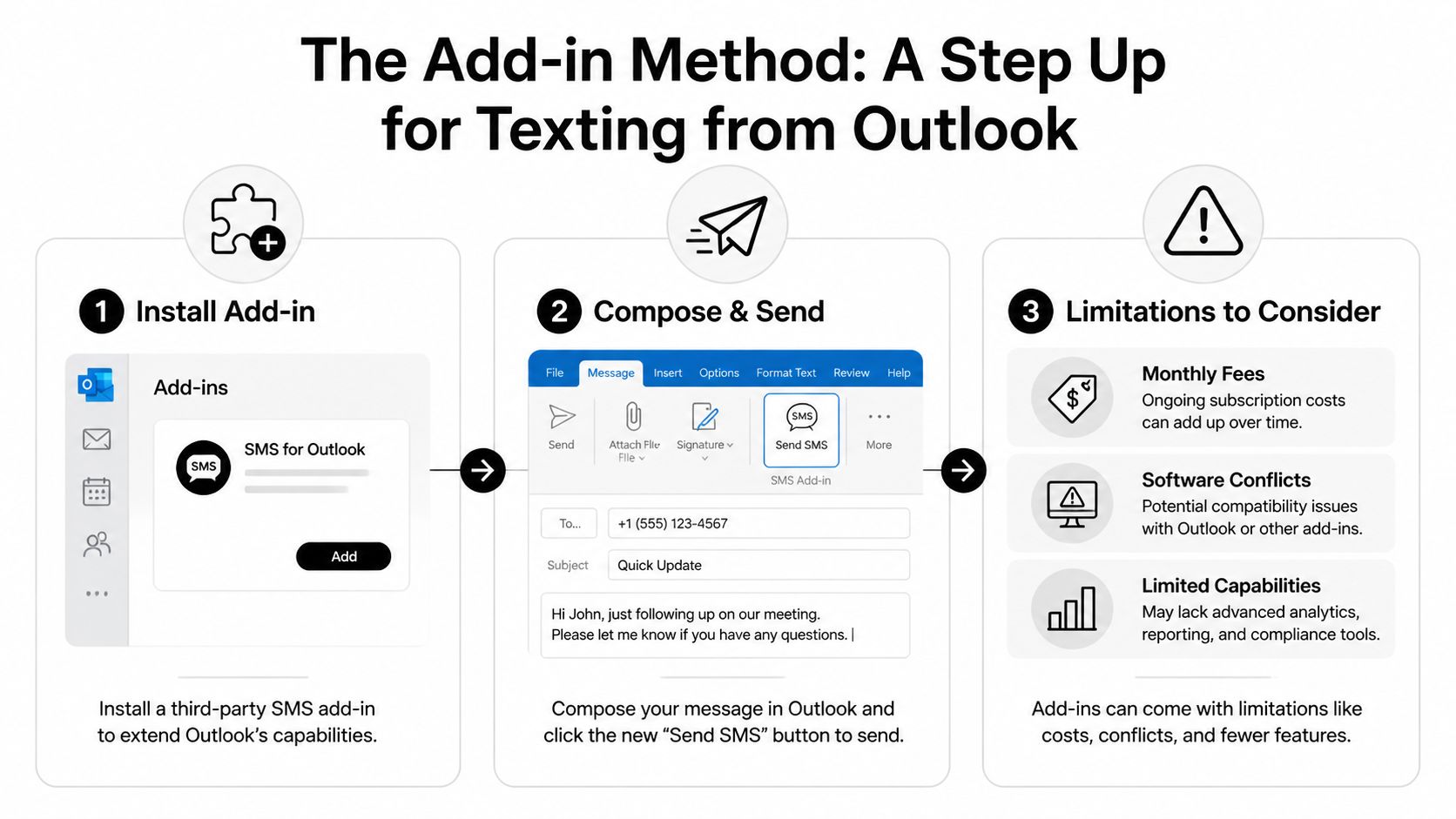
If you've tried the email-to-SMS gateway method and found it a bit clunky, you're not alone. The next logical step for many is a dedicated Outlook SMS add-in. These are handy little tools from third-party developers that plug right into Outlook, often adding a "Send SMS" button directly to your email ribbon.
This approach definitely feels more polished. Instead of wrestling with gateway addresses for each carrier, you can typically text your existing Outlook contacts or groups with just a couple of clicks. Some even have basic templates, which can be a real time-saver for repetitive messages like appointment reminders or quick updates.
While an add-in is a clear improvement, it's smart to look at the trade-offs before you jump in. These tools aren't usually free; you’re almost always looking at a monthly subscription. Plus, as anyone who has managed a computer knows, installing more software can sometimes cause conflicts or even slow down Outlook.
But the biggest limitation of most SMS add-ins isn't what they do, it's what they don't do. They often lack the heavy-duty features that a growing business really needs to scale up its communication.
You'll quickly notice some key features are missing from these basic add-ins:
At the end of the day, an add-in makes texting from Outlook more convenient for those one-off messages. They act as a good bridge from the manual method, but they aren't the final destination for any business serious about scalable, automated, and compliant messaging.
Alright, so you've seen what add-ins can do, and they're a decent starting point. But if you're serious about communication, it's time to go beyond a simple plugin and connect Outlook to a real messaging platform.
This is where things get exciting. Instead of just adding a button to your Outlook ribbon, you’re about to turn your inbox into a full-blown automation engine. By using a tool like Zapier to bridge Outlook and a platform like Call Loop, you can build powerful, automated workflows that run on their own.
It's a complete shift in how you think about texting from Outlook.
While the process above is a great first step, it has its limits. Think of add-ins as the entry-level model; a true platform integration is the fully loaded upgrade you didn't know you needed.
Let's put this into a real-world context. Picture a busy service business that lives and dies by its appointment calendar in Outlook. With a proper integration, simply dragging an appointment email into a "Confirmed" folder could kick off an entire sequence in Call Loop, without anyone lifting a finger.
You just can't get that level of sophisticated, hands-off communication with a basic add-in. You get scalability, rock-solid TCPA compliance features, and deep analytics on every single message you send.
If you're curious how this works, you can see the nuts and bolts of the Call Loop and Zapier integration here.
This method transforms Outlook from a simple email client into the command center for a multi-channel communication engine. Every action you take can trigger a sophisticated, automated outreach sequence across SMS, voice, and ringless voicemail.
Let's be honest, email deliverability can be a nightmare. Even Microsoft's own Exchange Online struggles. A 90-day trace on inbound traffic showed that only 52% of messages were delivered successfully, with a staggering 28% stuck as pending or failed. For healthcare, where a message delay can have serious consequences, 15% of messages were late.
Those are exactly the gaps a direct messaging platform is built to fill. Here at Call Loop, we see 97% connect rates for voice broadcasting because it's a direct, reliable channel.
This strategy isn't just for SMS, either. You can connect all sorts of specialized tools to create a unified communications hub. For instance, many businesses are integrating tools like a UK business Teams Phone into their workflows. The principle is the same: use Outlook as the trigger and let a more powerful, specialized tool get the job done right.
So, you’ve seen a few ways to send texts from Outlook, but which one is right for you? The answer really depends on what you're trying to accomplish—whether it's firing off a quick personal message or running a full-blown marketing campaign.
It doesn’t need to be a tough decision. If you just need to send a one-off text, like letting a colleague know you’re running five minutes late, the manual email-to-SMS gateway method is fine. It’s free and works in a pinch. For a small team that needs a bit more structure, a dedicated add-in is a decent step up.
But let's be real. For any business that's serious about growth, professionalism, and staying compliant, a true platform integration is the only way to go.
We’ve all been there—stuck in endless email chains. It's a massive time sink. In fact, the average conversation now takes 7.3 emails to solve an issue, and reply rates plummet to just 39% for emails over 500 words. It's just not efficient.
This is exactly where SMS cuts through the noise. Think about it: webinar hosts see 92% open rates on their SMS reminders. Meanwhile, a staggering 34% of email reminders are completely ignored.
Let's put the three methods we've covered side-by-side to see how they stack up for a real business.
Deciding how to send texts from Outlook comes down to your business needs. This table breaks down which method is best based on key features, how well it can grow with you, and the level of professionalism it offers.
| Feature | Email-to-SMS Gateway | Outlook Add-in | Call Loop Integration |
|---|---|---|---|
| Cost | Free (but with carrier fees) | Monthly subscription | Platform subscription |
| Professionalism | Low (clunky formatting) | Medium | High (branded, clean) |
| Scalability | Very Low (risk of blocking) | Low to Medium | Very High |
| Compliance | None (high risk) | Minimal (user responsibility) | High (built-in tools) |
| Ease of Use | Cumbersome (requires gateway info) | Easy | Easy (automated workflows) |
When you look at it this way, the choice becomes pretty clear. While gateways and add-ins can feel like quick wins, they're really just temporary solutions.
For serious communication that requires advanced tools like ringless voicemail, automated campaigns, and bulletproof compliance, integrating Outlook with a dedicated platform like Call Loop gives you the power and reliability you need to actually grow your business.
Alright, you've seen the different ways to connect Outlook and SMS. But as you start to put this into practice, a few questions always pop up. Let's tackle the most common ones we hear from users just like you, so you can avoid the usual headaches.
Yes and no. If you go the manual gateway route, replies will technically land in your inbox. But fair warning: it’s a mess. They look just like any other email, making it nearly impossible to track conversations.
Some add-ins clean this up a bit, giving you a separate panel for replies, which is a definite step up. For a truly clean experience, though, an integrated platform is the way to go. Replies are neatly organized in a two-way conversational inbox, keeping your primary Outlook inbox free for, well, email.
This is a big one. When it comes to business texting, compliance isn't just a suggestion—it’s non-negotiable. If you're using manual methods or even most basic add-ins, the entire legal weight of compliance lands squarely on your shoulders. They offer zero built-in protection for managing consent or opt-outs.
A professional messaging platform, on the other hand, is built from the ground up with TCPA compliance in mind. It automatically handles all your opt-in and opt-out records, which is the only truly safe path for sending business texts.
You might have heard of this. Ringless voicemail is a slick tool that drops a pre-recorded audio message straight into someone’s voicemail without their phone ever ringing. It’s perfect for those non-urgent follow-ups where you want to add a personal touch. This tactic is often referred to as a ringless voicemail drop or simply a voicemail drop.
You can't trigger one directly from Outlook, but it’s a core feature in advanced messaging platforms. You can easily set up a workflow where an action in Outlook—like moving an email to a specific folder—kicks off not just an SMS, but a strategic ringless voicemail to create a powerful, multi-channel sequence.
Technically, some methods let you try. But I have to be blunt: it's a terrible idea. Sending a blast of messages through a manual email-to-SMS gateway is the fastest way to get your email address blacklisted by mobile carriers for spamming. Most add-ins have pretty tight sending limits for the same reason.
Real bulk texting—the kind with high deliverability and built-in compliance—is only possible through an integrated platform. These systems are designed to handle messaging at scale and can sync with your Outlook contacts to do it safely and effectively.
Ready to move beyond basic add-ins and unlock the full power of automated, multi-channel messaging? With Call Loop, you can integrate your Outlook workflows to trigger SMS, voice calls, and ringless voicemail campaigns that get results. See how it works at https://www.callloop.com.
Chris Brisson
Chris is the co-founder and CEO at Call Loop. He is focused on marketing automation, growth hacker strategies, and creating duplicatable systems for growing a remote and bootstrapped company. Chat with him on X at @chrisbrisson


Trusted by over 45,000 people, organizations, and businesses like


