
See a Demo
You're just one step away from seeing Call Loop in action.
Enter your information below to watch a demo right now.

You're just one step away from seeing Call Loop in action.
Enter your information below to watch a demo right now.

So you sent out a text campaign and the delivery rates are tanking. What gives? When you’re asking, "why are my text messages not being delivered," the answer usually comes down to three main culprits: aggressive carrier filtering, bad phone numbers, or compliance slip-ups.
Think of it like sending a letter. It can get lost for a few reasons: the address was wrong, the post office thought it was junk mail, or it broke some postal rule you didn't know about. Figuring out which of these is derailing your SMS campaigns is the first step to getting things back on track.

Hitting "send" on a text seems so simple, doesn't it? But behind the scenes, your message has to pass a whole series of checkpoints before it ever lands in someone's inbox. Mobile carriers like Verizon and AT&T are the gatekeepers here, and their number one job is shielding their customers from spam.
And they've gotten really serious about it. The explosion of smishing attacks and fraudulent messages has forced their hand. Globally, a staggering 1.1 billion spam texts fly across networks every single minute. To fight back, carriers have built some incredibly sophisticated filtering systems.
The only problem? Sometimes, these systems get it wrong and flag legitimate business messages as spam. You can dive deeper into the latest smishing trends to get a sense of what the carriers are up against.
A few key issues are responsible for the vast majority of delivery failures. Get to know them, and you'll be able to diagnose problems in no time.
Here’s a good way to think about it: your SMS platform is the car, your message is the passenger, and the carrier network is the entire highway system. If the car's registration is expired (a non-compliant sender ID), the passenger looks shady (spammy content), or you punched in the wrong address (invalid number), you're never going to reach your destination.
This is also why having a backup plan with tools like ringless voicemail can be a smart move. This technology, also known as a ringless voicemail drop, bypasses many SMS roadblocks, ensuring your message is heard even when texts fail.
To give you a head start on troubleshooting, we’ve put together a quick-reference table. It breaks down the most common issues, what they usually look like in your reports, and the very first thing you should do to fix them.
This table should help you quickly diagnose the most likely culprit, so you can stop guessing and start fixing the real problem.
Ever sent a text campaign and watched your messages just... disappear? It feels like they’ve hit an invisible wall. In a way, they have.
That wall is carrier filtering, and it's one of the biggest reasons your text messages don't get delivered. Think of mobile carriers like Verizon, AT&T, and T-Mobile as highly protective bouncers at an exclusive club. Their top priority is shielding customers from spam, scams, and any message they didn't ask for.
To pull this off, they use sophisticated, automated algorithms that act as gatekeepers. These systems scan every single message for red flags, and if your text even hints at being spam, it gets blocked on the spot. The tricky part is that these filters can be a bit overzealous, sometimes catching legitimate business messages in their net.
Getting past these filters starts with understanding what they’re looking for. Carriers keep their filtering logic a closely guarded secret (for obvious reasons), but over time, we've learned that certain patterns and content types are almost guaranteed to get your messages flagged.
These triggers usually fall into a few key areas:
The name of the game with carrier filtering is risk assessment. Every part of your message—from the words you choose to the links you include—is being analyzed. Your goal is to send messages that build trust with carriers, not suspicion.
If you're curious about the tech behind this, it helps to look into how network inspection works. Getting a grasp on concepts like understanding Deep Packet Inspection (DPI) can shed some light on the process. While DPI is typically for internet traffic, the core idea of inspecting data packets for specific criteria is similar to how SMS gateways analyze message content.
To help you stay on the right side of these filters, here’s a quick guide to what raises red flags and what you can do instead.
By consciously choosing safer alternatives, you're not just avoiding filters; you're building a better, more trustworthy relationship with both carriers and your subscribers.
Sometimes, the problem isn't your message content at all—it's the digital highway your text has to travel. Global network quality and fraud hotspots create digital minefields that can swallow up even the most perfectly crafted messages. SMS fraud is a massive, worldwide issue, and it has a direct impact on legitimate senders like you.
In fact, research shows that over 50% of telecommunications providers expect SMS fraud to jump significantly in 2025. Markets with shaky network conditions become breeding grounds for scams, which forces carriers to tighten their filters, causing even more legitimate traffic to get flagged, blocked, or just lost in transit. You can dig into the full research on these telecom fraud trends to see just how much network integrity affects everyone.
This is exactly why having a backup plan is so crucial. When SMS delivery gets shaky because of things you can't control, a tool like ringless voicemail becomes an invaluable Plan B.
Because a ringless voicemail drop delivers an audio message directly to someone's voicemail box without making their phone ring, it completely bypasses the carrier filtering systems that scrutinize texts. This ensures your important communications are actually heard. It's a fantastic approach for non-urgent but important follow-ups, reminders, or personalized updates when you just can't risk your SMS getting lost.
When your text messages aren't getting delivered, just guessing at the problem won't get you very far. You need a clear process to figure out what's wrong without pulling your hair out. This checklist walks you through a logical sequence, starting with the easiest and most common fixes, to help you systematically find the issue.
Think of it like being a detective. Your first job is to rule out the obvious culprits before digging into the more complicated stuff. This approach saves a ton of time and helps you zero in on the exact reason your messages are hitting a wall.
More often than not, an undelivered text has nothing to do with fancy carrier algorithms or your message content—it’s just a bad phone number. Before you look at anything else, check the quality of your contact list. An invalid number is an automatic failure.
A clean contact list is the bedrock of good deliverability. If you're sending to a list full of bad numbers, you’re not just wasting money—you're also hurting your sender reputation, which makes it even more likely that carriers will start filtering your future campaigns.
Okay, so the numbers themselves look good. The next step is to make sure you actually have permission to text them. Sending messages to people who haven't asked for them is the quickest way to get your number blocked by carriers. Consent isn't just a good idea; it's a hard requirement.
This visual breaks down the two possible paths your message can take once it enters the carrier network.
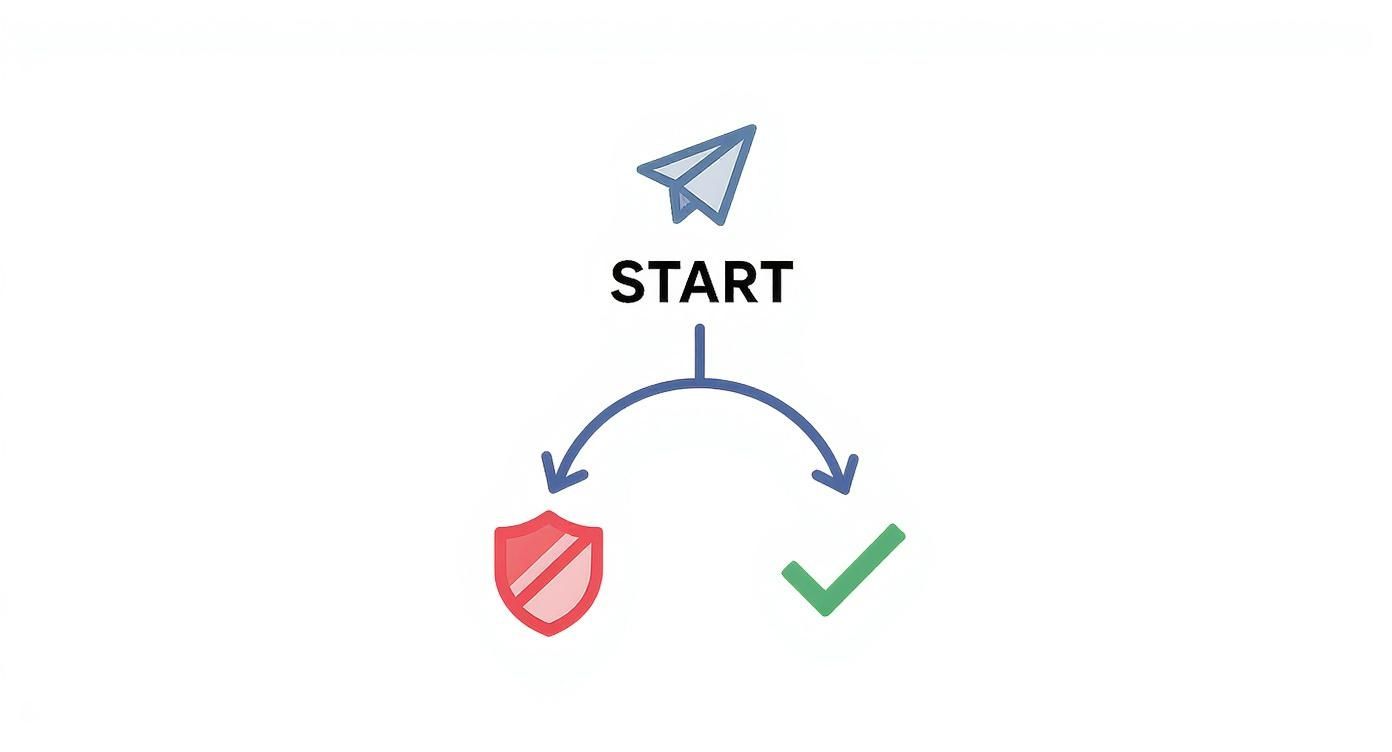
This simple flow shows that your message's fate is in the hands of the carrier's filters, which is exactly why following the rules is so critical.
If your numbers are clean and your consent is solid, it’s time to put the message itself under the microscope. Like we’ve talked about, carriers are on high alert for anything that even smells like spam.
Your sender number—whether it's a Toll-Free number or a 10DLC—also carries its own reputation. If that number has been linked to spammy behavior before, carriers will be much quicker to block its messages now. A real audit means looking at what you're saying and who is saying it.
Start by checking your message for these common red flags:
Finally, dive into your delivery reports. Do you see a pattern where failures are happening with one specific carrier? Deeper insights from SMS tracking and testing tools can show you patterns that point right to the problem, helping you make precise adjustments. If all your texts are failing on one network but getting through on others, you’ve likely got a reputation issue with that specific carrier.
Playing whack-a-mole with delivery problems after they pop up is exhausting and inefficient. A far better game plan is to be proactive, building a strategy that stops these issues before they even start. It’s a shift in mindset—moving from fixing individual failures to creating a tough-as-nails SMS program designed for maximum deliverability from day one.
This isn't about some magic bullet. It’s about putting a series of best practices into play that, taken together, build trust with mobile carriers and make sure your audience actually wants to get your texts. Think of it as preventative maintenance for your campaigns. A little work upfront saves you a world of hurt later.
The absolute foundation of a killer SMS program is a clean, engaged list of people who have explicitly agreed to hear from you. The single best way to get there? Double opt-in.
Instead of just adding a number to your list the moment they sign up, you send a confirmation text first. Something simple, asking them to reply "YES" to confirm.
This extra step is a powerhouse. First, it proves the phone number is real and active. Second, it gives you undeniable proof of consent, which is your ironclad defense against any spam complaints. A list built this way will always outperform others, with higher engagement and way fewer delivery fails.
Contact lists aren't set-it-and-forget-it. They get stale over time as people switch numbers or just lose interest. That’s where regular list hygiene comes in. It's like weeding a garden—you have to pull out the unhealthy contacts so the whole system can flourish.
Make these tasks a regular part of your routine:
Blasting the same generic message to your entire list at once is a surefire way to kill engagement and trip carrier spam filters. The smarter move is to use segmentation and thoughtful scheduling.
Segmentation is just dividing your audience into smaller, more focused groups based on things they have in common—like what they've bought, where they live, or how engaged they are.
This lets you send super-relevant, personalized messages that feel more like a one-on-one chat than a mass broadcast. For example, instead of a generic sale announcement, you could send a special offer to customers who previously bought a specific product. That kind of relevance sends open rates through the roof and cuts down on spam complaints.
The goal is to make every message feel expected and valuable to the recipient. When people look forward to your texts, they are far less likely to mark them as spam, which directly improves your sender reputation with carriers.
Likewise, scheduling your campaigns to go out at the right times—avoiding 2 AM texts or flooding the networks with huge spikes in volume—shows carriers you're a responsible sender. Many of the same ideas behind improving deliverability for other digital communications apply here. It all boils down to sending the right message to the right person at the right time.
For anyone looking to put this into practice, exploring a solid SMS deliverability platform can give you the tools to automate segmentation and scheduling, making this whole process a lot easier.
Sometimes, even with the perfect strategy, your texts just won’t land. You've audited your content, scrubbed your lists, and you're still hitting that invisible wall of carrier filtering. It’s frustrating. When you’ve tried everything, it's time to think differently.
Instead of trying to smash through that wall, what if you could just go around it?
This is where having a strategic alternative in your back pocket is so valuable. A different channel can make sure your most important messages get through, especially when SMS is being difficult. One of the most effective and compliant options out there is ringless voicemail.
Picture this: you can drop a personalized audio message directly into someone's voicemail box, but their phone never actually rings. That's the magic of ringless voicemail. It’s a non-intrusive way to connect that completely bypasses the live phone call, placing your message right where your contact can listen when it’s convenient for them.
Because it doesn't interrupt their day, it’s seen as a much more respectful way to communicate. But more importantly, it completely sidesteps the aggressive filtering systems that scrutinize every single SMS message you send.
Ringless voicemail doesn’t rely on carrier text gateways. This means common SMS delivery problems—like keyword flags, URL filtering, and volume throttling—simply don’t apply, offering a reliable path for your message.
This makes it an excellent tool to have ready to go, particularly when you’re troubleshooting why your texts aren't being delivered and you need a guaranteed way to reach your audience. For anyone looking to add this to their outreach, checking out a dedicated ringless voicemail service is the logical next step.
The upsides here go way beyond just getting around filters. This approach offers some unique advantages that can drive higher engagement and create a better experience for certain types of messages.
Here are the main benefits:
These advantages make ringless voicemail an incredibly powerful tool for those specific, high-value communications. It’s not meant to replace SMS, but to act as a strategic partner that ensures your most important messages are always heard, no matter what hurdles the carrier networks throw in your way.
Even after you've gone through the troubleshooting checklist, some lingering questions can pop up. You know, those tricky, "what about this specific scenario?" moments that can leave you scratching your head.
Let's dive into a few of the most common ones. Getting these details right is what separates the novices from the pros, helping you navigate the sometimes-weird world of carrier rules and get your messages delivered.
Absolutely. The type of number you send from—whether it's a Toll-Free number, a local 10-digit long code (10DLC), or a dedicated short code—plays a massive role in deliverability. Carriers treat each one differently, and they’re all designed for different jobs.
Think of it like shipping a package. A short code is like a dedicated freight truck—it's the fastest and most reliable for huge volumes, but it’s also the priciest. A Toll-Free number is like a premium courier; it's fantastic for business messaging and way less likely to get filtered than an unregistered local number.
Using a standard 10DLC number for mass texting without the proper A2P (Application-to-Person) registration? That’s like trying to ship a package with the wrong postage. Carriers will flag it as suspicious traffic and will probably block it as spam. The bottom line: make sure your number type matches your sending volume and is correctly registered.
Carrier error codes are your single best diagnostic tool. They are specific messages sent back from the mobile carrier telling you exactly why a text failed. They take all the guesswork out of the equation.
Instead of wondering if it was a spam filter or a disconnected number, the error code gives you the straight answer. Common reasons you'll see include:
You can almost always find these codes in the detailed delivery reports inside your SMS platform. Digging into them is a non-negotiable troubleshooting step. It lets you clean up your contact list and tweak your strategy based on direct, actionable feedback from the networks themselves.
This is a super common scenario, and it can be really confusing. It all comes down to the fact that each mobile carrier—think AT&T, Verizon, and T-Mobile—is its own independent network with its own unique filtering rules.
What AT&T’s algorithms consider perfectly fine might get blocked by Verizon for any number of reasons. One carrier might be hyper-sensitive to certain keywords, while another might have stricter daily sending limits for your number type. This is exactly why you might see great delivery to subscribers on one network and a high failure rate on another, even when sending the exact same message.
This carrier-specific filtering is why monitoring your delivery reports broken down by network is so important. It helps you identify targeted delivery problems, allowing you to adapt your content or sending cadence to better align with the rules of the problematic carrier.
If you find that SMS delivery is consistently unreliable across certain networks, having an alternative like ringless voicemail becomes a powerful asset. Because a ringless voicemail drop delivers directly to the voicemail server, it completely sidesteps these carrier-specific SMS filters, ensuring your message is heard.
Yes, this is a big one. Using generic, public URL shorteners (like bit.ly) is a huge red flag for carrier spam filters. Scammers have abused these services for years to hide malicious links, so carriers have gotten extremely aggressive about blocking messages that contain them.
While they're tempting for saving character space, the risk to your deliverability is just too high. Using them basically signals to carriers that you might be hiding something, which instantly kills trust. A much safer and more effective approach is to use a full domain you own or a custom short domain branded to your business.
This strategy does two key things:
Investing in a custom short domain is a small step that pays off big time with better delivery rates and campaign performance.
Ready to overcome SMS delivery hurdles and ensure your messages always get through? Call Loop provides the tools you need, from compliant Toll-Free numbers and advanced analytics to a powerful ringless voicemail system that bypasses carrier filters entirely. Start your free trial today and see how easy reliable outreach can be.
Chris Brisson
Chris is the co-founder and CEO at Call Loop. He is focused on marketing automation, growth hacker strategies, and creating duplicatable systems for growing a remote and bootstrapped company. Chat with him on X at @chrisbrisson


Trusted by over 45,000 people, organizations, and businesses like


