
See a Demo
You're just one step away from seeing Call Loop in action.
Enter your information below to watch a demo right now.

You're just one step away from seeing Call Loop in action.
Enter your information below to watch a demo right now.

In a world saturated with notifications, a generic "Your appointment is tomorrow" message is easily ignored. No-shows and last-minute cancellations directly impact your bottom line, and a poorly crafted confirmation can be worse than sending nothing at all. This guide moves beyond basic templates to provide a strategic blueprint for crafting the perfect appointment confirmation text.
We will explore 8 distinct, field-tested strategies, from simple and effective messages to sophisticated multi-channel sequences. You'll learn not just what to send, but how and when to send it for maximum impact, ensuring your clients feel valued and prepared. To prevent lost revenue and wasted time, it's crucial for businesses to implement strategies to effectively reduce no-show appointments.
This article provides more than just copy-and-paste scripts. We will dissect the strategy behind each example, offering actionable takeaways you can implement immediately. We will also cover advanced tactics, like using ringless voicemail for a personal touch without the interruption, and discuss critical compliance factors like HIPAA and TCPA to keep your communications both effective and legal. By the end, you'll have a playbook of replicable examples and automation recipes, using tools like Call Loop, to dramatically cut down on no-shows, improve communication, and enhance the overall customer experience from the moment they book.
The simple confirmation is the foundation of every effective appointment communication strategy. It strips away all non-essential information, delivering only the critical details your client or patient needs: your business name, the appointment date, the time, and the location. This direct, no-fluff approach ensures clarity and reduces the chance of miscommunication, making it a universally reliable format for any business that schedules appointments. Its core purpose is to provide an immediate, easy-to-reference record of the booking.
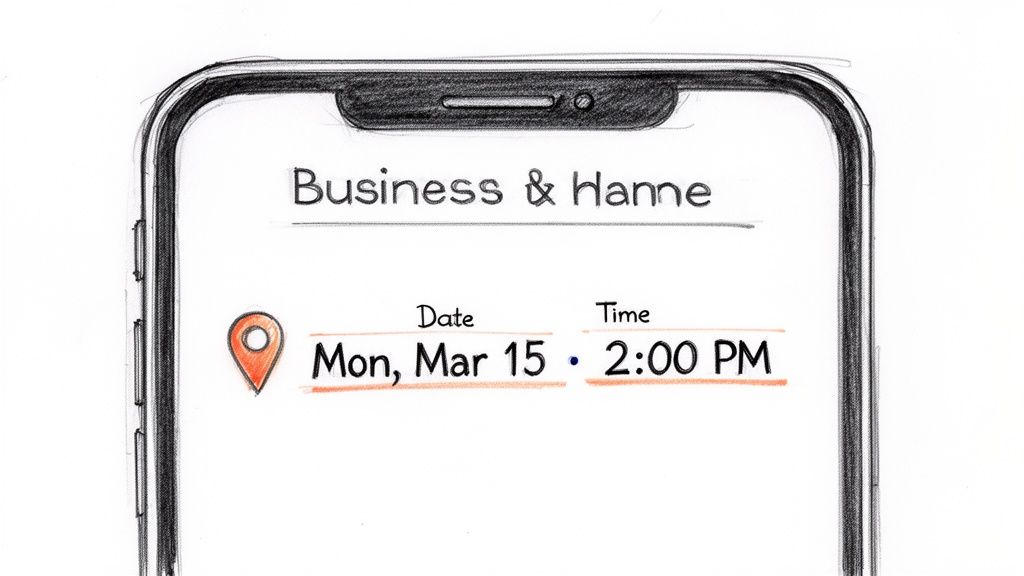
This method was popularized by platforms like Calendly and major healthcare systems that needed to streamline patient communication. By focusing solely on the essentials, they created an appointment confirmation text that is impossible to misunderstand and easy to save for future reference.
The power of this template lies in its simplicity and efficiency. It answers the client's most immediate questions: "Who is this from?", "When is my appointment?", and "Where do I need to be?".
To implement this effectively, focus on personalization and clear formatting. Use merge tags to automatically insert customer-specific details, creating a tailored and professional message every time.
Key Tactic: Use merge tags like
[FirstName]and[AppointmentDate]in your Call Loop dashboard to dynamically populate each message. This not only saves time but also significantly reduces the risk of manual error.
Healthcare Example:Hi [PatientFirstName]. This is a confirmation of your appointment with Dr. Smith at Springfield Dental on [AppointmentDate] at [AppointmentTime]. Our office is located at 123 Main St.
Service Business Example:Hello [ClientName], your service call with Apex Plumbing is confirmed for [AppointmentDate] between 10 AM - 12 PM at [ClientAddress].
Class Registration Example:Welcome to Peak Karate! Your first class is confirmed for Monday, [ClassDate], at 5:00 PM. We're excited to see you!
Moving beyond a simple notification, the interactive confirmation empowers clients to take immediate action directly from their text messages. This approach uses two-way SMS to ask recipients to reply with a simple keyword like "CONFIRM," "YES," or "RESCHEDULE." By doing so, you transform a passive message into an active engagement, streamlining the confirmation process and significantly reducing the administrative burden of follow-up calls or emails. This method gives clients a sense of control and makes managing their appointments incredibly convenient.
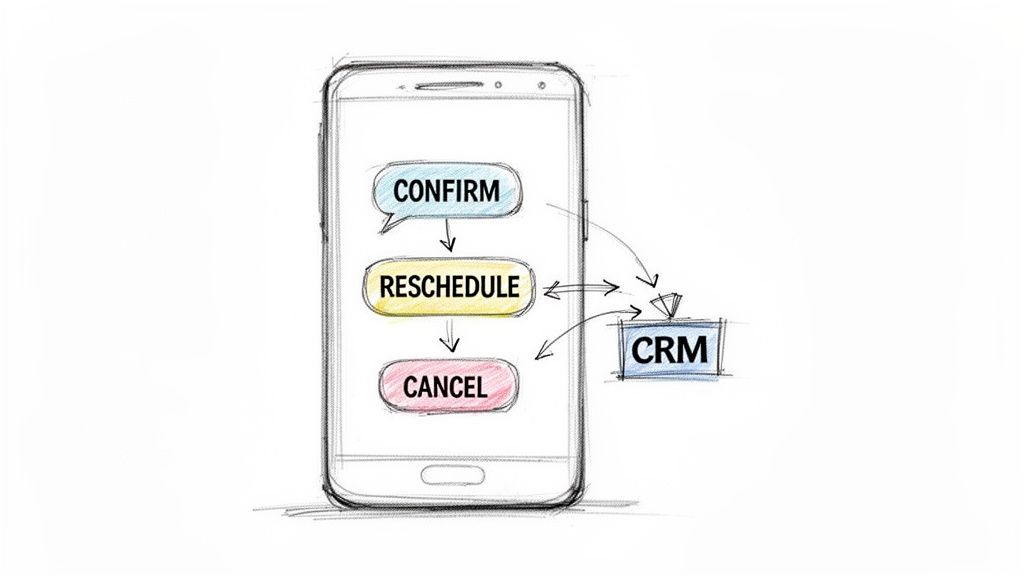
This strategy was widely adopted by healthcare providers and high-volume service businesses needing to minimize costly no-shows. By making it effortless for a patient to confirm, they dramatically increased commitment rates. An effective appointment confirmation text of this type not only confirms the slot but also updates your calendar or CRM in real-time, creating a closed-loop, automated workflow.
The core advantage of this method is its ability to turn a one-way alert into a two-way conversation, which actively engages the recipient and provides you with valuable, real-time data on appointment statuses.
Success with this template depends on clear instructions and automated backend processes. Use simple, intuitive keywords and ensure your system is configured to handle the responses and update records automatically.
Key Tactic: In Call Loop, use the "Triggers" feature to set up automated workflows. For example, a reply of "CONFIRM" can tag the contact as confirmed in your CRM, while a reply of "RESCHEDULE" could trigger a follow-up text with a scheduling link or add them to a callback list.
Medical Office Example:Hi [PatientFirstName]. Your appointment with Dr. Evans is scheduled for [AppointmentDate] at [AppointmentTime]. Please reply CONFIRM to keep this time or RESCHEDULE to change it.
Salon/Spa Example:Hello [ClientName]! Your massage at Serenity Spa is booked for [AppointmentDate] at [AppointmentTime]. Text YES to confirm or CALL to reschedule. We look forward to seeing you!
Event Registration Example:You're registered for the "Digital Marketing Basics" webinar on [EventDate]! To hold your spot, please reply with GO. Need to cancel? Reply with CANCEL.
Moving beyond the basics, a personalized confirmation elevates the client experience by including specific, individual details. This approach uses merge tags to insert the customer's name, the exact service they booked, and often the name of the provider or specialist they will see. This creates a much more personal and reassuring message, demonstrating that your business pays attention to detail and values each customer individually. Its purpose is to build rapport and trust from the very first interaction.
This method gained popularity with healthcare providers aiming to improve patient engagement and beauty studios focused on building strong client relationships. By referencing specific services and providers, they transformed a generic appointment confirmation text into a tailored communication that feels both professional and personal.
The power of this template lies in its ability to build an immediate connection while confirming critical information. It reassures the client that you have their specific needs correctly recorded, which reduces anxiety and pre-appointment friction.
To implement this, leverage the custom fields in your CRM or scheduling software. Ensure your data is clean and your merge tags are tested thoroughly to avoid embarrassing personalization errors.
Key Tactic: Use Call Loop’s custom fields to store service names or provider details. This allows you to create a dynamic appointment confirmation text that automatically pulls the correct information for each unique booking.
Salon/Spa Example:Hi [FirstName]! Just confirming your [ServiceBooked] with [StylistName] on [AppointmentDate] at [AppointmentTime]. We can't wait to see you at The Urban Spa!
Healthcare Example:Hello [PatientFirstName]. Your [AppointmentType] with Dr. Martinez at Oakwood Clinic is confirmed for [AppointmentDate] at [AppointmentTime]. Please arrive 15 minutes early.
Consulting/Agency Example:Hi [ClientName], your strategy call with [AccountManager] is set for [AppointmentDate] at [AppointmentTime]. The meeting link will be sent separately. Talk soon!
Empower your clients by giving them direct control over their bookings. This advanced appointment confirmation text includes all the essential details plus a unique, clickable link that allows recipients to reschedule, cancel, or manage their appointment on their own time. This self-service approach significantly reduces no-shows and frees up your administrative staff from manually handling schedule changes, making it a highly efficient strategy for modern businesses.
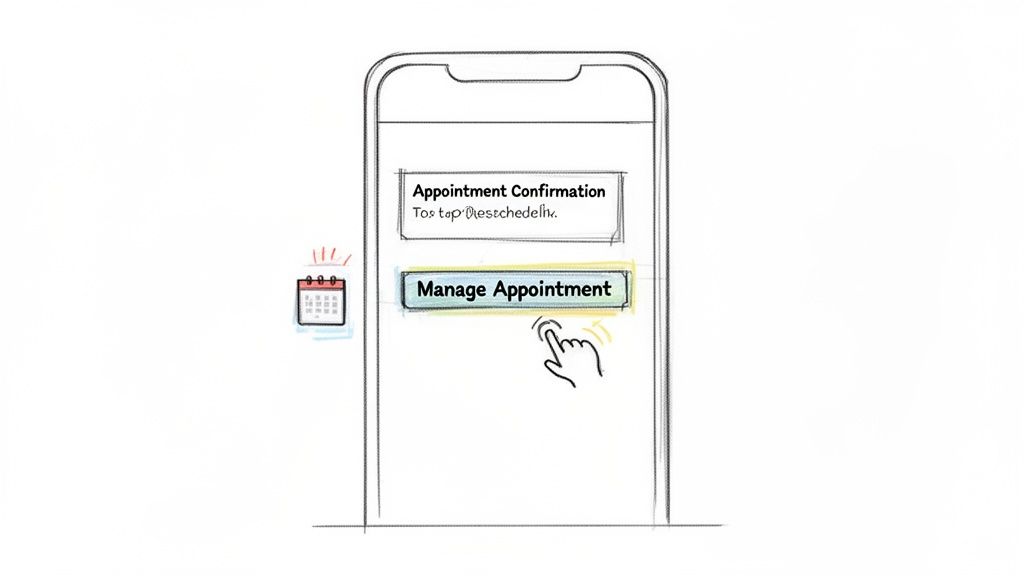
This method was popularized by SaaS booking platforms like Calendly and modern patient portals, which recognized the need to streamline the customer experience. By providing a direct management link, businesses can reduce friction, improve client satisfaction, and gain valuable data on customer engagement through link tracking.
The core benefit of this template is the blend of confirmation and empowerment. It confirms the appointment while simultaneously offering a simple, immediate solution for potential conflicts, which clients greatly appreciate.
Success with this method depends on a seamless user experience. Ensure the link directs to a mobile-friendly, fast-loading page. For specialized services like education, implementing these features often relies on robust tutoring scheduling software that provides comprehensive management tools.
Key Tactic: Use your SMS platform's built-in link shortener to create clean, trackable URLs. Monitor click-through rates to understand how and when your clients prefer to manage their appointments.
Healthcare Portal Example:Hi [PatientFirstName]. Your appointment with Dr. Evans is confirmed for [AppointmentDate] at [AppointmentTime]. To manage your appointment or complete pre-visit forms, please visit: [PortalLink]
Salon/Spa Example:Hi [ClientName]! Your massage at Serenity Spa is booked for [AppointmentDate] at [AppointmentTime]. Need to change it? Manage your booking here: [ShortLink]
Webinar Registration Example:You're registered for the "Marketing Mastery" webinar on [WebinarDate]! Can't make it? Reschedule or get the recording here: [ManageLink]
A multi-channel confirmation strategy elevates your communication by engaging clients across their preferred platforms. This sophisticated approach sends an appointment confirmation text for immediate impact, followed by a more detailed email and an automatic calendar invite. It creates a robust, layered notification system that ensures your appointment is seen, acknowledged, and saved, drastically reducing no-show rates. By coordinating these touchpoints, you cater to different client habits, from those who live by their text inbox to those who rely on their digital calendar.
This method was perfected by enterprise healthcare systems and event platforms like Zoom, which needed a bulletproof way to manage high volumes of appointments and attendees. By orchestrating SMS, email, and calendar invites, they built a communication sequence that is both persistent and helpful, ensuring critical information reaches every recipient.
The power of this strategy lies in its redundancy and user-centric design. It acknowledges that different people prefer different communication channels, and it covers all the bases to maximize visibility and action.
To implement this, stagger your communications for maximum effect. Send the SMS first for immediate notification, followed by the email and calendar invite a few minutes later. This prevents overwhelming the client while ensuring all information is delivered.
Key Tactic: Use Call Loop's drip campaigns to build an automated multi-channel sequence. You can set the SMS to send instantly, trigger an email five minutes later, and even incorporate a ringless voicemail drop the day before the appointment as an additional reminder.
Medical Practice Example:
Hi [PatientFirstName]. Your appt with Dr. Evans is confirmed for [AppointmentDate] at [AppointmentTime]. You will receive an email shortly with pre-visit forms.Webinar Platform Example:
You're in! Your seat for the 'Marketing Mastery' webinar on [WebinarDate] is confirmed. Check your email for the Zoom link.Karate Studio Example:
Welcome to Apex Martial Arts, [StudentName]! Your first trial class is confirmed for [ClassDate] at 6 PM. An email with what to expect is on its way.A single confirmation is good, but a strategic sequence of reminders is exponentially better for reducing no-shows. This method involves creating an automated drip campaign that sends multiple messages at key intervals before an appointment, with each message subtly increasing in urgency. This proactive, multi-touch approach keeps the appointment top-of-mind and provides multiple opportunities for the client to confirm, cancel, or reschedule, drastically cutting down on missed appointments.
This strategy was perfected by industries with high no-show costs, like healthcare providers and event organizers. By implementing an escalating series of communications, they found a powerful way to hold clients accountable and improve attendance rates. An effective appointment confirmation text series ensures your message gets through even the busiest schedules.
The effectiveness of this sequence comes from its psychological impact and layered convenience. It moves from a gentle nudge to a firm, final reminder, respecting the client's time while underscoring the appointment's importance. This automated flow addresses forgetfulness, scheduling conflicts, and last-minute changes head-on.
Use an automation platform to build a timer-based drip campaign. It's crucial to configure the sequence to automatically pause if a client confirms or cancels early to avoid sending redundant messages and causing annoyance.
Key Tactic: In Call Loop, set up a drip campaign with specific time delays between each SMS. Vary the message content at each step; for example, make the first reminder informational and the final one more direct and urgent.
Dental Practice Example:
Hi [PatientFirstName]. A friendly reminder of your dental cleaning at Smile Bright Dental on [AppointmentDate] at [AppointmentTime].[PatientFirstName], your appointment with Smile Bright Dental is in 2 days. Please reply C to confirm or call us at 555-1234 to reschedule.See you soon! Your appointment is today at [AppointmentTime]. Our address is 123 Main St.Webinar Platform Example:
Reminder: The webinar "Marketing Mastery" starts in 24 hours! Get ready to join us tomorrow at [WebinarTime].It's almost time! Your webinar begins in 1 hour. Use this link to join: [WebinarLink]Karate Studio Example:
Hi [StudentName], your karate class is tomorrow at 5:00 PM. We're excited to see you at Peak Karate!Class starts in 30 minutes! Time to get your gi on. See you on the mat!For healthcare providers, an appointment confirmation text is more than just a convenience; it's a regulated communication that must adhere to the Health Insurance Portability and Accountability Act (HIPAA). This type of confirmation is carefully crafted to protect patient privacy by omitting any Protected Health Information (PHI) like diagnoses, treatment details, or specific medical conditions. Its primary function is to confirm the logistics of an appointment while maintaining the strictest confidentiality standards.
The adoption of this secure messaging protocol was driven by HIPAA-covered entities, including telehealth platforms and specialized clinics, that needed to leverage the efficiency of SMS without risking compliance violations. By standardizing a minimal-information format, they established a safe and effective way to reduce no-shows and engage patients securely.
The core strategy here is risk mitigation. By intentionally excluding sensitive data, the message remains a simple logistical communication and falls outside the strictest HIPAA rules for PHI transmission, provided prior consent is obtained. This approach balances patient convenience with legal and ethical obligations.
Success with HIPAA-compliant messaging hinges on obtaining explicit consent and stripping messages down to the bare essentials. Always get written permission from patients to communicate via SMS for appointment reminders and document it in their file.
Key Tactic: Never include any information that could be considered PHI. This includes clinic names that reveal a specialty (e.g., "City Oncology Center"), specific doctor names, or any medical terminology. Keep the appointment confirmation text generic and logistical.
General Clinic Example:This is a message from your healthcare provider. You have an appointment confirmed for [AppointmentDate] at [AppointmentTime]. Reply YES to confirm or call [OfficeNumber] to reschedule.
Dental Practice Example:Hi [PatientFirstName]. A reminder of your appointment at our office on [AppointmentDate] at [AppointmentTime]. Please call us at [OfficeNumber] with any questions.
Telehealth Example:Your upcoming virtual consultation is scheduled for [AppointmentDate] at [AppointmentTime]. You will receive a secure link 15 minutes prior. For more details on health care SMS best practices, you can review compliance guidelines.
This advanced confirmation strategy combines essential appointment logistics with a subtle, yet powerful, call-to-action for customer feedback. By including a link to a review platform, you turn a standard administrative touchpoint into an opportunity to build social proof and enhance your online reputation. This method piggybacks on the client's recent positive interaction, capturing their feedback while the experience is still fresh in their mind. It’s a proactive approach to reputation management that leverages a high-engagement communication channel.
Popularized by modern service-based businesses focused on local SEO, this technique has become a staple for salons, home service providers, and healthcare practices. The goal is to make leaving a review a frictionless, one-click process, transforming a satisfied customer into a vocal advocate for your brand. This appointment confirmation text serves a dual purpose: confirming details and fueling your marketing engine.
The genius of this template is its timing and efficiency. It catches customers when they are most engaged, immediately after a successful service, and makes it incredibly easy for them to share their positive experience. This turns a routine text into a powerful tool for business growth.
Timing is critical for this strategy. Send the review request 1-2 hours after the appointment concludes, not in the initial confirmation. This separates the logistical information from the marketing request, making it feel less transactional.
Key Tactic: Use Call Loop's link shortening and tracking feature to see exactly how many clients click your review links. A/B test different phrasing, such as "Share your feedback" vs. "Leave us a review," to see which message generates more clicks and completed reviews.
Beauty Salon Example:Hi [ClientName]! We hope you loved your service at Aura Salon today. If you have a moment, we'd appreciate you sharing your experience on Google: [ShortLink]
Healthcare Provider Example:Hello [PatientFirstName]. Thank you for visiting Dr. Evans today. Patient feedback is important to us. Please consider leaving a review on Healthgrades: [ShortLink]
Karate Studio Example:Hi [ParentName], we hope [StudentName] had a great trial class! Tell us how it went and help other parents find us by leaving a review: [ShortLink]
We've explored a comprehensive playbook of appointment confirmation text strategies, moving from the foundational, detail-oriented message to sophisticated, multi-channel sequences. Throughout these examples, from a simple salon reminder to a HIPAA-compliant healthcare notification, a clear theme emerges: a well-crafted confirmation message is far more than a logistical tool. It is your first, best opportunity to reinforce a client’s decision, build trust, and proactively manage your schedule to protect your bottom line.
The journey from a basic reminder to a fully automated communication workflow may seem daunting, but it starts with a single, strategic step. The core principle is not to implement every tactic at once but to understand the "why" behind each one. Why does a direct link to reschedule reduce no-shows by 15%? Because it removes friction. Why does personalizing with a client's name and service provider increase engagement? Because it makes the interaction feel human, not robotic.
Mastering the art of the appointment confirmation text boils down to a few critical, actionable principles. Let's distill the most important takeaways from this guide:
Confirm, Cancel) or direct links to a management portal transforms a passive notification into an interactive, two-way conversation. This simple shift in control dramatically reduces administrative workload and client frustration.[Client Name], [Service Type], or [Provider Name] creates an immediate sense of recognition and value. It shows you see them as an individual, not just a time slot on your calendar.You are now equipped with the templates and strategies to overhaul your appointment management process. The next step is to put this knowledge into action. Don't aim for perfection on day one; aim for progress.
Ultimately, optimizing your confirmation process is an investment in efficiency, client satisfaction, and revenue protection. Each confirmed appointment is a promise kept, and each prevented no-show is income secured. By transforming your confirmations from simple reminders into strategic conversations, you build a more resilient, client-centric, and profitable business.
Ready to automate these powerful strategies and eliminate no-shows for good? Call Loop provides the tools you need to send personalized SMS confirmations, automated reminders, and even ringless voicemail drops, all from one easy-to-use platform. Start your free trial today and see how effortless it is to implement the exact appointment confirmation text templates we've covered. Visit Call Loop to begin.
Chris Brisson
Chris is the co-founder and CEO at Call Loop. He is focused on marketing automation, growth hacker strategies, and creating duplicatable systems for growing a remote and bootstrapped company. Chat with him on X at @chrisbrisson


Trusted by over 45,000 people, organizations, and businesses like


