
See a Demo
You're just one step away from seeing Call Loop in action.
Enter your information below to watch a demo right now.

You're just one step away from seeing Call Loop in action.
Enter your information below to watch a demo right now.

Most businesses don’t start looking for an automatic text message system because they love automation. They start because manual follow-up gets messy fast. One person is texting appointment reminders from a personal phone. Another is copying and pasting promo messages. Someone forgets to follow up with leads from last week, and a few customers never get the reminder they expected.
That works for a while. Then volume increases, response times slow down, and the cracks show. Messages go out late. Names get misspelled. No one knows which follow-up led to a sale, a kept appointment, or a callback.
An automatic text message system fixes that by turning repeatable communication into a process. And for many businesses, the key advantage isn’t just automated SMS. It’s using SMS alongside ringless voicemail and voice broadcasting so you can reach people in the format they’re most likely to notice and respond to.
An automatic text message system sends texts based on a rule, a schedule, or a customer action. If someone books an appointment, the system sends a reminder. If a lead fills out a form, the system sends a follow-up. If a customer texts a keyword, the system replies instantly with the next step.
That’s the simple definition. In practice, it’s closer to having a digital assistant that never forgets.
A salon can send confirmations without the front desk touching every message. A karate studio can notify parents about schedule changes. A clinic can send reminders and route replies so staff members only handle the conversations that need a human. An ecommerce brand can follow up after a purchase, then send a review request later.
Manual outreach usually fails in the same places:
The same pattern shows up in other industries that rely on repeatable workflows. If you’ve seen how teams use structured systems in areas like automation in banks, the lesson carries over well. The process matters as much as the message.
A lot of business owners still think of text automation as one-way SMS blasts. That’s outdated.
Modern messaging systems can coordinate multiple touchpoints. A lead might get a text first. If they don’t reply, they might receive a ringless voicemail later that day. A day after that, a voice broadcast or another personalized SMS might nudge them back into the conversation. That’s a different strategy from sending the same text over and over.
Practical rule: Use SMS for speed, ringless voicemail for presence, and voice when the message needs more context or urgency.
The best automatic text message setup sends the right message, through the right channel, at the right moment. That’s what saves time without making your customer communication feel robotic.
Automated messaging works like a digital assembly line. One event starts the process, the system checks who should receive the message, it builds the content, schedules delivery, sends it, then tracks what happened next.
That sounds technical, but the moving parts are straightforward once you look at them one by one.
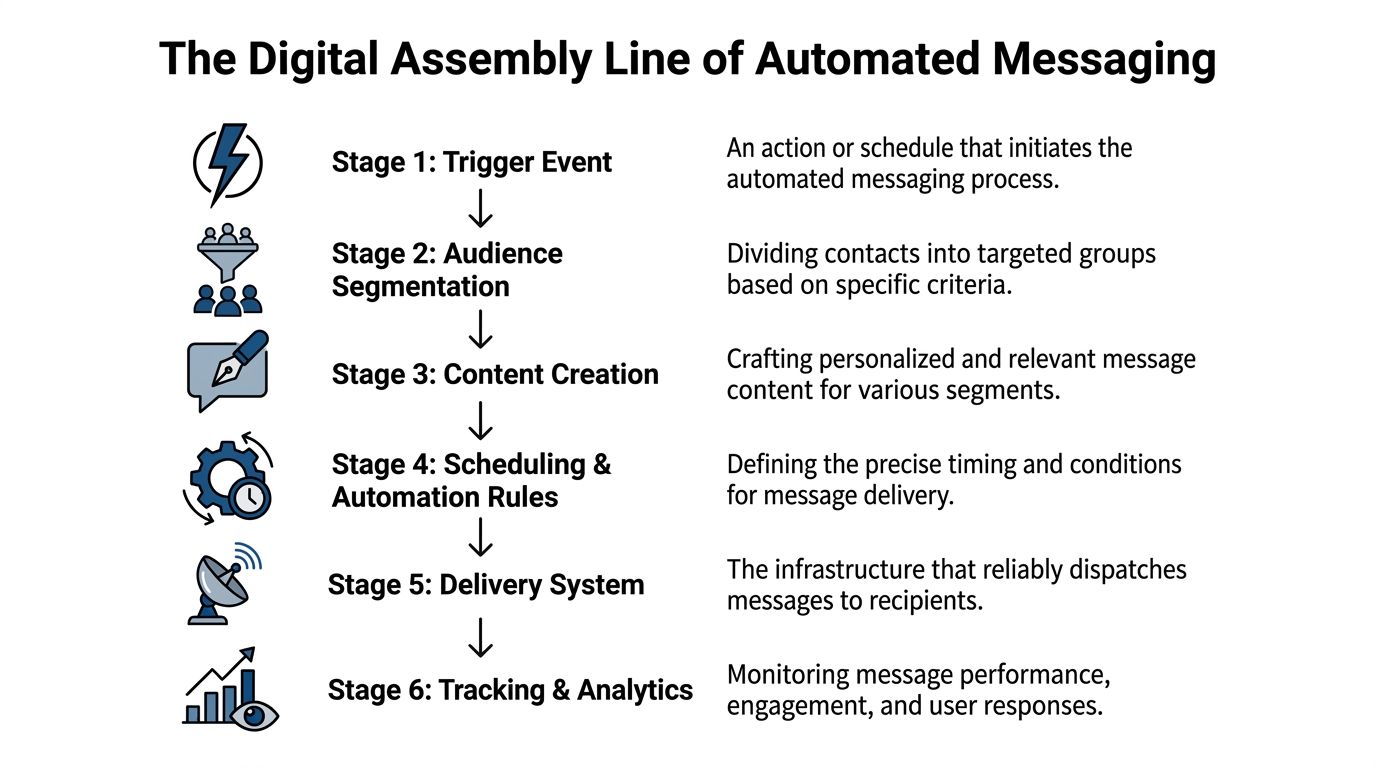
Every automatic text message begins with a trigger. That trigger can be an action, a date, or an incoming reply.
Common triggers include:
This is why integrations matter. Automated platforms use APIs to send messages programmatically based on triggers, insert variables such as [Passenger Name], and keep messages under the 160-character SMS limit to avoid extra cost. In the same benchmark summary, targeted messaging was tied to reported response rate increases of 20-45%, and AI tools predicted optimal delivery windows with 85% accuracy in those scenarios (automated text response best practices).
If your business already depends on scheduled sessions, tools like tutoring scheduling software make the trigger concept easy to understand. The schedule already exists. Messaging automation operates based on it.
Templates are the repeatable message blocks your system sends automatically. Personalization keeps them from sounding generic.
A weak template says:
Your appointment is scheduled for tomorrow.
A stronger one says:
Hi Sarah, your appointment with Dr. Lee is tomorrow at 2:00 PM. Reply C to confirm or R to reschedule.
Same purpose. Better clarity. Better chance of a reply.
Useful personalization fields often include:
| Field | Example use |
|---|---|
| First name | Greeting and tone |
| Appointment date | Reminder accuracy |
| Product name | Post-purchase follow-up |
| Staff member name | Trust and continuity |
| Location | Multi-branch relevance |
If you want a simple example of how replies can be triggered automatically after inbound texts, this overview of SMS auto responder workflows is a useful reference point.
One message rarely does the whole job. That’s where scheduling and drip campaigns come in.
A drip is a timed sequence. Instead of sending one reminder and hoping for the best, you create a path. For example:
Automation works best when each message has a job. Don’t pile three goals into one text.
The final stage is delivery plus measurement. Did the message go out? Did the recipient click, reply, unsubscribe, or ignore it? That feedback should shape the next send.
Without tracking, automation is just scheduled guessing. With tracking, it becomes a system you can improve.
The business case for an automatic text message system becomes obvious when you look at real workflows. Not abstract campaigns. Daily follow-up, reminders, attendance, repeat purchases, and reactivation.
A lead asks for pricing on Tuesday. By Thursday, your team is busy, and the follow-up gets pushed back. By Friday, the lead has already talked to someone else.
Automation fixes the lag. When a prospect fills out a form, the system can send a quick acknowledgment, then a second message that invites a call or demo. If there’s no reply, a ringless voicemail can add a more personal touch without requiring a rep to dial each number manually.
That matters because retention and sustained engagement improve when text messaging becomes part of the contact strategy. In one study, 138 of 213 participants, or 64.8%, engaged via text and sustained the target behavior longer than non-texters. The same source notes that a common best practice is limiting frequency to 1-2 texts weekly to avoid unsubscribes, while platforms can use engagement scoring to adjust frequency dynamically (SMS retention study).
For service businesses, an empty time slot is lost revenue. For healthcare practices, it’s revenue plus scheduling disruption. For classes, consults, and home services, it throws off the whole day.
A reminder sequence works better than a single reminder blast. One text confirms the appointment. A follow-up asks for a yes or reschedule reply. If the customer stays silent, ringless voicemail can add urgency without forcing staff into a call queue.
Automation thus earns trust. The customer feels guided, not chased.
Studios, coaches, webinar hosts, and community businesses all deal with the same problem. People register with good intentions, then forget.
A basic event workflow might include:
A karate studio can remind parents about belt testing. A consultant can remind leads about a workshop. A school can confirm schedule changes. The format changes, but the pattern is the same.
Field note: Ringless voicemail is especially useful when the message needs a human voice but not a live conversation.
Online stores often underuse messaging after the purchase. They focus on cart recovery and ignore the rest of the customer journey.
That leaves easy wins on the table:
The strongest setups segment based on behavior, not just broad list membership. Someone who clicked but didn’t buy should get a different sequence from someone who bought twice and then disappeared.
If you’re refining that strategy, these marketing automation best practices are useful for thinking through timing, segmentation, and follow-up logic beyond a single blast.
When customers go quiet, most businesses either do nothing or send one discount text. Neither approach is enough.
A better re-engagement flow looks more like this:
| Stage | Channel | Purpose |
|---|---|---|
| First touch | SMS | Quick check-in or offer |
| Second touch | Ringless voicemail | More personal reminder |
| Third touch | Voice or SMS | Final action prompt |
One channel gets attention. Multiple coordinated channels create momentum. That’s the practical difference between automation that only saves time and automation that grows revenue.
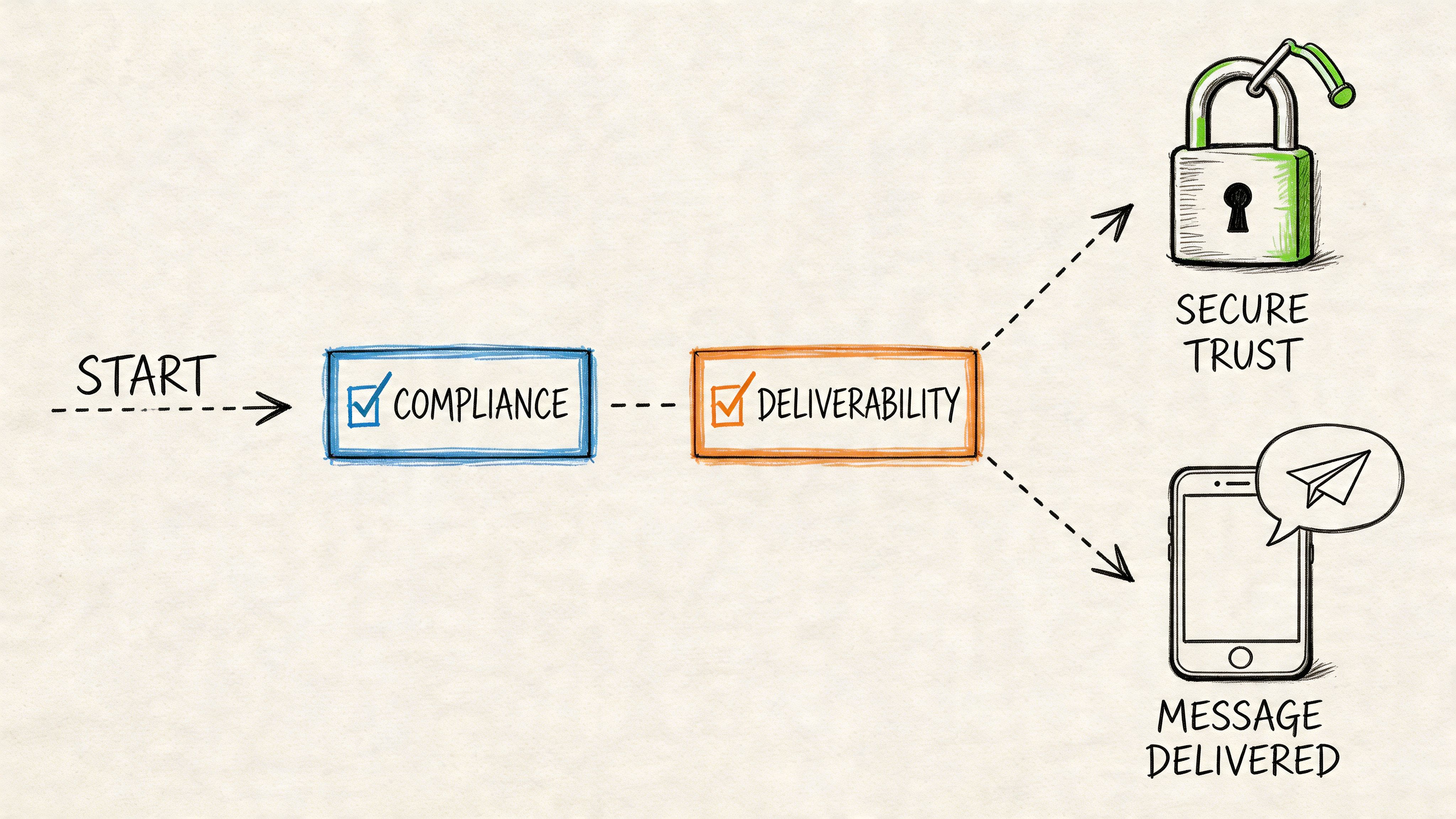
Most messaging problems that look like marketing problems are really trust problems. People didn’t ask for the message. The opt-out was hard to find. The number wasn’t properly set up. The campaign reached the wrong contacts. Carriers noticed, and delivery suffered.
Compliance is what keeps automated outreach usable over time. It protects the recipient, and it protects your ability to keep sending.
If someone didn’t clearly agree to receive your texts, you shouldn’t be texting them. That applies whether the message is promotional, transactional, or part of a reminder workflow.
Good consent practices include:
For businesses sending recurring messages through toll-free or application-based SMS, understanding 10DLC compliance requirements helps prevent avoidable filtering and registration issues.
You can write excellent copy and still fail if your delivery setup is weak.
A few practical issues matter a lot:
The fastest way to hurt deliverability is to treat your contact list like a dump bin instead of a permission-based asset.
Ringless voicemail plays an important role here because it gives you another contact path when a text alone isn’t the best fit. It’s especially useful when you need to deliver context, empathy, or urgency in a way that sounds more human than a short SMS.
In healthcare, compliance isn’t optional, and one-way communication often falls short. Interactive automated texts can reduce patient no-shows by 20-30%, while the same source notes that US healthcare fines for violations reached $1.5M in 2025. It also highlights that two-way systems combining SMS with options like ringless voicemail showed higher engagement and reduced no-shows by up to 35% in a mid-sized practice example (secure patient texting and no-show reduction).
That trade-off matters. A one-way reminder may technically send, but if the patient can’t easily confirm, ask a question, or reschedule, the workflow breaks at the exact moment it needs to help.
Shortcuts in compliance create expensive campaigns. Clean consent, respectful timing, and reliable setup create sustainable outreach.
That’s not red tape. It’s a practical operating standard for any business that wants better inbox placement, fewer complaints, and stronger response quality.
The first campaign shouldn’t be complicated. If you try to automate every customer journey at once, you’ll build a tangled workflow that’s hard to test and even harder to trust.
Start with one repeatable use case. Appointment reminders, lead follow-up, event registration, or a basic welcome sequence all work well.
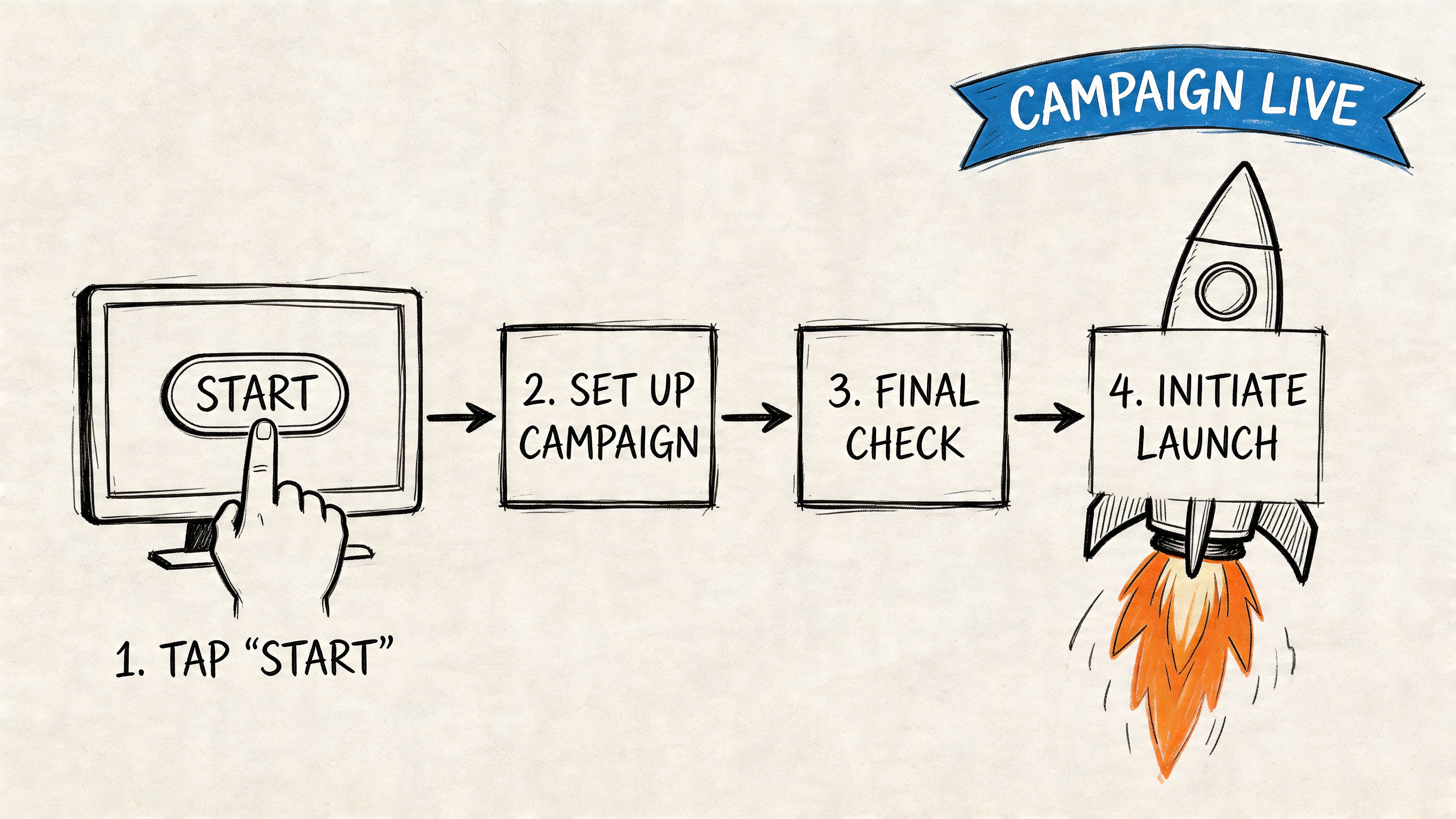
Don’t start by clicking around software menus. Start by defining the message path.
Write down:
If you run a service business, a simple example is enough:
That’s a real workflow. It’s clear, measurable, and useful from day one.
Your contact list should be smaller and cleaner than you think. Old exports and mystery leads cause more problems than they solve.
Before import, check:
If you want multi-channel automation in one place, Call Loop supports SMS, voice broadcasting, and ringless voicemail, along with merge tags, segmentation, scheduling, double opt-in, and drip campaigns. That kind of setup is useful when your workflow needs more than a single text.
Many campaigns falter when teams automate the send, then write copy that sounds like a legal notice.
That hurts performance. One source focused on entrepreneur messaging found that robotic tones can cause 30-50% lower response rates, while natural phrasing can boost conversions 2-3x over formal templates. The same source notes that using fewer than two emojis per message can increase replies by 15% (human-sounding automated texting).
Compare these two versions.
Rigid
Dear Customer, this is a reminder that your appointment is scheduled for tomorrow at 3:00 PM. Please confirm your attendance.
Human
Hi Mark, you’re set for tomorrow at 3:00 PM. Reply YES to confirm or text us if you need to reschedule.
The second one sounds like a business a real person would reply to.
Keep your first drip short. You’re not building a novel.
A practical starting sequence:
| Step | Channel | Message purpose |
|---|---|---|
| 1 | SMS | Immediate confirmation |
| 2 | SMS | Reminder with simple reply option |
| 3 | Ringless voicemail | Personal follow-up if no response |
| 4 | SMS | Final reminder or staff handoff |
A few copy rules help:
“Write the text you’d want a team member to send manually, then automate that.”
Run the workflow through your own number and a colleague’s number. Check timing, links, merge fields, voicemail audio, and stop conditions.
Test these specific points:
Then launch to a small segment first. Early testing catches awkward copy, bad timing, and logic errors before they hit your full list.
A live campaign isn’t proof that automation is working. Results come from watching the right numbers, then adjusting the workflow based on what those numbers reveal.
The easiest mistake is focusing on sends. Sends only tell you that the platform did what you asked. ROI comes from delivery, engagement, and conversion.
SMS is useful because it compresses the feedback loop. In one study of automated SMS outreach, 66% of responses arrived within the first two hours and 72% within three hours, while the overall response rate for that cold survey was 3.6% (automated SMS response timing study). For time-sensitive messages, that fast response window matters as much as the final response total.
That means your reporting cadence should match the channel. Don’t wait a week to assess a reminder or flash-sale text. Look early.
Use this lens when reviewing campaign data:
| Metric | Business question it answers | What to watch for |
|---|---|---|
| Delivery rate | Did messages actually reach phones? | Drops can point to number, list, or filtering issues |
| Click-through rate | Did the offer or link create action? | Low clicks often mean weak copy or poor targeting |
| Reply rate | Did the message start a conversation? | Strong for reminders, sales follow-up, and support |
| Opt-out rate | Are you sending relevant messages to willing contacts? | Spikes usually mean targeting or frequency problems |
| Conversion rate | Did the campaign create revenue or the intended outcome? | This is the final measure of business impact |
If you want a broader framework for attribution and reporting, this guide to measuring marketing campaign effectiveness is a practical companion.
A campaign can have good delivery and poor results if the message is weak. It can have strong clicks and low conversions if the landing page doesn’t match the promise. It can have decent replies and still frustrate staff if there’s no internal process for handling those replies quickly.
A few common patterns show up often:
Measurement rule: Don’t optimize copy until you know the message is getting delivered reliably.
You don’t need a complex testing lab. Change one variable at a time.
Test things like:
The point isn’t to prove a theory. It’s to find the sequence that creates the clearest path from message sent to business outcome.
The businesses getting the most from an automatic text message strategy aren’t treating it like a standalone channel. They’re treating it like part of a communication system that supports sales, service, retention, and follow-up without adding manual workload every day.
That shift matters because customer expectations have changed. People still want convenience, but they also want communication that feels timely and human. A rigid blast schedule won’t do that. A well-built workflow can.
The strongest setups are moving in a clear direction:
That last point is easy to overlook. Better automation doesn’t come from piling on more features. It comes from building cleaner logic and using channels intentionally.
There’s a misconception that automation makes communication colder. In practice, the opposite is often true. Good automation handles the repetitive parts so your team can spend time on the moments that need judgment, empathy, or a real conversation.
That’s especially important in businesses with high follow-up volume. Healthcare practices, local service companies, ecommerce teams, agencies, and event organizers all need systems that respond quickly without sounding mechanical.
The future isn’t SMS-only. It’s integrated outreach where a text can open the conversation, a ringless voicemail can add personality, and a voice message can deliver urgency when needed. That’s becoming the normal standard for businesses that want to save time and still stay close to their customers.
If you’re ready to build an automatic text message workflow that goes beyond basic SMS, Call Loop gives you one place to manage text messaging, ringless voicemail, voice broadcasting, reminders, drip campaigns, and reply tracking so your outreach stays organized, measurable, and easier to scale.
Chris Brisson
Chris is the co-founder and CEO at Call Loop. He is focused on marketing automation, growth hacker strategies, and creating duplicatable systems for growing a remote and bootstrapped company. Chat with him on X at @chrisbrisson


Trusted by over 45,000 people, organizations, and businesses like


