
See a Demo
You're just one step away from seeing Call Loop in action.
Enter your information below to watch a demo right now.

You're just one step away from seeing Call Loop in action.
Enter your information below to watch a demo right now.


An autoresponder for text messages is like having a team member available 24/7. It picks up customer replies in an instant—no waiting, no manual typing. You send order confirmations, appointment nudges, or simple chat prompts the moment an action happens, and even combine SMS with ringless voicemail drops for a seamless multi-channel approach.
Think of it as your digital concierge: the second someone places an order or books an appointment, they get a friendly ping back.
A local boutique reported a 30% jump in confirmed appointments and a big drop in no-shows after wiring SMS autoresponses and ringless voicemail into their workflow.
Industry research pegs global SMS open/read rates between 82% to 98%, with response rates near 45%—numbers that explain why more businesses adopted text autoresponders by the mid-2020s.
Learn more about SMS compliance insights on Intradyn
Smart automation can resolve nearly half of routine inquiries without passing them to your support team.
That leaves your staff free to focus on complex challenges instead of repetitive replies.
Learn more about A2P messaging in our guide What Is A2P Texting.
Getting started is as simple as defining your triggers and sketching out concise templates.
Sprinkle in merge tags like {{FirstName}} and {{OrderID}} to make every message feel personal and boost engagement.
Always record explicit opt-in consent and offer a straightforward unsubscribe option to stay compliant.
Pairing SMS with ringless voicemail drops gives you a unified outreach mix that respects each contact’s preference and leverages voicemail campaign tactics.
By zeroing in on instant confirmations, natural conversations, and rock-solid compliance, you’ll build an autoresponder that consistently delivers value.
Next, we’ll walk through setting up tailored SMS workflows that convert and automate seamlessly.
When you kick off an SMS autoresponder, you’re juggling budget, feature sets, and the ability to grow without headaches. Picking the right provider is where the journey begins.
Below is a simple three-step flow illustrating how an initial confirmation leads to a reminder and then a chat follow-up.
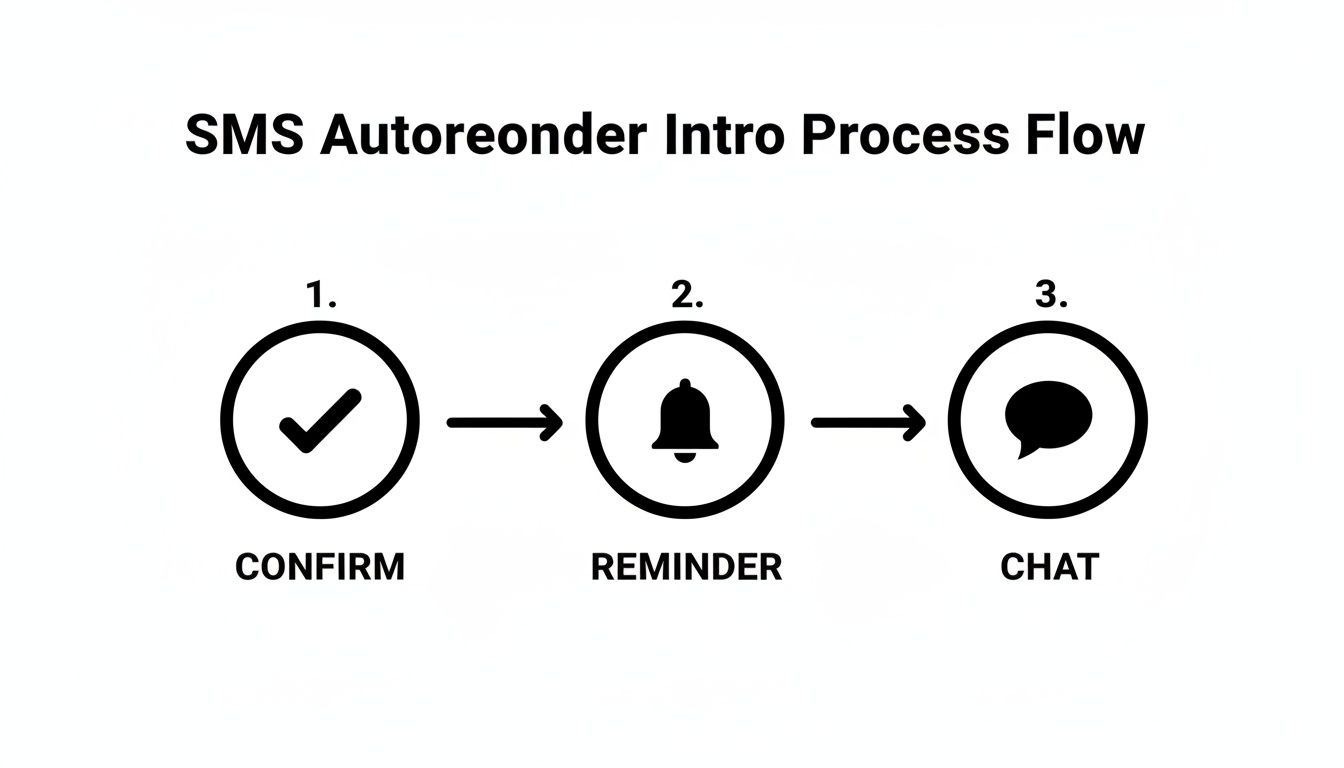
This diagram shows how a straightforward sequence can boost engagement and shrink no-show rates.
First, make a checklist of must-have features and match them to your audience’s behavior.
A local clinic combined SMS confirmations with a ringless voicemail nudge the night before appointments. In just eight weeks, they recorded a 25% decrease in missed visits.
Next up is defining the exact events that fire your messages. Clear triggers keep your automation reliable and relevant.
Let’s take a quick look at the primary trigger options and when they make sense:
Comparison of Autoresponder Trigger Types
Armed with this table, you can pick the trigger that fits your workflow and urgency level.
Then, add personalization and keep everything compliant:
"Clear opt-in and unsubscribe flows protect users and keep messages hitting inboxes."
Before pressing “go,” run sandbox tests on each message path. Review delivery logs and confirm that merge tags pull the right fields.
When your tests look solid, schedule the live campaign and watch your engagement climb. You can even weave ringless voicemail reminders into the same flow for a multi-channel touch.
Integrate Call Loop’s Zapier connection to push new subscribers straight from your web forms into SMS workflows.
"Merging SMS and ringless voicemail in one automation can lift engagement by up to 35%."
With your setup live, your autoresponder will handle confirmations and reminders at scale—no manual oversight needed.
Multistep setups turn a basic text responder into a true conversion machine. When you map out a welcome series, follow-up reminders, and abandoned cart flows, every campaign feels intentional. For instance, a tiny online shop reclaimed 20% more carts simply by sliding in three well-timed texts after checkout.
Mixing SMS with ringless voicemail touchpoints can also be a game changer. It’s a gentle way to reach anyone who skips a text, dropping messages directly onto landlines without ringing through.
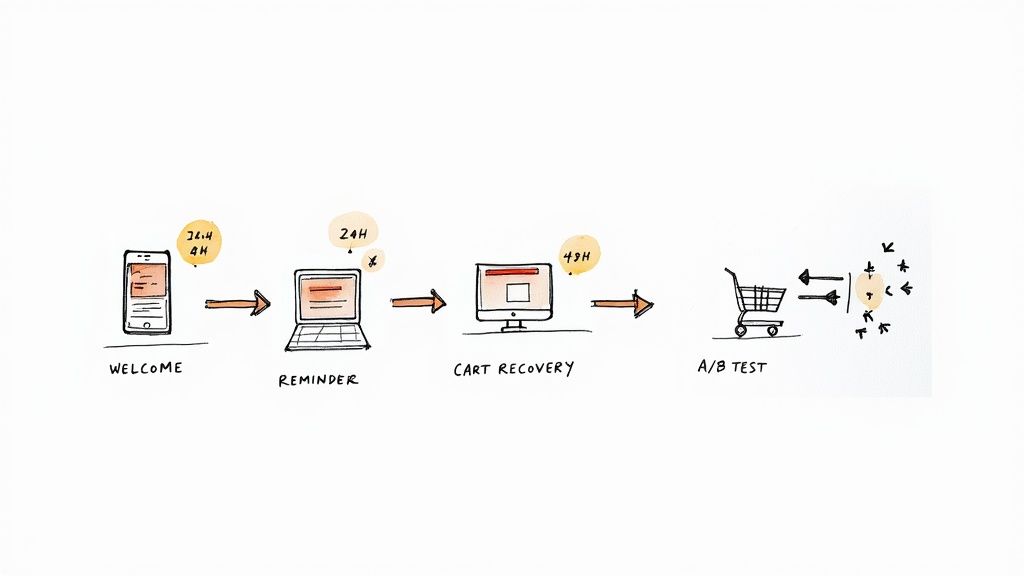
It all starts by nailing down your goals for that first message. Then sprinkle in merge-tags—names, locations, whatever feels natural—to boost engagement. I’ve seen friendly welcomes push open rates past 73% more often than not.
Once you’ve set the tone, add a feedback loop or two. Our support team ran a trio of texts: a thank-you note, a star rating request, and a tiny reward. The result? Survey replies climbed by 25% almost overnight.
Structured campaigns drive engagement and keep customers moving through your funnel.
Timing can be everything. Hit inboxes while interest is hot, then follow up later if needed.
On a broader scale, SMS marketing is set to hit around $12.6 billion by 2025, fueling more budgets for smart autoresponders. Learn more about messaging automation forecasts.
Each campaign should evolve. Run A/B tests on headlines, CTAs, even send times. That way, every message you send is backed by real data.
Tiny tweaks can pack a punch. Swap out “30% off” for “Free shipping” and watch the difference. Try emojis in one version, leave them out in another. Just remember: gather at least 1,000 data points before making any calls.
Over time, your SMS responder turns into its own optimization engine. Combine cart recovery with thoughtful reminders and you could see a 30% lift in sales. Tailor ringless voicemail by customer segment, and those numbers climb even higher.
SMS rules can feel overwhelming, but getting them right protects your brand and keeps fines at bay. From US consent laws to European privacy mandates—and even HIPAA-safe texts—each regulation has its own quirks. Let’s walk through the essentials and show you how to stay on the right side of the law.
When you’re texting customers in the US, the Telephone Consumer Protection Act insists on prior express written consent. Send a marketing SMS without it and you could face $2,500 in penalties per message.
Over in Europe, GDPR demands a clear opt-in with separate checkboxes and a specific explanation of how you’ll use their number. Slip up here and fines can climb to 4% of your annual revenue. That means your signup forms need a dedicated callout for SMS—no hiding it in the fine print.
You must include opt-out instructions in every message, and you have to honor requests within 24 hours. The most common commands are:
Automating this process is non-negotiable if you want to avoid audits.
A local medical clinic runs appointment reminders through an encrypted channel that logs each interaction. They strip out any Protected Health Information (PHI) from the body and keep all opt-in records in a secure database.
Best practices for healthcare texts include:
“Secure audit logs and clear consent keep patient trust intact.”
Ringless drops skip the ring, but they still need an explicit go-ahead. Ignoring that subtlety can spark complaints or fines.
Treat voicemail drops as a separate bucket in your consent records. That way, every audit shows exactly who agreed to what—and when.
Routine audits and clear records are your best defense against regulatory headaches.
Check out our guide on opt-in text practices to solidify your foundation.
Implement these practices to keep campaigns simply legal and consistently effective.
When you hook your SMS autoresponder into analytics and a CRM, every text becomes more than just a message—it’s actionable data.
Each ping registers open/read rates, response rates, and campaign ROI. Yet those raw numbers never steer your strategy until they’re visualized in a dashboard or fed into Google Analytics.
By routing events through webhooks, you get real-time insight the moment something happens. Ringless voicemail drops can be tagged too, giving you a unified view of engagement across channels.
First, pick the events that matter—sent, delivered, read, replied. Then paste your endpoint URL and secret token into your SMS dashboard.
Call Loop’s secure webhooks send a JSON payload each time one of these triggers fires. Finally, verify in your logs to confirm each event landed exactly where you expected.
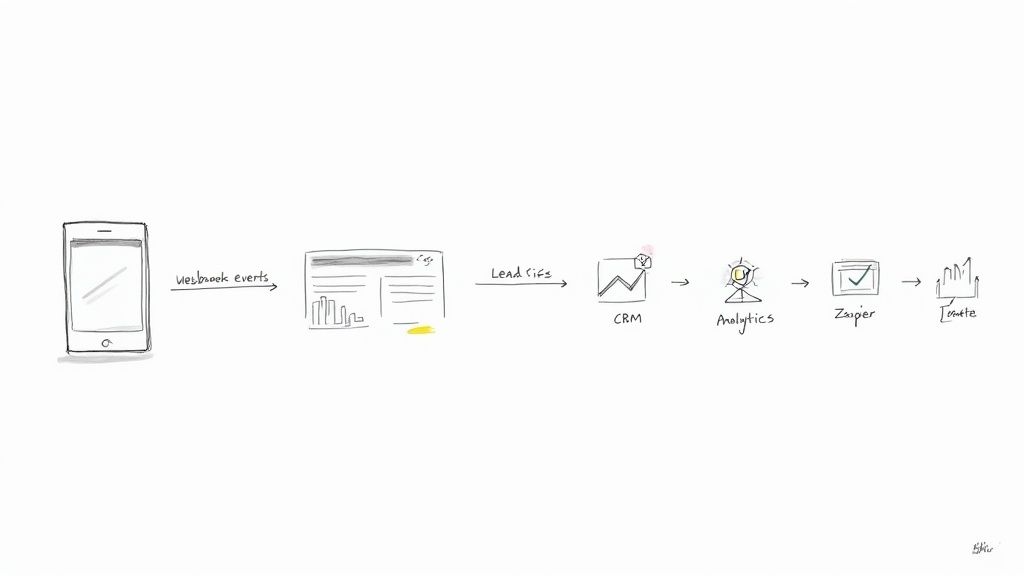
Once it’s live, you’ll see conversion lift and average reply time for every channel on a single pane.
Merge fields and tags turn simple replies into rich lead profiles. Capture responses like “YES” or “INTERESTED” as high-intent signals in your CRM, then set rules that boost a lead’s score with each interaction.
When a prospect crosses your threshold, trigger a follow-up—whether that’s a personalized email, another text, or even a ringless voicemail drop.
“Automated lead scoring bridges the gap between initial contact and sales outreach.”
Here’s a quick look at popular tools and what they bring to your SMS analytics game:
Use these connectors to bring your SMS performance into focus and drive smarter campaigns.
For a no-code route, check out Call Loop’s Zapier integration for the step-by-step guide.
Set aside time each week to scan your dashboard for underperforming segments. A/B test tweaks in message copy, timing, or ringless voicemail scripts to see what really moves the needle.
Call Loop’s campaign snapshots let you compare metrics like read rates, bounce rates, and conversion percentages over different periods. Note spikes around holidays or promotions, then adjust your sequences for maximum impact.
“Continuous monitoring uncovers the small shifts that move key metrics.”
Blending SMS insights with voicemail campaign data helps you build richer audience profiles. From there, it’s a cycle of testing, learning, and optimizing your autoresponder for text messages and ringless voicemail marketing campaigns. Keep track of both wins and hiccups to sharpen every campaign.
A boutique shop wove an SMS autoresponder into its abandoned-cart flow, then followed up with a ringless voicemail nudge. They recaptured nearly 15% of lost sales—no manual outreach required.
At a bustling medical clinic, teams layered text reminders with a voicemail drop the morning of each appointment. No-shows fell by 25%, and the day’s schedule began to hum.
Over in customer support, a crew spun up two-way SMS threads for routine questions. About 60% of FAQs got handled automatically, freeing agents to tackle high-priority tickets.
Whenever a sequence stalls, start by scanning the trigger logs—duplicate or missing hooks often derail the flow. Re-syncing event hooks usually brings everything back online.
Malformed merge tags are another frequent culprit. I always build in fallback text (think “there” or “friend”) and run live previews in a sandbox to catch blanks before they hit real customers.
If messages bounce, bad numbers and expired opt-ins are the usual suspects. Automating number validation and real‐time bounce alerts has saved me from scrambling mid-campaign.
Blast too many messages at once and carriers will throttle you. I break large lists into bursts of 200–500, adjusting by carrier and time zone to keep things flowing.
Retry logic is your safety net. On a temporary error, queue a second attempt—but cap it at two retries within 30 minutes to avoid overload.
Dashboards help spot trouble fast. Track delivery rate, open rate, and response time, and set alerts if any dip below 90%.
“Real-time monitoring of SMS and voicemail performance helps avoid silent failures.”
Operational studies show follow-up texts after email lift engagement by 20–30%, and vendor case studies cite double-digit boosts in conversion and revenue per campaign. Dig into the details in our text marketing statistics findings.
A regional retailer split a 10,000-contact list into four segments, then ran a mixed SMS plus ringless voicemail weekend blitz. Foot traffic jumped 12%.
A dental practice plugged merge tags for patient names and appointment times (with fallback defaults). They recovered 8% of last-minute cancellations and kept chairs filled.
By blending detailed diagnostics with proactive monitoring, your SMS autoresponders will keep humming. Add ringless voicemail where texts fall short, and your campaigns stay resilient.
Stay vigilant:
When you’re rolling out an SMS autoresponder, a handful of questions tend to surface. Below, you’ll find real-world fixes for opt-in headaches, compliance gotchas, copywriting pointers, and integration advice.
Often, it’s as simple as a mismatch between your form fields and webhook triggers. Double-check that each field name aligns perfectly.
Regulations vary by region. Localize your opt-in language and keep separate logs for ringless voicemail permissions where required.
Inject a human touch right from the start. Begin with a merge tag like {{FirstName}}, stick to a 160-character limit, and wrap up with a direct call to action plus a simple opt-out keyword.
Frequent bounces usually mean bad or outdated numbers. Automate real-time number checks and filter out invalid entries before you hit send.
Still weighing your options? Here’s a quick comparison between SMS and ringless voicemail:
Pro Tip: Archive every opt-in with a timestamp. You’ll thank yourself during audits.
And don’t forget to test your workflows in a sandbox environment. That’s where you’ll catch merge-tag typos and timing issues without risking real contacts.
These answers will help keep your SMS autoresponder both compliant and highly effective.
Check out Call Loop Call Loop for more tips and in-depth guides.
Chris Brisson
Chris is the co-founder and CEO at Call Loop. He is focused on marketing automation, growth hacker strategies, and creating duplicatable systems for growing a remote and bootstrapped company. Chat with him on X at @chrisbrisson


Trusted by over 45,000 people, organizations, and businesses like


