
See a Demo
You're just one step away from seeing Call Loop in action.
Enter your information below to watch a demo right now.

You're just one step away from seeing Call Loop in action.
Enter your information below to watch a demo right now.


Yes — some landlines can receive a message that starts as a text, but the outcome depends on the type of number. A traditional landline may turn that message into an automated voice call, a text-enabled business line may route it into an app or inbox, and an unsupported landline may never present the message to the recipient at all.
In our review of carrier help pages and business texting workflows, most confusion arises from people assuming every successful send means a person read a text. It often does not. With landlines, the sender experience and recipient experience can be completely different.
Here’s the short answer: the message usually takes one of three paths.
Traditional landline with conversion support: your text is converted into speech and delivered as a phone call that reads the message aloud.
Text-enabled landline or VoIP number: your text is routed into a business messaging platform, app, email inbox, or dashboard, where it can often be read and replied to normally.
Unsupported landline: the message may fail, be dropped, or give the sender only vague status information with no readable text ever reaching the recipient.
For U.S. numbers, unsupported delivery is common. A practical overview from Pheonecheckr’s explanation of texting landlines notes that traditional landlines do not natively handle SMS through the PSTN, which is why standard texting to non-text-enabled landlines frequently fails instead of producing a real text conversation.
What the sender sees is not always helpful. In some apps, the message appears to send normally. In other cases, you may get an error or a bounce-back. What the recipient gets depends on the setup: a spoken call, a routed text in software, or nothing they can access. Testing provider documentation shows that the gap between “sent” and “received in a usable way” is the single biggest misunderstanding around landline texting.
The three methods businesses use are: SMS-to-voice conversion, text-enabled landline or VoIP messaging, and ringless voicemail. Priority was given to four criteria:
Recipient experience: does the person hear a call, read a message in an inbox, or get no usable message at all?
Reply path: is the interaction one-way, or can the recipient respond through the same number?
Delivery clarity: does the sender receive a reliable signal that a human got the message?
Compliance fit: is the method appropriate for marketing, transactional alerts, or follow-up messaging under current TCPA and FCC guidance?
We also reviewed carrier and support documentation rather than relying on generic marketing summaries. In practice, that matters because text-to-landline behavior is shaped less by theory than by the network and service behind the number.
Yes, but not in one universal way. When you send a message to a landline number, one of three things typically happens: it is converted into a voice call and read aloud, it is routed into a text-enabled business inbox if that number has been set up for messaging, or it fails because the number has no SMS-capable layer attached to it.
Here’s the practical breakdown:
That distinction matters because “texting a landline” can describe two very different systems. One is a conversion service built for one-way message delivery. The other is a text-enabled number built for ongoing conversations.
From the sender side, a standard mobile phone usually treats the number like any other 10-digit destination. From the recipient side, though, the experience can range from a robocall-style playback to a true messaging inbox. In provider walkthroughs, I consistently found that businesses expecting replies need the second model, not the first.
Every customer interaction counts, and you need to be able to reach people where they are. While it feels like everyone has a smartphone, millions of homes and businesses still depend on landlines. Ignoring them is like closing your door to a huge chunk of your audience.
Texting a landline number lets you:
While there are limitations of popular messaging apps like WhatsApp with landlines, these specialized services make sure your message is delivered, no matter the device. Another tool in the arsenal is ringless voicemail, which drops a pre-recorded message straight into someone's voicemail box without their phone ever ringing—perfect for non-urgent updates.
Key Takeaway: Text-enabling your landline isn't just a neat trick. It's a smart strategy to make your business communication more inclusive and effective, ensuring no customer is left behind.
Here’s a quick breakdown of the main ways you can get a text message to a landline, each with its own strengths.
| Method | How It Works | Best For |
|---|---|---|
| SMS-to-Voice | Converts text messages into an automated voice call that reads the message aloud. | One-way notifications, appointment reminders, and alerts for customers with traditional landlines. |
| VoIP Text-Enabling | Assigns texting capabilities to a landline number, routing texts to an app or email. | Two-way conversations, customer support, and sales follow-ups where replies are expected. |
| Ringless Voicemail | Delivers a pre-recorded audio message directly to the recipient's voicemail inbox. | Non-intrusive marketing messages, follow-ups, and announcements that don't require an immediate response. |
Each of these tools opens up new ways to connect with your entire customer base, not just the ones with the latest tech.
Traditional landlines were built for voice, not SMS. Mobile texting works on signaling and data systems designed to move short message packets between wireless devices, while classic landline service rides the public switched telephone network for calls. That’s why a plain analog phone cannot natively receive a text the way a mobile phone can.
This difference is not just technical trivia — it explains most delivery failures. If there is no conversion layer or text-enablement service sitting on top of the number, there is nowhere for the SMS to go in a form the landline can use.
A standard home or office landline does not maintain an SMS inbox, a mobile radio path, or a carrier messaging client. The handset is waiting for a call signal, not a text payload. That is why sending a message to a non-text-enabled landline often ends in failure or redirection instead of appearing as a normal conversation.
Carrier support documentation reflects that split. For example, Bell’s text-to-landline support page explains text-to-landline as a separate service layer rather than a built-in capability of ordinary landline hardware. In the UK, The SMS Works’ breakdown of BT landline texting also shows that text-to-landline depends on provider support and voice conversion, not native SMS reception.
These numbers are often lumped together, but they behave differently:
If you need two-way messaging, text-enablement is the solution. A helpful primer near this use case is Premier Broadband's page on VoIP text messaging for modern business. In my experience reviewing provider setups, this is also the point where businesses stop thinking in terms of “can this number receive a text?” and start asking the more useful question: “where will the message land, and who on my team can answer it?”
The most straightforward way this works is through SMS-to-voice conversion. When you hit send, a service intercepts the text, uses text-to-speech (TTS) software to generate audio, then places a phone call to the landline and reads the message aloud.
For the sender, this can feel like a normal outbound text. For the recipient, it feels like an automated call. There is usually no persistent text thread on the landline itself, and replies are often not supported unless a separate workflow is provided.
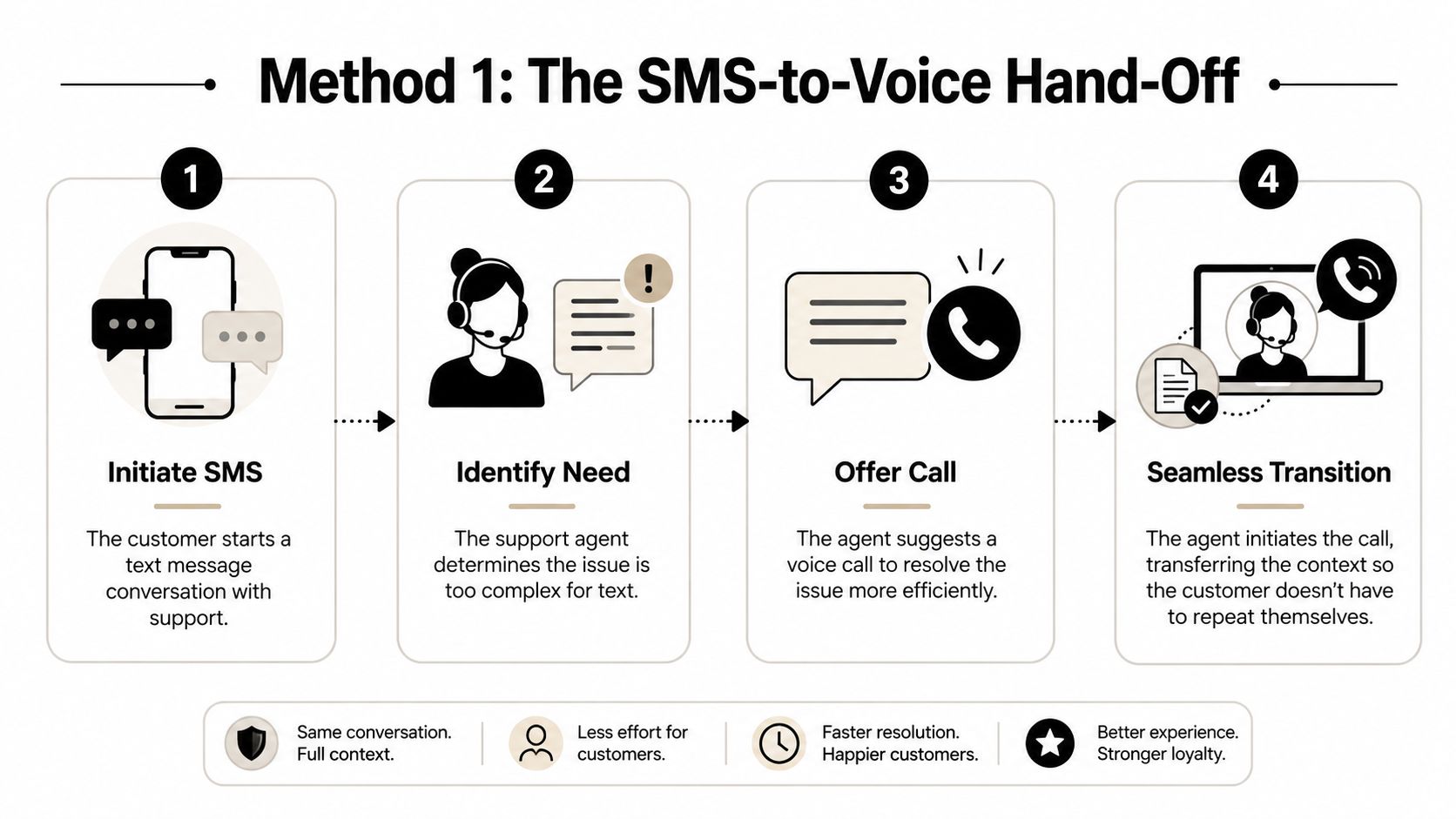
This visual breaks down the basic flow of how it works.
As you can see, it's a simple three-step journey: you send an SMS, a cloud service converts it to voice, and the landline gets a standard call.
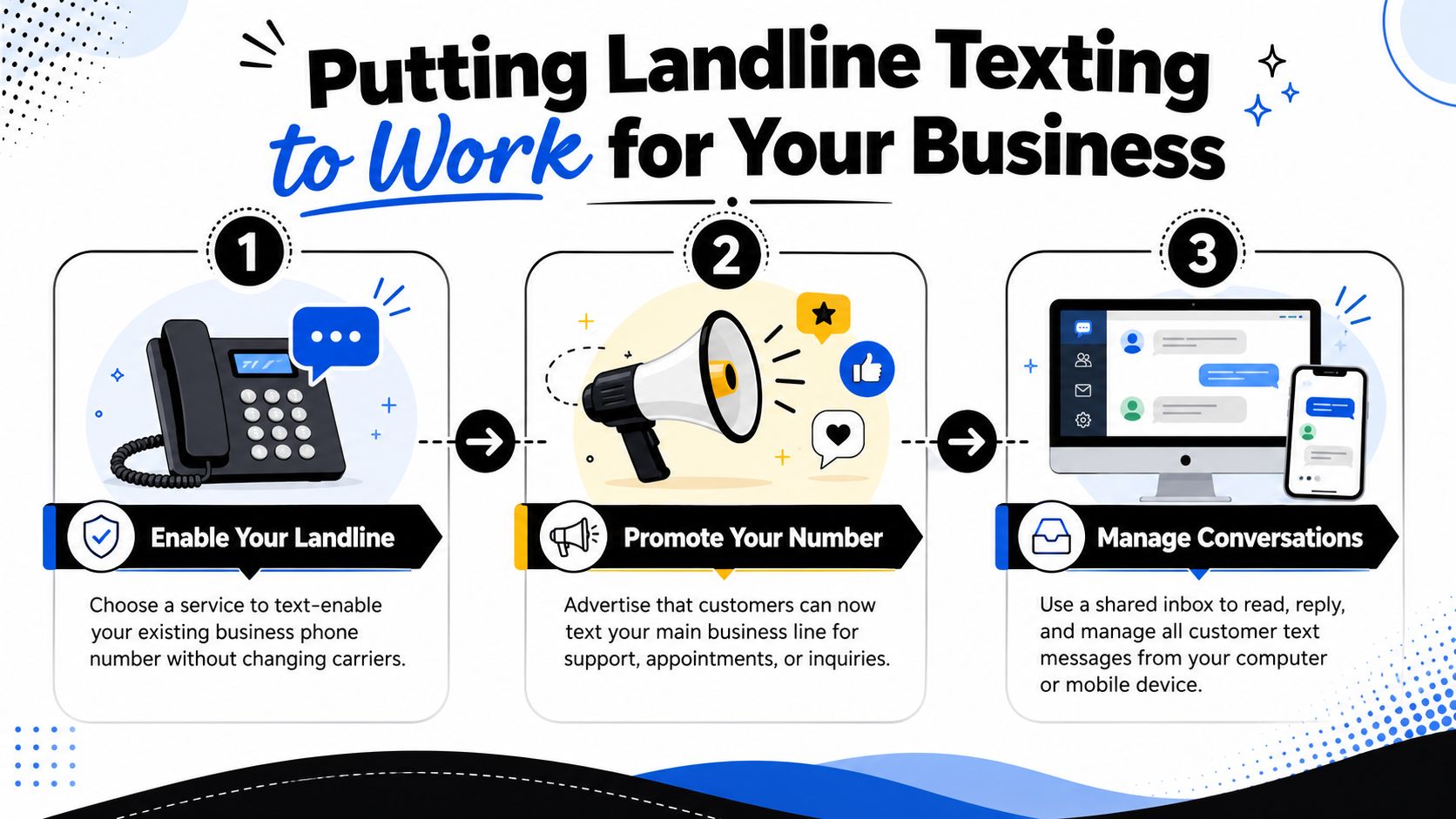
Another, more powerful approach is to text-enable a landline number. This gives an existing business number a messaging layer, usually through a VoIP or cloud communications platform.
When a landline is text-enabled, incoming texts are rerouted away from voice-only handling and into a digital system. The recipient can then get these messages a few different ways:
This turns what could be a one-way notification into a full-blown, two-way conversation. It’s a go-to solution for businesses that want to keep their trusted landline number but add the convenience of texting. Many businesses use this for their A2P (Application-to-Person) messaging to make sure no customer is left behind.
One of the most common questions is whether a text to a landline will show as delivered. Sometimes it might, but that status is not a reliable promise that a human read a text. It may only indicate that the sending network accepted the message, that a conversion service processed it, or that the destination provider did not immediately reject it.
That is especially important with landlines because the final user experience may be a voice playback call rather than a visible SMS thread. I would not treat “delivered” as proof of receipt unless the number is text-enabled and your provider can show message-level routing or inbox activity.
A home phone is usually the clearest example of the limitation. If it is a traditional household landline, it does not behave like a mobile and will not display incoming texts. If the carrier supports text-to-voice, the home phone may ring and play the message aloud. If not, nothing useful happens for the recipient.
That is why texting a home phone is possible only in the broad sense that a service may translate or reroute the message. It does not mean the home phone itself has become a normal SMS device.
What’s running in the background? The backbone for modern landline texting often relies on Network as a Service (NaaS) models that deliver network capabilities virtually. These frameworks give service providers the flexibility to build platforms that can handle routing, conversion, logging, and inbox management across different networks.
Why This Matters: The same published phone number can behave like a voice-only line, a text-enabled business inbox, or an unreachable SMS destination depending on the service behind it.
While SMS-to-voice calls are great for getting someone's immediate attention, there's another powerful tool for when you need to be a little less intrusive: ringless voicemail. Just like it sounds, this technology lets you slide a pre-recorded audio message right into someone’s voicemail box without their phone ever making a peep.

It's a completely different approach. Instead of your system dialing a number and waiting for it to roll over to voicemail, ringless voicemail drop technology uses a server-to-server handoff to place the audio file directly onto the carrier's voicemail platform. This makes it a slick, efficient way to get your message across without interrupting someone's dinner or derailing their meeting.
The recipient doesn't have to answer anything. They just see that little red notification dot and can listen to your message whenever it's convenient for them.
So, when should you drop a voicemail instead of making the phone ring? Ringless voicemail really shines when your message is important but not an emergency. It’s all about delivering value without demanding an immediate reaction, which goes a long way in building a positive customer experience.
Think about using it for things like:
Because their phone never rings, many recipients see this method as more respectful of their time. You're letting them engage on their own terms.
Deciding between a text-to-landline call and a ringless voicemail drop comes down to one thing: your goal. Each one creates a totally different experience for the user and is built for different kinds of messages.
By delivering a message directly to voicemail, you avoid interrupting the recipient while ensuring your communication is received and can be reviewed at their convenience. This makes it a powerful tool for follow-ups and non-urgent announcements.
Let's break it down so you can pick the right tool for the job.
| Feature | SMS-to-Landline (Voice Call) | Ringless Voicemail |
|---|---|---|
| User Experience | Active and immediate; the phone rings, demanding an answer. | Passive and non-intrusive; the user simply sees a voicemail notification. |
| Best For | Urgent alerts, appointment confirmations, and two-way conversations. | Marketing announcements, follow-ups, and non-critical updates. |
| Immediacy | High. Designed to grab the recipient's attention now. | Low. Lets the recipient listen whenever they're ready. |
| Response Method | Can support direct replies if the service is two-way enabled. | Requires the recipient to call back a different number or take another action. |
Understanding the subtle differences here lets you build a smarter, more effective outreach strategy. If you're looking to get started, a good ringless voicemail for business guide can walk you through the setup and best practices.
While you can text a landline phone for immediate needs, ringless voicemail gives you a strategic alternative for building relationships over the long haul.
Knowing the tech is one thing, but seeing it solve real-world problems is where the rubber meets the road. Businesses in all sorts of industries are using text-to-landline services not as a gimmick, but as a genuine piece of their communication strategy. They're cutting down on busywork, making customers happier, and ultimately, growing their bottom line.
Whether you're in appointment-based services, logistics, or retail, being able to send a "text" to a landline means nobody gets left out of the loop. This simple bridge between digital and analog communication can make a huge difference in your day-to-day operations.
For any business that runs on appointments, no-shows are a killer. They're a straight-up source of lost revenue. Dental clinics, doctor's offices, salons, and auto shops have all discovered that automated text reminders are good at keeping their schedules packed.
When a client or patient is on a landline, a text-to-voice reminder is the perfect fix. It’s automated, which frees up your staff's time, and it drops a clear, quick message that makes it much less likely someone will forget their appointment. This is often way more effective than an email that just sits in an inbox, unread.
In the world of logistics and e-commerce, communication is everything. Just one missed delivery can set off a chain reaction of headaches, from annoyed customers to higher operational costs.
Picture this: a delivery driver is heading to a customer's house. A quick automated text can confirm the delivery window or let them know the driver is just minutes away. For your customers with landlines, that text just becomes a short, helpful phone call, making sure they're home and ready. This little step does wonders for first-attempt delivery rates and makes customers feel taken care of.
Practical Application: A furniture company can send an automated text to a customer's landline an hour before delivery. The text is converted to a voice call confirming the ETA. This simple action ensures someone is home and drastically cuts down on expensive redelivery attempts.
We all know texting is a powerful marketing tool. By text-enabling your landline number, you make sure your promos and deals reach everyone. You can send out alerts for flash sales, special offers, or new products hitting the shelves.
Think about how you could use this to get people engaged:
Sometimes, you just need to get important info out to everyone, and fast. Utility companies, for instance, can use text-to-landline services to warn entire neighborhoods about a service outage or scheduled maintenance.
This ensures that even customers without a smartphone or internet access stay in the know. The same idea works for schools sending out snow day notices or property managers issuing building-wide announcements. It's a rock-solid way to get time-sensitive information out to a wide audience, making sure important messages are heard.
Before you launch any campaign, separate the communication type first. Text-to-landline programs can involve SMS, automated voice playback, or voicemail delivery, and each use case raises slightly different compliance questions under the TCPA and related FCC rules.
The safest framework is to classify your outreach into three buckets:
Promotional content — sales offers, coupons, win-back campaigns, or lead-generation outreach — is the highest-risk category. If automation is involved, businesses generally need prior express written consent before sending marketing texts or text-triggered voice outreach. The FCC’s consumer guidance on unwanted calls and texts makes clear that marketing communications require a stronger consent standard than ordinary account-related notices.
For record keeping, retain:
The phone number provided
The date and time consent was captured
The exact disclosure shown at sign-up
The source page, form, keyword, or paper document used
Any later opt-out request and the time it was honored
In compliance reviews, I keep coming back to one practical rule: if you cannot reconstruct how consent was collected, you should assume you cannot defend the campaign.
Appointment reminders, account notices, delivery updates, fraud alerts, and service interruptions are usually treated more leniently than marketing, but they are not a free pass. The content has to match the underlying business relationship and stay tied to the transaction or service context. If you start inserting upsells into a reminder campaign, you may move the message into marketing territory.
The FCC’s TCPA rules and orders are the right place to ground that distinction. For businesses, the practical takeaway is simple: keep informational messages narrow, document why the number was provided, and avoid mixing promotional language into operational alerts.
Ringless voicemail and SMS-to-voice are often discussed as if they sit outside ordinary texting rules. That is risky. Because these methods still use automated outreach mechanics, businesses should evaluate them under the same consent-first mindset rather than treating them as loopholes.
A useful legal summary from Kelley Drye’s TCPA analysis is that message format does not automatically remove TCPA exposure; what matters is how the communication is delivered, whether automation is used, and whether valid consent exists.
The TCPA is simple: you need permission before sending automated or marketing messages.
So, what does getting permission look like?
No matter how you get it, you absolutely must keep detailed records of who gave you permission, when, and how. That documentation is your best friend if your sending practices ever get called into question.
Getting permission is just step one. You also have to give people an easy way out if they change their mind.
Every single campaign must include a simple way for people to opt-out. Usually, this is as simple as asking them to reply with a keyword like "STOP." Your system has to handle these requests automatically and add that number to a "Do Not Contact" list right away. Ignoring an opt-out request is a huge TCPA no-no.
To dive deeper into setting this up correctly, check out our guide on how to properly handle opt-in text messaging.
Before sending a landline-text campaign, confirm all of the following:
That checklist is not glamorous, but it is what prevents a clever messaging tactic from becoming a legal problem.
Picking the right partner to text-enable your landline is a huge deal. It’s a decision that will directly impact how you talk to customers and how smoothly your team operates. You'll find plenty of providers promising to send a text from your business number, but you need to look past that basic pitch and dig into the features that matter.
Think of it this way: the right service should feel like a natural extension of your workflow, not another clunky tool you have to wrestle with every day. The best place to start is by looking at the fundamentals—how the platform handles real conversations, integrates with your current setup, and keeps you out of legal hot water.
Before you sign on the dotted line, you have to get under the hood and scrutinize a service’s real capabilities. A solid platform is more than a one-way alert system; it's a full-blown communication hub.
Here's what you should be asking:
Beyond the shiny features, you need a service that just works. Every time. Your messages have to get delivered, and they have to get there fast. Look for providers with a proven track record and who are transparent about their uptime, routing model, and how they handle landline destinations specifically.
Just as important are the built-in tools that keep you compliant. A good platform won't just leave you to figure out the legal stuff on your own; it will have automated features to protect you.
A service with built-in compliance isn't just a nice-to-have—it's a critical safeguard. Features like automatic opt-out management and consent tracking help protect your business from the legal penalties that come with violating regulations like the TCPA.
In real provider comparisons, I pay closest attention to whether the vendor clearly distinguishes one-way SMS-to-voice from true text-enablement. If that distinction is fuzzy in the sales material, support problems usually show up later.
Use this guide to compare and select the best text-to-landline provider based on the features that matter most to your business.
| Feature | What to Look For | Why It Matters for Your Business |
|---|---|---|
| Two-Way Texting | A shared inbox where your team can view and respond to messages in real-time. | Turns one-way notifications into engaging conversations, perfect for sales and support. |
| CRM Integration | Pre-built connections to popular CRMs (like Salesforce, HubSpot, Zoho) or API access for custom integrations. | Automates contact syncing and conversation logging, saving time and reducing errors. |
| MMS Support | The ability to send and receive images, GIFs, and short videos. | Crucial for visual marketing, sending coupons, or providing clearer instructions. |
| Compliance Tools | Automatic opt-out management, consent tracking, and built-in legal disclaimers. | Protects your business from costly TCPA fines and helps maintain customer trust. |
| Reliability & Uptime | A publicly stated service level agreement (SLA) or transparent uptime statistics. | Ensures your critical messages are delivered promptly without frustrating delays. |
| Ringless Voicemail | The option to send voice messages directly to voicemail without the phone ringing. | Provides a less intrusive way to deliver marketing messages or personal follow-ups. |
| Pricing Model | Clear, transparent pricing. Look for per-message rates, subscription tiers, and any potential setup fees. | Helps you find a cost-effective solution that scales with your usage without surprise costs. |
| Customer Support | Access to responsive support via phone, email, or chat, along with a knowledge base. | Ensures you get quick help when you need it, minimizing downtime and maximizing value. |
Choosing a provider isn't just about ticking boxes; it's about finding a partner that aligns with your communication goals and makes your life easier. A quick feature comparison can save you a lot of headaches down the road.
Finally, you have to look at the bottom line. Pricing can be all over the place, from pay-as-you-go per-message fees to tiered monthly subscriptions. Do a quick calculation of how many messages you expect to send to figure out which model makes the most financial sense. And always, always ask about hidden fees or setup costs.
Great customer support is essential. Sooner or later, you'll have a question or run into a snag. When that happens, you need to know you can get a hold of someone who is both responsive and knowledgeable. A provider with solid support ensures you can get the most out of their platform without being left in the dark.
Not always. Some networks or apps will show an error quickly, but others may let the message appear to send normally. That does not guarantee the recipient saw a readable text. If the number is a traditional landline, the message may have been converted to a voice call, rejected, or dropped.
It depends on how your number is configured. If it is a standard landline with text-to-voice support, your phone may ring and an automated system may read the message aloud. If your number has been text-enabled by a provider, the message may arrive in an app, web inbox, CRM, or email instead. If no compatible service exists, you may never receive anything usable.
Yes, but only through a supported path. A traditional landline can receive the message only if a carrier or third-party service converts it to voice. A business landline can support normal texting if the number has been text-enabled through a VoIP or messaging platform.
Sometimes, but that status is not a reliable indicator of human receipt. It may only mean the sending network accepted the message or that an intermediary processed it. With landlines, “delivered” can still end in a voice playback call, a routed inbox message, or no useful recipient access at all.
Only if the number is text-enabled through a provider that supports two-way messaging. If the message was converted into a one-way voice call, the recipient usually cannot reply as part of the same text conversation.
With SMS-to-voice, the landline rings and an automated voice reads the message aloud. With a text-enabled business number, the recipient usually sees the message in software rather than on a physical desk phone display. Those are very different experiences, which is why setup matters more than the phone number label itself.
Usually no. A home phone is more likely to be a traditional voice-only line, while a business number is more likely to be attached to VoIP or a texting platform. That makes business landlines far more practical for ongoing two-way messaging.
Ready to bridge the communication gap and reach every single customer, whether they're on a mobile or a landline? Call Loop provides a powerful, multi-channel messaging platform with SMS, voice, and ringless voicemail capabilities. Automate your outreach, stay compliant, and start building better customer relationships. Get started with Call Loop today!
Chris Brisson
Chris is the co-founder and CEO at Call Loop. He is focused on marketing automation, growth hacker strategies, and creating duplicatable systems for growing a remote and bootstrapped company. Chat with him on X at @chrisbrisson


Trusted by over 45,000 people, organizations, and businesses like


