
See a Demo
You're just one step away from seeing Call Loop in action.
Enter your information below to watch a demo right now.

You're just one step away from seeing Call Loop in action.
Enter your information below to watch a demo right now.

Your CRM probably knows who your leads are. It just doesn't do enough with that information.
That's the common small-business problem. A form gets submitted. Someone on your team should respond. A task should be created. The lead should be routed to the right rep. An appointment reminder should go out. A missed follow-up should trigger a second touch. Instead, those steps sit on someone's to-do list until the day gets away from them.
That's where CRM workflow automation starts paying for itself. Not as some giant transformation project, but as a practical way to stop losing time and missing revenue because routine work depends on memory.
Many organizations still haven't finished that job. One 2026 workflow roundup reports that only 4% of businesses have fully automated their workflows (Activepieces on workflow automation adoption). That matters because it means speed, consistency, and follow-up are still competitive advantages for companies that build their systems well.
CRM workflow automation is the set of rules that tells your CRM what to do after a customer or lead takes a specific action.
A new lead comes in. The CRM can create the record, assign it to the right rep, schedule a follow-up, and send the first message without anyone touching the keyboard. A customer misses an appointment. The system can trigger a reminder by email, SMS, or even ringless voicemail, then log that activity back to the contact record. That is a significant shift. Your CRM stops storing information and starts driving the next step.
For a small business, that matters because speed is part of the customer experience. A fast response wins more conversations. A missed handoff creates friction. Research from Salesforce's State of Sales has consistently shown that buyers expect connected interactions across channels, which is one reason simple one-channel automation is often not enough.
The work being automated is usually routine, repeatable, and easy to define.
Common examples include:
The big miss in many CRM setups is channel choice. Teams automate an internal task or a single email, then assume the process is covered. In practice, better workflows reach people where they respond. That may mean email for a proposal, SMS for an appointment reminder, and voicemail for a lead who stopped replying. If your stack needs those channels to work together, tools that connect apps through Zapier CRM messaging workflows can extend what your CRM does without forcing a full rebuild.
Practical rule: If the step follows the same rule every time, automate it.
Small teams feel breakdowns fast. One missed lead assignment can mean a lost sale. One forgotten reminder can turn into a no-show. One delayed handoff can make a new customer wonder if they made the right choice.
CRM workflow automation fixes that by making routine follow-up consistent. It also gives owners and managers a cleaner operation to measure, because the process is happening the same way each time. That makes it easier to see which steps are producing booked appointments, closed deals, and fewer dropped conversations.
Every useful CRM automation follows the same basic pattern. A trigger starts it, conditions decide the path, and actions carry out the work. That framework shows up across modern CRM systems and is the clearest way to build workflows that stay understandable over time.
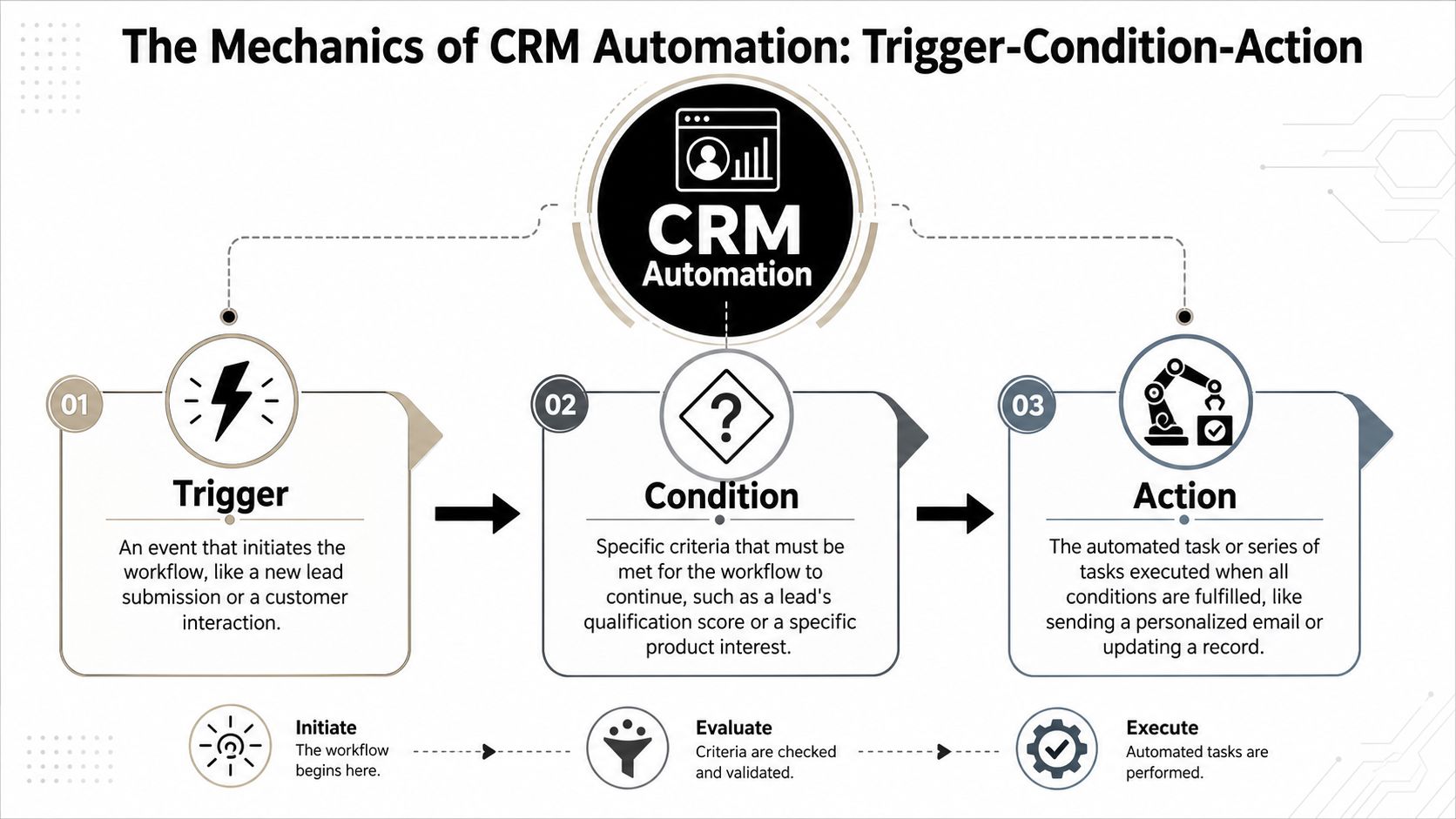
It operates similarly to a smart home routine.
If the front door opens after a certain time, check whether anyone is home. If not, turn on the porch light and send a phone alert. CRM automation works the same way, just with leads, customers, tasks, and messages instead of doors and lights.
A practical sales example looks like this:
| Part | What it means | Real CRM example |
|---|---|---|
| Trigger | The event that starts the workflow | A prospect submits a website form |
| Condition | The rule that sorts or qualifies the event | The lead is tagged as a demo request or belongs to a specific region |
| Action | The step the system takes next | Assign the lead, create a task, and send a confirmation message |
According to Cirrus Insight's explanation of CRM workflow automation, CRM workflow automation is most effective when built as this three-step control system.
The biggest mistake is building workflows that are technically correct but operationally sloppy.
A clean workflow does three things:
Starts from a meaningful event
Don't trigger automations from vague changes like “record updated” unless you really need to. Start from clear events such as form submission, appointment booking, stage change, or missed payment.
Uses conditions sparingly
Too many branches turn a simple workflow into a maze. Keep the logic tied to business rules that matter, such as territory, service line, customer status, or appointment type.
Creates actions that are visible
Good actions leave evidence. A task appears. A note is logged. A tag changes. A message is sent. Someone can verify what happened without guessing.
A workflow should be easy to explain out loud. If it takes five minutes to describe, it's probably too tangled.
Native CRM automations handle a lot, but most real businesses need connected tools. You might store the contact in your CRM, send outreach through a messaging platform, update a spreadsheet, and notify a rep in another app.
That's where connector tools help. If you need to bridge apps without custom development, Zapier integrations for CRM messaging workflows let teams connect CRM events to SMS, voice, and other follow-up actions across a broader stack.
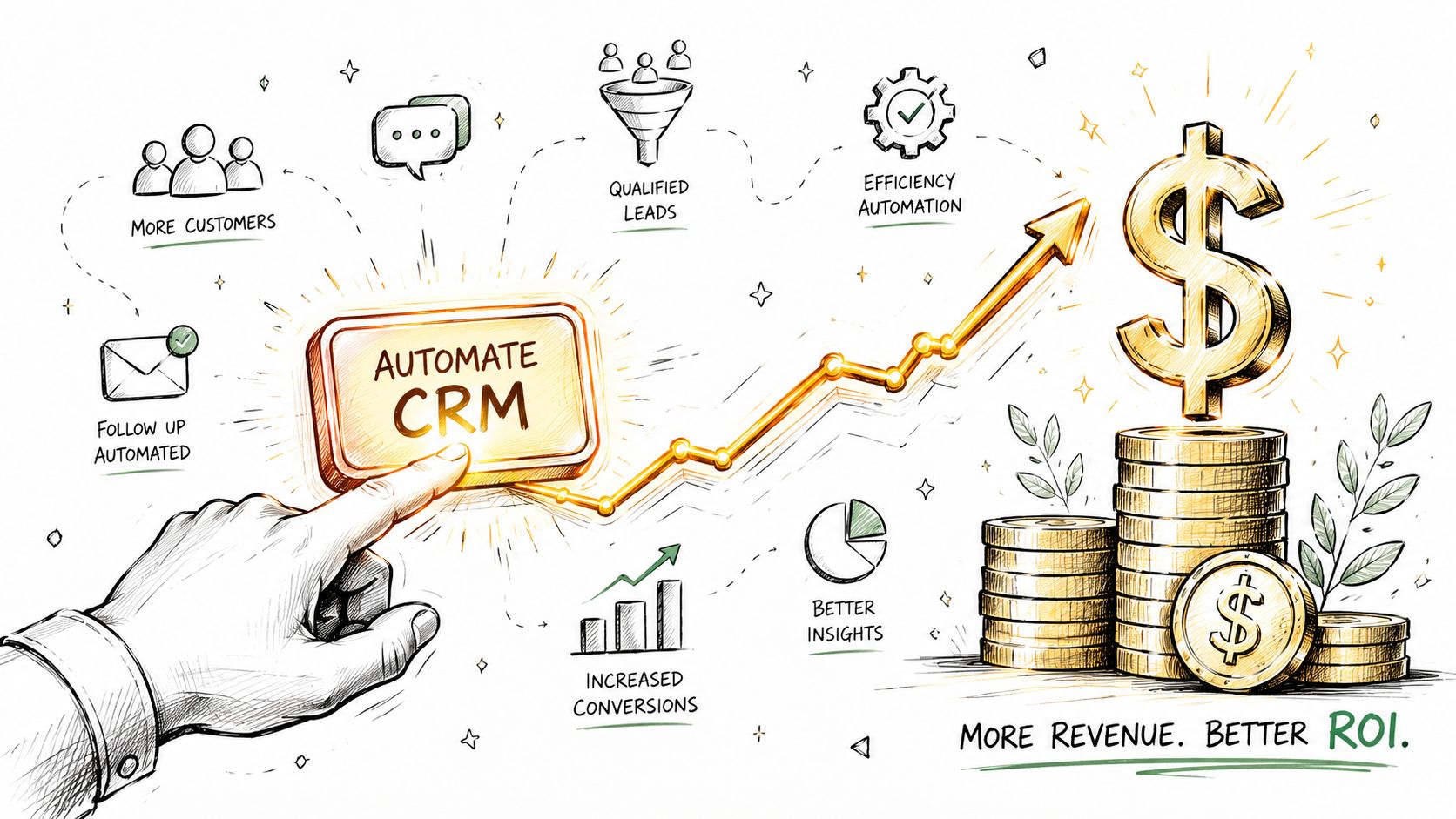
Automation only matters if it changes outcomes. Better lead handling, faster follow-up, cleaner records, and more consistent customer communication are the outcomes that move the business.
A strong benchmark is this: 80% of sales teams report a higher lead quantity when they use workflow automation, and organizations using it report 14.5% higher sales-team productivity on average (DocuClipper's workflow automation statistics roundup).
When a lead comes in, the first few minutes matter more than is commonly acknowledged. If your process relies on someone seeing an email notification, opening the CRM, assigning the record, and remembering the next step, you're already slower than you should be.
Automation fixes that by removing dead time:
That speed is especially useful when you add channels beyond email. SMS gets seen quickly. Ringless voicemail can support follow-up without forcing a live call. Used carefully, those channels help your team stay present without adding manual effort.
A manual process always breaks in the same places. Somebody forgets to log a call. A deal sits in the wrong stage. A customer doesn't get the reminder they were supposed to receive. Then reporting gets messy because the CRM no longer reflects reality.
Automation improves consistency because the process runs the same way every time. That doesn't make your business robotic. It makes your baseline reliable.
Here's what that reliability looks like in practice:
Thus, multi-channel workflows become valuable. Email alone often isn't enough. Some contacts respond to text. Some act when they hear a voicemail. Some need a sequence that mixes channels and timing based on what they did last.
That's the practical advantage of CRM workflow automation. It lets a small team deliver communication that feels responsive and timely, even when no one is manually pressing send all day.
The goal isn't to automate every interaction. It's to automate the predictable parts so your team can spend human effort where judgment matters.
Most businesses shouldn't start with a giant automation map. Start with four workflows that fix common leaks in the customer journey.
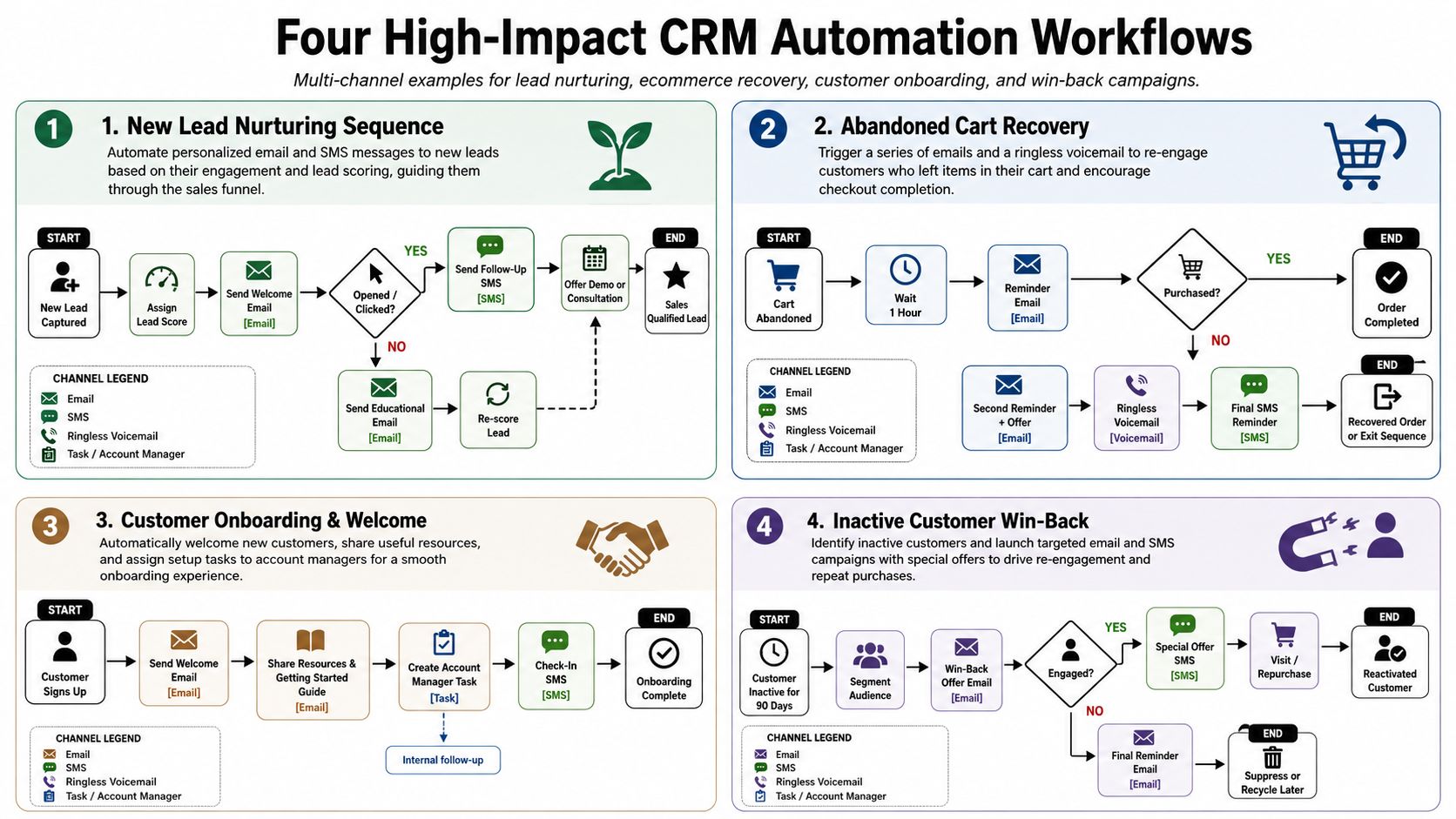
A prospect fills out your form. They want a quote, a demo, or a callback. If the only response is “someone will get back to you soon,” the experience already feels weak.
A better workflow looks like this:
From the customer's perspective, this feels organized. They know you received the inquiry. They know what happens next. Your team gets momentum without extra coordination.
If you want a good reference point for structuring these kinds of sequences, this guide on marketing automation workflow design is useful because it focuses on how timing, triggers, and message sequencing work together.
This workflow is one of the highest-value fixes for service businesses, healthcare practices, consultants, and sales teams that book demos.
A customer schedules an appointment. The CRM stores the date, time, rep, and appointment type. From there, the workflow can send a reminder by email, a shorter reminder by SMS closer to the appointment, and a ringless voicemail for higher-value bookings or no-response cases.
That mix matters because channels behave differently:
The ringless voicemail piece is especially useful when missed appointments create real operational drag. It gives the reminder more presence than text alone, but it doesn't require a rep to spend time dialing manually.
Not every lead is ready to buy. Some are comparing vendors. Some got busy. Some liked the offer but didn't act.
That doesn't mean they belong in a dead list.
A practical nurture workflow might do this:
Many teams overdo it in this regard. They write long drips that sound automated from the first line. The better approach is shorter, clearer, and more behavior-based.
For businesses that also need to connect payment-related customer actions to CRM follow-up, this example of Vanta Sports payment automation is worth reviewing because it shows how operational events can trigger cleaner downstream communication, not just finance tasks.
A customer doesn't complain. They just stop engaging. No recent purchase. No response to outreach. No logins, no reorders, no booking activity, whatever “inactive” means in your business.
That's a perfect CRM automation trigger.
The workflow can flag inactivity, create a retention task, and send a low-friction message such as:
The customer experience is simple. They hear from you before they fully drift away.
What works here is restraint. Don't build a desperate win-back blast. Build an early warning system. The best churn workflow catches the customer while the relationship is still recoverable.
Most CRM automations fail before the first message goes out. The problem usually isn't the software. It's unclear process design, messy ownership, or a workflow that only makes sense inside one department.
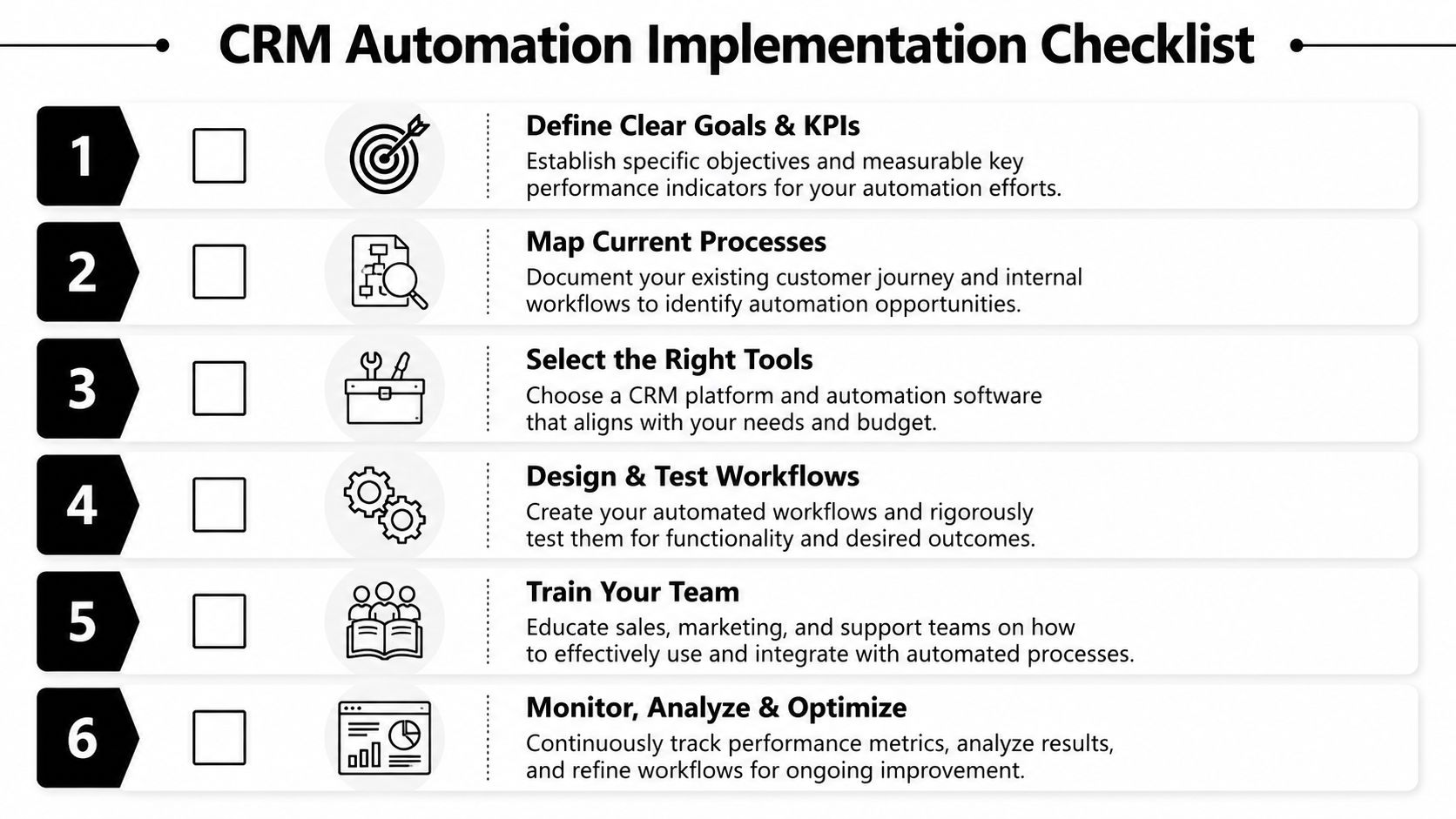
Don't begin with “we want to automate the whole customer journey.” That's how teams create sprawling workflows nobody trusts.
Start with a process that is:
Good first choices include new lead routing, appointment reminders, missed follow-up alerts, and customer handoff sequences.
Write the process out in plain language before you touch the CRM.
Use a simple checklist like this:
This sounds basic, but it prevents bad automation. A broken process doesn't improve just because software runs it faster.
Build the process on paper first. Automation should enforce clarity, not replace it.
Your CRM may already handle internal tasks, field updates, assignments, and some outreach. That's the first place to look.
Then ask where the process extends beyond the CRM. If the workflow needs texting, voice drops, inbox delivery, or app-to-app syncing, you'll probably need connected tools. Some teams also use channels that convert voicemail audio into email-friendly workflows or notifications, and messages to email workflows can help when you need communication events reflected in a broader team process.
A workflow that passes one clean test record can still fail in practice.
Test for:
Run those tests before you publish. Then monitor the first few days closely.
One of the biggest long-term mistakes is building a workflow that makes sense only inside the CRM. Celigo's guidance on CRM automation warns against building workflows in a silo and recommends mapping the full path across sales, fulfillment, and support because critical business logic hidden only in the CRM can create brittle handoffs and hidden failure points.
That matters more than is typically realized.
If sales automation promises something that fulfillment never sees, the customer gets a broken experience. If support isn't aware of what marketing triggered, conversations start with confusion. If billing events never feed the CRM, retention workflows fire at the wrong time.
The implementation checklist should always include one final question: what other team will feel this workflow after it leaves the CRM?
Once a workflow is live, you need a small operating dashboard. Not a vanity dashboard. A practical one.
A few metrics tell you whether CRM workflow automation is helping or creating noise:
These metrics reveal more than performance. They show whether the underlying process is healthy.
The first risk is over-automation. If every customer action triggers another message, engagement drops and your team loses the ability to sound human when it counts.
The second is poor data hygiene. Bad fields, duplicate contacts, and outdated ownership break automations. The workflow runs, but it runs against the wrong record or the wrong audience.
The third is workflow drift. Your business changes, but the automation doesn't. New services get added. Ownership rules shift. Appointment logic changes. The old workflow keeps firing based on last quarter's reality.
Automation needs maintenance. A workflow you never revisit will eventually start making bad decisions very efficiently.
A simple monthly review catches most of this. Check message timing, path logic, field dependencies, and opt-out handling before small issues turn into customer-facing ones.
It's too much when the system takes over moments that need judgment.
Use automation for routing, reminders, tagging, task creation, follow-up timing, and predictable outreach. Keep people involved when the conversation is sensitive, complex, or high-value. A renewal risk, a service complaint, or a major sales objection usually needs a human response, even if the CRM flags the issue automatically.
Rule-based automation follows instructions you set in advance. If a lead submits a form, assign them. If an appointment is tomorrow, send a reminder. If a customer goes inactive, create a task.
AI adds probabilistic behavior. It may help score risk, prioritize follow-up, surface anomalies, or suggest the next action. In practice, most small businesses should get their rule-based workflows stable first. AI works better when the process and data are already clean.
You usually have three options.
For most small and mid-sized teams, native integrations and connector platforms are enough. The important question isn't just whether two tools connect. It's whether the connection supports the exact trigger, condition, and action sequence your workflow needs, including SMS, ringless voicemail, task logging, and customer status updates.
If you're ready to move beyond manual follow-up, Call Loop is one option for adding SMS, voice, and ringless voicemail into your CRM-driven outreach so routine reminders, lead follow-ups, and customer touchpoints can run automatically instead of depending on someone to remember them.
Chris Brisson
Chris is the co-founder and CEO at Call Loop. He is focused on marketing automation, growth hacker strategies, and creating duplicatable systems for growing a remote and bootstrapped company. Chat with him on X at @chrisbrisson


Trusted by over 45,000 people, organizations, and businesses like


