
See a Demo
You're just one step away from seeing Call Loop in action.
Enter your information below to watch a demo right now.

You're just one step away from seeing Call Loop in action.
Enter your information below to watch a demo right now.

A marketing automation workflow is a series of automated actions you set up to nurture leads and engage customers based on what they do or who they are. Think of it as a pre-built roadmap that guides your audience from one step to the next, sending the right message at the right time—all without you lifting a finger. This makes sure every person gets a relevant, timely message, letting you scale your outreach in a smart way.
Imagine a system that works for you 24/7, engaging customers at the perfect moment without any manual effort on your part. That’s exactly what a marketing automation workflow does. It’s less of a tool and more like your most dependable employee—one who follows a strategic script to nurture leads and keep customers happy.
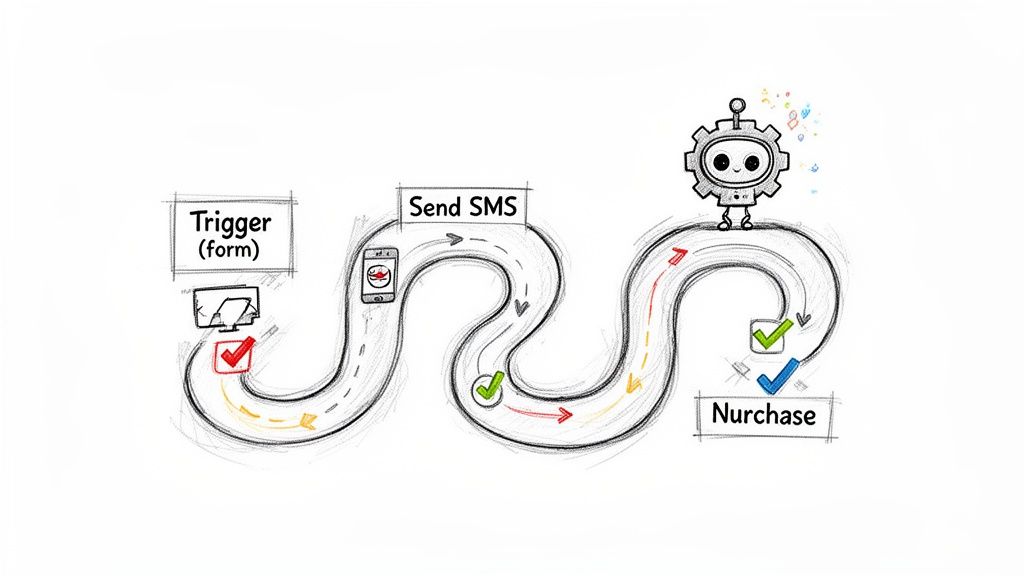
To put it simply, think of it as an automated GPS for your customer's journey. When a lead takes a specific turn (like filling out a form), the workflow instantly calculates the next best move (like sending a welcome SMS) and keeps guiding them toward their destination (making a purchase).
At its core, a workflow is just a series of "if this happens, then do that" rules. These rules trigger specific marketing actions—like sending an SMS, a ringless voicemail, or an email—based on a contact's behavior or data. This completely changes your marketing from manual, one-off campaigns to a dynamic, responsive system that runs on its own.
This isn't just a trend; it's a fundamental shift in how businesses operate. The marketing automation market is on track to hit $13.97 billion by 2030. Right now, 79% of marketers are already automating their customer journeys in some way, which shows just how essential it has become. You can find out more about the explosive growth of marketing automation.
Without automation, you’re stuck manually tracking every interaction. It's wildly inefficient and full of opportunities for human error. Leads go cold, follow-ups get missed, and you end up losing business. A well-designed workflow fixes these problems by ensuring every step is consistent and timely.
The real magic of a workflow is its ability to deliver personal experiences to a huge audience. It can:
A marketing automation workflow isn’t about replacing human connection. It's about using technology to create more opportunities for meaningful interactions. By handling the repetitive stuff, it frees you up to focus on strategy and building real relationships.
This section will break down how these intelligent sequences work to create personalized, responsive experiences at scale, giving you the foundation to build your own powerful campaigns.
Every powerful marketing automation workflow, no matter how complex it looks on the outside, is built from the same five simple pieces. Once you get these down, you have a solid framework for designing pretty much any automated sequence you can dream up.
Think of them like LEGOs. You can snap together a simple wall or build an intricate castle, but you’re always starting with the same basic bricks. Master how each one works, and you can construct anything.
A trigger is what kicks the whole thing off. It’s the "if this happens" part of the equation that tells your system, "Hey, enroll this person into the sequence now!" Without a trigger, your workflow is just an idea—it'll never actually start.
This starting pistol can be fired by something a person does or by a change in their data. It's the critical first step that gets the ball rolling, making sure your marketing reacts instantly to what your customers are doing.
A trigger could be something as simple as:
Segments are how you group contacts to make sure the right message lands in front of the right person. Sticking with the LEGO analogy, segments are like sorting your bricks by color—you use the blue ones for the water and the green ones for the grass. It stops you from sending a one-size-fits-all message to your entire list.
Good segmentation is what makes your communication feel personal and relevant. Instead of shouting the same thing at everyone, you can tailor your approach based on who they are or what they’ve done, which gives your engagement a massive boost.
By slicing your audience into smaller, targeted groups, you can send messages that actually resonate. It’s the difference between shouting at a crowd and having a real one-on-one conversation.
Okay, so a trigger fires and the right segment is identified. What happens next? The workflow takes an action, which is usually sending a message. This is the core of what your workflow actually does.
The message can take all sorts of forms, depending on your goal. You might send a quick promotional offer, a helpful reminder, or a follow-up note. A multi-channel strategy means you've got a few different message types in your toolkit.
With a platform like Call Loop, your messages could be:
Timing is all about controlling the pace. It’s where you set delays or schedule actions to happen at the most effective moments. Just imagine getting five messages in a row—you'd feel spammed and overwhelmed. That’s what timing prevents.
Strategic delays are what make an automated sequence feel natural and thoughtful, not robotic. You might wait a few hours before sending a follow-up text, or a full day before dropping a ringless voicemail. This gives your contacts breathing room and makes them way more likely to engage. Nurturing leads over days or weeks? Good timing is everything.
Finally, fallbacks are your "what if" plan. They set up an alternative path if the main action doesn’t go as planned or if a contact doesn’t meet a certain condition. Think of fallbacks as the safety net that makes your workflow robust enough to handle the real world.
For example, what if a contact doesn’t click the link in your first SMS? A fallback could be set to send them a different message a few days later with a new angle. This keeps people moving through their journey, even if they don't follow the perfect path you laid out.
To wrap it all up, let's look at these five building blocks side-by-side.
Here's a quick cheat sheet that breaks down the five essential building blocks of any workflow.
Once you see how these five pieces fit together, you realize that even the most advanced workflows are just a combination of these simple, powerful components.
Alright, let's move from theory to action. This is where you actually see the power of marketing automation come alive. I'm going to give you a hands-on roadmap to build a multi-channel sequence from scratch. We'll use a real-world scenario that everyone can relate to: getting a new sales lead to book a demo.
The whole process might feel a bit complicated at first, but it really just boils down to answering a few simple questions: What do I want to happen? Who am I talking to? And what’s the best way to get my message in front of them?
Let's break it down.
This visual shows you the basic building blocks: a trigger kicks things off, a message gets sent, and it all goes to a specific audience segment.
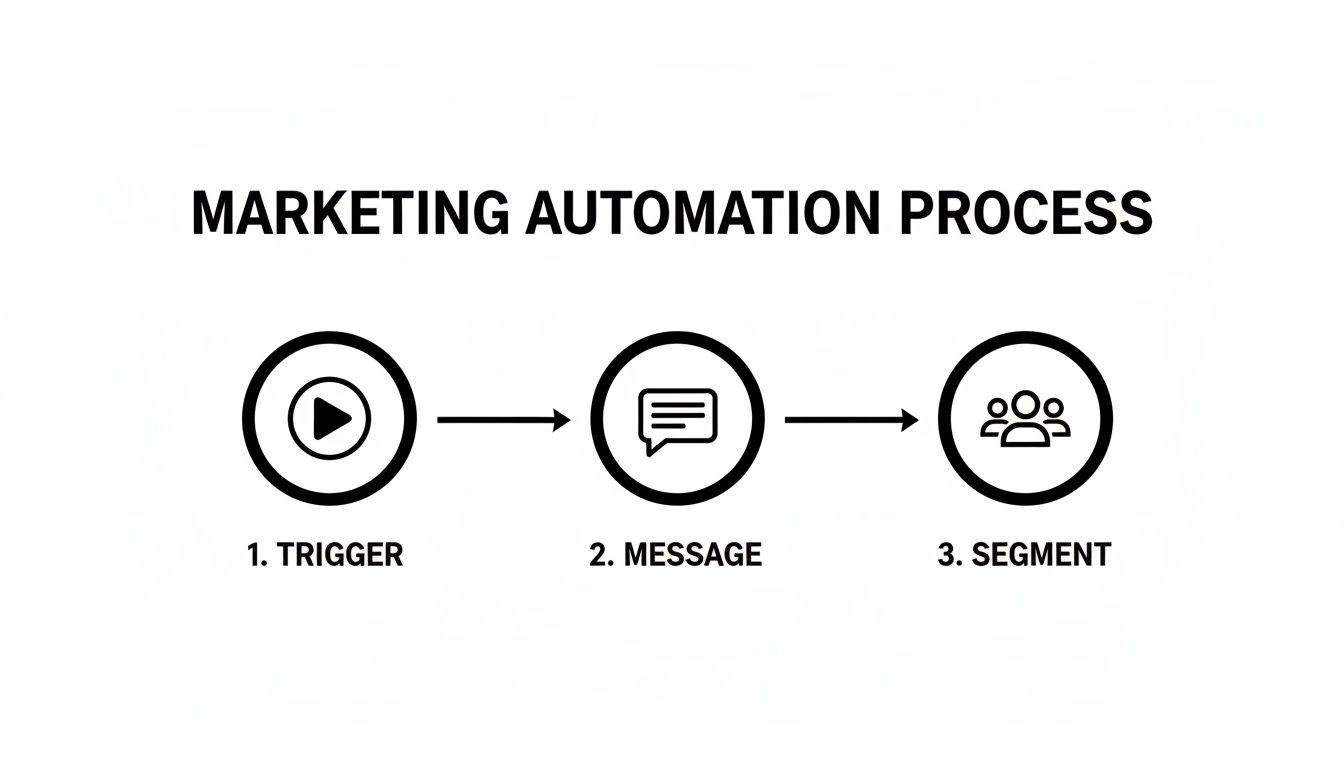
This simple flow is the heart of every automated sequence. An event happens, and the right people get the right content, automatically.
Before you write a single text or schedule one action, you have to know what you're aiming for. A workflow without a clear goal is like a road trip with no destination—you'll burn gas but end up nowhere. Your goal has to be specific and measurable.
Don't settle for vague ideas like "engage new leads." Get concrete. For our example, the goal is crystal clear: To get a new lead who filled out a "Request a Demo" form to schedule a meeting within 72 hours. Now that's a target. Every step from here on out will serve that one purpose.
With your goal locked in, it's time to map out the ideal path someone should take to get there. Think of it like a simple flowchart. What are the key touchpoints that will nudge someone from "just interested" to actually clicking that "book meeting" button?
For our lead nurturing scenario, the journey could look something like this:
This map becomes the skeleton of your workflow, giving you a clear structure to build on.
Now for the fun part: deciding how you'll communicate at each step. This is where a multi-channel approach really shines. Just relying on email is a huge gamble; people have different preferences. Mixing it up dramatically increases the odds that your message gets seen and acted on.
A killer combo for immediate follow-up is SMS and ringless voicemail. SMS messages have an absolutely insane 98% open rate, making them perfect for instant contact. Then, a ringless voicemail drop adds a personal touch without actually interrupting their day. You can leave a pre-recorded, friendly message right in their voicemail box.
To go deeper on this, check out our detailed guide to building a multi-channel communication strategy.
For our workflow, the channel mix looks like this:
You've got your channels, so now it's time to write the actual messages. Keep them short, personal, and focused on the goal. And don't forget to set smart delays between each action. You don't want to bombard people.
Pro Tip: Good timing is what makes automation feel helpful instead of harassing. Those little pauses give your leads time to think and respond. It just feels more natural and respectful.
Here’s how the content and timing all come together:
And just like that, you've turned a blank canvas into a smart, automated campaign designed to hit a specific business goal.
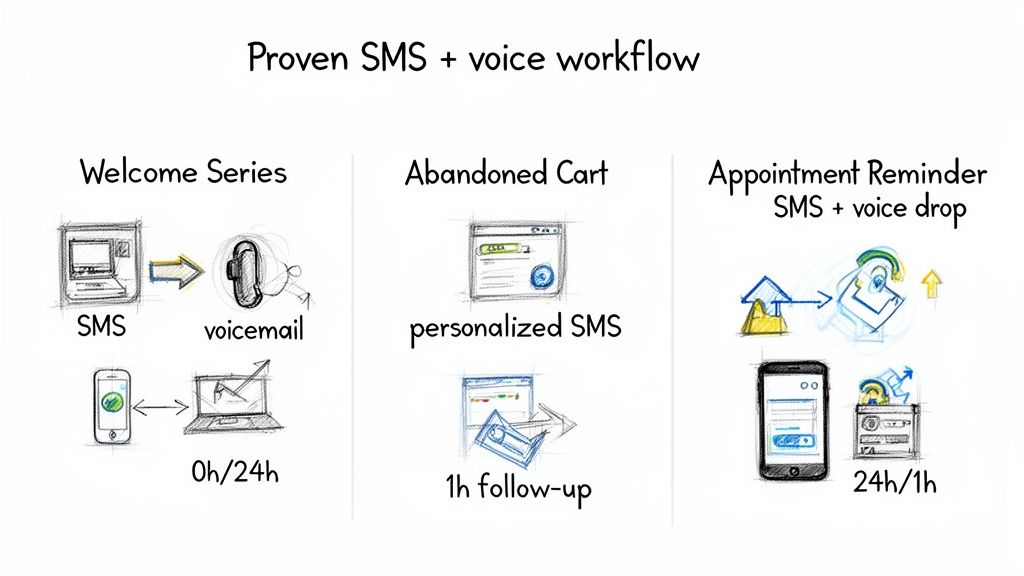
Theory is one thing, but seeing these workflows in action is where the lightbulb really goes off. Let's move past the building blocks and get into some battle-tested templates you can put to work right away.
These aren't just random messages; they're complete recipes for engagement that solve real business problems. Think of them as a starting point for building a smarter, more responsive way to talk to your customers.
Making a killer first impression is everything. When someone trusts you with their phone number, they're showing a ton of interest. A welcome series is your chance to capitalize on that excitement and make them feel seen from the get-go.
This workflow uses a quick one-two punch of SMS and ringless voicemail to start the relationship off right.
Here’s How It Plays Out:
This combo of instant confirmation and a personal follow-up creates a memorable start. It shows you're both on the ball and have a human side, setting a great tone for every message that follows.
For any business selling online, abandoned carts are the silent profit killer. A timely, automated nudge is often all it takes to turn that lost sale into a loyal customer. An SMS workflow is perfect for this because it cuts through the inbox clutter like nothing else.
Here’s How It Plays Out:
No-shows are a massive headache for any service-based business, from clinics to consultants. They drain revenue and mess up your schedule. An automated reminder sequence using both SMS and voice can slash your no-show rate.
This is a perfect job for voice broadcast software, which lets you send out automated calls or voice messages to your entire schedule without lifting a finger.
Here’s How It Plays Out:
These aren't just about sending messages; they're about reclaiming your time. In fact, a whopping 91% of marketers say automation makes them more productive. On average, they save 2.3 hours per campaign. That adds up to weeks of extra time over a year—time you can spend on big-picture strategy instead of tedious manual tasks.
Here's a little secret: a great marketing automation workflow is never truly "finished." Think of it as a living, breathing campaign that you can—and should—continuously improve. Hitting "launch" on your sequence is just the starting line.
The real magic happens when you start listening to the story your data is telling. Those numbers hold the key to refining every message, every delay, and every call-to-action to get better and better results. Adopting a mindset of continuous optimization is what separates a good workflow from a great one. It's how you turn raw data into real improvements that directly boost your return on investment (ROI).
To figure out what’s working, you have to track the right things. For SMS and voice campaigns, vanity metrics like the total number of "sends" don't tell you much. Instead, you need to zoom in on the key performance indicators (KPIs) that measure actual engagement and impact.
By keeping a close eye on these specific KPIs, you get a clear and honest picture of your workflow's health. To really nail this down, learning how to measure marketing performance and prove its value is a critical skill for showing the real-world impact of your automation efforts.
Your data will always point you to where the friction is. A bottleneck is any stage in your workflow where a significant number of people are dropping off. For example, if you see a really low response rate on your first SMS, it might mean your call-to-action isn't clear enough or doesn't feel urgent.
Or maybe you have a high CTR, but the conversion rate on your landing page is terrible. That’s a huge clue! It tells you the problem probably isn't the message itself—it's the page they land on. Each metric gives you a piece of the puzzle, helping you diagnose and fix the weak spots in your sequence.
You can dive deeper into this topic by exploring our guide on measuring marketing campaign effectiveness.
So, how do you fix these bottlenecks? The best way is through A/B testing. This is where you create two different versions of a message (let's call them Version A and Version B) and send them to separate slices of your audience to see which one performs better.
A/B testing completely removes the guesswork. Instead of just wondering if a different headline would work better, you can actually test it, get hard data, and make decisions based on what your audience truly responds to.
You can test just about anything you can think of:
The power of optimizing your workflow is massive, and it's not just for SMS. Look at email automation, for example, where triggered emails now drive 75% of all email revenue. These automated sequences see open rates between 25.2% and 42.1%, blowing standard campaigns out of the water and proving that small, data-driven tweaks can lead to huge wins.
As you start piecing together your own automations, a few questions always seem to pop up. Trust me, you're not alone. Getting these sorted out early on will help you sidestep common mistakes and build your workflows with a lot more confidence.
Let's tackle the big ones head-on. Think of this as a quick chat to clear up the practical hurdles you're likely to face, based on lessons we've learned the hard way.
This is the million-dollar question. People often wonder where the line is between a workflow that's too basic and one that's a tangled mess. The honest answer? It should be as complex as it needs to be to hit your goal—and not a single step more.
Sometimes, a simple two-step welcome series with an SMS and a follow-up ringless voicemail is all you need to be wildly effective. On the other hand, a long-term lead nurturing sequence might demand multiple branches, "if-then" logic, and a dozen touches over several weeks. It all depends on the job at hand.
Key Takeaway: Start with one clear goal. Build the simplest possible path to get there. You can always add more branches and logic once you've proven the core idea works.
Don't fall into the trap of building a massive, ten-branch monster just because the software lets you. The most powerful automations are often the most focused and straightforward.
Absolutely. While it's often called a "marketing automation workflow," the engine behind it is perfect for so much more than just marketing and sales. Bringing automation into your customer support can be a game-changer for your team's efficiency and your customers' happiness.
Here are a few ways to put it to work beyond the usual marketing stuff:
By letting the machines handle these routine updates, your support pros are free to focus on the tricky problems that actually need a human brain.
Your first few workflows will definitely be a learning experience. But you can skip some of the most common face-palm moments by knowing what to look out for from day one.
1. Forgetting the Unsubscribe OptionThis is non-negotiable. Every single channel, especially SMS, legally requires a crystal-clear way for people to opt out (e.g., "Reply STOP to unsubscribe"). Forgetting this is a fast track to annoying your audience and getting into serious compliance trouble.
2. Over-CommunicatingIt's tempting to show off your new automation powers, but blasting a new lead with five messages in 24 hours is the quickest way to get an unsubscribe. Use your delay steps wisely. Give people some breathing room so your messages feel helpful, not harassing.
3. Not Personalizing Your MessagesGeneric, robotic messages are easy to ignore. Even something as simple as using a [First Name] tag makes a huge difference. It's a small detail that shows you see them as a person, not just an entry in your database.
4. Setting It and Forgetting ItA workflow isn't a crockpot meal. You can't just throw the ingredients in and walk away. You have to check in on it. Regularly review your performance metrics—open rates, click rates, conversion goals. If a workflow is underperforming, figure out why and start testing changes.
Steer clear of these classic blunders, and your automations will be more effective, respectful, and far more likely to get you the results you're after.
Ready to build powerful, multi-channel workflows that engage customers and save you time? Call Loop provides all the tools you need—from SMS and voice broadcasting to ringless voicemail drops—to automate your outreach effectively and compliantly. Start your free trial today and see how easy it is to get started.
Chris Brisson
Chris is the co-founder and CEO at Call Loop. He is focused on marketing automation, growth hacker strategies, and creating duplicatable systems for growing a remote and bootstrapped company. Chat with him on X at @chrisbrisson


Trusted by over 45,000 people, organizations, and businesses like


