
See a Demo
You're just one step away from seeing Call Loop in action.
Enter your information below to watch a demo right now.

You're just one step away from seeing Call Loop in action.
Enter your information below to watch a demo right now.

Let's be real—knowing how to handle appointment cancellations isn't just about sending a quick text. It's about protecting your revenue and, frankly, respecting everyone's time.
When an appointment slot goes unfilled, it's a direct hit to your bottom line. That empty chair disrupts your entire schedule and can create a ripple effect of chaos for your team.
An empty time slot is never just an empty time slot. It’s lost income, wasted prep time, and a missed opportunity to serve another client who might be on a waiting list. If you're in a service-based industry like healthcare, a salon, or consulting, you know that time is your most valuable asset.
This is more than a simple scheduling headache. How you handle cancellations is a critical customer experience touchpoint. A clunky or confusing process sends a pretty clear message: you don't value your client's time, or your own. A smooth process, on the other hand, shows mutual respect.

The financial fallout is staggering. Just look at the U.S. healthcare system. Research shows no-show rates bouncing between 5.5% and a whopping 50% in some practices, with a global average sitting at 23.5%.
Think about that. Nearly one in four appointments is a no-show. That adds up to a massive revenue loss, and over half of medical groups report that their no-show rates are actually getting worse. It's one of the biggest revenue cycle challenges and solutions providers are grappling with today.
This operational drag forces your staff to scramble, trying to fill gaps at the last minute and deal with unpredictable cash flow. It’s exhausting.
A great cancellation process transforms a reactive problem into a proactive strategy. It protects your income, strengthens client relationships, and optimizes your entire operation.
You can absolutely protect your business by rethinking your approach to cancellations. The first step is putting a clear, automated system in place for how clients can cancel an appointment. You'll not only recover that potential lost revenue but also give your clients a much better experience.
A proactive strategy really comes down to three things:
The key is to shift your mindset from damage control to proactive management. This approach doesn't just plug a hole in your schedule; it builds a more resilient and profitable business.
A solid cancellation strategy doesn't start when a client needs to cancel. It starts way before that, with a clear and fair policy that you communicate from day one. If you don't have one, you're just reacting to chaos instead of managing your calendar.
The point isn't to be punitive. It's about creating mutual respect for everyone's time. Think of it as a simple handshake agreement: you promise to save their spot, and they promise to give you a heads-up if their plans change.
The heart of any good policy is a clear notice period. For most service-based businesses, a 24 or 48-hour notice is pretty standard. This gives you a fighting chance to fill that newly opened slot with someone from your waitlist or a new booking.
Here are the non-negotiables your policy needs to cover:
When you outline these things clearly, there's no room for confusion. Everyone knows exactly where they stand.
Having the world's best policy is pointless if your clients have never seen it. You need to put it everywhere they'll look. Repetition is your friend.
Start by plastering it on your website, especially on the page where they book. Then, reinforce it in your confirmation emails and SMS reminders. For new clients, I've found a quick, friendly mention when they first book goes a long way to make sure it sinks in.
A well-communicated policy does more than just cut down on no-shows. It actually works as a filter, attracting the kind of clients who respect your time and business right from the start.
For anyone in healthcare, the conversation about how to cancel appointments has to include HIPAA compliance. Any time you're communicating with a patient, you're likely handling Protected Health Information (PHI). Even a simple reminder linking a name to a specific clinic is considered PHI.
This means you have to use communication channels built for security. When a patient cancels, the method they use—and the confirmation you send back—must protect their privacy. This is where a HIPAA-compliant platform for SMS, voice, and even ringless voicemail isn't just a "nice-to-have," it's a must. It lets you offer convenient cancellation options without risking a massive data breach or violating federal law. Your policy needs to show you're serious about protecting their information.
Tired of manually tracking every single cancellation? I get it. It’s a logistical headache. The good news is you can set up a system to handle the entire process for you, turning that chore into a smooth, hands-off workflow. With a few simple automation tools, clients can cancel on their own, and your schedule updates instantly.
The core idea here is using SMS keywords and triggers. Picture this: a client gets an automated reminder for their appointment. Instead of calling your office, they just reply with the word "CANCEL". Your system picks up that keyword, removes the appointment from your calendar, and shoots a confirmation text right back to them. This all happens in a matter of seconds, without you lifting a finger.
The real magic behind this is the SMS keyword. A keyword is just a specific word or phrase your system is programmed to recognize and act on. When a client texts that word—like "CANCEL," "NO," or "RESCHEDULE"—it kicks off a pre-set chain of events.
Setting this up is surprisingly straightforward. In a platform like Call Loop, you just need to define your keywords and tell the system what to do with them.
As you can see, the interface makes it easy to link a keyword like "CANCEL" to an automated response, creating a seamless experience.
An automated system gets really powerful when you connect it to the tools you already use every day, like Google Calendar or your EHR. By linking your SMS platform to your calendar with a tool like Zapier, that "CANCEL" keyword can do more than just send a text—it can automatically free up that slot in your schedule.
For instance, an effective setup often integrates with dedicated tutoring scheduling software to keep appointments organized. This connection ensures your calendar is always accurate, which means no more double-bookings or missed chances to fill an open spot. You can get a better handle on the basics by reading our post on automated appointment reminders.
The goal is a closed-loop system. The client cancels, the calendar updates, and a confirmation is sent—all without human intervention. This frees up your team to focus on clients, not admin tasks.
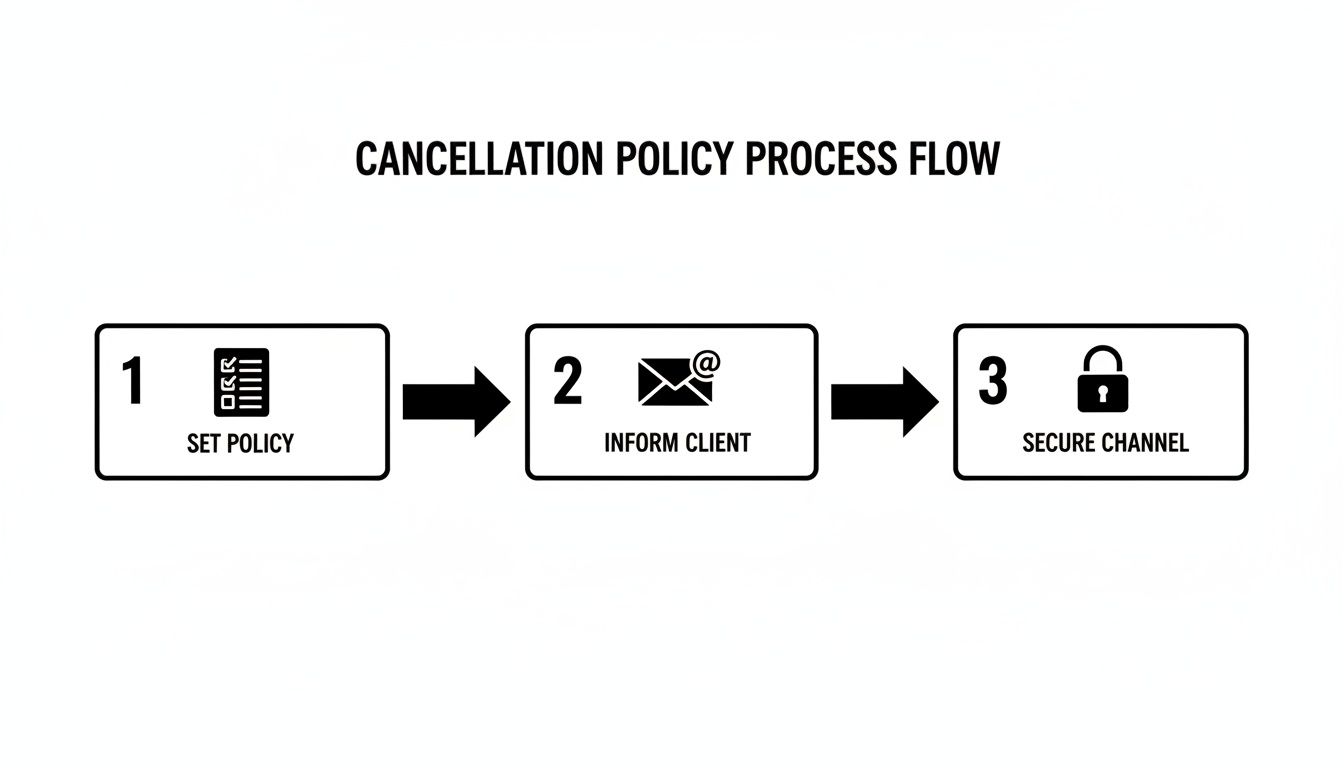
This process flow shows you the core steps: having a clear policy, making sure the client knows it, and using a secure channel for all communication.
This just goes to show that a great automated system is always built on a foundation of clear, well-communicated policies.
Here’s a pro tip: a cancellation doesn't have to be a total loss. With a little automation, you can turn that lost appointment into a future booking.
How? Simply include a rescheduling link right in your automated cancellation confirmation message.
When a client texts "CANCEL," the system can reply with something like: "Your appointment is canceled. To find a new time that works for you, visit our calendar here: [Your Booking Link]." You've just made rescheduling the path of least resistance. Instead of having to call back or navigate your website, the client can book a new slot with one click, keeping that revenue in your business.
If you're only sending one type of reminder, you're leaving money on the table. A modern strategy for managing how clients cancel an appointment has to meet them where they are, and that means using more than just one tool. Trusting a single email or SMS blast to do the job simply doesn't work anymore.
The reality is that different clients prefer different ways of communicating. Some people are glued to their text messages, while others are more likely to actually listen to a voicemail. By layering these channels, you create a system that makes it almost impossible for your reminder to get lost in the noise.
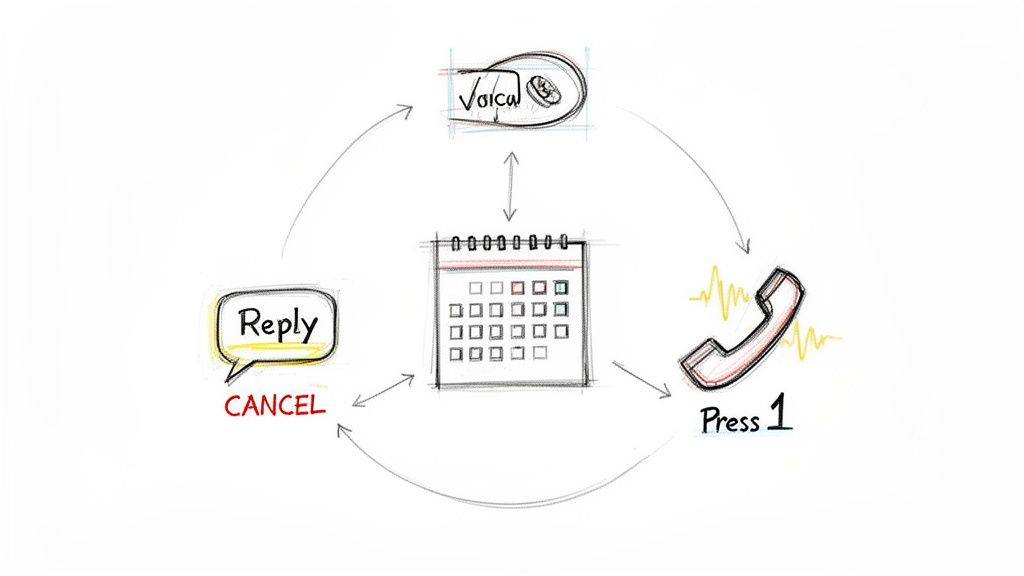
Think of each communication channel as a different tool in your toolkit. You wouldn't use a hammer to turn a screw, right? The same logic applies here—the key is to use them together for maximum effect.
SMS Texts: These are your go-to for quick, direct messages. A simple reminder with a "Reply CANCEL to cancel" instruction is incredibly powerful. It’s got sky-high open rates and gives clients an easy out if they need it, which is exactly what you want.
Voice Broadcasts: An automated phone call can add a sense of importance that a text sometimes lacks. We've seen great success using a "Press 1 to confirm" feature, especially for high-value appointments or with clients who prefer a phone call.
Ringless Voicemail: This is where things get really interesting. A ringless voicemail drops your pre-recorded message straight into a client's voicemail box without ever making their phone ring. It’s personal, non-intrusive, and highly effective.
We've found that a well-crafted ringless voicemail drop sent the day before an appointment feels like a personal nudge. It often prompts clients who were on the fence to go ahead and cancel, giving you more time to fill that empty slot.
An SMS for quick action, a voice call for solid confirmation, and a ringless voicemail for a personal touch—combine these, and you’ve built a foolproof reminder system that reaches everyone.
When deciding which channel to use for your cancellation messages, it helps to compare their strengths.
Here's a quick breakdown of how SMS, voice calls, and ringless voicemail stack up for handling cancellations. Each has a specific job to do.
As you can see, the best approach isn't about picking one "winner" but about using all three strategically to cover all your bases and make communication as easy as possible for your clients.
Here’s an interesting twist: appointments booked online can have a no-show rate as high as 31.7%, compared to just 19.4% for those booked over the phone or in person. It sounds bad, but there's a silver lining.
The same flexibility that makes online booking convenient also encourages clients to cancel or reschedule 24 to 48 hours ahead of time. This is a huge win. That advance notice gives you a real chance to rebook the slot and avoid losing revenue. You can read more about how online booking impacts attendance in this detailed study from the National Library of Medicine.
When you integrate a multi-channel reminder strategy with your online booking system, you truly get the best of both worlds. You take advantage of that early cancellation behavior while using your reminders to drastically cut down the no-show rate for everyone else.
Figuring out the right words to cancel an appointment without sounding cold or robotic is half the battle. A clear, friendly message can keep your client relationship strong, even when their plans change.
Let's walk through a few solid, field-tested templates you can swipe and adapt for different channels. These aren't just about canceling; they're designed to be polite, direct, and nudge the client toward rescheduling, turning a lost slot into a future booking.
Think of this as your workhorse. It’s a simple, automated reminder that gives clients an easy out if they need it. The goal here is a fast, clear response that saves you a last-minute no-show.
Template:
"Hi [Client Name]. Just a friendly reminder about your appointment with [Your Name/Business Name] on [Date] at [Time]. Please reply YES to confirm or CANCEL to cancel. We look forward to seeing you!"
This one is perfect for your initial reminder, typically sent 48-72 hours out. It sets clear expectations and makes canceling a simple, one-word text. If you want to dig deeper into crafting these, we have a whole guide on appointment confirmation text examples.
A ringless voicemail drop lands in their inbox without ever making their phone ring. It feels a lot more personal than a text but is way less intrusive than a live call. This is a great touch for a final reminder 24 hours before, especially for high-value appointments.
Template:
"Hello [Client Name], this is [Your Name] from [Your Business Name]. I'm just calling to remind you about your appointment tomorrow, [Date], at [Time]. If you need to make any changes, please give our office a call back at [Your Phone Number]. We’re looking forward to seeing you!"
The warm, personal tone here often gets clients who need to cancel to actually call you, giving you enough notice to fill the spot. Using a ringless voicemail makes sure your message gets heard without interrupting their day.
A great cancellation message isn't just about informing; it's about guiding the client toward the next best action, whether that's confirming, calling back, or rescheduling.
When a client follows through and cancels, your automated response is your last, best chance to win back that business. This message needs to confirm their cancellation and, in the same breath, give them an effortless way to rebook.
Template (SMS or Email):
"Your appointment for [Date] at [Time] has been successfully canceled. We're sorry we'll miss you! When you're ready to reschedule, you can view our availability and book a new time here: [Your Booking Link]. We hope to see you soon."
This template neatly closes the loop on the cancellation while immediately opening the door for their next appointment. It’s a simple but powerful way to keep your schedule full.
Even with a solid plan, you'll still run into questions about how to handle appointment cancellations. You want to protect your business, but you also need to keep your clients happy. It’s a balancing act.
Here are some straight answers to the most common questions we hear from businesses trying to nail this process.
You need to put your policy everywhere. Don't just stick it on one page and hope for the best. The goal is to make sure no one can ever say, "I didn't know."
Start by displaying it clearly on your website's booking page—make it impossible to miss before they confirm. Then, drop a short, simple version into your appointment confirmation emails and SMS messages.
For new clients, a quick, friendly mention when they book their first appointment goes a long way. Repetition across all these touchpoints means there are no surprises, and everyone knows exactly what to expect.
Yes, charging a fee for last-minute cancellations is a standard and effective way to cut down on no-shows. Your time is valuable. The key is to be consistent and completely transparent about it from the moment they book.
Think of a cancellation fee less as a penalty and more as a way to encourage respect for your schedule. For your best, long-term clients who have a genuine emergency, consider offering a one-time waiver. It shows you value the relationship over a single fee.
This approach lets you enforce your policy while still showing a human touch when it counts.
The trick here is to make rescheduling the path of least resistance. Automate it.
When a client texts your keyword like "CANCEL," your system shouldn't just stop there. The automated confirmation message they receive needs to immediately follow up with a direct link to your online booking calendar.
This simple step turns a potential lost appointment into a rescheduled one. They don't have to call you back or hunt for your booking page. One click and they can grab a new slot, keeping that revenue on your books.
We saw just how vital a flexible system is during the COVID-19 pandemic. In the early days, cancellations for in-person specialist appointments shot up, hitting a peak of over 30%—a threefold jump! But that spike was temporary, and rates stabilized as practices adapted. It’s a powerful reminder that you need a system that can handle sudden changes. You can dig deeper into how pandemic-era trends affected appointment management.
For non-urgent reminders, a ringless voicemail is almost always a better experience for the client. It’s far less intrusive because it delivers your message directly to their voicemail without their phone ever ringing.
This lets people listen and get back to you on their own time, which feels much more personal and less like a disruptive robocall. Because it’s a better experience, they’re more likely to listen to the whole message and actually take action—whether that's confirming or calling to reschedule.
Ready to stop chasing no-shows and build a smarter, automated cancellation process? With Call Loop, you can use SMS keywords, ringless voicemail, and automated voice calls to keep your schedule full and your clients happy. Sign up today and see how easy it is to manage appointments the professional way.
Chris Brisson
Chris is the co-founder and CEO at Call Loop. He is focused on marketing automation, growth hacker strategies, and creating duplicatable systems for growing a remote and bootstrapped company. Chat with him on X at @chrisbrisson


Trusted by over 45,000 people, organizations, and businesses like


