
See a Demo
You're just one step away from seeing Call Loop in action.
Enter your information below to watch a demo right now.

You're just one step away from seeing Call Loop in action.
Enter your information below to watch a demo right now.

So, you keep hearing about marketing workflow automation. What's all the fuss about?
Think of it as the ultimate marketing assistant. One who never sleeps, never misses a follow-up, and executes every single task you assign with perfect timing. That’s the real magic behind it. It’s the engine that takes all those repetitive, manual jobs—like sending welcome texts, appointment reminders, or messages to win back old customers—and puts them on complete autopilot.
It's like being the conductor of an orchestra for all your outreach. The automation platform directs every communication channel you use—from SMS and voice calls to even ringless voicemail drops—so they all work together in perfect harmony. The result is a seamless and timely customer experience that feels personal, even when you're reaching hundreds or thousands of people at once.
This isn't just a fleeting trend; it’s a massive shift in how businesses operate. The global marketing automation market, currently valued at $6.65 billion, is on track to explode to $15.58 billion by 2030. This growth shows just how many companies are turning to platforms like Call Loop to make their marketing more effective across every channel they use.
With a whopping 76% of enterprises already on board with some form of automation, sticking to manual processes is quickly becoming a serious competitive disadvantage. You can dig deeper into these marketing automation statistics to see the full picture.
Marketing workflow automation isn't here to replace marketers; it's here to empower them. By taking over the tedious, time-sucking tasks, it frees up your team to focus on what people do best: big-picture strategy, creative thinking, and building real relationships with customers.
At its core, the system runs on simple "if-then" rules. For instance, if a new lead signs up on your website, then the system instantly sends them a welcome SMS. Or, if a customer hasn't bought anything in 90 days, then it automatically triggers a ringless voicemail with a special "we miss you" offer.
It’s a simple concept with a powerful impact. Just look at the difference it makes in day-to-day operations.
The table below really highlights the practical impact of marketing workflow automation. It compares the old, manual way of doing things with the new, automated approach for a few common business activities.
Once you see the side-by-side comparison, it becomes clear that automation isn't just about saving time—it's about creating better, more timely experiences for your customers that directly lead to better business results.
To really get what marketing workflow automation can do, you have to pop the hood and see what's going on inside. At its core, every automated system is built from just a few simple, powerful parts that work together. Think of it less like writing complicated code and more like clicking together a set of smart, interconnected building blocks.
The first block is the trigger. This is the starting gun that kicks off the whole sequence. A trigger is just a specific action someone takes, like filling out a contact form on your website, clicking a link in a text message, or leaving items in their online shopping cart. It’s the "if this happens..." part of the equation that tells the system it’s time to get to work.
Once a workflow is triggered, the system needs to figure out who gets what message. This is where segmentation comes into play. Segmentation is like a smart sorting hat for your audience, dividing everyone into smaller, more relevant groups based on their interests, past behavior, or other data you have. For example, you can create one segment for brand-new leads and a totally different one for loyal customers who haven't bought anything in 90 days.
This sorting is what makes deep personalization possible. Instead of blasting out a generic, one-size-fits-all message, you can insert specific details like a customer's first name or the last product they were looking at. It’s a simple step, but it makes your communication feel like a one-on-one conversation, which is absolutely critical for building real connections.
With your audience sorted and your message personalized, the final piece of the puzzle is delivery. This is where having a multi-channel approach really shines. Let's be honest, different messages just work better on different channels. A quick appointment reminder, for instance, is perfect for an SMS message because it has a near-instant open rate.
This concept map shows how a central automation engine can power different communication channels, from text messages to voice calls and voicemails.
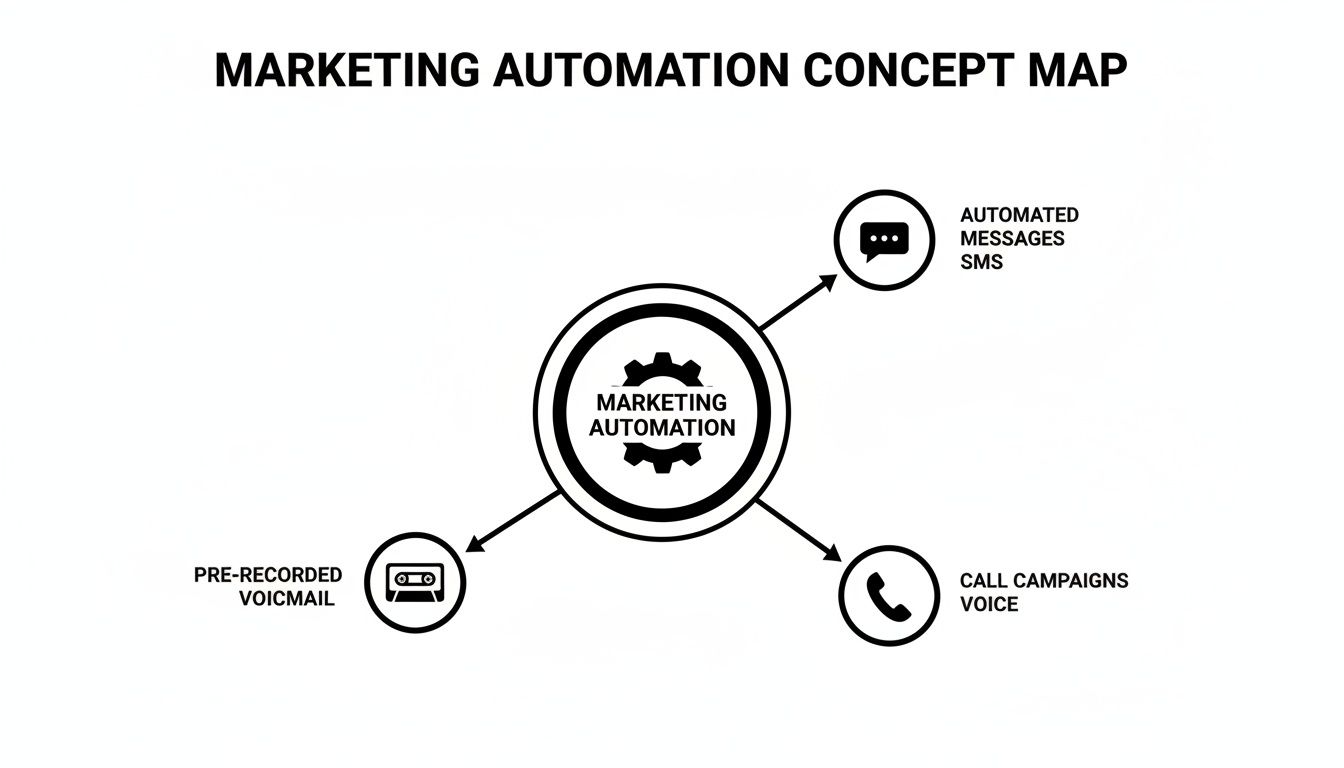
As you can see, a true automation strategy isn't about relying on just one method. It's about integrating multiple types of outreach to create a seamless experience for your customer.
For a more personal touch, ringless voicemail is an incredibly effective tool. It lets you deliver a pre-recorded audio message directly to someone's voicemail inbox without their phone ever ringing. It's far less intrusive than a live call but carries more warmth and personality than a text, making it perfect for important follow-ups or special offers.
By combining triggers, segmentation, and powerful channels like SMS and ringless voicemail, your marketing workflow becomes a responsive, highly effective communication system that works for you around the clock.
Alright, let's get down to business. Theory is great, but what does marketing workflow automation actually do for you? This is where the rubber meets the road—turning your strategy into real, measurable growth.
The numbers don't lie. Businesses see an average return of $5.44 for every single dollar they put into automation. That's a massive 544% payback. Smart workflows also tend to lift revenues by an average of 34% by doing a better job of nurturing leads and keeping customers around.
These aren't just fluffy statistics; they represent real money in the bank. It's why a solid 60% of companies hit their ROI goals within the first year of getting started.
So, let's look at three powerful ways you can put marketing automation to work right now.
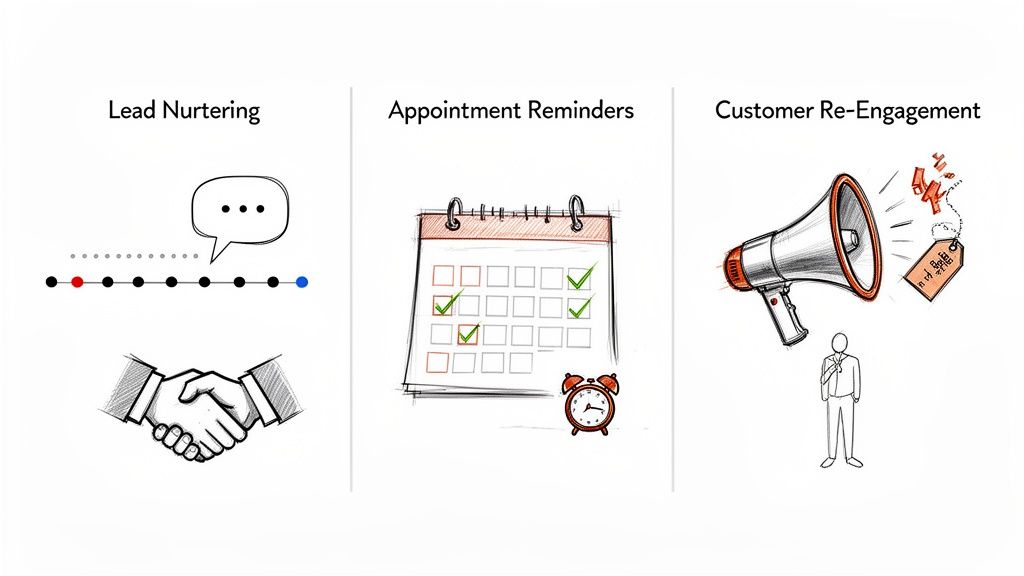
Picture this: a potential customer downloads a guide from your website. Instead of that lead getting lost in a spreadsheet, waiting for someone to maybe follow up, an automated workflow springs into action instantly.
If you run any kind of service business—a salon, a clinic, a coaching practice—you know that no-shows are absolute revenue killers. Calling everyone manually is a huge time-suck and, frankly, doesn't always work.
Automation transforms appointment scheduling from a manual chore into a reliable system. It not only saves administrative hours but also protects your revenue by ensuring clients show up prepared and on time.
An automated reminder sequence makes it almost impossible for clients to forget.
We all know it costs way more to get a new customer than to keep an existing one. But how many businesses just let past customers fade away without putting up a fight?
Diving into marketing workflow automation might feel like you're about to write complex code, but it's much more like building with LEGOs. The real secret is just starting with a clear plan. When you break the process down into a few simple steps, you can get a powerful workflow up and running without all the overwhelm.
This blueprint will walk you through creating your very first automated sequence, from sketching out the idea to hitting the launch button.
The whole process boils down to a simple, four-part framework. It’s designed to give you structure and clarity, making sure every automated message you send is directly tied to a real business goal. This approach takes the guesswork out of it and sets you up for success from day one.
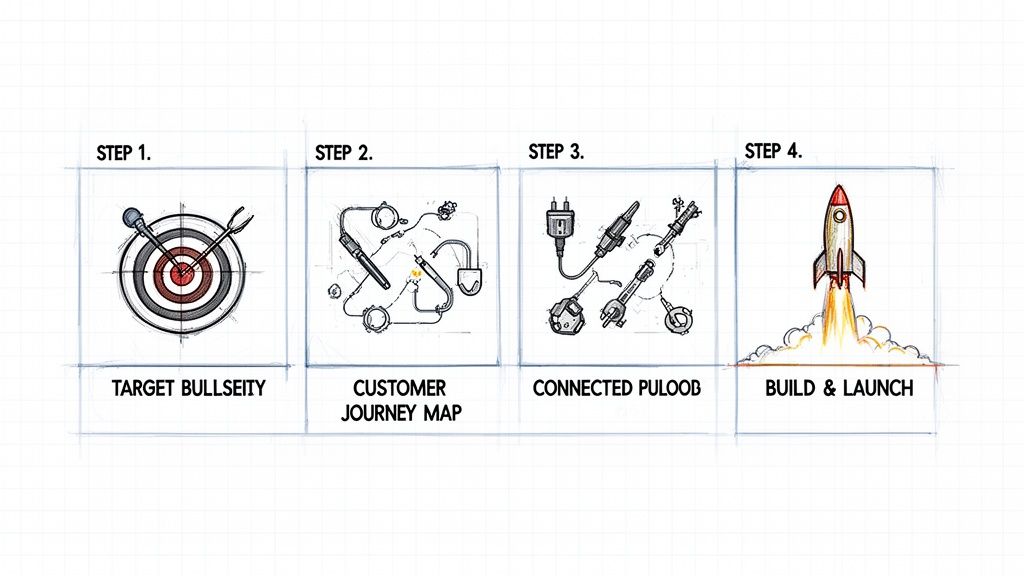
Before you build anything, you have to know why you're building it. A fuzzy goal like "get more leads" isn't going to cut it. You have to get specific and make it measurable.
A strong goal sounds more like, "Reduce appointment no-shows by 25%" or "Boost new subscriber engagement by 40% in the first week." That clarity becomes your north star, guiding every decision you make about your triggers, messaging, and timing.
With your goal locked in, it’s time to map out the ideal path a customer should take to get there. Think step-by-step. If your goal is to slash no-shows, the journey might look something like this:
Visualizing this journey helps you pinpoint every single touchpoint where an automated message can add value and nudge the customer toward the finish line. You can dig into more detailed examples in our guide to building a marketing automation workflow.
For the magic to happen, your automation platform needs to talk to your other business systems. This is where integrations come in, and thankfully, modern tools make this part a breeze.
Using a connector like Zapier, you can link your CRM, calendar, or e-commerce platform to your messaging tool in just a few clicks. For instance, you could create a "Zap" that automatically adds a new HubSpot contact to a specific workflow in Call Loop. This seamless connection is what makes real-time, trigger-based marketing a reality.
The power of automation is unlocked when your tools work together as a single, cohesive system. Simple integrations turn isolated data points into actionable triggers that drive your entire workflow.
Now for the fun part: building it. Using a visual workflow builder, you’ll recreate the customer journey you just mapped out. You'll set your trigger, add time delays between messages, and write the copy for each SMS or ringless voicemail.
A great place to start is with a simple welcome sequence for new subscribers. Just drag and drop the elements: a trigger for a new contact, a block to send an immediate welcome text, a two-day delay, and another block to send a follow-up ringless voicemail. Test it with your own phone number, and once it's running perfectly, flip the switch and let your new marketing engine do its thing.
To give you a concrete example, here’s a simple workflow you could build in minutes to boost webinar attendance. The goal is to keep registrants engaged and make sure they actually show up on the big day.
This multi-channel approach grabs attention and covers all your bases, ensuring your message gets through. You can set this entire sequence up once and let it run for every new webinar registrant, saving you hours of manual follow-up.
Alright, you’ve set up your first marketing workflow. That’s a huge step, but honestly, it’s only half the battle. Now comes the real work: figuring out what’s actually connecting with people, what’s falling flat, and how to avoid the common mistakes that can sink your entire effort.
If you aren't tracking your results, you're just guessing.
Success isn't about how many messages you send; it's about the results they generate. And the results are definitely there for the taking. About 76% of marketers are already using automation for a reason. Think about it: automated SMS campaigns can hit a massive 98% open rate, and a simple cart recovery workflow can bring back up to 15% of otherwise lost sales. If you want to dive deeper, there are some great stats on marketing automation performance that show just how powerful this can be.
To get a real sense of performance, you have to look past the surface-level numbers. Your focus should be on the data that ties your automation directly to your business goals.
We've put together a full guide on this topic. You can learn more about measuring marketing campaign effectiveness right here.
Even the most powerful tools are only as good as the strategy behind them. It’s surprisingly easy to get it wrong. Here are a couple of the most common traps and how you can steer clear of them.
Don't: Blast the same generic message to your entire list every few days and hope for the best. This is the fastest way to annoy your audience, rack up opt-outs, and make your brand feel like spam.
Do: Use segmentation to your advantage. Split your audience into smaller, targeted groups. You could send a "we miss you" offer to customers who haven't bought in 90 days, and a welcome series to brand new leads. Make every message feel like it was sent just for them.
Another classic mistake is the "set it and forget it" mindset, where workflows run for months without anyone checking in.
Don't: Launch a workflow and never look at the analytics again. And definitely don't make it difficult for people to opt out. Ignoring compliance rules is a quick way to face hefty fines and seriously damage your reputation.
Do: Make it a habit to regularly review your campaign metrics. See what's working and double down on it. Make sure every single message has clear opt-out instructions (like "Reply STOP to unsubscribe"), and always honor those requests instantly. This keeps your list healthy and your audience engaged.
Even with a solid plan, it's smart to have questions before you jump headfirst into marketing workflow automation. It's a powerful approach, and getting the details straight will give you the confidence to move forward. Let’s tackle some of the most common questions we hear from businesses just getting started.
These answers are meant to cut through the noise and give you the real story, clearing up a few myths so you can build workflows that actually work from day one.
Not a chance. That’s probably one of the biggest misconceptions out there. Today’s automation tools are built to be affordable and easy enough for small and mid-sized businesses to use, giving them the same kind of firepower as their giant competitors.
Honestly, you could argue automation is more valuable for smaller teams. It works like a force multiplier, taking over all the repetitive follow-up and lead nurturing so you can scale your efforts without scaling your headcount. It makes sure every single lead gets a timely touchpoint, which builds a professional, trustworthy experience that fuels growth.
This is a totally valid fear, but when you do it right, the opposite happens. Good marketing workflow automation is actually the key to creating more personal, human-feeling communication.
By using segmentation and personalization, you can send messages that are incredibly relevant to what a customer is interested in or how they've behaved. Instead of a generic email blast, picture sending a targeted SMS to a customer by name who hasn't bought anything in 90 days, complete with a special offer just for them.
Automation handles the delivery, which frees you up to focus on the strategy. It takes care of the "when" and "who," so you can perfect the "what" and "why" behind your message and build much stronger connections.
Ringless voicemail is a slick piece of tech that drops a pre-recorded audio message right into someone's voicemail inbox—without ever making their phone ring. It’s a game-changer because you get your message across without interrupting their day.
Think of it as the perfect middle ground between a text message and a live phone call. It has more personality and warmth than an SMS but is way less disruptive than an unexpected call. This makes it an amazing tool for delivering a personal-sounding update, a friendly follow-up, or an important alert in a respectful, super-effective way.
You definitely don't need to be a developer or a tech whiz. If you can handle sending an email or managing a social media page, you already have all the skills you need to build out a powerful automated workflow.
Modern automation platforms are designed with visual builders, ready-to-go templates, and simple drag-and-drop interfaces. Hooking up your other business tools usually just takes a few clicks through a direct integration. The whole point is to let you focus on your marketing strategy, not on wrestling with complicated tech.
Ready to stop chasing leads and start building automated journeys that convert? Call Loop gives you the SMS, voice, and ringless voicemail tools to put your outreach on autopilot. Start your free trial today and see how easy it is to scale your marketing.
Chris Brisson
Chris is the co-founder and CEO at Call Loop. He is focused on marketing automation, growth hacker strategies, and creating duplicatable systems for growing a remote and bootstrapped company. Chat with him on X at @chrisbrisson


Trusted by over 45,000 people, organizations, and businesses like


