
See a Demo
You're just one step away from seeing Call Loop in action.
Enter your information below to watch a demo right now.

You're just one step away from seeing Call Loop in action.
Enter your information below to watch a demo right now.

You can feel the problem when your phone, inbox, CRM, and calendar all tell a different story.
A lead gets a promo email but never sees it. A customer replies to a text sent from someone's personal cell. A reminder call goes out late because the contact list in the phone system wasn't updated. Then your team wonders why attendance is soft, renewals lag, or booked appointments still no-show.
Most businesses don't have a messaging problem. They have a coordination problem. The fix usually isn't “send more.” It's building a system where the right message goes out on the right channel in the right order.
Fragmented outreach creates invisible drag. One person sends texts. Another sends emails. Someone else records a voicemail blast when things get urgent. The result is duplicated work, uneven timing, and messaging that feels disconnected to the customer.
That setup often survives longer than it should because each tool works well enough on its own. But once you need follow-ups, reminders, promotions, reactivation, or appointment updates running together, “well enough” turns into dropped balls.
A multi-channel communication platform solves that by turning scattered outreach into one operational system. Instead of managing separate tools and hoping they stay aligned, you manage message flows from a single hub. That makes it easier to segment contacts, coordinate timing, and keep the message consistent whether you're using SMS, voice, or ringless voicemail.
The shift isn't a niche trend. The global multi-channel communication services market is estimated at USD 7.26 billion in 2026 and projected to reach USD 16.76 billion by 2033, with a CAGR of 12.7% according to Coherent Market Insights' market outlook. That projection matters because it reflects how businesses now treat coordinated outreach as core infrastructure, not an optional add-on.
Practical rule: If your staff has to remember what happened on each channel, your system is too manual.
For smaller teams, consolidation pays off fastest. You don't need more tabs open. You need one workflow that can trigger a reminder text, a follow-up call, or a voicemail drop based on the customer's stage and response.
If you're mapping that process for the first time, this guide on building a multi-channel communication strategy is a useful place to tighten the sequence. And if you're still trying to bridge separate campaigns, Quikly's overview of a unified email and SMS service is a good reference for understanding why coordination matters before you add more volume.
Think of it as a central command center for outbound communication.
You're not just getting a texting tool, a calling tool, and a voicemail tool under one login. You're getting a system that lets those channels work together as one sequence. That's the key distinction. The platform isn't valuable because it offers more buttons. It's valuable because it organizes customer conversations into a repeatable workflow.
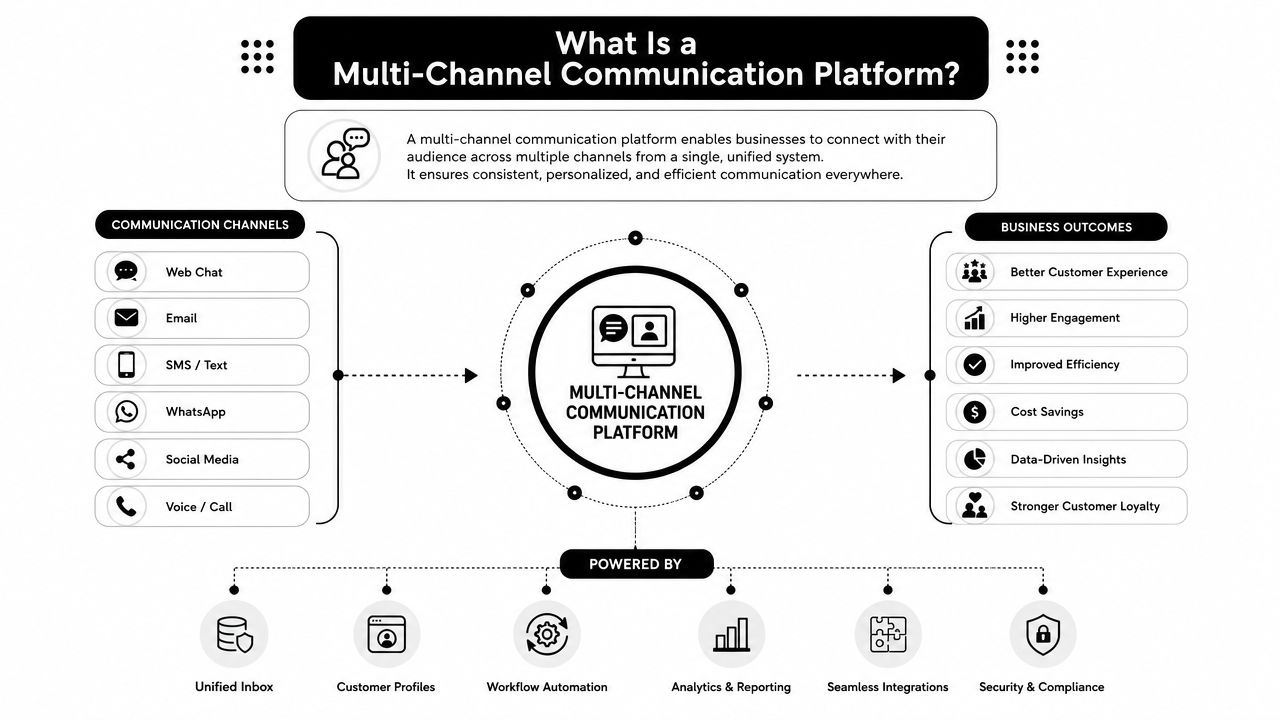
A multi-channel approach means your business uses more than one communication channel to reach people. In practice, that often includes SMS, voice broadcasts, and ringless voicemail. The channels are distinct, and each has a job.
SMS is fast and easy to act on. Voice is useful when tone and urgency matter. Ringless voicemail can deliver a message directly to a recipient's voicemail inbox without interrupting them with a live ring, which makes it useful for reminders, promos, renewals, and callbacks that shouldn't feel intrusive.
That matters because channels behave differently in practice:
People often mix up multi-channel and omni-channel. They aren't the same.
Multi-channel describes the tools and channels you use. Omni-channel describes the customer experience across them. If someone gets a text reminder, misses it, then receives a relevant voicemail follow-up that matches the same campaign and timing, that starts to feel unified. The platform makes that possible.
A platform becomes strategic when each channel knows its role in the sequence.
A lot of teams try to fake this with disconnected apps. It usually breaks at handoff points. Contacts get out of sync. Suppressions don't carry across. Reporting stays fragmented. That's why a single system matters.
If you want a broader look at how conversational systems can span channels, Hyperleap AI's multi-channel approach offers a useful perspective on the planning side. For a closer look at software built specifically for outbound coordination, this overview of multi-channel communication software is a practical next step.
Features matter less than workflow, but some features directly determine whether your workflow will hold up under real use.
Industry guidance from Twilio notes that a single software interface that supports multiple channels is a key operational advantage because it avoids maintaining separate integrations per channel and enables coordinated workflows such as channel handoff, message sequencing, and unified analytics in its explanation of what multichannel communication means for business systems. That's exactly where good platforms separate themselves from a pile of disconnected apps.
SMS is usually the first channel teams master because it's direct. You send a promotion, reminder, confirmation, or follow-up, and the recipient can act quickly. MMS expands that with images, branded creative, or richer context.
For practical use, the key isn't just sending a text. It's sending the right text to the right segment. That means using custom fields, merge tags, scheduled sends, link tracking, and list segmentation so the message feels relevant instead of generic.
SMS works especially well for:
Voice broadcasting is useful when a plain text won't carry enough weight. A recorded voice message can explain a schedule change, announce a deadline, or prompt a callback with more clarity than a short text.
Operational controls come into play. Live answer and machine detection, press-1 transfers, caller ID options, and scheduling help teams use voice in a way that feels intentional instead of noisy. If your campaign depends on connecting the recipient to a person or department, voice often becomes the handoff channel.
A few cases where voice outperforms text:
SituationWhy voice helpsTime-sensitive changesThe message carries urgency and contextRe-engagement of older listsA recorded message can feel more personalCallback campaignsPress-1 routing can move people into a live conversation
Ringless voicemail is the channel many businesses ignore, even though it fills a real gap.
It lets you drop a message directly into the recipient's voicemail inbox without a standard call interruption. That makes it useful when you want to be heard but don't want to create the friction of a ringing phone. For promotions, appointment reminders, customer win-back campaigns, and event attendance pushes, that's often the difference between “ignored live call” and “message heard later.”
What works with ringless voicemail:
What doesn't work:
Don't use ringless voicemail as a substitute for strategy. Use it where a spoken message adds clarity without demanding immediate attention.
This is the engine. Without automation, multi-channel outreach becomes a manual chore list.
A good drip campaign lets you sequence channels with timers, date-based triggers, and conditions. A common pattern looks like this:
That kind of sequencing is where a platform like Call Loop fits in factually. It supports outbound campaigns across SMS, voice broadcasting, and ringless voicemail, with drip campaigns, scheduling, segmentation, analytics, link tracking, double opt-in support, and integrations with tools like HubSpot, Keap, ActiveCampaign, and Zapier. For teams trying to coordinate reminders, promotions, and reactivation without managing separate systems, those functions matter more than long feature checklists.
Sending is easy. Getting delivered, listened to, clicked, and acted on is harder.
That's why number validation, tracking, suppression handling, and campaign-level reporting matter. If one segment isn't responding to text but does respond to voicemail, your platform should make that visible. If a list is stale, the system should help you clean it before poor data hurts performance.
The strongest outreach teams don't ask, “Which channel is best?” They ask, “Which channel should do this job in this sequence?”
The value of a multi-channel setup becomes obvious when you look at actual workflows instead of feature pages.
Brands using three or more channels in a single campaign achieve a purchase rate that is 287% higher than those using only one channel, according to Infobip's multichannel communication analysis. That doesn't mean every campaign needs every channel. It means coordinated touchpoints beat isolated outreach when the sequence is right.
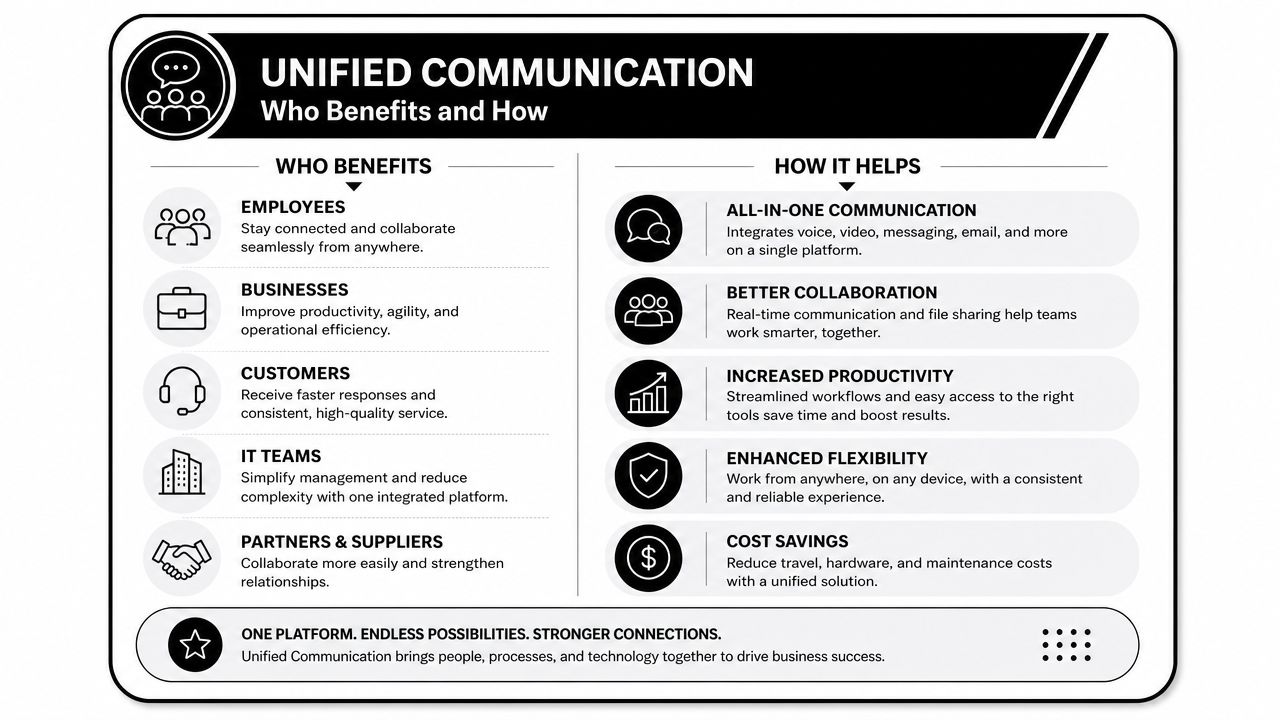
An online store has shoppers who add products to cart, then disappear. Email alone often leaves too much room for delay. A better sequence starts with an SMS reminder while the purchase is still fresh, then uses ringless voicemail for higher-consideration offers or restock-related nudges.
The voicemail works because it carries context and urgency without demanding the customer answer a call. If the order value justifies it, a final voice broadcast can handle deadline-driven offers or support callbacks.
What usually works:
Healthcare communication has to do two jobs at once. It needs to be timely and it needs to be handled carefully.
A clinic can use an automated reminder sequence that starts with a confirmation text, follows with ringless voicemail before the appointment, and triggers a voice message only when the appointment is high-value or the patient hasn't confirmed. For providers that need secure workflows, the platform has to support HIPAA-conscious operations and clean opt-in practices.
The practical advantage is simple. Staff stop chasing every reminder manually and spend more time handling actual patient needs.
When the reminder system is reliable, the front desk stops acting like a call center.
Agencies don't just need channels. They need control.
One dashboard matters when an agency is running promotions for a retailer, reminders for a service business, and attendance pushes for a webinar client at the same time. The challenge isn't composing messages. It's keeping lists separate, scheduling accurate, and results traceable by client and campaign.
A unified system helps agencies standardize repeatable plays:
Events are where sequencing gets very tangible. You need registration, reminders, last-call alerts, and day-of attendance support. A single email sequence rarely covers all of that well.
A strong attendance workflow often looks like this:
Campaign stageChannel roleRegistration confirmationSMS with save-the-date detailsPre-event reminderRingless voicemail with speaker or topic contextDay-of promptSMS with join link or arrival instructionsLast-minute urgencyVoice message for high-value attendees or VIP groups
This pattern also works for educators, webinar hosts, studios, and local businesses running classes or appointments. Karate studios, for example, can use text for class reminders, voicemail for belt test announcements, and voice for urgent schedule changes caused by weather or instructor issues.
The point isn't to stack channels mindlessly. The point is to assign each one a purpose.
Most rollout problems start before the first message is sent. They start in the data.
If your contact records are messy, your campaign logic will be messy too. Before you build any workflow, clean the list, remove outdated entries, standardize fields, and define clear segments. “Leads,” “customers,” and “past attendees” aren't enough if the messages depend on timing, source, or last activity.
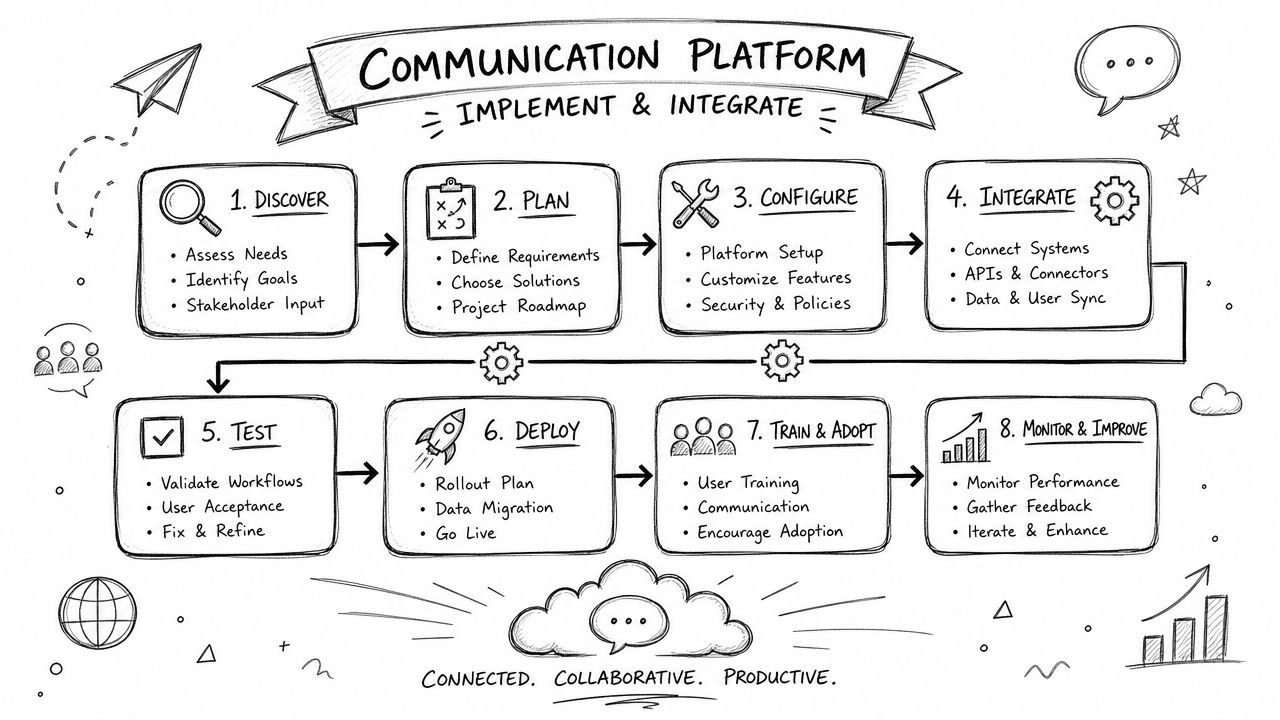
Don't launch six workflows at once. Pick one campaign with obvious operational value.
Good starting points include:
That pilot campaign should answer one question. Can your team consistently move from trigger to message to response without manual patchwork?
The platform shouldn't become another island. It should connect to the software your team already depends on.
That often means tying it into a CRM or marketing system so actions in one tool trigger outreach in another. A new lead in HubSpot can start a welcome SMS. A booked appointment can queue a reminder sequence. A completed form can assign a tag and place the contact into a drip flow.
A simple implementation checklist helps:
Start small, but design the workflow as if it will need to scale later.
That mindset prevents the common mistake of building a one-off campaign that nobody can maintain.
Compliance isn't a tax on messaging. It's the reason your messaging keeps working.
If people didn't clearly opt in, your campaign is already on shaky ground. The same goes for stale lists, unclear disclosures, and weak suppression handling. Teams that treat consent casually usually end up with poorer deliverability, more complaints, and more internal friction because every campaign becomes a risk review.
For SMS, voice, and ringless voicemail, permission needs to be documented and respected. That includes honoring opt-outs fast, maintaining clean contact records, and making sure campaign rules match what the recipient agreed to receive.
If your team needs a baseline on this, Call Loop's guide to express written consent is worth reviewing before you expand your outreach. It's much easier to design compliant intake and follow-up processes early than to repair them later.
Deliverability improves when your list hygiene is solid and your messaging expectations are clear.
That usually means:
A lot of businesses focus on writing better copy when the bigger problem is trust. If your audience expects your messages and can stop them easily, your campaigns are more likely to land well and continue landing well.
A buyer evaluating any multi-channel communication platform should think in workflows, not feature grids. If the tool can't support the sequence you need, the feature count won't save it.
Here's the checklist I'd use.
You need one system that can handle SMS, voice, and ringless voicemail without forcing separate tools and separate reporting. If your workflow depends on reminders, promotions, reactivation, or event attendance, those channels should be available in the same environment.
The test is whether you can build timed follow-up. Text today. Ringless voicemail tomorrow. Voice only if the contact still hasn't responded. That kind of logic is what turns outbound communication into a repeatable process.
Your platform has to work with the CRM, forms, and automation tools you already use. Otherwise your team starts exporting and importing lists by hand, and the system degrades fast.
Opt-in support, segmentation, suppression handling, and deliverability tools aren't extras. They're operating requirements.
A platform built like that gives you room to start with one use case and expand without rebuilding everything. That's the practical appeal of a system like this dashboard view.
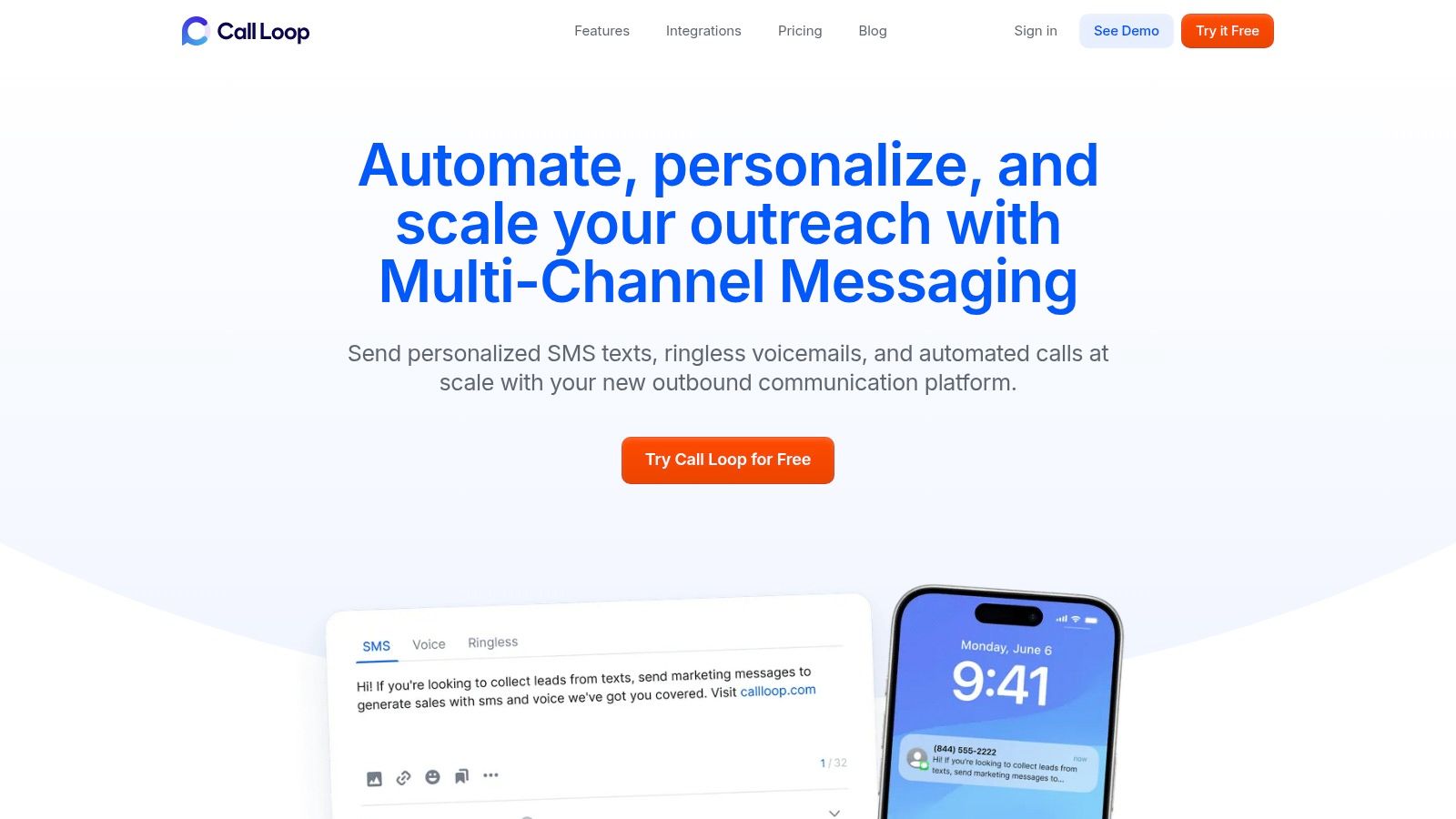
If your team is comparing options, keep the question simple. Can this platform run the exact outreach sequence we need, across the channels our audience responds to, without creating compliance or operational problems later?
Call Loop brings SMS, voice broadcasting, and ringless voicemail into one outbound workflow so you can build reminder campaigns, re-engagement sequences, promotions, and follow-up automation without juggling separate tools. If you want to see how that looks in practice, explore Call Loop.
Chris Brisson
Chris is the co-founder and CEO at Call Loop. He is focused on marketing automation, growth hacker strategies, and creating duplicatable systems for growing a remote and bootstrapped company. Chat with him on X at @chrisbrisson


Trusted by over 45,000 people, organizations, and businesses like


