
See a Demo
You're just one step away from seeing Call Loop in action.
Enter your information below to watch a demo right now.

You're just one step away from seeing Call Loop in action.
Enter your information below to watch a demo right now.

You’re probably already running multi-channel outreach. It just doesn’t feel like a system.
One person sends email from a CRM. Another uploads a list into an SMS tool. Someone else records a voicemail drop for a promotion. Sales follows up manually. Support has customer history in a different place. Compliance lives in a spreadsheet. Reporting turns into a scavenger hunt.
That setup works for a while. Then volume increases, follow-ups slip, opt-out handling gets messy, and nobody can say which sequence drove the response. That’s where multi-channel communication software stops being a nice-to-have and starts becoming operating infrastructure for outbound teams.
Multi-channel communication software is the control layer for outbound outreach across SMS, MMS, voice, email, chat, and ringless voicemail. The practical point isn’t that it gives you more channels. The point is that it gives your team one place to coordinate message timing, audience data, compliance rules, and reporting.

A lot of businesses think they already have this because they use more than one channel. Usually they don’t. They have a stack of separate tools and a lot of manual coordination. That’s different from a platform that keeps contact records, campaign logic, suppression rules, and response history aligned.
Basic multi-channel means you can send messages in more than one format. An integrated platform means those formats work together.
That distinction matters most in outbound work. If a lead clicks an SMS link, the next step shouldn’t still be a generic voicemail blast. If a patient confirms an appointment by text, the reminder call should stop. If a prospect opted out in one place, that rule needs to carry across the workflow.
Most content on this topic still leans toward inbound support and contact center use cases, while outbound marketing remains undercovered. That gap matters because 45,000+ users of platforms like Call Loop rely on bulk SMS, voice broadcasting, and ringless voicemail for scalable outreach, as noted in this discussion of cross-platform business communications at Acrobits.
SMBs don’t need another dashboard. They need fewer moving parts.
For outbound teams, the right platform should help with:
Practical rule: If your team exports CSVs just to move a contact from one outreach step to the next, you don’t have a multi-channel system. You have channel sprawl.
If your sales process depends on coordinated outreach, it also helps to learn sales engagement with ReachInbox, especially if you’re comparing campaign execution with true sequence-based follow-up.
A good reference point for the outbound side of this category is this guide to a multi-channel messaging platform, because it reflects what many SMBs need in the field: one place to run text, voice, and follow-up logic without stitching everything together manually.
The strongest multi-channel communication software doesn’t win because it has the longest feature list. It wins because the features work together in the same workflow.
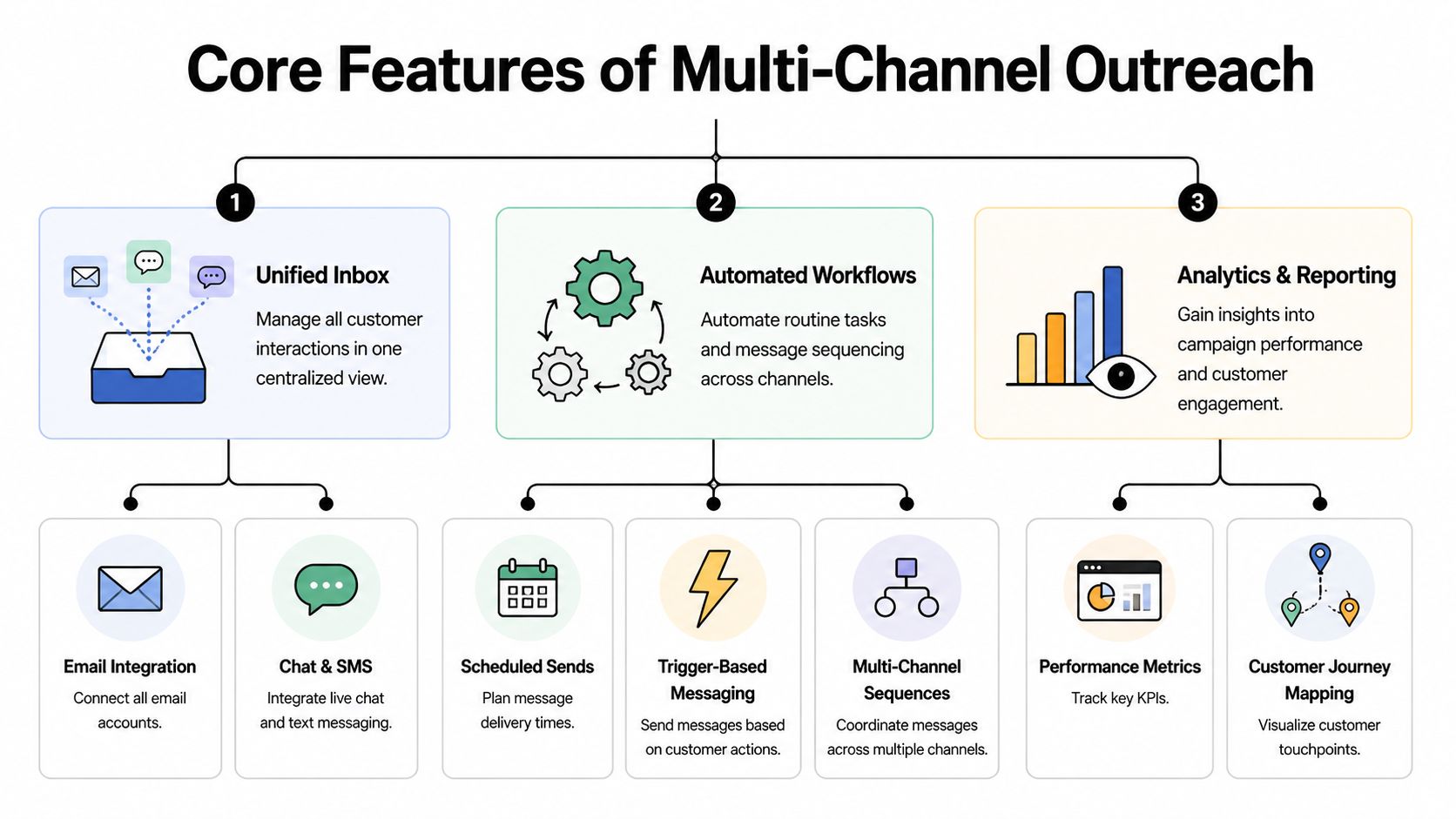
SMS is usually the fastest channel for getting attention. It’s useful for flash sales, appointment reminders, lead follow-up, payment prompts, event updates, and reactivation campaigns. MMS adds creative flexibility when an offer needs an image, flyer, coupon, or product visual.
The operational advantage is speed plus simplicity. A short message with the right timing often beats a long email that arrives too late. But SMS works best when it’s part of a sequence, not the whole strategy.
Voice broadcasting still earns its place when the message needs tone, urgency, or a human voice. It’s useful for school alerts, service changes, political outreach, church updates, webinar reminders, and healthcare notices.
Recorded voice can also do something text can’t. It can communicate personality and authority quickly. For some audiences, especially local businesses with repeat customers, that matters.
What doesn’t work is using voice as a blunt instrument. Long recordings, poor list targeting, and no response path usually create friction. Good setups use features like answer detection, transfer options, and scheduling windows to make the campaign feel intentional rather than noisy.
Ringless voicemail is one of the most overlooked outbound tools. It drops a message directly into voicemail without making the phone ring like a standard call. That makes it useful for reminders, lead nurture, follow-ups after form fills, lapsed customer reactivation, and post-event outreach.
Ringless voicemail is especially effective when you need a more personal touch than text, but don’t want the interruption of a live call attempt. It gives you room to explain an offer, restate a next step, or reinforce a deadline in a way that feels more human than a short SMS.
Ringless voicemail works best as a bridge channel. Use it when text is too thin and a live call is too aggressive.
Teams typically shop for channels. Smart teams shop for orchestration.
A drip builder lets you control what happens next. That can mean an SMS immediately after a lead comes in, a ringless voicemail the next day if there’s no reply, and a voice call attempt later in the week only if the contact still hasn’t engaged. It can also mean pausing the sequence the moment the contact books, pays, confirms, or opts out.
Integrated platforms distinguish themselves from disconnected tools. According to MagicBell’s overview of multichannel platforms, real-time data synchronization can produce 20-30% higher first-contact resolution rates by unifying customer history, and for outbound campaigns that same integration enables precise timers and DNC or live detection that can drive 15-25% better deliverability.
Reporting isn’t just about opens and clicks. Outbound teams need to know:
Integrations matter because outreach doesn’t live alone. It needs to pull in lead source data, appointment dates, purchase activity, and custom fields. A platform with native integrations or app connectivity via tools like Zapier is much easier to operationalize than one that traps data in its own interface.
If you’re comparing platforms, this overview of Call Loop features is useful because it shows the outbound stack many SMBs evaluate: SMS, voice broadcasting, ringless voicemail, drip campaigns, compliance controls, and reporting in one environment.
The argument for coordinated outreach is simple. More relevant follow-up across more than one channel usually beats isolated campaigns.
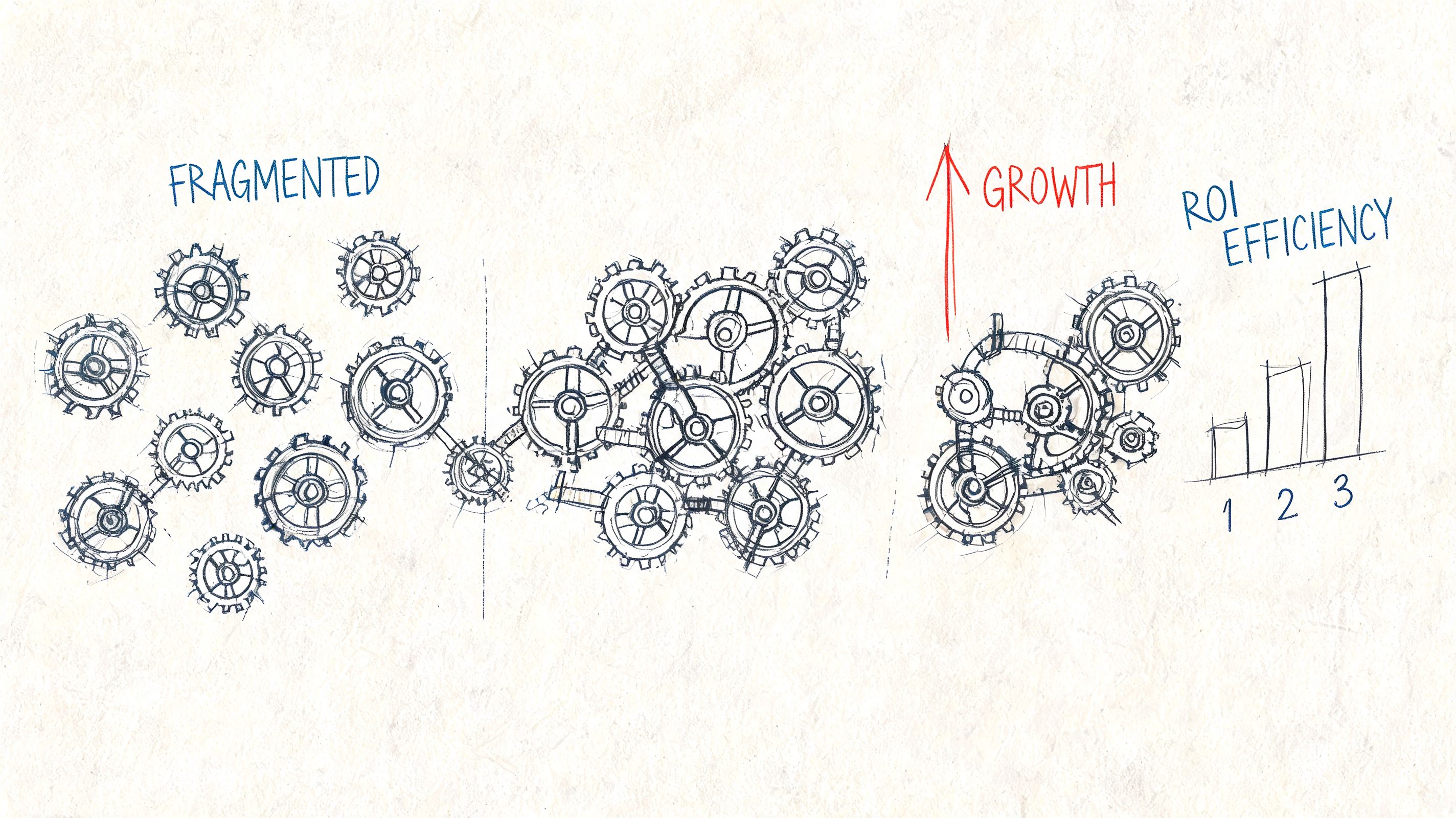
The hard numbers support that. Campaigns using three or more channels achieve 287% higher purchase rates than single-channel approaches, and companies with strong omnichannel engagement retain 89% of customers versus 33% for companies with weak strategies, according to Landbase’s roundup of multi-channel outreach statistics.
For a sales team, coordinated communication means a new inbound lead doesn’t sit in a queue while reps work old tasks. The system can start follow-up immediately, then keep moving until the lead responds or the sequence ends. That shortens the gap between interest and contact.
For healthcare, the value is different. Reminder texts, voice follow-ups, and confirmation paths help reduce scheduling friction. Staff spend less time chasing no-shows manually and more time handling patients who need help.
For ecommerce, one channel rarely captures the whole buying decision. A text can announce the offer, a voicemail can reinforce urgency for high-value segments, and email can carry longer product detail.
For local service businesses, gyms, studios, and schools, consistency matters as much as reach. Promotions, closures, payment reminders, and event updates all work better when they come from one coordinated system instead of ad hoc sends.
The ROI usually doesn’t come from adding more messages. It comes from removing gaps between messages.
Teams trying to understand the broader customer experience side of coordination can get useful context from DocsBot's omnichannel guide, especially around how consistency across touchpoints affects retention.
Most SMBs underperform with outreach for one of three reasons:
Coordinated communication fixes those problems because it treats outbound as a sequence with business outcomes attached, not a set of unrelated sends.
Choosing multi-channel communication software gets easier when you ignore the marketing language and review the product like an operator. Start with the campaign you need to run this month, not the vision slide for next year.
If your business depends on outbound reminders, promotions, follow-ups, or sales sequences, you need software that handles those jobs cleanly. A platform built mainly for inbound support can look impressive in a demo and still create extra work for an outbound team.
Before you compare vendors, define these basics:
That frame keeps the evaluation grounded. Otherwise, it’s easy to buy a platform that does a lot of things you won’t use and misses one function you need every day.
| Evaluation Criteria | What to Look For | Why It Matters |
|---|---|---|
| Channel support | SMS, MMS, voice broadcasting, and ringless voicemail in the same platform | You don’t want separate tools for every message type |
| Workflow control | Drip campaigns, delays, triggers, stop rules, and conditional follow-up | This is what turns one-off sends into repeatable outreach |
| Outbound-specific tools | Answer detection, voicemail handling, caller ID options, and response routing | These details affect execution quality in real campaigns |
| Compliance controls | Opt-in tracking, opt-out handling, DNC management, consent records, and policy settings | Outbound campaigns break down quickly when compliance is manual |
| Deliverability support | Number validation, list hygiene tools, click tracking, and sending safeguards | Better data quality usually means cleaner performance |
| Integrations | CRM integrations, ecommerce sync, scheduling tools, and Zapier connectivity | Outreach only works well when data moves automatically |
| Reporting | Campaign-level and step-level visibility across channels | You need to see where the sequence helps or stalls |
| Scalability | Audience segmentation, bulk sends, user roles, and account structure | Growth creates operational complexity long before it creates strategy complexity |
| Pricing model | Clear charges for messages, calls, and ringless voicemail drops | Hidden usage costs can wreck ROI planning |
| Ease of use | Fast setup, simple workflow editing, and usable contact management | A powerful platform that your team avoids won’t help |
Ask the vendor to show a real outbound sequence, not just the dashboard.
Good questions include:
A platform can pass the feature checklist and still fail the usability test. If simple changes require support help or custom work, the team won’t move fast enough to get value from it.
Software won’t save a weak outbound process. It will just let you run it faster.

The teams that get strong results from multi-channel communication software usually do three things well. They segment carefully, protect deliverability, and treat compliance as part of campaign design instead of cleanup after the fact.
A common mistake is taking one message and blasting it across multiple channels. That isn’t strategy. That’s repetition.
Segment by business context. New leads need a different sequence than past buyers. Patients with upcoming appointments need different timing than patients due for reactivation. A webinar registrant who clicked but didn’t attend should not get the same message as someone who never opened anything.
Useful segmentation inputs often include:
Outbound teams often think deliverability is a technical issue owned by the vendor. It isn’t. Your list quality and sending behavior shape a big part of the result.
Clean inputs matter. So do validated numbers, clear opt-in records, sensible cadence, and messages that match what the contact expects to receive. Carrier restrictions and policy changes also make this more important than it used to be.
According to Infobip’s multichannel communication analysis, AI agents using voice, text, and email sequences can boost conversions 3x, and outbound personalization can drive 70% higher engagement than a pure inbound focus. That same analysis notes that data around HIPAA-secure AI text-to-speech and ringless drops is still sparse, which makes practical deliverability and compliance features a meaningful differentiator when you evaluate vendors.
Better deliverability usually starts with restraint. Send fewer, better-timed messages to cleaner segments.
Outbound compliance breaks when it relies on memory.
Your platform should make it easy to manage consent, opt-outs, DNC suppression, and auditability. The workflow should also reflect channel-specific rules. A contact who shouldn’t receive one type of outreach shouldn’t accidentally stay active in another sequence because the systems aren’t connected.
For teams that need a clear primer on consent language and documentation, this resource on express written consent is a practical place to start.
A few implementation habits help immediately:
The fastest way to damage an outbound program is to automate before those basics are in place.
The shift that matters isn’t from one channel to many. It’s from scattered outreach to coordinated execution.
For SMBs, that usually means replacing disconnected sends with a platform that can handle SMS, voice broadcasting, ringless voicemail, sequencing, suppression, reporting, and integrations in one place. It also means building around real operating needs: lead follow-up, appointment reminders, promotions, event attendance, renewals, and reactivation.
One example in this category is Call Loop, which supports outbound messaging across SMS, voice, and ringless voicemail, along with drip campaigns, Zapier connectivity, and HIPAA-oriented workflows. That kind of setup fits businesses that need practical outbound orchestration rather than a support-center-first platform.
Before you launch anything, pressure-test the basics. Make sure your list logic is clean, your stop conditions work, your timing makes sense, and your channel mix matches the message. If email is part of your sequence, it’s also smart to test email deliverability so weak inbox placement doesn’t undermine the broader campaign.
The businesses that get the most from multi-channel communication software don’t chase complexity. They build a repeatable system for starting conversations, routing responses, and removing manual work from follow-up.
If your team is ready to replace scattered outreach with a coordinated outbound system, explore Call Loop to see how SMS, voice broadcasting, ringless voicemail, drip campaigns, and compliance-focused workflows can fit into one operational platform.
Chris Brisson
Chris is the co-founder and CEO at Call Loop. He is focused on marketing automation, growth hacker strategies, and creating duplicatable systems for growing a remote and bootstrapped company. Chat with him on X at @chrisbrisson


Trusted by over 45,000 people, organizations, and businesses like


