
See a Demo
You're just one step away from seeing Call Loop in action.
Enter your information below to watch a demo right now.

You're just one step away from seeing Call Loop in action.
Enter your information below to watch a demo right now.

If you're thinking about switching phone providers but keep hesitating because your main business number is tied to the old system, you're in the same spot a lot of companies hit. The number is on your website, your Google profile, your invoices, your appointment reminders, and probably saved in thousands of customer phones. Changing providers feels manageable. Changing the number doesn't.
That's why porting a number matters. It lets you move the number you already own to a new provider, so you can upgrade your phone system and outreach tools without asking customers to relearn how to reach you. For businesses that rely on calls, SMS, MMS, and ringless voicemail, that continuity is usually the whole game.
The catch is that porting isn't just a quick settings change. It's a carrier process with rules, records, validation, timing, and a few points where small errors can slow everything down. Done right, it's very workable. Done casually, it turns into delay after delay.
A lot of businesses stay with the wrong provider for too long. The old system might handle basic calling, but fall short on texting, automations, call routing, or ringless voicemail campaigns. Teams put up with the friction because they assume moving means losing the number customers already know.
That assumption is expensive.
Number portability is not a rare exception. It's a routine telecom function handled at national scale. In Poland alone, 1,691,303 mobile numbers and 259,932 fixed-line numbers were ported in 2025, according to the number portability statistics published by UKE. That matters because it reframes porting a number from a risky one-off event into a standard operational process.
When a port goes well, your business keeps the part customers care about most. The familiar number stays in place while the service behind it changes.
That usually protects:
Porting a number isn't only about avoiding loss. It's also how many businesses access capabilities their previous provider couldn't support well.
Common reasons to port include:
| Reason to switch | Why it matters in practice |
|---|---|
| Better texting support | You can centralize SMS and MMS outreach instead of using disconnected tools |
| Smarter voice workflows | Auto-attendants, routing, and campaign calls become easier to manage |
| Ringless voicemail use cases | Teams can add voicemail drops to reminder and follow-up workflows |
| Cleaner operations | One provider can handle more of your outbound communication stack |
Practical rule: If your current provider is the only thing standing between your business and the communication workflow you want, the number shouldn't be the reason you stay stuck.
The value is simple. You don't need to choose between modern tools and a trusted phone number. Porting lets you keep both.
Most business owners think porting a number means one carrier hands the number to another. That's not really what's happening. The number stays reachable because telecom systems update where traffic should go.
The key idea is routing. Number portability relies on centralized databases that tell networks which provider currently serves a number. NetNumber explains that this process commonly uses a Location Routing Number, or LRN, so calls and texts can be directed correctly after the switch, and it notes that simple U.S. ports often take 1 to 7 business days while a single UK business landline or VoIP port is often around 10 to 14 working days in published benchmarks, as described in NetNumber's explanation of number portability.
The easiest way to understand an LRN is to stop thinking of the phone number as the destination itself. Think of it as the label people know. Behind the scenes, the network checks a routing system to find the current destination tied to that label.
That's why a port can preserve continuity. Your customers still dial the same number, but the network has updated instructions for where to deliver the call or message.
Porting is regulated routing, not a paperwork trick.
Not every number behaves the same during a port. Before you submit anything, identify what you're moving.
If you're not sure whether your existing line behaves more like a landline or mobile service, this guide on landline vs mobile numbers can help you sort out the difference before you start.
Businesses often expect the transfer to feel like flipping a switch. It rarely does. The regulated process exists to prevent unauthorized moves and routing errors, so carriers validate records before they approve the cutover.
A normal timeline doesn't mean something is wrong. It usually means the system is doing exactly what it's supposed to do.
A few things happen in the background:
That structure is why porting a number is dependable when handled carefully, and why sloppy data causes so many avoidable delays.
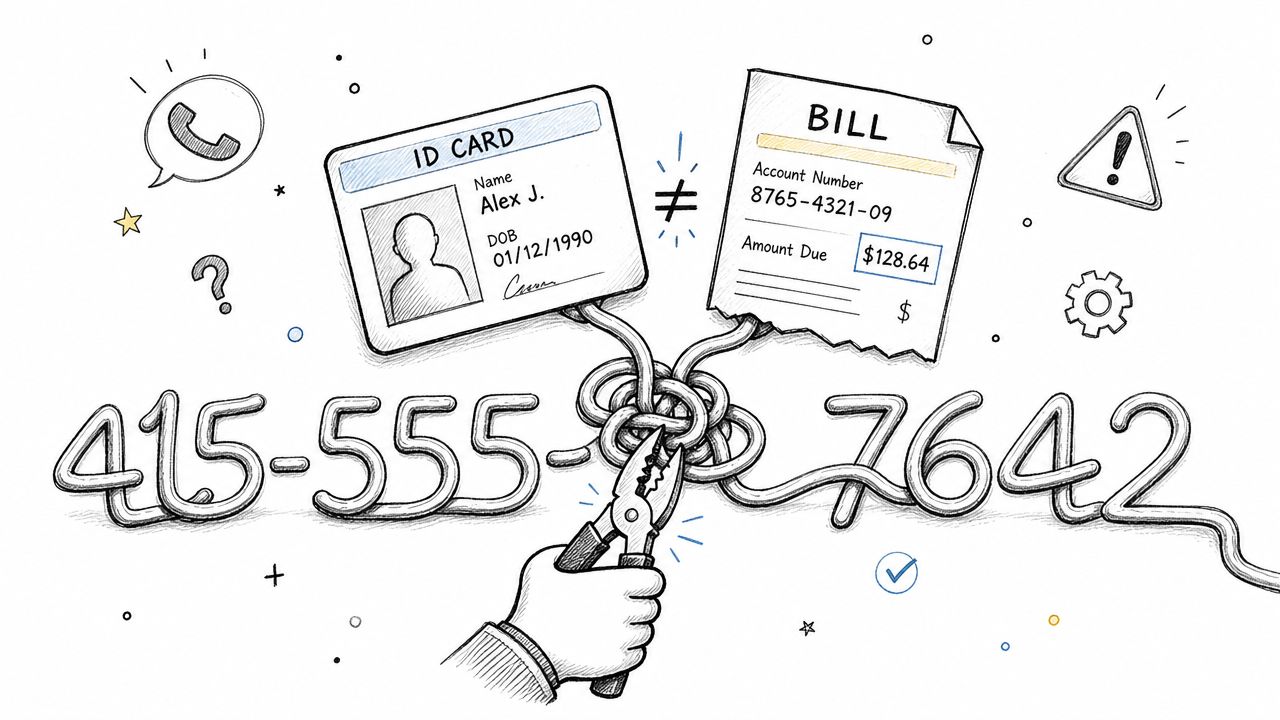
Most failed ports don't fail because the number can't move. They fail because the records don't match.
The new provider usually submits the request on your behalf, but the losing carrier decides whether the information matches its account record. Vonage notes that the most failure-prone step is matching the old account exactly, including the account number, billing ZIP or service address, business name, and authorized person's name, in its guide to how number porting works.
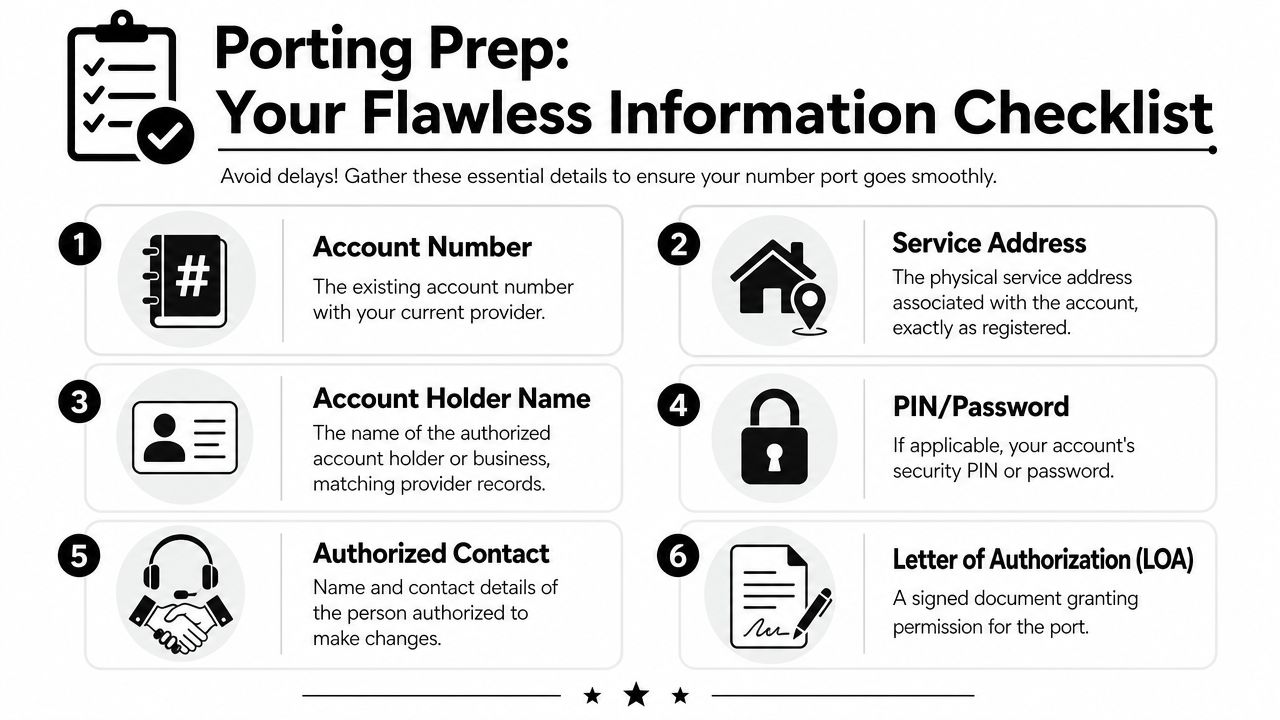
A common point of confusion for business owners arises. They submit the company name they use in daily life, not the exact legal or billing name on the account. They enter the billing address from accounting, not the service address on file. They use a main office manager as the contact, even though the carrier only recognizes the original signer.
Use your most recent invoice and ask your current provider for the Customer Service Record if they'll provide it. Then copy from those documents exactly.
Critical point: "Close enough" is usually not enough for porting data.
Use this as your working list before you submit anything:
If you send outreach at scale, it's also smart to review your contact data before the port. Cleaning destination numbers won't fix carrier-side port issues, but it does make post-port testing easier. For that, a quick review of number validation practices is useful.
The problem usually isn't dramatic. It's usually small and boring.
| Common issue | What it looks like |
|---|---|
| Name mismatch | "ABC Dental" submitted, but carrier record says "ABC Dental PLLC" |
| Wrong address | Billing office used instead of the service address |
| Unauthorized signer | LOA signed by someone the carrier doesn't recognize |
| Missing security detail | PIN or password omitted on an account that requires it |
One more operational habit matters. Don't make unrelated account changes right before porting a number. If you recently changed contacts, addresses, or account structure, confirm those updates have fully settled in the carrier's records before you submit the port request.
Once your records are clean, the port itself becomes a managed sequence rather than a guessing game. The exact interface varies by provider, but the operational path is usually similar across business ports.
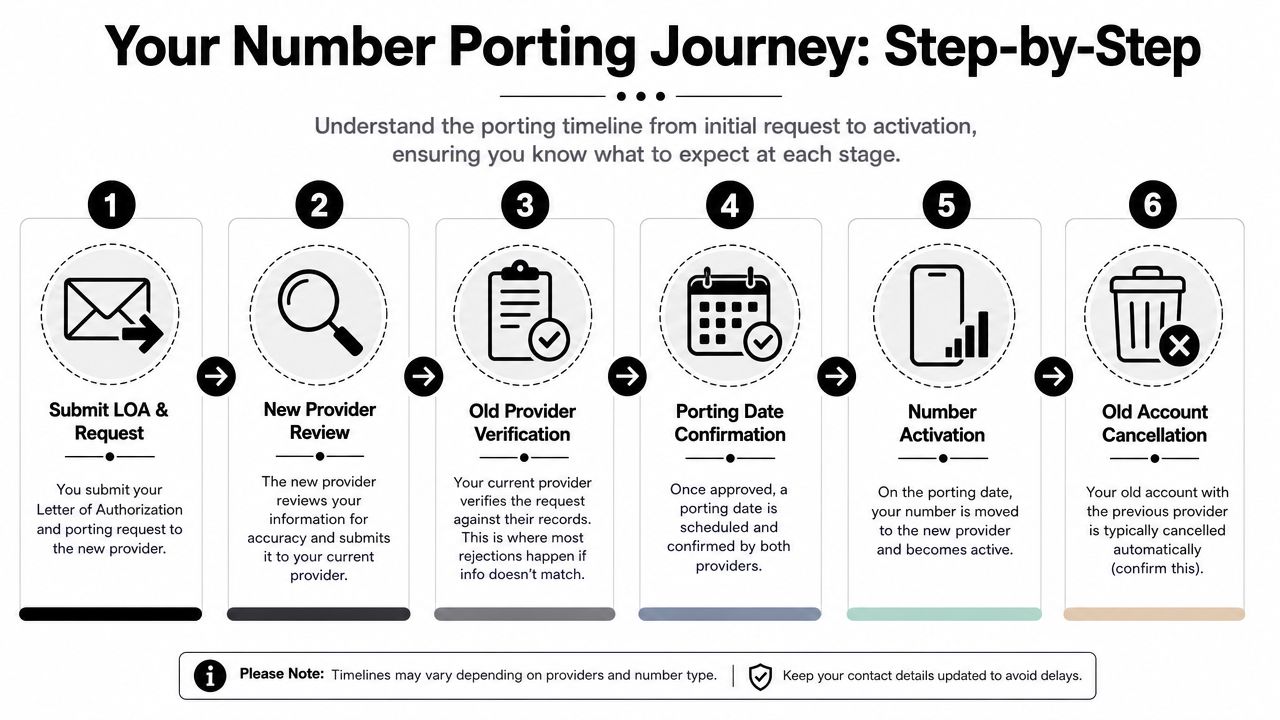
Most ports move through these stages:
This part confuses people because provider dashboards often use shorthand.
The term FOC, or Firm Order Commitment, matters because that's the date you organize around. It isn't a suggestion. It's the scheduled commitment point for the port to occur.
If you cancel your old service before the port completes and traffic is verified on the new side, you can create your own outage.
The cleanest ports happen when the business uses the waiting time well instead of just watching for updates.
A good checklist during this stage looks like this:
If your destination system uses direct inward dialing, it's worth understanding how those numbers are provisioned and managed. This overview of what a DID number is helps clarify how separate business numbers fit into one phone setup.
In a platform built for outbound communication, the provider generally handles the carrier-facing submission while your team handles accuracy, authorization, and post-port testing. That's where one tool can streamline things if you also use SMS, voice broadcasting, and ringless voicemail on the same number. For example, Call Loop supports number porting as part of its business communications setup, which can matter if you're moving the number specifically to run coordinated outbound messaging and voice workflows from one place.
What doesn't work is treating porting like a side task. The businesses that get through it cleanly assign one owner, keep carrier records handy, and prepare the receiving system before the port date arrives.
A port can be technically successful and still create business problems. That's the part many guides miss.
Voice is only one layer. If your team uses the number for SMS campaigns, MMS reminders, ringless voicemail follow-up, receptionist flows, or verification messages, the job isn't done when the phone rings on the new provider.
Outreach's business porting guidance notes that U.S. business number ports commonly take 2 to 6 weeks end to end, that numbers on different accounts or with different authorized owners may need separate requests, and that teams should verify routing and auto-attendant behavior immediately after completion, as explained in its article on the business phone number porting process.
That lines up with what operators see in the field. The most common issues are usually one of these:
Businesses often get blindsided by this: A number can port cleanly for voice while texting still misbehaves after the move.
That can show up as:
| Channel | What can go wrong after the port |
|---|---|
| SMS | Messages send from the platform but never reach recipients consistently |
| MMS | Media messages fail or behave differently than plain text |
| 2FA and verification | Services tied to the number may need to be rechecked or reverified |
| Ringless voicemail | Delivery workflows may need confirmation after the routing change |
The problem isn't always visible right away. Calls may be working, so the team assumes the move is finished. Meanwhile, appointment reminders, sales follow-ups, and customer response flows fail in the background.
A "successful port" for voice doesn't automatically mean your messaging reputation, registrations, or deliverability state followed perfectly.
Start with observed behavior, not assumptions.
This is also where internal coordination matters. Your telecom admin, marketing owner, and whoever manages texting compliance should all know the port date. If those teams work separately, one side often assumes the other handled the messaging side.
The best time to catch a problem is right after the port goes live, before customers tell you something's broken. Day one is for verification, not celebration.
Most guides stop at call testing. That's incomplete. Messaging services often need just as much attention. The overlooked risk, highlighted in discussion around post-port operations, is that a number may work for voice while business texts still fail or require re-registration, which can disrupt reminders and follow-up without obvious warning, as noted in this discussion of messaging gaps during number porting.
Run through these checks in order:
A clean first call doesn't prove the whole system is healthy. Don't rush to close the book.
Wait until you've confirmed:
Businesses run into trouble when they treat the port date as the end of the project. It's the start of validation.
Once those checks pass, then cancel old service if needed, archive your old account documents, and document the final configuration. That's the difference between porting a number and completing the move successfully.
If you're moving a business number and need a platform that supports SMS, voice, ringless voicemail, and number porting in one setup, Call Loop is one option to evaluate. Make the switch with your records cleaned up first, a clear port owner assigned, and a post-port test plan ready before the cutover date arrives.
Chris Brisson
Chris is the co-founder and CEO at Call Loop. He is focused on marketing automation, growth hacker strategies, and creating duplicatable systems for growing a remote and bootstrapped company. Chat with him on X at @chrisbrisson


Trusted by over 45,000 people, organizations, and businesses like


