
See a Demo
You're just one step away from seeing Call Loop in action.
Enter your information below to watch a demo right now.

You're just one step away from seeing Call Loop in action.
Enter your information below to watch a demo right now.

You're probably here because you opened your iPhone, went into Settings, looked for an SMS signature option, and found nothing.
That's the frustrating reality of the sms signature iphone problem. If you run a business, send appointment reminders, follow up on leads, or manage customer support from your phone, a clean text signature seems like a basic feature. It isn't on iPhone. So people end up piecing together workarounds, testing apps that don't quite fit, or manually typing their name and company at the end of every message.
For a solo operator, that can be annoying. For a business sending customer texts every day, it turns into a workflow problem, a consistency problem, and sometimes a cost problem. There are ways to make it work on iPhone, but they're not all equal, and some methods break down fast once texting becomes part of a real outbound process.
A lot of business owners assume they're missing a hidden toggle somewhere under Messages or Keyboard. You aren't.
iPhones lack a native SMS signature feature, while Android devices have had built-in options in messaging settings, according to the verified data tied to this iPhone text replacement tutorial and summary. On iPhone, the usual workaround is Text Replacement, which Apple introduced in iOS 8 around 2014.
That difference matters because it changes the whole experience. On Android, a user can sometimes treat a signature like a messaging setting. On iPhone, you have to treat it like a typing trick.
Apple has long centered the messaging experience around iMessage, not around a business-friendly SMS workflow. That's why so many people keep searching for a dedicated SMS signature option and never find one. It isn't hidden. It does not exist.
The result is awkward for anyone who uses texting as a customer-facing channel. A salon owner wants every reminder to show the business name. A real estate agent wants a recognizable sign-off. A medical office wants clear identification on outreach. The phone they use every day doesn't support that natively.
iPhone users often think they've missed a setup step. In reality, they've run into a product limitation.
If you send only occasional one-to-one texts, this might be manageable. You can type your name manually and move on.
If texting is part of daily operations, the lack of a built-in signature setting creates three immediate headaches:
That's why most iPhone advice on this topic isn't really about a feature. It's about compensating for the absence of one.
You are replying to customers between appointments, and every text needs the same sign-off. On iPhone, the fastest workaround is Text Replacement.
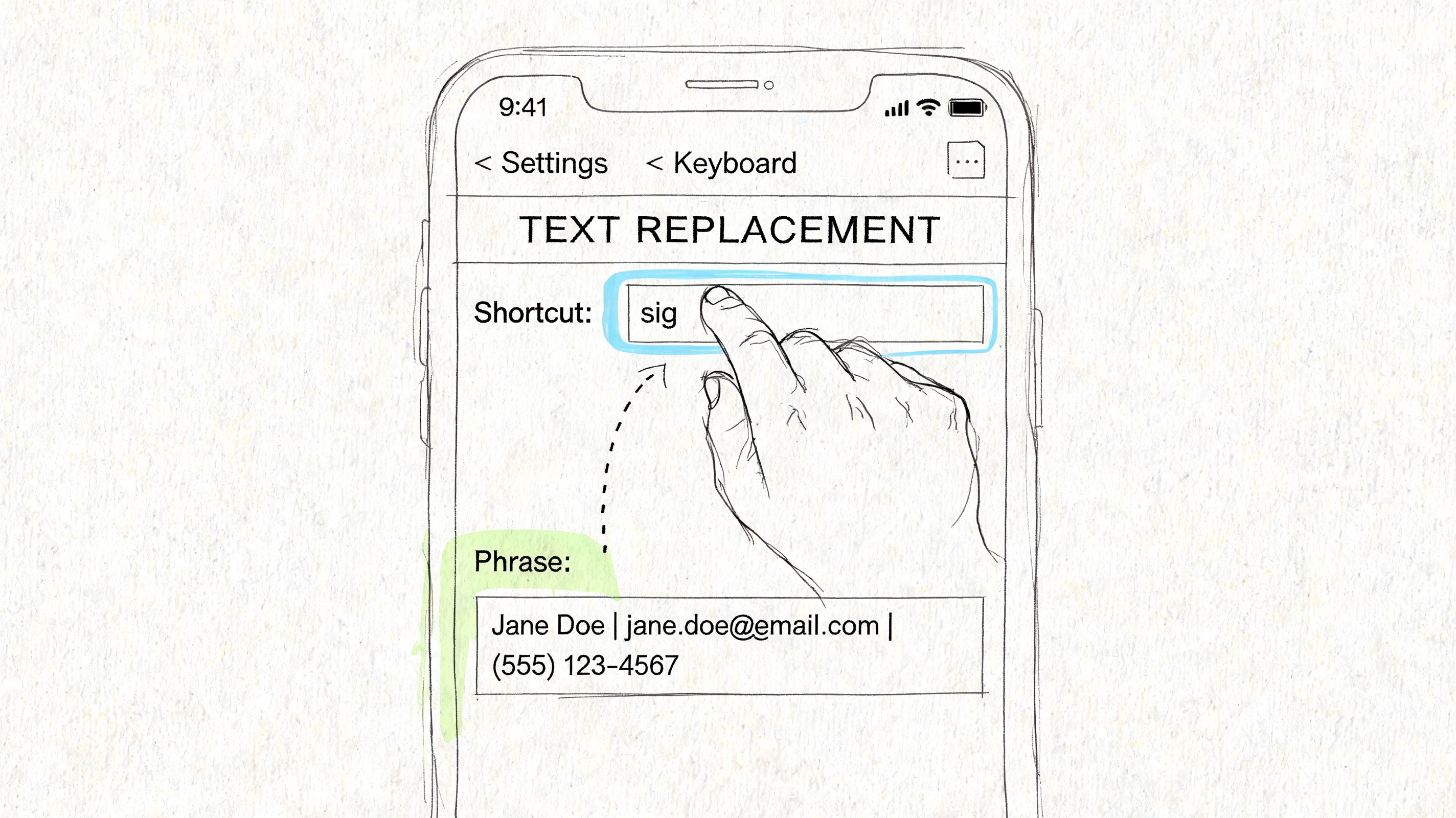
Go to Settings > General > Keyboard > Text Replacement. Tap the + icon, paste your signature into Phrase, and assign a shortcut such as /sig or ;biz. When you type that shortcut and hit space or punctuation, the iPhone expands it into your saved sign-off.
For a solo operator, this is useful. It cuts repetitive typing and gives your messages a more consistent identity. It also stays limited to the device and the person using it. That trade-off matters.
Keep the signature short enough to identify the sender without eating too much message space.
A practical format looks like this:
Alex | Oak DentalMia from Harbor RealtyChris | Support TeamAdding a phone number or website sounds smart, but long sign-offs make short customer texts feel cluttered. If you are sending plain SMS instead of iMessage, every extra character also pushes you closer to another message segment.
A common setup flow is:
Simple signatures perform better than clever ones.
Use unusual triggers like /sig, ;rep, or xx1. Keep the brand reference readable. Match the sign-off to the job the text is doing. A sales message can carry a fuller identity than a quick service update.
One rule I give business owners is simple: identify the sender, then stop. SMS is not the place for a mini bio.
Text Replacement still depends on human memory. Someone has to remember the shortcut, trigger it at the right time, and use the right version. It cannot enforce brand standards across a team. It cannot rotate signatures by campaign, route replies, log consent, or support broader outreach channels like ringless voicemail.
That is why I treat Text Replacement as a personal productivity fix, not a business messaging system. It helps one person send cleaner texts from one iPhone. It does not give a company a scalable, compliant way to manage branded outreach.
If Text Replacement feels too basic, the next level is Apple Shortcuts.
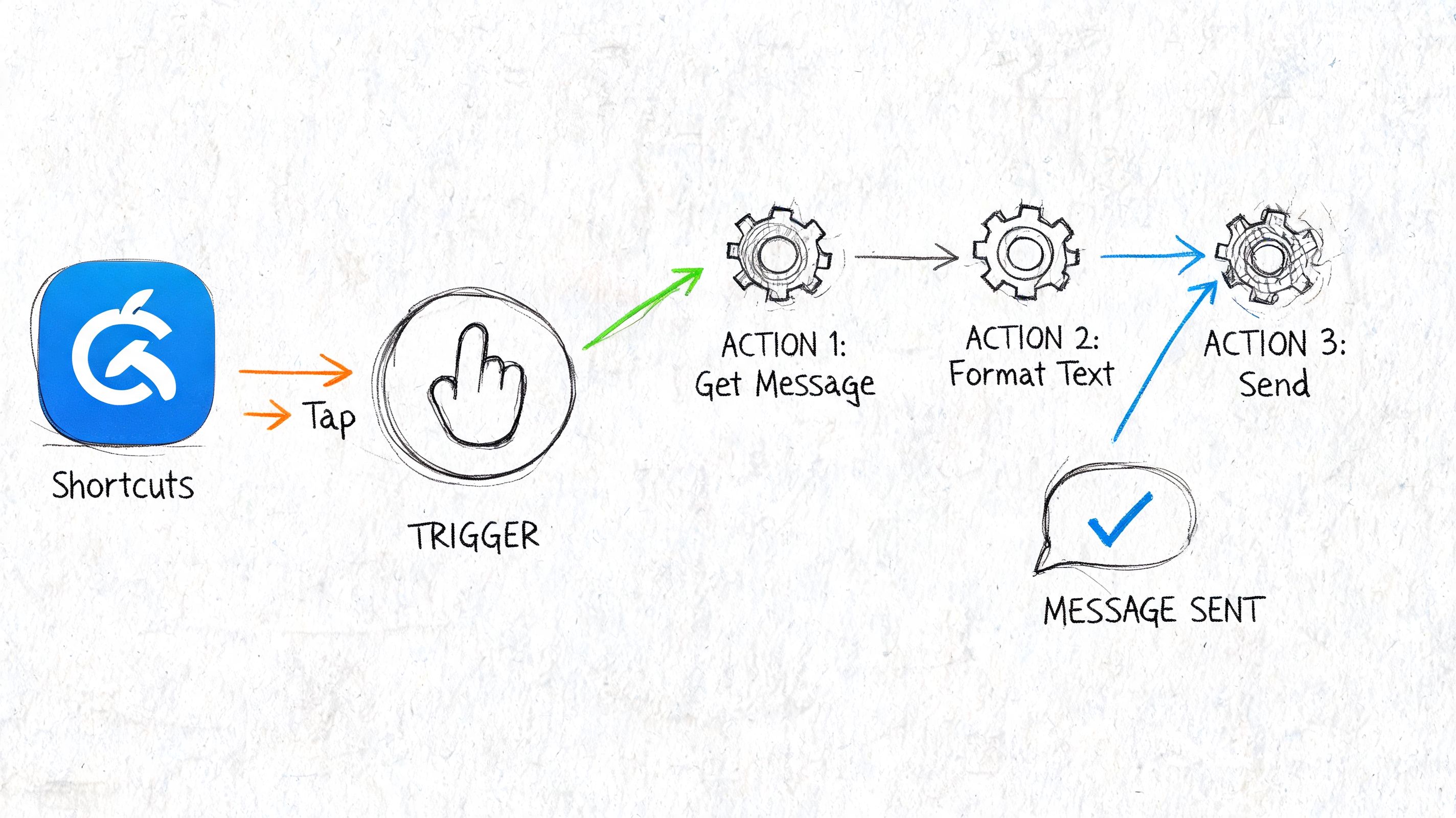
This approach makes sense for the person who wears multiple hats and doesn't want one generic sign-off for every message. A founder may want one signature for sales conversations, another for support, and a simpler one for appointment reminders. Shortcuts can help you choose instead of relying on a single keyboard expansion.
The cleanest version is a menu-based shortcut.
You create a shortcut that:
A simple menu might include:
Taylor | New BusinessTaylor | Customer SupportTaylor | Northside ClinicThis isn't as fast as a true native SMS signature setting, but it gives you more control than Text Replacement.
The big advantage is context. You can build different signatures without memorizing multiple keyboard triggers. You can also make the process feel more intentional, especially if your outbound texts shift across roles during the day.
For example, a home services business owner might use:
| Message type | Signature style |
|---|---|
| New lead follow-up | Name + company |
| Scheduling update | Name + service team |
| Payment reminder | Name + billing |
That's cleaner than inserting the same line at the end of every message.
Shortcuts gives you flexibility. It does not remove manual effort.
This method takes more setup and more maintenance. If you aren't already comfortable building iPhone automations, it can feel fiddly fast. One broken action, one renamed field, or one accidental edit can throw off the flow.
There's also a hard limit to what this solves. You're still working on-device. You still have to launch or trigger the shortcut. You still rely on the sender to use the right option.
That makes Apple Shortcuts a decent fit for a power user, consultant, or owner-operator who wants more control on a personal device. It's not a serious answer for team-wide texting or for businesses that need consistency every single time.
There's a point where clever phone hacks stop being efficient and start becoming expensive.
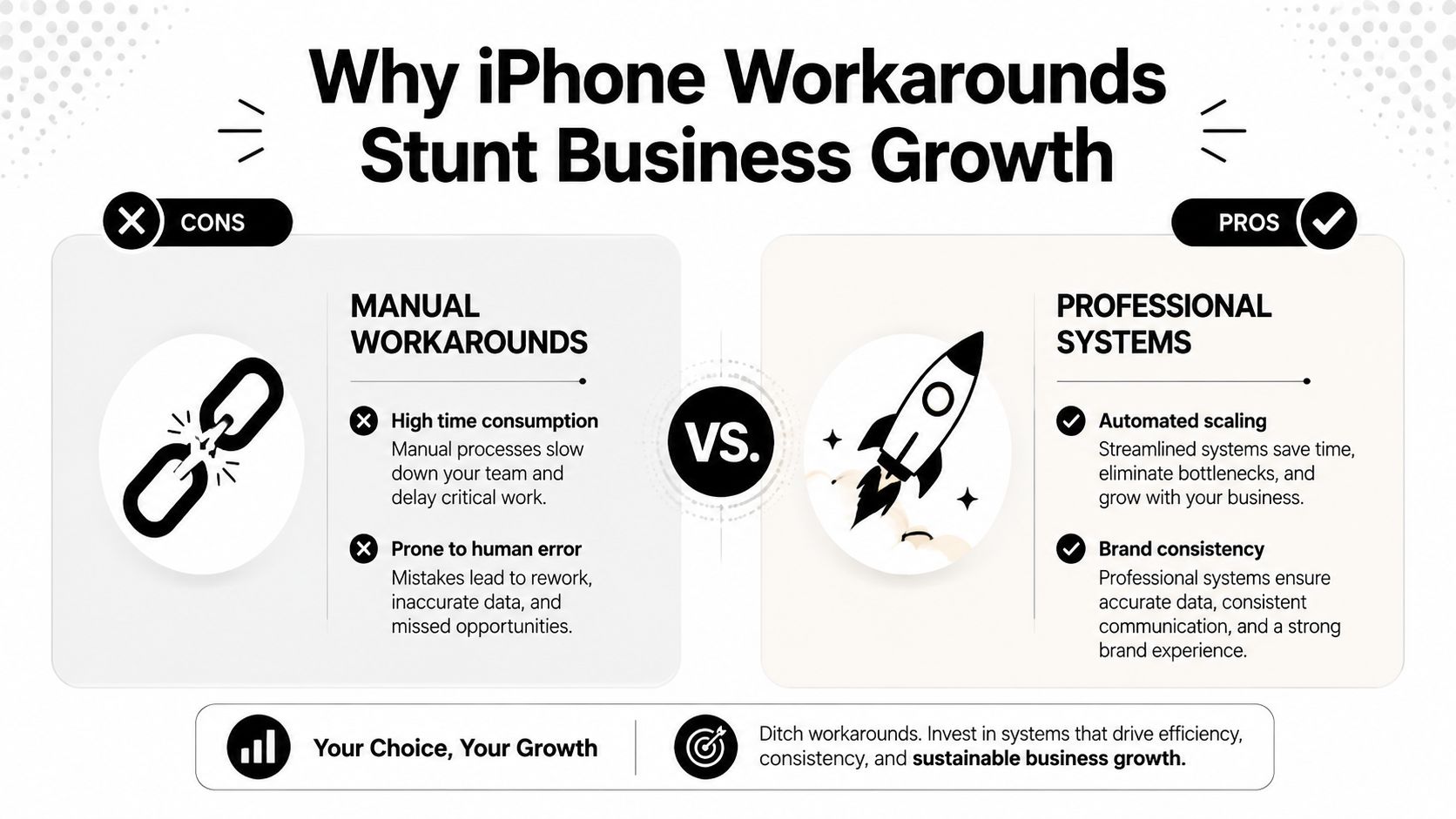
For a solo user sending occasional texts, workarounds are tolerable. For a business, they create friction at exactly the moment you need reliability. Verified data tied to this App Store review analysis of SMS signature app limitations notes that third-party signature apps often fail to attach signatures in replies from the native Messages app, pushing 55% of outbound marketers toward platform-based solutions where signatures are guaranteed. That same verified data says businesses sending 150 to 300 texts daily can see reply rates boosted by 18% with consistent signatures.
Manual methods depend on memory. Someone forgets to use the shortcut. Someone uses the wrong version. Someone sends a message with no brand identity at all.
That may sound small, but in customer communication, small inconsistencies stack up quickly. A prospect gets a polished intro on Monday, then a bare reply on Tuesday. A patient receives a reminder with a sender name once, then an unsigned follow-up later. That inconsistency weakens trust.
The minute more than one person texts customers, iPhone-based workarounds become hard to govern.
One employee prefers Text Replacement. Another uses a copy-paste note. A third tries a third-party app. Nobody is working from the same standard. If you're also trying to manage outreach from multiple numbers or route conversations properly, the operational mess grows. That's one reason businesses eventually look at workflows for texting from a different number instead of depending on whatever each individual phone can do.
A business text isn't just a conversation. It can carry legal, operational, or brand requirements.
You may need a recognizable sender identity. You may need opt-out wording in certain campaigns. You may need a different sign-off for healthcare reminders than for promotions. iPhone workarounds don't enforce any of that. They leave it to the user.
Here's the contrast:
If a process matters to your brand, it shouldn't depend on someone remembering a keyboard shortcut.
A lot of people try App Store tools hoping they'll bridge the gap. The problem is integration. Many of these apps live in their own composer instead of the native Messages workflow. That's why they often break down in reply threads, which is exactly where real business conversations happen.
That leaves you with a stack of partial solutions. Text Replacement works some of the time. Shortcuts works with effort. Third-party apps add another layer and still don't create a business-grade process.
At that point, the issue isn't whether you can add a signature on iPhone. It's whether your current setup supports growth.
The actual solution isn't finding a better iPhone trick. It is moving signature control out of the device and into the messaging system.
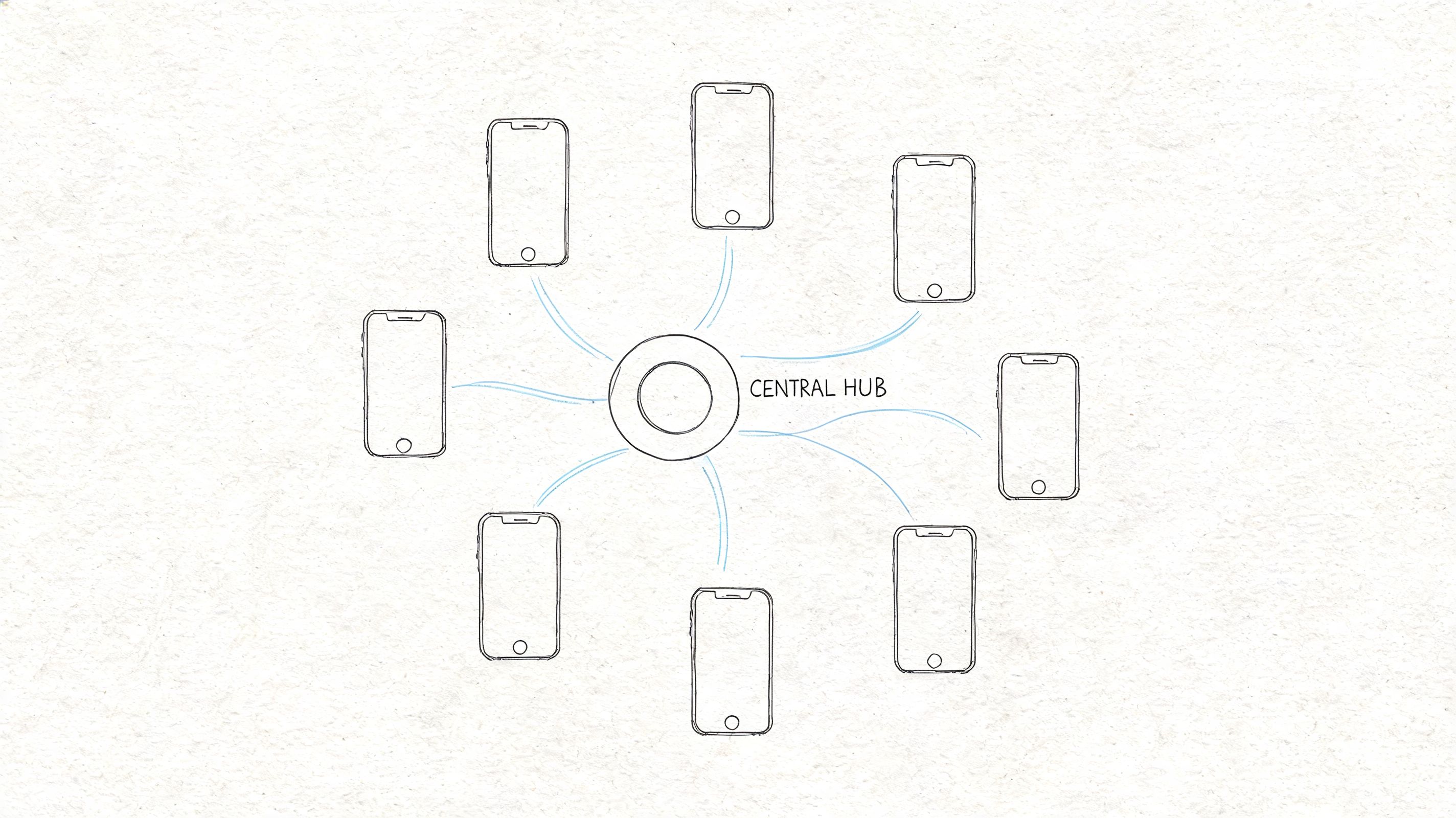
That matters because iPhone methods operate at the keyboard layer, not at the messaging protocol level. Verified data from this SMS signature character-limit explanation states that a 120-character message plus a 45-character signature becomes a 165-character text, forcing it into a two-segment SMS and doubling delivery costs on bulk platforms. The same verified source notes that this setup also lacks conditional logic, so the same signature gets used across message types unless a business switches to a platform approach for cost control and compliance.
A proper messaging platform lets the business define the signature logic once, then apply it consistently across campaigns and conversations.
That means you can manage:
| Need | Phone workaround | Platform approach |
|---|---|---|
| Brand consistency | Depends on each sender | Controlled centrally |
| Message-specific sign-offs | Manual choice | Rule-based handling |
| Team alignment | Hard to enforce | Standardized templates |
| Cost awareness | Easy to miss | Easier to manage systematically |
This is the genuine jump from personal texting to business communication. The signature becomes part of the workflow, not a typing habit.
Once you stop thinking only in terms of the Messages app, the conversation gets more useful. Businesses rarely rely on SMS alone. They combine text with voice touches, reminders, follow-ups, and missed-call recovery.
That's where ringless voicemail becomes relevant. Some contacts respond better to a voicemail drop than to a text. Some promotions work better as a short branded SMS followed by a voicemail reminder. Some appointment workflows need both. When those channels are coordinated, the signature issue stops being an isolated phone problem and becomes one piece of a broader outbound communication system.
For teams planning customer communications across regions, it also helps to look at how broader omnichannel solutions for the Middle East are being framed, because the same logic applies. Centralized channel control matters more than device-specific workarounds.
If you're evaluating a business texting platform, look for the operational pieces that iPhone methods can't provide:
If you're comparing software options, this overview of business texting platform categories is a better starting point than trying another App Store utility.
Businesses outgrow phone-based texting the same way they outgrow spreadsheets for sales follow-up. The tool worked for a while. The process didn't scale.
If you only need a basic sms signature iphone setup for your own messages, use Text Replacement. It's the fastest option, and it's good enough for light one-to-one texting when you keep the signature short.
If you want more control and don't mind setup work, use Apple Shortcuts. It's better for a single user who needs different sign-offs for different situations.
If texting affects revenue, customer trust, reminders, compliance, or team coordination, skip the phone hacks and use a dedicated messaging platform. That's the point where consistency matters more than convenience.
A simple decision guide looks like this:
For a deeper look at what a structured sign-off should include, review these practical ideas around business text message signatures.
The key point is simple. iPhone workarounds are useful, but they are still workarounds. Once texting becomes part of how your business markets, follows up, confirms, reminds, or nurtures, you need a system that treats branding and message control as built-in, not optional.
If you're ready to move past iPhone workarounds, Call Loop gives you a cleaner way to manage branded outreach across SMS, voice broadcasting, and ringless voicemail from one platform. It's built for teams that need repeatable messaging, better control, and a more scalable customer communication process.
Chris Brisson
Chris is the co-founder and CEO at Call Loop. He is focused on marketing automation, growth hacker strategies, and creating duplicatable systems for growing a remote and bootstrapped company. Chat with him on X at @chrisbrisson


Trusted by over 45,000 people, organizations, and businesses like


