
See a Demo
You're just one step away from seeing Call Loop in action.
Enter your information below to watch a demo right now.

You're just one step away from seeing Call Loop in action.
Enter your information below to watch a demo right now.

You’re usually looking up sms through email when email alone has already failed the urgency test.
A customer needs a same-day schedule change. A patient needs a reminder. A sales lead needs a quick nudge before going cold. You can send an email, but you already know what happens next. It lands in a crowded inbox, gets buried under newsletters, and sits unread until the moment has passed.
That’s why businesses keep coming back to text. Email is still useful, but when timing matters, SMS gets attention faster. The question isn’t whether you can send a text from email. You can. The question is which method makes sense for your business, your compliance requirements, and your volume.
Most businesses don’t need another messaging channel. They need a faster path to action.
If you’ve ever had an appointment no-show, a promotion expire, or a lead stop responding after one unanswered email, you’ve seen the gap between “sent” and “seen.” SMS closes that gap. According to Tabular’s SMS marketing statistics, SMS achieves a 98% open rate, with 90% of messages read within 3 minutes. This dwarfs email’s 20% average open rate and explains why SMS response rates hit 45% versus email’s 6%.
That difference changes how you should think about outreach. Email works well for detail, receipts, longer explanations, and design-heavy content. SMS works when the point is speed, visibility, and a direct reply.
Sending SMS from email is attractive because it lets you use tools your team already knows. Gmail, Outlook, a shared inbox, or an automated email trigger can all become the front end for a text workflow.
That’s useful when you need to:
Practical rule: Use email for context. Use SMS for urgency.
A lot of business owners treat sms through email like a technical trick. It’s better to treat it like a delivery strategy.
If a message is genuinely time-sensitive, sending only email is often the wrong bet. If a message needs compliance controls, tracking, automation, and opt-out handling, the method you choose matters just as much as the message itself.
The best setup depends on what you’re sending and who’s receiving it. A one-off internal alert is one thing. Patient reminders, promotions, abandoned cart follow-ups, and multi-location notifications are another.
The original version of sms through email is simple. You send an email to a carrier-formatted address and the carrier converts it into a text message.
For example, the destination might look like a phone number followed by a carrier domain. That’s the classic email-to-SMS gateway model, and it’s why so many people assume this is an easy, free solution.
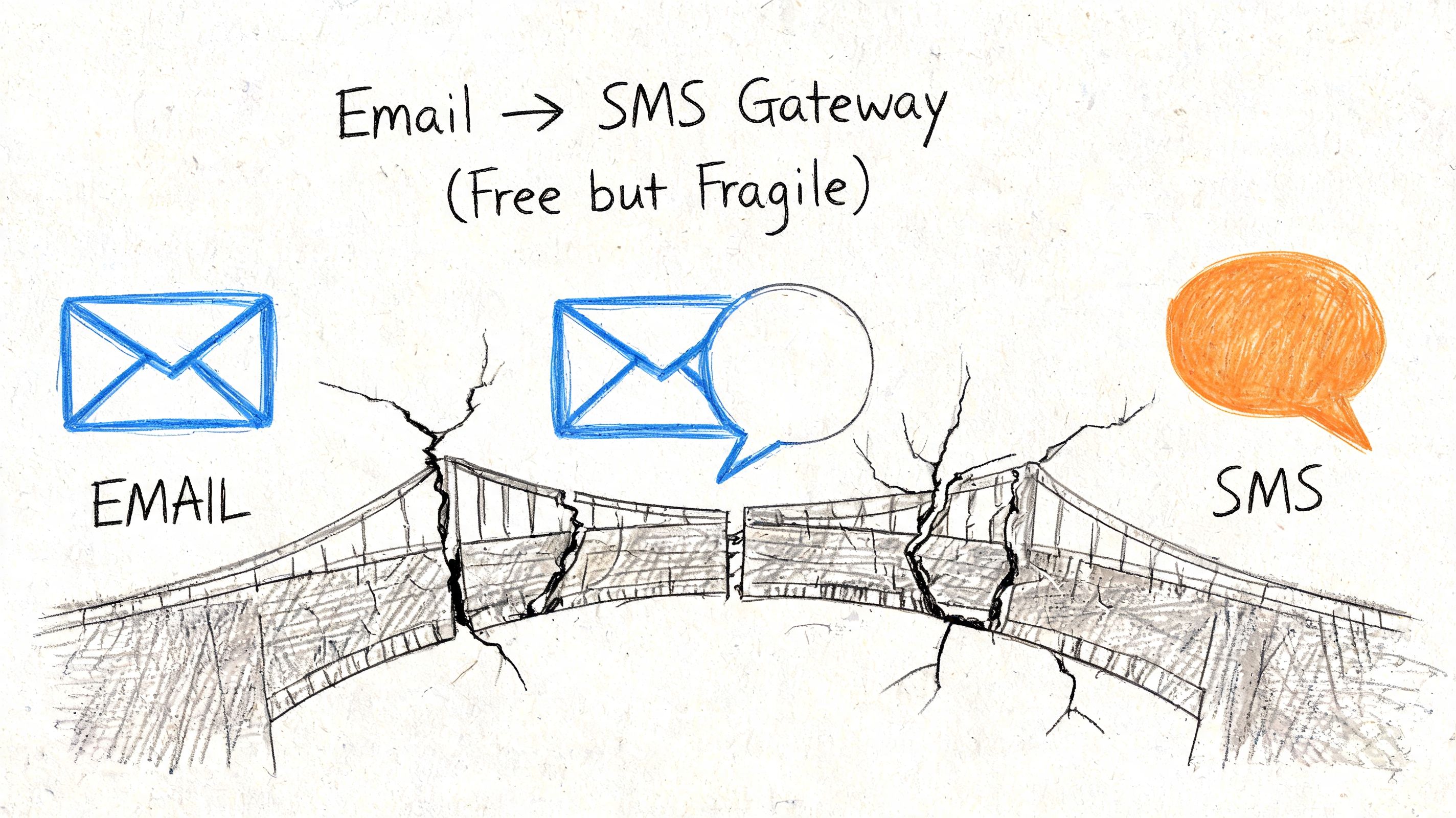
At a basic level, the process looks like this:
That’s the appeal. No app. No API. No direct SMS dashboard.
The problem is reliability. Carrier gateways were fine when you needed occasional low-stakes forwarding. They’re weak for business messaging.
According to Clickatell’s review of SMS technology trends, post-10DLC registration mandates (April 2023 onward) mean deliverability for unverified traffic from these gateways can be less than 60%, a steep drop from the pre-10DLC era’s ~85% success rate.
That one point should change how you evaluate the “free” option. Free delivery that doesn’t reliably arrive isn’t free. It costs missed replies, missed appointments, lost sales, and support headaches.
Carrier gateways tend to fail in the same places:
Free is attractive until a message you needed delivered never shows up.
There are still narrow use cases where a carrier gateway can be acceptable:
| Use case | Fit |
|---|---|
| One-off personal message | Reasonable |
| Internal testing | Sometimes useful |
| Customer-facing promotions | Poor fit |
| Healthcare communication | Bad fit |
| Agency or multi-client campaigns | Poor fit |
If your business depends on message delivery, this method is mostly a fallback, not a foundation.
The next step up is using a provider that accepts email input and converts it to SMS through a managed service instead of relying on public carrier gateways.
SMS through email takes on a professional appearance. Your team still sends from email or an SMTP-enabled system, but the backend is built for business messaging rather than a carrier shortcut.
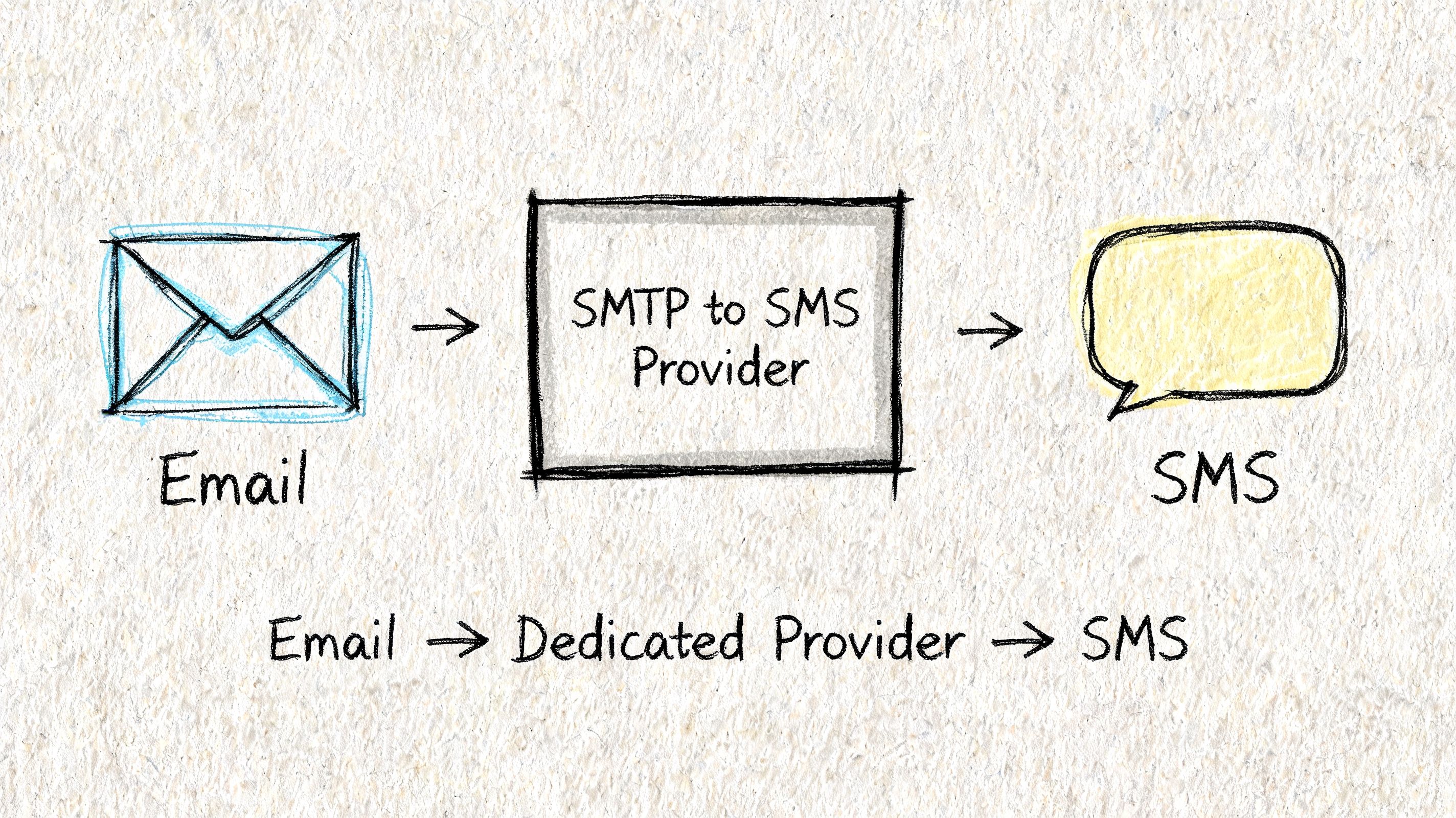
A dedicated provider usually gives you a cleaner path:
If your internal tools can send an email, an SMTP-to-SMS service can often turn that event into a text.
This setup solves the fragility problem, but it doesn’t solve everything.
You still need to think through sender identity, opt-ins, reply handling, suppression logic, and workflow design. And if your main issue is overall email delivery hygiene, fix that too. Before layering SMS onto outbound workflows, it’s worth reviewing a practical resource like the Fypion Marketing cold email guide, because poor email practices tend to create downstream messaging problems elsewhere.
A dedicated provider can also feel incomplete when you need more than simple send-and-convert behavior. Once teams want segmentation, drip sequences, compliance tooling, or performance comparisons across channels, they usually move beyond pure SMTP bridging.
Here’s the simple way to evaluate it:
| Scenario | Dedicated SMTP to SMS fit |
|---|---|
| System alerts from existing software | Strong |
| Light operational texting | Strong |
| Marketing automation | Limited |
| Complex customer journeys | Limited |
| Strict healthcare workflows | Risky without proper safeguards |
If you’re comparing broader software options for business texting, this overview of SMS marketing platforms is useful because it highlights where pure delivery tools stop and full messaging systems begin.
This is the method that holds up when texting becomes part of real operations instead of an occasional workaround.
Instead of treating email as the final sending tool, you use email as the trigger. A label in Gmail, a message sent from Outlook, a CRM event, or a form submission can start an automated workflow that sends SMS, updates a contact record, and branches into other channels when needed.
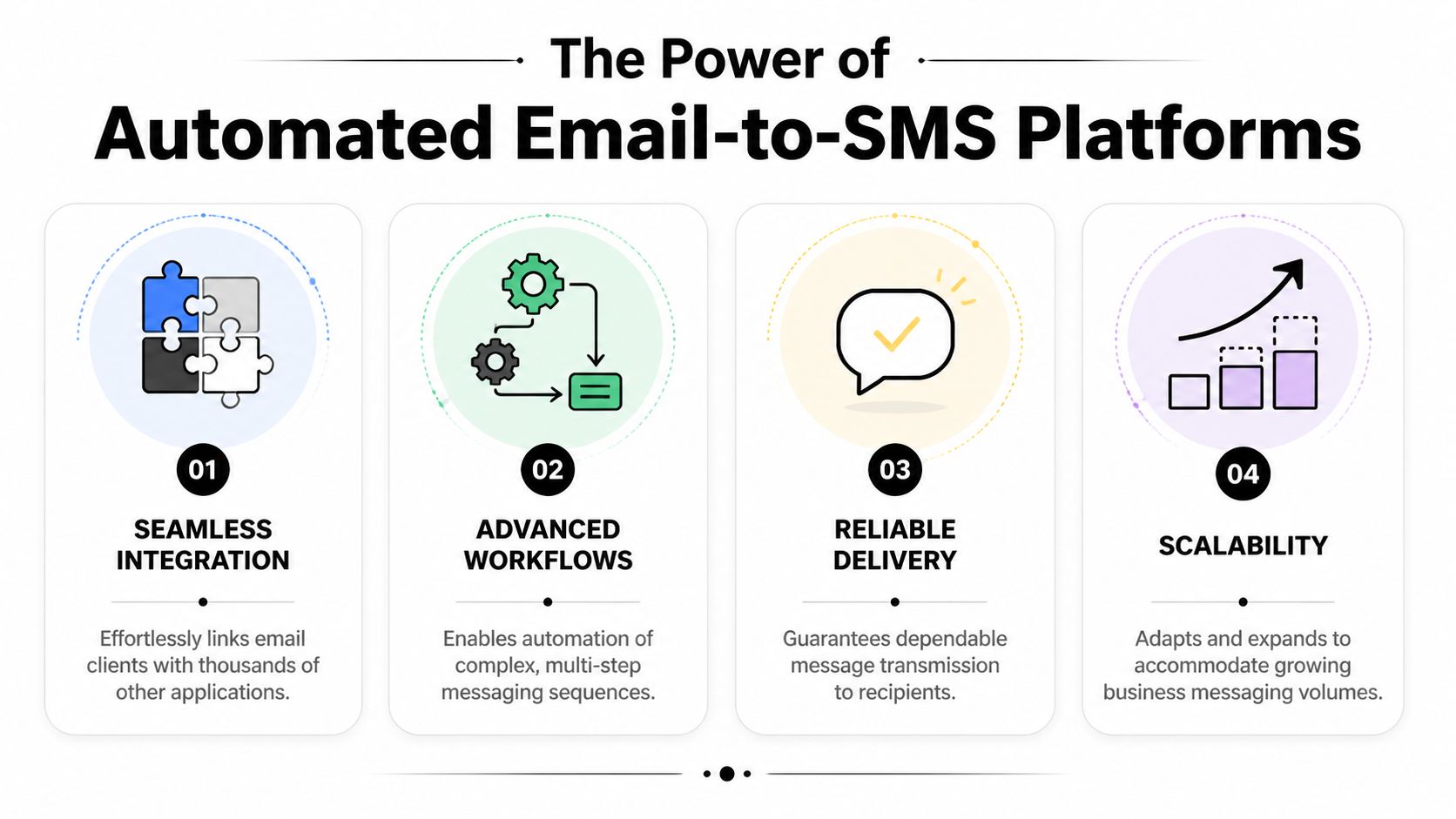
A common setup looks like this:
That last part matters. Some contacts respond to text immediately. Some ignore text but listen to voicemail later. Multi-channel follow-up works because buyers don’t all behave the same way.
According to Attentive’s guide to email and SMS orchestration, orchestrating SMS and email together delivers 2.0x-2.8x higher revenue per user versus single-channel campaigns. Using an SMS fallback for unread emails can lift abandonment recovery by 30-45%.
That matches what practitioners see in the field. Email warms the message. SMS creates urgency. Voice or ringless voicemail adds another touch without forcing a live call.
Don’t build three separate campaigns. Build one customer journey that uses the right channel at the right point.
For a local business, agency, or clinic, a workable sequence might be:
That’s where an integrated platform earns its keep. Call Loop is one example of a platform that supports SMS, voice broadcasting, ringless voicemail, segmentation, scheduling, and Zapier-based workflows for this kind of coordinated outreach. If you’re mapping how text and email work together operationally, this guide on text and email workflows is a useful reference point.
This approach is the right move when you need:
The more your process depends on timing, consistency, and compliance, the less sense it makes to rely on ad hoc email tricks.
Most businesses think about compliance after they start sending. That’s backwards.
With sms through email, compliance is part of the delivery method itself. The question isn’t only what your message says. It’s whether the path that message takes is appropriate for the content, the consent you collected, and the records you need to keep.
For business texting, a safe operating standard includes:
A lot of problems start when teams use whatever is easiest in the moment. A staff member forwards an email to a phone. A shared inbox gets used for reminders. A marketing team reuses an old list for text outreach. That’s how preventable risk gets created.
Healthcare deserves separate treatment because the consequences are more significant.
According to Modern Campus on SMS and engagement strategy, while SMS has a 98% open rate, sending messages without proper compliance can be catastrophic. For healthcare, using non-compliant email-to-SMS gateways for patient communication risks violating HIPAA, as it lacks the necessary security protocols for protecting PHI across channels.
That’s the line many practices miss. They assume the message is short, so the risk is small. But if protected health information is involved, the channel and workflow matter. Generic forwarding methods aren’t enough.
Operational standard: If a message can expose patient information, don’t send it through a casual email-to-SMS workaround.
For most SMBs, the practical checklist is straightforward:
If you need a plain-language overview of registration and business texting standards, this 10DLC compliance guide gives a useful baseline.
Compliance isn’t red tape for serious senders. It’s what keeps your messaging program deliverable, defensible, and trustworthy.
Most sms through email problems come from three places. The message is too long, the formatting is sloppy, or the workflow wasn’t built around how people respond.
Short messages win here. They survive email-to-text conversion better, read better on mobile, and make replies easier.
Use this quick check when messages aren’t performing:
Short beats clever. Clear beats complete.
Template
Hi [First Name], this is [Business Name]. Your appointment is scheduled for [Day] at [Time]. Reply C to confirm or call us if you need to reschedule.
Why it works: it identifies the sender, confirms the key detail, and gives one easy reply path.
Template
[First Name], your offer from [Brand] is live now. Use code [CODE] before [End Time] here: [Link]
This format works because it gets to the offer fast. According to Notifyre’s SMS marketing statistics, texted coupons are redeemed 32% more than other types, and 63% of consumers who opt-in to a brand’s SMS list will make a purchase within three months.
Template
Hi [Parent Name], [Student Name]’s class at [Studio Name] is moved to [Time] today. Reply YES if you got this.
That last reply prompt matters. For schedule changes, you don’t just want delivery. You want confirmation.
If someone doesn’t respond to the first text, don’t immediately blast another one. Change the channel.
A practical sequence is:
| Step | Channel | Purpose |
|---|---|---|
| First touch | SMS | Fast visibility |
| Second touch | More detail | |
| Third touch | Ringless voicemail | Add human tone without a live call |
Ringless voicemail is especially useful when the message needs a more personal feel, such as overdue follow-up, event reminders, or local service updates. It won’t replace SMS, but it often improves response when text alone stalls.
If you want one system that can handle sms through email, automated text campaigns, voice broadcasts, and ringless voicemail in the same workflow, Call Loop is built for that kind of outbound communication. It fits teams that need practical automation, list management, and compliant outreach without stitching together a pile of disconnected tools.
Chris Brisson
Chris is the co-founder and CEO at Call Loop. He is focused on marketing automation, growth hacker strategies, and creating duplicatable systems for growing a remote and bootstrapped company. Chat with him on X at @chrisbrisson


Trusted by over 45,000 people, organizations, and businesses like


