
See a Demo
You're just one step away from seeing Call Loop in action.
Enter your information below to watch a demo right now.

You're just one step away from seeing Call Loop in action.
Enter your information below to watch a demo right now.


You hit "send" on that critical email... and then you wait. And you wonder if it was even seen.
Let's face it, email is the workhorse of business communication, but for anything urgent, it's becoming a black hole. The average person is drowning in over 100 emails every single day. Your important message—whether it's an appointment confirmation, a last-minute schedule change, or a hot new offer—is fighting for survival.
This is where the raw power of SMS messaging comes in. Text messages have a mind-blowing 98% open rate, and most are read within just a few minutes. By learning how to send a text from email, you get to combine the workflow you already use every day with the can't-miss immediacy of a text.
Think about it. You run an HVAC company and a technician is stuck in traffic. An email update might sit unopened for hours, leaving you with a frustrated customer. But a quick text? It gets read almost instantly. You've just turned a potential disaster into a moment of great customer service.
It's the same story for so many businesses. Healthcare clinics slash no-show rates with simple SMS reminders. Local shops drive a flood of foot traffic with flash sale alerts.
The possibilities are everywhere:
The bottom line is this: when a message absolutely, positively has to be seen right now, nothing beats SMS. And when you integrate it with your email, you build a seamless bridge from your keyboard straight to your customer's pocket.
This isn't just about blasting out texts. It's about creating a smarter, more responsive communication system. You can even get more advanced and pair a text message with a ringless voicemail drop for a one-two punch that ensures your message is both seen and heard. You're meeting customers where they are, building stronger trust, and making your own operations a whole lot smoother—all without having to learn a brand-new system.
So, you're ready to start sending texts from your email. Smart move. But before you dive in, you need to know there isn't just one way to do it. The right approach really hinges on what you’re trying to accomplish, your budget, and how many people you need to reach.
Let's walk through the three main ways you can turn an email into an SMS message. Each has its own set of trade-offs in cost, reliability, and professional features, and understanding them is key to picking the right tool for the job.
To make the choice easier, here's a quick side-by-side comparison of the options we're about to cover. This table breaks down what each method is best for and what limitations you can expect.
| Method | Best For | Key Features | Limitations |
|---|---|---|---|
| Carrier Email-to-SMS Gateway | One-off, non-critical messages to a single person. | - 100% free to use - No special software needed | - No delivery confirmation - Unprofessional sender ID - Character limits and message splitting - Requires knowing the recipient's carrier |
| Dedicated SMS Gateway Service | Small-scale, one-way notifications. | - More reliable than carrier gateways - Basic business features | - Can be clunky to use - Limited automation and integrations - Often lacks two-way messaging |
| Comprehensive Messaging Platform | Businesses needing scalable, automated, and professional communication. | - Two-way messaging - Detailed analytics & tracking - Automation & integrations (Zapier/API) - Compliance tools (opt-in/opt-out) | - Requires a subscription - More setup than simpler methods |
As you can see, what starts as a simple idea—sending a text from your email—quickly reveals different levels of sophistication. Now let's dig into the details of each.
The most basic way to send a text from email is by using a mobile carrier’s own email-to-SMS gateway. It sounds techy, but the concept is simple: every phone number has a hidden email address assigned to it by the carrier, like 5551234567@vtext.com for Verizon or 5551234567@txt.att.net for AT&T.
You just pop that special address into the "To" field of a new email, type your message, and hit send. The carrier then converts it into a text.
Sure, it's free and doesn't require any extra software. That's tempting. But for any kind of business use, this method is a non-starter. It’s riddled with problems that will cause more headaches than it's worth.
Think of it like sending a critical update via a postcard with no return address. It might get there, but you can’t be sure, and you'll never know if it doesn't.
A definite step up from the free-for-all of carrier gateways is a dedicated SMS gateway service. These are platforms built to be the middleman between your email and the mobile networks, offering a much more reliable way to deliver your texts.
With these services, you typically send an email to a unique address they provide. Their system then handles the messy work of converting it to SMS and getting it delivered. It's a better option, for sure, and you get some basic business tools that the free method completely lacks.
Even so, these services can feel clunky and disconnected from your other tools. They're often limited to one-way blasts and lack the deeper integrations needed for real automation, like adding a ringless voicemail drop into your follow-up sequence.
Your messages need to be seen, and instantly. That's the core decision you're making here.
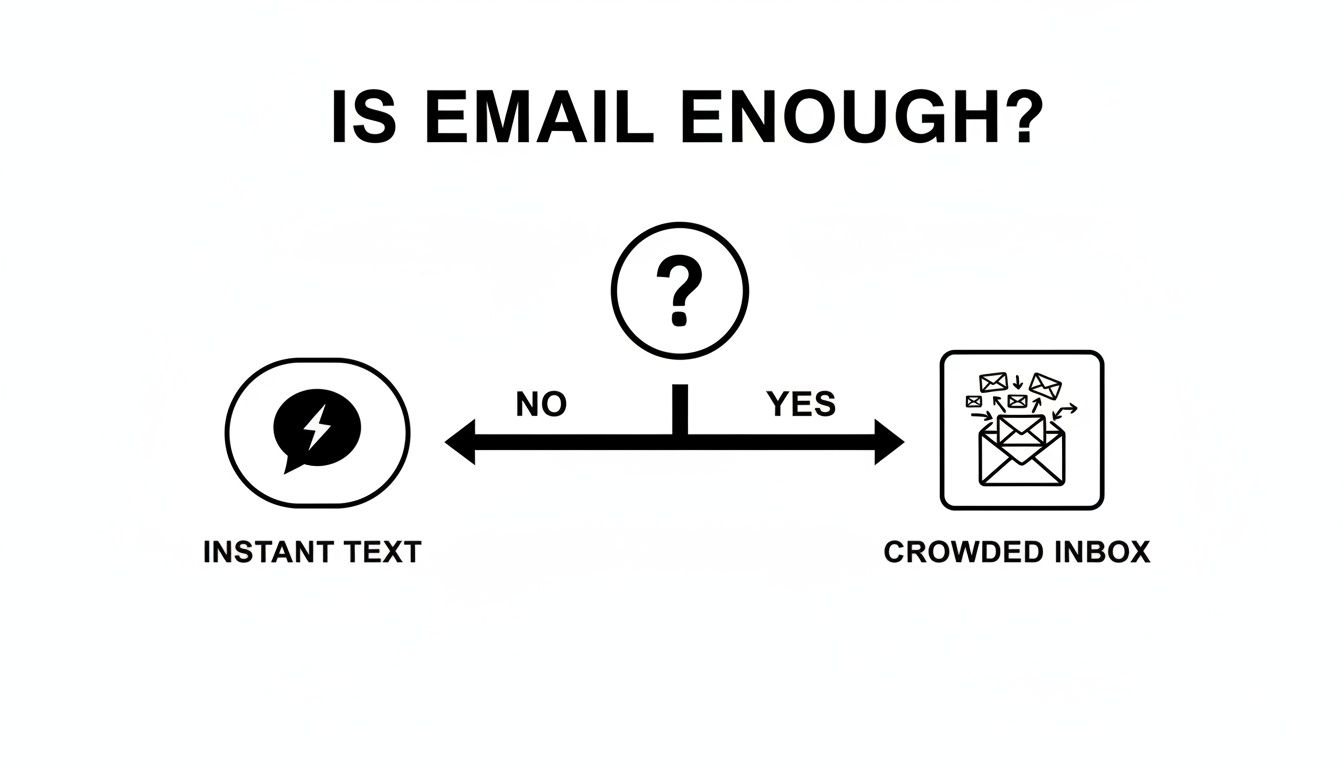
Do you risk getting lost in a cluttered inbox, or do you choose the channel that guarantees your message gets immediate attention?
For any business that's serious about growth, automation, and looking professional, a true messaging platform like Call Loop is the only way to go. This approach isn't just about sending a text from email; it's about building an entire communication strategy around it.
Instead of just firing off one-way messages, you can build intelligent, automated conversations. You’re not just sending a text—you're managing a relationship. This means you get full two-way messaging, personalization with merge fields, and analytics that actually tell you what's working. You see delivery reports, track who clicks your links, and handle opt-out compliance automatically.
This method is less about just converting an email and more about integrating SMS deeply into your business operations for things like appointment reminders, sales follow-ups, and customer service alerts.
A full platform gives you the control you need for modern outreach. We're talking about advanced features like scheduling messages for the perfect time, segmenting your contacts for targeted campaigns, and creating automated sequences that can even combine SMS with other channels like ringless voicemail. It's the only method that truly grows with your business and keeps your communications effective and compliant.
Ever wanted to send a quick text right from your email inbox? The simplest, most direct way to do it is by using a mobile carrier’s built-in email-to-SMS gateway. This method is completely free and doesn’t require any special software, which makes it a tempting option for a one-off message.
The process itself is pretty straightforward. You just compose an email and send it to a special address that combines the recipient's 10-digit phone number with their carrier's unique domain. For example, if you're texting someone on Verizon, you'd send your email to 5551234567@vtext.com. The carrier’s network then takes that email, converts it into a standard SMS, and delivers it to their phone.
Here's the catch: you absolutely must know the recipient's mobile carrier. There’s no universal address. Each carrier—AT&T, T-Mobile, Verizon—has its own gateway domain. If you send a message to an AT&T address but the person actually uses T-Mobile, your message will just disappear into the ether. No bounce-back, no error message. Nothing.
To give you a head start, here are the gateway addresses for the major U.S. carriers:
[10-digit-number]@txt.att.net[10-digit-number]@tmomail.net[10-digit-number]@vtext.com[10-digit-number]@email.uscc.net[10-digit-number]@messaging.sprintpcs.comWhen you send your email, remember that only the body of the email gets turned into a text. The subject line and any fancy email signatures are almost always ignored or stripped out by the carrier.
While this is a neat trick for a quick personal note, it's riddled with problems that make it a non-starter for any kind of professional use. The initial appeal of "free" wears off fast once you run into the harsh reality of its limitations.
The biggest issue with carrier gateways is the total lack of control and feedback. You're basically throwing your message into a black hole and just hoping it gets there. That's a huge gamble when your customer communication is on the line.
The problems go way beyond just guessing the carrier. Here’s a breakdown of why this method will fail your business:
yourname@gmail.com), not a phone number. This just screams "spam" and can confuse your customers, eroding trust in your brand.This approach just doesn't have the reliability businesses need. You can't do things like automate a follow-up ringless voicemail or even track who opened your message. It's a one-trick pony.
For a quick, non-essential personal text, it’s a fun party trick. But for your business, you need a real solution that offers reliability, a professional appearance, and data you can actually use.
Sure, using carrier gateways gives you a basic way to send a text from email, but let's be honest—they aren't designed for professional use. If you're running a business that needs a reliable, scalable system that plays nice with the tools you already use, automation is the only real way forward. This is where connecting your email to a dedicated messaging platform like Call Loop completely changes the game.
Instead of crossing your fingers and manually sending messages, you can build out intelligent communication flows. A simple integration, often done with a tool like Zapier, can link your email client (like Gmail or Outlook) or even your CRM directly to Call Loop. This connection then acts as a trigger, kicking off specific actions based on certain events.
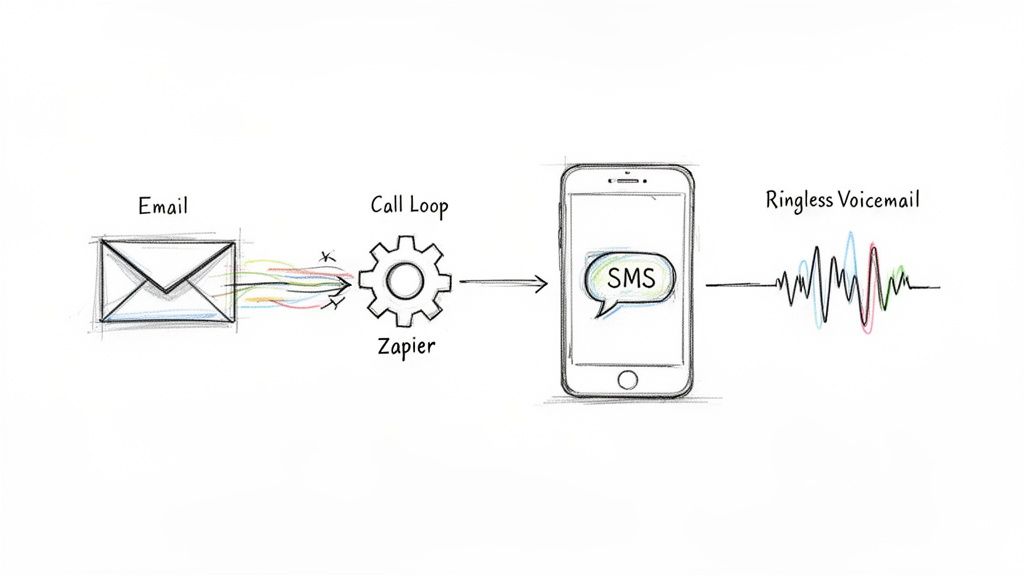
Just imagine a new lead fills out a form on your website. That form submission zips an email notification over to your sales inbox. With a simple automation rule, that email can instantly trigger Call Loop to fire off a personalized welcome text to that lead. You’ve just engaged a potential customer in seconds, all without lifting a finger.
Think of Zapier as a universal translator for web apps. It lets you create connections—they call them "Zaps"—between thousands of different services, no coding required. For what we're doing here, it’s the perfect bridge between your day-to-day email activity and Call Loop’s powerful messaging features.
Here’s a real-world example of how a service business might use this:
This setup goes way beyond just blasting out texts. It creates a system for contextual, event-driven communication that feels personal and incredibly responsive. You can build Zaps for almost any scenario you can think of—from welcoming new subscribers and confirming orders to following up on support tickets.
The real magic here isn't just about sending a text; it's about creating an automated system that reacts to your customer's actions in real-time. This level of responsiveness is exactly what separates an exceptional customer experience from an average one.
A truly effective outreach strategy rarely relies on just one channel. With a platform like Call Loop, you can build sophisticated, multi-touch campaigns that layer different types of communication to make a much bigger impact. This is where something like ringless voicemail becomes a powerful tool in your arsenal.
A ringless voicemail drops a pre-recorded audio message straight into someone's voicemail box without ever making their phone ring. It’s far less intrusive than a cold call but feels much more personal than a simple text.
Think about this automated sequence for a brand-new client:
This entire sequence is automated, kicked off by that initial sign-up email. It ensures every new customer gets a consistent, high-touch onboarding experience, allowing you to scale your best practices without scaling your workload. You can learn more about how Call Loop helps orchestrate these sequences by exploring our marketing automation features.
Manually sending texts from your email isn't just a time-sink; it's a magnet for human error. Automation cleans up these problems while opening the door to some serious strategic advantages.
In a world where attention is the most valuable currency, you have to find a way to cut through the noise. To ensure your message actually gets seen, using platforms that offer SMS automation is no longer a luxury—it’s a necessity.
By integrating your email workflow with an automated SMS and voice platform, you’re doing more than just sending messages. You're building a modern, efficient communication engine that drives real business results.
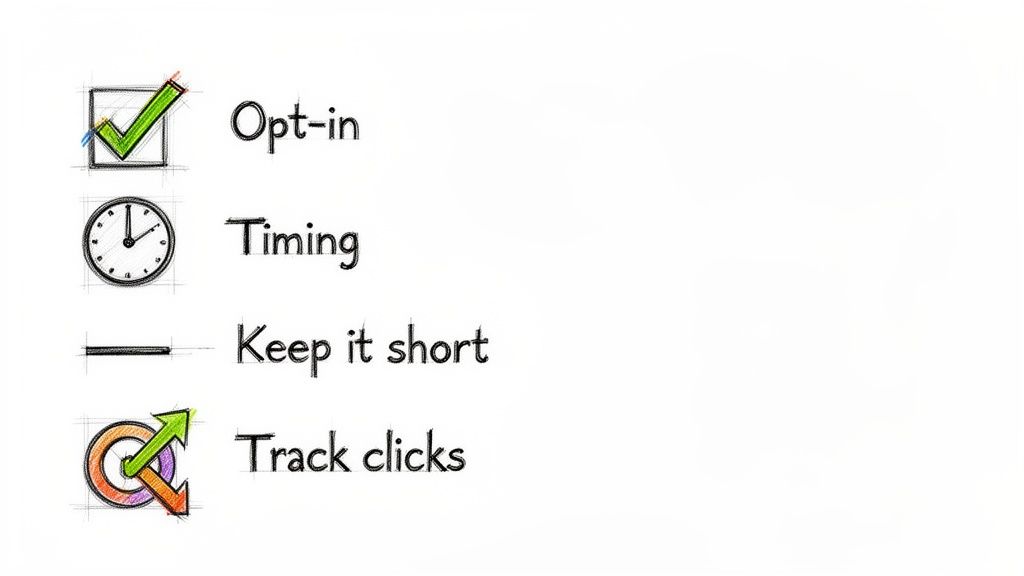
Knowing how to send a text from your email is one thing. Knowing how to do it well—so people are glad to hear from you—is another thing entirely.
If you don't nail the strategy, you risk coming across as spammy, breaking some serious rules, and tarnishing the brand you've worked so hard to build.
Let's walk through the non-negotiables to make sure your messages are welcome, effective, and drive real results for your business.
Before you even think about hitting send, you have to get your head around the rules of the road. The big one is the Telephone Consumer Protection Act (TCPA).
At its core, the TCPA is all about permission. For any kind of marketing text, you absolutely must get express written consent from someone before their phone buzzes with your message.
This can't be buried in fine print. It needs to be crystal clear that by giving you their number, they're agreeing to get marketing texts from you. This isn't a friendly suggestion; it’s a legal mandate with hefty fines for getting it wrong.
Key Takeaway: Your very first message to a new contact must identify your business and provide clear opt-out instructions, such as "Reply STOP to unsubscribe." This isn't optional—it's foundational to compliant and ethical messaging.
Trying to manage opt-ins and opt-outs by hand is a surefire way to get into trouble. A professional platform handles this on autopilot, so if someone texts "STOP," they're instantly taken off your list. No manual work, no compliance headaches. To dive deeper, check out our guide on how to get express written consent.
Texting is all about brevity. People expect quick, scannable messages that cut right to the chase. A standard SMS message has a 160-character limit. Even though most phones can stitch longer messages together, you should always write like that limit is a hard rule.
Ditch the corporate jargon and fluffy intros. Get to the point immediately.
This direct approach shows you respect your customer's time. And always, always include a clear call to action (CTA). They need to know exactly what you want them to do next, whether it’s confirming, clicking, or calling.
When you send a text is just as critical as what you send. Because texts feel so immediate, a poorly timed message can feel like an intrusion. A flash sale alert at 3 AM is the fastest way to get an angry reply and an opt-out.
As a general rule, stick to standard business hours in your recipient's local time zone. For most businesses, that means somewhere between 9 AM and 7 PM. And think about the context of your message.
And please, unless it's a specific holiday promotion, avoid sending marketing texts on weekends or major holidays. Let people enjoy their time off.
Here's a simple truth: you can't improve what you don't measure. One of the biggest drawbacks of using a basic carrier gateway is the total lack of analytics. You're flying blind.
When you use a professional SMS platform, you get access to data that tells you what's actually working.
Keep an eye on these key metrics:
Using features like link shortening and click tracking is a must. A short, trackable link not only saves valuable characters but also tells you precisely who is interacting with your content. This data is gold. It lets you tweak your messaging, test different offers, and consistently improve the ROI of your email-to-text efforts.
Even with the best-laid plans, you're going to hit a delivery snag with email-to-SMS sooner or later. It’s incredibly frustrating when a critical message just doesn't show up, for both you and your customer. The first step to fixing these glitches is figuring out why they happen in the first place.
Most issues fall into a few buckets: messages that never arrive, texts that show up as gibberish, or messages that get filtered out before they even get a chance. How you fix it really depends on which method you're using to send your texts.
If you're using the free carrier gateway route, I'll be honest—troubleshooting is a nightmare. You get zero feedback. When a text fails, it just disappears into the ether.
From my experience, though, the problem is almost always one of these culprits:
number@vtext.com for a T-Mobile customer means it's gone for good. It’s the single most common point of failure for this method.The real headache with carrier gateways is the total lack of transparency. You’re left completely in the dark, guessing what went wrong. That’s why it’s just not a sustainable method for any business-critical communication.
One thing you can do to be proactive is run your emails through a good free email spam checker before sending. This gives you a sense of your email's "health" and can help you spot issues that might get it flagged before it even hits the SMS gateway.
Now, when you switch to a professional platform like Call Loop, you're no longer flying blind. You get access to detailed delivery reports and logs—this becomes your command center for troubleshooting. Instead of guessing, you can see the exact status of every single message you send.
For a deeper dive, you can learn more about why texts sometimes fail to deliver and what those specific error codes mean.
You’ll typically see a few common delivery statuses:
If you start seeing a high rate of "Filtered" or "Undelivered" messages, it's time to investigate. Take a hard look at your message content for anything that feels too promotional or spammy, and make sure you're regularly cleaning your contact list. Having this data at your fingertips is what allows you to diagnose and fix problems in minutes, not days.
Once you start exploring how to send a text from email, a lot of questions pop up. It’s one thing to do it for fun, but another to build a real business strategy around it. Let's tackle some of the most common questions we hear from businesses making this move.
Technically, yes. Using a mobile carrier's built-in gateway won't cost you a dime. But for any real business use, it’s a non-starter.
This free method is incredibly limited. There’s no tracking, the messages look unprofessional, and you have no good way to manage replies or stay compliant. If you need reliability and professional features like ringless voicemail drops, you absolutely need a dedicated service.
They sure can. But the real question is how you'll handle those replies.
With a free carrier gateway, every response dumps straight into your email inbox. It quickly becomes a chaotic mess that’s impossible to manage, especially as you scale. A professional platform, on the other hand, gives you a clean, threaded SMS inbox so you can easily track every conversation and respond right away.
Remember, the point isn't just to broadcast a message—it's to open a line of communication. An organized inbox is mission-critical for managing customer relationships and making sure no one gets ignored.
This is where a true messaging platform shines. You can easily layer in voice by choosing a service that supports multiple channels.
For example, you could send an automated text and then follow it up with a pre-recorded ringless voicemail. This creates a powerful, multi-touch experience that gets your message across without ever making their phone ring.
Ready to move beyond the free, limited options and build a professional communication system that actually works? Call Loop gives you all the tools you need—from compliant two-way SMS and mass texting to ringless voicemail and powerful automation. Start your free trial today and see what a real platform can do.
Chris Brisson
Chris is the co-founder and CEO at Call Loop. He is focused on marketing automation, growth hacker strategies, and creating duplicatable systems for growing a remote and bootstrapped company. Chat with him on X at @chrisbrisson


Trusted by over 45,000 people, organizations, and businesses like


