
See a Demo
You're just one step away from seeing Call Loop in action.
Enter your information below to watch a demo right now.

You're just one step away from seeing Call Loop in action.
Enter your information below to watch a demo right now.

A key study found that 86% of students said text messages prompted them to complete a task they hadn't yet done, 85% said the messages alerted them to something they didn't realize they needed to do, and 84% found text reminders useful in getting everything done for college (Mainstay research summary). That should change how most schools think about communication.
For many administrators, the core problem isn't whether the school is sending enough information. It's whether families and students see it in time to act. Email gets buried. Paper notices stay in backpacks. Front office staff spend hours making manual calls. Important reminders reach people too late, or not at all.
That's why texting for schools works best when it isn't treated as a single tool. A practical school communication program uses SMS for speed, voice for urgency and human tone, and ringless voicemail for detail without interruption. The schools that get the most from messaging don't just send more messages. They match the channel to the job, segment audiences, and build escalation paths for the families who need more support.
School communication used to run on newsletters, robocalls, and staff persistence. That model still exists, but it no longer matches how families and students respond. If you need action, not just awareness, texting has become one of the most dependable channels available to a school.
The reason is simple. Text messages fit the way people already live. Parents glance at phones between work tasks, pickup runs, and household logistics. Students live in mobile notifications. A message that is short, specific, and timely can move someone from “I forgot” to “done” in minutes.
That matters for more than reminders. It affects attendance, event turnout, counseling follow-through, enrollment steps, and emergency communication. In practice, texting for schools closes the gap between a message sent and a task completed.
Most communication breakdowns in schools fall into a few buckets:
Practical rule: If the message requires same-day action, don't rely on email alone.
A modern messaging strategy gives schools a way to fix those issues without adding more manual work. SMS handles immediate prompts. Voice broadcasting helps when tone, urgency, or broad reach matters. Ringless voicemail is useful when you need to deliver a fuller explanation without forcing families to answer a call live.
Used together, these channels become operational infrastructure, not just outreach.
A school messaging system should be easy to understand at the staff level. If principals, attendance clerks, and program coordinators can't quickly tell which channel to use, the system won't stay consistent.
The simplest way to think about it is this: SMS is a note, voice broadcast is an announcement, and ringless voicemail is a memo.
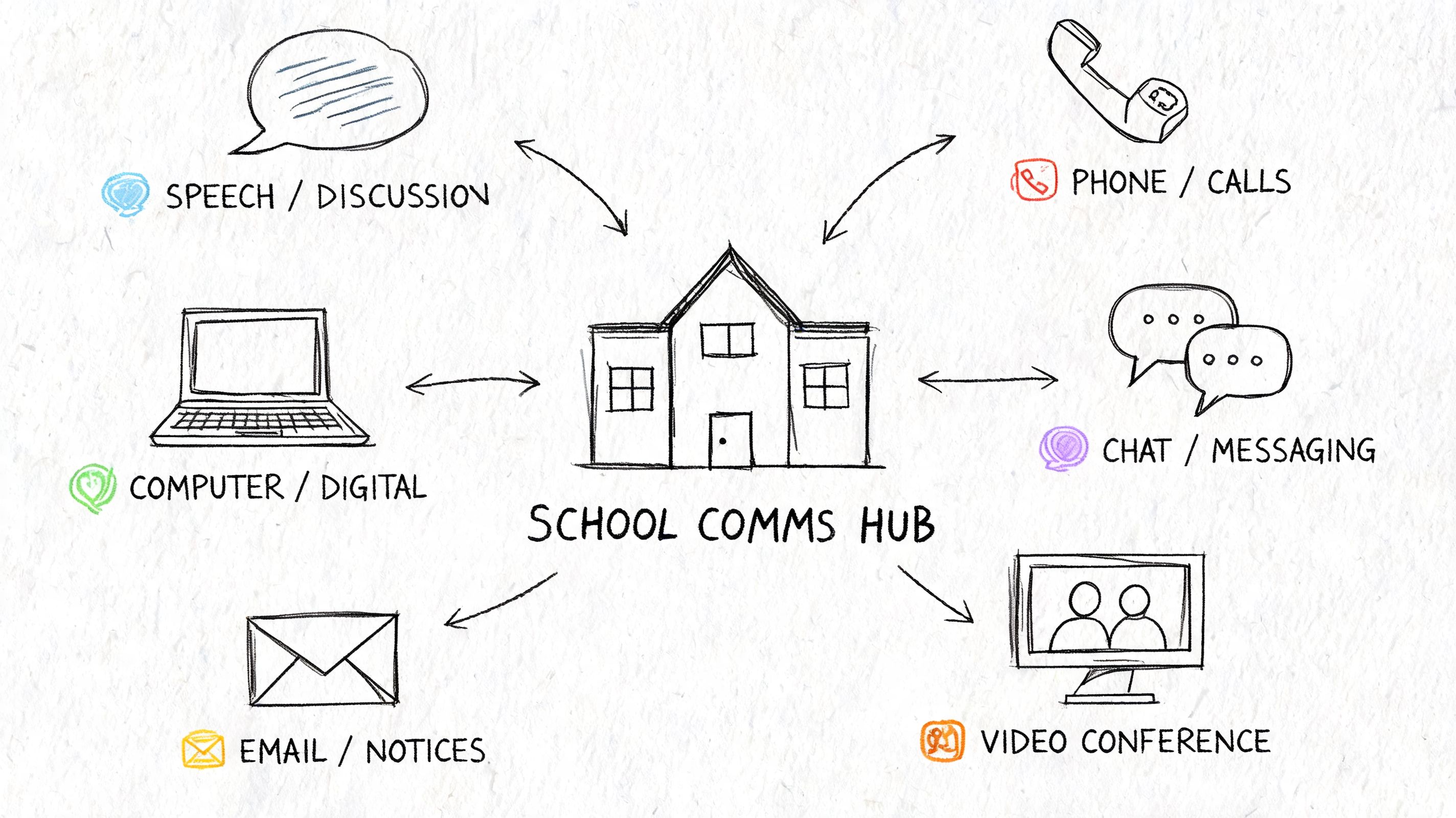
SMS is the workhorse for texting for schools. It's best for brief, time-sensitive communication that asks the recipient to do one clear thing.
Good SMS use cases include:
MMS can help when an image adds clarity, such as a flyer, map, or event graphic. But schools should use it carefully. If the message works without an image, plain text is usually cleaner and easier to process on any phone.
For tutoring programs, language schools, and enrichment teams that need tighter coordination across instructors and learners, it's worth looking at tools built around centralized messaging for language educators. The principle matters even in K-12 districts. Keep communication organized in one place instead of scattering it across personal phones and inboxes.
Voice broadcasting works well when the message carries weight and a real voice improves trust. Families are more likely to understand urgency when they hear it from a principal, superintendent, or school leader.
Use voice broadcasts for:
A recorded message can also reduce confusion in multilingual communities when schools prepare separate recordings for different audiences. The format is especially useful when staff want to explain context, not just announce a fact.
Ringless voicemail is often overlooked in school communication. It delivers a message into the recipient's voicemail inbox without the experience of a live ringing call. That makes it useful when the school needs more room than SMS allows, but doesn't want to interrupt families during work hours.
Ringless voicemail fits situations like these:
| Channel | Best use | Why it works |
|---|---|---|
| SMS | urgent reminders and quick replies | fast, concise, easy to act on |
| Voice broadcast | emergencies and high-importance announcements | carries authority and tone |
| Ringless voicemail | detailed updates, follow-ups, and non-urgent explanations | respectful, less disruptive, easy to replay |
Examples include a principal explaining a calendar change, a counselor following up on missed registration tasks, or a fundraising office sharing a short campaign message with a clear callback.
One platform schools may evaluate for this kind of setup is Call Loop, which supports SMS, voice broadcasting, ringless voicemail, scheduling, segmentation, and workflow automation. That matters when a school wants one operating system for multi-channel outreach instead of stitching together separate tools.
A good school comms stack doesn't ask one channel to do everything. It assigns each channel a job.
Most administrators don't need another abstract case for digital communication. They need examples that match the problems hitting the front office every week.
The strongest texting for schools programs usually center on a handful of operational priorities: attendance, emergencies, event participation, and community support efforts.
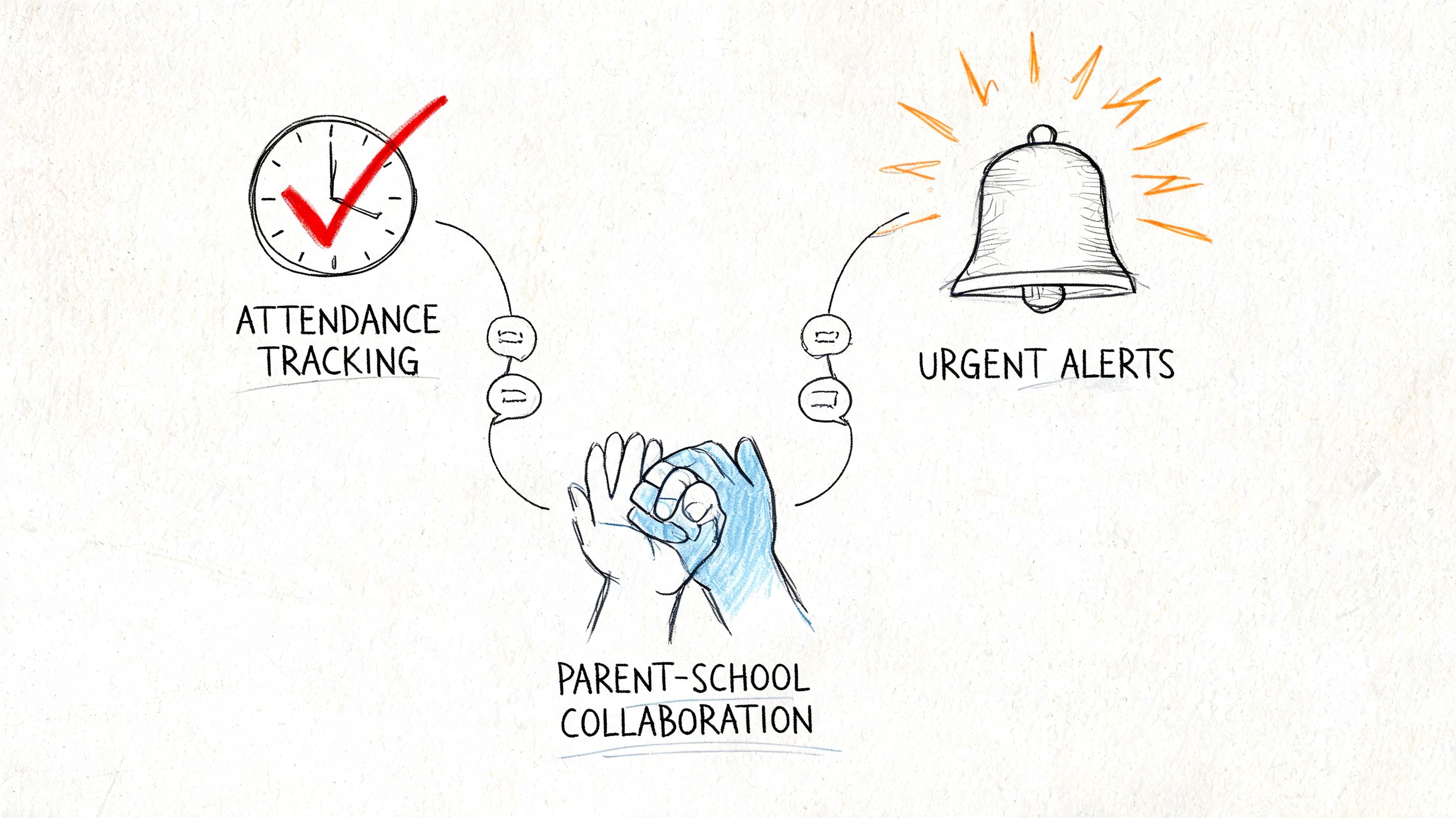
Attendance is one of the clearest places where messaging can shift outcomes. A large randomized trial found that adaptive SMS messaging, including same-day absence notifications and weekly reminders, reduced chronic absenteeism by 2.4 to 3.6 percentage points (PowerSchool summary of the trial).
The operational lesson is more important than the number. Schools get better results when they don't wait for a student to become disconnected before communicating. Same-day absence texts create fast visibility. Weekly reminders reinforce expectations. Escalation matters for higher-risk students.
A practical attendance sequence looks like this:
That sequence respects staff time. It also prevents the common failure mode where schools jump straight from silence to a personal call list that no one can maintain consistently.
When schools need to communicate about safety, weather, or an unplanned closure, speed and clarity matter more than polish. In those cases, a single-channel approach is risky. One family may see a text instantly. Another may respond better to a recorded voice message. A third may listen to voicemail once they step out of a meeting.
For emergency workflows, schools should use layered delivery. Start with text for immediate visibility. Add a voice broadcast from school leadership for context and authority. Use a dedicated system for school emergency notification workflows so staff can trigger alerts fast without building the message from scratch under pressure.
Keep emergency templates ready before you need them. The best time to write a lockdown notice, weather closure update, or reunification instruction is not during the incident.
A common school pattern goes like this: staff design a nice flyer, email families once, and turnout disappoints. The problem usually isn't lack of interest. It's timing and channel mismatch.
Strategic text reminders can improve response. Multi-touch SMS sequences have been shown to boost school event RSVPs by 10 to 20% compared with a single message (Textbolt summary). In practice, that means one invitation is rarely enough.
A better event sequence:
This also applies to admissions and community engagement. If your school or institution wants to create 360 immersive campus experiences, pair that experience with timely text reminders so families don't miss the invitation or forget to explore it.
Fundraising works differently from attendance or emergency communication, but the same discipline applies. Don't blast the whole database with the same appeal. Segment your audiences.
A school foundation, booster club, or nonprofit arm can use:
Schools often over-message. Families who ignore three donation prompts in a row shouldn't stay in the exact same sequence forever. Move them to lighter-touch updates or broader community messages. Keep donor asks distinct from mandatory school communications.
Strong school messaging feels coordinated from the family side. They should never feel like five departments are talking over each other.
A school can have smart workflows and still create risk if consent, data handling, and opt-outs are sloppy. Compliance has to be built into the process before the first campaign goes live.
For most schools, the practical compliance discussion starts with TCPA and FERPA. You don't need staff to become legal specialists. You do need them to follow documented rules about consent, privacy, and message handling.
Schools should be careful about how they collect permission for text and voice communication, especially for non-emergency outreach. Consent language belongs in enrollment packets, annual update forms, online registration flows, and any standalone sign-up page.
A solid process includes:
If your team needs a practical overview of consent standards, express written consent guidance is a useful starting point for operational planning.
One frequent mistake is assuming a phone number in the SIS equals permission for every kind of outreach. It doesn't. Schools should map communication types and document what consent covers.
FERPA concerns are less about the act of texting and more about what the message contains, who receives it, and how records are stored. A text message can be compliant. A text that reveals sensitive student information to the wrong person is not.
Use this simple test before staff send a message:
| Question | If yes | If no |
|---|---|---|
| Does the message include personally sensitive student information? | limit content and verify recipient | proceed with standard template |
| Is the phone number confirmed for the correct parent or guardian? | continue | pause and verify |
| Does the message need detailed explanation? | consider voice or secure follow-up | SMS may be enough |
Keep sensitive details out of mass texts whenever possible. Instead of sending academic specifics, prompt the family to contact the school or log into the approved system.
Most compliance failures aren't dramatic. They come from rushed habits. A school reduces risk when it standardizes the basics.
Use a pre-launch checklist like this:
Compliance is mostly process discipline. Schools get into trouble when different departments improvise.
Good school messages do one job well. They tell the family what matters, what action to take, and when to take it. If a text tries to explain everything at once, families skim it, postpone it, or miss the point entirely.
That is why channel choice matters as much as copy.
SMS works best for short actions such as confirming a conference, replying about an absence, or checking event attendance. Voice works better when tone, urgency, or explanation matters. Ringless voicemail is useful when a school wants broad reach without forcing every family into a live call. Schools get better results when they build the message around the situation instead of forcing every scenario into a text.
Strong school messages usually share five traits:
A practical test helps here. If a parent reads only the first line on a lock screen, they should still know why the school contacted them.
Schools often treat SMS as the default for everything. That creates avoidable friction.
Use SMS when the message is short and the action is simple. Use voice when families need context, reassurance, or detailed instructions. Use ringless voicemail for reminders that benefit from a human voice but do not require immediate conversation, such as principal reminders about open house, testing week, or deadline day. In practice, the strongest school communication programs combine all three.
A few examples:
If your team is building recurring outreach, a mass text messaging workflow for recurring school outreach can reduce manual work and keep reminder timing consistent.
Single-send communication is one of the most common reasons schools get weak response rates. Families are busy, and one message can arrive at the wrong moment even if the wording is solid.
A better approach is a short sequence with a clear purpose for each touch:
The sequence should change by use case. Attendance messages often need same-day speed. Event campaigns need spacing. Fundraising usually needs email to carry the full explanation, with text used as a prompt rather than the whole ask. Consequently, schools benefit from a communication playbook instead of a pile of disconnected templates.
Use these as starting points. Schools should tune wording by audience, grade band, and channel.
Keep the reply path obvious. Families should know exactly what happens after they read the message.
Parent-teacher conference reminder (SMS)
Attendance follow-up (SMS)
School closure alert (SMS plus voice follow-up if needed)
Event RSVP prompt (SMS)
Principal event reminder (ringless voicemail script)
Fundraising reminder (SMS supporting email)
Several habits reduce response fast:
The best school messages reduce effort for the family. They answer three questions right away: what happened, what do I need to do, and by when?
Launching texting for schools isn't mainly a software project. It's an operations project. The platform matters, but the rollout succeeds or fails based on list quality, ownership, workflow design, and staff habits.
Start with governance before you start with features. Decide who can send districtwide messages, who manages building-level communication, who approves emergency templates, and who owns the contact data.
A platform can look polished in a sales demo and still create pain during the school year. Administrators should evaluate systems against actual school tasks.
Priority criteria usually include:
A system that handles all of those moderately well will usually beat a narrow tool that does only one task elegantly.
Most school messaging problems are contact problems. If the parent record is outdated, if siblings create duplicate households, or if language preference is missing, the campaign won't perform the way staff expect.
Before launch, clean and structure your lists around real communication needs.
A practical segmentation model might include:
| Segment | Why it matters |
|---|---|
| Parents and guardians | primary audience for attendance and operational updates |
| Students | useful for age-appropriate reminders and deadlines |
| Staff | separate channel for internal notices |
| Language groups | supports translated or localized communication |
| Engagement tiers | helps determine when to escalate from SMS to voice or staff follow-up |
Don't begin with every use case. Start with one high-value workflow that staff can manage consistently. Attendance is often the best launch point because the need is clear and the operational rhythm already exists.
A sensible rollout sequence:
This keeps the launch grounded in routines staff already understand. It also gives the school time to refine templates, contact hygiene, and opt-out handling before more departments join.
Routine messages are easy. The strain shows up when something goes wrong. A student record is linked to the wrong guardian. A family replies with a sensitive issue. A principal wants to send a long text during an urgent situation.
Train staff on edge cases:
That's what makes the system reliable in real school conditions.
Schools that get the most from messaging programs measure operational outcomes, not send volume. A strong program helps reduce avoidable absences, gets guardians to confirm faster, improves event turnout, and shows staff which cases need a phone call or direct support.
Start with channel-level performance because it shows whether the system is working as intended. Then connect those numbers to school workflows. Delivery rates, replies, click activity, and voicemail listens are useful. The stronger signal is what happens after the message: fewer missed conferences, faster attendance follow-up, better form completion, and less staff time spent chasing routine responses.
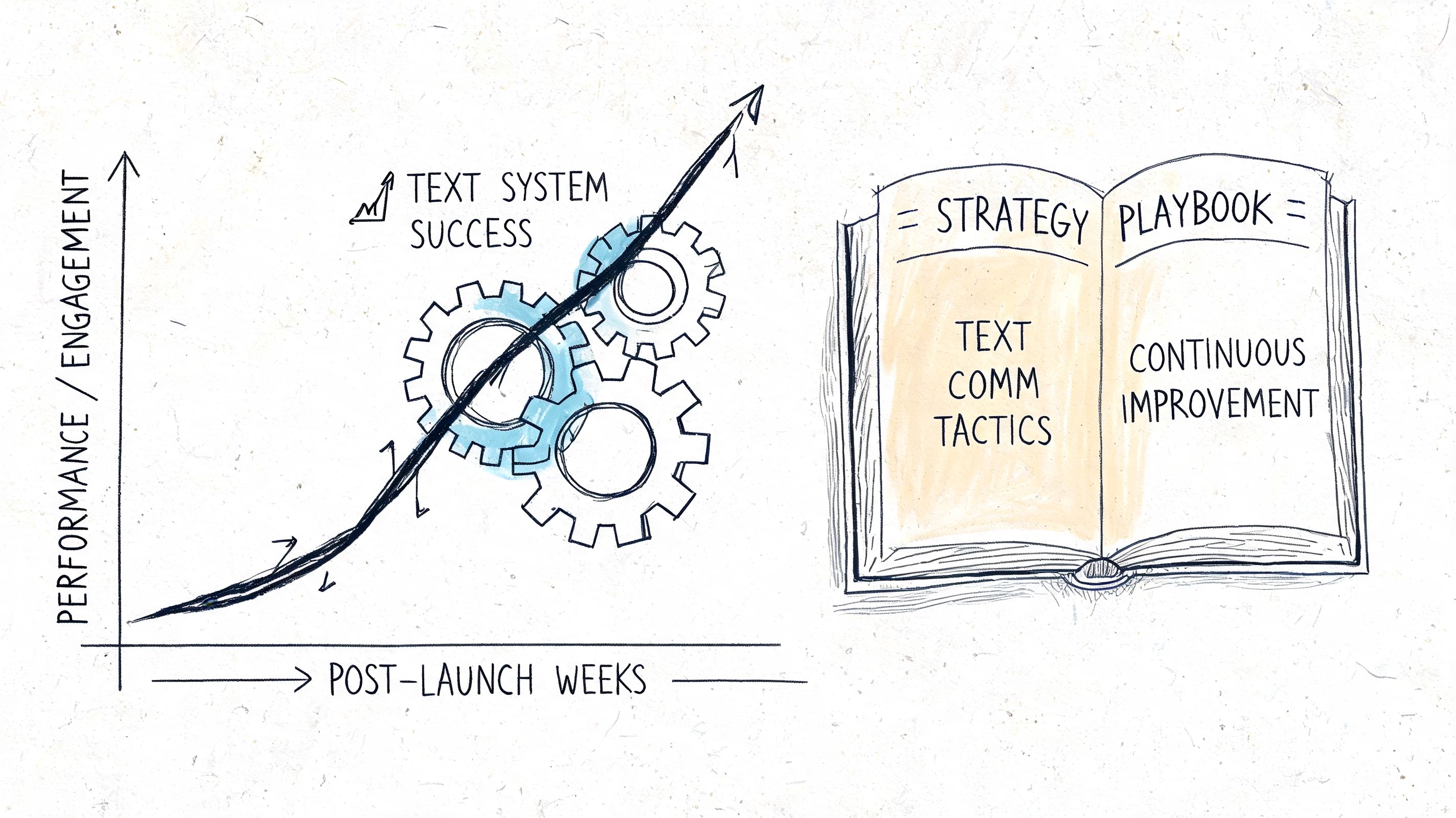
Use a measurement approach that ties communication data to school outcomes and channel decisions.
Track at least four categories:
Segmentation matters here for a practical reason. If one guardian group responds well to short texts and another does not, the fix is rarely “send more messages.” Check language preference, send time, contact quality, and whether the issue calls for a different channel. In many districts, that review is where teams realize an SMS-only plan leaves gaps.
Attendance works best as a staged communication plan.
Stage one uses same-day SMS so families can quickly confirm whether an absence is expected.
Stage two adds a short weekly text sequence for students showing early warning signs, with a clear reply option and a staff owner for responses.
Stage three adds ringless voicemail from the attendance office, counselor, or principal for households that are not responding to text. Voice helps when tone matters, when a message needs more context, or when a family is more likely to listen than type.
Stage four moves the case to staff outreach, counseling, or support services.
That sequence reflects a real trade-off. Text is fast and low-friction, but it does not solve every attendance problem. Research cited by Modern Campus analysis shows that text-only outreach does not always overcome barriers such as financial strain, family obligations, or childcare issues for at-risk students. K-12 schools face the same limitation. A parent may receive and understand the message, but transportation problems, shift work, housing instability, or caregiving duties can still prevent attendance.
Messaging should identify need early. It cannot replace human support when the barrier is structural.
Schools often lose families between registration milestones and the first day of school. Forms remain incomplete. Residency documents sit in a portal. Immunization records come in late. Text helps, but the best results usually come from a coordinated sequence across channels.
A practical workflow looks like this:
This approach also supports more equitable follow-through. Different groups respond to different channels, timing, and message framing. Review response patterns by school, language group, grade band, or enrollment stage, then adjust the script and cadence instead of forcing one sequence on every family.
If a student or family does not respond after several well-timed texts, treat that as a routing decision, not just a copy problem. Determine whether the channel is wrong, the message is unclear, or the issue requires direct staff support.
That rule helps schools avoid a common mistake. Teams keep revising wording when the better next step is a counselor call, a bilingual staff member, a transportation conversation, or a community resource referral.
The strongest school messaging programs do not try to automate empathy. They automate routine outreach so staff can spend their time where people need them most.
If your school wants one system for SMS, voice broadcasting, and ringless voicemail with scheduling, segmentation, automation, and compliance-focused workflows, take a look at Call Loop. It fits schools that need more than one-off text blasts and want a practical way to run coordinated outreach for attendance, reminders, alerts, and follow-up.
Chris Brisson
Chris is the co-founder and CEO at Call Loop. He is focused on marketing automation, growth hacker strategies, and creating duplicatable systems for growing a remote and bootstrapped company. Chat with him on X at @chrisbrisson


Trusted by over 45,000 people, organizations, and businesses like


