
See a Demo
You're just one step away from seeing Call Loop in action.
Enter your information below to watch a demo right now.

You're just one step away from seeing Call Loop in action.
Enter your information below to watch a demo right now.

Yes, it's totally possible to send a text message right from your email client. The magic behind this is something called an email-to-SMS gateway.
You just send a regular email to a specific address, which is a combination of the person's phone number and their mobile carrier's domain. It's a surprisingly handy trick for sending a quick, one-off text without ever picking up your phone.
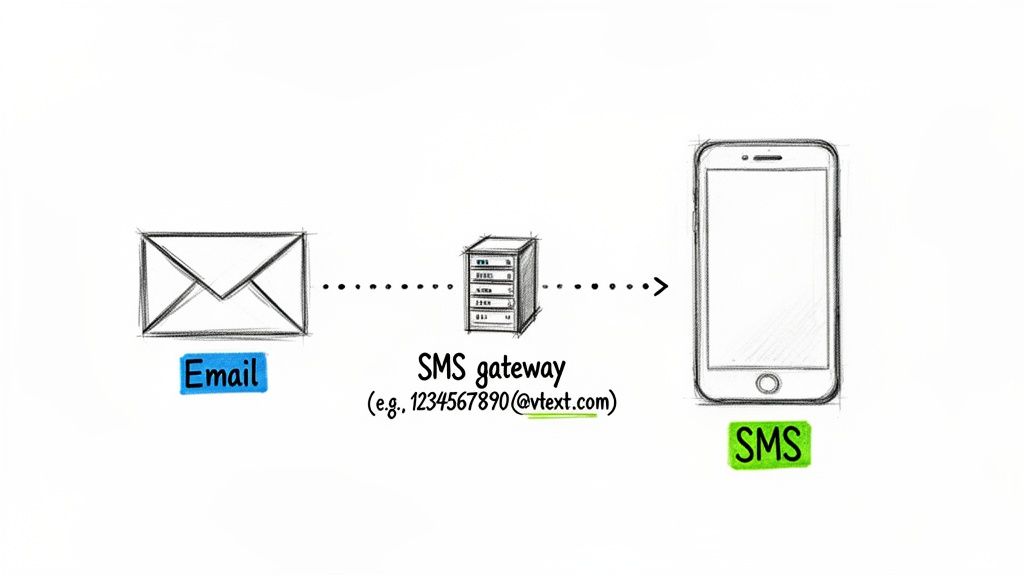
Ever wondered if you could just text someone from your Gmail or Outlook? Turns out, you can. The connection is made possible by SMS gateways—basically, special addresses that mobile carriers set up to turn simple emails into text messages.
Think of it as a digital translator. Your email goes in, the gateway strips it down, and a plain-text SMS comes out on the other end, landing right on someone's phone.
This guide will walk you through exactly how to do it. We’ll show you how to find and format the right address (for example, something like 1234567890@vtext.com) so you can send your first text in just a few clicks.
So, why does this little email-to-SMS trick even matter? It all comes down to one thing: getting someone's attention.
Texting has proven to be a massively more effective channel than email. SMS open rates consistently hit 98%, while email often struggles to get past a 20-30% average. That's a huge difference, and it shows a real shift in how we should be thinking about communication. A text just cuts through the noise.
To really get why this is such a big deal, it helps to understand the baseline by checking out an ultimate guide to email marketing to see what that channel is up against.
The contrast with email is striking: while email continues to suffer from inbox clutter and declining open rates hovering around 20-30%, SMS commands immediate attention, with most messages being read within minutes of receipt.
But let's be real. While this method is convenient for a one-off message, it’s not built for professional business use.
Trying to manage this manually gets messy fast. Once you need to scale up, manage two-way conversations, or use tools like ringless voicemail, you'll hit a wall. This email-to-SMS function is a great starting point, but it's just that—a start.
Want to fire off a quick text right from your email client? It's surprisingly easy to do, but it all hinges on one little piece of information you might not have handy: your recipient's mobile carrier.
Every carrier has its own unique SMS gateway—which is really just a special email address that knows how to forward your message to a specific phone number.
To get started, you just pop open a new email like you always do. But instead of a regular email address in the 'To' field, you'll type in the person's 10-digit phone number followed by their carrier's gateway domain. The formula looks something like this: PhoneNumber@CarrierGateway.com.
The only real trick is figuring out which gateway address to use. You can't just guess, and sending to the wrong one means your message goes nowhere.
To make it easy, we've put together a quick reference table with the gateway domains for the major US carriers. Think of it as your email-to-SMS cheat sheet.
Just find your contact's carrier in the list, grab the right domain, and tack it onto the end of their 10-digit phone number.
So, if you wanted to text the number 555-123-4567 and you know they're on Verizon, you would send your email to 5551234567@vtext.com.
Once you've got the address, sending the message is a piece of cake.
Once you have the right address, crafting the message is simple, but there are a few ground rules to make sure it looks good on the other end.
The subject line of your email actually becomes the first part of the text message. It's immediately followed by whatever you write in the body of the email.
Here are a few pointers for a clean delivery:
Pro Tip: If you absolutely have to send something longer than 160 characters or want to include a picture, try using the MMS gateway instead. It handles longer messages and media, but you'll need to use the specific MMS address from the table above.
This email-to-SMS method is fantastic for a quick, one-off message. But as you can see, it's a completely manual process that requires you to know the carrier and fuss with the format.
It's just not a scalable solution for business communication, where things like tracking, compliance, and efficiency are king. For reaching customers at scale, you'll need a dedicated platform like Call Loop to manage everything professionally without all the manual hurdles.
While sending a one-off text from your email is a neat trick, it falls apart fast when you try to use it for real business communication. You’ll hit practical limitations almost immediately, turning a convenient tool into an operational headache.
Just imagine trying to manage replies. When a customer texts back, their message lands right in your email inbox, mixed in with everything else. A simple back-and-forth becomes an impossible-to-track thread, buried under marketing newsletters and internal memos.
This decision tree shows you the basic manual workflow, and it highlights the very first—and biggest—hurdle you'll run into.
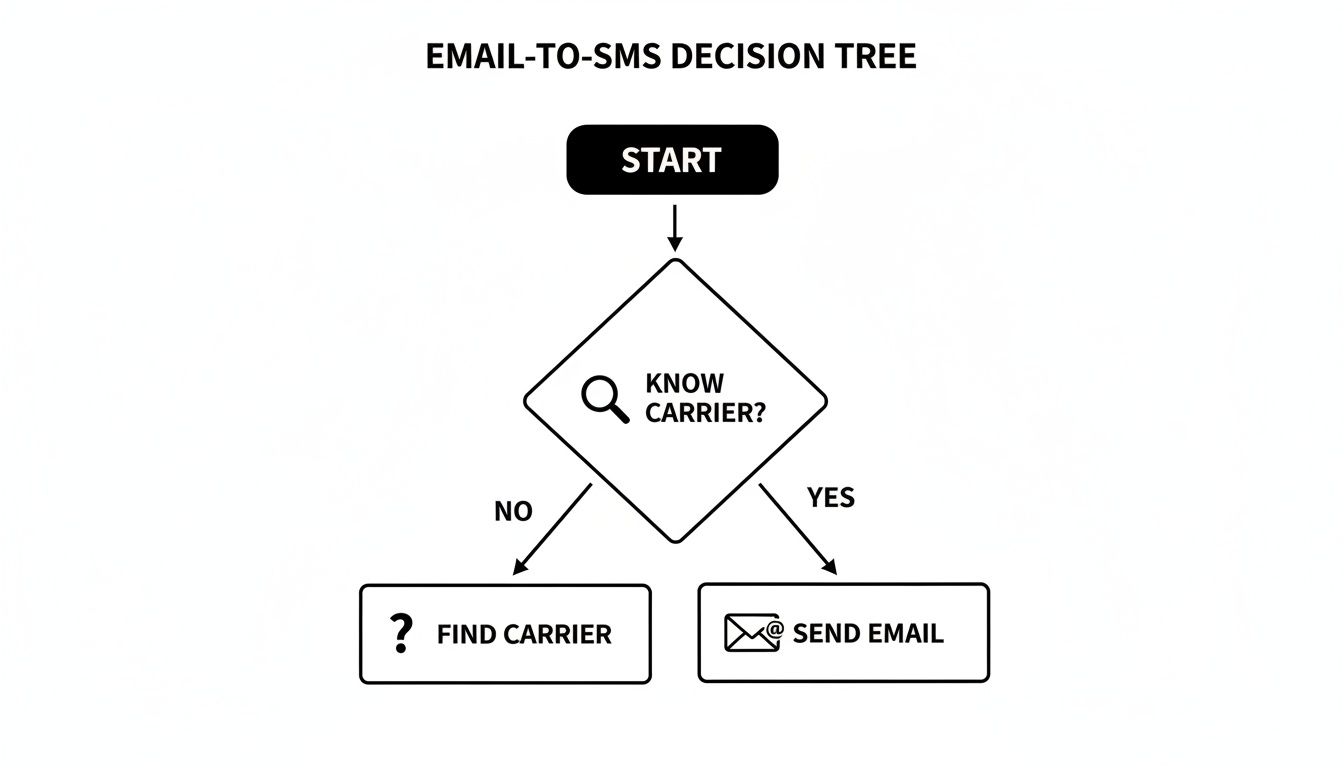
As the visual makes painfully clear, the entire process breaks down if you don't know the recipient's mobile carrier. And let's be honest, that's a piece of information most businesses just don't collect.
Beyond just finding the right gateway, other critical issues pop up as soon as you try to text more than one person.
Picture a yoga studio trying to notify 30 clients about a last-minute schedule change. The manual process isn't just inefficient; it's unprofessional and risky. There’s no way to automatically handle opt-outs, putting you in hot water with compliance regulations. You also get zero data on your efforts.
This method completely lacks the fundamental features needed for any serious marketing, sales, or customer support. It's a temporary fix, not a sustainable strategy.
Think of it like trying to run a business from a personal checking account. Sure, it works for a little while, but you quickly realize you need proper accounting tools to manage everything effectively. The same logic applies here.
The limitations become even more obvious when you want to use more powerful outreach tools. For instance, what if you wanted to follow up with a non-intrusive ringless voicemail? This tech is great because it delivers an audio message directly to voicemail without the phone ever ringing, but it requires a dedicated system. A "ringless voicemail drop" is a great way to deliver a personal message without being disruptive.
Trying to coordinate that with a manual email-to-text process would be a logistical nightmare.
For a more integrated approach, you might want to look into the different ways you can send texts from a computer that give you far more control and the ability to scale. Ultimately, for any kind of consistent business communication, a professional platform isn't just a convenience—it's a necessity.
When you find yourself manually texting through email and it starts to feel like a serious bottleneck, that's a good sign. It means you’ve outgrown the basics and are ready for something more powerful. This is the point where a dedicated messaging platform isn't just a nice-to-have; it's essential for turning simple texting into a scalable, automated marketing channel. It’s the difference between sending one-off messages and truly orchestrating an entire outreach campaign.
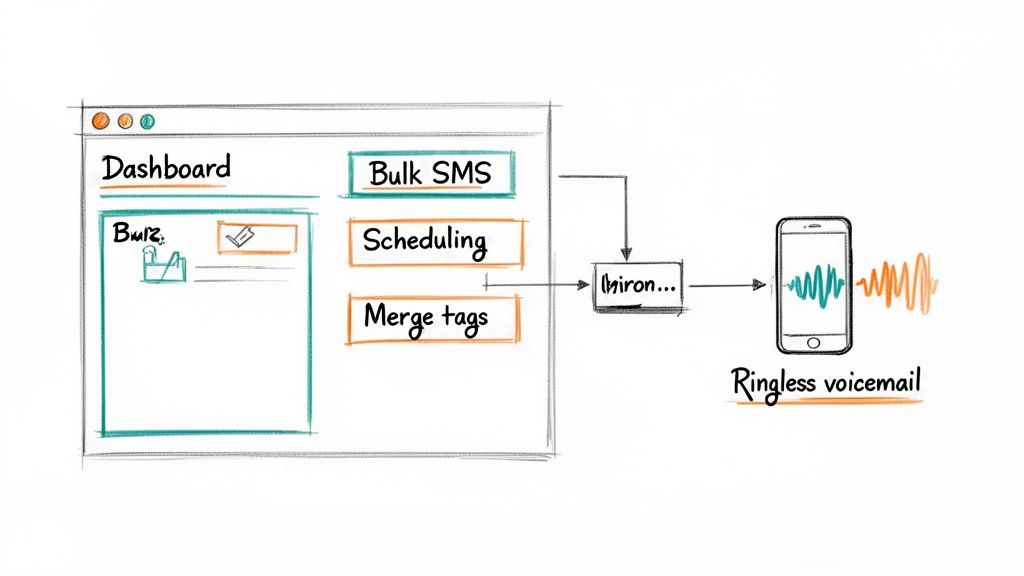
With a professional tool, you unlock features built for real business needs. Bulk SMS lets you hit hundreds or thousands of contacts in an instant, and message scheduling makes sure your texts land at the perfect moment. Personalization gets a major boost, too. Instead of typing out names one by one, you can use merge tags to automatically insert customer details, making every message feel like it was written just for them.
One of the biggest wins is having a centralized inbox. No more replies getting buried in your email. All your two-way conversations are organized in one spot, making it easy to track interactions and give timely support. This alone creates a much more professional and manageable workflow for your team.
But the real power comes when you start layering in other communication channels. The best platforms go beyond just SMS, bringing in tools like voice broadcasting and ringless voicemail.
Ringless voicemail is a total game-changer. You can drop a pre-recorded audio message directly into someone's voicemail without their phone ever ringing. It’s a highly effective, less intrusive way to deliver a personal message at scale.
This multi-channel approach is where modern outreach truly shines. The explosive growth of SMS for business isn’t an accident—it works. In fact, the U.S. SMS marketing market is on track to hit $12.6 billion by 2025. It's no surprise that 76% of brands are already running multi-channel campaigns that strategically mix SMS with other methods. When they get it right, brands see a 47.7% lift in customer engagement.
Let’s imagine a scenario for a local gym.
This kind of coordinated, multi-step campaign is pretty much impossible with the manual email-to-SMS method. A professional platform doesn’t just make it possible—it automates the whole sequence. This saves your team a ton of time while creating a far better experience for potential customers. It’s all about working smarter, not harder, to build real connections with your audience.
Whether you're sending a quick reminder or launching a full-blown promotional campaign, following the rules isn't just good practice—it's absolutely essential for your business's reputation and legal standing.
Navigating the world of business texting is all about understanding the fine line between a welcome message and an unwelcome intrusion. These best practices will keep you on the right side of the law and, just as importantly, on the right side of your customers.
The single most critical rule is getting permission first. Under the Telephone Consumer Protection Act (TCPA), you must have clear permission from your contacts before you send them promotional text messages. This isn't just a verbal "okay," either. For marketing messages, the standard is express written consent.
This means you need a clear, documented record of someone agreeing to receive texts from you. Skipping this step can lead to massive fines and seriously damage your brand's credibility. If you're new to this, it's a good idea to get familiar with the specifics of what qualifies as express written consent in our detailed guide.
Beyond the legal must-haves, solid texting etiquette ensures your messages are actually well-received. Think of it as being a respectful guest in someone's most personal inbox.
Here are a few fundamental guidelines to live by:
Remember, texting opens a direct and valuable line of communication. Every single message you send either strengthens that connection or puts it at risk. Make each one count by being clear, respectful, and compliant.
A well-crafted text does more than just share information; it prompts people to do something. This is where SMS really shines compared to other channels.
The response rates tell a powerful story. SMS campaigns often see response rates of 45% or higher, while email typically struggles to hit 6%. That massive difference translates directly into real business outcomes. We've seen SMS conversion rates ranging from 20-45%, depending on a variety of factors. When you consider that the average e-commerce conversion rate is just 2-3%, the impact of texting is undeniable.
To make the most of this, always include a clear and simple CTA in your messages. Using trackable short links is also a pro move. It lets you see exactly who is clicking and engaging with your content, giving you invaluable data to refine your strategy and figure out what really resonates with your audience.
When you combine smart, compliant practices with savvy tactics, you turn texting into a reliable engine for growth.
Even when you know the steps, a few practical questions always seem to pop up when you first start sending texts from your email. Let's run through the most common ones I hear to clear up any confusion and help you figure out if this is the right move for you.
Yes, for the most part, sending a text using an email-to-SMS gateway is free. You're just using your regular email provider and the carrier's gateway, so there are no extra charges on your end.
Just remember, standard messaging rates may apply for the person on the receiving end, depending on their phone plan. This is a great, cost-effective way to send a one-off message, but it's not built for sending texts in bulk. For that, a dedicated platform is always the smarter (and more professional) choice.
They sure can. When someone hits "reply" on a text you sent from your email, their message gets routed right back to your inbox. It will pop up like any other email, though usually with a weird, auto-generated subject line from the carrier.
Here’s the catch: managing conversations is a nightmare. A single reply is fine, but imagine trying to have a back-and-forth conversation with multiple people. Your inbox becomes a jumbled mess, and it’s nearly impossible to keep track of who said what. This is a huge reason businesses switch to SMS platforms that have a clean, organized inbox for two-way texting.
Sidenote: What Is Ringless Voicemail?
Ringless voicemail is a cool piece of tech that drops a pre-recorded audio message directly into someone's voicemail without making their phone ring. It’s a super non-intrusive way to get a message across and works great alongside SMS. For example, you could send a text and, if you don't hear back, follow up with a ringless voicemail drop.
This is probably the biggest headache with the manual email-to-SMS method. There's no public directory you can just look up to match a phone number to a carrier. The only reliable way is to straight-up ask the person.
This one limitation is often the final straw that pushes businesses toward a real SMS platform. These services do all the carrier lookup work for you behind the scenes, so you just add a number and hit send. No guesswork required.
Ready to stop wrestling with carrier gateways and start connecting with your audience professionally? With Call Loop, you can send bulk SMS, schedule your messages, and even deliver ringless voicemail campaigns, all from one simple platform. Start building better connections today.
Chris Brisson
Chris is the co-founder and CEO at Call Loop. He is focused on marketing automation, growth hacker strategies, and creating duplicatable systems for growing a remote and bootstrapped company. Chat with him on X at @chrisbrisson


Trusted by over 45,000 people, organizations, and businesses like


