
See a Demo
You're just one step away from seeing Call Loop in action.
Enter your information below to watch a demo right now.

You're just one step away from seeing Call Loop in action.
Enter your information below to watch a demo right now.

You just ran a strong webinar. People registered, the live chat moved, questions came in, and your offer landed well. Then the event ended and the familiar post-webinar problem started. Organizations typically send one polite recap, maybe attach the slides, and then watch momentum fade.
That’s where revenue leaks out.
The average registration-to-attendance rate for webinars is 57%, which means 43% of registrants don’t show up live, according to webinar follow-up benchmarks. A packed registration list can hide a weak conversion path if your follow-up treats everyone the same. Attendees, no-shows, and people who left early need different next steps.
That’s why webinar follow up best practices now have to go beyond email alone. Email still matters. But if you want more replies, more booked calls, and fewer wasted leads, you need a system that uses SMS, ringless voicemail, and voice automation where they fit. The channel mix matters less than the timing, segmentation, and handoff quality.
If you need a simple companion resource for post-event messaging tone, this guide to after-event thank you notes is useful. Then build the core engine underneath it.
SMS works best right after the webinar, when the topic is still fresh and the attendee still remembers why they registered. If you wait until the next week, the message feels cold even if the webinar was excellent.
Your first text shouldn’t be a generic thank-you. It should point to one action. Book a demo. Grab the replay. Claim a bonus. Schedule a consultation. For healthcare, that might be a booking link. For a SaaS webinar, it might be a trial or a walkthrough. For an event organizer, it might be early access to the next session.
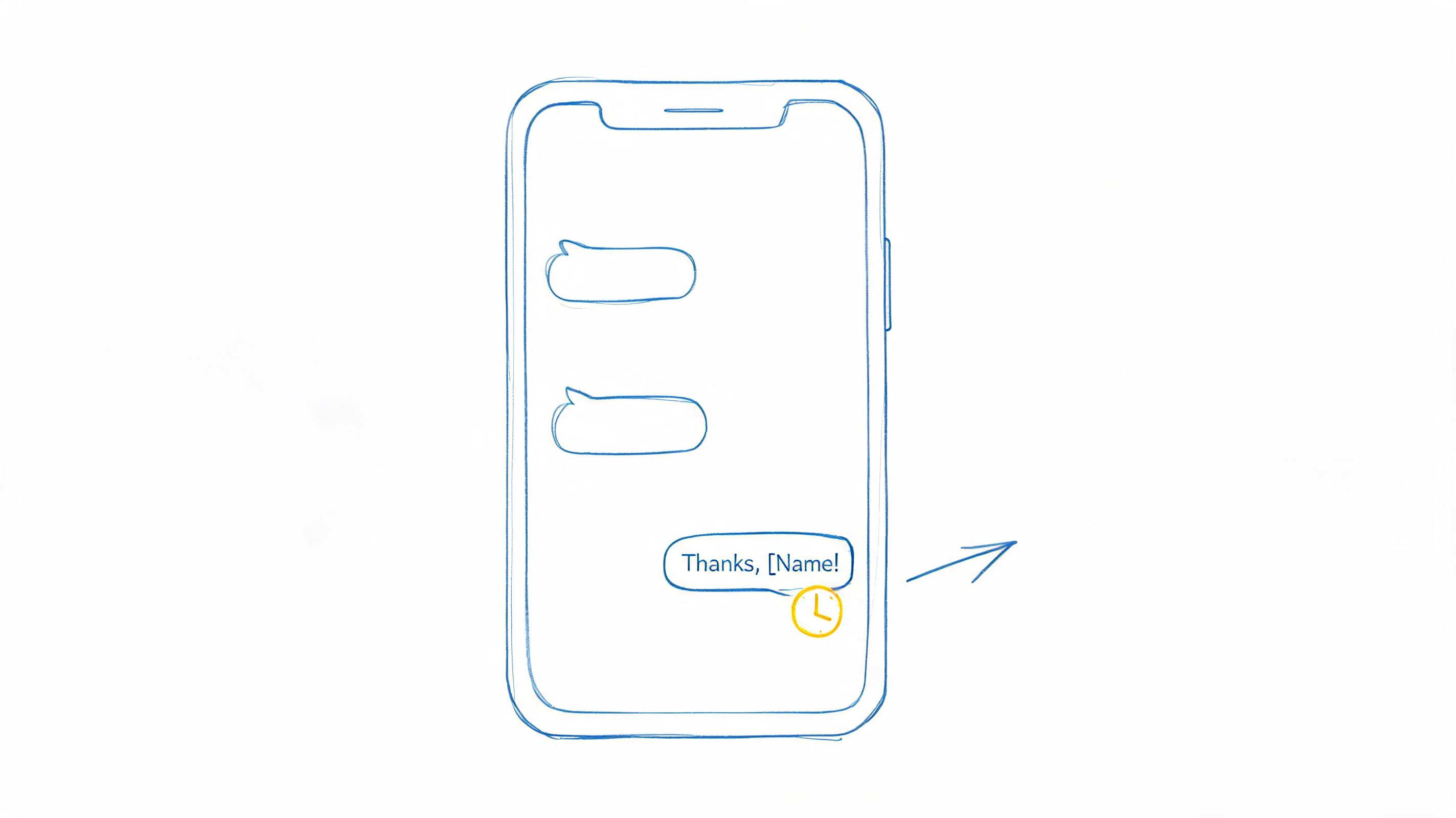
Keep it short and specific. Name the webinar topic if possible, add one relevant link, and make the CTA obvious.
A useful pattern looks like this:
Practical rule: If someone asked a buying question during the webinar, don’t bury them in a three-day nurture delay. Text while their intent is still active.
Automation provides assistance. A workflow triggered by attendance status can handle the split instantly. If you need a framework for setting up those triggers, Call Loop’s guide to an SMS auto responder workflow is a practical starting point.
What works is one clear text with one clear action. What fails is trying to cram recap, replay, social links, and multiple offers into a single SMS.
For example, a clinic that runs an educational webinar on treatment options can text attendees with a consultation booking link, while no-shows get the replay and a softer invitation. A software company can text live attendees with a “see your setup” CTA and route non-attendees into an on-demand sequence instead.
Always include opt-out language and use tracked links. Without click tracking, you’ll have no idea whether the SMS drove action or just looked active on paper.
A lead leaves your webinar interested, opens your replay email later that night, then forgets to book. The next morning, a short text brings them back at the exact moment they have five free minutes. That is the job of a coordinated email and SMS sequence. It keeps momentum alive across inbox and phone instead of betting everything on one channel.
The mistake is simple. Teams send the same replay link by email, then repeat it by text, then wonder why conversion stalls. Use each channel for a different job.
Email handles the heavier lift. It gives you space to summarize the strongest takeaway, answer objections, add proof, and frame the offer correctly. SMS handles timing. It gets the click when the person is between meetings, away from their inbox, or close to your deadline.
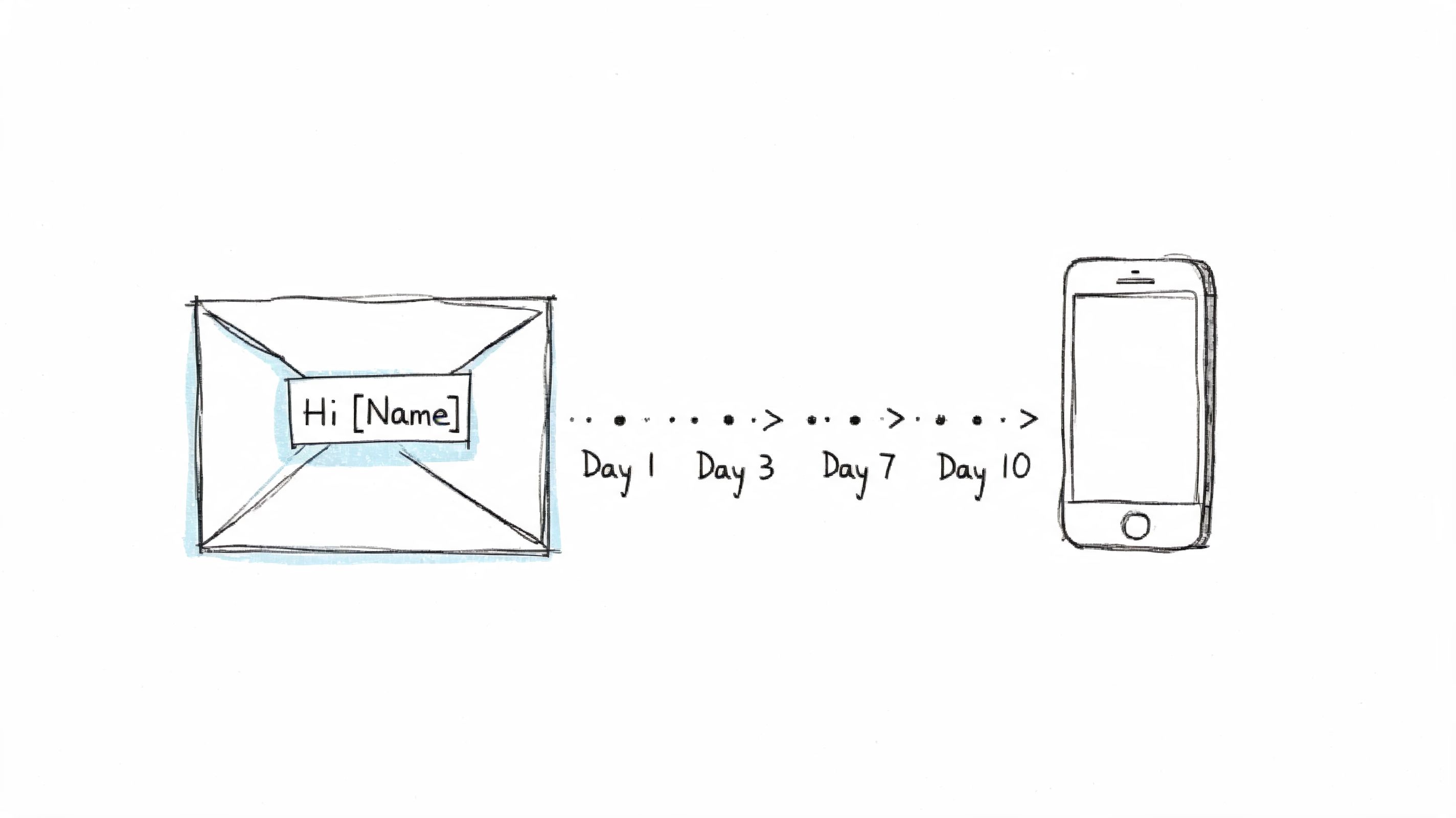
A practical combo drip usually works better with role clarity like this:
The sequence should read like one conversation. If the email highlights a specific problem you covered in the webinar, the text should reference that same problem instead of introducing a new angle. If the text pushes booking urgency, the email should support that ask with details the buyer needs before they commit.
This matters even more in a multi-channel stack. Once you add tools such as ringless voicemail or automated voice follow-up later in the sequence, sloppy messaging becomes obvious fast. The buyer hears three different versions of your offer and trust drops. Tight message coordination fixes that.
A B2B example makes this clearer. After a webinar on reducing no-show appointments, day one email delivers the replay and a short breakdown of the system discussed. Day two SMS links to the booking page with one line about fixing missed revenue. Day four email answers the operational question that usually slows purchase. Day six text reminds them that implementation calls for the month are almost full.
If you want to build that cadence inside a broader calling and messaging workflow, Call Loop’s guide to ringless voicemail marketing campaigns is useful for mapping how SMS and email fit alongside voice touches. Call Loop’s walkthrough on combining text and email campaigns also shows how to keep the sequence coordinated without duplicating the message.
Treat email as the place to build conviction, and SMS as the place to trigger action. That division usually gets better response than trying to make both channels do everything.
Ringless voicemail is useful when email feels too passive and a live call is too aggressive. It gives you a voice presence without demanding an immediate pickup, which makes it a strong option for warm webinar leads who recognize your brand but aren’t ready for a sales conversation on the spot.
This channel is most effective for high-value follow-up. That includes people who stayed late, asked detailed questions, clicked a CTA, or fit your ideal customer profile closely. It’s also useful for service businesses where trust and tone matter, such as healthcare, legal, consulting, or local appointments.
A ringless voicemail shouldn’t stand alone. Pair it with an SMS that gives the person something clickable. The voicemail creates familiarity. The text gives them an easy way to act.
Use cases that work well:
Most bad voicemail campaigns are too long and too vague. A strong one is brief, conversational, and built around one next step. Don’t try to summarize the whole webinar. Reference why they’re hearing from you, mention the topic, and point them to the action.
For teams new to the channel, Call Loop’s guide on ringless voicemail marketing covers the operational side, including where this format fits better than standard voice blasts.
The trade-off is simple. Ringless voicemail feels more personal than email, but it also asks for better targeting. Don’t send it to your entire registration list. Reserve it for the leads worth the extra touch.
Some webinar leads don’t need more nurture. They need a fast path to a real person.
That’s where voice campaigns with press-1 transfers make sense. You send an automated voice message to a warm segment, and anyone interested can press 1 to connect to a rep immediately. It shortens the gap between interest and action, especially when the webinar topic connects to an urgent problem.
This isn’t a broadcast tactic for your full list. It’s for the people most likely to welcome direct contact. Think attendees who asked detailed product questions, requested pricing context, or clicked a scheduling CTA but didn’t finish the booking.
A few strong fits:
The transfer path has to work perfectly. If someone presses 1 and lands in voicemail, trust drops fast. Your reps also need context before they answer. They should know which webinar the person attended, what they clicked, and whether they were an attendee or a no-show who later watched the replay.
Timely follow-up matters because 73% of event leads go cold within 72 hours without prompt action, according to a B2B webinar follow-up framework. Voice transfers are one of the fastest ways to act on that window when a lead is clearly warm.
If your team can’t staff the transfer line properly, don’t launch this campaign yet. A slower email is better than a broken handoff.
Also keep compliance tight. Use proper consent standards, manage DNC lists, and test routing before you scale anything.
A common reason follow-up campaigns underperform is simple. They fail to separate a highly engaged attendee from a registrant who never showed up.
Those two contacts should not get the same sequence, the same CTA, or even the same channel mix. If someone stayed through the demo, clicked the offer, and replied to an SMS, they have earned a faster path. If someone missed the session, start by getting them back into the conversation with a replay, a short recap, and one easy next step.
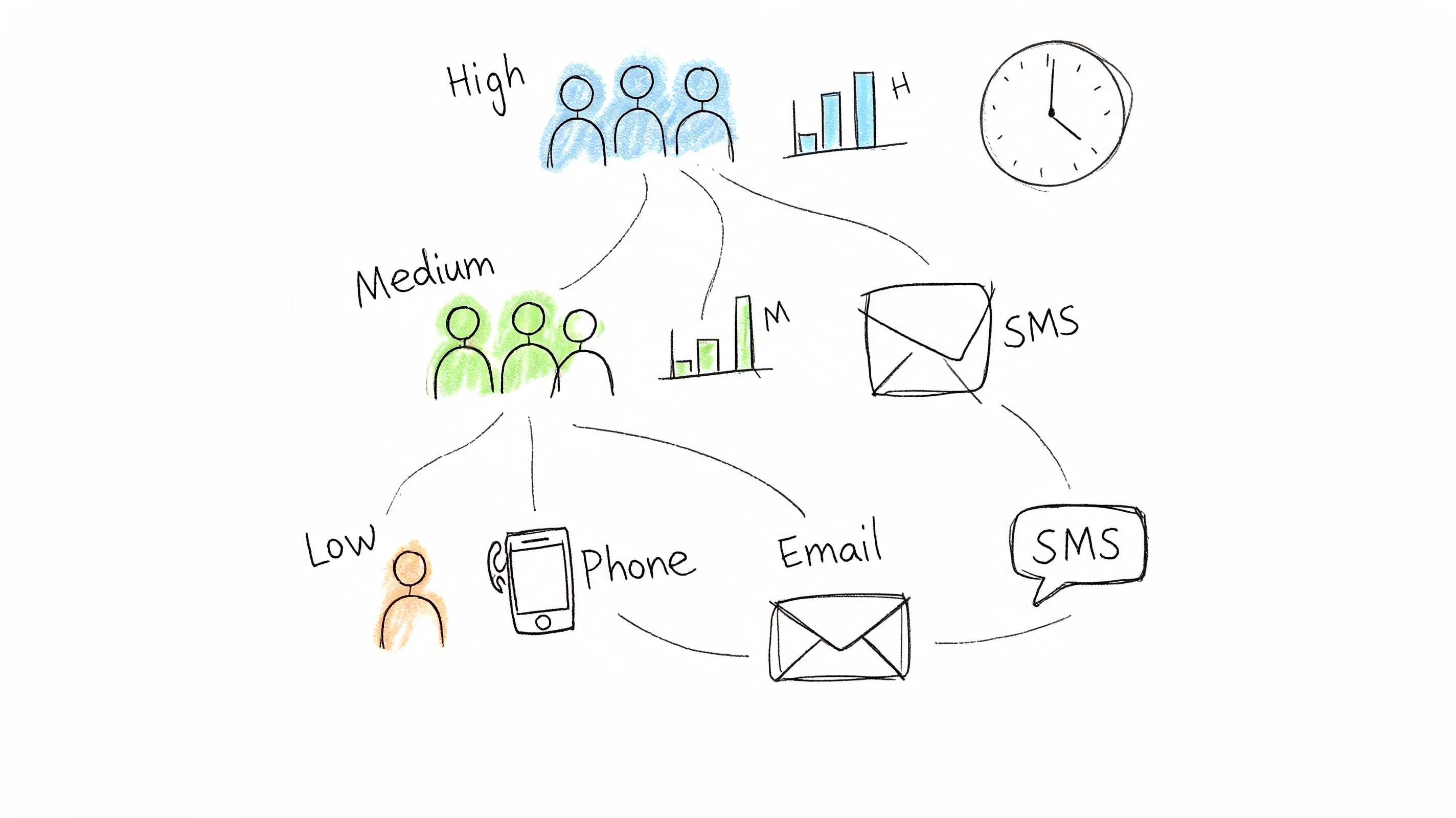
A workable model does not require complicated scoring. Start with signals you already have in your webinar platform and follow-up tool:
That structure is enough to support a modern multi-channel sequence. High-engagement contacts can get a tighter mix of email, SMS, and even ringless voicemail if they have the right consent and the offer justifies direct outreach. Mid-engagement contacts usually respond better to proof, examples, and short reminders. No-shows need re-entry points, not sales pressure.
The mistake is not just sending the same email to everyone. It is using the same level of urgency across every channel.
For high-engagement contacts, use direct messaging. Send the recap email quickly, follow with an SMS that points to the booking page or next action, and trigger a sales task if they clicked but did not convert. If you run this through a platform like Call Loop, keep the sequence tight and time-bound so your team reaches people while the topic is still fresh.
For mid-engagement contacts, send content that helps them make the next decision. Good options include a short case study, an implementation checklist, or a trimmed replay segment tied to the pain point they engaged with during the webinar.
For low-engagement contacts, reduce friction. A plain-language subject line, a replay link, one sentence on what they missed, and a simple CTA works better than a long nurture email loaded with options.
A software company runs a webinar on workflow automation. The audience breaks into three usable groups within a few hours.
The people who stayed through the product walkthrough and clicked pricing get a direct follow-up path. Email with the key takeaway. SMS with a booking link. Sales alert if they return to the page but do not schedule.
The attendees who watched the educational portion but skipped the offer get a different series. Send a use-case email, then a short SMS that points to a customer story or a focused replay clip.
The no-shows get the replay, a three-bullet summary, and one reason to re-engage now. Keep it light.
Often, teams overbuild. Five clear segments used consistently will outperform fifteen segments that nobody trusts or maintains.
Set the rules once. Define what moves someone into each bucket. Then map one content path and one primary CTA to each segment. If you add SMS, voicemail, or voice calls, reserve those channels for segments that show enough intent to justify the extra touch.
That discipline improves response rates and keeps your follow-up from feeling random.
The webinar ends. A small group is ready to act now, a larger group is interested but distracted, and the rest need a reason to revisit the offer. A limited-time incentive gives you a clean way to move that middle group, but only if the offer fits what they just learned.
Relevance matters more than urgency. If the webinar covered a specific problem, the incentive should remove the next obstacle to solving it. Good offers reduce friction. They do not try to rescue weak positioning.
A strong post-webinar incentive usually does one of four jobs. It speeds up implementation, lowers perceived risk, improves access, or adds a useful bonus tied directly to the topic.
Examples that hold up in practice:
Keep redemption simple. One clear CTA. One landing page or booking link. One deadline. If someone has to hunt for the offer details across email, your site, and a replay page, response drops fast.
Channel mix matters here. Email carries the full context. SMS handles deadline reminders well. Ringless voicemail or an automated voice broadcast can work for high-intent segments when the offer value is high enough to justify the extra touch. Platforms like Call Loop are useful here because they let you coordinate that short campaign without sending every contact through the same sequence.
A practical structure looks like this:
Include the replay or a short replay clip in this campaign. Some attendees will decide after the live session, especially if they need to review the section where you explained the outcome, pricing, or implementation path. The offer should support that delayed decision without stretching into a week of repeated reminders.
A relevant incentive with a clear deadline can turn webinar interest into booked calls, enrollments, or trials. A weak incentive only teaches people to wait for discounts.
Track results by segment, not just total redemptions. If SMS drives fast action from high-intent attendees while email carries late conversions from replay viewers, keep both. If voice touches produce replies but not bookings, narrow their use to the segments where the economics make sense. That is how limited-time offers improve webinar ROI instead of adding noise.
A prospect leaves your webinar convinced, books a call for next Tuesday, then misses it because the confirmation email got buried. That is a preventable loss.
Appointment reminder automation protects the intent you already earned. After the booking, the goal shifts from persuasion to attendance. A good system keeps the meeting visible, makes confirmation easy, and gives people a fast way to reschedule before they become a no-show.
Email still has a role here, but it should not carry the whole job. Use each channel for what it does best. Email handles the calendar details and prep materials. SMS handles attention when the appointment gets close. Ringless voicemail or an automated voice call can be worth adding for higher-value demos, consultations, or intake calls where one recovered appointment pays for the extra touch.
A practical sequence looks like this:
This works especially well in healthcare, legal, coaching, home services, and B2B demo flows tied to webinar registrations. In those cases, a missed appointment is not just a calendar problem. It is lost pipeline, slower sales velocity, and a lower return from the webinar campaign that created the booking.
Make rescheduling easy. If the reminder asks for a reply, the team needs a process behind it. Two-way texting is useful because people respond to texts they would ignore in email, and a simple "need to move this" can save the appointment instead of losing it. Tools like Call Loop help by coordinating SMS, voice, and reply handling in one sequence rather than forcing the team to patch together separate systems.
There is a trade-off. More reminders do not automatically improve show rates. Too many touches create fatigue, especially if every message says the same thing. The fix is simple. Change the job of each reminder. One confirms details. One asks for commitment. One removes friction right before the meeting. That structure keeps reminders useful, not repetitive.
A meaningful share of webinar registrants are interested, informed, and still months away from a buying decision. They may need budget approval, a clearer use case, or time to build internal consensus. Pushing those contacts into the same fast conversion sequence you use for hot leads usually lowers response quality and increases unsubscribes.
Use a slower educational track instead.
The job of this sequence is twofold. Keep delivering useful information, and collect better qualification data over time. Progressive profiling does that without dropping a long form in front of someone who only wanted the replay. One interaction can confirm role. Another can surface timing. A later click can reveal which product line, service tier, or use case matters.
Start with content they can use right away. Send the replay, a concise summary, a checklist, a buyer guide, or a short internal recap they can forward to a manager. Then adjust the path based on behavior across channels, not email alone. If someone ignores email but taps a link in SMS, that is still engagement. If they listen to a ringless voicemail and later visit the pricing page, the sequence should reflect that.
A practical flow looks like this:
Keep each touch focused on one job. Teach. Confirm interest. Learn something new. Then invite the next step.
Cadence should change with engagement. A lead who clicks twice, replies to a text, and returns to the site deserves a faster sequence and a stronger call to action. A lead who goes quiet should get more space between messages or be suppressed before the campaign turns into background noise. That trade-off matters. More touches can raise conversion when the content stays relevant, but extra volume without new value usually hurts trust.
This approach works especially well in longer consideration cycles, where webinar interest appears long before purchase intent is active. B2B software teams use it to separate researchers from active projects. Healthcare and financial services teams use it to respect slower decision processes while still keeping the conversation active. With a platform like Call Loop, SMS, voice, and email signals can feed the same follow-up logic, so the team is not guessing which prospects need education and which ones are ready for outreach.
| Strategy | Implementation complexity | Resource requirements | Expected outcomes | Ideal use cases | Key advantages |
|---|---|---|---|---|---|
| Immediate SMS Follow-Up Sequence | Low–Medium: automated triggers, short setup | SMS platform, opt-in list, short copy, link tracking; low per-message cost | Fast engagement, very high open rates, quick conversions | Time-sensitive offers, immediate event follow-up | Immediacy; very high open/response rates; easy measurement |
| Personalized Email + SMS Combo Drip Campaign | High: synchronized multi-channel logic and timing | Email + SMS platforms, integrations (Zapier), templates, analytics | Sustained engagement, higher overall conversion over 7–14 days | Mixed-preference audiences, B2B nurture and follow-up | Channel diversity increases reach; combines detail (email) with urgency (SMS) |
| Ringless Voicemail Follow-Up Campaign | Medium: scheduling and audio production | Ringless voicemail service, TTS or voice talent, higher per-drop cost | Perceived personalization, good for premium leads, moderate conversions | High-value leads, appointment setting, VIP outreach | Non-intrusive voice personalization; strong branding credibility |
| Live Phone Call Follow-Up with Press-1 Transfers | High: live routing, staffing, strict compliance | Call platform with live routing, trained agents, CRM integration; high cost | Highest immediate conversion for warm leads if staffed properly | Warm/high-intent leads, urgent appointments, demos | Removes friction to conversion; live interaction adapts messaging |
| Segmented Content Series Based on Engagement Level | High: analytics-driven segmentation and multiple sequences | Webinar analytics, automation engine, varied content for segments | Higher relevance and ROI, better-qualified leads, shorter sales cycles for top segments | Large heterogeneous audiences; prioritize sales effort | Precision targeting; efficient allocation of sales resources |
| Exclusive Offer / Limited-Time Incentive Campaign | Medium: offer creation, codes, timed distribution | Unique codes, ecommerce/CRM integration, countdown assets, tracking | Rapid spike in sales, measurable short-term ROI | Drive immediate purchases post-webinar, re-engagement | Creates urgency; strong short-term conversion and clear attribution |
| Appointment / Calendar Reminder Automation | Medium: calendar integration and timezone handling | Scheduling integration, multi-stage messaging, two-way SMS handling | Fewer no-shows, higher appointment attendance, saved admin time | Healthcare, services, coaching, any booked sessions | Reduces no-shows; automates reminders; improves client experience |
| Educational Nurture Sequence with Progressive Profiling | High: content creation, profiling logic, long-term orchestration | Content library, progressive forms, automation, lead scoring | Improved lead qualification and higher-quality conversions over weeks | Long B2B sales cycles, complex purchase decisions | Builds trust; collects rich profile data; improves lead quality over time |
A good webinar doesn’t end when the broadcast stops. It starts a short window where interest is high, memory is fresh, and next steps are easier to secure. Waste that window and even strong webinars underperform. Build a follow-up system around it and the same event turns into meetings, consultations, demos, and revenue.
That shift usually comes from one change. Teams stop treating follow-up as a single thank-you email and start treating it as an orchestrated workflow. Email still plays a central role because it carries detail well. SMS adds speed. Ringless voicemail adds a more personal voice touch without demanding an immediate pickup. Automated voice calls and press-1 transfers create a fast lane for the warmest leads.
The channel isn’t the strategy, though. The strategy is timing plus segmentation plus ownership. Send the first message while attention is still there. Split attendees, no-shows, and engaged viewers into separate paths. Route high-intent contacts to someone who can act quickly. Use reminders and nurture tracks for everyone else.
That’s also why automation matters so much. Manual follow-up breaks at exactly the wrong moment, right after a live event when your team is busy, leads are piling up, and the best prospects need a response now. Automated sequences remove the lag. They also make your process repeatable across every webinar, workshop, or virtual event your team runs.
There’s also a practical advantage to using multiple channels. Not every lead behaves the same way. One person responds to a well-written email. Another sees the text first. Another listens to a voicemail and books later from the link in the SMS. Multi-channel follow-up gives you more chances to reach people in the way they naturally respond, without forcing every lead into one communication style.
If you’re tightening your stack, this broader conversation around SaaS marketing automation tools is useful for thinking about workflow design across channels.
Start small. Pick one webinar follow up best practices upgrade you can implement immediately. Typically, that’s segmented follow-up by attendance status plus an SMS layer. Then add ringless voicemail for high-value leads, appointment reminders for booked calls, and long-term nurture for slower buyers. Do that consistently and your post-webinar process stops being a scramble. It becomes a growth system.
If you want to build that system inside one platform, Call Loop gives you the pieces to do it. You can automate SMS drips, ringless voicemail drops, voice broadcasts, press-1 transfers, reminders, and segmented follow-up flows without stitching together a messy stack. For webinar hosts, agencies, healthcare teams, and sales organizations, it’s a practical way to turn live event interest into consistent follow-through.
Chris Brisson
Chris is the co-founder and CEO at Call Loop. He is focused on marketing automation, growth hacker strategies, and creating duplicatable systems for growing a remote and bootstrapped company. Chat with him on X at @chrisbrisson


Trusted by over 45,000 people, organizations, and businesses like


