
See a Demo
You're just one step away from seeing Call Loop in action.
Enter your information below to watch a demo right now.

You're just one step away from seeing Call Loop in action.
Enter your information below to watch a demo right now.

Stop Losing Money on No-Shows
No-shows can drain a business fast. In healthcare, SMS reminders are one of the few interventions with unusually strong evidence behind them: appointment reminder texts have a 98% open rate and 80% are read within 5 minutes, according to compiled industry statistics from Scheduling Kit's appointment reminder data roundup. That speed matters when an empty calendar slot turns into lost revenue, wasted staff time, and a schedule you can't refill in time.
Email reminders often sit unread. Phone calls work, but they take staff time and don't scale well. Texts reach people where they already are, and the evidence is consistent that they improve attendance across clinics, specialties, and appointment types.
The best systems also do more than send one generic message. They personalize details, ask for a simple reply, and escalate to another channel when someone doesn't answer. That's where ringless voicemail, two-way SMS, and segmented reminder sequences start pulling their weight.
Below are seven appointment reminder text approaches that consistently work better than bland “just checking in” messages. They're practical, easy to deploy, and built for businesses that need fewer no-shows, more confirmations, and less manual chasing.
The strongest simple template is still the one frequently skipped because it feels too plain:
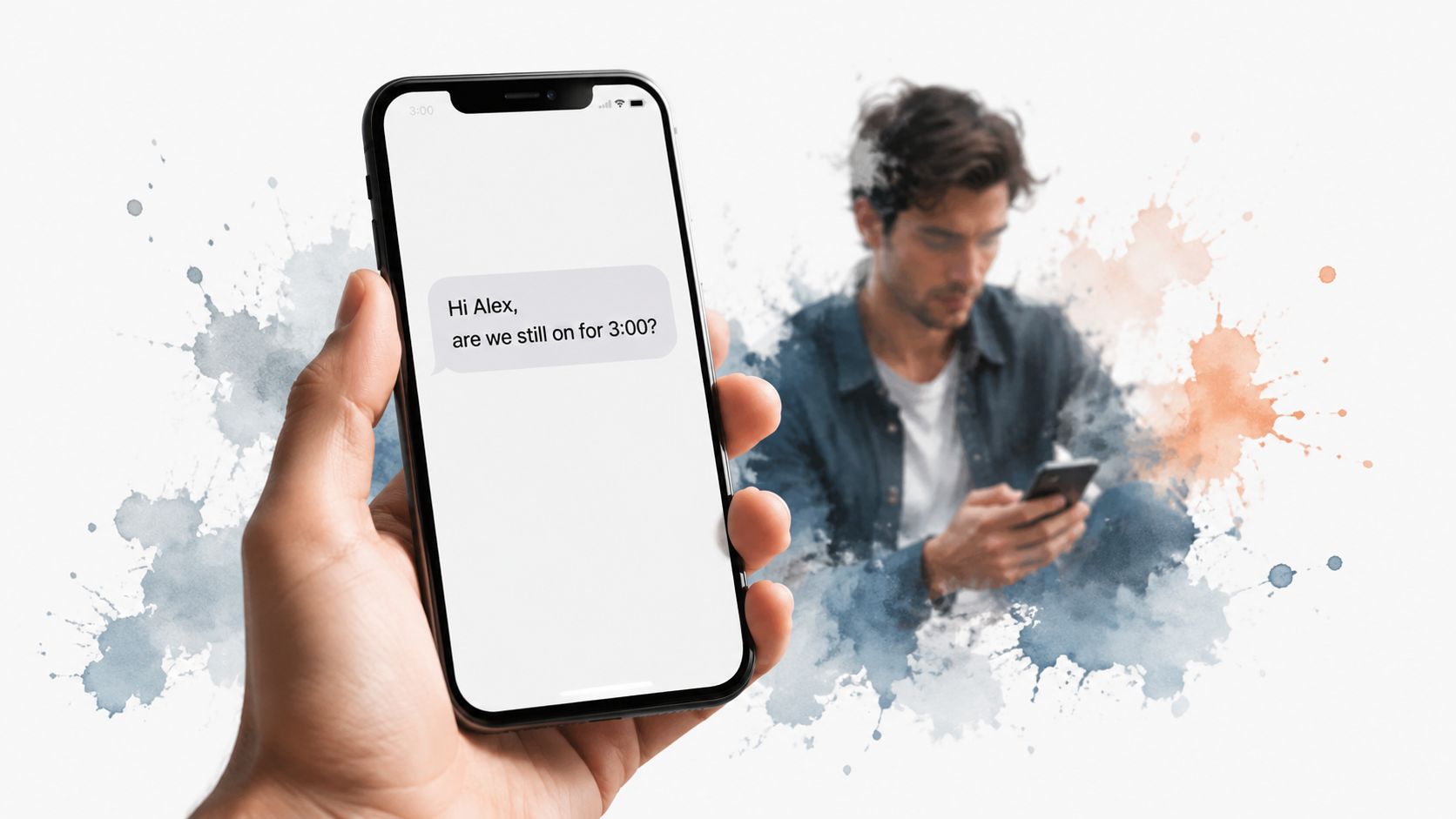
Hi {firstname}, are we still on for our meeting at {time} today?
It works because it sounds like a person wrote it. It uses the customer's first name, references the exact appointment time, and asks a direct question that invites a reply instead of passive reading. Personalization and specific appointment details gave the biggest jump in responses in A/B tests from the content owner.
A pediatric practice, a plumber, a karate studio, and a B2B sales rep can all use the same structure. Only the wording around the appointment changes. The key is that the recipient has one easy job: answer yes or no.
A reminder that only informs is weaker than a reminder that confirms. In a pragmatic randomized study of high-risk primary care visits, adding an extra text reminder reduced no-show rates by 7% and same-day cancellations by 6%, while mental health visits saw an 11% reduction in no-shows from the same approach, according to the NIH-published randomized trial on additional text reminders. That's a useful signal for practitioners. Extra touchpoints work best when they create interaction, not just awareness.
For healthcare teams, keep the message lean and compliant. If you need guidance on protected information and workflows, review these HIPAA-compliant appointment reminder practices.
Some reminder texts fail because they're too short. If a customer has multiple appointments, multiple providers, or a busy family calendar, “Reminder for tomorrow” creates friction instead of clarity.
Use a fuller version when confusion is the main risk:
Hi {firstname}, this is a reminder that you have an appointment with {company} on {date} at {time} for {service}. Reply CONFIRM to confirm.
This format is especially strong for dentists with multiple locations, salons with several service types, event organizers with session-specific bookings, and healthcare groups where provider, date, and service line all matter.
Complete context improves attendance because it removes guesswork. A meta-analysis of 28 studies found SMS appointment reminders increased pooled odds of attendance by 62%, based on an odds ratio of 1.62, according to the Journal of Medical Systems meta-analysis on SMS reminders. The practical lesson isn't to make messages longer for the sake of it. It's to include the exact details that stop a recipient from thinking, “Which appointment is this?”
I'd include these fields by default:
Practical rule: If a customer has to search their email to understand your text, the reminder is underbuilt.
This style is often better than the minimalist version for healthcare practices, spas, legal consultations, and specialty services. It's not as conversational, but it's more dependable when accuracy matters more than tone.
Urgency works when the appointment is close and the next action is obvious. It fails when the message sounds pushy or vague.
A clean version looks like this:
Hi {firstname}, your appointment with {company} is in {hours} hours at {time}. Confirm here: {link} or reply CONFIRM.
Use this for same-day service calls, urgent care follow-ups, webinars, scheduled inspections, or any appointment where a quick final check saves the slot. The countdown framing gets attention, and the link gives you a trackable action if your platform supports click tracking.
A same-day urgency message is effective because it matches the customer's decision window. A reminder sent too early with “urgent” language often feels artificial.
Evidence supports SMS itself as an attendance driver even without complicated wording tricks. A systematic review of randomized controlled trials reported that SMS reminders increased the likelihood of attending clinical appointments by 50%, with a summary odds ratio of 1.48, in the Cochrane review on mobile phone messaging reminders. That's a useful reminder not to overengineer the copy. The urgency framing should sharpen the call to action, not replace the fundamentals.
A few operating rules help:
This isn't the template for every reminder. It's the template for the final stretch.
A surprising number of missed appointments aren't true no-shows. They're late arrivals, wrong-building arrivals, parking confusion, or “I'm here but can't find the entrance” arrivals.
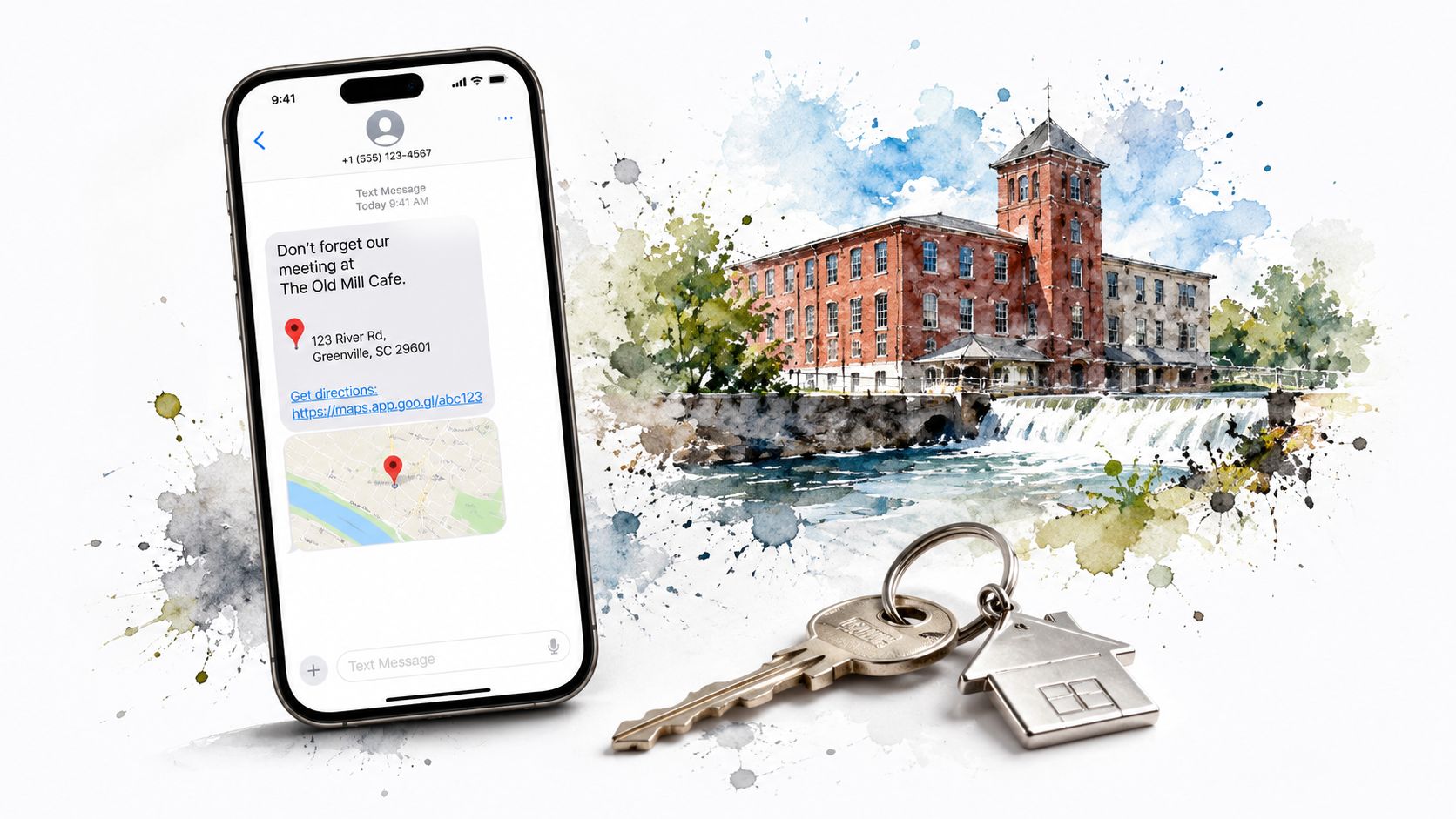
That's why location-based appointment reminder texts often outperform generic reminders for multi-site organizations. Use a format like:
Hi {firstname}, reminder: {appointment} at {location} in {time}. Get directions: {mapslink}. Reply CONFIRM.
This works especially well for healthcare groups opening a new clinic, corporate meetings with visitors, event venues, optometry appointments, and any service business that operates from more than one address.
In an ophthalmology outpatient study, SMS reminders reduced non-attendance by 38% relative, with a 6.9% absolute reduction, according to the PubMed Central ophthalmology attendance study. If you work with specialty care, that finding is a good reminder that practical logistics matter. A patient who knows exactly where to go is easier to convert into an on-time arrival.
Use directional reminders when:
Add parking notes or entry instructions on the landing page if the maps link alone won't solve the problem.
A short map link is usually enough for SMS. If your booking system stores location by appointment type, automate the field so teams don't manually edit every send.
One reminder is often enough for low-risk appointments. It's rarely enough for high-risk ones.
A multi-touch sequence solves two common problems. First, some people read the first text and forget. Second, some people don't engage with SMS at all. The fix is a staggered sequence that uses SMS first and ringless voicemail as backup for non-responders.
A simple sequence can look like this:
A review of 29 studies found that 97% of them showed patient reminders improved attendance, according to the Dialog Health summary of patient appointment reminder statistics. That broad consistency is why I favor reminder systems over one-off campaigns. The baseline principle is already proven. What changes your results is execution.
Multiple reminders also tend to outperform single reminders in higher-risk groups, as noted in the AJMC coverage of research on optimizing number and timing of appointment reminders. That's where ringless voicemail becomes useful. It reaches people who ignore or miss texts without forcing your team into a manual calling queue.
For teams using voicemail drops, keep the script short. Identify your business, restate the appointment time, and tell the recipient how to confirm or reschedule. Don't turn it into a full pitch. If you want a deeper look at campaign structure, these ringless voicemail marketing examples and tactics are directly relevant to reminder workflows.
The fastest way to weaken appointment reminder texts is to treat every audience the same.
A healthcare patient, a webinar registrant, a corporate buyer, and a karate student don't respond to the same tone, detail level, or channel mix. Segmenting by customer type lets you change the message without rebuilding the whole workflow.
Here's the framework I use most often:
There's another reason segmentation matters. SMS doesn't cover every population equally well. A review in BMJ Health & Care Informatics identifies barriers like illiteracy, unfamiliarity with texting, low phone ownership, and rural infrastructure challenges, and notes that 95% of popular reminder-template articles don't offer alternative channels for those groups, according to the BMJ analysis of reminder-channel gaps for at-risk populations. That's a serious operational blind spot.
If you serve older adults, rural communities, or lower-literacy populations, SMS-only is not enough. Build fallback paths with voice, staff outreach, or ringless voicemail where appropriate. This is also where preference capture at intake becomes valuable. Let people tell you how they want reminders.
Examples by segment help:
Good segmentation doesn't mean longer copy. It means better fit.
Two-way messaging is where reminder systems stop being reminders and start becoming scheduling operations.
A strong starting message is simple:
Hi {firstname}, confirm your {time} appointment? Reply YES/NO/MAYBE.
That one line gives you usable data before the appointment starts. YES moves them to confirmed. NO can trigger a reschedule path. MAYBE identifies risk early enough for your team to intervene. No response can route into a second SMS, a ringless voicemail, or a manual call depending on the value of the appointment.
The operational case for two-way reminders is strong. Mobile text message reminders improved attendance compared with no reminders with a risk ratio of 1.14, and had similar impact to phone call reminders with a risk ratio of 0.99, according to the Cochrane review on mobile phone text reminders versus no reminder or phone calls. For most businesses, that means SMS can carry more of the workload without giving up performance.
The advantage comes from what happens after the reply:
Keep reply choices simple. The fewer decisions the customer has to make, the better the response quality.
If your system supports keyword tagging and automations, you can build this without a lot of custom development. For teams interested in setting up response-based workflows, this guide to two-way SMS automation and reply handling covers the mechanics.
| Template | Implementation complexity | Resource requirements | Expected outcomes | Ideal use cases | Key advantages |
|---|---|---|---|---|---|
| Personalized Confirmation with Time Check | Low | Basic SMS platform with merge tags; optional ringless voicemail | Highest confirmed attendance lift; reduced no-shows | Same-day healthcare, B2B meetings, service visits, classes | Simple personalization; prompts active confirmation; quick recipient response |
| Comprehensive Details with Company and Date Reference | Low–Medium | SMS with advanced merge tags and clean CRM data | Fewer scheduling confusions and cancellations; clear communication | Multi-location clinics, events, salons, recurring appointments | Eliminates ambiguity; professional, complete reminders |
| Time-Sensitive Urgency with Action Button | Medium | SMS + link shortening/tracking; URL click analytics; optional voicemail backup | High immediate response rates; measurable engagement via clicks | Urgent medical appointments, webinars, same-day services, event check-ins | Urgency drives quick action; dual confirmation methods; trackable clicks |
| Location-Based Reminder with Directions Integration | Low–Medium | SMS with maps/directions links; accurate location data | Reduced "can't find it" cancellations; better on-time arrivals | Healthcare clinics, event venues, multi-location studios, offsite sales meetings | Removes navigation friction; mobile-optimized directions; improves arrival rates |
| Multi-Touch Sequential Campaign with Voicemail Backup | High | Integrated SMS, ringless voicemail, voice broadcasting, sequencing tools and integrations | Significant no-show reduction (large lift vs single-channel); higher reach | Healthcare systems, high-value services, event organizers, sales teams | Multi-channel escalation; professional audio; reaches preferred channels |
| Segment-Specific Personalization by Customer Type | Medium–High | Segmentation tools, multiple templates, testing, CRM fields | Improved response rates per segment; fewer unsubscribes | Healthcare, events, corporate clients, membership organizations | Tailored tone and channel per audience; better compliance and conversion |
| Interactive Two-Way Confirmation with Smart Routing | High | Two-way SMS platform, automation workflows, CRM tagging, conditional routing, voicemail integration | Highest true confirmation rates; identifies and remediates at-risk no-shows | Healthcare systems, sales organizations, event organizers, service businesses | Captures intent via replies; automatic routing and tagging; rich response data |
The businesses that reduce no-shows consistently don't rely on one generic reminder sent at one generic time. They build a system. That system starts with a personalized SMS, asks for a clear confirmation, and escalates intelligently when someone doesn't respond.
The evidence for SMS is unusually solid. Across clinical studies and reviews, appointment reminder texts repeatedly improve attendance and reduce missed visits. But the biggest practical difference usually comes from the details: better personalization, cleaner appointment data, segment-specific copy, and a fallback channel for people who ignore or miss texts.
Ringless voicemail deserves a place in that mix. It's especially useful for high-value appointments, harder-to-reach contacts, and populations that don't reliably engage with SMS alone. It shouldn't replace text. It should support it. A simple sequence of text first, voicemail second, then a final confirmation prompt often gives teams more coverage without pushing extra work onto staff.
If you're building or refining your process, start small. Use a confirmation question. Add company, date, and service fields where clarity matters. Track who replies, who confirms, and which reminders correlate with attendance. Then add smart routing and channel fallbacks once the basics are stable.
Platforms that combine SMS, voice, ringless voicemail, and timed automations can simplify that rollout. Call Loop is one relevant option for teams that need coordinated multi-channel reminders, especially if they also want merge tags, drip sequences, and integrations. For broader messaging best-practice resources, Salesmessage is also worth reviewing.
If you run a tutoring business or any service operation with recurring bookings, good tutoring scheduling software can also make reminder timing and appointment data much easier to manage.
The goal isn't just fewer no-shows. It's a schedule your team can trust.
If you want to build appointment reminder texts that do more than send a generic nudge, take a look at Call Loop. It supports SMS, voice, and ringless voicemail in one workflow, which makes it easier to automate confirmations, follow up with non-responders, and run reminder sequences without adding manual work.
Chris Brisson
Chris is the co-founder and CEO at Call Loop. He is focused on marketing automation, growth hacker strategies, and creating duplicatable systems for growing a remote and bootstrapped company. Chat with him on X at @chrisbrisson


Trusted by over 45,000 people, organizations, and businesses like


