
See a Demo
You're just one step away from seeing Call Loop in action.
Enter your information below to watch a demo right now.

You're just one step away from seeing Call Loop in action.
Enter your information below to watch a demo right now.


Your front desk already knows the pattern. The schedule looks full in the morning. By mid-afternoon, a few patients haven’t shown up, one says they never saw the reminder, and someone on staff is still manually calling tomorrow’s list. At the same time, nobody wants to be the person who sends the wrong message, includes too much detail, or triggers a HIPAA problem.
That tension is why so many practices hesitate. They know reminders help. They also know healthcare messaging isn’t the same as sending a basic business text.
HIPAA compliant appointment reminders solve both problems when they’re set up correctly. They reduce missed visits, protect patient information, and take repetitive calling work off your staff. The key is to treat compliance as part of the workflow design, not as a legal checkbox bolted on afterward.
No-shows hurt twice. You lose the appointment slot, and your team still spends time preparing for a patient who never arrives. Staff then scramble to fill gaps, handle reschedules, and explain why the day ran below plan.
Fear of HIPAA pushes many practices in the opposite direction. They either avoid reminders entirely, or they stick with inconsistent manual calls because that feels safer than automation. In practice, that usually creates more risk, not less. Unstructured communication, personal devices, and ad hoc messaging habits are where a lot of avoidable mistakes start.
A better approach is to make reminders routine, documented, and limited to what patients need. The strongest reminder programs don’t just send messages. They confirm channel preferences, control content, log activity, and make it easy for patients to respond.
If your current process is a patchwork of phone calls, sticky notes, and last-minute texts, you’re not alone. Many clinics start there. The fix is to build a communication system that treats attendance and privacy as part of the same operational process.
For broader context on scheduling friction, cancellations, and other proven strategies to reduce patient no-shows, it helps to look beyond reminders alone and tighten the whole patient communication flow.
Compliance and efficiency don’t compete with each other here. A well-run reminder system usually improves both at the same time.
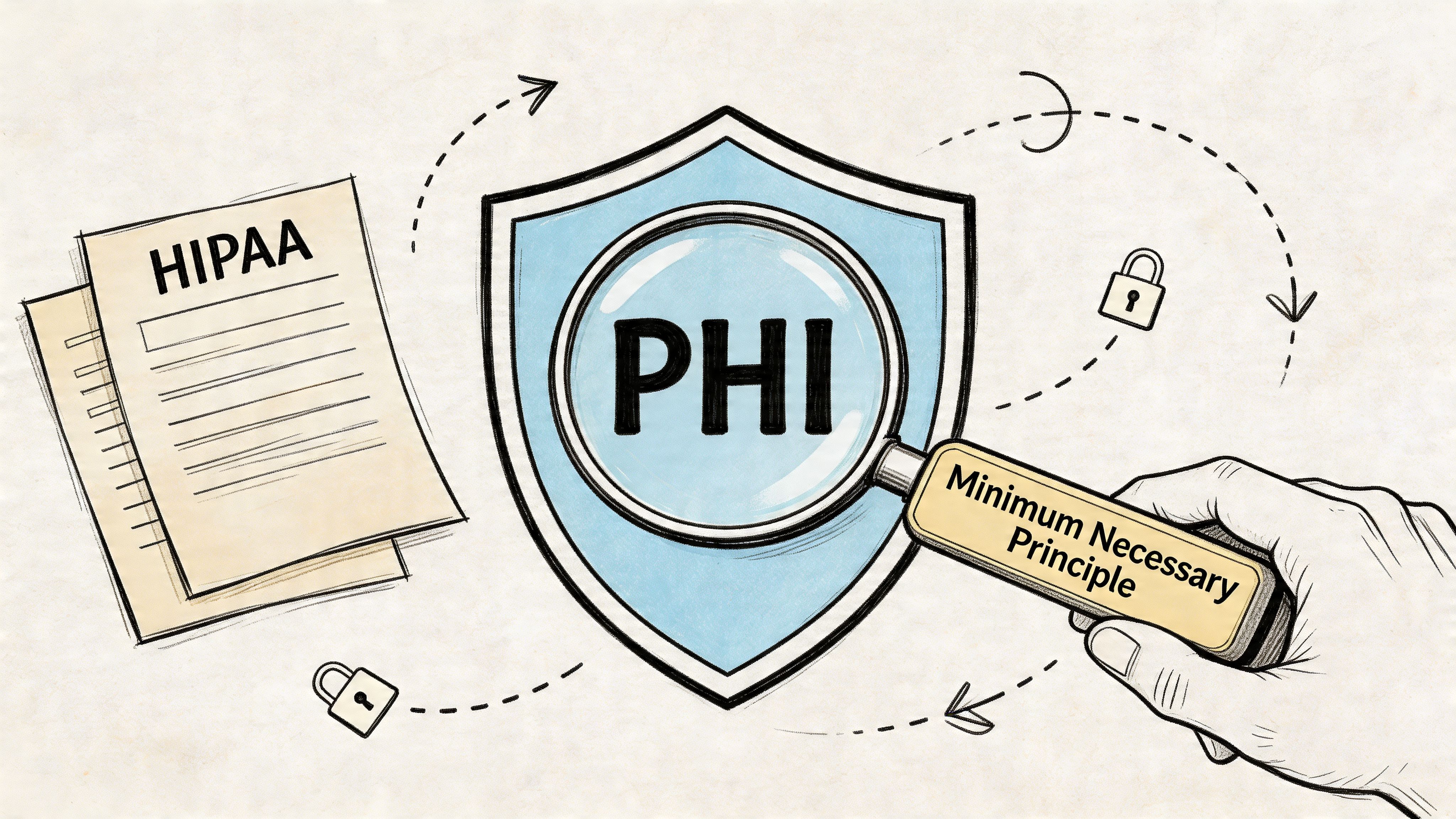
Most mistakes with patient reminders happen because teams jump straight to software before they define the rules. You need the legal and operational baseline first.
The first term to get right is PHI, or Protected Health Information. In reminder workflows, PHI can be as simple as a patient’s name connected to a healthcare appointment. That’s why a reminder message has to be handled differently from a retail promotion or a restaurant reservation.
The HIPAA Privacy Rule allows appointment reminders under treatment, payment, and healthcare operations. Specifically, HIPAA permits using PHI for appointment reminders under TPO, while FCC rules cap providers at three reminder contacts per week, with calls limited to 60 seconds and texts limited to 160 characters. The same source also notes that a systematic review found reminders reduced patient no-show rates by a mean of 34% in the studies reviewed, according to Dialog Health’s summary of appointment reminder regulations and outcomes.
The phrase minimum necessary sounds abstract until you write actual reminder templates. In real use, it means the message should include only the information needed to help the patient show up or respond.
That usually means details like:
It does not mean adding diagnosis details, procedure specifics, lab results, or any clinical information that isn’t required for the reminder itself.
Practical rule: If a message would feel awkward or risky on a locked-screen preview, voicemail playback, or shared family device, cut it down.
A reminder process falls apart fast when staff use personal phones, consumer texting apps, or standard email accounts without the right controls. You lose consistency, logging, access management, and often the ability to prove what was sent and by whom.
That matters operationally, not just legally. If a patient says they opted out, or asks why they received a voice message instead of a text, you need records. If an employee leaves, you need communication history to stay with the practice, not with that person’s device.
A Business Associate Agreement, or BAA, is the dividing line here. If a vendor handles PHI on your behalf, they need to sign one. Without it, you’re relying on a tool that may function well as messaging software but still fail the basic compliance test.
For teams evaluating architecture, vendors, and secure workflows across regulated healthcare environments, this guide to healthcare compliance software development for HIPAA/PIPEDA is a useful technical companion to the policy side of reminder setup.
When I review reminder systems for practices, I look for a short list before I look at convenience features.
| Requirement | Why it matters |
|---|---|
| Signed BAA | Defines the vendor’s responsibility for protecting PHI |
| Encryption | Protects message data in storage and transit |
| Access controls | Limits PHI access by role |
| Audit trails | Preserves a record of activity and user actions |
| Opt-out handling | Helps enforce patient preferences consistently |
If you want a practical overview of how these controls fit into patient outreach, Call Loop’s article on HIPAA compliant patient communication gives a helpful operations-level view.
Consent is where a compliant reminder program either becomes clean and scalable, or messy and fragile. Too many practices assume a general intake signature covers every communication method. It usually doesn’t give you the clarity you need operationally.
What works better is granular consent. Let patients choose whether they want reminders by SMS, email, voice call, or ringless voicemail if your workflow supports it. Then store that preference where staff can see it and where the reminder system can act on it automatically.
This isn’t optional paperwork. According to Medesk’s guidance on HIPAA appointment reminders, documenting patient preferences and providing immediate opt-out functionality is a key compliance step. The same source states that failure to do this, or using unencrypted channels, accounts for 70% of PHI-related violations, with OCR fines ranging from $100 to $50,000 per violation.
A useful consent process answers four questions:
Which channels are allowed
Patients should be able to say yes to text reminders and no to voicemail, or yes to email and no to SMS. One blanket checkbox creates ambiguity later.
What the messages are for
Be specific that the communication covers appointment reminders, confirmations, rescheduling, and related logistics.
How to opt out
Every channel needs a simple path. For SMS, that usually means a reply such as STOP. For voice workflows, staff need a documented process to remove or update the patient preference quickly.
Where the record lives
Consent that sits on a scanned form nobody checks won’t help. The preference needs to be available inside the scheduling or messaging workflow.
You don’t need legal-sounding language to make consent work. You need clear language.
A practical intake section might separate channels into distinct choices and explain the purpose in plain English. For example:
Then include space for the patient’s preferred number or email and a short sentence explaining how to change preferences later.
Patients rarely object to reminders. They object to unclear expectations and messages sent through channels they didn’t choose.
The biggest issue isn’t usually bad intent. It’s workflow drift.
Here are the patterns that cause trouble:
A short internal checklist fixes most of this.
| Checkpoint | What to confirm |
|---|---|
| At registration | Patient selects channels individually |
| Before launch | Preferences are synced into the reminder system |
| At every update | Staff can change communication choices quickly |
| After opt-out | The system suppresses future reminders through that channel |
Staff need a simple script, not a legal lecture. Keep it direct:
That language keeps the process understandable for patients and usable for your team. If your reminder workflow starts with clean consent records, the rest of compliance gets much easier.
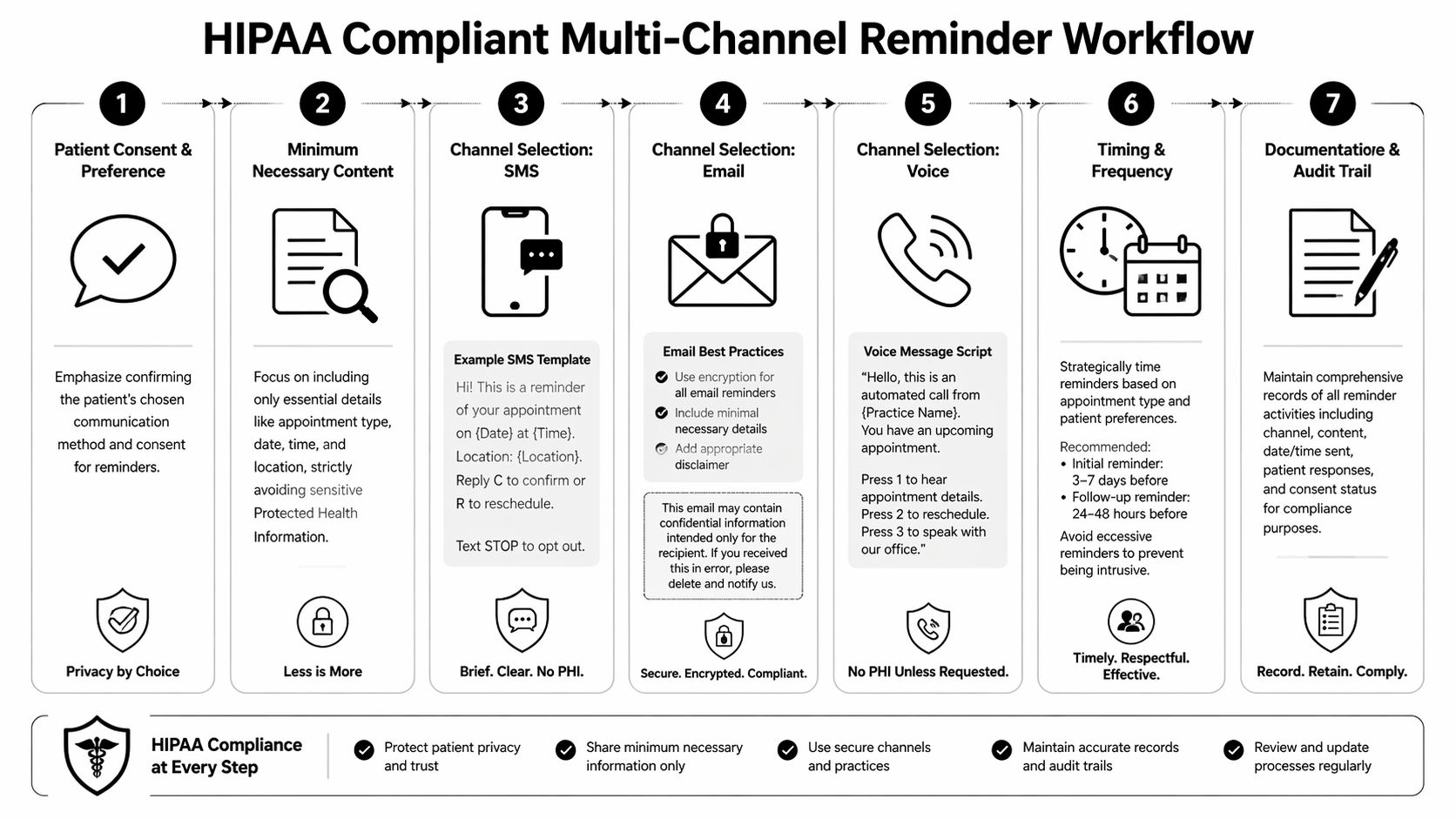
A single reminder channel works until it doesn’t. The text gets ignored, the email lands in a crowded inbox, or the patient’s phone settings bury the notification. That’s why multi-channel workflows matter. Not because you should blast every patient through every method, but because you should have a controlled fallback sequence.
Most guides stop at SMS, thereby omitting one of the most useful backup channels for hard-to-reach patients: ringless voicemail.
According to HIPAA Journal’s discussion of appointment reminder compliance, there’s a knowledge gap around HIPAA compliance for ringless voicemail, and a 2025 HHS report noted that 15% of PHI breaches involved unvetted voice tech. The compliance point is simple: ringless voicemail, like other reminder channels, needs a BAA and must stick to minimum necessary PHI.
A practical workflow starts with patient preference, then adds backup channels only where appropriate. Think of it as a sequence, not a broadcast.
For a standard appointment, the workflow might look like this:
Primary reminder by the patient’s preferred channel
Send the first reminder early enough for the patient to confirm or reschedule.
Follow-up reminder if there’s no response
Use the same channel again if that aligns with consent and your contact limits.
Secondary channel for non-responders
If the patient consented to another channel, send a concise fallback reminder.
Final operational notice
Use a short same-day notice only when it’s necessary and still within your communication rules.
That structure works because it respects consent, keeps content tight, and avoids over-contacting people.
The safest reminder templates are boring. That’s a good thing. They don’t try to explain clinical context. They just help the patient take the next step.
SMS reminder example
Hello [First Name], this is a reminder that you have an appointment with [Practice Name] on [Date] at [Time]. Reply C to confirm or call [Phone Number] to reschedule. Reply STOP to opt out.
Email reminder example
Subject: Appointment reminder from [Practice Name]
Body: Hello [First Name], this is a reminder about your appointment on [Date] at [Time] at [Location]. If you need to reschedule, please call [Phone Number]. If you no longer want email reminders, follow the opt-out instructions below.
Ringless voicemail example
Hello, this is [Practice Name] calling with a reminder about an upcoming appointment for [First Name] on [Date] at [Time]. If you need to confirm or reschedule, please call us at [Phone Number].
Notice what’s missing. No diagnosis. No specialty-specific detail. No mention of why the patient is coming in.
Ringless voicemail is useful when patients don’t reliably respond to text, don’t answer live calls, or are more likely to listen to voicemail later. It can also serve as a respectful fallback because it doesn’t force a live interruption.
That said, practices get into trouble when they treat ringless voicemail as exempt from the same controls they apply to SMS and voice. It isn’t. You still need:
For teams mapping secure patient outreach across channels, this overview of secure messaging for healthcare is a solid companion resource.
Here’s the operational difference I see most often:
| Works | Doesn’t work |
|---|---|
| Short reminders with one action | Long messages with too much context |
| Fallback channels based on consent | Sending every channel to every patient |
| Voicemail scripts written for privacy | Voice messages that reveal visit details |
| Reschedule options built into workflow | Making patients call back without guidance |
A reminder should answer one question for the patient: “What do I need to do next?”
Timing should match the appointment type and the level of patient follow-through risk. Some visits need a simple reminder. Others need an earlier notice because preparation, transportation, or caregiver coordination is involved.
The mistake isn’t sending too early or too late once. It’s sending the same cadence to everyone. Multi-channel workflows work better when the practice decides which appointments need a light touch and which need escalation.
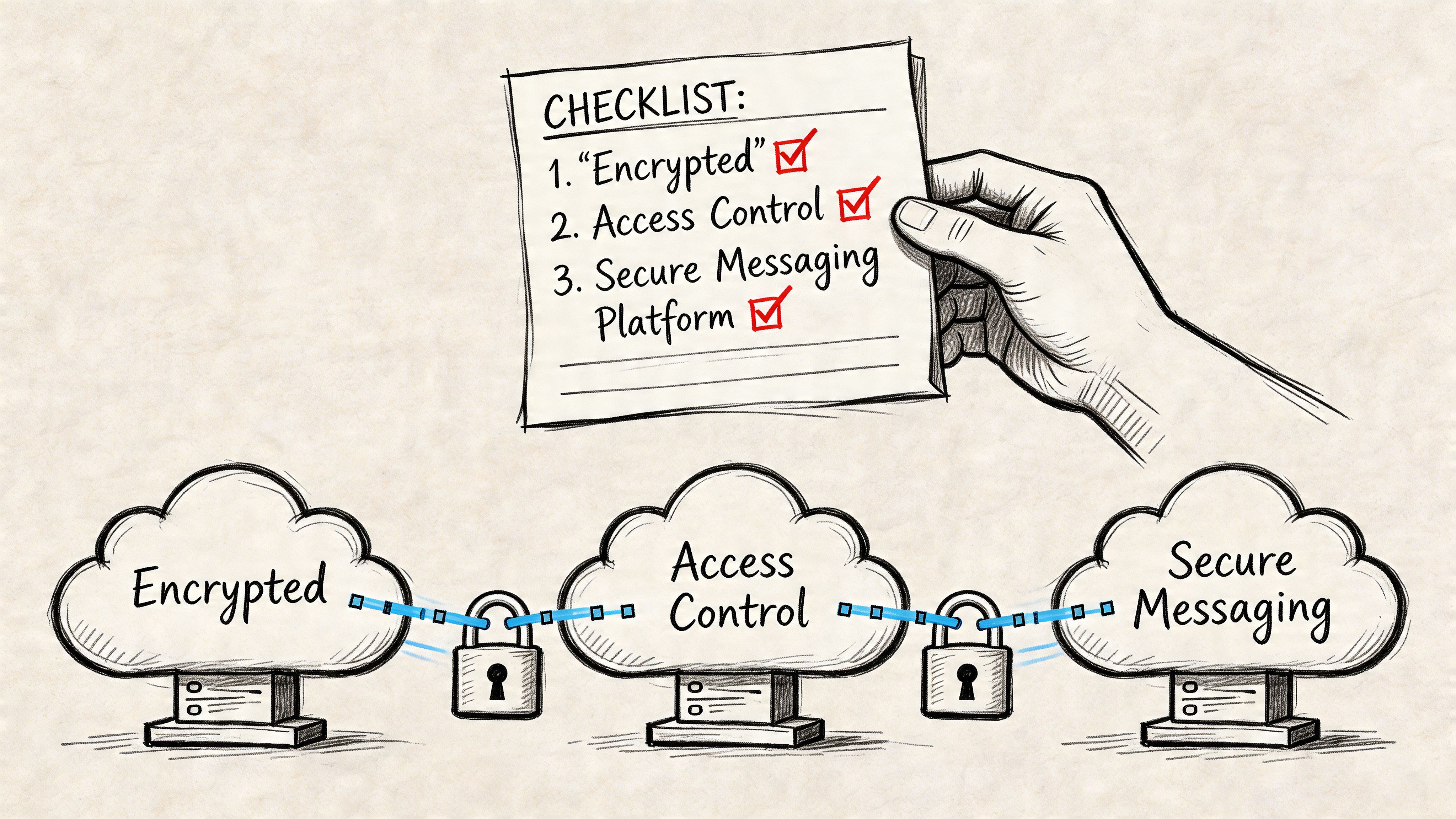
Choosing the platform is where many practices either simplify operations or lock themselves into more manual cleanup. Generic messaging tools may look cheaper or easier at first. They usually break down when you need channel-level consent control, logging, access restrictions, and healthcare-specific workflows.
The business case for a compliant platform is strong. According to RoboTalker’s review of HIPAA-compliant reminder systems, automation can reduce no-shows by 30-45%, save a practice over $150,000 annually, and cut staff time spent on appointment confirmations from 2-3 hours daily to 15-20 minutes, a 95% reduction.
Before you compare dashboards, compare safeguards.
Use this checklist when evaluating any reminder platform:
A platform with fewer marketing features but stronger healthcare controls is usually the better choice for patient reminders.
Consumer texting apps and broad messaging platforms often do one thing well: send messages. That isn’t enough in healthcare.
You also need to answer operational questions fast:
If the platform can’t answer those questions easily, your team ends up stitching together compliance from screenshots, spreadsheets, and memory.
The cleanest rollout usually follows this order:
Map your reminder use cases
Separate standard visits, prep-heavy visits, and higher-risk no-show categories.
Standardize templates
Build approved scripts for each channel and lock them down.
Load patient preferences
Import or confirm consent records before you automate anything.
Start with one workflow
Launch a basic reminder sequence for one location or service line first.
Review replies and exceptions
Watch for missed opt-outs, confusing reschedule requests, and staff workarounds.
Expand only after audit review
Once the process is stable, add additional channels or appointment types.
If you want one platform to coordinate SMS, voice, and ringless voicemail in the same reminder workflow, Call Loop is one option because it supports those channels, drip campaigns, scheduling logic, and a HIPAA-compliant plan with a BAA for healthcare use. That matters when you want the reminder process to live in one controlled system instead of being split across multiple tools and manual handoffs.
For a broader platform-level view, this article on a HIPAA compliant communication platform covers the core requirements teams should verify before rollout.
The right platform doesn’t just automate reminders. It reduces the number of exceptions your staff has to remember manually.
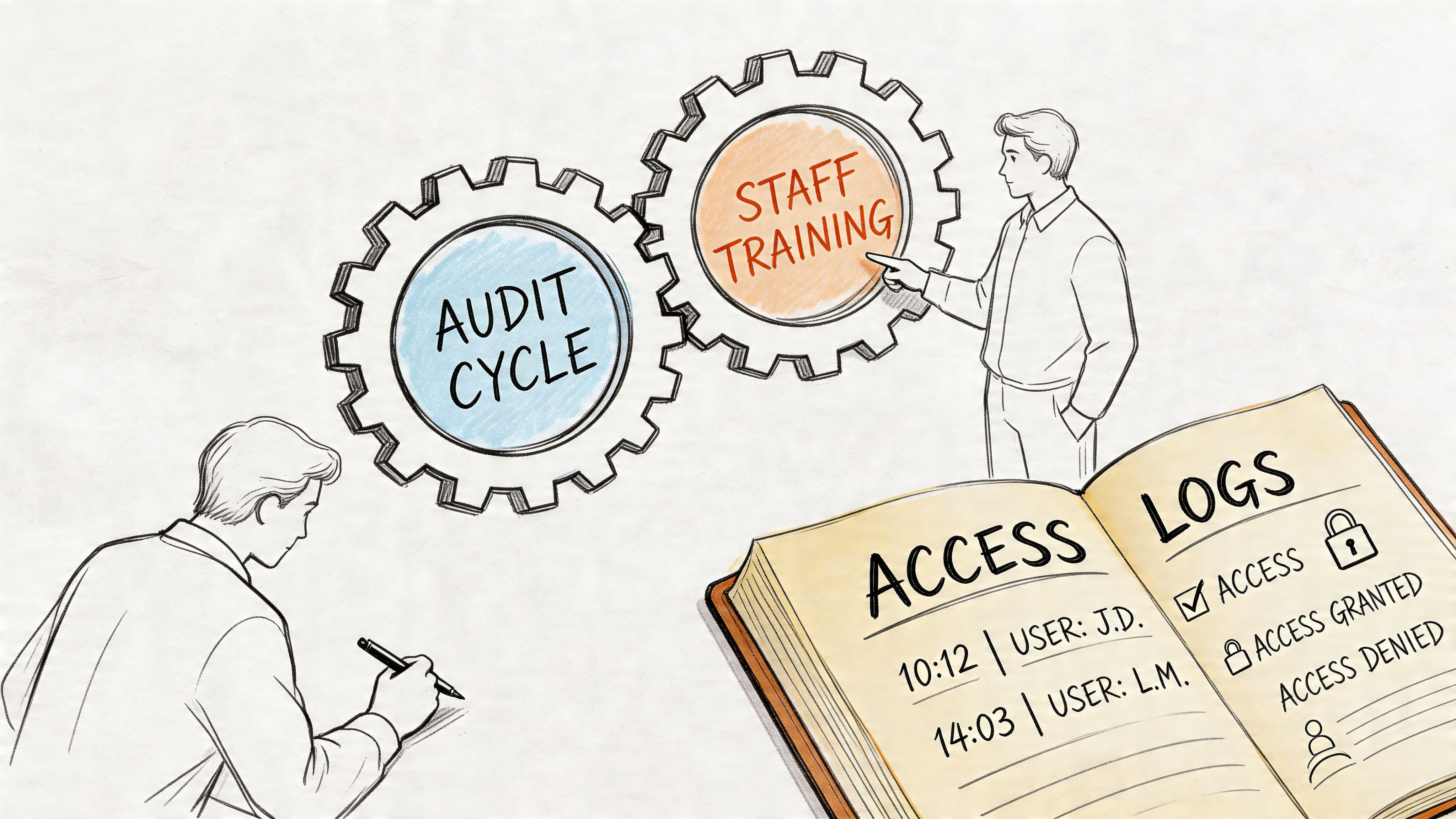
A compliant reminder workflow can drift out of compliance subtly. A staff member edits a template. Someone starts using a different voicemail script. MFA gets relaxed for convenience. None of that looks dramatic on the day it happens. It becomes a problem when there’s a complaint, an access issue, or an internal review.
That’s why reminder compliance needs routine maintenance. Not a giant annual scramble. A repeatable operating habit.
According to Accountable HQ’s guide to HIPAA-compliant reminder systems, compliant systems should include AES-256 encryption and SIEM-level audit logs that retain access histories for 7 years under §164.312. The same source notes that weak MFA contributed to 30% of breaches in a 2023 HHS report.
For appointment reminder workflows, your logs should make it easy to reconstruct events. At minimum, that means tracking:
If those records are scattered across systems, audits become slow and staff start guessing. Centralized logging is safer and easier to maintain.
You don’t need a massive committee to keep this healthy. You need cadence.
A practical schedule looks like this:
| Review area | What to check |
|---|---|
| Template review | Remove extra PHI, confirm approved wording |
| User access review | Disable former staff, tighten unnecessary access |
| Preference audit | Spot-check opt-outs and channel settings |
| Security review | Confirm MFA, encryption settings, and logging are active |
Training fails when it’s too broad. Staff don’t need a long lecture on every corner of HIPAA just to send reminders. They need scenario-based guidance tied to their actual tasks.
Train around moments like these:
That last case matters. Even if your outgoing reminder is compliant, staff need to know how to handle incoming replies without turning the reminder inbox into an unmanaged clinical channel.
Good compliance training sounds like front-desk language, scheduler language, and office-manager language. It doesn’t sound like policy copy pasted into a slideshow.
Practices usually start this process trying to avoid mistakes. That’s understandable. Nobody wants missed visits, and nobody wants a privacy issue tied to reminders.
But the more useful goal is bigger than avoidance. A strong reminder program makes the practice easier to deal with. Patients know when to come in, how to confirm, and how to reschedule without friction. Staff stop wasting hours on repetitive outreach. Managers gain a documented process instead of a collection of habits.
That’s why hipaa compliant appointment reminders shouldn’t be treated as a narrow compliance project. They’re part of how a modern practice runs. The work starts with consent, message limits, and the right platform, then gets stronger with multi-channel workflows, audit logging, and staff training that matches real situations.
SMS matters. Voice still matters. Ringless voicemail can matter too, especially when it’s used carefully inside a controlled workflow. The main point is to stop treating these channels as separate experiments. Build one process that respects patient preferences and protects PHI across the whole sequence.
When you do that, compliance stops feeling like a brake. It becomes the structure that lets you communicate consistently and scale without chaos.
If you need a practical way to run compliant patient outreach across SMS, voice, and ringless voicemail from one system, Call Loop is worth evaluating for healthcare reminder workflows that need automation, consent-aware messaging, and a signed BAA.
Chris Brisson
Chris is the co-founder and CEO at Call Loop. He is focused on marketing automation, growth hacker strategies, and creating duplicatable systems for growing a remote and bootstrapped company. Chat with him on X at @chrisbrisson


Trusted by over 45,000 people, organizations, and businesses like


