
See a Demo
You're just one step away from seeing Call Loop in action.
Enter your information below to watch a demo right now.

You're just one step away from seeing Call Loop in action.
Enter your information below to watch a demo right now.


A lot of lead follow-up fails for boring reasons. Someone gets busy. A rep plans to call after lunch. A form submission lands in a shared inbox and sits there while the team handles live work. By the time anyone responds, the lead has cooled off, forgotten the context, or already booked with somebody else.
That’s why an automated lead follow up system matters. Not as a nice-to-have email autoresponder, but as a working process that responds fast, routes people correctly, and keeps the conversation moving across SMS, voice, and ringless voicemail without creating a compliance mess.
Most SMBs don’t lose leads because the offer is weak. They lose them because the follow-up is late, inconsistent, or stuck in one channel.
A lead fills out a form when intent is high. That moment is short. If your process depends on a person seeing a notification, opening the CRM, deciding what to say, and remembering to send the next touch, you're asking a manual workflow to win a speed game.
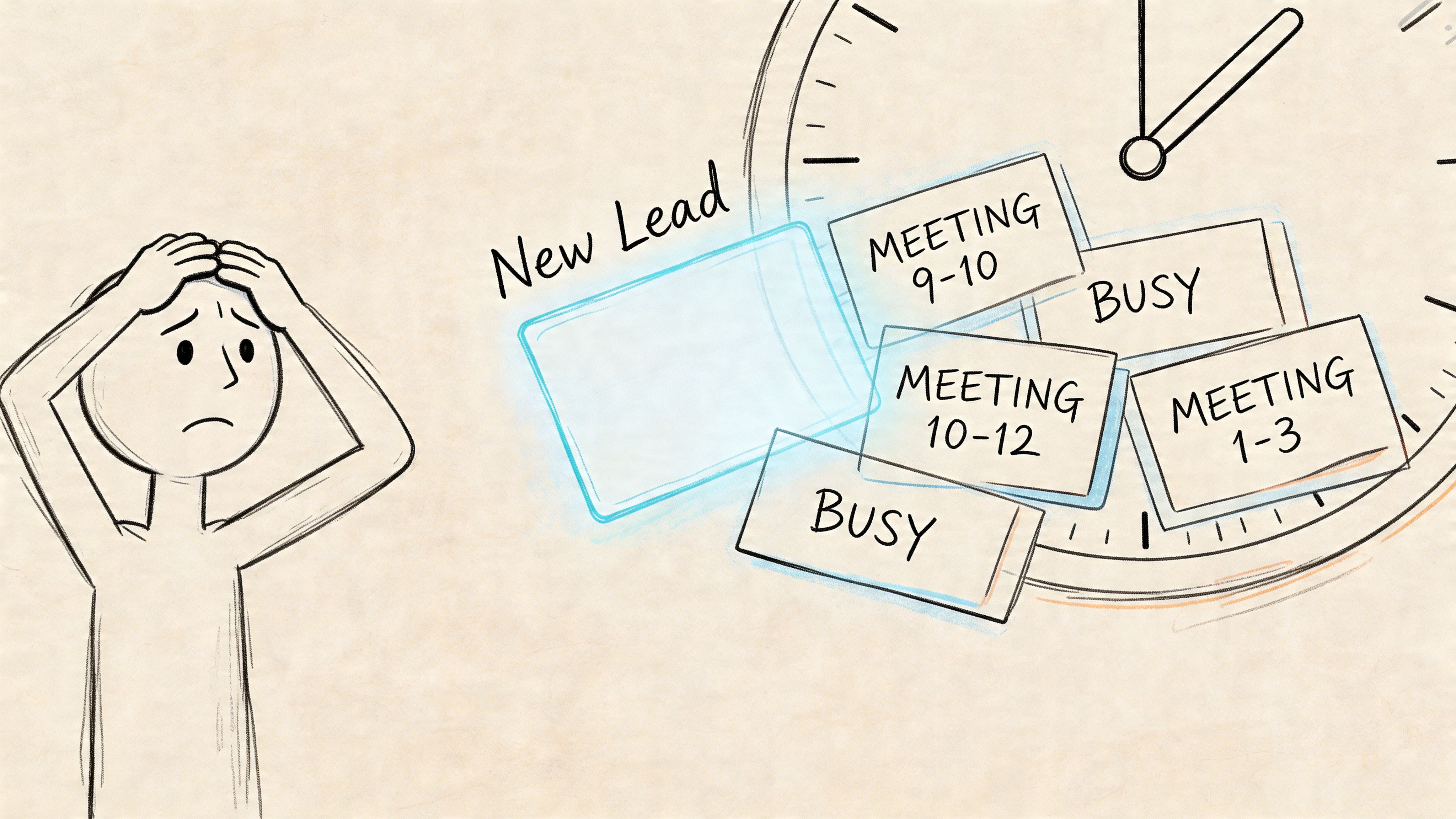
The gap between a hot lead and a stale lead is often measured in minutes, not days. According to AI-powered lead follow-up best practices, leads contacted within 5 minutes are 21 times more likely to convert, the average business response time is around 42 to 47 hours, and conversion rates drop 8 times if response is delayed by just 5 minutes.
That stat lines up with what operators see in the field. The first few minutes are when the lead still remembers the page they were on, the question they had, and why they reached out. After that, urgency fades and distractions win.
Practical rule: If your system can't react while your team is busy, you don't have a follow-up system. You have a reminder system.
Manual outreach sounds personal, but in practice it often creates uneven coverage:
An automated lead follow up system fixes the operational problem. It doesn't replace judgment. It handles the parts that shouldn't depend on memory: immediate acknowledgment, timed follow-ups, channel switching, routing, logging, and opt-out handling.
The point isn't to automate everything. The point is to automate the parts that should happen every single time.
A lot of people hear the phrase and think of a basic autoresponder: “Thanks, we got your message.” That’s not a system. That’s an answering machine.
A real automated lead follow up system works more like a digital sales assistant. It notices when a lead comes in, starts the right conversation, adjusts based on behavior, and hands the lead to a human when the signal is strong enough.
A tool sends a message.
A system decides:
That shift matters. If you're building from a tool mindset, you end up with disconnected automations. One email here, one text there, maybe a missed task in the CRM. If you're building from a system mindset, each step has a job and each channel supports the others.
If you want a broader foundation before you build, this overview of What Is Marketing Automation? is useful because it frames automation as a workflow discipline, not just software.
Email still has a place, but many businesses rely on it too heavily. That's where response quality drops.
A better system uses the channel mix intentionally:
It's like knocking on the front door, ringing the side bell, and leaving a note in the mailbox. You’re not repeating yourself for the sake of it. You’re creating more than one legitimate way for the lead to respond.
A weak system repeats the same message on the same channel. A strong system changes the format while keeping the intent consistent.
Static automation is linear. Day 1 email. Day 3 email. Day 7 email. It runs no matter what the lead does.
Responsive automation watches for signals. A reply stops the sequence. A click triggers a stronger ask. A missed SMS can trigger a voice touch later. A booked meeting can launch reminders automatically. With these capabilities, automation starts to feel useful instead of robotic.
In day-to-day operations, that difference shows up fast. Static flows create noise. Responsive flows create momentum.
The strongest systems are built on a few connected parts. Miss one, and the rest start working against each other. You can have fast outreach with poor segmentation and annoy the wrong people. You can have beautiful messaging with weak timing and still lose the lead.

Definition: Use more than one contact method so the system matches how people respond.
Example: A new lead gets a confirmation text first, then a voice follow-up later if there’s no reply, then a ringless voicemail that gives them a simple callback path.
Many businesses underbuild their follow-up systems. They typically create a single email drip, then assume a lack of response indicates low intent. However, sometimes it merely means the lead did not want another email.
Definition: Sequence logic controls timing, spacing, and escalation so touches feel coordinated instead of random.
Example: A lead receives a short SMS immediately, a voicemail the next day if there’s still no response, and a rep task only after the sequence has done its first layer of work.
According to Qualified’s guide to automating lead follow-up with AI SDRs, follow-ups within 5 minutes convert at 9x the rate of 30-minute delays. The same source says AI SDRs can trigger instant multi-channel responses across SMS, voice, and RVM, detect live answers with 95% accuracy, and re-engage stalled leads 4x faster through press-1 transfers. That’s why sequencing isn't just timing. It’s response orchestration.
Definition: Personalization means using real context, not just dropping a first name into a template.
Example: A message references the exact form topic, appointment type, service line, location, or event the lead asked about.
At scale, this depends on clean fields and merge tags. If your forms collect vague information, your personalization will sound vague too.
Definition: Triggers let the system react to what the lead does.
Example: If someone clicks a scheduling link but doesn’t complete booking, the system sends a short reminder by text instead of another generic intro.
Automation starts acting less like a drip and more like a traffic controller. It routes by signal.
Operational insight: Triggers should answer one question only. “What happened, and what should happen next?”
Definition: Compliance rules should be part of the workflow logic, not a manual cleanup task after launch.
Example: The system checks consent status before sending SMS, manages opt-outs, applies DNC handling to voice outreach, and limits protected health information in messages for HIPAA-sensitive workflows.
This is especially important in SMS, voice broadcasting, and ringless voicemail. If your team treats TCPA or HIPAA as an afterthought, the system may scale risk faster than it scales results.
Definition: Analytics should tell you what to change, not just what happened.
Example: You review response timing, channel-level engagement, reply patterns, and sequence drop-off points, then adjust the weak step instead of rewriting everything.
Useful analytics create operational decisions. If texts get replies but voicemails drive callbacks, keep both. If one branch never produces meetings, cut it or rewrite it.
Here’s the simple version:
| Pillar | What it does | What good looks like |
|---|---|---|
| Multi-channel messaging | Expands reach | SMS, voice, and ringless voicemail work together |
| Intelligent sequencing | Controls timing | Touches are spaced and purposeful |
| Personalization | Adds relevance | Messages reflect actual lead context |
| Behavior-based triggers | Reacts to signals | Sequence changes when leads act |
| Built-in compliance | Reduces risk | Consent and opt-outs are enforced in workflow |
| Actionable analytics | Drives improvement | Teams can see where sequences break |
One practical option in this category is Call Loop, which supports SMS, voice broadcasting, ringless voicemail, drip campaigns, press-1 transfers, merge tags, and HIPAA-oriented workflows. The key point isn’t the brand. It’s choosing a platform that can execute these pillars in one operating model instead of forcing your team to stitch them together manually.
Don’t start by writing messages. Start by drawing the blueprint.
When teams skip this part, they build a pile of automations instead of a coherent machine. The workflow may technically run, but it won't reflect buyer intent, handoff rules, or channel fit. Good follow-up architecture is less about software setup and more about deciding what should happen in specific situations.
Every sequence needs a single purpose. Not three.
A lot of SMB follow-up goes wrong because one automation tries to educate, qualify, schedule, recover abandoned leads, and upsell at the same time. That creates mixed signals. One sequence should aim to do one clear thing, such as:
If you need help shaping the first email in that flow, these automatic reply email sample templates can help you draft something clean before you adapt it for SMS and voice.
Think in moments, not tools.
Write down the common entry points first. Website form. Missed call. Keyword opt-in. Event registration. Pricing inquiry. Consultation request. Then define what should happen in the first few touches for each.
A practical planning sheet usually includes:
For more workflow design ideas, this guide on marketing automation workflow is useful because it focuses on how triggers and actions connect across systems.
Linear drips are easy to launch and easy to outgrow. Better systems branch.
According to GenFuse AI’s explanation of automated lead follow-up systems, dynamic nurturing paths use conditional logic based on behavior. For example, if a lead opens an email but doesn’t click, the system sends a reminder, while a whitepaper download can raise the lead’s status in the CRM. That setup is reported to cause a 3x increase in qualified leads reaching human reps.
That matters because the system should respond differently to silence, curiosity, and intent. A lead who ignored everything shouldn’t get the same next step as a lead who clicked but didn’t book.
Build the branch around behavior, not around hope.
| Channel | Open/Listen Rate | Best For | Example Use Case |
|---|---|---|---|
| SMS | Qualitatively high and fast for short messages | Immediate acknowledgment, reminders, simple replies | “Thanks for reaching out. Want a quick callback today?” |
| Voice | Strong when urgency or explanation matters | Qualification, live transfer, urgent response | Calling a high-intent form submission |
| Ringless voicemail | Useful for personal, non-intrusive follow-up | Reaching busy leads without forcing a live pickup | Leaving a callback message after no SMS reply |
| Good for longer detail and documents | Resources, recaps, longer explanations | Sending pricing info or next-step summary |
You don’t need a giant build to start. A practical SMB flow can look like this:
That’s the machine. Not glamorous, but effective.
The basics get you running. The edge comes from tuning the system so it feels timely, human, and disciplined.
The first SMS matters more than many realize. If it sounds automated, people treat it like an automated message. Short beats clever. Clear beats polished.
Good opening messages usually do three things:
A weak message reads like a campaign. A strong message reads like a helpful follow-up from a real business.
Don’t stack channels just because you can. Sequence them so each one does a different job.
A simple rule:
If you're refining timing and touch structure, these drip campaign best practices are worth reviewing because cadence errors usually hurt more than copy errors.
The smartest follow-up systems don't shout louder. They change format at the right moment.
List hygiene isn't admin work. It's performance work.
Make sure your process removes bad numbers, respects opt-outs quickly, and avoids pushing the same stale record through the same sequence over and over. A dirty list makes every channel worse. It lowers response quality, increases complaints, and muddies your reporting.
Compliance belongs here too. TCPA controls how you contact people through calls and texts. HIPAA matters if your workflow touches protected health information or patient communications. In practice, that means using consent-aware messaging, limiting sensitive details in messages, and keeping audit-friendly records of who received what and when.
Teams often A/B test the fourth message when the primary impact is in touch one. If the opener is weak, the rest of the sequence inherits that weakness.
Test:
You don't need a lab. You need discipline. One controlled change at a time.
If you can’t prove the system changed pipeline behavior, it’s hard to justify the time, software, and operational effort behind it.
That doesn’t mean you need a giant dashboard. It means you need a few metrics that tell the truth about whether the machine is doing useful work.
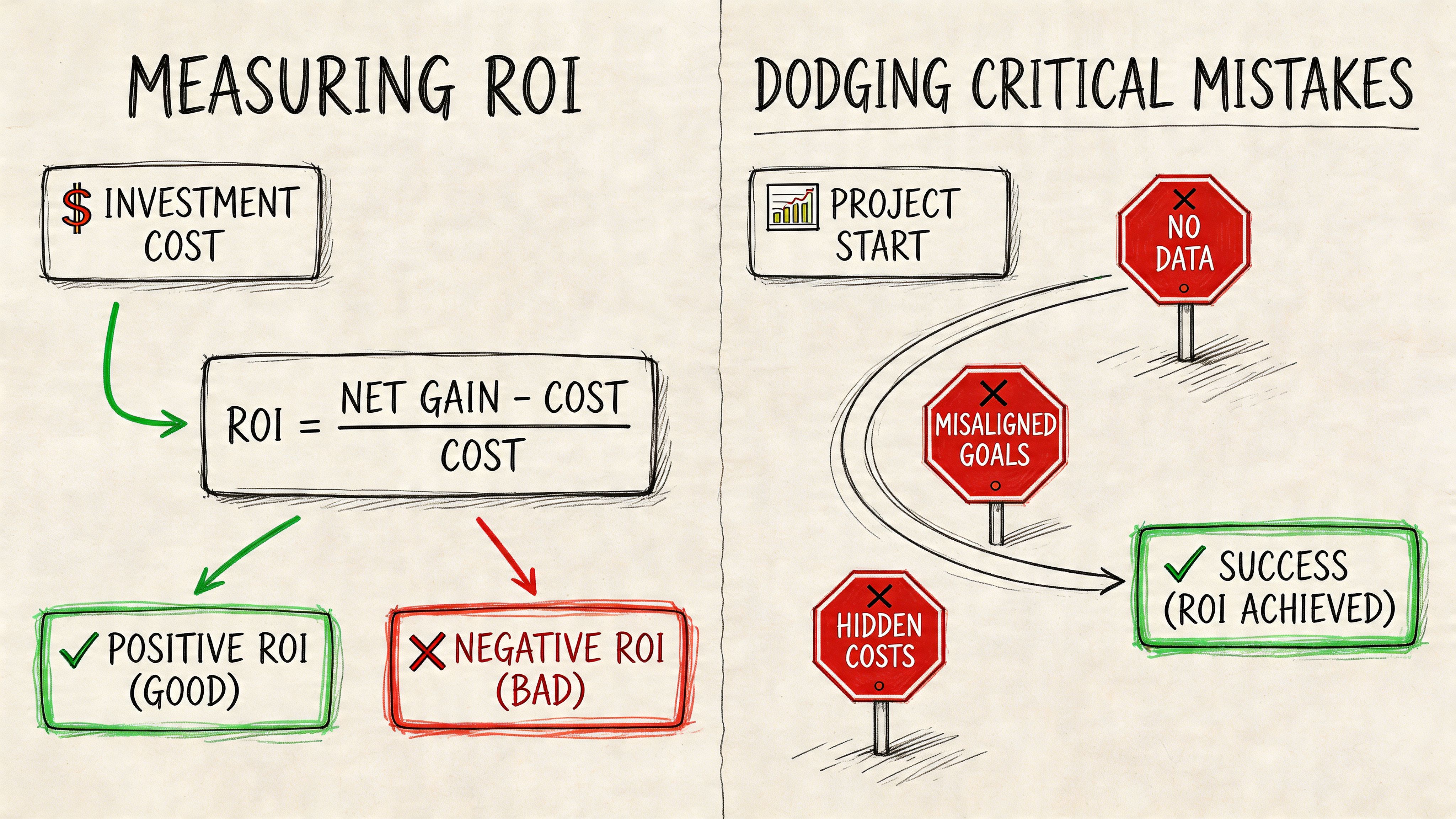
Start with operational metrics first, then business outcomes.
Track:
This article on measuring marketing campaign effectiveness is a good reference point if you need a cleaner way to connect channel activity with business impact.
A lot of follow-up systems fail because teams optimize for activity instead of usefulness.
Don’t blast every lead the same way.
Do segment by intent, source, and likely preferred channel.
Don’t keep messaging after obvious disinterest.
Do set stop rules for non-response, opt-out, and disqualification.
Don’t “set it and forget it.”
Do review live workflows regularly and fix weak branches.
Don’t hide opt-outs or make them hard.
Do make exit paths simple and immediate.
A healthy follow-up system creates clarity. An unhealthy one creates volume.
Long-dormant leads are where simplistic automation breaks down.
According to Artisan’s discussion of automated lead follow-up system gaps, a major blind spot is lead scoring decay. Most guidance doesn’t give teams a framework for deciding when a lead has gone stale enough to need a different re-engagement strategy, such as treating a lead dormant for 30 days differently from one dormant for 6 months. The same source notes that aggressive re-engagement with stale leads can backfire.
That’s a useful warning. A lead who stopped responding last month may deserve a soft check-in. A lead untouched for much longer may need a reset message, a different offer, or no outreach at all. Treating both the same usually produces bad signal and unnecessary annoyance.
No. Smaller teams often benefit first because they have less margin for missed follow-up.
The trick is to start narrow. Build one sequence for one lead source with one clear goal. Once that works, expand. Most SMBs get into trouble when they try to automate every path at once.
It will if you write robotic messages and ignore behavior.
Automation doesn't create stiff communication by itself. Bad templates do. So does poor timing. If your messages are short, contextual, and tied to real actions, people usually experience the system as responsive, not mechanical.
It depends on the type of inquiry and the urgency behind it.
SMS is often the cleanest first move for speed. Voice is stronger when qualification matters quickly. Ringless voicemail works well when you want a personal follow-up without forcing a live conversation right away. The right answer usually isn't one channel. It's a sequence that uses each channel for a specific purpose.
Build compliance into the workflow itself.
That means using consent-aware sending rules, honoring opt-outs immediately, applying DNC logic to voice outreach, and being careful with message content in HIPAA-sensitive use cases. If your team has to remember those steps manually, the process will eventually fail under pressure.
If you want a practical platform for building an automated lead follow up system across SMS, voice, and ringless voicemail, take a look at Call Loop. It’s built for multi-channel outreach, supports drip campaigns and press-1 transfers, integrates with common tools, and includes features that help teams manage consent, deliverability, and HIPAA-sensitive workflows without stitching everything together by hand.
Chris Brisson
Chris is the co-founder and CEO at Call Loop. He is focused on marketing automation, growth hacker strategies, and creating duplicatable systems for growing a remote and bootstrapped company. Chat with him on X at @chrisbrisson


Trusted by over 45,000 people, organizations, and businesses like


