
See a Demo
You're just one step away from seeing Call Loop in action.
Enter your information below to watch a demo right now.

You're just one step away from seeing Call Loop in action.
Enter your information below to watch a demo right now.

You send one update to a list of customers, parents, patients, or leads. A few seconds later, replies start landing in a shared thread. One person asks a question that has nothing to do with the others. Another replies with personal details. Everyone can see everyone’s number. What should’ve been a simple outreach message turns into a messy group chat.
That’s the moment it becomes clear that the intention wasn't to start a conversation between recipients. They were trying to send one message privately, at scale, without exposing contact data or creating reply-all chaos. That’s where blind copy text messages come in.
Blind copy text messages work like email BCC. You send one message to multiple people, but each recipient gets it as a separate private text. They don’t see the other recipients, and their replies come back only to the sender.
That idea comes from email. The concept of blind copy in SMS is adapted from email BCC, which was formalized in the 1980s through email standards such as SMTP. But text messaging never got the same native feature set on phones. Standard iPhone and Android group texts expose all numbers, which is why private mass texting platforms became popular in the 2010s for sending messages that appear personal while routing replies back privately to the sender, as described in this overview of blind text messaging behavior.
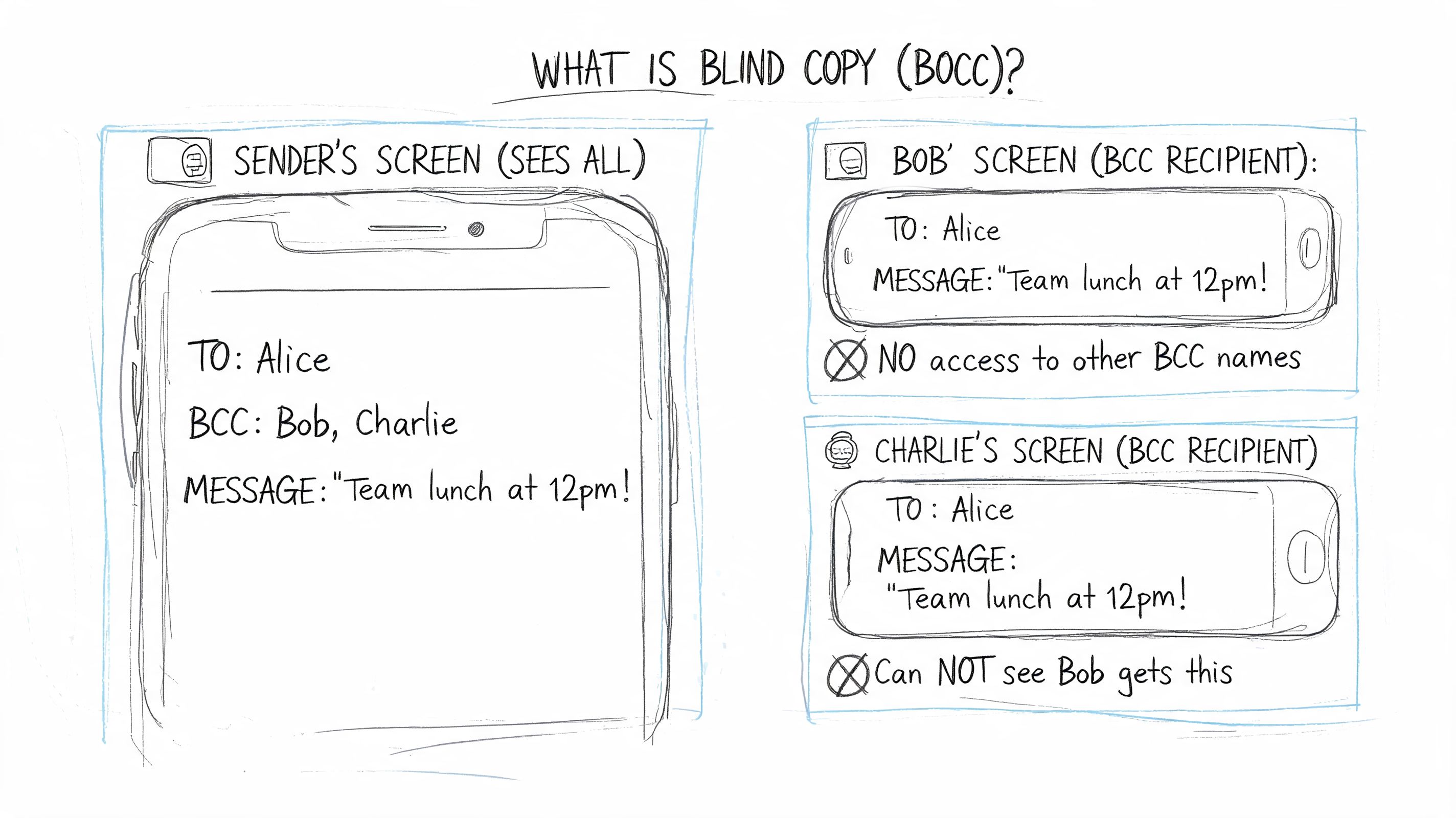
When blind copy texting is set up correctly, the recipient experience is simple:
That matters for more than convenience. It protects privacy, keeps communication professional, and avoids the awkwardness of unrelated people ending up in the same thread.
Practical rule: If recipients don’t need to talk to each other, don’t use a standard group text.
It’s not the same as adding multiple contacts to a text on your phone and hoping the device sends separate messages. Sometimes phones can mimic private delivery for small sends, but that isn’t true BCC functionality and it breaks down fast when you need scale, scheduling, reply handling, or compliance controls.
It’s also not just a marketing feature. Blind copy text messages are useful for appointment reminders, event updates, school notices, lead follow-ups, internal alerts, and customer service outreach.
A simple way to think about it is this: email has BCC built in. SMS usually requires a dedicated workflow.
Your phone’s messaging app was built for casual conversation, not professional broadcast communication. That’s the root problem.
On iPhone, one common workaround is to disable iMessage and turn off Group Messaging so the phone sends separate SMS messages. Android has a similar setting in some messaging apps. But these are workarounds, not a real operating model for business use. They’re clunky, easy to misconfigure, and operationally inefficient beyond 10 to 15 recipients, according to this breakdown of native BCC texting limits and workarounds.
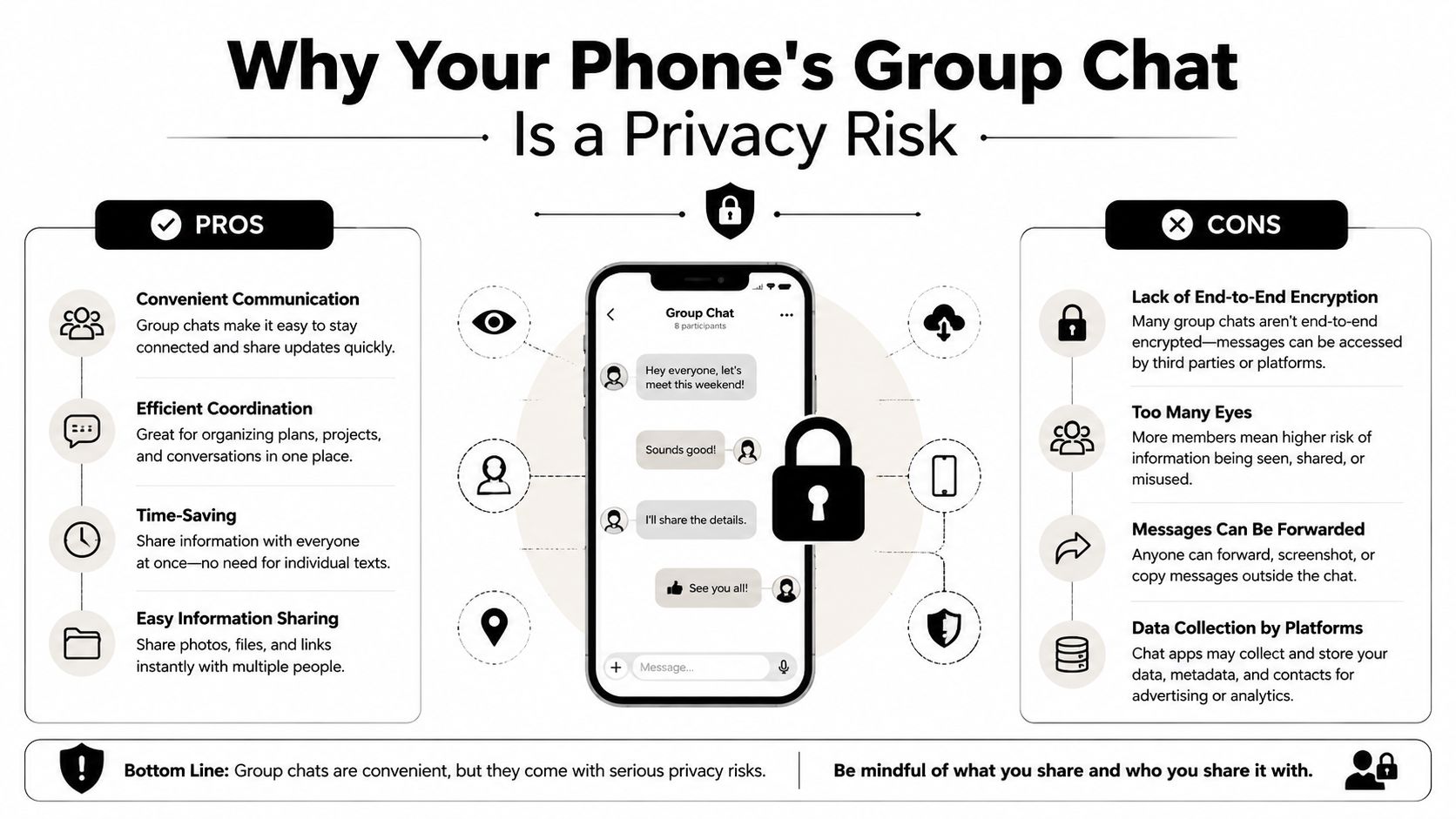
A native messaging app creates problems in three places.
| Issue | What happens on a phone | Why it matters |
|---|---|---|
| Privacy | Recipients can end up seeing each other in a group thread | You expose personal contact data |
| Scale | Manual sending becomes tedious fast | Staff waste time and make mistakes |
| Management | Replies scatter across separate conversations with no campaign context | Follow-up becomes hard to track |
The biggest mistake I see is treating a consumer messaging app like a business communication system. It isn’t one. It doesn’t give you a clean record of consent, delivery, reply routing, or campaign-level visibility.
Even when a phone sends separate messages, the workflow still breaks. You have no practical way to segment a list, personalize fields consistently, schedule sends in a repeatable way, or monitor responses in one place.
That matters even more when privacy expectations are high. If your team is handling sensitive communication, it helps to understand the difference between transport security and practical messaging privacy. This guide on whether SMS is encrypted is a useful reference for that distinction.
A phone workaround can send messages. It can’t run a communication process.
If you’re texting customers, patients, members, or prospects regularly, the device in your pocket is the wrong layer for the job.
If you need private outreach that performs well in daily use, the workflow should live in a messaging platform, not in your phone settings. That’s especially true on Android, where you cannot send a blind copy text from a standard messaging app, which is one reason teams move to platform-based systems built for scale and deliverability. The same source notes that integrated tools are widely used for this reason, including platforms relied on by over 45,000 users for scalable outreach, as covered in this explanation of why standard Android messaging can’t do true BCC texting.
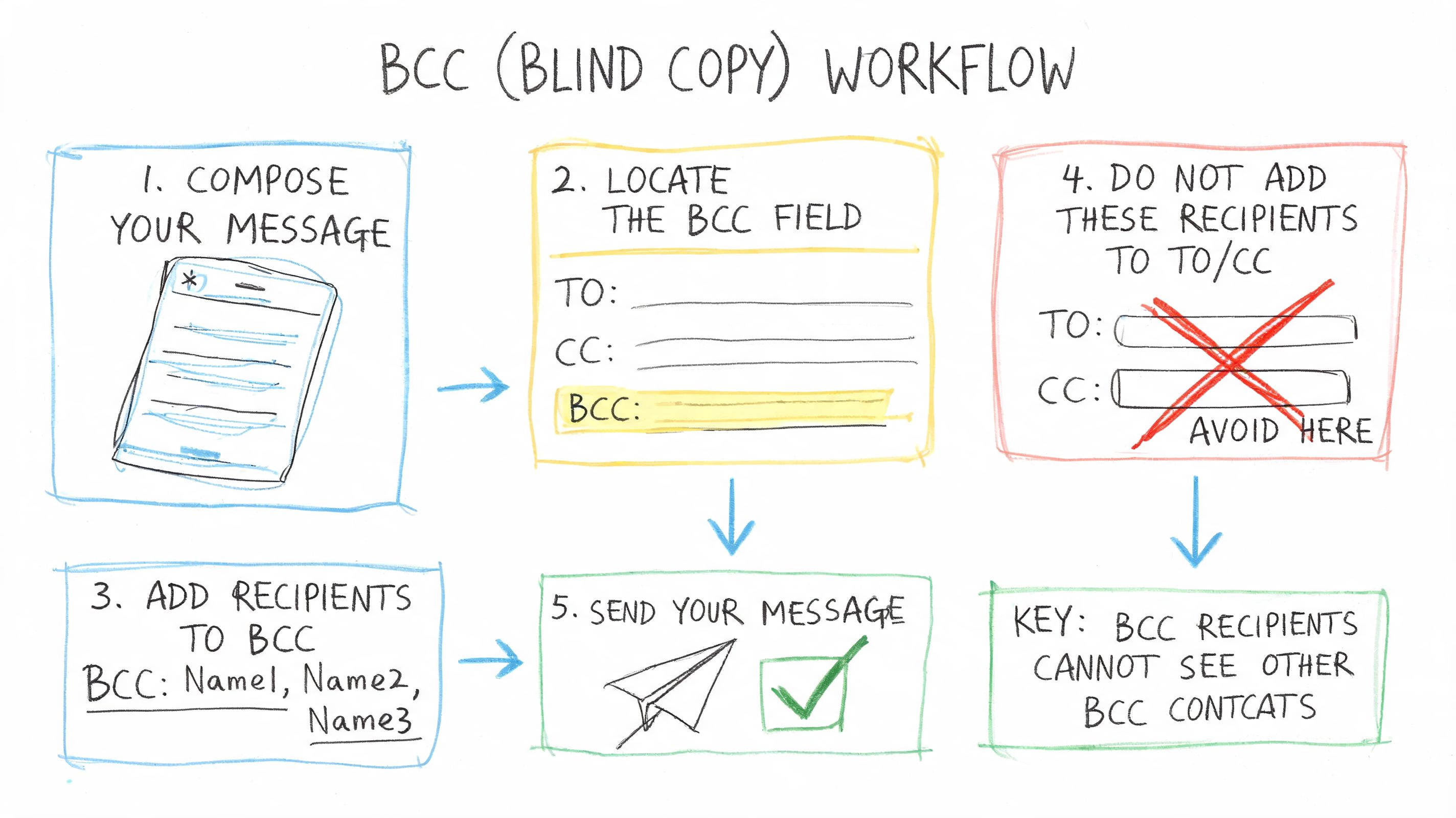
The cleanest workflow starts before you write the message. You need a contact list that’s organized, permission-based, and easy to segment.
That usually means one of two methods:
Import an existing contact list
Useful when you already have opted-in contacts in a CRM, spreadsheet, or booking system.
Use a text-to-join keyword
Better when you want contacts to raise their hand and subscribe themselves.
Segment by purpose
Don’t keep one giant list. Separate reminders from promotions, active customers from cold leads, and internal alerts from public announcements.
A solid platform lets you attach custom fields to each contact, so you’re not blasting the exact same message to everyone.
Blind copy text messages outperform group texting. The send may be bulk, but the message should still feel direct.
Use merge tags for fields like first name, appointment date, location, or product category. That turns a generic broadcast into a message that reads like a one-to-one follow-up.
For example, a weak message looks like this:
Appointment reminder for tomorrow. Reply if you need to reschedule.
A stronger version uses stored contact data and context:
Hi [FirstName], your appointment is tomorrow at [Time]. Reply if you need to reschedule.
Same purpose. Better experience. Less friction.
Once the message is ready, schedule it instead of sending ad hoc from a device. That gives your team consistency. It also prevents rushed sends, duplicate sends, and timing mistakes.
A professional workflow usually includes:
If your team wants to connect texting with forms, CRMs, calendar tools, or ecommerce systems, it helps to explore Zapier tools from RevoGTM. That’s a practical way to think through how contact data and trigger events should move into your messaging workflow.
Most DIY setups fail concerning a particular aspect. Sending is easy. Managing replies is the hard part.
A proper blind copy setup keeps replies private and organized. That makes it possible to turn a bulk send into real conversations without forcing staff to jump between personal phones, screenshots, and disconnected inboxes.
The difference is simple. A phone sends messages. A platform supports a repeatable communication process.
A private send solves one problem. It does not solve the whole communication job.
Texting gets attention fast, which is why mistakes cost more here than they do in email. Analysts at SimpleTexting found that people check texts quickly, text replies outperform calls and email, and spam volume remains high in the U.S., as shown in its 2025 SMS marketing statistics roundup. That puts pressure on every business sender to be clear, relevant, and disciplined.
Recipients make a judgment in seconds. If the message feels off, they opt out, ignore future texts, or report it.
A blind copy workflow should protect privacy and make the message feel intentional. Group chat habits do the opposite. So do generic blasts, vague sender names, and promotional texts sent without clear permission.
Trust comes from small operational details:
Those details affect performance, but they also reduce complaints. That matters if you plan to keep texting as a long-term channel instead of burning through contact goodwill.
Business texting needs documented consent, approved use cases, and records your team can find later. That is one reason dedicated platforms matter. They store consent status, apply suppression rules, and create an audit trail without forcing staff to piece things together from screenshots and personal devices.
For teams sorting out carrier registration and campaign setup, this guide to navigate A2P 10DLC requirements is a useful companion. Consent rules matter just as much. Review this breakdown of express written consent for promotional text messages before sending marketing content.
Personalization is not just a conversion tactic. It helps show why the person received the text in the first place.
A good message reflects the relationship and the trigger. A service reminder should sound like a service reminder. A lead follow-up should reference the form, offer, or event that started the conversation. That makes the text easier to recognize, easier to trust, and easier to answer.
This is the actual shift from phone-based workarounds to a professional system. Private bulk messaging becomes part of a larger communication process, with consent controls, segmentation, reply management, and room to add channels like ringless voicemail where they fit.
Text isn’t the only private outreach tool worth using. Ringless voicemail belongs in the same conversation because it also delivers a one-to-one experience without creating public clutter.
A ringless voicemail drop sends a prerecorded message directly to the recipient’s voicemail inbox without ringing the phone in the usual way. Used well, it complements blind copy text messages rather than replacing them.
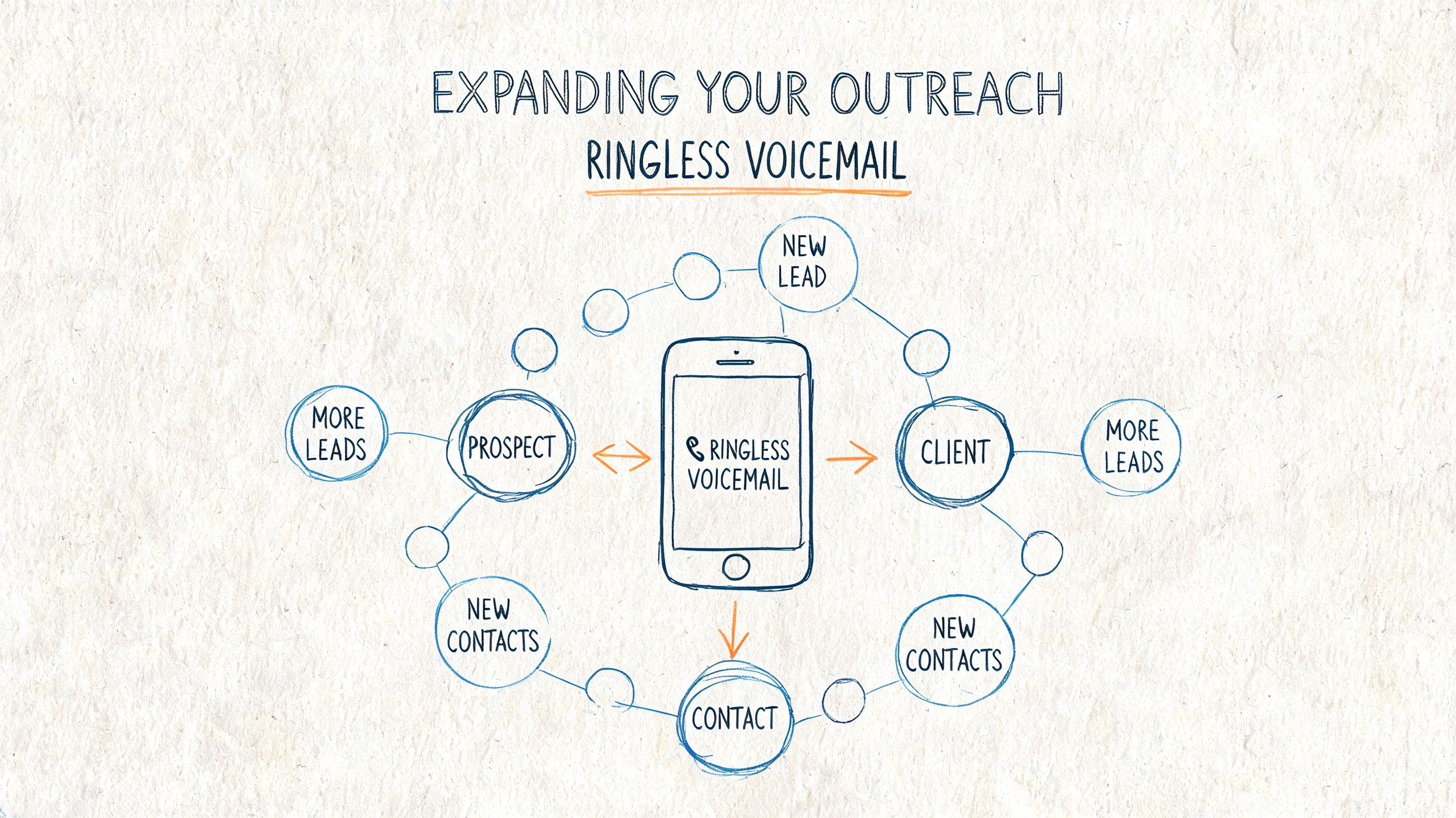
SMS is strong when the recipient should read and respond quickly. Ringless voicemail works better when tone matters, when a message needs more context, or when you want to sound more human than a short text allows.
Some effective pairings look like this:
The strongest outreach systems don’t ask whether SMS or voicemail is better. They use each tool for what it does best.
A simple sequence might look like this:
| Step | Channel | Best use |
|---|---|---|
| First contact | SMS | Short, direct action prompt |
| Follow-up | Ringless voicemail | More context and a human voice |
| Final reminder | SMS | Quick response or confirmation |
That kind of sequence is especially useful for reminders, promotions, reactivation campaigns, and customer follow-up where one message alone might get missed.
If you want examples of how this channel works in practice, this guide to ringless voicemail marketing is a good next read.
Use text for speed. Use ringless voicemail for tone. Together, they create a more flexible private outreach system.
Blind copy text messages solve a basic problem that standard phones were never designed to handle well. You want to reach many people at once, but you don’t want to expose their numbers, invite reply-all confusion, or leave your team juggling manual workarounds.
The right fix isn’t another phone setting. It’s a professional workflow. Build a permission-based list. Personalize the message. Send privately. Route replies cleanly. Keep records. Add ringless voicemail when a voice touch makes the sequence stronger.
That shift changes more than delivery. It improves privacy, keeps communication organized, supports compliance, and makes your outreach feel respectful instead of intrusive.
Many teams start by asking, “Can I BCC a text?” The better question is, “What system lets us communicate privately and reliably every time?” Once you frame it that way, the path gets a lot clearer.
If you need a practical way to send private bulk texts, manage replies, and combine SMS with voice and ringless voicemail in one place, Call Loop is built for that workflow. It helps teams organize contacts, personalize outreach, automate follow-ups, and keep communication scalable without falling back on messy group chat hacks.
Chris Brisson
Chris is the co-founder and CEO at Call Loop. He is focused on marketing automation, growth hacker strategies, and creating duplicatable systems for growing a remote and bootstrapped company. Chat with him on X at @chrisbrisson


Trusted by over 45,000 people, organizations, and businesses like


