
See a Demo
You're just one step away from seeing Call Loop in action.
Enter your information below to watch a demo right now.

You're just one step away from seeing Call Loop in action.
Enter your information below to watch a demo right now.

Unwanted texts are more than just a minor annoyance. They're a constant distraction, a drain on your focus, and sometimes, a genuine security risk. The good news is you don’t have to put up with it. You can block a text message right from your phone, get your mobile carrier involved, or use a dedicated third-party app to filter the noise.
Each method gives you a different level of control, helping you finally reclaim your inbox.
Let's be real—spam texts have become a relentless part of daily life. Fake delivery notices, sketchy job offers, and pleas from long-lost princes seem to find their way into our inboxes no matter what we do.
The core idea to remember is that you have the power to control what comes through. But effectively managing this flood of messages often requires more than one line of defense. Think of it as a layered strategy.
You'll want to use a combination of your phone's built-in tools, your carrier's services, and sometimes specialized apps. Knowing which tool to grab for which problem is the key. Blocking a single persistent number from an ex-partner is a simple job for your phone, but stopping a wave of spam from constantly changing numbers? That might be a job for your carrier.
This decision tree gives you a great visual of the main paths you can take.
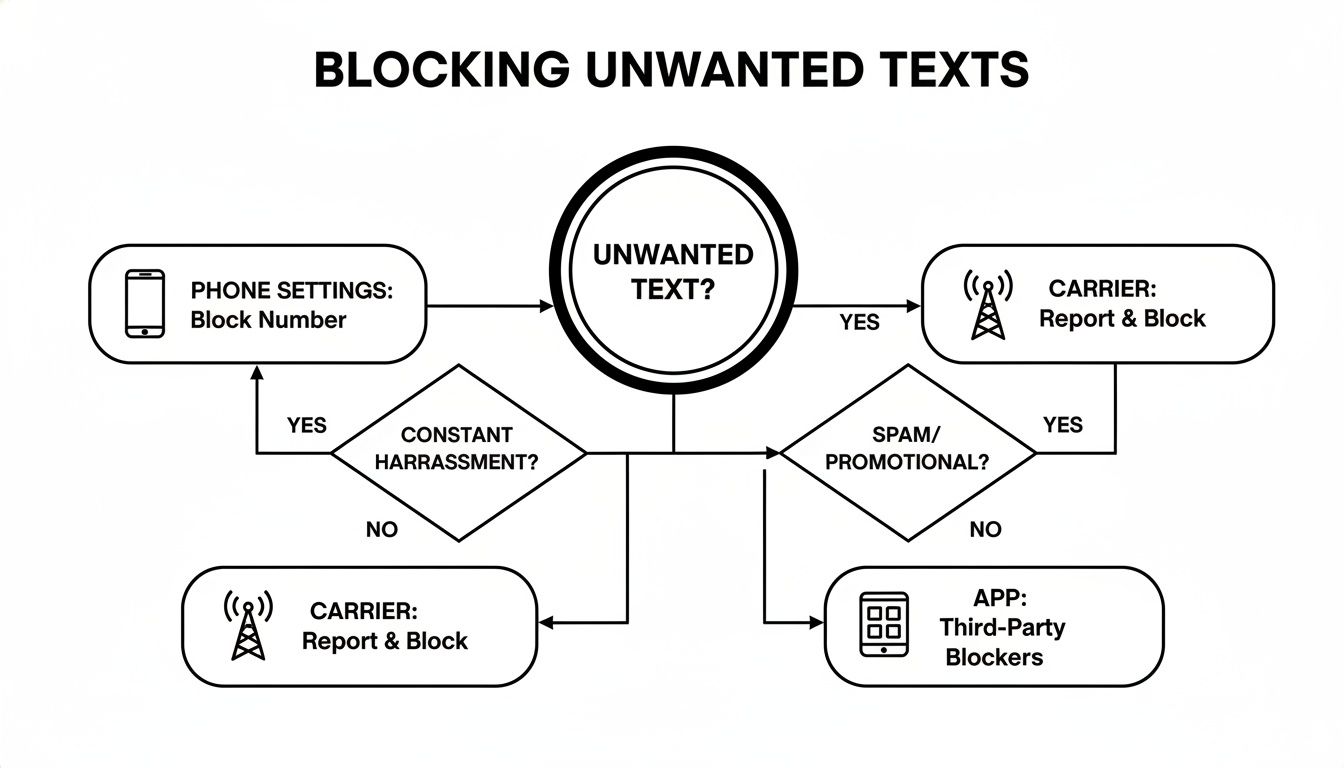
The main takeaway here is that you have multiple options. You aren't stuck with just one way to fight back.
To help you decide which approach is right for you, here’s a quick rundown of your main options. Each has its own strengths and is best suited for different kinds of unwanted messages.
Ultimately, the best strategy often involves a combination of these methods—using your phone's features for one-off blocks and relying on your carrier or an app for more aggressive, widespread spam.
The fight against shady messages is a constant cat-and-mouse game. While blocking technology is getting better, scammers are always adapting.
It’s a massive issue. In 2025, global consumer losses to mobile messaging fraud hit an eye-watering $80 billion. The good news? That figure is projected to drop by about 10-11% in 2026 to around $71 billion, showing that our collective efforts are starting to make a dent. You can read the full research about these smishing statistics to see the trends for yourself.
Blocking unwanted texts isn't just about getting rid of annoyances; it's a critical step in protecting your personal information and financial security from scams that are getting more convincing every day.
Knowing when to simply react to a message and when to get ahead of the problem is crucial.
Reactive Blocking: This is your go-to when a text comes from a specific number you just don’t want to hear from anymore. You simply use your phone’s built-in "block" feature. Problem solved, at least for that number.
Proactive Blocking: This is the strategy for dealing with spam from unknown or constantly rotating numbers. It means using carrier-level filters or third-party apps that identify and stop spam before it ever buzzes in your pocket.
Some businesses also use tactics like ringless voicemail, which drops a message directly into your voicemail without your phone ever ringing. While legitimate companies use this for non-intrusive alerts, it's just another channel you might want to manage.
Understanding when to use a quick, reactive block versus a broader, proactive filter will help you choose the best path toward a much quieter digital life.
That buzz in your pocket. You check your phone, and it’s a text from a number you don’t recognize. Annoying, right?
Luckily, getting rid of them for good is baked right into your smartphone. Whether you're an iPhone loyalist or an Android fan, you can shut down unwanted senders in a few quick taps—no extra apps needed. This is your go-to move for silencing specific numbers that have started to get on your nerves.
Let's say a random text pops up: "Hey, is this Sarah? We met last week." You aren't Sarah, and you definitely didn't meet this person. Instead of replying or just letting it sit there, you can block them on the spot. It's fast, effective, and gives you immediate peace of mind knowing they can't call or text you from that number again.
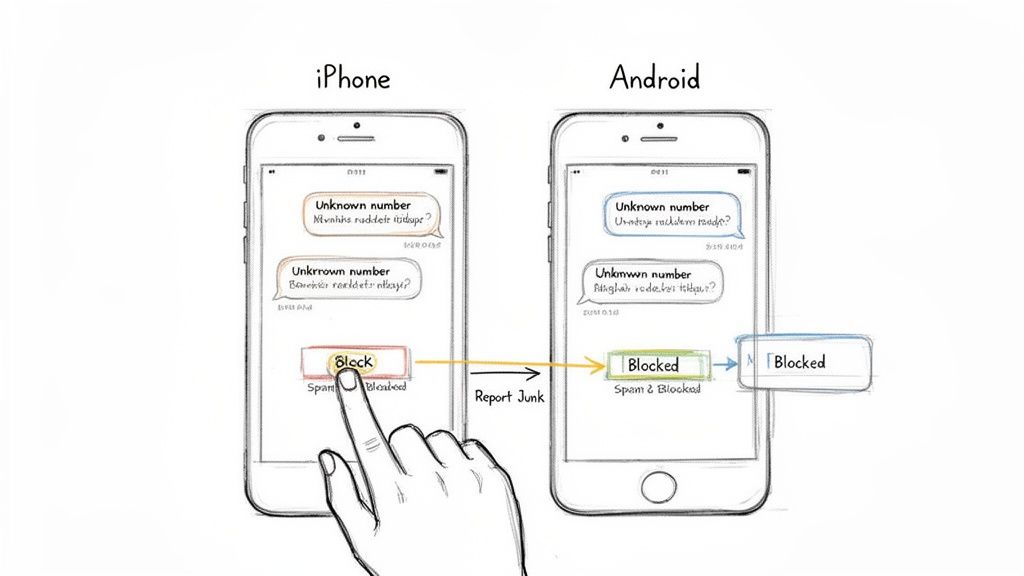
If you’re on an iPhone, the whole process is built right into your Messages app. It's incredibly simple.
When you get a text from an unknown number or someone you're done hearing from, just open the message. Tap the name or number at the very top, then hit the "Info" button. You’ll see a big, red option to "Block this Caller." That’s your button.
I always recommend using the “Report Junk” option for messages that are obvious spam. When you do this, you're not just blocking the number for yourself; you're also sending the info to Apple, which helps them make their spam filters smarter for everyone.
The screenshot below shows you exactly what that screen looks like.
Once you tap it, that’s it. All future texts, phone calls, and FaceTime requests from that number are stopped cold. If you ever need to review or unblock someone, you can find your full list under Settings > Messages > Blocked Contacts.
For the Android crowd using Google Messages, the process is just as quick and painless. Google has made it incredibly easy to block numbers and report spam without a lot of fuss.
Open the conversation you want to block and tap the three-dot menu in the top-right corner. From the dropdown, pick "Details," and then tap "Block & report spam."
Google gives you two choices here:
After you block them, the conversation gets tucked away in your "Spam & blocked" folder. You can get to this folder anytime by tapping your profile icon on the main Messages screen. It keeps your inbox clean but still lets you check on blocked messages or even unblock a number if you have a change of heart.
When you’re stuck playing whack-a-mole with spam texts, blocking each new number as it comes in, it feels like a battle you can't win. They just keep coming from different numbers.
This is where your mobile carrier can become your best line of defense. Big players like Verizon, AT&T, and T-Mobile all provide free, powerful security tools that are designed to stop spam and sketchy texts before they even pop up on your screen.
Instead of just reacting, you're using the carrier's own network-level filters to automatically flag and block suspicious messages. It’s a much smarter way to handle the constant flood of junk we all deal with.
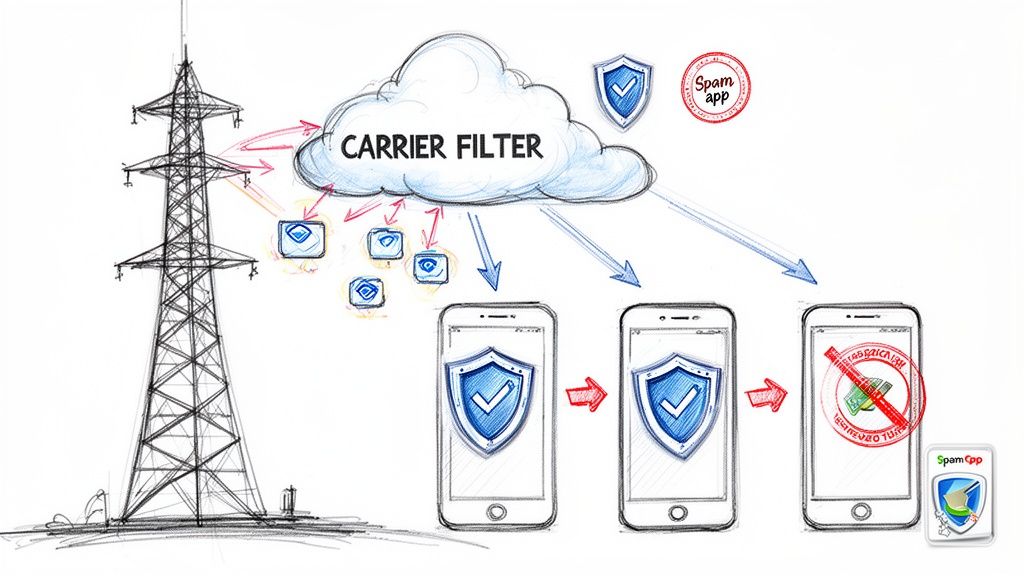
Most carriers offer dedicated apps that give you way more control than the basic block feature on your phone. These apps are packed with features that go beyond just blocking a single number.
By turning these on, you’re basically letting your carrier's massive, always-learning database of spam numbers do the heavy lifting for you.
Here’s a simple trick that’s surprisingly effective: forward spam texts to the number 7726 (which spells SPAM on your keypad). This is a universal short code that most carriers in North America use to track spam.
When you forward a junk text to 7726, you're doing more than just getting it out of your inbox. You're feeding valuable intel to your carrier's security team. They analyze everything—the content, the sender's number, any sketchy links—to make their network-wide filters better for everyone. It’s a tiny effort on your part that helps fight spam on a huge scale.
For any business sending SMS messages, it's really important to understand how these filters operate. Carriers are getting much stricter with their filtering and registration rules. We're seeing more campaign denials for businesses that don't follow the new, tighter protocols.
The bottom line is that your carrier wants to stop spam just as much as you do. Using their free apps and reporting junk to 7726 are the best ways to shut down a spam campaign at the source.
This also explains why some legitimate business texts might not be getting delivered. These powerful carrier filters can sometimes be a bit too aggressive. If you're running a business and suspect your texts are getting lost, you might want to learn more about why your texts won't deliver.
So you've hit the block button. It feels final, right? But what's actually happening on the other end? Knowing the mechanics can give you some real peace of mind that you've cut off contact quietly and effectively.
Let's get the biggest worry out of the way: the person you block is never notified. Your phone doesn't fire off a "You've been blocked!" alert. The whole process is designed to be completely silent and private, saving you from any potential drama or awkward follow-up questions.
From their perspective, everything looks perfectly normal. When they shoot you a text, their phone will almost always show the usual "Delivered" status. They have zero indication that the message just vanished into the digital void instead of landing on your device.
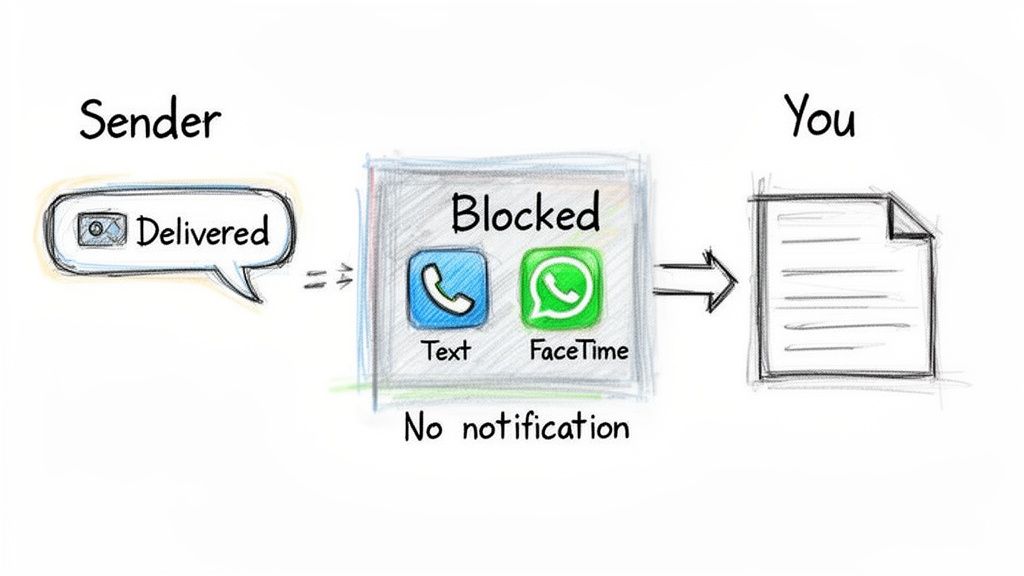
Blocking a number is more than just stopping texts. It's a full-on communication barrier for that contact.
The real beauty of the blocking feature is its subtlety. The person calling might just think your phone is off, on Do Not Disturb, or that you're just unavailable. They have no way of knowing for sure that they've been blocked.
This is the number one question we get, and the answer is almost always no. There is no direct way for someone to confirm you've blocked their number. Their texts appear to send and their calls go to voicemail—both of which have plenty of perfectly normal explanations.
This discreet functionality is a core part of how today's smartphones are built to protect your privacy and give you control. You can confidently block a text message or a call knowing the action is entirely private.
While privacy is a huge benefit here, it's also smart to be aware of the security side of things. If you're curious about how secure your messages are in general, you can learn more about whether your SMS messages are encrypted in our detailed guide.
Ultimately, blocking a number is a powerful and silent tool. It puts you back in charge of who can reach you, letting you reclaim your digital space without creating a big conflict.
Alright, so we've spent a lot of time talking about how to block texts from the receiving end. But what if you're a business trying to connect with your customers? Getting blocked isn't just a nuisance; it tanks your sender reputation, kills your campaign ROI, and can get your number flagged by carriers.
The key is to stop thinking in terms of mass-blasting and start thinking about respect and permission. It's not just what you send, but how and why you're sending it. This is how you make sure your messages are actually welcomed, not blocked.
If you take only one thing away from this, let it be this: you must have explicit consent before you send a marketing text to anyone. This isn't just a suggestion; it's the absolute foundation of responsible and legal business texting.
Without clear, documented permission, your message is spam—period. It doesn't matter how amazing your deal is. This is exactly why buying phone number lists is a terrible idea. You have zero proof of an opt-in, which means you're basically guaranteed to see a sky-high rate of blocks and spam reports.
If you want to dive deeper into doing this the right way, check out our guide on how to properly set up opt-in text messaging.
Getting consent is step one, but honoring a request to opt-out is just as critical. Every single marketing text you fire off needs to have a simple, clear way for people to say "no more." The industry standard is dead simple: reply with a keyword like STOP.
When someone texts STOP, your system needs to remove them from all future texts. Immediately. Automatically. No questions asked. Making this process instant and painless is non-negotiable, because it prevents them from taking the next logical step: blocking your number entirely and reporting you as spam.
The world of business texting has gotten a lot stricter, especially with carriers cracking down on unsolicited messages. In 2026, this is more important than ever. Carriers now require businesses to register their brands and messaging campaigns through services like The Campaign Registry (TCR). This process is called A2P 10DLC.
Think of it this way: if you don't register, your texts are going to get filtered out and blocked before they even have a chance to be delivered. Things like vague campaign descriptions, missing opt-in info, or weird spikes in message volume can all get you shut down automatically. Compliance isn't a "nice-to-have" anymore—it's the price of admission.
Think of TCR as getting a passport for your text messages. Without it, carriers won't let your messages cross the border to your customers' phones, leaving your campaigns dead on arrival.
These rules of consent don't just stop at SMS. Take ringless voicemail, for example. It's a fantastic tool that drops an audio message directly into someone's voicemail box without making their phone ring. It’s less intrusive than a cold call, for sure, but it demands the same level of respect.
Dropping voicemails on a list of people who never agreed to hear from you is just asking for complaints. Always use powerful tools like this to talk to an audience that already knows you and has given you the green light to reach out. That’s how you build real trust, ensure your messages get through, and protect your brand for the long haul.
Blocking a number is usually straightforward, but a few common questions always seem to come up. Let's tackle them head-on so you know exactly what to expect.
This is a common one, but unfortunately, the answer is no. On both iPhones and Androids, the built-in blocking tool is an all-or-nothing deal. When you block a contact, you’re cutting off all communication from that number.
That includes:
Your phone’s native settings just don't have an option to selectively block texts while letting calls ring through. It's designed to be a complete break.
You can rest easy on this one. The whole process is designed to be completely private. The person you block will never get a notification saying you've cut them off.
From their perspective, everything looks normal. Their text messages will still show as "Sent" or maybe even "Delivered," but they simply evaporate before ever reaching your device. If they try calling, it’ll go straight to your voicemail without your phone ever making a peep—just like it would if you were busy or your phone was off.
It's a silent and private action that gives you control without creating conflict. They have no way of knowing for sure that they've been blocked.
This discretion is key, allowing you to stop unwanted communication without any extra drama.
We’ve all done it. Luckily, reversing a block is just as easy as setting it up in the first place.
On an iPhone, just head to Settings > Phone > Blocked Contacts. You'll see a full list of every number you've ever blocked. Find the one you want to unblock, swipe left, and tap the "Unblock" button.
If you're on an Android using Google Messages, tap your profile picture in the corner, then go into Spam & blocked. Find the number, tap it, and you'll see a clear option to "Unblock" them. Just like that, their calls and texts can come through again.
This is where things get a little interesting. When you block someone who's in a group chat with you, neither of you gets kicked out of the group.
What happens is you simply stop seeing any messages they send to the group. The conversation from everyone else will carry on as usual for you. Meanwhile, the person you blocked will still see all the messages in the chat—including yours—and will have no idea you aren't receiving their replies. It effectively mutes them just for you inside that specific group.
Ready to ensure your business communications are always welcome and never blocked? With Call Loop, you can manage SMS, voice, and ringless voicemail campaigns with full compliance, powerful automation, and deep analytics. From honoring opt-outs instantly to integrating with tools you already use, we make responsible outreach simple. See how over 45,000 users are building better customer relationships at https://www.callloop.com.
Chris Brisson
Chris is the co-founder and CEO at Call Loop. He is focused on marketing automation, growth hacker strategies, and creating duplicatable systems for growing a remote and bootstrapped company. Chat with him on X at @chrisbrisson


Trusted by over 45,000 people, organizations, and businesses like


