
See a Demo
You're just one step away from seeing Call Loop in action.
Enter your information below to watch a demo right now.

You're just one step away from seeing Call Loop in action.
Enter your information below to watch a demo right now.


Most healthcare teams don't struggle with patient communication because they don't care. They struggle because the day gets crowded fast. Front desk staff are confirming appointments, nurses are returning calls, billing is following up, providers are trying to close charts, and someone is always asking whether a text, email, voicemail, or portal message is safe to send.
That’s where hipaa compliant patient communication becomes operational, not theoretical. The issue isn’t just whether your messages are encrypted. It’s whether your team knows which channel fits which message, whether your vendor will sign a BAA, whether consent is documented, and whether you can prove what happened if a complaint or audit lands on your desk.
Most guides stop at secure texting. That’s too narrow for real practices. A workable communication strategy usually needs multiple channels: SMS for reminders, email for secure follow-up, voice for urgent outreach, and ringless voicemail for low-friction administrative messages when patients won’t answer the phone. The challenge is using each one without exposing more PHI than necessary.
A familiar scene plays out in medical offices every day. A patient misses an appointment because the reminder never reached them. Another leaves a voicemail after hours with a medication question. A staff member replies from the wrong device, or sends too much detail in a standard text because they’re trying to be helpful. No one intended to create risk, but the process was weak from the start.
The damage from poor communication isn’t limited to scheduling friction. It affects safety, liability, and trust. In healthcare, communication failures often show up as delayed follow-up, unclear handoffs, incomplete documentation, and patients who don’t know what to do next.
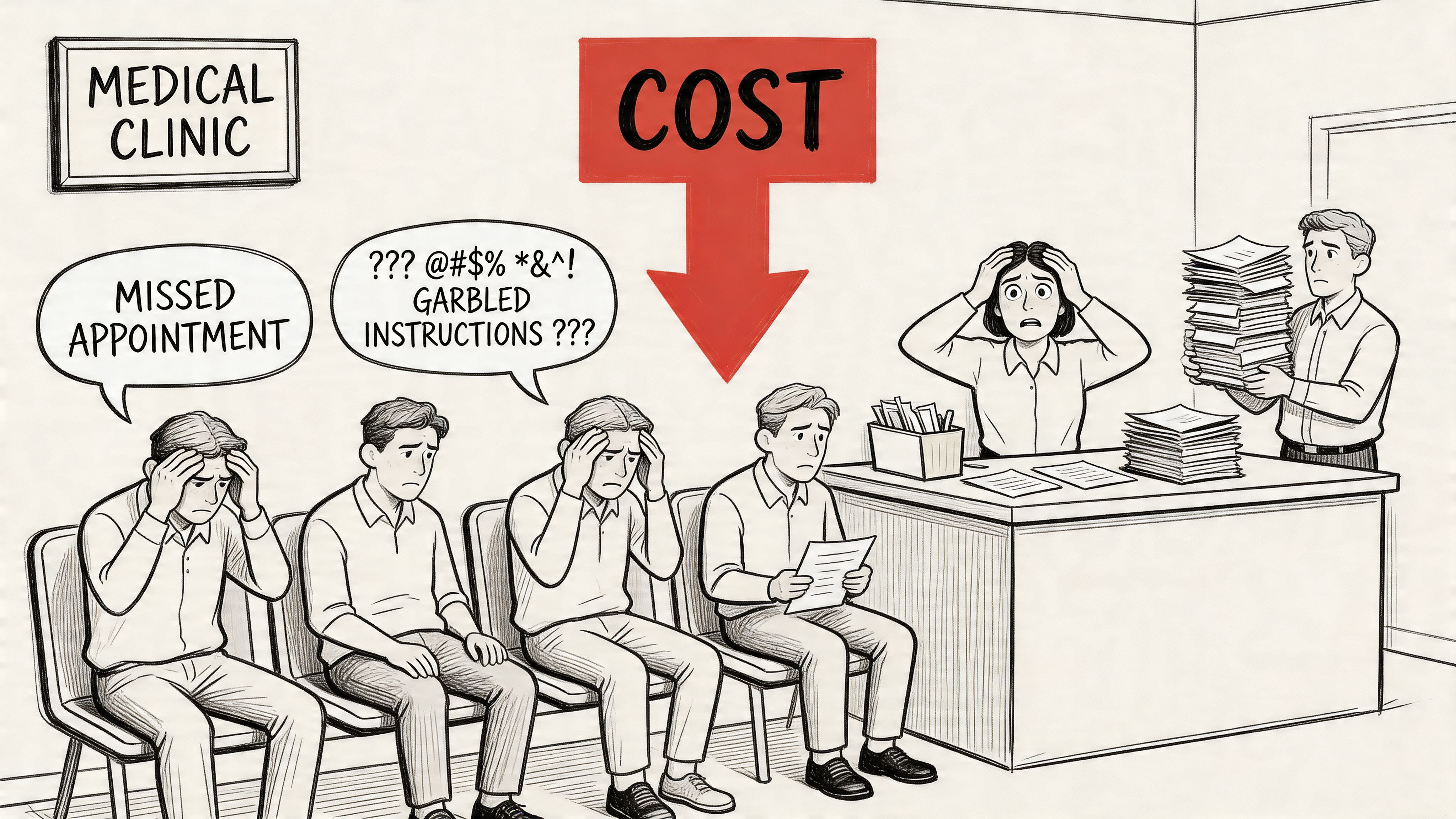
One statistic should reset how seriously teams treat this problem. A Joint Commission finding summarized by HIPAA Journal reported that 80% of serious medical errors stem from miscommunication between caregivers. The same analysis noted $1.7 billion in malpractice costs and nearly 2,000 preventable deaths tied to communication failures.
Practices usually know they have a problem before they know how to describe it:
Practical rule: If your workflow depends on memory, verbal relay, or personal devices, it isn't reliable enough for patient communication.
A compliant communication strategy solves more than one problem at once. It reduces ambiguity, creates a record, limits unnecessary PHI exposure, and gives staff a repeatable process they can follow on a busy day.
HIPAA is often treated like a list of restrictions. In practice, it’s a handling standard for patient information. If your team communicates with patients by text, email, phone, voicemail, portal, or a mix of channels, HIPAA sets the conditions for how that information should be protected.
The central concept is Protected Health Information, or PHI. Think of PHI as a package that needs controlled handling. The contents matter, but so does the label on the outside. Information becomes sensitive when it connects a person to their health care, payment, or condition.
PHI includes health information linked to an identifiable person. In day-to-day operations, that can include:
That’s why a message like “Please confirm your appointment tomorrow at 2 PM” may be manageable in one workflow, while “Your cardiology follow-up for arrhythmia is tomorrow at 2 PM” creates a very different privacy exposure.
Most communication decisions map back to three HIPAA areas.
The Privacy Rule governs when and how PHI can be used or disclosed. For communication teams, the practical takeaway is simple: send the minimum necessary information for the purpose of the message. If the patient only needs a reminder, don’t include diagnosis details just because the template has space.
The Security Rule focuses on electronic PHI. In this context, encryption, access control, authentication, and audit logging are key. If your messaging tool can’t restrict who sees a message, can’t secure stored data, or can’t show a record of access, it creates a compliance problem.
This rule matters when something goes wrong. If PHI is exposed, the organization needs a clear way to detect it, investigate it, document it, and respond. That’s one reason audit trails matter so much in communications.
HIPAA doesn't require magic language. It requires controlled processes, documented decisions, and tools that match the sensitivity of the message.
Many teams overcorrect in one of two ways. They either become so cautious that communication slows down, or they assume everyday reminders are harmless and send too much through the wrong channel.
A better approach is to ask three questions before sending anything:
That’s the working mindset behind hipaa compliant patient communication. It’s less about memorizing regulations and more about making disciplined choices every time a message leaves your office.
A compliant communication program works like a three-legged stool. Remove one leg and the whole thing gets unstable. In healthcare messaging, those legs are technical safeguards, administrative safeguards, and physical safeguards.
Too many organizations focus on the software alone. The platform matters, but software can’t compensate for weak policies or careless device handling. Real compliance sits at the intersection of system design, staff behavior, and physical control of access.

This is the layer that often comes to mind first. It covers the controls inside the platform and the transmission path for messages.
A CERTIFY Health overview of HIPAA-compliant communication methods notes that HIPAA-compliant platforms require safeguards such as end-to-end encryption, including AES-256, and that these protections can reduce data breach risks by 99.9%. The same source emphasizes the importance of audit trails that log every access event for forensic analysis and proving compliance.
For messaging tools, technical safeguards usually mean:
If a vendor says they are “HIPAA-friendly” but can’t show how access is restricted or how logs are retained, that’s not enough.
Administrative safeguards are the operating rules behind the technology. Failures often arise in this area. The tool may be secure, but the process around it is sloppy.
This category includes vendor review, training, risk assessment, incident response, and written policies for what can be sent through each channel.
A strong administrative setup usually includes:
A secure platform with an untrained team is still a compliance risk.
Physical safeguards sound old-school until a laptop disappears, a shared workstation stays unsecured, or voicemail access sits on a sticky note near the phone.
These controls include office access, workstation placement, screen privacy, device management, and secure storage for any hardware or records tied to patient communication. For small practices, physical safeguards often break down at the front desk, in call areas, and on mobile devices used by staff moving between locations.
The three pillars reinforce each other.
| Safeguard type | What it controls | What often goes wrong |
|---|---|---|
| Technical | Systems, encryption, access, logging | Teams buy tools without configuring them properly |
| Administrative | Policies, training, vendor management | Staff improvise when the workflow is unclear |
| Physical | Devices, spaces, physical access | Shared devices and unlocked stations expose PHI |
A stable hipaa compliant patient communication process needs all three. Teams get into trouble when they buy one secure app and assume the job is done.
A practical communication plan starts with channel discipline. Not every message belongs in every medium. Teams get exposed when they use one channel for everything because it’s convenient.
The right question isn’t “Can we text patients?” It’s “What kind of message can we send through this channel, under what controls, and with what documentation?” That’s especially important if your practice uses more than one outreach method, including SMS, email, phone calls, and ringless voicemail.
SMS is useful because patients read it quickly and respond quickly. It’s often the best fit for confirmations, reminders, and simple back-and-forth scheduling. But standard SMS becomes risky fast when staff include clinical detail that doesn’t belong there.
A safer approach is to separate administrative communication from sensitive communication. Appointment reminders and “please contact the office” notices are very different from lab results or treatment details. If you want a broader framework for how healthcare teams structure secure texting workflows, this guide to secure messaging for healthcare is a useful reference point.
What works:
What doesn’t:
Email can be appropriate, but only when the setup matches the sensitivity of the content. The practical issue with email isn’t the concept of email itself. It’s forwarding, mailbox access, shared devices, and the tendency to include too much information because the format encourages long messages.
For sensitive communication, use encrypted email or push the patient to a secure portal or protected message flow. Email is usually a stronger fit for notifications that tell the patient to log in, review a document securely, or contact the office.
Voice still matters, especially for urgent outreach, older patient populations, and situations where texting isn’t appropriate. A live call allows clarification and confirmation in real time. It also introduces risk if staff leave overly detailed voicemails or discuss PHI before verifying who is on the line.
A compliant voice workflow usually includes identity verification before discussing specifics, call documentation in the record, and policies for what can be left on voicemail. If a patient’s voicemail greeting doesn’t confirm identity, staff should default to a generic callback request.
Ringless voicemail is useful for administrative outreach that doesn’t require immediate conversation. It can reduce missed connections without forcing staff into repeated outbound calls. In healthcare, that makes it a practical option for appointment reminders, office closure notices, recall campaigns, billing prompts, and general callback requests.
Its value is also where teams get careless. Because the message feels less intrusive, some staff start treating it like a place to summarize care details. That’s a mistake. Ringless voicemail should stay tightly scoped. Think logistics, not diagnosis.
Ringless voicemail works best when the message would still be appropriate if a family member heard it by accident.
| Channel | Common Use Case | Inherent Risk | Required Safeguards |
|---|---|---|---|
| SMS | Reminders, confirmations, simple two-way scheduling | Message visibility on devices, over-sharing by staff | Minimize PHI, document consent where needed, use secure workflows and logging |
| Secure follow-up, notices to review information, administrative communication | Forwarding, mailbox compromise, excessive detail | Encryption for sensitive content, access control, documented policy on content | |
| Voice calls | Urgent outreach, care coordination, clarification | Misidentification, informal disclosure, weak documentation | Verify identity, document calls, define voicemail rules |
| Ringless voicemail | Appointment reminders, callback requests, billing prompts, office updates | Heard by unintended listeners, temptation to include too much detail | Keep content administrative, avoid specific PHI, log delivery and campaign use |
A practical rule set looks like this:
That mix is what makes hipaa compliant patient communication workable in practice. One channel rarely solves everything well.
Vendors don’t just provide software. In healthcare, they become part of your compliance posture. If a platform handles PHI, stores messages, routes calls, or logs patient interactions, your practice is accountable for how that vendor performs.
That’s why vendor selection and patient consent belong in the same conversation. One controls the system. The other controls permission.
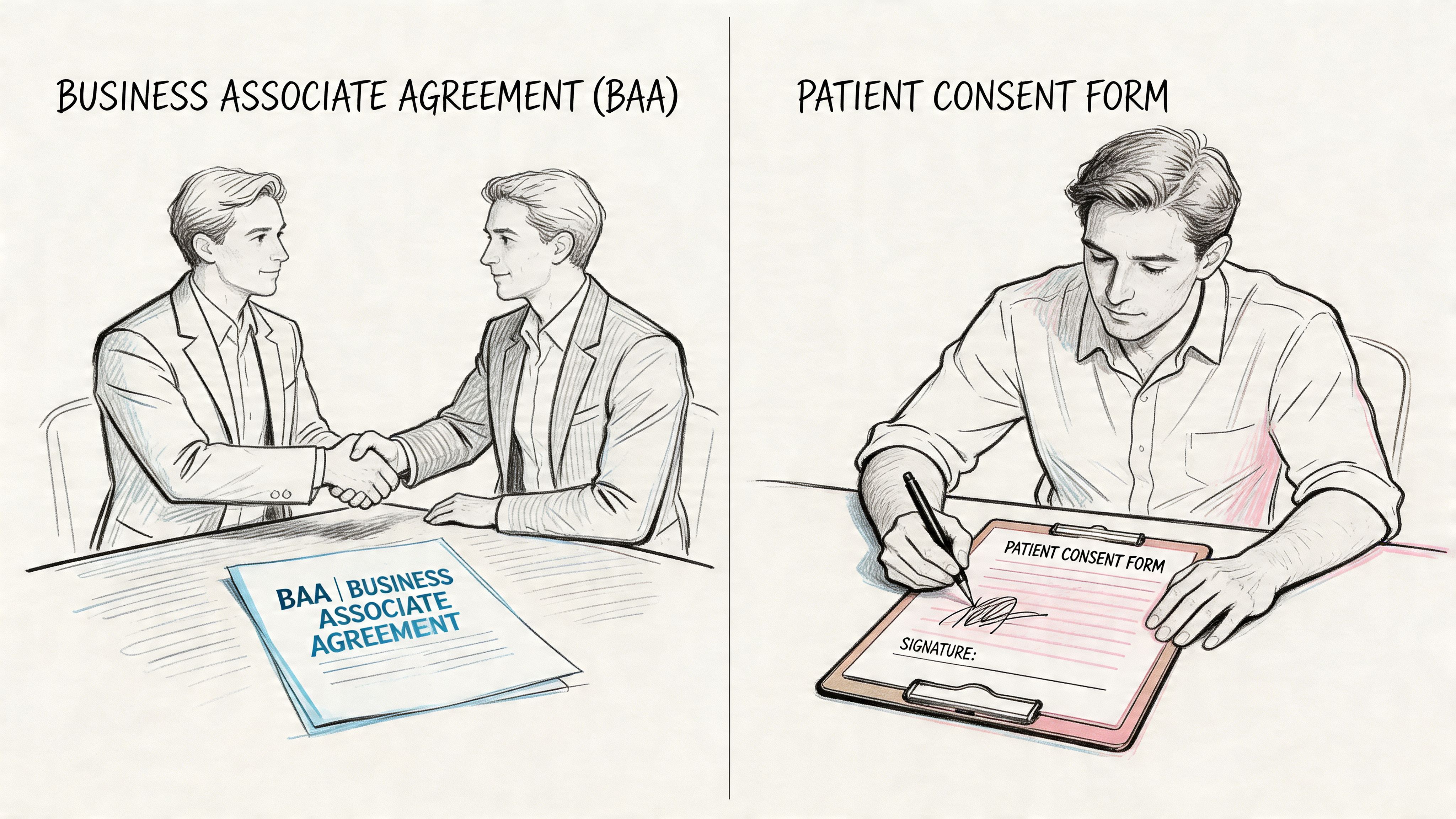
If a vendor handles PHI on your behalf, you need a Business Associate Agreement, or BAA. Without it, the relationship is incomplete from a compliance standpoint.
A BAA should clarify responsibilities around safeguarding PHI, breach handling, data access, and subcontractor obligations. If a vendor refuses to sign one, that’s usually the end of the evaluation. It doesn’t matter how polished the interface looks.
For teams comparing platforms, this overview of a HIPAA compliant communication platform outlines the kind of capabilities buyers typically review, such as secure messaging workflows, documentation, and support for healthcare use cases.
Patient preference matters, but preference alone isn't enough if your documentation is weak. An AccountableHQ discussion of HIPAA-compliant patient communication notes that patient consent for non-secure channels like standard SMS must be explicit, must describe the risks, and must be stored in the EHR. The same source states that failure to obtain proper consent can lead to fines of up to $50,000 per violation.
That should change how teams collect consent. A verbal “text me if needed” at the front desk is not a strong process. A documented form tied to channel preferences is.
Your consent workflow should capture:
When practices evaluate communication platforms, I’d focus less on feature lists and more on operational proof.
Ask questions like these:
A useful test is to walk one real workflow through the system. For example: annual recall reminder by SMS, non-responder follow-up by ringless voicemail, and a staff callback for anyone who asks a clinical question. If the vendor can’t show how that workflow is secured, documented, and permissioned, the platform probably isn’t mature enough for healthcare use.
Some organizations use multi-channel systems like Call Loop when they need outbound SMS, voice broadcasting, and ringless voicemail under one operational workflow with HIPAA support and a BAA. The key point isn’t the brand. It’s whether the platform can enforce the communication rules your staff need to follow.
Templates reduce risk because they remove improvisation. Staff usually make mistakes when they type fast, include context that feels helpful, or reply from habit instead of from policy. Good templates keep messages clear without leaking detail.
There’s also a patient experience reason to do this well. A Dialog Health summary of healthcare texting trends reports that two-way conversational messaging increased patient satisfaction by 40%, and that 73% of patients aged 17-54 said they would switch providers because of poor communication.
Use these as operational examples, not legal boilerplate.
Template
“Hello [First Name], this is [Practice Name]. You have an appointment on [Day] at [Time]. Reply C to confirm or call [Phone Number] to reschedule. Reply STOP to opt out.”
Why it works:
Template
“Hello [First Name], this is [Practice Name]. Please call our office at [Phone Number] regarding your recent visit. We’re available [Hours]. Reply STOP to opt out.”
Why it works:
Template
“Subject: Message from [Practice Name]
Hello [First Name], we’ve sent you a secure message from [Practice Name]. Please log in to review it or call [Phone Number] if you need help accessing your account.”
Why it works:
Template
“Hello, this is [Practice Name] calling with a reminder to contact our office regarding your upcoming appointment. Please call us at [Phone Number]. Thank you.”
Why it works:
Template
“Hello [First Name], this is [Practice Name]. We need to speak with you about your account. Please call [Phone Number] during business hours.”
Why it works:
Keep the message useful, but stop short of including information that would feel uncomfortable on a speakerphone.
For practices building reminder and follow-up flows, these examples around SMS for healthcare can help teams think through how templates, automation, and patient replies should work together.
The biggest communication mistakes in healthcare usually don’t come from obvious negligence. They come from everyday shortcuts that slowly become normal. A team sends one detailed text because the patient asked for it. Someone leaves a specific voicemail because they’re trying to save time. An after-hours answering service relays messages without proper logging, and nobody notices the gap until there’s a complaint.
That after-hours gap is one of the most overlooked risks in the whole workflow. A CallMyDoc article on HIPAA-compliant communication notes that 40–50% of patient calls occur outside business hours, and that many practices create vulnerabilities by relying on traditional answering services that lack secure channels and audit trails.

The strongest fix is usually simple. Build a communication matrix by message type and channel, then train staff to follow it without improvising.
For example:
| Pitfall | Better practice |
|---|---|
| Detailed reminder text | Send a simple reminder with no sensitive detail |
| Unlogged answering service relay | Use a documented workflow with secure handling |
| Generic vendor security claims | Require a BAA and proof of controls |
| Clinical back-and-forth over SMS | Shift the exchange to a secure or live channel |
The safest practices aren't the ones with the longest policies. They're the ones your staff can follow consistently at 4:55 PM and after hours.
| Question | Answer |
|---|---|
| Can we text appointment reminders to patients? | Yes, if the content is limited and your process matches patient preferences and your internal policies. Keep reminders administrative and avoid unnecessary PHI. |
| Can staff send lab results by regular SMS? | That’s usually where teams get into trouble. Sensitive results should move to a more secure channel or a protected message workflow instead of plain texting. |
| Is ringless voicemail allowed for healthcare communication? | It can be useful for administrative outreach such as reminders, callback requests, and office notices. The message should stay general and avoid exposing clinical details. |
| What if a patient texts us first? | Patient-initiated communication doesn’t mean every reply is appropriate in the same channel. Staff still need rules for what can be sent back and when to move the conversation elsewhere. |
| Do we need a BAA for a messaging vendor? | If the vendor handles PHI on your behalf, yes. A vendor that won’t sign a BAA creates unnecessary risk. |
| Can we use email for patient communication? | Yes, but the workflow matters. Email works better for secure notifications and administrative communication than for sending detailed PHI in the message body. |
| What should we leave on voicemail? | Keep it minimal. Practice name, callback number, and a request to return the call are usually safer than detailed medical information. |
| How should we handle after-hours messages? | Treat after-hours communication as part of your main compliance program, not as a separate informal process. The same standards for documentation, security, and escalation should apply. |
If your team needs a practical way to manage hipaa compliant patient communication across SMS, voice, and ringless voicemail without relying on scattered tools, Call Loop offers a multi-channel outbound messaging platform with HIPAA support and BAA availability for healthcare workflows. It’s built for reminders, follow-ups, and coordinated patient outreach that needs to stay documented, controlled, and easy for staff to use.
Chris Brisson
Chris is the co-founder and CEO at Call Loop. He is focused on marketing automation, growth hacker strategies, and creating duplicatable systems for growing a remote and bootstrapped company. Chat with him on X at @chrisbrisson


Trusted by over 45,000 people, organizations, and businesses like


