
See a Demo
You're just one step away from seeing Call Loop in action.
Enter your information below to watch a demo right now.

You're just one step away from seeing Call Loop in action.
Enter your information below to watch a demo right now.


A HIPAA compliant communication platform is really just a software toolkit that lets healthcare providers talk to patients and each other—through text, voice, or email—without breaking the strict privacy and security rules of HIPAA. Think of it as a digital, access-controlled room built specifically for patient conversations.
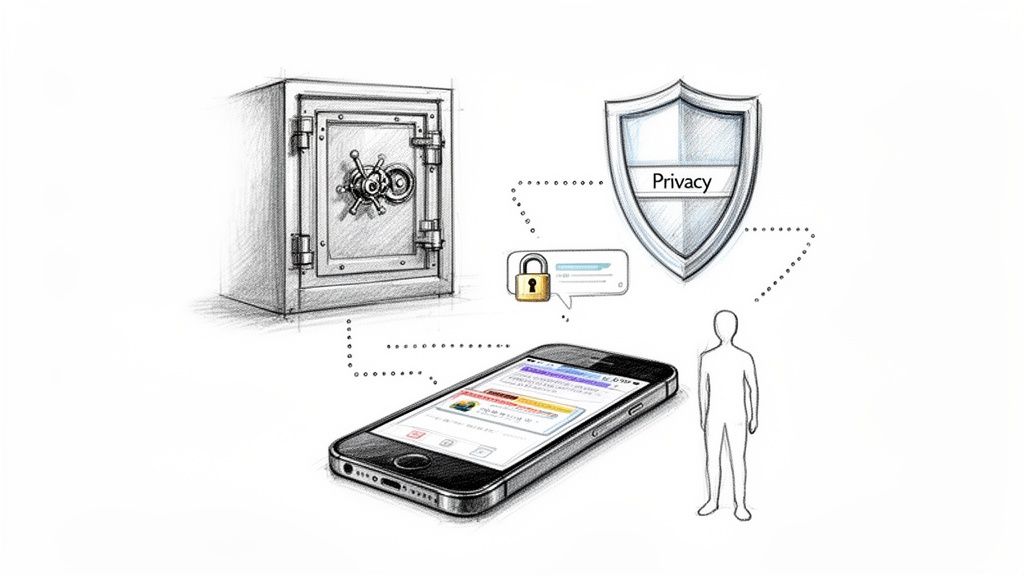
In healthcare today, treating patient data like it's locked in a bank vault isn't just a good idea—it's a legal and ethical must. The days of getting by with standard, unsecured communication channels are long gone. One wrong move can have devastating consequences, making a HIPAA compliant communication platform an absolute necessity.
Put it this way: you wouldn't discuss a patient's sensitive health information in a crowded coffee shop. Using unencrypted email or standard text messages is the digital equivalent of that same risky behavior. Protected Health Information (PHI) is a goldmine for cybercriminals, and healthcare data breaches are getting more common and more expensive every year.
The fallout from a HIPAA violation is way more than just a slap on the wrist. The financial penalties alone can be crippling for a medical practice, with fines that can run into the millions of dollars, depending on the level of negligence.
But the financial hit is often just the start. The damage to your practice’s reputation can be far worse.
Patient trust is the cornerstone of healthcare. A data breach shatters that trust in an instant, leading to patients leaving and a public image so tarnished it can take years, if not decades, to fix.
This breakdown of trust has a real impact on patient care. When patients worry that their information isn't safe, they might hold back critical health details, which can seriously compromise their own treatment and outcomes.
Sure, avoiding penalties is a huge motivator. But the move to secure communication platforms is also about making your practice run better. Adopting a HIPAA compliant communication platform isn't just a defensive play; it's a smart, strategic move that sets your practice up for the future.
These platforms are packed with tools designed to boost efficiency and patient engagement, including things like:
At the end of the day, bringing in a secure communication system is less about jumping through regulatory hoops and more about building a foundation of trust and efficiency. It shows your patients you’re committed to protecting them at every turn.
Patients expect their healthcare providers to use modern tools that respect their privacy. A HIPAA compliant communication platform isn't a luxury or a nice-to-have anymore. It’s the new, non-negotiable standard for providing responsible, effective, and trustworthy care.
Let's be honest, trying to read the official HIPAA rules can feel like deciphering a legal textbook. It's packed with jargon that feels a million miles away from the day-to-day reality of running a busy medical practice.
But here’s the thing: at its core, HIPAA is all about a set of practical safeguards designed to protect patient information. We're going to break down what those really mean in plain English.
Think of HIPAA's security rules like a three-legged stool. If you take away any one of the legs—the Technical, Administrative, or Physical safeguards—the whole thing topples over. Any truly HIPAA-compliant communication platform has to stand firmly on all three.
These are the digital locks and keys that protect electronic Protected Health Information (ePHI). They're the specific technologies that keep data secure while it's being sent, received, or just sitting on a server. It’s not good enough for a vendor to just say they're "secure"; they need to have the right tech in place to prove it.
Imagine you're sending a top-secret message. You wouldn't scrawl it on a postcard for the mailman and anyone else to read, right? Of course not. You'd seal it in an envelope and maybe even use a secret code. That's exactly what end-to-end encryption does—it scrambles the data so that only you and your intended recipient can ever read it.
Here are the key technical pieces you need:
For a deeper dive into how these technical protections work, check out our guide on secure messaging for healthcare. It gets into the nitty-gritty of the technology behind compliance.
If the Technical Safeguards are the "what," then Administrative Safeguards are the "who" and "how." These are the policies, procedures, and training you put in place to manage the security of ePHI. Technology is only one piece of the puzzle; your people and processes are the other, equally important half.
A huge piece of this is the Business Associate Agreement (BAA). This is a legal contract between your practice and any vendor—like a communication platform—that handles ePHI for you. If you don't have a signed BAA with your vendor, you are not HIPAA compliant. Period.
This agreement is a binding pact, making your vendor just as responsible for protecting patient data as you are. Other key administrative duties include running regular security risk assessments, picking a dedicated security officer, and—this one's a biggie—providing ongoing training for your staff.
Finally, Physical Safeguards are the real-world protections for the actual hardware—the computers, servers, and mobile devices—that store ePHI.
This covers everything from putting a lock on the server room door to creating policies for securing company laptops and phones. It’s all about making sure the physical equipment holding sensitive data is safe from theft, prying eyes, or even environmental disasters. A good HIPAA-compliant communication platform will handle most of this for you by storing data in professionally managed, secure data centers that have their own bulletproof physical security.
So you’re ready to evaluate a HIPAA compliant communication platform. It’s easy to get lost in a sea of tech-speak and security promises. What features actually matter?
A truly compliant and useful platform does more than just check the security boxes. It’s built on a foundation of non-negotiable safeguards, but it also gives you modern communication tools that make your life easier and your practice run smoother.
Let’s cut through the noise. The absolute, undeniable starting point is a signed Business Associate Agreement (BAA). If a vendor won’t sign a BAA, walk away. Period. This isn’t just a piece of paper; it’s a legal contract that proves your partner is just as committed to protecting health information (ePHI) as you are.
Once you have a BAA on the table, it’s time to look under the hood at the platform's tech. These are the non-negotiables that form the backbone of any truly compliant system.
Another critical piece of the puzzle is strong user authentication. Requiring more than just a password to get in is essential. This is where something like multi-factor authentication (MFA) comes in, adding a vital security layer that dramatically cuts down the risk of unauthorized access.
To help you stay organized during your evaluation, here’s a quick checklist of the key features to look for, broken down by category. Use this to compare different vendors and make sure no critical components are missed.
| Feature Category | Specific Feature | Why It Matters for Compliance |
|---|---|---|
| Legal & Contractual | Signed Business Associate Agreement (BAA) | The foundational legal requirement for any third-party handling ePHI. |
| Data Security | End-to-End Encryption | Protects data in transit, making it unreadable to unauthorized parties. |
| Data Security | At-Rest Encryption | Secures stored data on servers, preventing access in a physical breach. |
| Access Control | Multi-Factor Authentication (MFA) | Adds a second layer of identity verification to prevent unauthorized logins. |
| Monitoring | Comprehensive Audit Trails | Logs all user activity involving ePHI for accountability and investigations. |
| Communication | Secure SMS/MMS Messaging | Enables compliant patient communication with proper consent and opt-outs. |
| Communication | Ringless Voicemail | Delivers sensitive messages directly to voicemail without a disruptive call. |
| Communication | Voice Broadcasting | Sends mass audio announcements for non-sensitive info like office updates. |
This checklist isn't exhaustive, but it covers the core pillars of a compliant and effective platform. A vendor that can confidently check all these boxes is one worth considering seriously.
A great HIPAA compliant communication platform isn't just a digital fortress; it should actually improve how you talk to patients. The key is that these tools must operate within that same secure framework, giving you both efficiency and peace of mind.
One of the most valuable features is secure SMS and MMS. This lets you send appointment reminders, care instructions, and other updates straight to a patient's phone. Unlike standard texting from your personal phone, a compliant platform sends these messages securely, logs everything, and gives patients a clear way to opt out.
Want to dive deeper into this? We have a whole guide covering the ins and outs of HIPAA-compliant texting apps.
The market is always moving, and forward-thinking platforms are already building in deeper integrations and more advanced security. For 2026, we’re seeing a big push toward API-first interoperability and identity-centric security as key priorities for healthcare buyers.
Beyond texting, look for specialized voice features that can transform how you communicate, all while respecting patient privacy.
It’s the ideal way to leave private notifications like pre-op instructions, a request to call back about results, or a gentle reminder about an outstanding balance. You ensure the message gets to the right person without the risk of someone else overhearing a phone call. When used through a compliant platform that has a BAA in place, ringless voicemail is an incredibly powerful and respectful tool.
Alright, you've chosen your new HIPAA-compliant communication platform. That’s a huge step, but don't pop the champagne just yet. The real work—and the real test—starts now with implementation.
A sloppy rollout can create more chaos than it solves, disrupting care and frustrating your team. But with a smart, step-by-step plan, you can get your new system running smoothly, boosting security and efficiency without missing a beat.
Your first move? A complete audit of how your team communicates right now. You need to identify every single channel where Protected Health Information (PHI) gets shared. I'm talking about everything from official emails and phone calls to those unsanctioned WhatsApp or iMessage groups you know your staff are using for convenience. This audit gives you a clear map of your vulnerabilities and shows you exactly what you need to fix.
Once you know where the leaks are, you can start building the boat. This stage is less about tech and more about people and processes. A successful launch depends on a clear roadmap that your entire team can get behind.
Here are the essential first steps:
This diagram breaks down the core functions of any well-implemented platform: securing the data, auditing who accesses it, and notifying the right people at the right time.
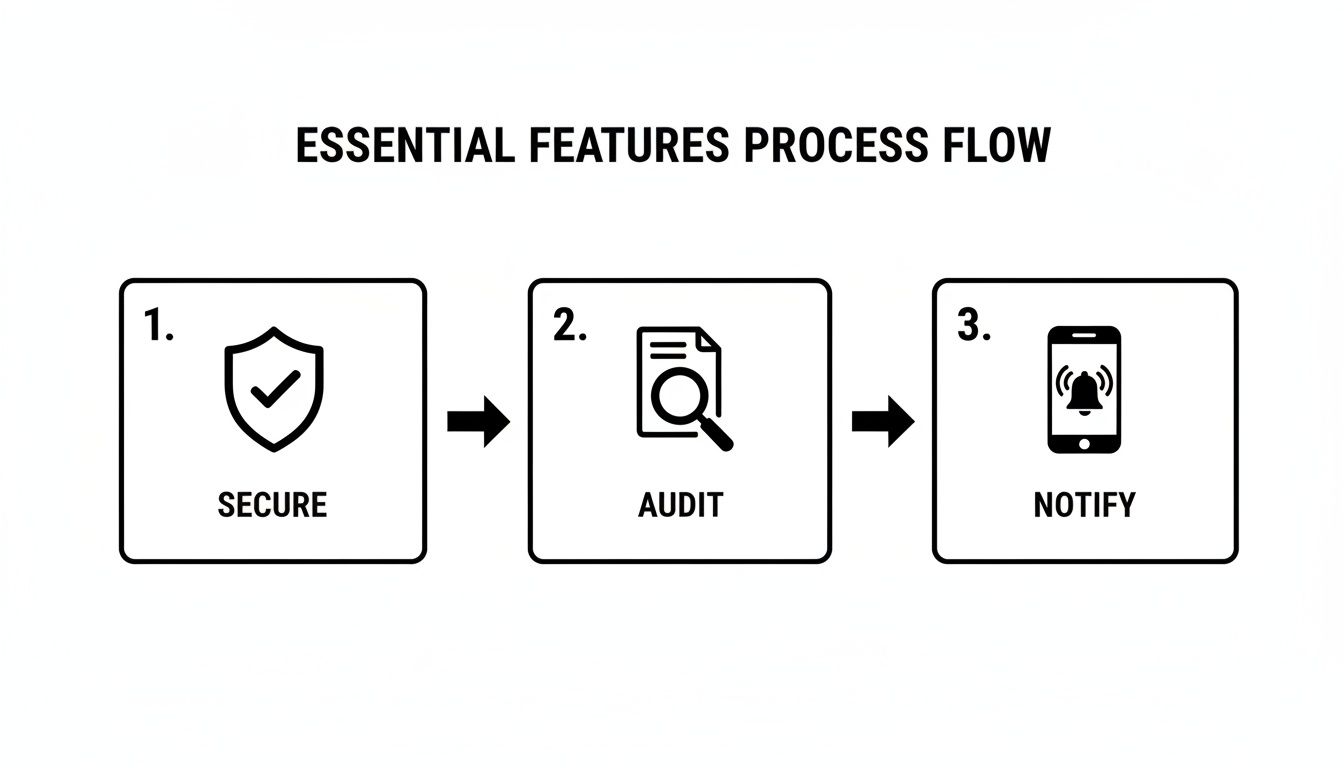
It's a simple but powerful flow. A truly robust system doesn't just lock the door; it also tells you who tried to open it and lets you communicate securely inside.
You could have the most secure platform on the planet, but it’s practically useless if your staff doesn’t know how to use it—or worse, uses it incorrectly. Bad training is one of the fastest ways to derail an implementation. Your training has to be comprehensive and it can't just be a one-time thing.
Kick things off with a mandatory training session for everyone. Don't just show them how to use the software; explain why it's so important. Connect the dots between HIPAA compliance, patient safety, and protecting the practice. Use real-world examples that they'll actually encounter in their day-to-day work.
A huge part of this is managing the culture shift. As of 2026, secure messaging is no longer a "nice-to-have" feature; it's a fundamental expectation. We're finally moving past the days when clinical teams relied on personal apps for speed, ignoring the risks. Explaining why this change is happening is just as critical as teaching them which buttons to click. To learn more, check out the latest trends in healthcare communication.
And don't stop there. Schedule regular refresher courses and create a library of easy-to-find resources like short video tutorials and quick-start guides. This keeps best practices top-of-mind and gets new hires up to speed quickly.
Even the best-laid plans can run into trouble. We’ve seen it happen. Here are some of the most common mistakes and how to steer clear of them.
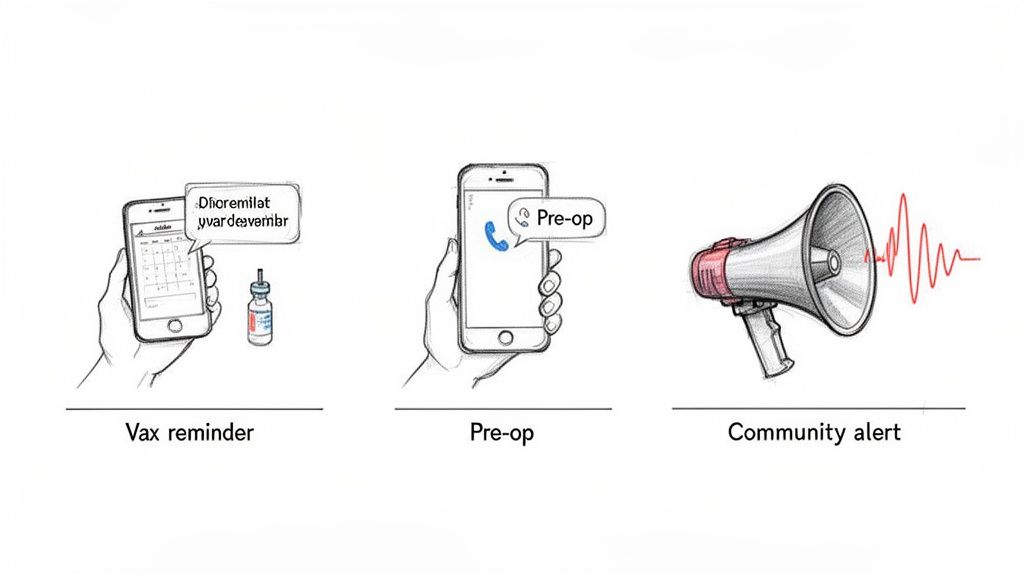
It’s one thing to talk about safeguards and legal requirements. It’s another to see how a HIPAA compliant communication platform actually works in a real clinic. How do these secure tools make life easier for your staff and improve care for your patients?
Let’s get practical. These examples show how the right platform turns a regulatory headache into a serious operational advantage. The key is that every touchpoint is secure, logged, and respects patient privacy.
Picture a busy pediatric clinic. They’re dealing with a constant stream of no-shows for vaccination appointments, which throws the whole day's schedule into chaos and means kids miss out on critical preventative care.
Instead of having staff burn hours on manual reminder calls, they switch to a compliant platform. Now, an automated, secure SMS message goes out to parents two days before their child’s appointment.
The message is simple and keeps sensitive PHI out of the text: "Hi [Parent Name], this is a reminder of [Child's First Name]'s appointment at Main Street Pediatrics on [Date] at [Time]. Please reply YES to confirm or call us at 555-1234 to reschedule."
This simple workflow solves multiple problems at once. No-shows plummet, front-desk staff are free to focus on patients in the office, and the system has a documented confirmation. All of it is done securely, sticking to HIPAA rules. To get more ideas, you can dig deeper into using SMS for healthcare communications.
A surgical center needs to give patients important instructions before their procedure. But phone calls can be intrusive, and standard voicemails might be overheard by someone else. Email is just not reliable enough for this.
This is a perfect spot for ringless voicemail.
The day before surgery, the system drops a pre-recorded message directly into the patient's voicemail box without their phone ever ringing. The message is discreet: "Hello, this is a message for [Patient Name] from the surgical center. Please call our pre-op line at 555-5678 to receive your important arrival and preparation instructions for tomorrow's procedure."
This method gets the message delivered privately and on the patient's terms. They can listen when they’re ready, and no sensitive details are broadcast in the initial voicemail. It’s a respectful way to ensure critical information gets through.
As healthcare becomes more digital, this type of secure, convenient communication is non-negotiable. For example, guides on online doctor consultation services highlight just how essential confidentiality is, a standard that applies everywhere.
It's flu season. A county health department needs to get the word out about free vaccination clinics. Calling thousands of residents one by one? Impossible.
Using the voice broadcasting feature on their HIPAA compliant communication platform, they can record one message and send it to every landline in the county.
The message is straightforward: "This is a public health announcement from the County Health Department. Free flu shots are available this Saturday from 9 AM to 3 PM at the community center. For more information, please visit our website."
Since there's no PHI, it’s a compliant and incredibly efficient way to share public health news. You can use the same tool for other mass alerts, like announcing an unexpected office closure or sharing community health updates.
Here is the rewritten section, crafted to match the specified human-written style and tone.
Let's be clear: investing in a HIPAA-compliant communication platform isn't just about dodging fines anymore. It’s a strategic move for the health and growth of your practice. The way you talk to patients has become a cornerstone of your clinic's reputation, and this isn't some passing trend. It's the new standard of care.
The market has already spoken. Patients now expect easy, digital conversations that also protect their privacy. If you’re not providing that, you’re already falling behind. To stay competitive, build trust, and just run a more efficient practice, you need secure communication tools. It’s that simple.
The demand for these secure systems is exploding. The HIPAA-compliant messaging software market is on a tear, projected to hit $1.54 billion in 2026 and set to grow at a solid 9.8% every year until 2033. If you want to see just how big this shift is, check out the research on HIPAA-compliant messaging software growth.
This isn't just about flashy new tech. It’s a real shift in what patients expect and what providers are responsible for. The future is in platforms that bundle a variety of secure tools—like secure SMS, voice broadcasts, and even discreet options like ringless voicemail for private, targeted outreach.
Think of it this way: building a secure communication strategy isn't just about compliance. It’s a commitment to your patients, your operational sanity, and the long-term success of your practice in a connected world.
Adopting a solid HIPAA-compliant communication platform is how you meet the future head-on. It’s how you deliver better care more efficiently, all while strengthening the trust you've worked so hard to build with your patients. It’s how your practice not only survives but thrives for years to come.
Let's be honest, figuring out the rules for a HIPAA compliant communication platform can feel like wading through a swamp of legalese. You just want to connect with your patients effectively without landing in hot water.
We get it. Here are some quick, no-nonsense answers to the questions we hear most from healthcare providers.
In a word? No. Standard SMS texting is a major HIPAA violation waiting to happen.
Think about it. Those messages aren't encrypted, meaning they can be intercepted easily. They also don't have the safeguards HIPAA demands, like audit trails to track who saw patient information and when. Worse, those texts live on phone company servers forever, completely out of your control. That's a huge liability for your practice.
To text patients the right way, you absolutely need a specialized, secure platform that offers encryption and, most importantly, provides a signed Business Associate Agreement (BAA).
A Business Associate Agreement (BAA) is a legal contract between your practice and any outside vendor that touches Protected Health Information (PHI)—and yes, that includes your communication platform provider.
This contract legally binds the vendor to protect your patient data with the exact same level of care that you’re required to.
A BAA is your non-negotiable first step. If a vendor won't sign one, you can't use their service for anything involving PHI. Period. It's the single most important proof that they're serious about compliance, no matter how slick their platform looks.
Ringless voicemail is a fantastic, and perfectly compliant, tool when it's used correctly through a platform that signs a BAA. The tech is pretty clever: it sends a voice message straight to the carrier’s server, dropping it into a patient’s voicemail without the phone ever ringing.
The key to compliance is the content. The message itself shouldn't spill any sensitive PHI. It’s perfect for things like appointment reminders ("This is a reminder about your appointment on Tuesday at 2 PM") or asking a patient to call you back about a general matter. You get the message delivered discreetly and respect their privacy.
Your first move should be to take a hard look at how your team communicates right now. Do a risk analysis. Where are you exposed? Identify every single way your staff talks about patient information—from text messages and emails to sticky notes—and pinpoint your biggest vulnerabilities.
Once you know your risks, you can start looking for vendors. When you're checking out options for a hipaa compliant communication platform, put vendors who will sign a BAA without hesitation at the top of your list. Make sure they offer the specific tools you need, like secure SMS or ringless voicemail, and always ask for a live demo. Get on a call and pepper them with questions about their security. This decision is too important to leave to chance.
Ready to modernize your patient outreach with a secure, multi-channel messaging solution? Call Loop offers HIPAA-compliant SMS, voice broadcasting, and ringless voicemail to help you engage patients effectively and securely. Learn more and see how Call Loop can transform your practice.
Chris Brisson
Chris is the co-founder and CEO at Call Loop. He is focused on marketing automation, growth hacker strategies, and creating duplicatable systems for growing a remote and bootstrapped company. Chat with him on X at @chrisbrisson


Trusted by over 45,000 people, organizations, and businesses like


