
See a Demo
You're just one step away from seeing Call Loop in action.
Enter your information below to watch a demo right now.

You're just one step away from seeing Call Loop in action.
Enter your information below to watch a demo right now.

Mass notification systems are no longer a narrow safety purchase. The market is projected to grow from USD 19.85 billion in 2025 to USD 86.34 billion by 2034, a forecasted 17.32% CAGR, according to Fortune Business Insights on the mass notification system market. That kind of growth usually signals a category shift. Buyers aren't just replacing old alert tools. They're rethinking how one platform can handle urgent communication, routine operations, and high-intent outreach.
If you run a business, that's the useful frame. A mass notification system can help you warn staff about severe weather, notify customers about a service outage, remind patients about appointments, and support targeted promotions without relying on one fragile channel. Used well, it reduces confusion and wasted motion. Used badly, it becomes a noisy blast tool that trains people to ignore you.
Most companies still picture mass notification systems as digital sirens. That view is outdated. The practical value is much broader. The same infrastructure that helps you send urgent alerts also helps you coordinate daily operations, protect revenue during disruptions, and keep customers informed before frustration turns into churn.
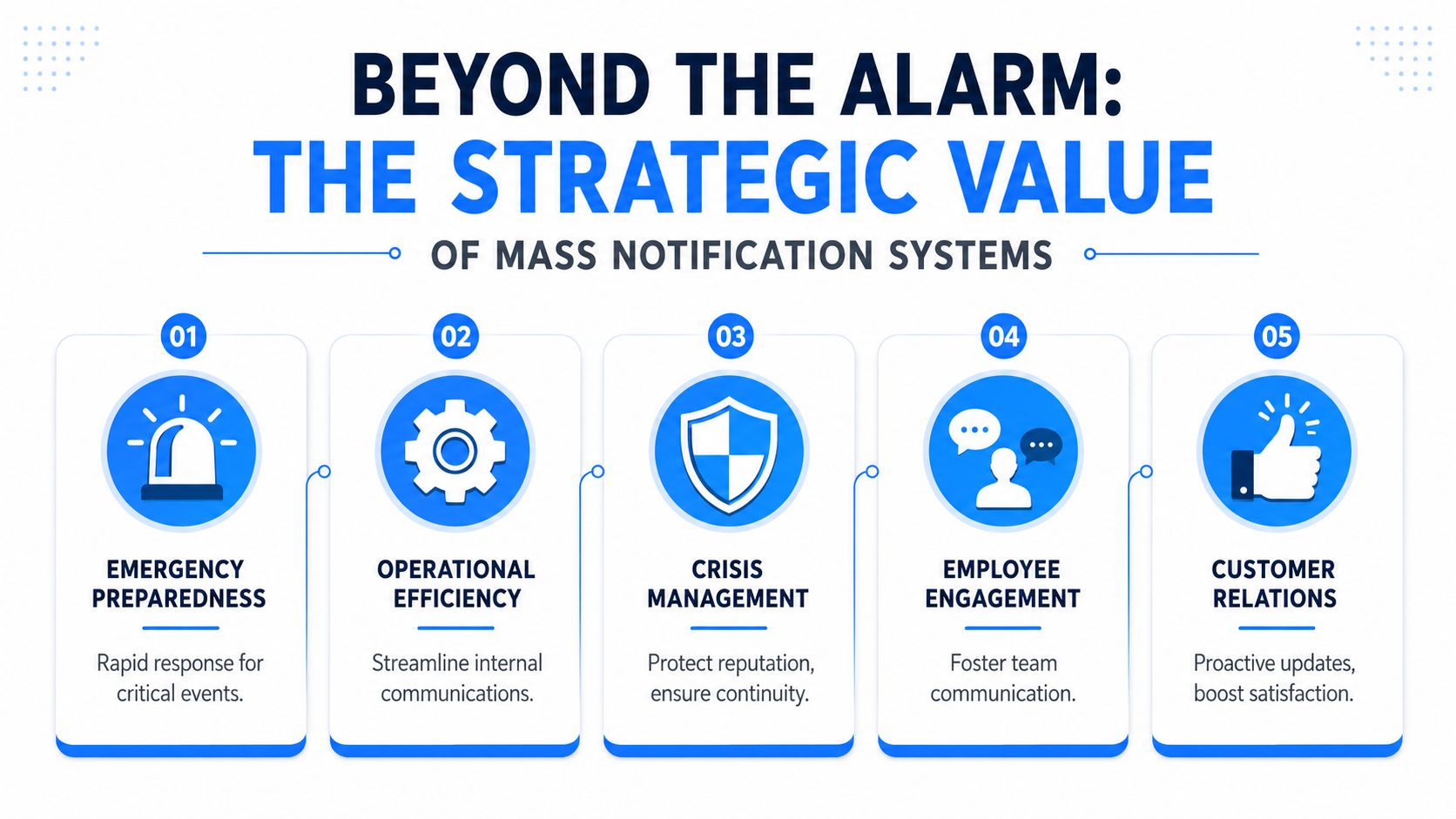
A modern system isn't just about broadcasting danger. It supports continuity. If your warehouse closes early, if your clinic needs to reschedule visits, or if your field team loses access to a site, the business problem is the same. You need the right message to reach the right group fast, across more than one channel, with a way to confirm who got it.
That's why buyers should stop separating "emergency tools" from "operational messaging" in their heads. In practice, the line is blurry. A power outage starts as an operations issue and can quickly become a safety issue. A late event reminder starts as marketing and turns into a staffing issue if attendance spikes unexpectedly.
The strongest setups combine reach, targeting, and follow-up:
Practical rule: If your plan depends on one channel, you don't have a notification strategy. You have a hope strategy.
That matters for safety, but it also matters for growth. A reminder campaign that reaches people on the channels they notice will outperform a generic email-only approach. A closure notice that goes out early reduces inbound support load. A targeted callback prompt can recover missed opportunities that would otherwise disappear.
If you want a simple example of how businesses deploy urgent outbound alerts, review emergency notification workflows.
At the core, think of a mass notification system as a digital bullhorn with rules. It doesn't just shout. It decides who should hear the message, which channels to use, when to send, and what to do if nobody responds.
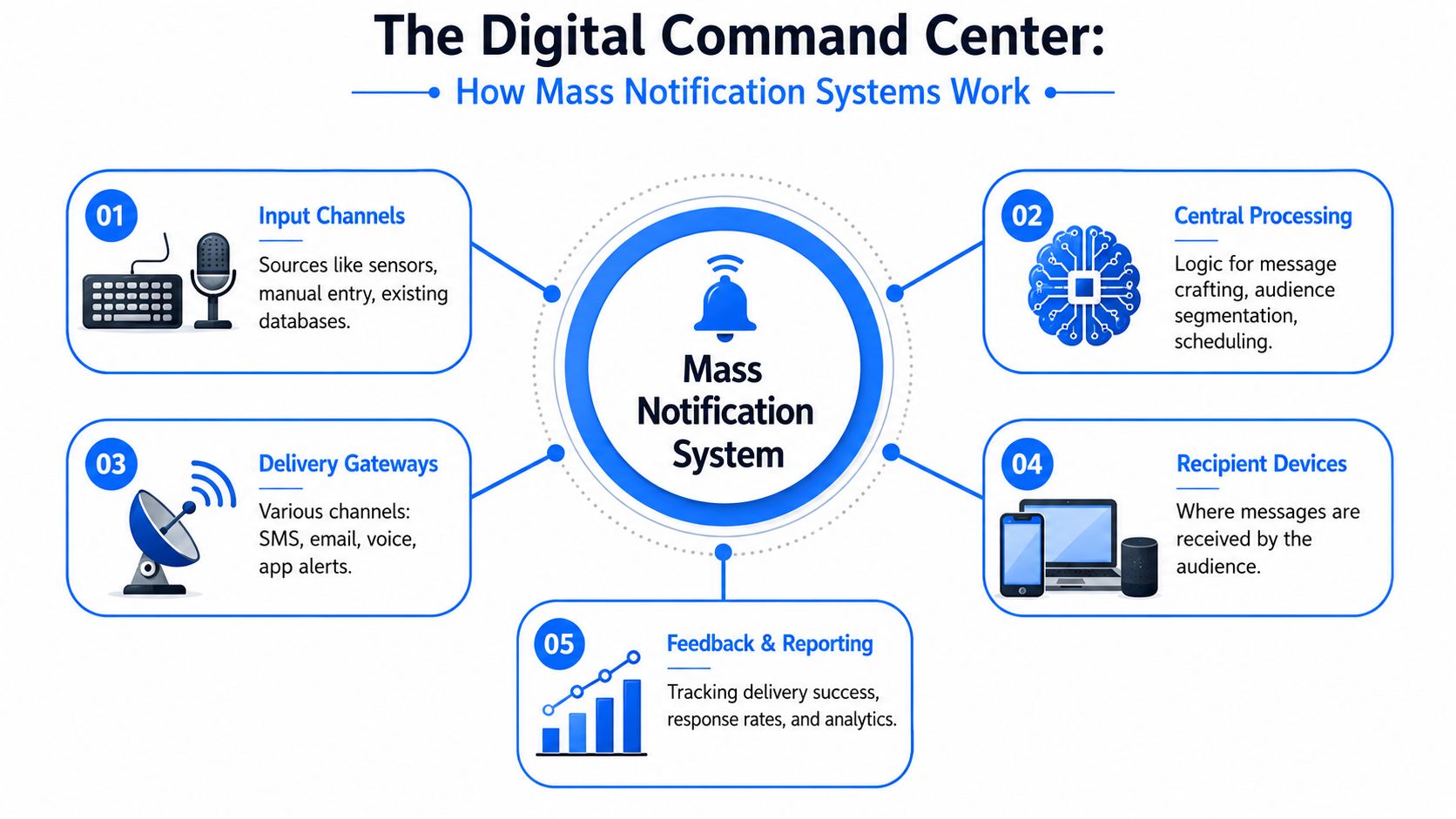
Mass notification systems are defined as one-way, computer-based communication platforms designed to rapidly broadcast urgent messages to thousands or even millions of contacts within seconds, as described by Omnilert's explanation of mass notification systems. That definition matters because it highlights the original job: speed at scale.
Under the hood, most systems rely on a few core parts:
In a well-built setup, the workflow is structured instead of improvised.
Many buyers make a mistake by focusing on message creation and ignoring list quality, segmentation logic, and reporting. Those three pieces determine whether the platform helps or creates noise.
Fast sending sounds impressive, but speed without precision causes alert fatigue. If you notify people who aren't affected, they stop paying attention. If you don't maintain clean groups, your messages hit the wrong audience. If you can't see response status, your team wastes time guessing.
A notification system should reduce ambiguity, not create more of it.
The practical takeaway is simple. Buy for control, not just volume. Anyone can blast a list. The harder problem is sending the right message to a defined group, then proving it got through.
Channel choice affects response as much as message quality. A short closure notice, a payment reminder, and a sales follow-up should not all be sent the same way. Businesses that get more from a mass notification system treat it as a channel coordinator, not just a blast tool.

The practical question is simple. What action do you need, and how quickly do you need it?
| Channel | Best use | Weak spot |
|---|---|---|
| SMS | Immediate alerts, reminders, short operational updates | Limited space, easy to overuse |
| Voice broadcast | Urgent instructions, accessibility, local service disruptions | More intrusive |
| Longer context, attachments, follow-up information | Lower attention in time-sensitive moments | |
| Ringless voicemail | Personal outreach, reminders, callback prompts | Consent and compliance requirements |
| In-app or app push | Active users who already engage inside your system | Weak reach if users are inactive |
Many teams miss revenue because they use SMS for emergencies and email for marketing, then ignore the channels in between. In practice, the same platform can handle no-show reduction, overdue balance reminders, event attendance, lead follow-up, and service updates if you assign each message to the right format.
If you manage member communications, communities, or recurring programs, the lessons from streamlining communication for sports clubs apply here too. Audience behavior should shape your channel mix.
Ringless voicemail gets attention because it sounds more personal than text and creates less interruption than a live call. That makes it a workable option for appointment reminders, post-inquiry follow-up, renewal prompts, and local promotions where a human voice adds trust.
It is not a shortcut around calling rules.
Ringless voicemail to wireless phones is legally classified as a "call" under the TCPA under the FCC's November 2022 Declaratory Ruling FCC-22-85, which means prior express consent is required before any message is dropped, as explained in this summary of the FCC ringless voicemail ruling and TCPA consent requirement.
That ruling changes how you should use the channel. If your consent records are weak, skip ringless voicemail until you fix them. A good script will not protect a bad process.
Use ringless voicemail where tone matters and the ask is simple.
The trade-off is operational. Ringless voicemail usually works best as one step inside a sequence, not as the whole campaign. Send a text first for speed, drop voicemail for context, then route callbacks to a live person or inbox that someone monitors. If you want a tactical example of that sequencing, this guide to ringless voicemail marketing is a useful reference.
For teams comparing communication tools more broadly, SalesMessage is another platform in this category to evaluate alongside systems that also support voice broadcasting and ringless voicemail.
Use ringless voicemail when voice improves clarity, trust, or callback rates. Use SMS when speed matters most. Use both only when the contact has consented and the message sequence has a clear purpose.
Companies that send timely reminders, updates, and service notices usually protect more revenue than companies that save mass notifications for emergencies alone. The same platform that handles a closure alert can also reduce no-shows, speed up service recovery, and keep sales follow-up from slipping through the cracks.
Daily use is where these systems earn their budget.
A weather event is the easy example, but its true value shows up in the branching decisions that follow. Staff need reporting instructions. Customers need updated service windows. Vendors may need delivery changes. Leadership needs confirmation that messages were delivered and seen. One incident creates multiple communication jobs at once, and a shared system keeps them from getting managed in five separate tools.
Healthcare teams use the same pattern. One workflow handles an urgent office closure. Another reminds patients about appointments. A third supports post-visit follow-up or schedule changes. The benefit is not volume. It is control, speed, and a record of who received what.
That same structure works for field services, multi-location retail, property management, and education.
The strongest day-to-day return often comes from protecting demand you already paid to generate. If a lead booked a demo, a patient scheduled a visit, or a customer registered for an event, a reminder sent at the right time can prevent wasted ad spend and empty calendar slots.
Channel choice matters here. SMS is usually fastest. Voice works well when tone or detail matters. Ringless voicemail can support follow-up when a text alone is easy to ignore, as noted earlier. The point is not to force every message through every channel. The point is to match the message to the moment and the audience's level of intent.
If someone already booked, registered, or asked for pricing, send the reminder in a channel they are likely to notice quickly.
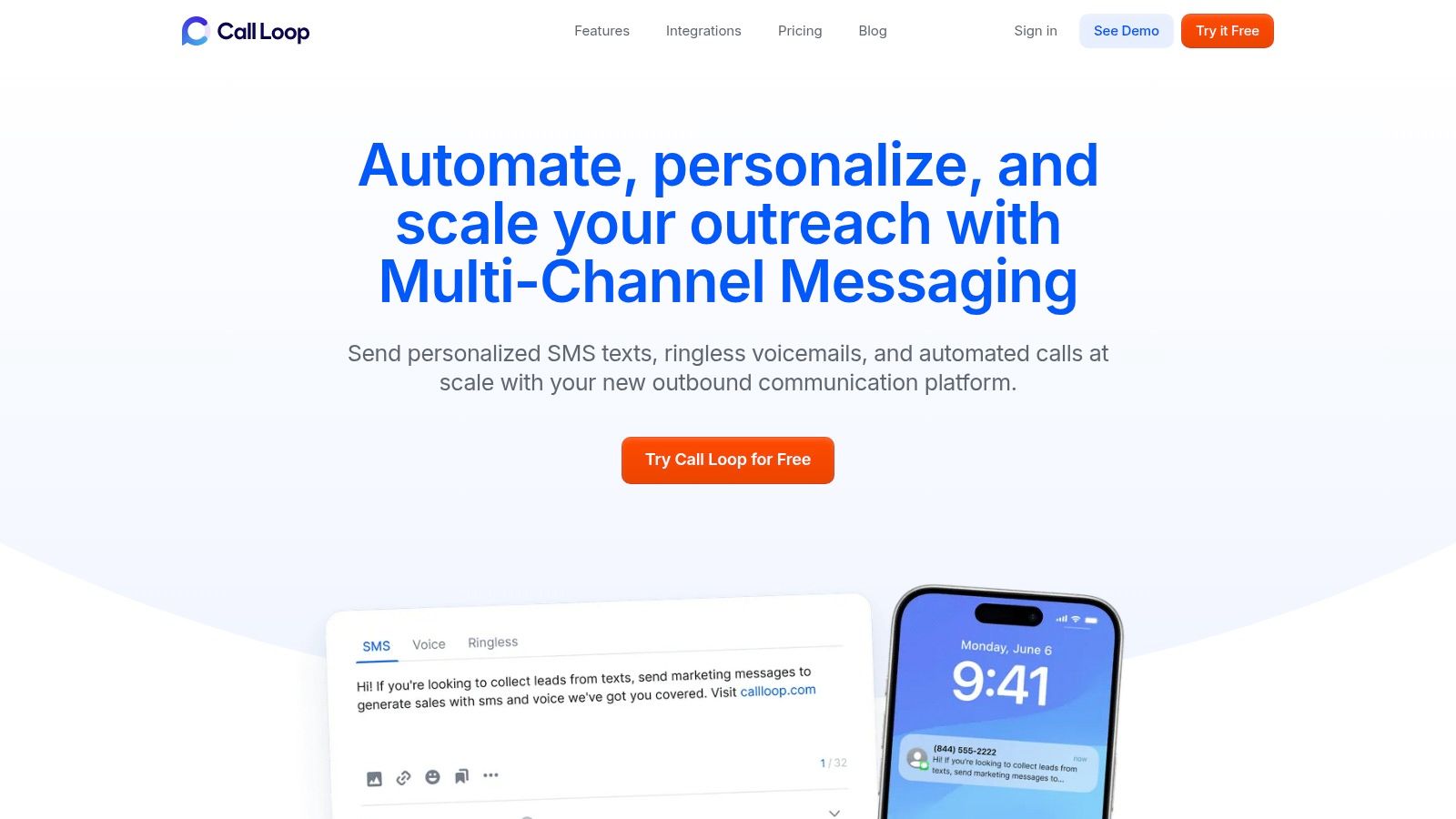
A platform like Call Loop fits this dual-use model because it supports outbound communication across SMS, voice broadcasting, and ringless voicemail. That gives teams one place to run urgent alerts and routine campaigns without splitting contacts, reporting, and workflows across separate systems.
Good programs treat notifications like an operating system, not a megaphone. They segment by role, location, appointment status, purchase stage, or service issue. They keep copy short. They use escalation only when the situation justifies it.
Poor programs do the opposite. They send broad messages to mixed lists, reuse the same copy for staff and customers, and hit high-attention channels too often. Response rates drop. Opt-outs rise. The team starts questioning the tool when the underlying issue is message discipline.
A practical way to avoid that is to assign each notification a job before it goes out:
| Message type | Recommended approach |
|---|---|
| Critical | Send immediately across multiple high-attention channels |
| Operational | Target tightly and keep the copy short |
| Promotional | Use consented lists, clear offers, and reasonable frequency |
| Follow-up | Escalate only after the contact has shown intent |
That structure improves more than safety response. It helps you protect attendance, recover missed opportunities faster, and get more value from one communication system instead of buying separate tools for alerts, reminders, and outreach.
Most buyer's remorse in this category comes from purchasing a platform that sends messages but doesn't support decision-making. You don't need more buttons. You need a system that helps your team act fast, target accurately, stay compliant, and measure what happened.
Before comparing vendors, write down the moments that matter in your business. Closures. Outages. Appointments. Promotions. Collections. Shift changes. If the platform can't handle those without awkward workarounds, move on.
Then use this checklist.
| Feature | Why It Matters | Meets Requirement? (Yes/No) |
|---|---|---|
| Multi-channel delivery | One channel will always miss part of your audience | Yes/No |
| Audience segmentation | Prevents irrelevant alerts and message fatigue | Yes/No |
| Automation workflows | Reduces manual delay when timing matters | Yes/No |
| Consent and compliance controls | Keeps TCPA-sensitive workflows from becoming legal problems | Yes/No |
| Reporting dashboard | Shows delivery, response status, and campaign outcomes | Yes/No |
| Integration options | Keeps contact data current and reduces spreadsheet work | Yes/No |
| Scheduling and recurring campaigns | Supports reminders, follow-ups, and operational notices | Yes/No |
| Voice and ringless voicemail support | Useful when text alone isn't enough | Yes/No |
| Role-based access | Limits who can launch sensitive messages | Yes/No |
| Template management | Improves speed and consistency under pressure | Yes/No |
The dangerous platforms aren't always the ones with fewer features. Sometimes they're the ones with flashy features and poor operational design.
Buy for the day something goes wrong, and for the week when nothing dramatic happens but communication still affects revenue.
Software buyers also miss a real operational trade-off. In buildings, audio clarity matters. Guidance on acoustic design notes that 60-70% of MNS failures occur due to poor sound coverage in spaces wider than 20 feet or corridors with high background noise, based on engineering guidance for overcoming acoustic challenges in complex environments. If your environment includes loud floors, long corridors, or hearing protection, don't treat in-building delivery as a software checkbox. Treat it as an engineering issue.
Implementation usually fails for boring reasons. Bad lists. Unclear consent. No templates. No testing. The software isn't the first problem. Your operating discipline is.
Start with opt-ins and clean source data. If the channel requires consent, capture it clearly and store it in a way your team can verify later. Then organize contacts by what matters in your business. Location, customer status, appointment type, team, or account owner are more useful than one giant master list.
Next, write templates for recurring scenarios. Keep them short enough to scan and specific enough to act on. A strong message answers three questions fast: what happened, who it affects, and what the recipient should do next.
Teams should test the exact workflows they'll use under pressure. That includes segmentation, scheduling, contact syncing, fallback channels, and reporting. In-building systems add another layer. According to UP Codes guidance on in-building mass notification systems, these systems are mandated to provide live voice and prerecorded localized messaging, and effectiveness is measured through reporting dashboards that analyze delivery, response times, and recipient feedback.
That reporting mindset should shape your broader rollout too. If your platform doesn't help you inspect delivery and response patterns, you're flying blind. A practical example of the kind of status visibility teams should review is shown in these delivery status notification workflows.
The goal isn't to send more messages. It's to make each message more likely to matter.
Businesses don't need one tool for safety, another for operations, and a third for follow-up if those systems create silos and slow the team down. The smarter model is unified communication. One platform, clear audience logic, multiple channels, and measurable outcomes.
That's why mass notification systems now deserve attention from owners, operators, sales teams, and healthcare administrators, not just security leads. They help you respond to urgent events, keep routine communication moving, and support revenue-critical follow-up without reinventing your process every time.
The practical edge comes from discipline. Segment tightly. Use the right channel for the job. Respect consent. Measure delivery and response. When you do that, mass notification stops being a dormant emergency purchase and becomes part of how your business runs every day.
If you want a practical multi-channel option, Call Loop gives you one place to manage SMS, voice broadcasting, and ringless voicemail for alerts, reminders, and outbound follow-up.
Chris Brisson
Chris is the co-founder and CEO at Call Loop. He is focused on marketing automation, growth hacker strategies, and creating duplicatable systems for growing a remote and bootstrapped company. Chat with him on X at @chrisbrisson


Trusted by over 45,000 people, organizations, and businesses like


