
See a Demo
You're just one step away from seeing Call Loop in action.
Enter your information below to watch a demo right now.

You're just one step away from seeing Call Loop in action.
Enter your information below to watch a demo right now.

You know the text was sent. The other person insists they replied. Maybe it was a confirmation, an address, a pickup update, or a customer message you needed an hour ago. But your phone stays quiet, and the problem gets oddly specific. Everyone else can text you just fine. Just that one person can't seem to get through.
That kind of failure is frustrating because it feels random, but it usually isn't. Texting looks simple on the surface, yet several systems sit underneath it: your phone, their phone, iMessage or RCS, carrier routing, spam filtering, and sometimes the business platform doing the sending. When one link in that chain breaks, you end up not receiving texts from one person while everything else appears normal.
Texting is too central to modern communication for this to be a minor issue. In 2021, mobile phone users in the U.S. alone sent 2 trillion text messages, about 6 billion per day, according to Intradyn's text message statistics. At that scale, even a small delivery problem affects a huge number of conversations.
The most confusing part of this issue is how narrow it is. If all texts stopped arriving, you'd assume your phone, SIM, or account had a broad problem. But when it's only one person, people often jump to the wrong conclusion. They think they've been blocked, the sender is mistaken, or the phone is glitching in some vague way.
Usually, the breakdown is more specific than that. A single conversation can fail because the contact entry is corrupted, the thread is stuck between iMessage and SMS, the sender's number was flagged by a carrier filter, or one side is using a messaging setup that isn't falling back correctly. The symptom feels personal. The cause usually isn't.
I've seen this trip people up most often in two situations:
Missing one person's texts can look like a relationship problem, when it's really a routing problem.
The stakes can be small or serious. Sometimes it's just a missed "running late" message. Sometimes it's a one-time password, appointment reminder, delivery update, or support reply. For businesses, one broken sender-recipient path can trigger support tickets, missed appointments, and the false impression that the customer is ignoring outreach.
Practically speaking, when you're not receiving texts from one person, don't treat it as one mystery. Treat it as a short list of likely failure points. That changes the process from guesswork to diagnosis.
Start with your own phone. It sounds basic, but that's usually how the fastest wins happen.
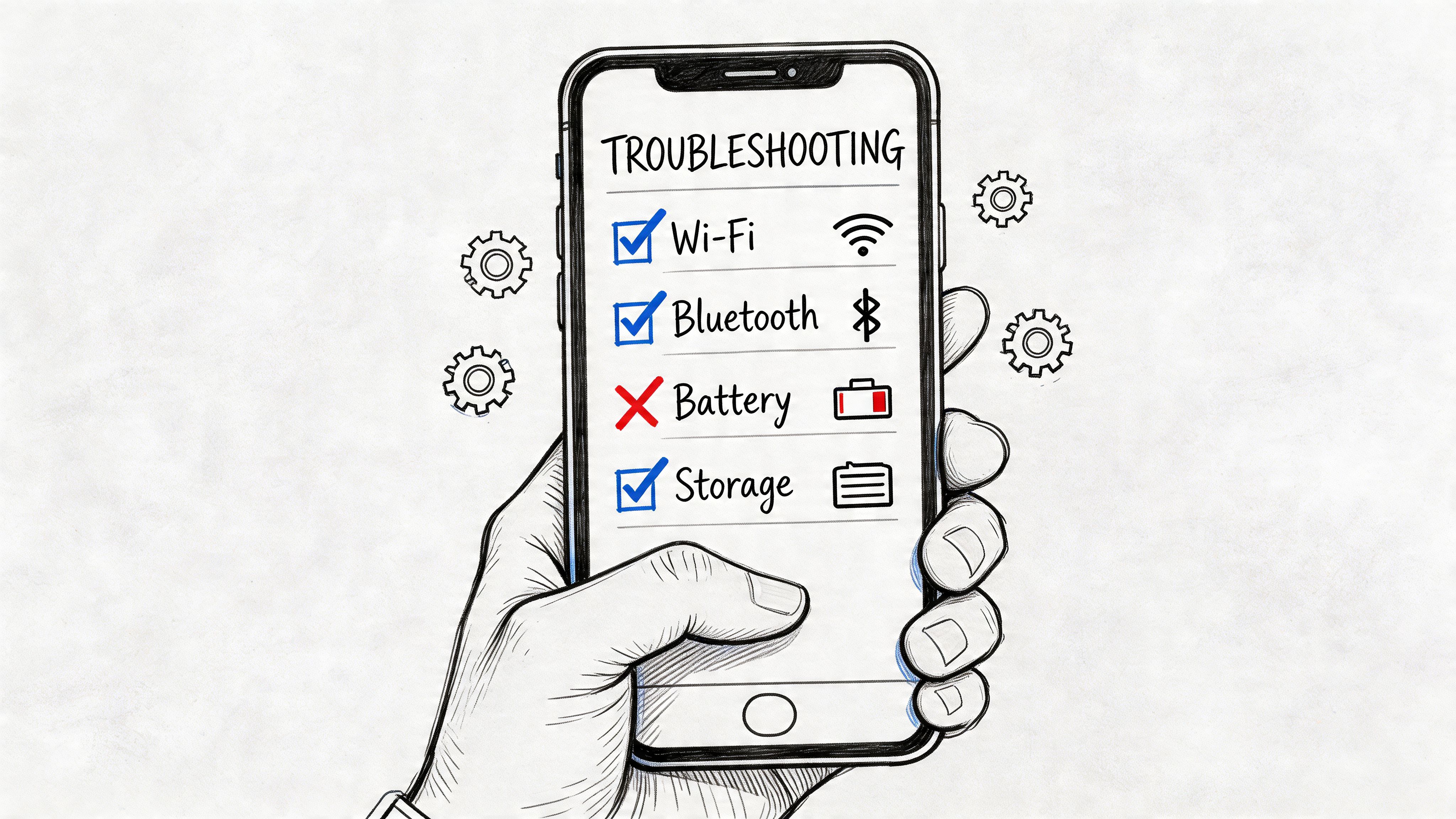
A lot of people only check signal bars and stop there. Go deeper.
If your iPhone is also acting strange with alerts in general, a focused guide on iPhone not ringing can help you rule out broader notification behavior before you chase a text-specific cause.
This is one of the biggest culprits. iMessage/SMS fallback failures are responsible for an estimated 40% of "not receiving from one person" issues in mixed iOS/Android conversations, and toggling iMessage off and on resolves up to 80% of those cases, based on Apple forum benchmarks.
What to do on iPhone:
This forces the phone to re-sync with Apple's messaging registration. If the thread got stuck trying to use the wrong path, this often clears it.
Practical rule: If the missing texts are from one Android user and you have an iPhone, test iMessage before you reset anything else.
On Android, especially when one contact is affected, the messaging app itself is often the problem.
Try this sequence:
The issue can also be thread-specific. Delete the conversation after saving anything important, then have the sender message you again. If the thread database entry was damaged, a clean restart helps.
A similar pattern shows up when a phone says messages won't send at all. If you're seeing both sending and receiving oddities, this guide on message not sent troubleshooting is useful for separating app issues from network issues.
Use this as a fast pass before calling anyone:
| Check | Why it matters |
|---|---|
| Restart the phone | Clears temporary radio and app glitches |
| Toggle Airplane Mode briefly | Forces a fresh network handshake |
| Delete and re-add the contact | Fixes bad contact/thread records |
| Check blocked numbers | Prevents silent filtering on your own device |
| Confirm default messaging app | Avoids app conflict issues |
| Update iOS or Android apps | Removes known software bugs |
If none of that changes anything, stop repeating the same restarts. At that point, the issue is often beyond your phone.
Your phone can be perfectly fine while one sender's texts still never arrive. That usually points to the path between carriers, or to filtering on the sender's side.

SMS delivery is not a simple point-to-point handoff. Carriers screen traffic, apply spam rules, and treat business messaging differently from person-to-person texting. A message can be accepted by the sender's app, then filtered or delayed before it reaches you. That is why one friend, one business, or one school alert system can fail while every other text works normally.
This matters even more when the missing sender is a business. Many companies send through application-to-person routes, not a normal handset. If that traffic is poorly configured, uses risky content, or lacks proper registration, carriers may suppress it. That is one reason business owners often ask why texts don't deliver in the first place.
Carrier-side problems rarely look clean or consistent. The sender may see "sent." You still receive nothing.
Common patterns include:
That last pattern is a big clue. Consumer troubleshooting alone will not explain it. Sender reputation, content filtering, and business registration often do.
For business senders in the US, A2P 10DLC registration can affect deliverability. If a company recently started texting from a local number without proper setup, carrier filtering becomes much more likely. Some organizations work around this poorly by pushing everything through one number, which raises complaint risk. Others use alternatives like ringless voicemail for reminders that do not need a live text thread, especially when SMS delivery is unreliable.
Do not ask only, "Did you send it?" Ask questions that identify the sending path.
If the sender recently moved to a different device or carrier and service behavior changed at the same time, line provisioning may be part of the problem. In edge cases involving imported or carrier-restricted devices, practical help such as mobile phone unlock services can resolve registration issues that basic troubleshooting will not fix.
| Situation | Most likely issue |
|---|---|
| Only one business number fails | Carrier filtering, sender reputation, or A2P 10DLC setup issue |
| One friend's texts fail after a carrier or phone change | SIM provisioning, account routing, or sender-side line problem |
| Messages fail only when they include links | Content filtering |
| Problem appears only while traveling or roaming | Carrier routing or temporary network issue |
One clean test saves time. Ask the sender to text you from a different number, or have the same business send the message from another route. If that second message arrives, the problem is tied to the original sending path, not your phone.
A lot of one-person text failures are really sender trust failures. The carrier does not like the source, the content, or the registration status, so the message never makes it through.
Once the easy checks fail, stop making random changes. Run controlled tests.
This sounds too simple, but it solves a surprising number of one-person failures.
Do it carefully:
This clears out old thread data, duplicate number entries, weird country code formatting, and name-to-number mismatches.
A good troubleshooter isolates variables one by one.
Try these tests:
Change one variable at a time. If you change five things together, you won't know what actually fixed it.
Third-party apps don't usually block SMS directly, but they do create confusion. People reply in WhatsApp, Messenger, Signal, or a synced desktop client and assume they're using the same channel. Meanwhile, the actual SMS thread remains broken.
I've also seen users chase a "missing text" that was really a notification problem. The message arrived, but it didn't alert, didn't badge, or got buried in filters. Search the sender's name and number inside the messaging app before deciding the text never landed.
If you're still stuck, collect facts before calling support:
That gives carrier support or device support something actionable. "I'm not receiving texts from one person" is the symptom. The tests above tell them where to look.
A customer says, "I get texts from everyone else. Just not from your business." At that point, the problem may have nothing to do with their phone. It often starts with how your messages are sent, registered, and filtered before they ever reach the handset.
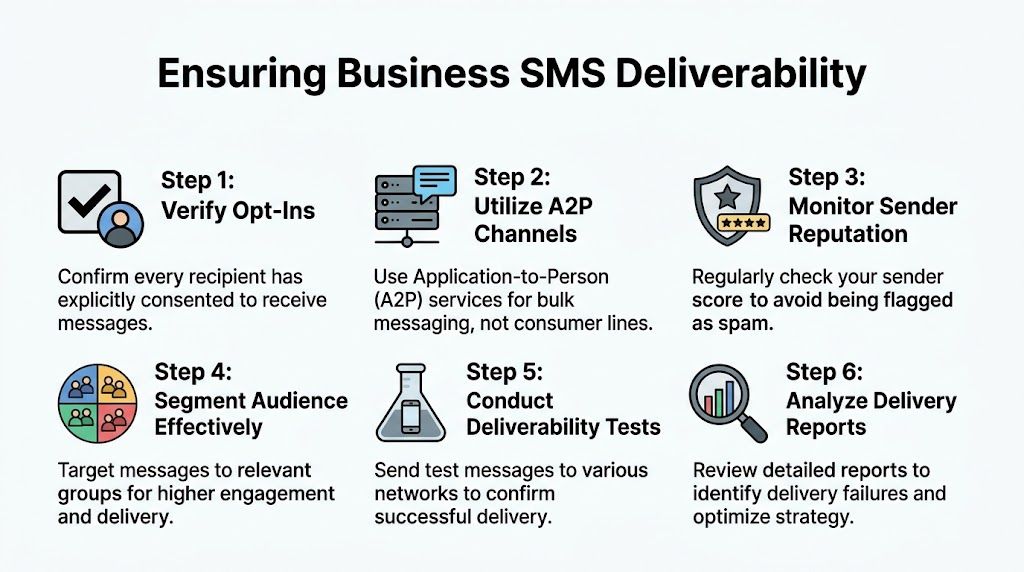
Consumer troubleshooting only gets you so far. A business sender has to account for carrier rules, message classification, consent records, and reputation. That is the gap many guides miss. A customer can receive every personal text on time and still never see your reminder, follow-up, or order update because business traffic is screened differently.
Recent data shows that 25% of "not receiving from one person" complaints involving businesses stem from the business using an unregistered number (this analysis of missing business texts and registration issues). That lines up with what messaging teams see in practice. If your traffic is treated as unregistered A2P messaging, carriers may throttle it, filter it, or reject it outright.
The business side of SMS has changed. If you send any meaningful volume over a local long code, registration is not optional busywork. It affects throughput, trust, and whether your messages get passed along or held back. For teams using U.S. long-code texting, 10DLC compliance requirements directly affect deliverability.
Start with the sending setup before blaming the recipient's device.
In other words, deliverability is an operational discipline, not just a send button.
The fastest way to diagnose this problem is controlled testing. Send the same plain-text message to a small set of numbers across different carriers. Then change one variable at a time: the number type, the copy, the link, the sending volume, or the platform route. If failures cluster around one carrier or one message format, you have a real lead.
I usually advise businesses to keep test cases simple at first. No image. No shortened link. No promo language. Once a plain appointment-style message gets through reliably, add complexity back in carefully. That saves hours of guessing.
SMS should not be your only path for time-sensitive outreach. If a customer is not receiving business texts reliably, ringless voicemail can work as a backup for reminders, callbacks, overdue payment notices, event updates, and similar messages where timing matters.
It is not right for every use case. Some customers prefer text, and some issues require a live call. But from an operations standpoint, having a second channel matters. When carrier filtering or registration problems interrupt SMS, ringless voicemail gives the business another way to reach the customer without depending on a single message path.
For healthcare, finance, and other regulated use cases, compliance and deliverability need to be managed together. Use a messaging setup that fits the rules for your industry, keep content appropriate to the channel, and review delivery failures as both a technical issue and a policy issue.
A few edge cases come up all the time, especially after you've tried the common fixes.
"Delivered" doesn't always mean "displayed on your screen." It can mean the message reached a service layer, device queue, or carrier handoff point. Notification issues, filtering, thread corruption, or sync problems can still prevent you from seeing it normally.
Yes. Mixed-device conversations are a common trouble spot, especially when iPhone messaging has to fall back to SMS for Android users. Older phones, flip phones, or unusual default apps can also complicate delivery behavior.
Usually it causes delay, not permanent loss. But if there are account issues, storage problems, expired retries, or filtering in the chain, a message may never show up later. That's why a resend test matters.
Keep it concrete. Give them the sender's number, the date and approximate time of missing texts, whether it happens only with that sender, and whether test messages from a different number succeed. Ask them to check for blocking, spam filtering, or line provisioning issues.
Only after you identify whether the issue is SMS-specific. If this one relationship already relies on WhatsApp, Signal, or Messenger, using that app may be the fastest workaround. But if the problem involves business messages, verification codes, or appointment reminders, you still need the SMS path fixed.
If your team depends on text messaging, voice, and ringless voicemail to reach customers consistently, Call Loop gives you one place to manage compliant outreach across channels, improve deliverability, and build follow-up sequences that don't rely on SMS alone.
Chris Brisson
Chris is the co-founder and CEO at Call Loop. He is focused on marketing automation, growth hacker strategies, and creating duplicatable systems for growing a remote and bootstrapped company. Chat with him on X at @chrisbrisson


Trusted by over 45,000 people, organizations, and businesses like


