
See a Demo
You're just one step away from seeing Call Loop in action.
Enter your information below to watch a demo right now.

You're just one step away from seeing Call Loop in action.
Enter your information below to watch a demo right now.

When something changes fast, most small businesses fall back on the same bad system. Someone grabs a spreadsheet, starts dialing, leaves a few voicemails, texts a few regulars, and hopes the message spreads. It works just well enough to stay in place. It fails just often enough to create headaches.
A clinic has to reschedule appointments because a provider is out. A gym owner needs to cancel evening classes. An event organizer moves a start time. A sales team wants to follow up with every no-show from yesterday’s webinar before the list goes cold. The problem is not writing the message. The problem is getting the message out cleanly, quickly, and consistently.
A phone tree system stops being an old telecom term and starts becoming an operating decision in that scenario. A good system gives you structure. A modern one gives you structure across channels, not just phone calls. That means voice when a call matters, SMS when speed matters, and ringless voicemail when you want reach without forcing a live answer.
Manual outreach looks cheap because you are not buying much software. It is expensive in the places owners usually do not measure.
The first cost is staff time. When one urgent update turns into dozens or hundreds of individual calls, your team stops doing its actual work. Front desk staff stop serving customers. Sales reps stop selling. Office managers become switchboard operators.
The second cost is message drift. One person says, “We’re moving your appointment.” Another says, “Call us back to confirm.” A third forgets to mention the new address, the new start time, or the action you need from the customer. By the end of the day, your business has sent five versions of the same message.
The old person-to-person calling chain sounds efficient on paper. In practice, it depends on everyone answering, listening, repeating the message correctly, and then following through.
Common failure points show up quickly:
The first sign is not “our communication architecture is broken.” It is usually one angry customer.
Then a few more. Someone drives across town for a canceled class. A patient misses a reminder. A lead says they never heard back. A parent says another family knew about the change, but they did not.
Tip: If your team has to ask, “Who still needs to be contacted?” during a time-sensitive update, you do not have a communication process. You have a scramble.
A phone tree system solves that by replacing ad hoc outreach with a defined flow. That flow can be simple or advanced. What matters is that it is repeatable, auditable, and easy to run when the pressure is on.
A phone tree system is a structured communication flow. One message starts at the top, then branches to reach the right people, departments, or contact groups.
The easiest way to think about it is a family tree for communication. Instead of mapping relatives, you map message paths. One action triggers the next step. A caller presses a button and reaches the right team. Or a business sends one broadcast and the system delivers it across a defined list.
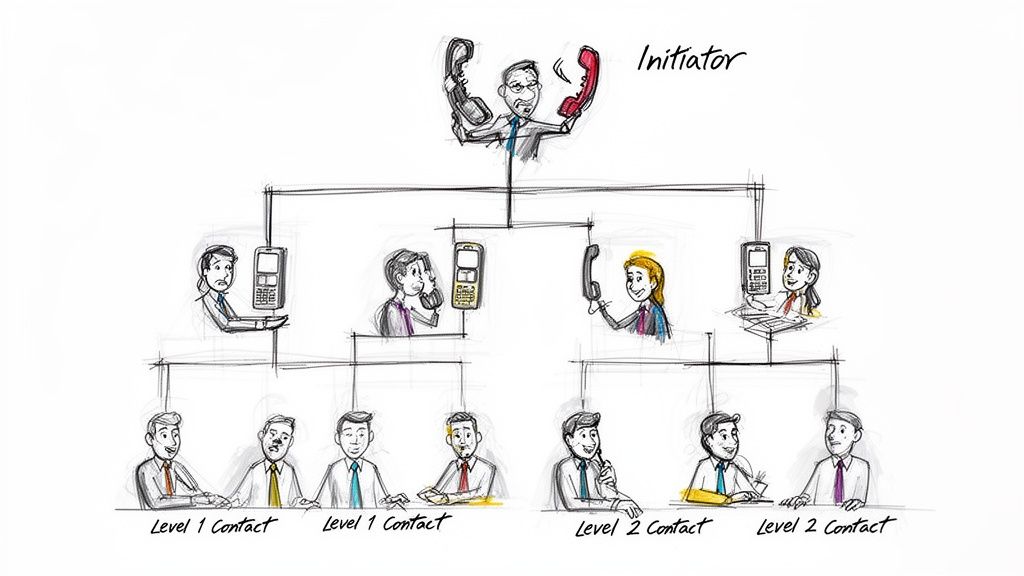
The idea predates modern software by a long stretch. The phone tree system grew out of manual switchboard operations in the early telephone era, when human operators physically connected lines and organizations needed a practical way to spread information through groups. Those early systems were hierarchical and effective for their time, but they still only achieved an 80% success rate on first attempts because human error, missed calls, and delays were built into the process, as described in this telephony history overview.
That history matters because it explains why the concept stayed around. The core need never changed. Businesses, schools, governments, and community groups all needed a repeatable way to notify lots of people without chaos.
Today, “phone tree system” can mean a few different things depending on the job:
That last category is where many businesses get the most value now. A pure IVR system handles inbound routing. A modern phone tree system handles routing plus notification plus follow-up.
The primary value is not the menu. It is the control.
A structured system lets you decide:
That is why modern voice broadcasting matters. Instead of hoping a human chain holds together, software can deliver one approved message to a large list in minutes. The old branching logic still exists. The difference is that automation removes the weak links.
Key takeaway: A phone tree system is not just a phone menu. It is a repeatable decision tree for business communication.
Not every phone tree system solves the same problem. Some are built for emergency outreach. Some are built for inbound call routing. Some are built for campaigns, reminders, and follow-up across multiple channels.
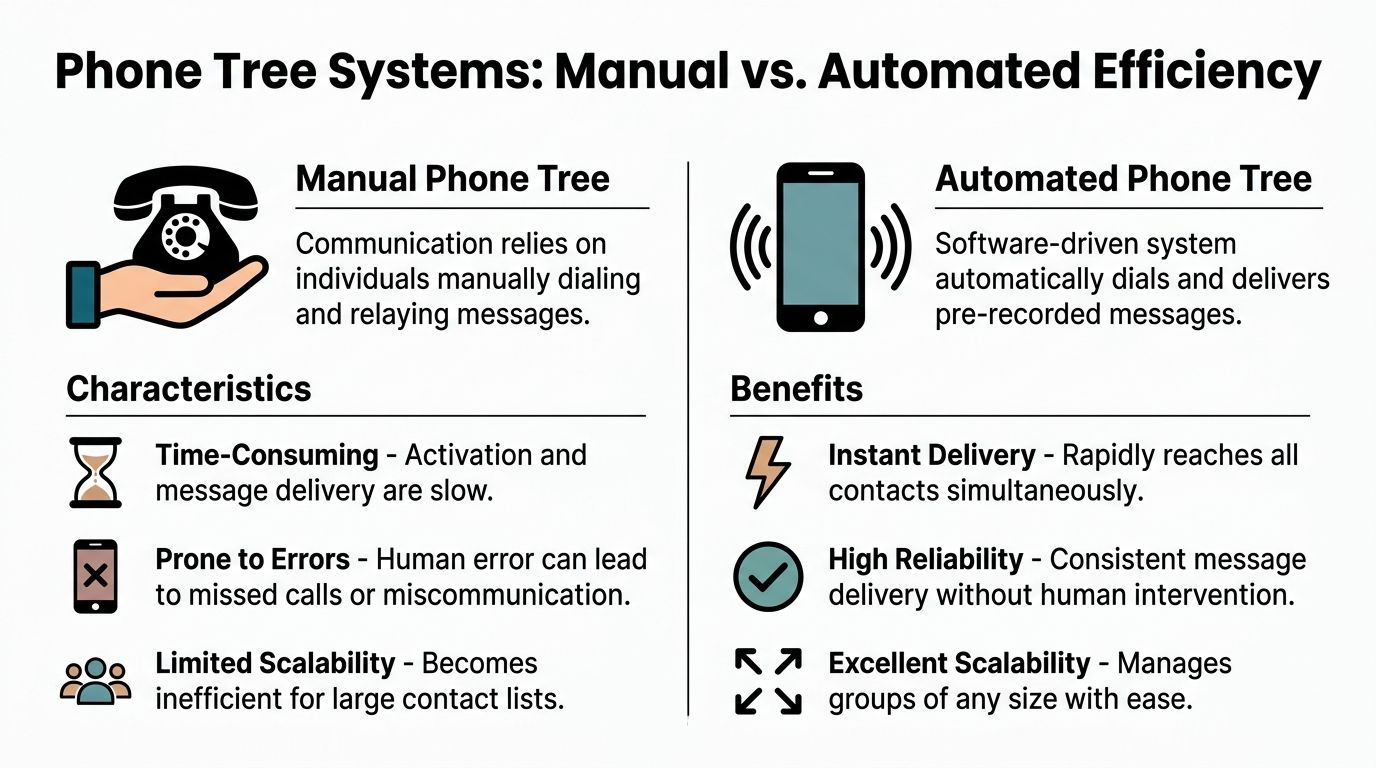
The mistake I see most often is using an inbound-only system for an outbound problem, or using manual outreach for a process that needs automation.
This is the classic cascade. One person calls a small group, and each of those people calls more people.
It can work for a tiny team with a short list and a one-time need. It breaks down when speed, consistency, or proof of delivery matter.
This is the standard inbound business phone setup. Callers hear a greeting and choose menu options to reach the right destination.
This model is now common. 71% of callers encounter automated menus when contacting companies, and these systems can reduce wait times by up to 50% compared with manual routing, according to AlertMedia’s overview of phone trees. That matters even more in sales environments, where the average dial-to-booked-meeting success rate is often very low. Wasted calls are expensive.
This is the practical upgrade for businesses that need more than a phone menu. The workflow can start with a voice broadcast, follow with SMS, then drop a ringless voicemail to non-responders. Or it can use inbound routing for one audience and outbound reminders for another.
It is less about one menu and more about one system for coordinated outreach.
| Feature | Manual Tree | Automated IVR Tree | Modern Multi-Channel Tree |
|---|---|---|---|
| Primary use | Urgent person-to-person relays | Inbound call routing | Outbound and inbound communication flows |
| How it works | Humans call humans | Callers self-route through prompts | Software triggers voice, SMS, and ringless voicemail |
| Best fit | Small groups, low frequency | Front desk, support, sales line routing | Reminders, campaigns, updates, follow-up |
| Speed | Slow and uneven | Fast for inbound callers | Fast for outreach at scale |
| Consistency | Depends on staff | Strong on approved prompts | Strong across channels |
| Tracking | Minimal | Basic call routing data | Broader campaign and response visibility |
| Failure risk | High human dependence | Menu design issues | Depends on contact quality and workflow design |
| Live agent access | Immediate if the person answers | Must be designed into the menu | Can route based on response rules |
| Best channel mix | Voice only | Voice only or mostly voice | Voice, SMS, ringless voicemail |
A manual tree works when everyone knows each other, the list is short, and failure is tolerable. It does not work when customers expect the same message at the same time.
An IVR tree works when callers know why they are calling and your departments are clearly defined. It does not work well when people are stressed, distracted, or unsure which menu bucket fits their issue.
A modern multi-channel tree works when you need to reach, not just route. That includes appointment reminders, payment prompts, weather closures, sales follow-up, and attendance recovery.
If you are evaluating tools for outbound workflows, an automated calling system is usually the right starting point because it handles delivery at scale and can support follow-up logic that a basic receptionist menu cannot.
Practical rule: Use IVR to direct inbound callers. Use a multi-channel phone tree system to drive outbound action.
Theory helps. Templates help more.
A strong phone tree system earns its keep when a message has to move fast and the recipient has to know what to do next. The best scripts are short, specific, and tied to one clear action.
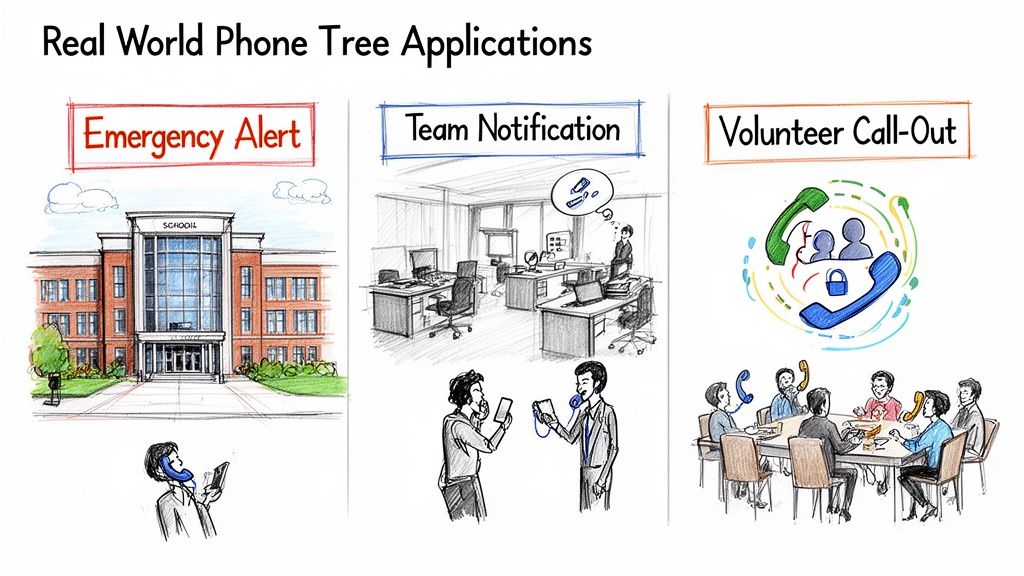
A manual cascade can spread quickly in theory. With a branching factor of 4, four levels reach 85 people, but even a 10% failure rate at each level can cut total reach in half. Automated broadcasting removes that bottleneck by sending to thousands in parallel and reducing notification time by over 90%, as explained in this phone tree template breakdown.
Healthcare is one of the clearest use cases because timing and accuracy matter. Patients need the right date, time, location, and next step. Staff also need fewer inbound confirmation calls.
A practical flow often works like this:
Sample reminder script:
Hello, this is a reminder from [Practice Name]. You have an appointment on [Date] at [Time]. Please follow the instructions sent by text if you need details. If you need to reschedule, call us at [Phone Number].
Keep protected health information out of the message unless your process and platform are set up for compliant handling.
Events create a narrow window. Attendees may be traveling, parking, checking tickets, or scanning email too late.
Use a short voice message for urgency, then send an SMS with details such as the new room, updated schedule, or parking instructions.
Sample event update:
Hi, this is [Event Name]. Today’s check-in now begins at [Time], and the opening session has moved to [Location]. Check your text message for the updated schedule and arrival details.
Studios, gyms, tutors, clinics, and home service companies often need one-to-many communication on short notice. A weather closure, instructor change, or schedule adjustment is not complex. It just needs fast distribution.
Sample class cancellation message:
Hi, this is [Business Name]. Today’s [Class Name] at [Time] has been canceled. We’ve sent your makeup options by text. Please check your messages for the replacement schedule.
Ringless voicemail is useful in this scenario. You can leave the update without forcing customers to stop what they are doing and answer.
Sales teams often overcomplicate follow-up. They write long emails that go unread and leave generic voicemails with no context.
A better outbound phone tree system uses a sequence:
Sample lead follow-up:
Hi, this is [Rep Name] with [Company]. I’m following up on your recent request. If you’d like to continue the conversation, reply to the text we just sent or call us back at [Phone Number].
Tip: Every script should answer three things in the first few seconds. Who is calling, why they are calling, and what the recipient should do next.
Use this formula when writing almost any outbound message:
| Part | What to include |
|---|---|
| Identity | Business or sender name |
| Context | Why the person is getting this message |
| Critical detail | Time, date, status, or request |
| Action | Confirm, reply, call back, attend, or ignore if not relevant |
| Fallback | Text follow-up, support line, or next message |
If your script cannot fit that structure without becoming cluttered, split the job across channels. Put urgency in voice. Put details in SMS. Put backup delivery in ringless voicemail.
A phone tree system fails or succeeds long before the first call goes out. The setup work decides everything. Most bad systems are not technology problems. They are design problems.
Do not launch your first system trying to handle every possible communication need. Pick one high-frequency, high-friction use case.
Good starting points include:
One focused workflow is easier to script, test, and improve than a tangled “master” tree.
People do not listen to audio the way they read a screen. Long intros, legal filler, and buried options kill response.
Use these rules when scripting:
“Hello and thank you for being a valued customer of our organization. We are calling in regard to an important matter related to your upcoming scheduled service appointment and would like to provide several options for you to consider.”
“Hello, this is [Business Name]. Your service appointment is scheduled for [Date] at [Time]. Press 1 to confirm, or call [Phone Number] if you need to reschedule.”
If callers have to remember too many branches, they bail out or choose the wrong one.
A simple structure works better:
That matters even more on mobile. People may be driving, multitasking, or listening in a noisy environment.
Practical rule: If your menu needs a training manual, it needs fewer options.
Older systems came with real infrastructure limits. Hardware-based setups were capped at about 12 concurrent lines per controller, and expansion added cost and complexity. Modern cloud VoIP and IVR platforms remove that hardware ceiling, support much broader scaling, and use speech recognition that can reduce average handle time by 25% to 30%, based on the hardware and cloud comparison summarized in the PhoneTree manual reference.
That shift changes the implementation decision. You are no longer choosing how many boxes to install. You are choosing workflow logic, contact quality, permissions, and channel strategy.
Before launching, clean your list.
Use a contact manager that supports segmentation, tags, and field data so you can separate patients from prospects, customers from leads, and urgent alerts from promotional updates. If you are planning outbound automation, your contact structure matters as much as your script; a tool such as Call Loop’s contact manager fits because it organizes lists for message targeting rather than forcing every outreach job through one undifferentiated database.
Do not test only from the admin view. Call the number. Press the buttons. Miss the call and listen to the voicemail. Open the text on your phone. Ask someone outside your team to try it cold.
Check for:
Then launch small. Send to a limited segment first. Watch results. Tighten the wording. Remove menu branches that nobody uses.
A phone tree system can create risk just as easily as it creates efficiency. That is especially true when you mix outbound calling, SMS, and ringless voicemail.
The legal side and the performance side belong together. If your list quality is poor, your consent process is weak, or your message content is sloppy, the system will underperform and expose you to problems at the same time.
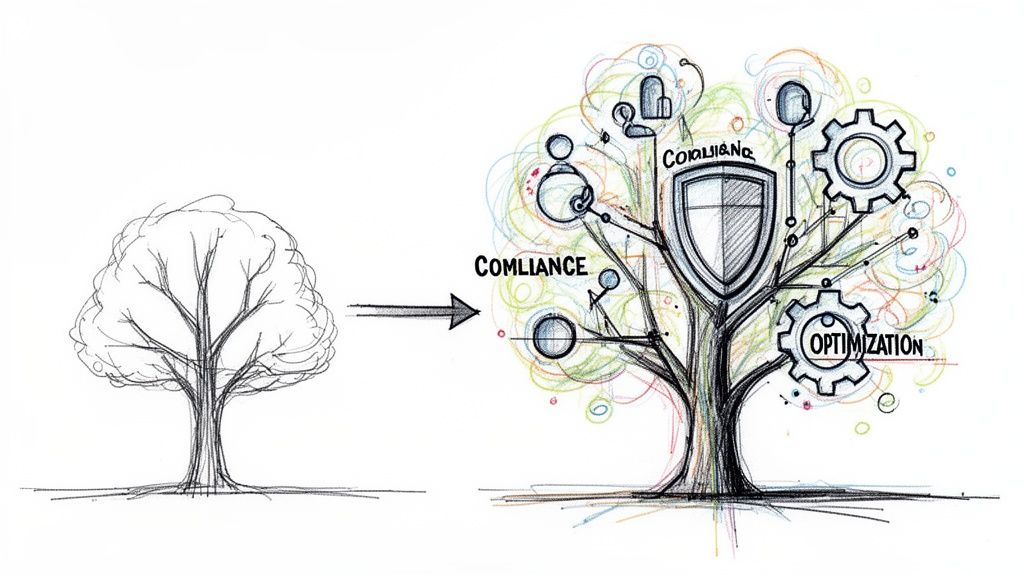
The biggest operational mistake is treating every contact record as permission to send anything.
That is not how compliant outreach works. You need clear records of who opted in, what they agreed to receive, and how they can opt out. For marketing workflows, review the requirements around express written consent before launching automated campaigns.
Keep these basics in place:
Healthcare teams need more than ordinary call routing discipline. Standard phone trees can expose protected health information if messages or IVR prompts collect or reveal too much.
A 2023 FCC report noted a 15% rise in robocall complaints, with 40% of healthcare calls failing DNC compliance. The same verified dataset notes that compliant multi-channel solutions that include secure ringless voicemail and SMS can cut patient no-show rates by 28%, as summarized in this discussion of phone tree compliance gaps.
The practical takeaway is straightforward:
Tip: In healthcare, brevity is not just good UX. It is also risk control.
Many teams stop at deployment. That leaves obvious gains on the table.
Review your phone tree system regularly and look for friction in a few places:
Listen to actual recordings and read actual texts. Check whether the action is obvious early enough. If people need the message repeated, the opening is probably too slow.
Inbound trees often reveal their weaknesses through wrong transfers and unnecessary live-agent escalations. If callers routinely choose the wrong option, the label is unclear or the branch should not exist.
Not every audience responds to the same format. Some updates belong in SMS first. Some need voice for urgency. Some do better with ringless voicemail as a backup layer. The goal is not to force every message into one channel. The goal is to match the channel to the task.
Assign someone to own the workflow. Not the phone number. Not the tool login. The actual customer journey. When nobody owns the logic, outdated menus and stale scripts stay live for months.
| Area | What to verify |
|---|---|
| Consent | Opt-in records, opt-out handling, DNC suppression |
| Content | Clear purpose, no unnecessary sensitive detail |
| Routing | Correct destinations, live agent path, no dead ends |
| Timing | Appropriate send windows and follow-up spacing |
| Audience | Accurate segmentation and current phone records |
| Channel mix | Voice, SMS, and ringless voicemail used for the right jobs |
A compliant, optimized system feels simpler to the customer and more controlled to the business. That is usually the sign you built it right.
Most businesses do not need more communication volume. They need less friction.
A modern phone tree system gives you that by replacing improvised outreach with a repeatable process. The older versions of the model were built around call chains and rigid menus. The better version now is multi-channel. Voice handles urgency. SMS handles speed and detail. Ringless voicemail covers the missed-call gap without asking the recipient to stop what they are doing and answer.
That shift matters because customer behavior has changed. People move between channels constantly. A business that insists every interaction happen in one format creates unnecessary drop-off. A business that coordinates channels can move faster without sounding disorganized.
For a small business owner, this does not require building a telecom department. It requires a clean contact list, clear consent practices, short scripts, and one or two well-designed workflows that solve recurring communication problems. Start with the use case that causes the most staff scrambling. Build it once. Test it. Then expand.
The end goal is not automation for its own sake. It is better reach, cleaner execution, and fewer moments where your team has to scramble through a spreadsheet and hope nobody gets missed.
If you want to turn manual outreach into a structured system, Call Loop supports outbound communication across SMS, voice broadcasting, and ringless voicemail, with features for segmentation, scheduling, drip workflows, DNC management, and HIPAA-compliant use cases. It is a practical option for teams that need one platform for reminders, promotions, alerts, and follow-up.
Chris Brisson
Chris is the co-founder and CEO at Call Loop. He is focused on marketing automation, growth hacker strategies, and creating duplicatable systems for growing a remote and bootstrapped company. Chat with him on X at @chrisbrisson


Trusted by over 45,000 people, organizations, and businesses like


