
See a Demo
You're just one step away from seeing Call Loop in action.
Enter your information below to watch a demo right now.

You're just one step away from seeing Call Loop in action.
Enter your information below to watch a demo right now.

You've got a list of customers, members, leads, or patients. You need to get a message out today. Maybe it's a schedule change, a flash sale, a payment reminder, or an event update. You're sitting at a computer, not a phone, and the budget is basically zero.
That's usually when people start searching for ways to send bulk text messages from a computer free.
The short answer is yes, you can do it. The honest answer is that free methods are usually workarounds, not systems. They can help in a pinch, especially for very small lists and informal messages. But once messaging matters to revenue, attendance, service, or compliance, the cracks show fast.
A small business owner usually starts with a simple problem. They have a contact list in a spreadsheet, a message to send, and no interest in paying for software before they know whether texting will even work for them.
That logic makes sense. Texting feels immediate, personal, and practical. Sending from a computer also feels easier than thumbing messages one by one from a phone.
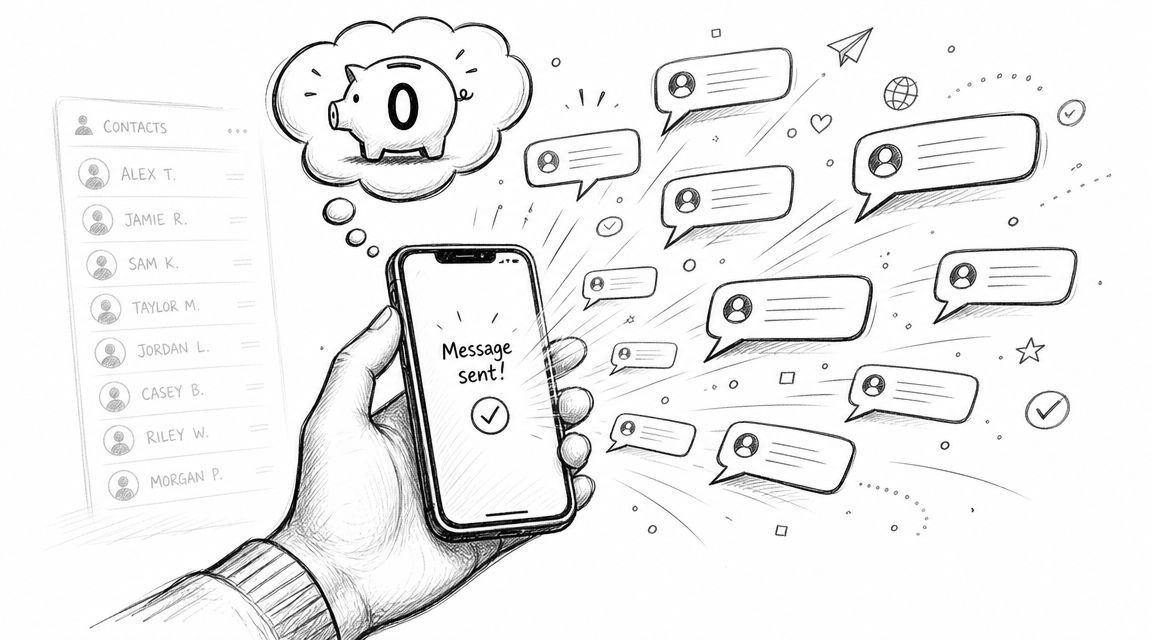
The problem is that “free bulk texting” usually means one of three things. You're either using an old carrier workaround, stretching a personal messaging app beyond what it was built for, or building a homemade setup that takes time and technical patience.
Free options appeal for obvious reasons:
Practical rule: Free bulk texting is fine for experiments, tiny lists, and noncritical updates. It's a weak foundation for anything operational.
The hidden costs usually aren't on a credit card statement. They show up in time, mess, and risk.
You may need to identify each contact's mobile carrier. Replies may land in the wrong place. Messages may get filtered. Opt-outs may become impossible to track properly. If you're messaging customers for business purposes, those issues aren't minor. They're the whole game.
That's why the right question isn't just “Can I send texts from my computer for free?” It's “What breaks first when I try?”
The oldest free method is the email-to-SMS gateway. It's simple in concept. You send an email to a special address tied to a recipient's phone number and carrier. The carrier converts that email into a text message.
For example, the format is generally:
phonenumber@carrier-gateway-domain
The exact gateway domain depends on the carrier. That detail is what makes this method both useful and frustrating.
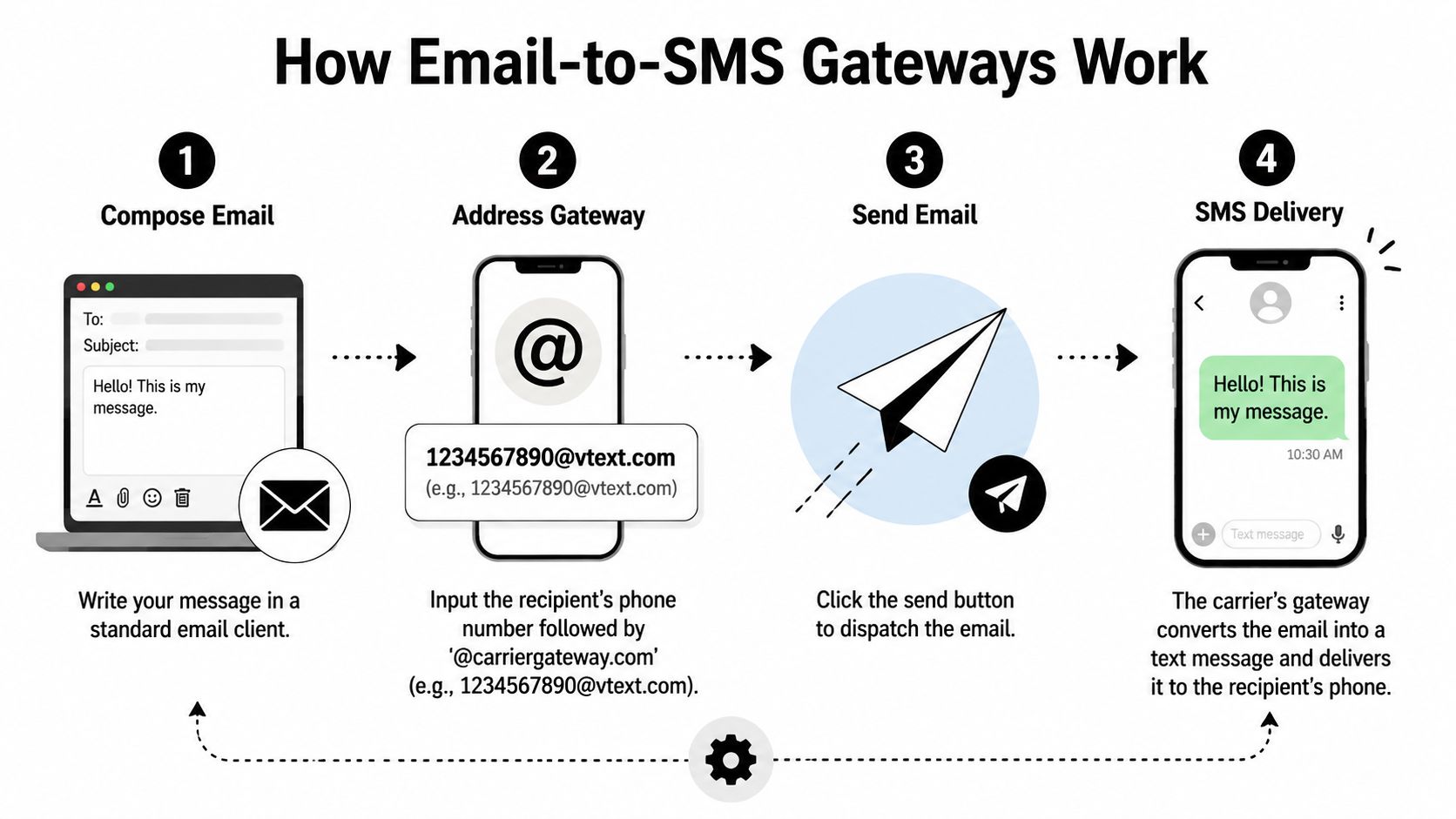
If you want to try it, the workflow is straightforward:
A practical reference on the method is this email-to-SMS overview from Call Loop.
For basic situations, this method has some real strengths.
For a coach texting a small class list, a church volunteer notifying a few members, or a shop owner sending an informal update to known contacts, it can work well enough.
The friction starts the moment your list grows or your message matters.
Here's the trade-off in plain terms:
| Method detail | What seems easy | What actually causes trouble |
|---|---|---|
| Carrier gateway addressing | You can send from any email account | You must know each contact's carrier |
| Email composition | Familiar and fast | Message formatting can be inconsistent |
| Replies | Some recipients can reply | Responses may create a messy inbox workflow |
| Cost | No software fee | No real campaign controls or tracking |
The biggest issue is list maintenance. If you don't know whether a number is tied to Verizon, AT&T, T-Mobile, or another carrier, you can't address the message correctly. And carriers change. People port numbers. Data gets stale.
Gateway texting works best when you already know the recipients and don't need structure around replies, delivery, or unsubscribe handling.
A few habits make gateway use worse, not better:
If your team also wants better routing between text and inbox conversations, this guide to an easy text message to email solution is a useful companion read because it addresses the operational mess that appears when messages start flowing both ways.
Email-to-SMS is a decent emergency wrench. It isn't a shop full of tools.
A lot of people move from gateways to Google Voice because it feels cleaner. You get a web interface, an actual message thread, and a more familiar texting experience from your computer.
That improvement is real. The limitation is also real. Google Voice is built for regular conversations, not true bulk outreach.
For a tiny list and a personal tone, Google Voice can be useful.
Say you need to notify a handful of customers about a delayed pickup window, or remind a small group of attendees about a local workshop. Typing from a keyboard is easier, message history is easier to review, and the whole thing feels more controlled than email gateways.
If you're comparing desktop texting options more broadly, this guide on sending texts from your computer is a practical starting point.
The trouble starts when you treat it like a broadcasting tool.
Repeatedly sending the same message to many recipients can look like spam behavior. Even if your intent is legitimate, the system wasn't designed for scaled promotional or notification use. That means you're taking account risk without getting proper business messaging features in return.
Common pain points include:
If you have to think about “how many is too many,” you're already outside the comfort zone of a personal messaging app.
The next option people find is the free tier from web-based SMS tools. These are closer to real business texting, but the free plan is usually there to let you test the dashboard, not run your outreach forever.
Here's the usual pattern:
| Option | Good for | Limitation you feel first |
|---|---|---|
| Google Voice | Small manual messages | Not meant for bulk campaigns |
| Web app free tier | Learning a platform | Tight message or contact limits |
| Trial account | Testing features | Short runway before upgrade |
Some free tiers also include branding, reduced feature access, or limited automation. That's not bad. It's just important to understand the offer for what it is. A sandbox.
What works:
What doesn't:
If you're serious about trying to send bulk text messages from computer free, this stage is useful because it teaches you what features you need. That's valuable. But it usually teaches the same lesson too. Free access is a preview, not a durable operating model.
If you like building things yourself, there's another path. You can use your own hardware, a SIM card, and open-source software to send text messages from a computer through the cellular network.
This is the most hands-on option. It also gives you the most control.
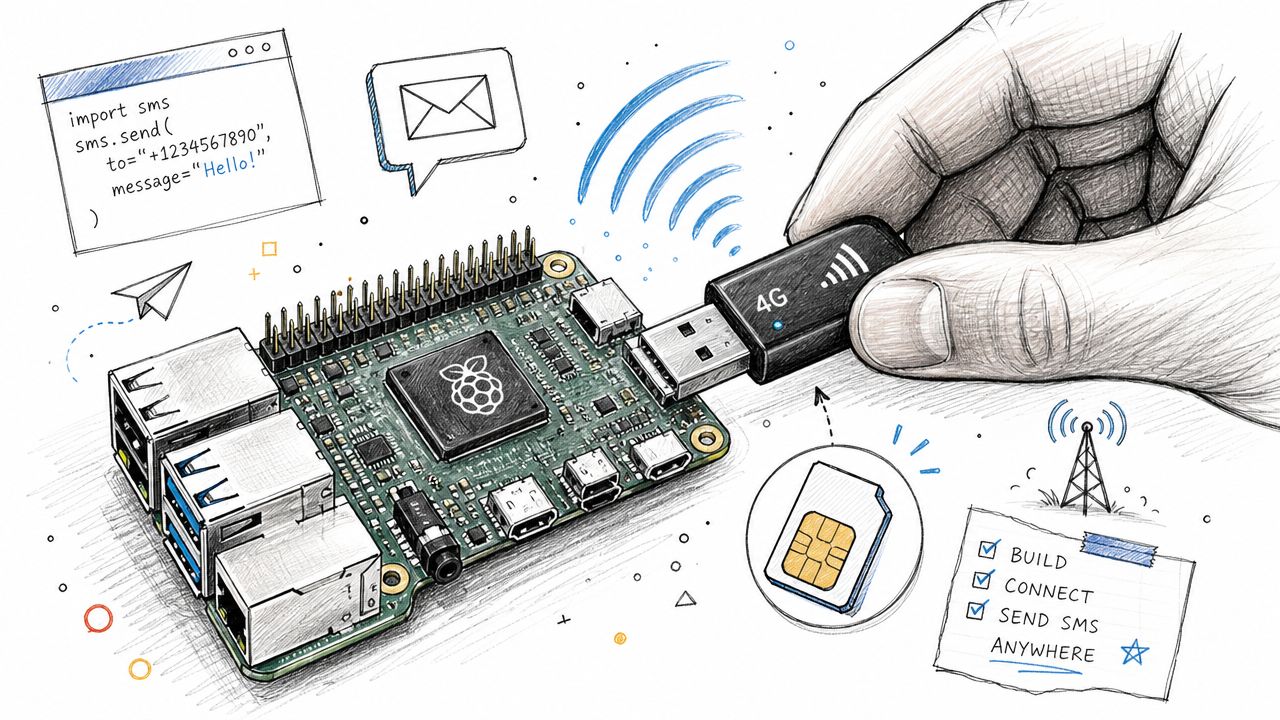
A DIY texting setup often looks like this:
You're making your own tiny SMS machine.
The appeal is obvious if you've ever hated software restrictions.
You control the hardware. You control the workflow. You can script sends, connect the setup to internal tools, and avoid paying for a full messaging platform while you experiment. If you already know Linux, serial devices, and automation basics, the setup can be satisfying.
A DIY stack also works well for niche use cases, such as internal alerts, lab environments, local test rigs, or one-off systems where you need direct control more than polish.
This route is not beginner-friendly, and it isn't low-maintenance.
You'll run into compatibility issues, modem quirks, SIM behavior, software debugging, and carrier headaches. Even when the setup works, you're still responsible for the entire chain. Sending logic, logs, failures, retries, and list hygiene all sit on your shoulders.
Here's the practical breakdown:
| Part of the stack | What you gain | What you own |
|---|---|---|
| Hardware control | Flexible setup | Device maintenance |
| Open-source software | Custom workflows | Configuration and troubleshooting |
| Cellular sending | Direct network access | Carrier scrutiny |
| Low recurring software cost | Cheap experimentation | No managed infrastructure |
The cheaper the software layer, the more operational responsibility lands on you.
This method makes sense for a narrow audience:
It makes less sense for most local businesses, agencies, clinics, gyms, schools, and service companies. Those teams usually don't need a modem project. They need messages to go out reliably while staff handles customers.
If your message operation depends on one dongle, one SIM, and one person who understands the setup, you haven't built a communications system. You've built a bottleneck.
At this point, free texting methods stop being a clever hack and start becoming a business risk.
A text message lands in a place people treat as personal. Because of that, the rules are tighter than many first-time senders expect. If you're sending marketing or automated business messages, consent and process matter.
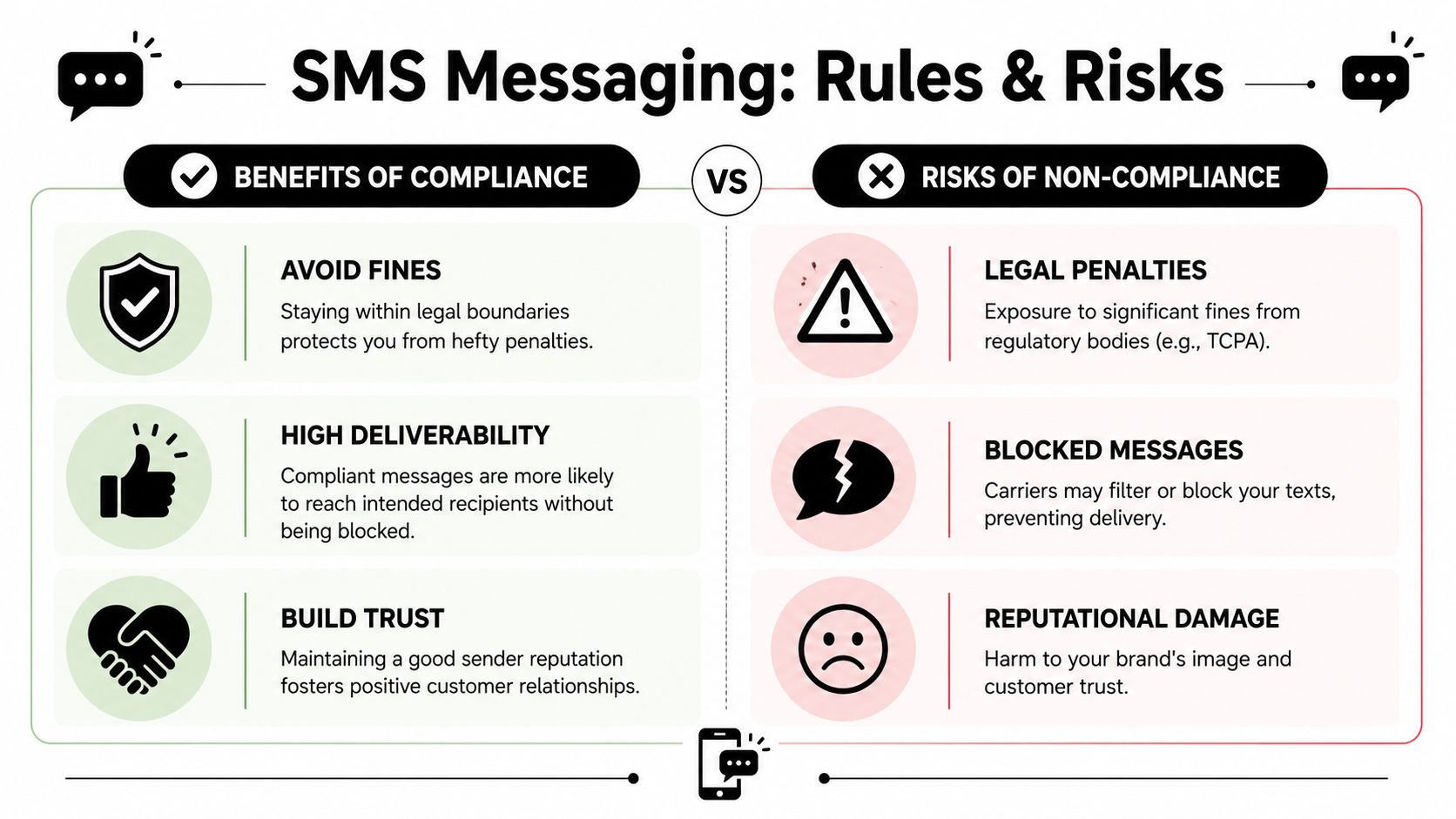
For business texting, especially promotional messaging, you need proper permission. In practice, that means clear opt-in records, a way to handle opt-outs, and a process you can defend if someone asks how they got on your list.
Free methods are weak here because they usually don't give you:
That's why compliance problems often start before the first message is sent. The sending method gets all the attention, but list collection is where many businesses create exposure.
For businesses sending through registered messaging channels, 10DLC compliance basics are worth understanding because they affect how trusted your traffic looks and how your messages move.
Even if you write a harmless message, carriers don't know your intent. They see patterns. Repetitive text, unclear sender identity, missing trust signals, and suspicious sending behavior can all make your message look like spam.
That's why free methods often feel random. One message gets through. Another disappears. Replies are inconsistent. Staff assumes texting “doesn't work,” when the underlying issue is that the setup looks untrustworthy from a carrier's perspective.
A few habits improve your odds:
Good deliverability starts before send time. It starts with permission, sender reputation, and message clarity.
Ringless voicemail is related but different. Instead of sending a text, you deliver a message directly to voicemail without making the phone ring in the traditional way. For some outreach use cases, that can be a better fit than SMS.
It's useful when the message needs a human voice, more context, or a softer touch than a text blast. Appointment reminders, follow-ups, local service notices, and certain sales outreach workflows often fit better with ringless voicemail than with repeated text attempts.
It's not a loophole, and it still needs thoughtful use. But it can be a useful channel when SMS feels too abrupt or too constrained. Businesses that think in channels instead of hacks usually get farther. Sometimes the right move isn't another text. It's a voicemail drop, a voice broadcast, or a coordinated sequence that respects how people naturally respond.
Free methods are a starting point. That's their real value.
They help you test whether your audience responds to texting at all. They help you learn whether your team prefers keyboard-based messaging, whether reminders outperform emails, and whether short mobile communication fits your workflow. That's useful learning.
You don't upgrade because free tools are morally wrong. You upgrade because friction starts eating the savings.
If any of these sound familiar, you're already at the edge:
That's when a professional platform stops being a “nice to have” and starts becoming infrastructure.
The biggest upgrade isn't volume. It's control.
A proper SMS platform typically gives you list management, segmentation, merge fields, scheduled sends, team inboxes, tracked links, opt-out handling, and a cleaner sending reputation. It also creates a repeatable workflow that doesn't fall apart when one staff member is out sick.
Here's the practical contrast:
| Need | Free workaround | Professional platform |
|---|---|---|
| Send from computer | Yes, awkwardly | Yes, built for it |
| Audience segmentation | Manual spreadsheet work | Native filtering and grouping |
| Personalization | Limited or manual | Merge tags and templates |
| Opt-out management | Error-prone | Automated |
| Reporting | Minimal or none | Delivery and engagement visibility |
| Multi-channel outreach | Rare | Often includes voice options |
Once messaging matters, teams usually want more than “send.”
They want reminders tied to dates. They want drip sequences. They want a contact to receive a text, then a voice message, then maybe a ringless voicemail if there's no response. They want one system that keeps records clean and lets multiple people work from the same playbook.
That's where a platform like Call Loop fits. It supports bulk SMS, voice broadcasting, and ringless voicemail, along with segmentation, scheduling, merge tags, and compliance-oriented workflow tools. That doesn't make it the answer for every business, but it does illustrate what “graduating from free” usually looks like in real operations.
The big shift is this. Messaging stops being a manual task and becomes a repeatable channel.
That's the point where businesses stop asking how to send bulk text messages from computer free, and start asking a better question. How do we build an outreach system that we can trust next month too?
If you've outgrown workarounds and need a more reliable way to text from your computer, manage opt-ins, schedule campaigns, and add channels like voice broadcasting or ringless voicemail, Call Loop is worth a look. It gives small and mid-sized teams a cleaner way to run outreach without stitching together free tools.
Chris Brisson
Chris is the co-founder and CEO at Call Loop. He is focused on marketing automation, growth hacker strategies, and creating duplicatable systems for growing a remote and bootstrapped company. Chat with him on X at @chrisbrisson


Trusted by over 45,000 people, organizations, and businesses like


