
See a Demo
You're just one step away from seeing Call Loop in action.
Enter your information below to watch a demo right now.

You're just one step away from seeing Call Loop in action.
Enter your information below to watch a demo right now.


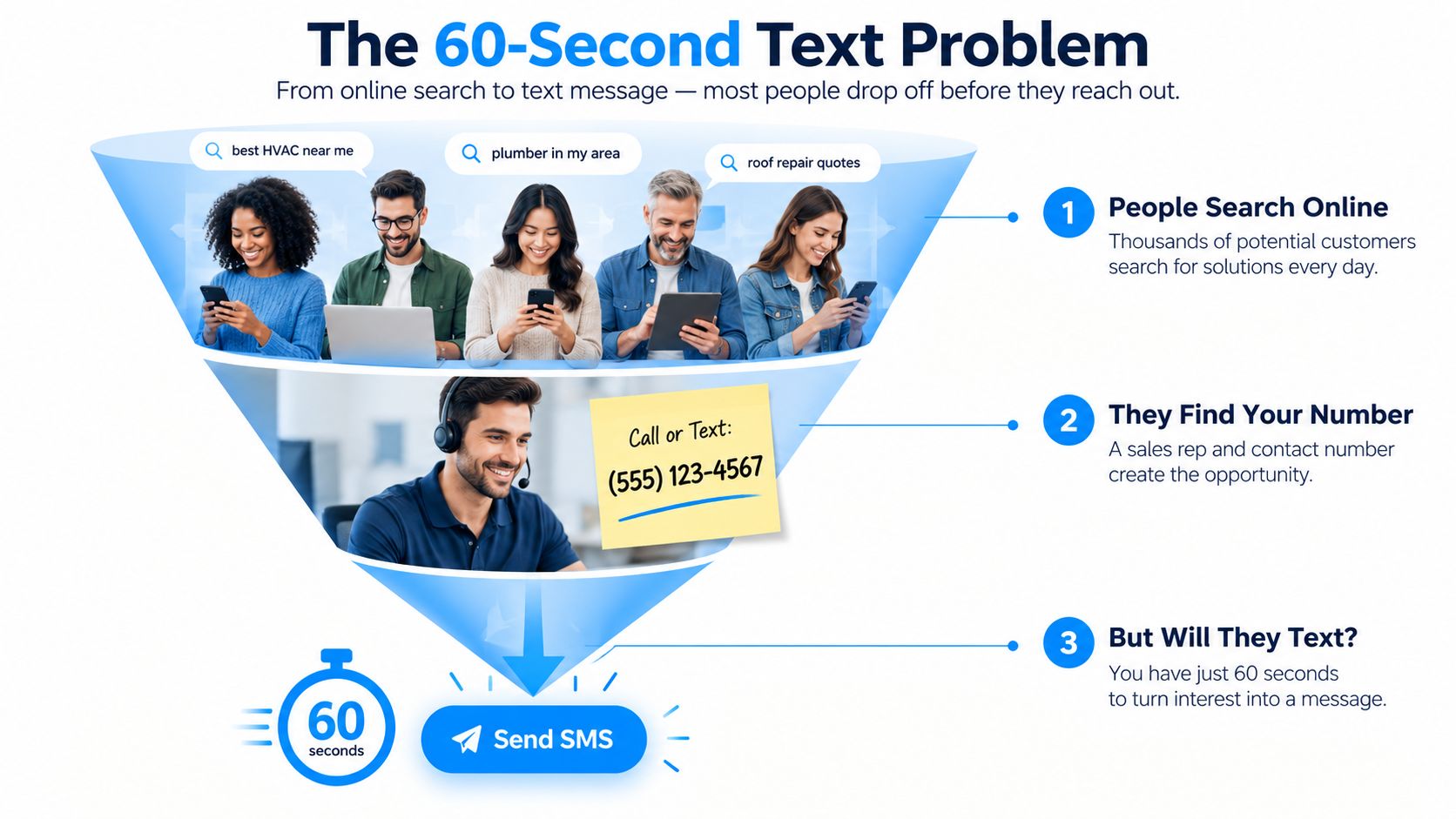
You're staring at a phone number in one tab, a clock in the other, and you need to get a message out now. Maybe a lead is cooling off, maybe your kid changed numbers, maybe a client is waiting for a confirmation you should've sent ten minutes ago. That's the core reason people search send SMS online without login, not because they love “free tools,” but because they need a fast way to get a text out without creating another account, installing another app, or digging for a SIM card.
The appeal is obvious. A browser-based send feels like the shortest path between intent and delivery, especially when the message is one-off and the pressure is high. The problem is that the shortcut comes with trade-offs most guides gloss over, and those trade-offs decide whether your message lands, gets delayed, or gets buried by filters.
A lot of the category's growth came from broader web-based texting tools that use virtual or disposable numbers, browser access, and no-registration use cases like verification and anonymous texting. Some services even offer temporary numbers from more than 50 countries according to this roundup, which shows how international the category has become. That scale sits inside an even bigger texting market, where the world sends about 25 billion text messages per day, or roughly 9.1 trillion per year by one 2026 industry estimate.
A sales rep finds a hot lead, copies the number, and wants to send a quick text before the contact clicks away. A parent needs to reach a teen who's on a new number and doesn't want to fuss with an app. A marketer wants to ping a prospect before a competitor does. In all three cases, the first instinct is the same, find a free browser form and blast the message out before the moment disappears.
That instinct makes sense. No login sounds like speed, and speed feels like an advantage when the gap between “maybe interested” and “gone” is tiny. The catch is that the shortcut only helps if the service truly supports the destination, accepts the message length, and delivers fast enough to matter.
Practical rule: if the text needs certainty, support, or a paper trail, a free no-login form is the wrong first move.
The four trade-offs show up fast. Volume is limited, country support is spotty, delivery can be slow, and sender identity is often unclear. That's before you deal with the annoying part, the service may be built for convenience, not for accountability, so there's no meaningful support path if the send fails.
The category exists because people need quick browser-based messaging without installing software, but that doesn't make it a clean fit for every job. If the message is time-sensitive, sensitive, or business-related, you need to know what you're giving up before you paste the number. Otherwise, you're not choosing speed, you're gambling on a thin layer of convenience.

The first path is the obvious one, a free web-based SMS site. You paste in the number, type your message, solve whatever gate they throw at you, and hit send. The recipient usually sees a short code, shared sender ID, or a generic web-originated message, which is fine for a quick one-off and bad for anything that needs a trusted reply path.
The second path is email-to-SMS. You send an email to a carrier-specific address, like the kind covered in this email-to-SMS walkthrough, and the carrier converts it into a text. That's useful if you already live in email and need a low-friction one-shot send, but it falls apart when you don't know the carrier or the recipient expects a real back-and-forth.
The third path is a temporary or virtual number service. You rent or use a disposable number, send from it, and retire it when the job is done. Some anonymous web-based SMS services route messages through a shared pool of sender IDs, and one example describes a small crypto fee of about $0.04 per message in this overview. That setup works when you need a throwaway identity, but it's weak if the message needs consistent replies or if the recipient may call back later.
For a practical comparison of use cases, a wedding planner coordinating vendors might prefer a single browser-based send for a one-time confirmation, while a team handling recurring outreach needs a structured platform. If you're trying to coordinate event communications, a resource like Wedding Studio can help you think in terms of the whole workflow, not just the send button.
The right path depends on the job. If you need speed, use the lightest option that can still reach the recipient reliably.
Free no-login tools look generous until you push them even a little. Some sites cap messages at 140 characters, require a CAPTCHA, and make you wait roughly 30 seconds to 10 minutes before delivery, while other guides note that no-registration services operate with limited daily traffic capacity because they can't behave like full-scale messaging platforms as described here.
The hardest limit is usually geography. One 2026 guide says free no-signup sites often restrict sending to U.S. and Canadian numbers, which means your message can be dead on arrival if your recipient sits elsewhere as noted in this guide. That's the part many overlook. They assume the form is universal, then find out the service narrowed the target list long before they clicked send.

A lot of sends don't “fail” with a dramatic error. They just disappear into a delay, a filter, or a bad destination rule. A message can look sent on your side and still never land cleanly on the other end, which is why free tools are poor choices for anything you can't afford to miss.
The sender side usually gives you no real recovery path. There's no support desk, no retry queue, no deliverability report, and no audit trail you can use to prove the text went out. If you need certainty, the right question isn't “Can I send it?” It's “Can I predict whether it will arrive?”
The word anonymous gets used too casually in this space. No-login services can keep you from creating an account, but that doesn't mean the service treats you like a ghost. Many platforms still review content for abuse, some share sender pools, and some require an email address if you want replies, which ties the message right back to an identity.
That's why the phrase no login needs a narrower meaning. It means no account creation on your side, not zero data collection, not invisible sender identity, and not a guaranteed callback path. If a recipient can't see who really sent the text, that might be fine for a utility message, but it's a weak foundation for any relationship you care about.
Rule of thumb: if the recipient needs to trust the message, don't hide behind a throwaway sender model.
The compliance issue gets sharper for businesses. A one-off message to someone who already expects it is one thing. Repeated outreach that starts to resemble marketing is another, especially when the sender is using a service that wasn't built for consent management, retention controls, or reply tracking. The privacy illusion becomes a liability the moment the outreach looks systematic.
That's where the distinction between no login and no trace matters most. In the earlier section, the point was speed. Here, the point is that speed doesn't erase responsibility. A service may help you avoid account creation, but it doesn't remove your obligation to know who you're contacting, why you're contacting them, and whether the channel is appropriate.
For anyone comparing message privacy with platform-level protection, this encryption overview is worth reading alongside your vendor review. It reinforces the core idea that transport, storage, and sender identity are separate questions, and you can't assume one because you saw the other.
A lot of people searching this term don't really want a “texting trick.” They want a response. They want a callback, an appointment confirmation, or a fast follow-up that doesn't get buried. That's where the tool choice changes, because ringless voicemail and structured drip platforms are built for outreach, not improvisation.
A no-login web form is fast, but it's fragile. Ringless voicemail drops a pre-recorded message directly into the voicemail inbox without ringing the phone, and it's built for mobile and landline reach with scheduled delivery and repeatable campaigns. A structured SMS drip is different again, it sequences messages over time, segments by audience, and keeps the workflow organized instead of one-off and disposable.
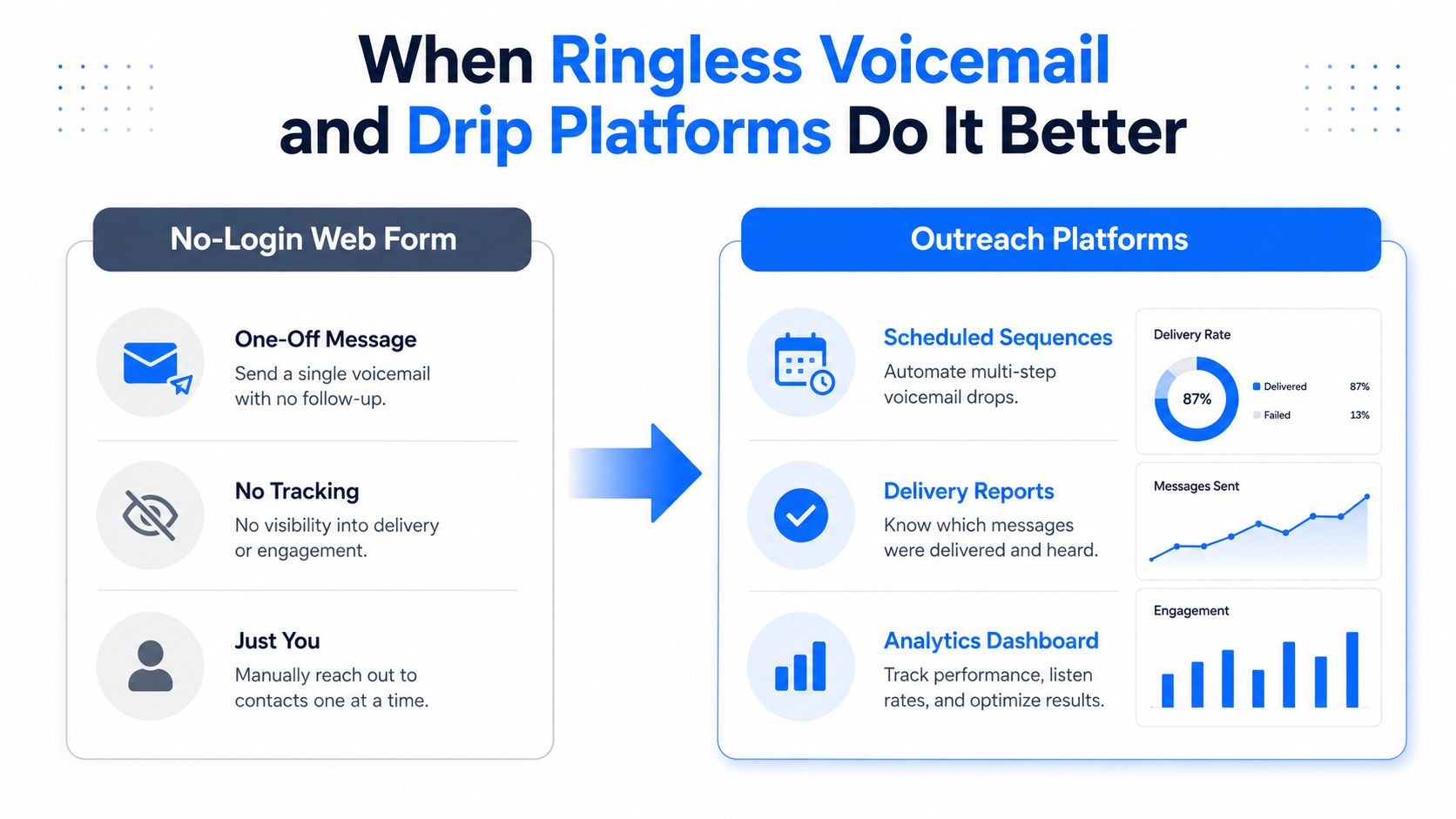
The internal logic is simple. One-off browser texting is a tactical convenience. Outreach platforms are operational tools. If you're a sales team, a clinic, or an agency, anonymous web messaging is the wrong place to run repeatable follow-up. Ringless voicemail marketing is a better fit when you need a controlled drop without the chaos of ad hoc sending.
Call Loop is one of the platforms in that category. It supports SMS, voice broadcasting, and ringless voicemail, with scheduling, segmentation, merge tags, and compliance features that make it useful when the job is repeatable rather than improvised. That's the difference between sending a message and running a campaign.
If you're running a business, the right move is to stop trying to force a throwaway tool into a workflow it wasn't built for. Start with opt-in capture, then use double opt-in if you want a clean proof trail. From there, move into toll-free verification, list segmentation, scheduling, and link tracking so you can see what happened after the message left your dashboard.
That stack sounds heavier than a free web form, but it's cleaner. You're not guessing whether the message landed, you're not improvising sender identity, and you're not relying on a tool that can vanish the moment abuse controls tighten. For healthcare, agencies, ecommerce, and event-driven teams, that extra setup is the difference between a useful communication system and a deliverability headache.
Call Loop is built with HIPAA compliance and integrates with ActiveCampaign, HubSpot, Keap, and more than 4,000 apps via Zapier, which makes secure outreach practical for teams that need more than a throwaway text box. That matters most when messages need to move through existing systems instead of living in a one-off browser tab.
If the message matters tomorrow, set it up like it matters today.
Use a no-login tool only when the message is low-stakes, the recipient already expects it, and you can live without tracking. If the message is marketing, touches a list, or involves healthcare, skip the free form and use a compliant platform instead. If you need replies, scheduling, or proof of delivery, you've already outgrown anonymous browser texting.
The direction of travel is clear. Browser-based texting is getting tighter, carriers are filtering harder, and the anonymous options are getting thinner. Casual senders are moving toward opt-in systems because that's the only way to keep deliverability and avoid constant guesswork.
If you need fast outreach without gambling on a no-login form, use a platform that was built for consent, timing, and follow-up. Call Loop gives you SMS, voice, and ringless voicemail in one place, so you can stop improvising and start sending messages that have a chance to land.
Chris Brisson
Chris is the co-founder and CEO at Call Loop. He is focused on marketing automation, growth hacker strategies, and creating duplicatable systems for growing a remote and bootstrapped company. Chat with him on X at @chrisbrisson


Trusted by over 45,000 people, organizations, and businesses like


