
See a Demo
You're just one step away from seeing Call Loop in action.
Enter your information below to watch a demo right now.

You're just one step away from seeing Call Loop in action.
Enter your information below to watch a demo right now.

Let's be honest: missed appointments are a killer for your business. They cost you time, mess up your schedule, and drain your revenue. A simple text message appointment confirmation isn't just a "nice to have" anymore—it's one of the most powerful tools you have to protect your calendar and keep your clients showing up.
The way customers expect to communicate has completely changed. Not too long ago, a reminder phone call was the gold standard. Today? Your clients expect a quick, convenient text message delivered right to their phone.
It doesn't matter if you're a healthcare clinic, a salon, or a home service provider; an automated SMS is what people anticipate. If you're not sending one, you're not just behind the times—you're creating friction and practically inviting more no-shows.
The numbers don't lie. Around 5 billion people globally use SMS, and they absolutely want businesses to text them. A massive 88% of people prefer getting texts about their appointments, which makes scheduling and confirmations the number one reason people want to hear from you via text. The demand is there. You just have to meet it.
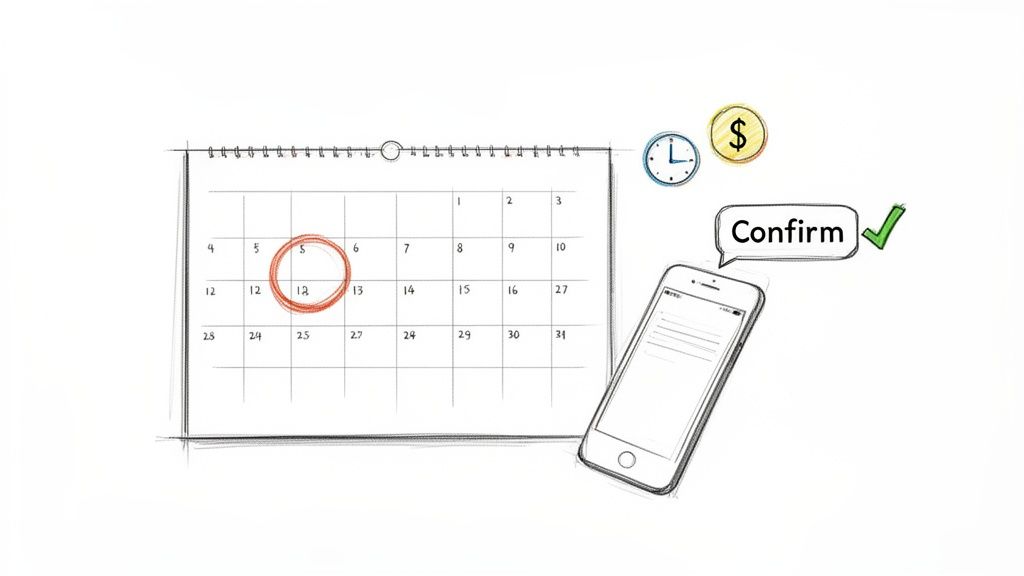
While text messages are the foundation of any good confirmation strategy, putting all your eggs in one basket is a risky move. The best systems layer different communication methods to make absolutely sure your message gets through. This is where a multi-channel strategy really shines, blending the instant impact of a text with the personal touch of voice.
Think about adding these to your workflow:
By layering your communications, you cut through all the digital noise and give yourself the best possible chance to reduce no-show appointments.
The real cost of a no-show goes way beyond the immediate lost revenue. It throws off your staff's schedule, wastes valuable resources, and takes a spot that another paying client could have filled.
Every empty time slot on your calendar is a direct hit to your bottom line. Those missed appointments add up quickly, impacting everything from payroll to overall profitability.
This table breaks down just how damaging no-shows can be, and why a solid confirmation system is so critical.
When you really dig in, you can see how a simple, automated confirmation process is a direct investment in your business's financial health.
Understanding how to keep clients engaged is key to maximizing their lifetime value. For example, fitness centers that focus on communication see huge benefits in their strategies for boosting gym member retention. By mastering your confirmation process, you can turn one of the most common business headaches into a reliable, revenue-protecting machine.
Let's be honest: generic templates get you generic results. An appointment confirmation that actually works does more than just spit out a time and date. It needs to open a clear, two-way line of communication that feels personal and professional. If you want to cut down on no-shows and make your clients feel valued, you have to move beyond basic, one-way notifications.
The absolute foundation of a great confirmation text is clarity. Every single message has to include the non-negotiables: the client's name, the appointment date and time, and the location or specific provider. Getting this core info right is the first step to preventing confusion and building trust from the get-go.
Think of your confirmation text like a recipe. You need a few key ingredients to make it work. Get the mix right, and you’ll drive action. Get it wrong, and you’ll just be another ignored text. Your main ingredients are always going to be personalization, clarity, and a direct call-to-action.
Here’s what every single one of your confirmation texts should have:
[FirstName] is your best friend here. A text starting with "Hi Jane," is worlds more effective than a cold "Dear client."When you pull these elements together, you get a message that’s not just informative but also incredibly easy for someone to act on. This simple structure is the backbone of any successful confirmation strategy.
The perfect message really depends on your industry. A dental clinic is going to have a different tone than a hair salon, which is different again from a plumbing company. The trick is to adapt those core components to fit the specific context of the appointment.
For a Healthcare Clinic (Initial Booking):
"Hi [FirstName], this is Northwood Dental. Your appointment with Dr. Smith is confirmed for [Date] at [Time]. Please reply C to confirm or call us at [PhoneNumber] to make changes."
For a Salon (24-Hour Reminder):
"Hi [FirstName]! Just a friendly reminder about your haircut with Sarah at The Style Room tomorrow, [Date], at [Time]. We can't wait to see you! Reply YES to confirm."
For a Home Service Company (Day-Of Reminder):
"Hi [FirstName], this is a reminder from QuickFix Plumbing. Your technician, Mike, is scheduled to arrive today between [Timeframe]. Please ensure someone is home. Call [PhoneNumber] with questions."
Notice how each one is concise, uses the customer's name, and gives a direct instruction. That simplicity is what makes it so easy for your clients to respond and lock in their spot.
Here’s a look at the Call Loop platform, showing just how simple it is to compose and personalize SMS messages using merge tags like [first_name] and [booking_time].
An interface like this lets you craft clear, actionable messages while automatically pulling in customer data. That's how you send effective confirmations at scale without losing that personal touch.
Just blasting out a one-way reminder isn’t going to cut it. The real magic happens when you turn that confirmation into a conversation. When a client can reply directly to confirm, ask a question, or reschedule, you're not just sending a message—you're getting a commitment. This dramatically boosts engagement and gives you a much more accurate picture of your schedule.
The data doesn't lie. Text message confirmations are proven to slash no-shows. We've seen some healthcare organizations cut their missed appointments by up to 40%. And customers get it—a whopping 64% of them say SMS appointment reminders are invaluable.
When you make those texts interactive, the results get even better. Engaging, two-way SMS campaigns often see significantly higher reply rates. That proves a simple instruction like "Reply C to confirm" is an incredibly powerful tool for locking in appointments. You can find out more about how businesses are using SMS for appointments here.
Key Takeaway: Don't just inform your clients—interact with them. An automated text that asks for a reply turns a passive reminder into an active confirmation. That gives you a much more reliable schedule and protects your bottom line.
By mastering these simple but powerful techniques, you can turn your appointment process from a chore into a system that keeps your calendar full and your customers happy.
Crafting the perfect message is just one piece of the puzzle. The real magic behind a killer text message appointment confirmation system comes from smart automation that works for you 24/7. When you set up an intelligent workflow, you create a reliable, hands-off process that keeps your clients in the loop, engaged, and ready for their appointments.
This isn't just about blasting out a single text. It’s about building a complete communication sequence. The idea is to design a flow that kicks off automatically when something happens—like a new booking popping up in your calendar—and sends the right message at exactly the right time. This completely removes the manual grind and guarantees every single client gets the same great experience.
Timing is everything. Send a confirmation text too early, and it gets forgotten. Send it too late, and there's no time for your client to reschedule if they need to. The best automation is built on triggers tied directly to the appointment date, making sure every message in your sequence lands with maximum impact.
Your workflow should really revolve around a few key moments:
Every message you send needs to be effective. That means including the core components: the details, the time and date, and a clear action for them to take.
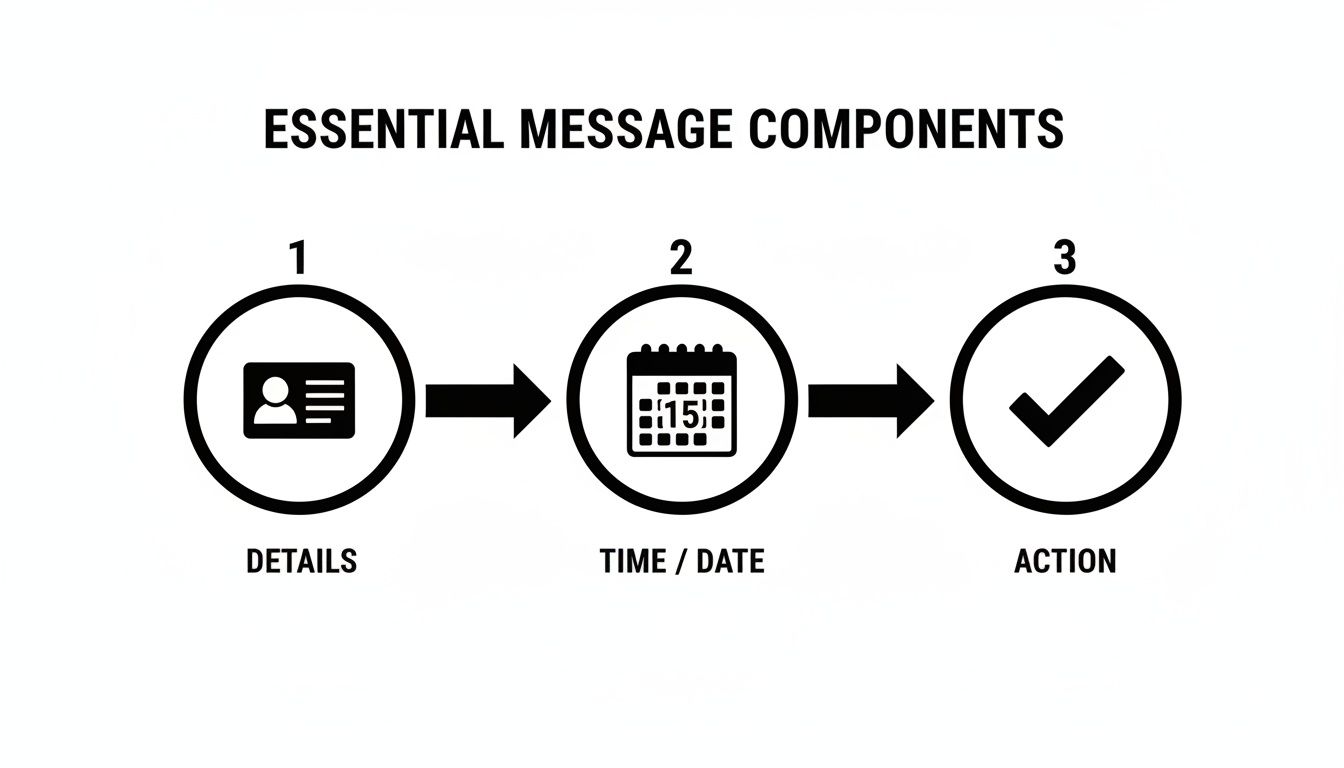
Nailing these three elements in every automated message creates a clear, actionable loop that gets rid of confusion and practically begs for a response.
While SMS is your foundation, a truly bulletproof workflow layers in different communication methods. If you only rely on text, you're bound to miss clients who just aren't big texters. By combining SMS with voice and ringless voicemail, you build a much more robust system that gets the message across, no matter what.
Let's walk through what a great multi-channel sequence looks like.
This kind of layered approach covers all your bases, catering to different preferences and dramatically increasing the odds your message gets seen and heard. For a deeper look, check out our guide on how to set up powerful automated appointment reminders.
A well-designed workflow doesn't just send messages; it orchestrates a conversation. By layering SMS and ringless voicemail, you're not just reminding—you're reassuring your client that they are a priority.
The best part about automation is how flexible it is. A law firm has totally different needs than a local auto shop, and your workflow should reflect that. Customizing the flow is what makes your automated system feel personal and relevant instead of robotic.
Take a financial advisory firm, for example. Their appointments are high-value, and clients often need to prepare. Their workflow might look a bit more detailed:
When you tailor your triggers and channels like this, you create a bespoke experience that builds confidence and makes sure everyone shows up prepared. This level of thoughtful automation elevates a simple reminder system into a cornerstone of your customer service strategy.
A solid text message appointment confirmation strategy is your foundation, but if you're only using SMS, you're probably leaving people behind. To build a truly bulletproof system that gets your reminders seen, you have to think beyond the text inbox. By layering in automated voice calls and ringless voicemail, you create a multi-channel approach that grabs attention and meets clients where they are.
This isn't about ditching SMS. It's about making it stronger. Some folks just respond better to the personal touch of a voice call, especially for important consultations. Others might glaze over a text but will always check their voicemail. A smart strategy uses each channel for what it does best, creating a sequence that’s almost impossible to ignore.
An automated voice call can add a human element that text sometimes lacks. It’s a fantastic choice for appointments where a little warmth and reassurance go a long way. The trick is to keep the message friendly, professional, and to the point—just like you would with an SMS.
Consider firing up a pre-recorded voice call for these situations:
You can get the inside scoop on crafting the perfect pre-recorded message by exploring strategies for automatic voice messaging, which makes this whole process incredibly efficient.
What if you could drop a detailed reminder right into someone's voicemail without their phone ever ringing? That’s the magic of ringless voicemail. This tech is a game-changer for sending reminders that feel personal but are completely non-disruptive. You respect your client’s time by not interrupting their day, while still making sure they get the message.
A ringless voicemail drop is the perfect middle ground between a passive text and an active phone call. It delivers a rich, audible message without demanding an immediate response, allowing clients to listen and absorb the information on their own schedule.
This method works especially well as a follow-up to an initial SMS confirmation. For example, you could send a text 48 hours before the appointment and then drop a friendly ringless voicemail 24 hours out.
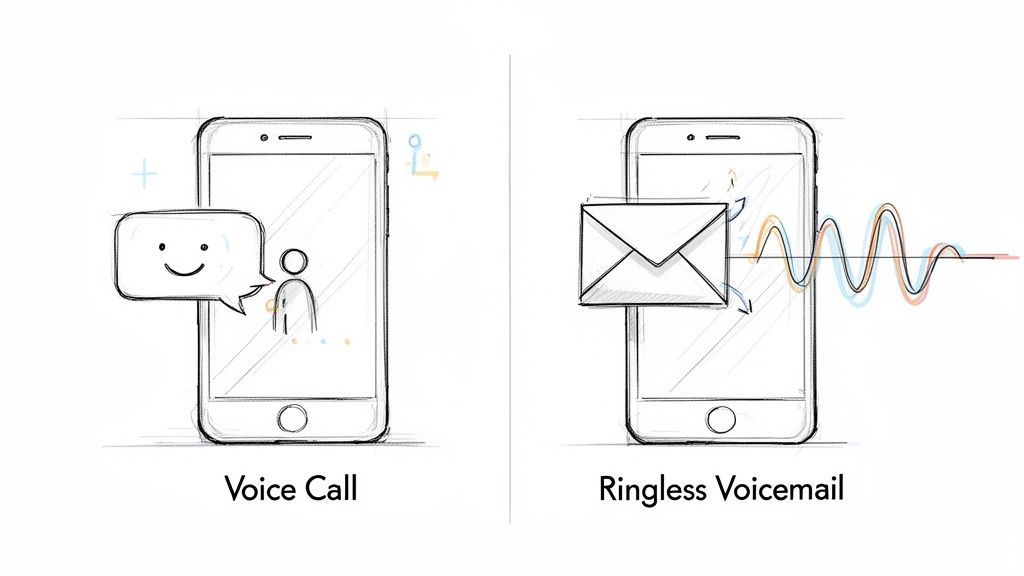
With Call Loop, you can easily record and schedule these drops to fit perfectly into your automated workflow, integrating them seamlessly with your SMS campaigns.
Whether it's a direct call or a ringless drop, your script needs to be just as sharp and concise as your texts. The goal is to deliver the essential details quickly and with a warm, human touch.
Here’s a simple formula that always works:
By combining the speed of SMS with the personal touch of voice and the subtlety of ringless voicemail, you build a confirmation system that doesn't just work—it dramatically cuts down on no-shows and makes for a much better client experience.
An effective text confirmation system isn't just about timing and message copy. It's built on a foundation of trust and—let's be blunt—legal compliance.
When you handle customer communication the right way, you protect your business from some seriously hefty fines. More importantly, you show clients you respect their privacy, which is absolutely critical for building a long-term relationship.
Navigating these rules might seem like a headache, but the core ideas are pretty simple: be transparent, get permission, and give your clients total control. Get that right, and you'll come across as both professional and trustworthy.
The big one you need to know is the Telephone Consumer Protection Act (TCPA). This federal law governs all kinds of automated communications, including text messages, automated calls, and even those ringless voicemail drops.
If you only remember one thing from the TCPA, make it this: you must have express written consent from someone before you send them automated messages.
This means you can't just grab a list of phone numbers and start blasting out reminders. The consent has to be crystal clear.
Getting explicit permission isn't just a legal hoop to jump through; it's just good business. When a client opts in, they're inviting you into their most personal digital space—their text inbox. You absolutely have to honor that trust.
For anyone in healthcare, compliance gets an extra layer of complexity with the Health Insurance Portability and Accountability Act (HIPAA). HIPAA is all about protecting sensitive patient information, or what's known as Protected Health Information (PHI).
You can absolutely use text reminders, but you have to do it without revealing any PHI.
A HIPAA-compliant message needs to be simple and general.
See the difference? That second example is a clear violation because it's packed with PHI—the medical specialty, doctor's name, and the reason for the visit. This is where using a secure platform like Call Loop, which is built with HIPAA compliance in mind, becomes essential.
Every single text messaging program has to offer a dead-simple way for people to opt out. The universal command for this is 'STOP'.
Your system must be set up to automatically recognize that keyword and immediately add the person to a do-not-contact list. No questions asked.
It's also a great practice to mention this option in your very first welcome message. This transparency doesn't just keep you compliant; it builds confidence by showing users they're the ones in control.
Honoring opt-outs is mandatory. Continuing to text someone after they’ve replied 'STOP' can lead to massive penalties. This is exactly why having a reliable, automated system is so critical for managing your lists the right way.
Alright, you've got your automated workflow humming along. That's a massive first step. But how do you actually know if it’s working?
A successful text message appointment confirmation system isn't just about pushing "send." It's about looking at the data and turning it into action. To do that, you have to go beyond simple metrics like delivery rates and dig into the numbers that really move the needle for your business.
The big-picture goal is always to crush your no-show rate. But a few key numbers will tell you if you're actually on the path to getting there. Tracking these reveals what's clicking with your clients and where you've got room to tighten things up.
Start by pulling the data on these essentials. Most platforms, including Call Loop, make this easy to grab right from your campaign dashboards.
Shifting your focus to confirmation and no-show rates—instead of just open rates—changes the game. You stop measuring busy-work and start measuring real business impact. The goal isn't just for clients to see the message; it's for them to show up.
Once you have a baseline from your metrics, it's time to start optimizing. The best way to do this is with A/B testing. It's a straightforward method for discovering what your specific audience responds to.
You're not rewriting the whole script here. Just test small, significant variations in your messages to see which version pulls in a higher confirmation rate.
Here are a few ideas to get you started:
By connecting your messaging platform with your CRM, you can tie these communication efforts directly to your attendance records. This closes the loop. It creates a clear, data-backed picture that shows precisely how small tweaks in your confirmation strategy lead to more filled appointments and a healthier bottom line.
We get asked a lot about the nuts and bolts of setting up a text confirmation system that actually works. Below are some of the most common questions that pop up, along with some practical, real-world advice to get you on the right track.
Timing is everything. From our experience, a multi-step approach works wonders and covers all your bases.
First, send an initial confirmation the moment a client books. This gives them immediate peace of mind that their spot is locked in. It's their first chance to double-check the details and pop it right into their calendar.
Then, follow up with a reminder 24-48 hours before the appointment. This is the sweet spot. It gives them enough of a heads-up to reschedule if a conflict has popped up, saving you from a last-minute scramble to fill that slot.
Finally, a quick nudge 1-3 hours before their scheduled time is your secret weapon against the simple "I forgot!" no-show. This last-minute ping puts the appointment top-of-mind right when they need it.
Absolutely, you just have to be smart about it and stay HIPAA compliant. This is non-negotiable.
The golden rule is to avoid including any Protected Health Information (PHI) in the text. That means no mention of specific treatments, test results, or the reason for the visit. Keep it general and to the point.
A perfectly compliant text looks something like this: "You have an appointment with Dr. Smith's office on [Date] at [Time]. Reply C to confirm." Simple, secure, and effective.
Think of ringless voicemail as your friendly, non-intrusive personal assistant. It's a neat piece of tech that lets you drop a pre-recorded message directly into someone's voicemail box without their phone ever ringing.
It’s a fantastic way to add a human touch that a text message can't quite capture. We've seen clients have great success using it as a follow-up to an SMS. For example, you could send a text 48 hours out and then drop a friendly, personal voicemail reminder from the doctor or stylist 24 hours before the appointment.
Make it a natural part of your booking process. The simplest and most compliant way is to add an unchecked checkbox to your online scheduling form or intake paperwork.
The language needs to be crystal clear. Something like, "Yes, I'd like to receive appointment reminders via text message." is perfect. Always be upfront about what they're signing up for and make it painfully easy for them to opt out at any time. Transparency builds trust.
Ready to put no-shows in the rearview mirror and give your clients an experience they'll love? Call Loop gives you all the tools to automate SMS, voice, and ringless voicemail confirmations without the headache. See how Call Loop can help your business today.
Chris Brisson
Chris is the co-founder and CEO at Call Loop. He is focused on marketing automation, growth hacker strategies, and creating duplicatable systems for growing a remote and bootstrapped company. Chat with him on X at @chrisbrisson


Trusted by over 45,000 people, organizations, and businesses like


