
See a Demo
You're just one step away from seeing Call Loop in action.
Enter your information below to watch a demo right now.

You're just one step away from seeing Call Loop in action.
Enter your information below to watch a demo right now.


You usually notice text message history when you need one message right now. It's the appointment reminder you forgot to screenshot. The address your friend sent last week. The order update with the pickup code. In personal life, missing text history is annoying.
In business, it's a recordkeeping problem.
A missing business message thread can mean you can't confirm consent, can't explain why a reminder failed, can't prove an opt-out was honored, and can't reconstruct what a customer received. That's why the phrase text message history has two very different meanings. On a phone, it means old conversations. In operations, it means a searchable log with status, timestamps, and subscriber actions that people can use.
Texting started as something simple. The first SMS was sent in 1992, and by the end of 2007 it had become the most used mobile data service, with 2.4 billion active users according to historical SMS adoption reporting. Once a channel reaches that level of everyday use, it stops being optional for businesses.
That shift changed what message history means.
For a person, text message history is mostly about retrieval. You want to find the message and move on. For a business, message history has to answer harder questions. Was the message sent? Did it get delivered? Did the contact opt out later? Which campaign triggered it? Who on the team can access it? How long should it be retained?
A phone thread gives you fragments. A business log gives you context.
That difference matters most when teams use texting for reminders, promotions, support updates, or follow-up sequences. Once customer communication touches regulated data, appointment logistics, or revenue-generating campaigns, history stops being a convenience feature and starts functioning like an operational record.
Practical rule: If a text can affect compliance, revenue, or customer trust, treat its history like business data, not like a casual inbox.
Those searching this topic still expect recovery tips. That makes sense. They're trying to find something lost. But the more useful question for organizations is whether the system behind those messages creates a reliable trail.
A useful message history helps teams do four things well:
Many teams commonly get stuck here. They start with texting as a fast communication tool, then realize later that they never built the audit trail around it.
If your immediate goal is simple, find an old text on your own phone, start with the built-in search tools. They're usually faster than endless scrolling, especially when you remember a phrase, name, date range, or business name.
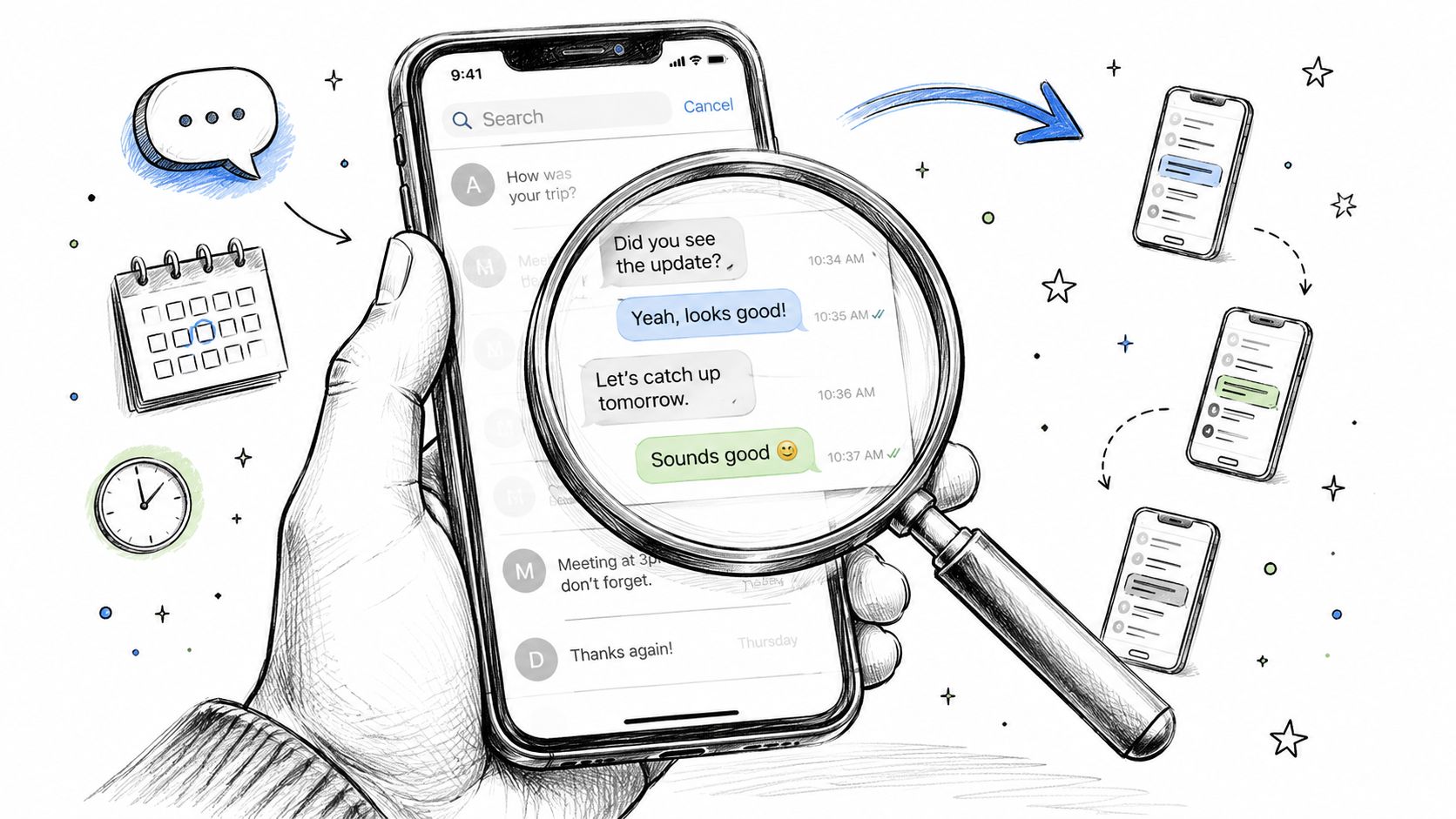
The Messages app and Spotlight search are your two fastest options.
Open Messages
Swipe down on the conversations list to reveal the search bar if you don't see it immediately.
Search for a keyword
Use a name, phone number, business name, confirmation code, street name, or a phrase you remember from the message.
Tap the matching conversation
iPhone will usually jump into the thread near the relevant result, which saves time compared with scrolling from the latest message.
Try Spotlight if Messages search misses it
From the home screen, swipe down and search there. Sometimes Spotlight surfaces message results more quickly, especially when you remember a unique word.
Most Android users rely on Google Messages, though the exact layout can vary by device maker.
Use this process:
If your phone uses a different messaging app, the search tool may sit behind a menu icon rather than on the main screen. The logic is the same. Search first, then narrow by contact or phrase.
Search works best when you use uncommon words. “Appointment” may return too much. A clinic name, pickup code, or product name usually works better.
Sometimes the issue isn't finding a thread. It's finding a message that no longer exists on the device. That's where backups help, but only within the limits of the phone ecosystem.
A few practical options:
For personal recovery, this is usually enough. Search the device, check your backups, and recover what you can. But these tools were built for individuals, not for teams managing campaigns, customer consent, or regulated communication.
That's where the trouble starts. A personal device can help you find one missing message. It can't reliably serve as your organization's source of truth.
Businesses often keep using consumer tools longer than they should. A rep sends texts from a company phone. A manager checks a thread when there's a complaint. Someone contacts the carrier when records are needed. It feels workable until someone needs complete history and can't get it.
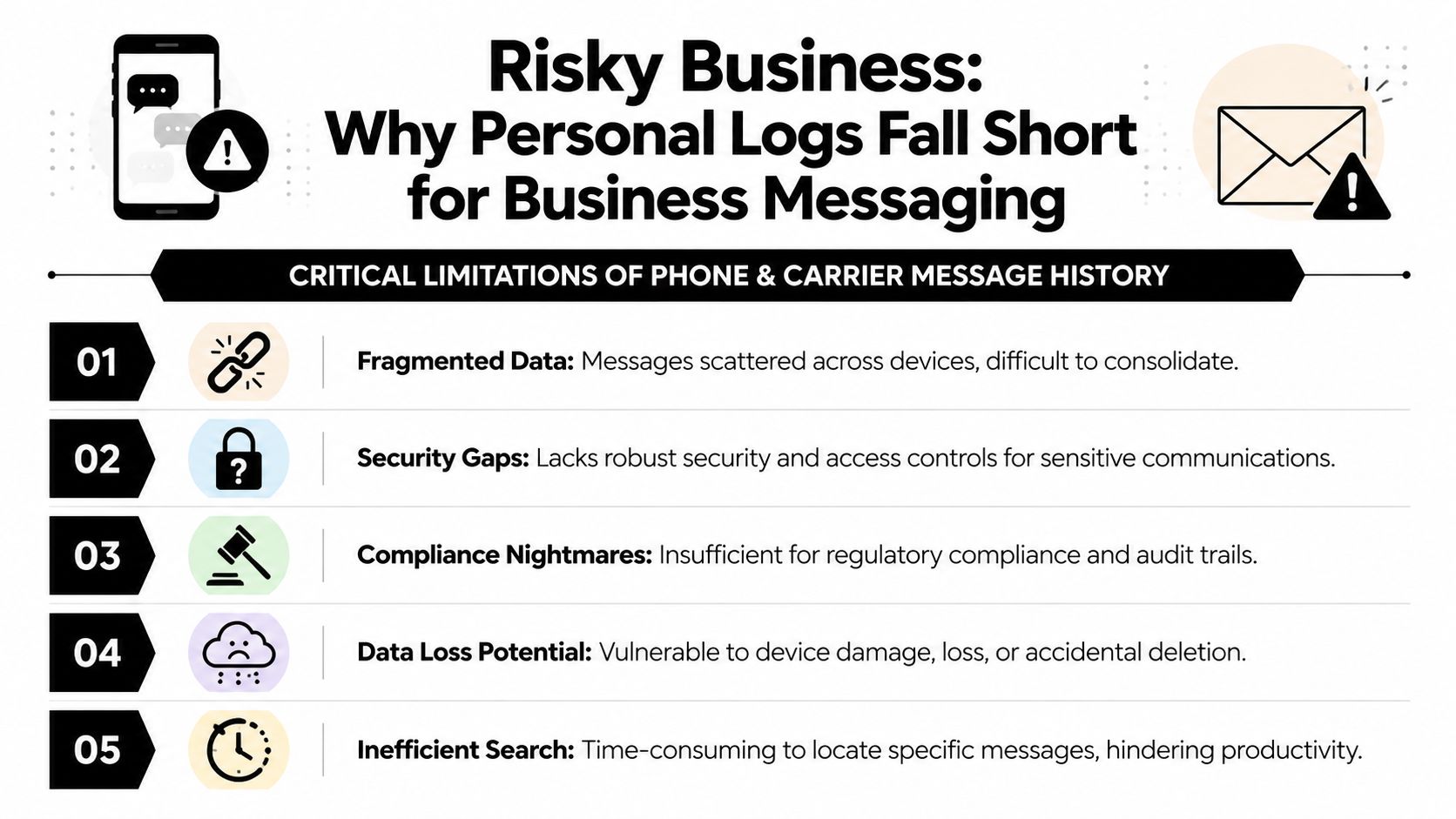
The core problem is that personal logs and carrier records weren't designed for operational messaging. Finalsite's documentation makes that distinction clear by defining text message history in business use as a log of sent messages with delivery status and opt-out records, which is exactly the gap that phone logs leave open in practice, as described in this explanation of business text message history.
A phone conversation view is useful for reading. It's weak for management.
Carrier logs don't solve this cleanly either. They may show basic records, but they usually lack the business context teams need. They're also reactive. You ask for records after a problem happens, not before.
Even if a team can piece together message history from phones and carrier records, that still leaves access control, retention, and sensitive data exposure unresolved. If you're texting customers from standard devices, it's worth understanding the limits of transport security and storage practices in plain language. Call Loop covers that well in its article on whether SMS is encrypted.
A message log is only useful if the right people can access it and the wrong people can't.
For healthcare, finance, education, and any business handling sensitive customer communication, this matters quickly. A phone can store a thread. It can't enforce a real messaging governance process on its own.
Teams feel the pain in small ways first. Support can't confirm what was sent. Marketing can't reconcile a complaint with a campaign. Compliance asks for records and gets screenshots, partial exports, and conflicting versions from different devices.
That's not a tooling inconvenience. It's a process failure caused by the wrong system holding the history.
A business-grade messaging log should work more like an operations dashboard than a chat app. You should be able to search by contact, list, campaign, date, and status. You should be able to confirm what happened without hunting through personal devices. And you should be able to see more than SMS alone if your outreach includes MMS, voice, or ringless voicemail.

At minimum, the system should capture message status clearly enough that a marketer, coordinator, or compliance lead can use it without interpretation.
A practical setup includes:
| Need | What the log should show |
|---|---|
| Send visibility | Sent records tied to a campaign, workflow, or user action |
| Delivery review | Delivered, failed, or otherwise unresolved message states |
| Subscriber actions | Opt-out activity tied to the contact record |
| Searchability | Filters by date, contact, segment, or campaign |
| Exportability | Clean exports for review, reporting, or retention workflows |
That structure is what turns text message history into something operational. It reduces guesswork. It also keeps teams from relying on memory or screenshots when a customer issue lands.
A lot of businesses no longer communicate through SMS alone. They send image-based MMS, automated reminders, voice broadcasts, and ringless voicemail drops as part of the same customer journey. If those histories live in separate tools, nobody has a complete interaction record.
A unified platform offers greater utility than separate apps stitched together. For example, Call Loop supports outbound messaging across SMS, MMS, voice broadcasting, and ringless voicemail, so teams can review communication history in one system instead of splitting records across phones and disconnected tools. That matters when a customer says they missed the text but listened to the voicemail, or when a team wants to verify whether a sequence was completed across channels.
If you're trying to solve small business communication problems, this unified record is one of the first upgrades that removes friction for both staff and customers.
A central message hub doesn't just store records. It changes response time.
When support, sales, and operations can pull the same history from a browser instead of asking who has the phone, routine work gets easier. Email visibility helps too. Some teams route notifications and message activity into inbox workflows so managers don't have to log in constantly. If that setup matters for your process, it helps to understand how messages can flow to email without turning the inbox into the system of record.
The best message history isn't the one with the most data. It's the one your team can search, trust, and act on quickly.
That's the difference between archived communication and usable communication.
Once your history is centralized, the next step is to use it on purpose. Good teams don't just store message data. They apply retention rules, review outcomes, and use historical logs to improve campaigns, customer service, and compliance readiness.
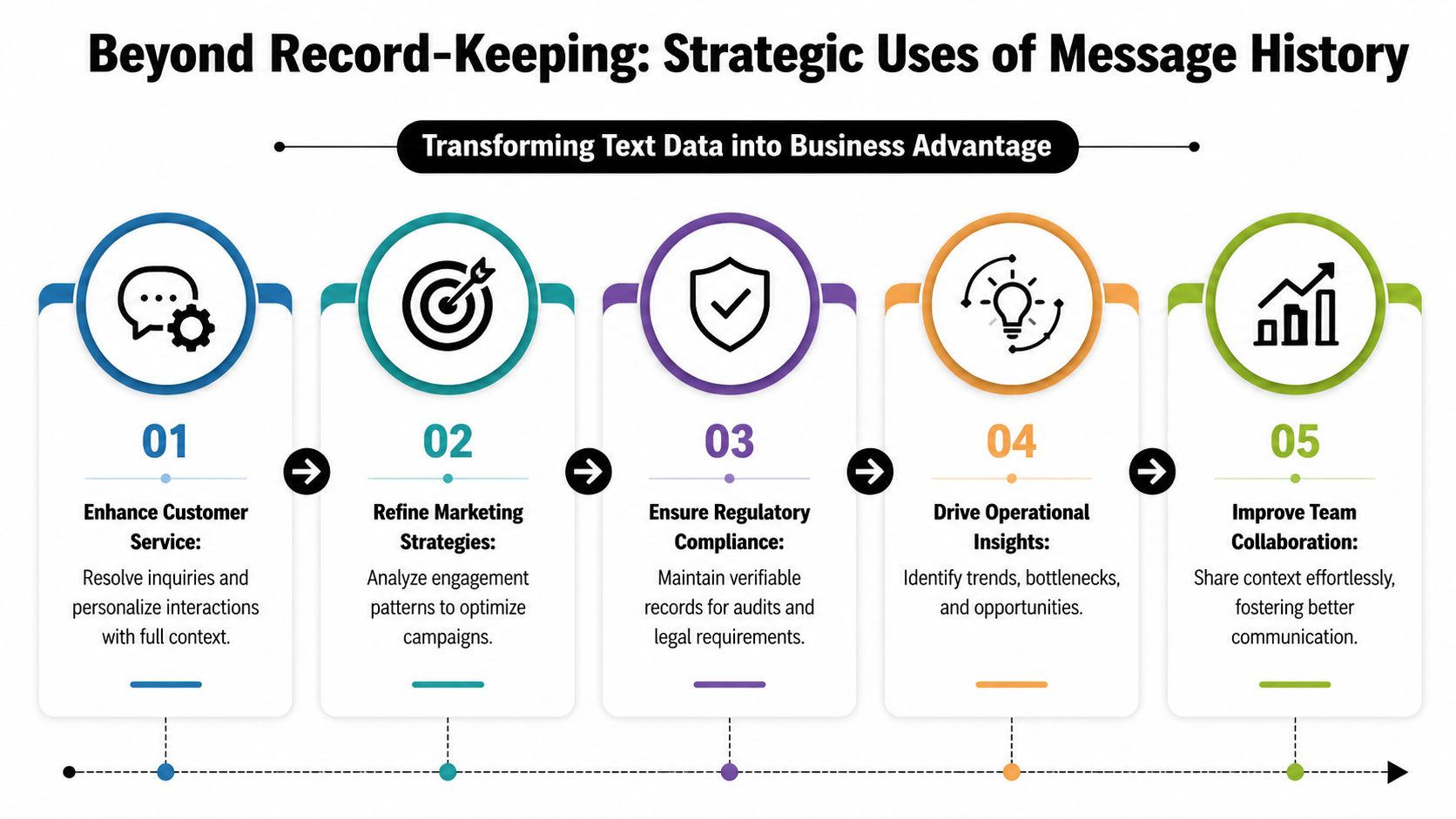
If your organization operates under HIPAA or similar recordkeeping obligations, retention can't be left to individual users. The business needs a written rule for how long message logs are kept, who can access them, and what gets exported when records are requested.
A workable retention process usually includes:
For teams that want a concise baseline before setting internal policy, it helps to review our SMS guidelines and then adapt those practices to your actual workflows and legal requirements.
CSV export sounds boring until something goes wrong. Then it becomes one of the most useful features in the stack.
Exported logs help answer practical questions:
Which campaign generated complaints
You can isolate date ranges, lists, and copy variants to see where issues started.
Which reminders created confusion
If support keeps hearing the same question, the wording may need work.
Which contacts should never have been messaged
Export review is often where consent gaps and workflow mistakes become obvious.
What happened before a dispute
A clean history gives legal, operations, or management teams a timeline they can evaluate.
If your organization ever has to defend its messaging records, it's worth understanding when text messages can hold up in court and what makes documentation more credible.
SMS still carries a technical limit of 160 Latin characters, and longer messages can be split into segments. That's part of the original SMS design, as explained in this history of the 160-character SMS standard. In practice, that means a customer may experience one long message while the system processes multiple related parts.
A professional log should group those parts correctly.
Without that grouping, teams end up reading fragmented records that look incomplete or out of order. On a personal phone, that's frustrating. In a business environment, it can distort what staff think was sent.
Compliance review gets messy fast when one customer message appears as several disconnected fragments.
The best operational teams review message history after campaigns, not only when there's a problem. They look for patterns in delivery issues, common reply themes, opt-out triggers, and timing problems. They also compare how text messaging and ringless voicemail are used together.
That's especially helpful when multi-step outreach is involved. A reminder text might work well for one segment, while ringless voicemail may fit another use case better, such as missed appointment follow-up, time-sensitive notices, or reactivation campaigns where hearing a voice adds context. History gives you the trail needed to judge sequence quality, not just whether something was sent.
Many teams don't need more messages. They need better control over message history.
The simplest way to get there is to treat messaging data like any other business system. Give it owners. Define the rules. Review it regularly. Don't let customer communication live only in the pockets of employees.
Use this as a working standard:
What works is boring, consistent process. Centralized logging. Controlled access. Clear campaign naming. Subscriber status that staff can verify without asking around.
What fails is ad hoc messaging.
That includes shared phones with no ownership, screenshots used as records, one-off exports saved to desktops, and support teams trying to reconstruct history from memory. Those habits look harmless until a customer dispute, compliance review, or internal handoff exposes the gaps.
When businesses start thinking clearly about text message history, they usually stop asking, “How do I find an old message?” and start asking, “How do we manage communication records correctly?”
That's the right question. It leads to better compliance, cleaner troubleshooting, stronger marketing review, and less operational mess. It also gives teams a better way to manage related channels like MMS and ringless voicemail without scattering records across tools and devices.
If your team needs a cleaner way to manage SMS, MMS, voice, and ringless voicemail records in one place, Call Loop is worth a look. It gives businesses a centralized messaging environment with searchable history, delivery tracking, opt-out visibility, and multi-channel communication workflows that are much easier to manage than phone-based logs.
Chris Brisson
Chris is the co-founder and CEO at Call Loop. He is focused on marketing automation, growth hacker strategies, and creating duplicatable systems for growing a remote and bootstrapped company. Chat with him on X at @chrisbrisson


Trusted by over 45,000 people, organizations, and businesses like


