
See a Demo
You're just one step away from seeing Call Loop in action.
Enter your information below to watch a demo right now.

You're just one step away from seeing Call Loop in action.
Enter your information below to watch a demo right now.

At 4:45 p.m., your front desk is still returning missed calls, sales leads from the morning have not been touched, and tomorrow's no-show list is already forming. The work gets done, but it depends on people remembering the next step every time.
Automation fixes that by turning repeatable communication into a system you can monitor, measure, and improve. Formstack reports that 76% of businesses use automation to standardize daily workflows, while 58% use it for data analysis and reporting, according to Formstack's workflow automation statistics roundup. The same source notes that many automation projects reach ROI within 12 months.
The practical benefit is consistency. Leads get routed the moment they come in. Reminder sequences fire on schedule. Escalations follow rules instead of guesswork. For teams running outreach across text, calls, and ringless voicemail, that usually matters more than shaving a few minutes off admin work.
McKinsey notes that current technology can automate a large share of activities in many occupations, especially predictable, repeatable tasks, in its research on jobs lost, jobs gained, and workforce transitions. That is the primary opportunity in this guide. Not abstract productivity gains, but specific multi-channel workflows you can configure with triggers, branching, compliance controls, and reporting from day one.
If you need help defining the audiences behind these automations, start with these customer segmentation examples for SMS and lifecycle campaigns.
If you want a broader automation mindset for paid acquisition too, AdStellar AI's 2026 guide is a useful companion read.
Below are 10 workflow automation examples built for actual operating conditions. Each one goes beyond a generic idea and shows how to run SMS, voice, and ringless voicemail workflows with the tool stack, compliance constraints, and performance signals you need to replicate them fast.
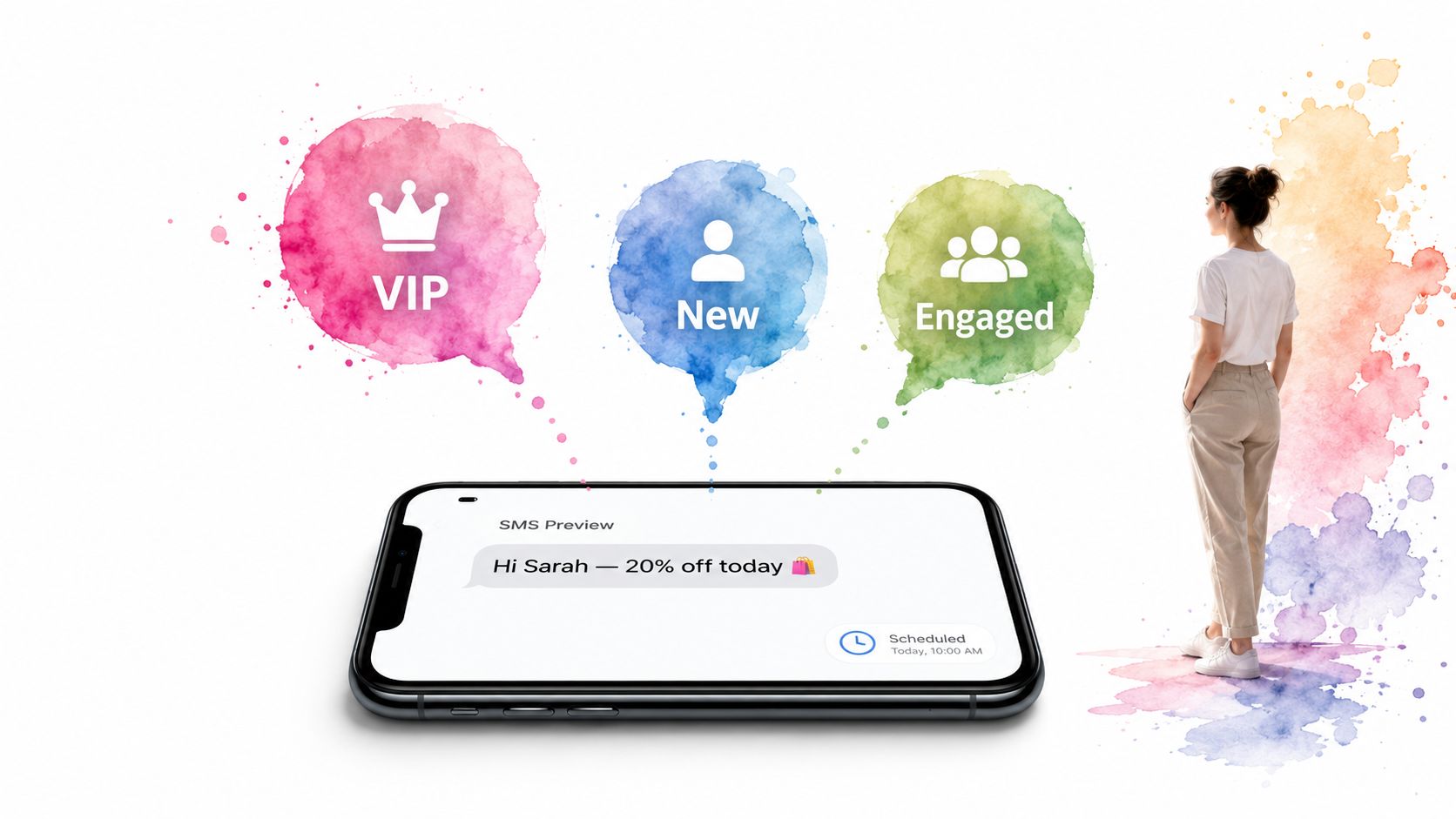
Blasting one text to everyone is the fastest way to train customers to ignore you. Good SMS automation starts with segmentation rules tied to behavior, purchase history, geography, lifecycle stage, or engagement. A retail brand might separate first-time buyers from repeat customers. A karate studio might split active students, expired members, and trial signups.
The workflow itself is simple. A trigger fires when someone joins a list, clicks a tracked link, submits a form, abandons a cart, or stops engaging. From there, your platform applies tags, adds delays, and sends different messages to each segment.
Use a platform that supports custom fields, merge tags, scheduling, opt-in tracking, and branching logic. For most SMBs, that means connecting your CRM or ecommerce platform to your messaging tool, then creating three or four broad audiences before you get fancy.
A practical starting point:
For segmentation ideas that map cleanly to campaigns, review these customer segmentation examples.
Practical rule: Start broader than you think you should. Most teams over-segment too early and end up with tiny audiences and weak signal.
What works is personalization that reflects known data. Use first name, location, appointment type, product category, or membership status. What doesn't work is fake personalization that drops in a name but ignores context. If someone abandoned a premium product, don't send them a generic weekend promo.
Voice gets dismissed because people assume nobody answers unknown numbers anymore. That's exactly why ringless voicemail belongs in the workflow. If the call isn't answered, the system can drop a voicemail directly into the inbox without ringing the phone, then follow with SMS or queue a live callback if the contact engages.
This setup works well for renewals, event reminders, payment follow-ups, public notices, and education enrollment campaigns. Insurance agencies can send policy deadline reminders. Clinics can remind high no-show patients. Loan teams can reach customers after business hours without creating the friction of a missed call alert.
A strong build uses answer detection, press-1 routing, DNC suppression, and pre-recorded audio. If a person answers, route to a live rep or play a short interactive message. If there's no answer, trigger ringless voicemail. If there's still no engagement, send a short SMS recap.
Ringless voicemail is effective because delivery is high when the workflow is configured correctly. Industry-wide delivery rates land around 87-92%, according to Robotalker's ringless voicemail data summary.
Keep these messages short and specific:
A lot of teams fail here by treating voice like email read aloud. Don't. Write for spoken delivery. Short sentences, one CTA, and no clutter. Also build compliance gates before any send, especially for SMS, voice, and ringless voicemail sequences that touch regulated audiences.
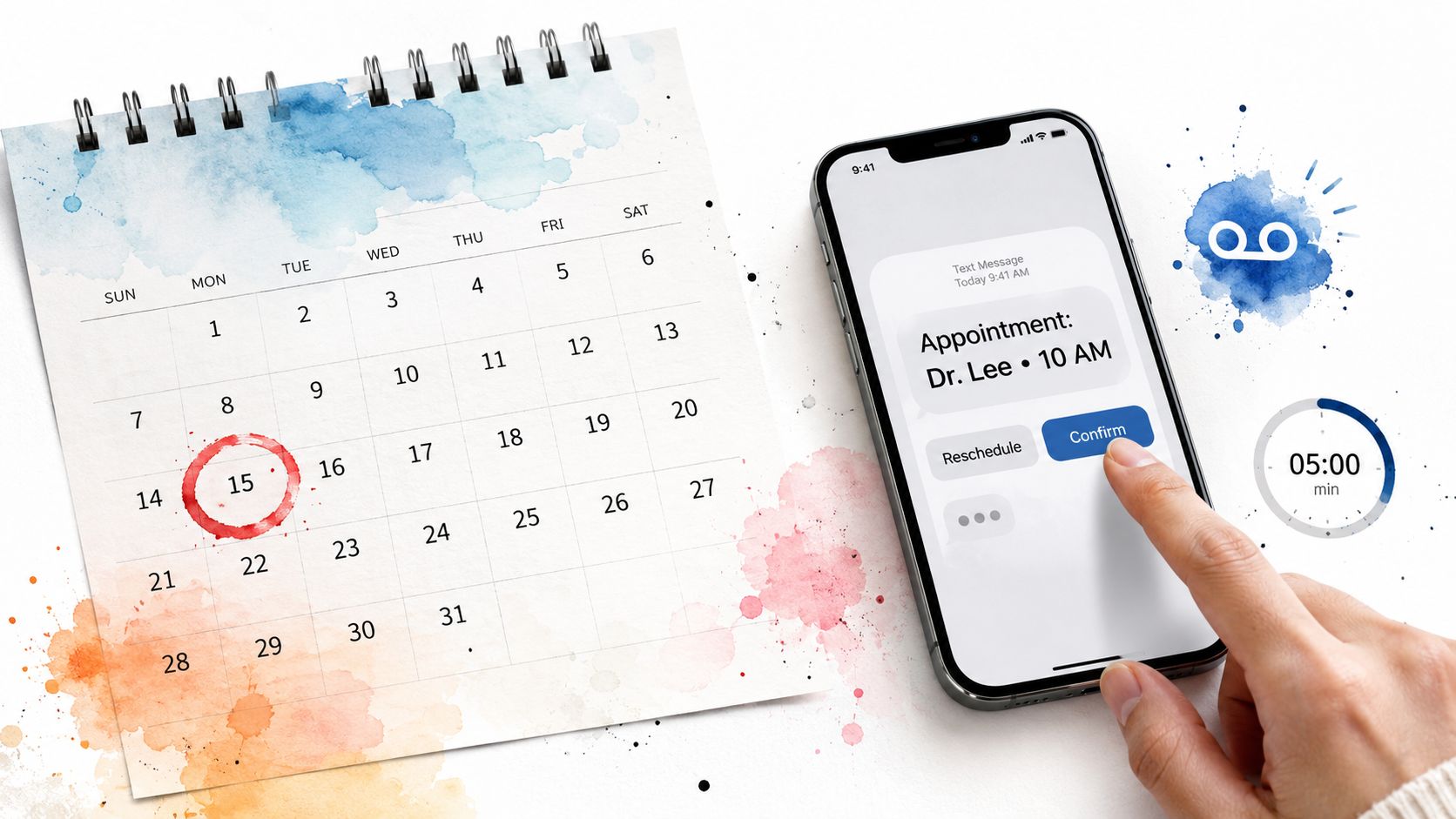
A reminder workflow earns its keep fast. The appointment is already booked, the timing is known, and every no-show has a visible cost in staff time, schedule gaps, and lost revenue. That makes this one of the easier automations to justify and one of the easier ones to measure.
The mistake is treating reminders as a single text blast. Effective reminder drips use channels differently. SMS handles confirmation and quick replies. Voice reaches people who ignore texts or need a stronger prompt. Ringless voicemail gives you one more touch without asking staff to place manual calls.
A practical build starts with your scheduling system as the trigger. Once the appointment is created or moved, the workflow should check appointment type, location, timezone, consent status, and no-show history before sending anything. That extra logic matters. A first-time dental consult should not get the same sequence as a recurring physical therapy visit or a haircut.
A common sequence looks like this:
For pacing and copy structure, apply these drip campaign best practices. If your team also handles inbound inquiries and booked appointments in the same system, map reminder triggers alongside an automated lead follow-up workflow so records, opt-outs, and owner assignment stay in sync.
In HIPAA-covered workflows, voicemail should include only the minimum necessary information. Confirm the appointment or callback request, not diagnosis, treatment details, or sensitive test context.
This setup works well in healthcare, home services, salons, veterinary clinics, legal consultations, and any business where an open slot cannot be recovered at the last minute. The performance metric to watch is not just delivery. Track confirmed appointments, reschedules saved, no-show rate by channel, and front-desk call volume after launch.
One more behind-the-scenes detail matters. Bad data creates bad reminders. If fake leads or junk bookings are entering the system, clean that up first. Teams that start by using AI to filter spam leads usually get better reminder performance because the workflow is operating on real contacts, valid mobile numbers, and cleaner intent signals.
Speed matters most right after a prospect raises a hand. If a form fill, quote request, webinar signup, or trial registration waits in a queue, your sales team loses momentum before the first conversation even starts.
The workflow should trigger instantly from the lead source. The first touch is usually SMS because it's fast and easy to respond to. If the lead clicks, replies, or books, route to the right rep. If they don't engage, move to a second-touch sequence with voice or ringless voicemail and a human task at the end.
Separate workflows by source and intent. Demo requests deserve a different sequence than top-of-funnel content downloads. Insurance quote leads should go to a licensed team member. Real estate inquiry leads should get property-specific details, not a generic “thanks for contacting us.”
A solid sequence often includes:
If you're designing this from scratch, start with an automated lead follow-up system and keep your branching logic simple.
Lead quality matters as much as lead speed. Teams that tighten form filtering often recover hours that were being wasted on junk submissions. A practical example is using AI to filter spam leads, then routing legitimate leads into automation once they clear validation.
What doesn't work is automating a broken handoff. If reps don't trust the routing rules, they'll bypass the system and your workflow becomes expensive theater.
Events need a sequence, not a single reminder. Registration is one workflow. Show-up rate is another. Post-event follow-up is a third. When teams cram all three into one undifferentiated campaign, attendance suffers and no-shows vanish without a recovery path.
For live webinars, workshops, demos, and training sessions, use multi-channel automation that adapts to the timeline. Registration triggers the first confirmation. As the event gets closer, urgency increases and the message gets shorter.
Busy professionals often miss email but still check texts and voicemail. That makes SMS useful for day-before and hour-before prompts, while ringless voicemail works well a few days earlier for calendar anchoring.
A practical flow:
Response rate is the metric to watch on ringless voicemail, not just delivery. A favorable benchmark is 10-15%, according to LeadsRain's ringless voicemail response-rate benchmark.
After the event, split the list immediately. Attendees get replay links, slides, or next-step booking prompts. No-shows get a replay offer or another session date. A common mistake is sending the same follow-up to both groups. That wastes intent data you already have.
A missed appointment reminder in retail is an efficiency problem. In healthcare, the same mistake can create privacy exposure, documentation gaps, and avoidable care delays.
That changes how you build the workflow.
Start with the record, not the message. Before any SMS, voice call, or ringless voicemail goes out, the system needs documented consent, channel preference, staff permissions, and templates written to avoid unnecessary protected health information. If your workflow cannot show who approved the message, what was sent, and when it was delivered, it is not ready for production.
Channel choice matters here more than in almost any other use case. SMS works well for appointment confirmations, rescheduling links, and brief reminders that do not reveal sensitive details. Voice is better for older patient populations, high-value follow-up, or outreach that needs a human callback path. Ringless voicemail fits specific cases such as refill prompts or “please contact the office” notices, but only if the script stays tightly limited and consent is documented.
A workable setup usually branches on four fields: communication preference, provider or location, visit type, and patient status. New patients need intake and portal prompts. Existing patients need reminders, prep instructions, or follow-up scheduling. High-risk or chronic-care cohorts often need escalation rules so unanswered texts trigger a call task instead of another automated nudge.
Use automation for tasks such as:
The operational payoff is real, but the gains only hold if the workflow is designed around healthcare rules instead of copied from standard marketing automation. The American Hospital Association notes that hospitals and health systems are increasing their use of automation and AI to reduce administrative burden and support patient access, according to the American Hospital Association's overview of automation in health care.
One implementation detail gets missed often. Write separate templates for clinical, administrative, and billing communication. That keeps staff from reusing a convenient message in the wrong context. I have seen teams create risk for themselves because one reminder template included more detail than the channel should carry.
Compliance problems usually start in branching logic, not copy. A patient opts into text at intake, then changes preferences by phone. The EHR updates, but the messaging tool does not. Or a no-show workflow keeps firing after a visit is rescheduled. Good healthcare automation closes those gaps with preference syncs, stop rules, audit logs, and exception queues that staff review daily.
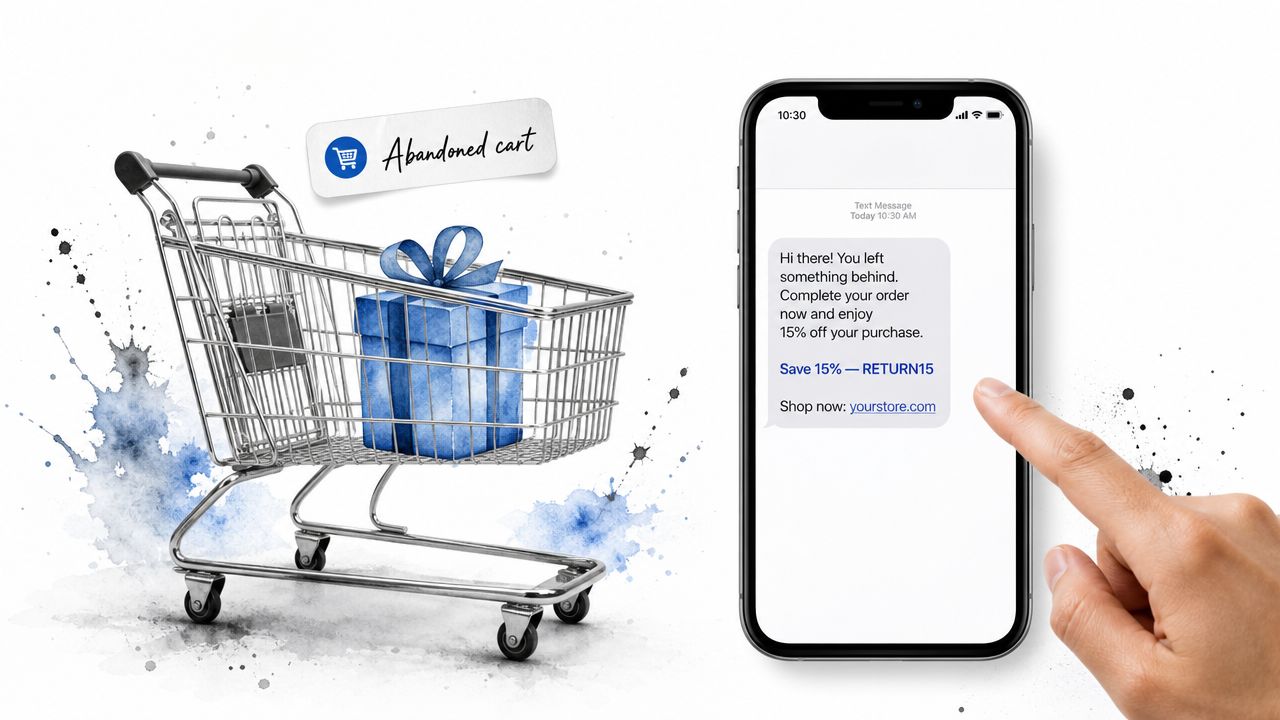
Abandoned cart automation works best when the sequence feels like a helpful nudge, not a chase. The trigger is obvious. A shopper adds products, starts checkout, and leaves. Your system waits briefly, checks for purchase completion, and starts a recovery flow.
For lower-ticket products, SMS may be enough. For high-consideration purchases, add ringless voicemail after the first text goes unanswered. That's especially useful for products where buyers hesitate because of shipping questions, timing, or price.
Don't send the same copy to someone who left a small accessory and someone who abandoned a premium bundle. The product value should decide the path, tone, and offer.
A practical structure:
“Your best cart recovery message usually answers the objection the shopper never typed.”
For many teams, the hidden issue isn't message copy. It's that they automated before fixing the checkout leak. Optimization has to come before automation. Industry analysis cited by Xurrent's workflow automation guide says 58% of failed automation projects happened because organizations automated broken workflows instead of optimized ones.
That advice matters here. If your shipping calculator breaks on mobile or your promo code field is confusing, no drip campaign will rescue the funnel by itself.
A member misses three classes, their card fails on renewal, and nobody follows up until they are already gone. That is the retention gap automation should close.
This workflow works best for businesses with recurring revenue and visible engagement signals, such as gyms, martial arts schools, coaching programs, associations, and subscription services. Churn rarely comes from one big event. More often, it starts with small signs: lower attendance, fewer logins, stalled progress, or a failed payment that sits too long without a second touch.
Renewal reminders matter, but they are only one layer. Strong retention workflows watch for status changes across billing, usage, and participation, then route people into the right sequence before the account reaches cancellation risk.
A practical setup usually tracks:
Each trigger needs its own channel mix. SMS handles quick action well, especially for billing updates and renewal links. Voice calls or ringless voicemail are useful when the member has gone quiet for weeks and text alone is not getting a response. That extra human tone often matters more in retention than in acquisition.
Do not send the same “renew now” message to every subscriber in the database. A retained member usually responds to relevance, not frequency.
Use segments like these:
Teams that automate record updates and trigger logic usually make fewer timing and audience-selection mistakes than teams running retention manually. The operational win is simple. Fewer members slip through because someone forgot to export a list, check attendance, or notice a declined card.
The message content should reflect why the person joined. A karate studio should mention belt progress, recent attendance, or an upcoming test date. A coaching program should reference unused sessions, accountability checkpoints, or the next live call. Generic reminders underperform because they ask for renewal without reminding the member what they are renewing for.
Support automation should reduce queue confusion, not trap customers in a maze. The best workflows triage quickly, route correctly, and know when to get a human involved.
A basic setup can start from inbound SMS, web form, missed call, or voicemail. The system classifies the issue, sends an acknowledgment, and branches by urgency. Billing questions can wait. Outage reports, access failures, and patient-critical concerns usually can't.
Use IVR-style prompts, press-1 transfers, skill-based routing, and callback options. If someone reports an urgent issue by phone, the workflow can route them to an on-call rep. If the issue is standard, it can create a ticket and send a callback window by text.
Useful routing paths include:
An IT company that automated routine helpdesk tasks such as password resets saw a 30% productivity boost within six months and reached 97% accuracy in handling repetitive requests, according to Latenode's AI workflow case studies.
That result is a good reminder that support automation should target repetitive work first. Password resets, intake categorization, callback scheduling, and known-status updates are ideal. Emotional or high-risk issues still need a person with context.
Agencies hit automation complexity faster than in-house teams because every client has different rules. One client needs strict approval before every send. Another has healthcare compliance concerns. Another wants flash-sale campaigns built in a white-labeled dashboard with separate reporting.
The workflow architecture has to enforce separation. Client lists, sender identities, opt-in records, DNC rules, templates, and reports shouldn't bleed into each other. Reusable templates matter, but permission controls matter more.
Create campaign blueprints by use case, then duplicate them per client. A retail template might include a welcome series, sale promo, abandoned cart path, and reactivation sequence. A healthcare template should have stronger compliance gating and narrower message content.
Build around these controls:
Ringless voicemail is becoming a larger part of that agency toolkit. The global ringless voicemail platform market was valued at $0.8 billion in 2025 and is projected to reach $1.5 billion by 2034, growing at 7.2% annually, according to Market Intelo's ringless voicemail platform market report.
Agencies that do this well don't just automate sends. They automate safeguards. That includes brand review, client approvals, channel restrictions, and contact governance.
| Use case | Implementation complexity | Resource requirements | Expected outcomes | Ideal use cases | Key advantages |
|---|---|---|---|---|---|
| SMS Marketing Campaigns with Automated Segmentation | Medium, setup segmentation rules and schedules | Clean customer data, SMS platform, templates, analytics | Higher engagement and targeted conversions at scale | Ecommerce promotions, retention, flash sales | Personalized messaging at scale; automation; analytics; compliance |
| Voice Broadcasting with Ringless Voicemail Integration | Medium–High, audio workflow and compliance setup | Call platform, recordings or TTS, DNC/compliance management | Reach non-responders with non‑intrusive voice messages | Payment reminders, event notifications, outreach to busy contacts | Non‑intrusive delivery; live agent handoffs; cost per successful drop |
| Appointment Reminder Drip Campaigns | Medium, calendar triggers and multi‑channel sequencing | Calendar/EHR/CRM integration, SMS/voice templates, reschedule links | Reduced no‑shows, improved revenue and customer experience | Healthcare clinics, salons, studios | Timed multi‑channel reminders; reschedule automation; audit trails |
| Lead Follow-Up and Sales Pipeline Automation | High, lead scoring, routing, CRM mapping | CRM integration, lead scoring rules, multi‑channel assets | Faster follow‑up, higher conversion rates, fewer missed leads | B2B SaaS, real estate, insurance sales teams | Consistent nurturing; escalation rules; lead quality insights |
| Event Attendance and Webinar Engagement Automation | Medium, registration and multi‑stage reminders | Registration system integration, reminder templates, access codes | Higher attendance, improved engagement, better follow‑up | Webinars, conferences, training sessions | Multi‑stage reminders; segmented post‑event workflows; registration automation |
| Healthcare Patient Engagement and Communication Workflows | High, HIPAA compliance and EHR integration | Secure messaging, consent management, audit logging | Improved outcomes, fewer no‑shows, regulatory compliance | Clinics, surgical centers, public health programs | HIPAA‑compliant automation; secure replies; audit trails |
| E‑Commerce Abandoned Cart and Sales Recovery Campaigns | Medium, real‑time triggers and dynamic content | Ecommerce integration, product feeds, promo codes, tracking | Recovered revenue, measurable ROI, higher AOV | Online retail, DTC brands, subscription box services | Real‑time recovery; personalized product messaging; revenue attribution |
| Membership and Subscription Retention Workflows | Medium, renewal scheduling and tier segmentation | Membership/payment system integration, tiered messaging | Lower churn, higher LTV, improved member engagement | Gyms, SaaS subscriptions, associations | Renewal automation; churn detection; loyalty communications |
| Customer Service and Support Escalation Automation | High, decision trees and ticketing integration | IVR/press‑1, ticketing system, routing rules, escalation policies | Faster response, prioritized resolutions, improved CSAT | SaaS support, ecommerce customer service, healthcare triage | Automated triage; 24/7 intake; structured escalation paths |
| Marketing Agency Multi‑Client Campaign Management | High, multi‑tenant setup and compliance separation | Multi‑client dashboard, templates, client portals, compliance tracking | Scalable agency operations, faster deployment, clear reporting | Agencies managing many SMB clients, consultants | Reusable templates; client‑specific compliance; white‑label reporting |
The main shift is simple. Workflow automation isn't reserved for enterprise teams with giant operations groups anymore. It's now a practical operating layer for SMBs, clinics, sales teams, agencies, ecommerce brands, and service businesses that need consistent follow-up without adding manual work every time volume increases.
The best workflow automation examples all share the same structure. A real trigger starts the process. A clear rule decides what happens next. A channel gets chosen for a reason, not just because it's available. And a human only steps in where judgment matters. That's why multi-channel workflows across SMS, voice, and ringless voicemail work so well. Each channel does a different job, and the sequence handles the handoff.
Start with one repetitive task that already causes friction. Appointment reminders are a good first build. Lead follow-up is another. Cart recovery, renewals, and support escalation also work well because the trigger is easy to define and the outcome is visible quickly. You don't need ten workflows on day one. You need one that your team will trust.
Keep the first version small. Build the trigger, the wait times, the message copy, and the fallback path. Then test what happens when a contact replies, ignores the message, asks to reschedule, or should be suppressed. The teams that get value from automation aren't always the ones with the most advanced software. They're the ones that remove ambiguity before they automate.
That point matters because many failed automation projects don't fail because automation itself is weak. They fail because the original process was messy, ownership was unclear, or compliance logic was bolted on too late. If you map the workflow first, decide where SMS fits, where voice fits, and where ringless voicemail should be used, implementation gets much easier.
If you need a platform that supports this style of build, Call Loop is one option for orchestrating outreach across SMS, voice broadcasting, and ringless voicemail with drip logic, integrations, segmentation, and HIPAA support. The right fit depends on your process, your compliance needs, and how much branching logic your team plans to manage.
The practical move is to pick one workflow, launch it, review the logs, and improve it after the first real week of usage. That's how automation becomes part of your operation instead of another half-finished tool.
If you're ready to automate outreach across SMS, voice, and ringless voicemail, Call Loop gives you a practical place to start. You can build reminder flows, lead follow-up sequences, campaign drips, and compliance-aware communication workflows without stitching together a stack of disconnected tools.
Chris Brisson
Chris is the co-founder and CEO at Call Loop. He is focused on marketing automation, growth hacker strategies, and creating duplicatable systems for growing a remote and bootstrapped company. Chat with him on X at @chrisbrisson


Trusted by over 45,000 people, organizations, and businesses like


